
Whether you're running a hospitality business in Carmel or a cutting-edge ag-tech startup right here in Salinas, a shared network is the digital backbone of your entire operation. It’s about creating a system that lets your team collaborate effortlessly, keeps your sensitive data locked down, and builds a solid platform for future growth.
Let's demystify the process and break it down into concepts that make sense for you. Think of this as your roadmap to building an enterprise-level IT foundation, but on a budget that works for a local business like yours.

Why A Shared Network Is Your Business’s Foundation
At its core, creating a shared network means designing a smart layout, picking the right hardware like routers and switches, locking down security, and setting up file access that actually works for your team. This guide will walk you through each phase, giving you the confidence to make smart, affordable decisions.
Imagine it as the central nervous system for your Salinas business—it connects every single device, from the point-of-sale systems out front to the computers in the back office, into one cohesive unit.
The Core Benefits For Your Business
A well-designed network does way more than just get you on the internet. It has a real, direct impact on your bottom line and how quickly you can adapt to new opportunities. Here’s what you stand to gain:
- Centralized Data Access: Your team can get to critical files and applications from one secure, central spot. That means no more emailing files back and forth or digging through different computers to find the latest version of a proposal.
- Improved Collaboration: A shared network empowers your employees to work together more effectively, whether they’re in the same Monterey office or working from home.
- Enhanced Security: You can roll out network-wide security measures, like robust firewalls and access controls, to protect your sensitive business and customer data from a single point of command.
- Resource Sharing: Why buy a printer for everyone? A shared network lets you reduce costs by sharing expensive hardware, like high-quality printers and scanners, among multiple users.
A shared network fundamentally transforms a collection of individual devices into a powerful, collaborative ecosystem. It's the first real step toward building a truly efficient and scalable operation.
A Quick Look At Your Core Hardware
Before you dive deeper, it's helpful to know the key players in your network setup. These are the physical components that make all the magic happen.
Core Components for Your Business Network
| Component | Primary Function | Key Consideration for SMBs |
|---|---|---|
| Router | Directs traffic between your local network and the internet. | Look for one with strong security features like a built-in firewall and VPN support. |
| Switch | Connects devices (computers, printers) on the same local network. | The number of ports is key—make sure you have enough for current needs and future growth. |
| Access Point | Provides wireless (Wi-Fi) connectivity for your devices. | Coverage area and the ability to handle multiple simultaneous connections are crucial. |
| Firewall | Acts as a security guard, monitoring and filtering network traffic. | Can be a hardware appliance or software. A dedicated hardware firewall offers more robust protection. |
Getting these core pieces right is essential. They are the building blocks upon which your entire digital operation will rest.
Connecting To A Wider World
Your local network is your private gateway to a massive global one. As of early 2025, there are an incredible 5.56 billion internet users worldwide. On top of that, smartphones make up about 87 percent of all mobile devices in use. This massive connectivity just underscores how essential a reliable internal network is for reaching customers and using cloud services. You can get a sense of the scale from WeAreSocial's comprehensive 2025 report.
Building this foundation can feel like a huge project, but you don't have to tackle it alone. Many businesses find that partnering with local experts gives them peace of mind and ensures the job is done right the first time. For more on what to look for in a partner, you might find our guide on choosing the right IT service providers helpful.
Designing a Network Blueprint for Your Business
Jumping straight into buying hardware without a solid plan is a fast track to wasted money and future headaches. Before you spend a single dollar, you need to step back and act as the architect for your business's digital workspace. This design phase, or blueprint, is the most critical part of creating a shared network that actually works for you.
Think of it like building a house. You wouldn't order lumber and start nailing boards together without a detailed architectural drawing, right? Your network is no different. A well-considered blueprint ensures every dollar is spent wisely and that the final result supports your team, secures your data, and can grow with your ambitions.
This process really begins by looking inward at your specific operations. How your business runs day-to-day dictates the kind of network you need. A small law firm in Monterey handling sensitive client files has vastly different requirements than a bustling Seaside café processing hundreds of transactions an hour.
Assess Your Real-World Needs
Start by mapping out a typical day for your team. Don't just think about computers; consider every single device that needs a connection.
- Team Size and Roles: How many employees need access right now? What about in two years? Make sure you account for everyone, from administrative staff and on-the-floor sales teams to any remote workers.
- Daily Operations: What activities are truly essential? Are you managing large crop-yield reports for your agriculture business, streaming high-definition video for client presentations, or just handling basic email and web browsing? The answer changes everything.
- Device Inventory: It's time for a roll call. List every internet-connected device you can think of: PCs, laptops, tablets, smartphones, point-of-sale (POS) systems, security cameras, smart thermostats, and printers. Each one adds to the load on your network.
- Future Growth: Are you planning to hire more staff, open a second location, or add new services? A network built only for today will quickly become a bottleneck tomorrow.
Taking the time for a thorough needs assessment prevents you from overspending on equipment you don't need or, worse, under-investing in a system that can't keep up. It's the most effective cost-control measure you can take.
Wired, Wireless, or a Hybrid Approach
Once you know what your network needs to do, you can decide how to build it. The two main options are wired (Ethernet) and wireless (Wi-Fi), but the truth is, most modern businesses need a smart mix of both.
Wired (Ethernet) Connections are the workhorses of any professional network. They deliver unbeatable speed, stability, and security because they aren't susceptible to the interference that can plague Wi-Fi. For stationary devices that are critical to your operations—like desktop computers, servers, or your main POS terminal—a wired connection is almost always the best choice. It guarantees the most reliable performance when you need it most.
Wireless (Wi-Fi) Connections provide the flexibility and mobility your team needs to stay productive. Laptops, tablets, and employee smartphones all depend on a strong Wi-Fi signal. It’s perfect for conference rooms, customer waiting areas, and simply enabling your team to work from anywhere in the office without being tethered to a desk.
This infographic shows how these elements combine to deliver key benefits for your business.
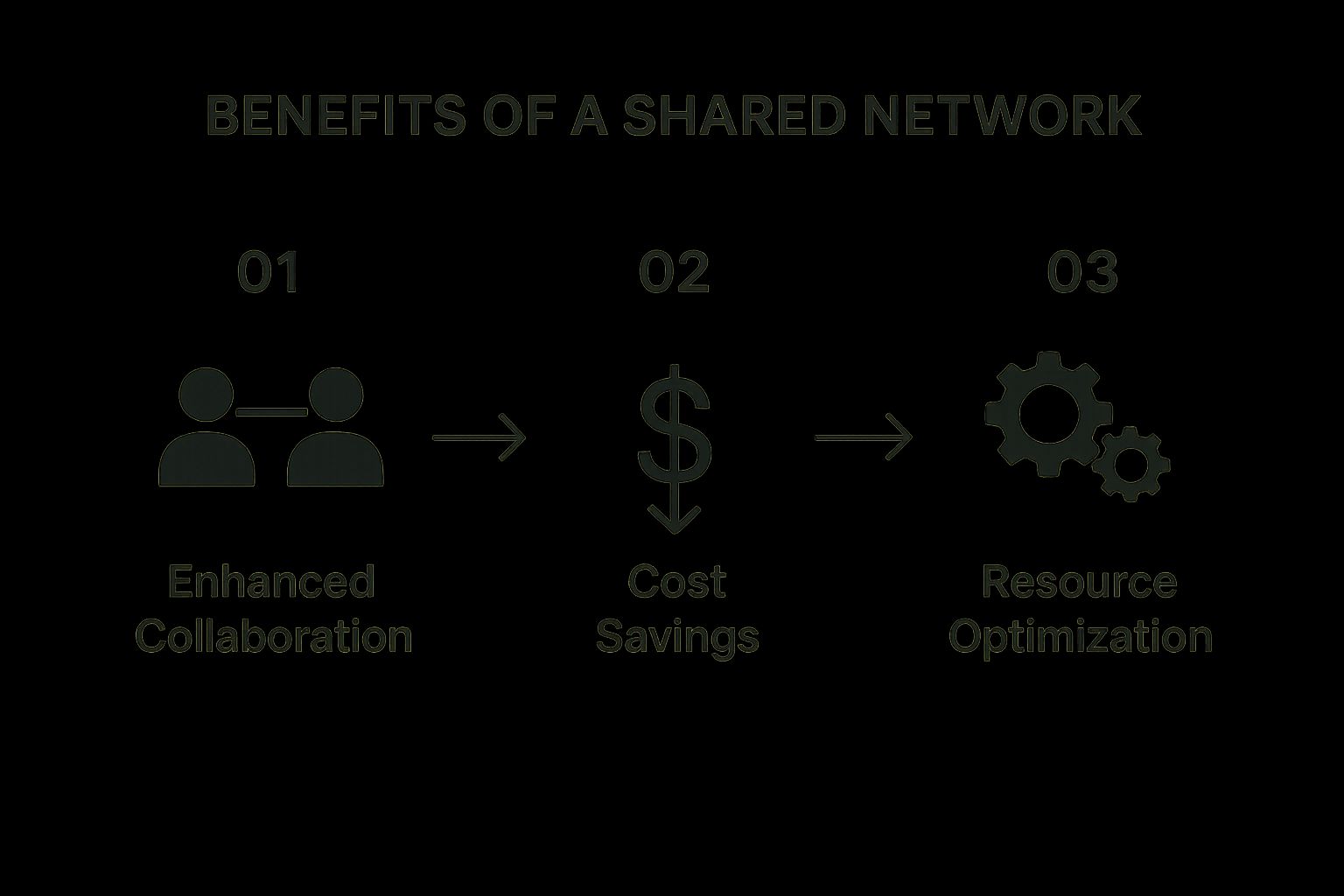
As you can see, a well-designed network directly boosts collaboration, saves money, and optimizes your resources.
Map Your Physical Layout
Finally, grab a floor plan of your office, warehouse, or storefront. It’s time to physically map everything out. Mark the location where your internet service comes into the building, then plot where your key devices will live. This visual map helps you identify where you'll need Ethernet ports and, crucially, where to place Wi-Fi access points.
The goal here is to eliminate "dead zones"—those frustrating areas where the Wi-Fi signal is weak or non-existent. By strategically placing your access points, you can ensure consistent, strong coverage across your entire space, from the front desk to the back stockroom. This physical blueprinting is a simple but powerful step in creating a network that just works.
Of course, a well-designed network is only as good as its security. As you lay out your blueprint, it's the perfect time to start thinking about protection. For a detailed overview, check out our small business guide to network security to learn how to build security in from day one.
Choosing the Right Hardware Without Overspending
Once you have a network blueprint, it's time to pick the tools for the job. For many business owners, this is where things get intimidating. The market is flooded with options, and it's easy to get paralysis by analysis. You could overspend on features you’ll never touch or, even worse, underspend and end up with hardware that can't keep up with your business.
Let’s cut through all that noise. At Adaptive, our whole mission is to bring enterprise-level IT to you at a price that makes sense. That philosophy starts right here. You don’t need the most expensive, top-of-the-line gear to build a powerful and reliable network. You just need the right gear for your specific business.
Your Network Hardware Essentials
Think of your network hardware as a small, specialized team. Each piece has a very specific job, but they all need to communicate perfectly to get anything done. For most small and mid-sized businesses, this team has three key players.
1. The Router: Your Digital Front Door
This is easily the most important piece of equipment in your entire network. The router connects all of your local devices to the internet, acting as a gatekeeper for all incoming and outgoing traffic. A basic consumer-grade router from a big-box store simply won't cut it for a business. You need a business-grade model that offers far more robust security features, like a built-in firewall, VPN (Virtual Private Network) capabilities for secure remote access, and better tools for managing traffic.
2. The Switch: The Local Traffic Controller
While the router connects you to the outside world, the switch is what connects all the devices inside your office. Every desktop computer, printer, and server gets plugged into the switch, letting them all talk to each other at high speeds. The main thing to look at here is the number of ports. Just count up all the wired devices from your blueprint and add at least 25% more ports to give yourself room to grow.
3. Access Points: The Wi-Fi Signal Boosters
Wireless Access Points (or APs) are what create your Wi-Fi network. Unlike the all-in-one router you have at home, a proper business setup uses multiple, dedicated APs placed strategically around your building. This is how you guarantee strong, consistent Wi-Fi coverage for a busy Pacific Grove hotel lobby or make sure the signal reaches every corner of a large warehouse. Look for APs that support the latest Wi-Fi standards (like Wi-Fi 6 or 6E) to handle more devices and deliver faster speeds.
You’re not just buying boxes with blinking lights; you're investing in the productivity of your team and the security of your business. The right hardware, chosen wisely, pays for itself in reliability and peace of mind.
The Power of Cloud-Managed Networking
In the past, managing all this hardware required specialized training and usually involved physically plugging a laptop into each device just to make a change. Thankfully, there’s a game-changing option that fits perfectly with our mission of making top-tier IT accessible: cloud-managed networking.
With a cloud-managed system, all your hardware—routers, switches, and access points—can be configured and monitored from a single, intuitive dashboard you can access from anywhere with an internet connection. This approach offers some incredible benefits:
- Simplified Setup: We can get your entire network deployed and configured in a fraction of the time it would take with traditional hardware.
- Remote Management: If you run into an issue, we can often diagnose and fix it remotely without needing an on-site visit, which saves you both time and money.
- Easy Scalability: Adding a new access point or even a new office location is as simple as plugging it in and "adopting" it into your network from the dashboard.
- Automatic Updates: The system automatically handles security patches and firmware updates, ensuring your network is always protected against the latest threats without you lifting a finger.
This shift to the cloud isn't just a fleeting trend; it's a fundamental change in how modern businesses operate. Projections show that global public cloud spending is expected to hit an astounding $723.4 billion in 2025. This massive growth is being driven by small and mid-sized businesses, with over half of their tech budgets now dedicated to cloud services. You can dig into these trends in more detail in CloudZero's latest analysis.
For a local business, this means you can get the same powerful, centralized management capabilities that were once reserved for huge corporations, but at a price point that actually fits your budget. It’s the very definition of "enterprise-level IT at an affordable price."
Implementing Foundational Network Security
An unsecured network is an open invitation for trouble. For a local business here in Monterey County, a single security breach can be devastating. As you move from blueprinting your network to actually building it, security can't just be an item on a checklist—it has to be woven into the very fabric of your setup from day one.
Think of it this way: you wouldn't build a new storefront in downtown Salinas and leave the doors unlocked overnight. Your digital front door deserves the same level of attention, if not more. Let's walk through the essential, non-negotiable security measures that will protect your finances, your reputation, and your customers' trust.
Lock Down Your Wireless Connections
Your Wi-Fi network is the most common entry point for your entire team, which also makes it a prime target for attackers. Just setting a password isn't enough anymore. You have to use the right kind of encryption to make your wireless traffic unreadable to outsiders.
Your goal should be to implement WPA3 (Wi-Fi Protected Access 3). It’s the current security standard and offers significantly stronger protection than its predecessors, like WPA2. It makes it much harder for someone to crack your password and spy on your network activity. Most modern, business-grade access points support WPA3, and enabling it is one of the most impactful security moves you can make.
Change Every Default Password Immediately
This might be the single most critical—and most frequently overlooked—security step. Every router, switch, and access point comes from the factory with a default administrator username and password (think "admin" and "password"). These are public knowledge, easily found online with a quick search.
Leaving these defaults in place is like leaving the master key to your business under the doormat. Before any device goes live on your network, your very first action must be to log in and change its credentials to something strong and unique. A strong password is at least 12 characters and includes a mix of uppercase letters, lowercase letters, numbers, and symbols.
Your Firewall Is Your Digital Security Guard
Every business network, regardless of size, needs a firewall. A firewall acts as a vigilant security guard standing between your internal network and the wild west of the internet. It inspects all incoming and outgoing traffic, blocking malicious requests and unauthorized access attempts before they can do any harm.
While your computer's operating system has a basic software firewall, a dedicated hardware firewall—often built into a business-grade router—provides a much more robust layer of defense. It's your first line of defense against the constant barrage of automated attacks scanning the internet for vulnerable networks.
Create a Separate Network for Guests
Your customers and visitors will appreciate free Wi-Fi, but you should never let them connect to the same network your employees use for business. That puts your internal files, point-of-sale systems, and private data at risk. It’s an unnecessary gamble.
Most business-grade access points make it easy to create a separate Guest Network. This network provides internet access but is completely isolated from your main, internal network. Guests can browse freely without ever having the ability to see or access your critical business resources. Think of it as a secure, digital lobby for your visitors.
To make sure your network is truly protected, you need multiple layers of defense working together. Here’s a quick breakdown of the essential security measures and why each one is so important for your business.
Essential Network Security Layers
| Security Measure | What It Protects Against | Implementation Priority |
|---|---|---|
| WPA3 Encryption | Eavesdropping, password cracking, and unauthorized access to your wireless network. | High |
| Strong, Unique Passwords | Unauthorized administrative access to network hardware (routers, switches). | Critical |
| Hardware Firewall | Malicious external traffic, automated cyberattacks, and intrusion attempts. | High |
| Guest Network Isolation | Internal threats from compromised guest devices; protects internal data from visitors. | High |
These layers build on each other to create a strong defensive posture. A firewall might stop an external attack, but strong passwords prevent an attacker who gets past it from taking over your hardware.
These foundational steps form the bedrock of a secure network. To formalize these practices and ensure your whole team is on the same page, it's wise to create a clear set of rules. For a great starting point, you can find helpful guidance in our IT security policy template designed for businesses like yours. It helps turn these technical steps into clear, actionable company policy.
Configuring Effective File and Resource Sharing
Now that your hardware is set up and your network is secure, we can get to the fun part—the reason you built this network in the first place. This is where you’ll start to see a real return on your investment through smoother daily collaboration. The goal is simple: make it incredibly easy for your team to work together, but impossible for the wrong people to get their hands on sensitive information.
Let's get practical. This isn't about creating one giant folder for everyone to dump files into. It's about building a smart, organized system for sharing both files and expensive equipment like printers and scanners. This directly supports our mission of bringing enterprise-level IT to businesses at a price that makes sense.
Setting Up Smart Shared Folders
A well-structured shared folder system is the bedrock of effective teamwork. But simply creating a folder isn't enough; it needs to mirror the way your business actually operates.
For example, imagine you run a busy financial services firm here in Monterey. A logical folder structure might look something like this:
- A "General" Folder: For company-wide documents like policy updates or event flyers that everyone needs to see.
- Team-Specific Folders: Separate folders for "Advisors," "Operations," and "Marketing," with access restricted to members of each respective team.
- Highly Sensitive Folders: An "HR" folder and a "Client-Financials" folder with access locked down to only a few key individuals.
This kind of logical separation is your first line of defense against accidental data leaks. It also helps your team find what they need without sifting through irrelevant files—a core principle of good network hygiene.
The true value of a shared network isn't just about connecting computers; it's about control. It’s about being intentional with who can see what, ensuring productivity and security can finally coexist.
Understanding User Permissions
Setting up the folders is just the start. The real power comes from assigning the right user permissions. This is a non-negotiable step for maintaining data integrity and protecting your business. You'll mainly be working with two levels of access.
Read-Only Access: This lets a user open, view, and copy files, but they can't change or delete the original. It’s perfect for things like official company templates, finalized reports, or training materials. You want people to use them, but not mess them up.
Read/Write Access: This permission gives a user the keys to the kingdom—within that specific folder, of course. They can open, view, copy, edit, and delete files. This is essential for any collaborative project, like a shared spreadsheet for tracking inventory or a proposal being drafted by the sales team.
Applying these permissions correctly prevents expensive mistakes. You wouldn't hand every employee the keys to the office safe, and you shouldn't give everyone read/write access to your most critical digital assets. Keeping these settings optimized is an ongoing task, and you can learn more about it in our guide to network configuration management.
Sharing More Than Just Files
One of the most immediate cost-saving benefits of a shared network is pooling your hardware resources. Instead of buying a desktop printer for every employee, you can invest in one or two high-quality, multifunction devices that can print, scan, and copy for the whole office.
This move dramatically cuts your initial hardware spending and lowers ongoing costs for supplies and maintenance. Think about it: when someone in your Marina office needs to print a contract or scan an invoice, they can send it to the shared device right from their desk. It’s a simple, effective way to get more mileage out of your hardware and streamline everyday tasks.
Maintaining and Troubleshooting Your Network
So, you’ve got your shared network up and running. That’s a huge step, but the work isn’t quite done yet. Like any critical piece of business equipment, your network needs a bit of ongoing attention to keep it reliable and performing at its best for the long haul.
Trust me, proactive maintenance is always cheaper and far less stressful than scrambling to fix things after a failure has already shut down your operations. Think of it like the routine upkeep on your essential gear—it’s what prevents costly downtime. Now, you’re shifting from building a network to managing one, a process that keeps your business running smoothly.

Proactive Network Health Checks
The single most important maintenance task you can do is regularly updating the firmware on your routers, switches, and access points. Firmware is the software that lives inside your hardware, telling it how to work. Manufacturers constantly release updates to patch security holes, squash bugs, and even improve performance. It’s a simple action with a massive payoff for your network's security.
Another great practice is active monitoring. You don’t need to be an IT wizard to keep an eye on things. Just peeking at your network’s management dashboard now and then can help you spot small issues before they snowball into big problems. If you want to get more advanced, our guide on network performance monitoring tools is a great resource for seeing exactly what’s happening under the hood.
A Simple Troubleshooting Checklist
When issues like slow Wi-Fi or dropped connections eventually happen—and they will—don't panic. Many common network headaches can be solved with a few basic checks, which could save you the time and expense of a support call.
Before you pick up the phone, run through this quick list:
- Check the Physical Connections: Seriously, are all the Ethernet cables plugged in snugly? A cable that’s been kicked loose is a surprisingly common culprit.
- Power Cycle Your Gear: The classic "turn it off and on again" is a classic for a reason. Unplug your router and modem from the wall, wait a full 30 seconds, and then plug them back in. This simple reboot clears up a huge number of temporary glitches.
- Isolate the Problem: Is the connection bad for just one computer, or is every device struggling? If it’s only affecting one machine, the problem is almost certainly with that device, not your whole network.
Taking a few minutes to run these diagnostics yourself builds your confidence and puts you in control of your own IT. This knowledge empowers you to handle the small hiccups on your own and helps you know exactly when it’s time to call in the pros for a more complex problem.
Bringing It All Together: Your Partner in Monterey County
We’ve covered a lot of ground, from the initial design of your shared network all the way to keeping it running smoothly and securely day-to-day. Building a solid network isn't just a tech project; it’s one of the best investments you can make in your business’s future. Think of it as the digital foundation supporting every single thing you do.
While this guide gives you a great starting point, the truth is that every business is different. What works for one company might not be the right fit for another. You can see this on a global scale, too—internet access in high-income countries is at 93%, while it’s just 27% in low-income nations. That gap shows just how much infrastructure and needs can vary. If you're curious about these worldwide trends, Statista has some fascinating data you can explore.
For local businesses who want the peace of mind that comes with a professionally built and managed network, that’s where we come in. At Adaptive Information Systems, we take the complexity out of IT and deliver practical, affordable solutions that just work.
We’re passionate about helping businesses across Monterey County get the kind of powerful, enterprise-level IT they need—without the enterprise-level price tag.
Adaptive Information Systems
380 Main St, Salinas CA 93901 | 831-644-0300 | hello@adaptiveis.net
Common Questions About Business Networks
We get a lot of great questions from local business owners figuring out their first shared network. It's a common hurdle. Here are some of the most frequent things we're asked, along with straightforward, no-fluff answers.
Do I Really Need a Dedicated Server for My Small Business?
Honestly, for most small businesses just starting out in places like Pacific Grove or Marina, a dedicated server is overkill. It's not a day-one necessity. You can get incredibly effective and secure file sharing with a quality Network Attached Storage (NAS) device or even by using the powerful tools already built into modern business operating systems.
A server starts making financial sense when your company grows and your data needs get a lot more complicated. For now, a simpler, more affordable solution will get the job done right without the extra cost and complexity.
What’s the Single Biggest Security Mistake I Can Make?
Hands down, the most dangerous mistake is failing to change the default administrator passwords on your router and other network hardware. It's such a simple step, but it's shockingly easy to forget.
These factory-default logins are public knowledge, essentially giving attackers an open backdoor into your entire business.
Another huge misstep is not creating a separate, isolated Wi-Fi network for guests. Letting customers or vendors log onto your main internal network is a massive risk, potentially exposing your private business data, point-of-sale terminals, and sensitive client files.
An unlocked digital door is just as dangerous as an unlocked physical one. Changing default passwords and isolating guest traffic are two of the most impactful security actions you can take, and they don't cost a dime.
How Often Should I Replace My Network Equipment?
You don't need to be swapping out hardware every year. Good, business-grade equipment is built to last and can easily serve your business well for five years or more.
What's far more important is keeping the firmware current. You should be checking for and installing new firmware updates from the manufacturer every few months. These updates are crucial—they often contain critical security patches that protect you from the latest threats, plus they can offer some nice performance boosts. We always recommend setting a recurring calendar reminder so this essential task never slips through the cracks.
Ready to stop worrying about your network and focus on growing your business? The team at Adaptive Information Systems specializes in creating secure, reliable, and affordable IT solutions for businesses just like yours. Let's build a network that works for you.