
An IT security policy template is more than just a document; it's a foundational blueprint that spells out the rules, procedures, and expectations for protecting your company’s digital lifeblood. Think of it as a pre-built framework you can shape to your specific needs. It helps you define clear, actionable security measures for your entire team, saving you a ton of time while ensuring you don't miss any critical blind spots.
Why Your Business Needs an IT Security Policy Now
Let's be blunt: ignoring IT security policies is no longer an option. It's a direct invitation to operational chaos and financial disaster. The modern threat environment isn't some far-off problem—it’s an active and relentless challenge for businesses of all sizes. Data breaches are more frequent and more expensive than ever before.
This reality is forcing companies to open their wallets. Global spending on information security is projected to rocket to $212 billion in 2025, a massive 15.1% leap from 2024. This surge is a direct response to a hostile threat environment, the massive shift to the cloud, and a persistent shortage of cybersecurity talent. It’s a clear signal that leaders are scrambling to fortify their defenses.
From Ambition to Action
So, what does a policy actually do? Its main job is to turn high-level security goals into concrete, everyday actions. Without one, your security efforts are probably inconsistent, undocumented, and nearly impossible to enforce. A formal policy creates a single source of truth that cuts through the ambiguity.
For example, instead of vaguely telling employees to "be secure," a policy lays out specific password complexity rules. It mandates multi-factor authentication (MFA) and provides clear steps for reporting suspicious emails. It’s all about transforming abstract ideas into measurable behaviors.
A well-crafted IT security policy acts as a force multiplier for your team. It gives every employee the knowledge to make secure decisions, turning your entire workforce into an active line of defense.
This structured approach is essential for building a resilient organization. It ensures everyone, from the front desk to the executive suite, understands their role in protecting company data. This isn't just good practice; it's a defensible position. If a security incident occurs, having a documented and enforced policy demonstrates due diligence to regulators, clients, and partners.
Before you start drafting, it's helpful to know what key components make up a robust policy. This table breaks down the non-negotiable sections you should look for in any template.
Essential Parts of Any IT Security Policy
| Policy Area | Core Objective | Example Coverage |
|---|---|---|
| Acceptable Use Policy (AUP) | Define how employees can use company tech and data. | Prohibited websites, personal use of devices, software installation rules. |
| Password Management | Enforce strong authentication to prevent unauthorized access. | Minimum length, complexity requirements, required change frequency, MFA rules. |
| Data Classification & Handling | Categorize data by sensitivity and set rules for its use. | Levels like Public, Internal, Confidential; rules for storing and sharing. |
| Incident Response Plan | Outline steps to take during and after a security breach. | Who to contact, how to contain the threat, communication protocols. |
| Remote Access & BYOD | Securely manage access for remote workers and personal devices. | VPN requirements, approved devices, security software mandates. |
Having these core sections covered ensures your policy is comprehensive and leaves little room for interpretation, providing a solid foundation to build upon.
Building a Culture of Security
A policy document is the bedrock of a security-aware culture. When you communicate and reinforce it consistently, security stops being an "IT problem" and becomes a shared responsibility. That cultural shift is a game-changer for operational resilience.
Here’s how a policy helps build that culture:
- Sets Clear Expectations: Employees know exactly what is and isn't allowed when handling company technology and data.
- Enables Consistent Enforcement: It provides a fair and uniform basis for addressing security violations.
- Supports Employee Training: The policy becomes the core curriculum for your security awareness programs.
- Demonstrates Leadership Commitment: A formal, C-suite-approved policy signals that security is a top business priority.
Ultimately, an IT security policy isn't just about preventing bad things from happening. It’s about enabling your business to operate confidently and securely. For businesses in our local community, building this foundation is a critical first step. You can explore what this means in more detail in our guide to IT security in Salinas. It’s your organization's formal commitment to protecting itself, its customers, and its future.
Finding the Right IT Security Policy Template
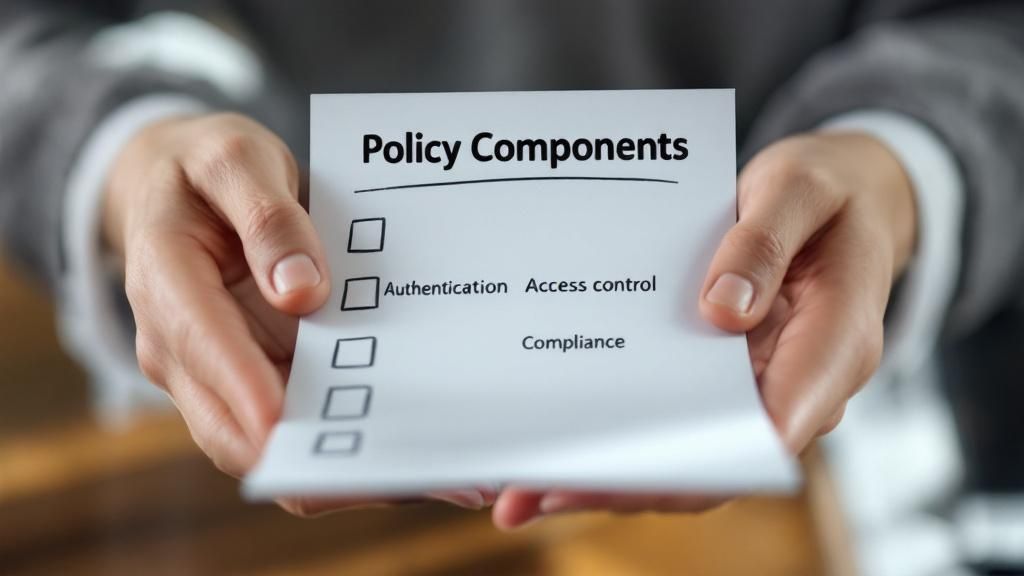
Not all templates are created equal, and honestly, choosing the wrong one can cause more headaches than just starting from scratch. Think of this as your practical guide to finding a solid IT security policy template, whether you're looking at free open-source documents or paid, industry-specific solutions.
A poorly chosen template can introduce new risks, confuse your team, and burn through valuable time. You're looking for a starting point that actually matches your business reality. A template that's too simple will leave gaping holes in your security, but one designed for a massive corporation will bury your team in policies that just don't apply. The sweet spot is a document that's thorough enough to be effective but simple enough for people to actually follow.
Evaluating Your Core Needs
Before you even start Googling, you need a crystal-clear picture of what your organization really needs. It’s simple: a 10-person marketing agency has wildly different security concerns than a 150-employee financial firm handling sensitive client data. Your evaluation has to be grounded in your specific day-to-day operations.
Start by asking these fundamental questions:
- What is our company size and complexity? A small business needs a streamlined policy that nails the core controls, not a 100-page behemoth designed for a multinational.
- What industry are we in? If you're in healthcare, any template you consider must accommodate HIPAA. Handling credit card data? Then PCI DSS compliance is non-negotiable.
- What are our biggest risks? An e-commerce shop might be laser-focused on protecting customer payment information, while a manufacturer is probably more concerned with safeguarding intellectual property and their operational technology.
Answering these questions first acts as a filter. It helps you immediately discard options that are a terrible fit, saving you from the temptation of just downloading the first thing you find. This initial self-assessment is the single most important step in finding the right foundation.
Free vs. Paid Templates
It’s the classic debate: should you go with a free or paid template? Free options, especially from reputable sources like the SANS Institute or CIS (Center for Internet Security), can be fantastic starting points. They’re developed by security pros and give you a solid, vendor-neutral baseline for good cyber hygiene.
However, "free" doesn't automatically mean "best."
A common pitfall with free templates is their generic nature. They're designed to be a one-size-fits-all starting point, which means you'll need to do significant customization to make them truly effective. They might also lack specific clauses you need for regulatory compliance in your industry.
Paid templates, on the other hand, often bundle in some valuable extras. This could include implementation guides, regular updates to address new threats and regulations, and even pre-written clauses for compliance frameworks like GDPR or CCPA.
Here’s a quick breakdown:
| Feature | Free Templates | Paid Templates |
|---|---|---|
| Cost | No upfront cost | One-time or subscription fee |
| Specificity | Generally broad and foundational | Often industry-specific (e.g., healthcare, finance) |
| Support | Community-based or non-existent | Usually includes direct support and updates |
| Effort | High level of customization required | Less customization needed for core policies |
For a small business with basic needs and a tight budget, a well-vetted free template is a great start. But for a business in a regulated industry or a company that needs a more turn-key solution, investing in a paid template can save a ton of time and seriously reduce compliance risks.
Spotting Red Flags in a Template
Once you've shortlisted a few options, you need to put on your detective hat and scrutinize them for quality. A good template gives you a strong, logical structure you can build on. A bad one is a minefield of outdated advice and wishy-washy language.
Here’s what to watch out for:
- Outdated Terminology: If a policy is still talking about floppy disks but fails to mention cloud services, multi-factor authentication (MFA), or remote work security, it's dangerously out of touch. Close the tab and move on.
- Overly Generic Language: Vague phrases like "employees should use strong passwords" are completely useless on their own. A quality template will provide a framework for defining what "strong" actually means (e.g., length, complexity, MFA requirements).
- Lack of Role Definitions: The policy must clearly spell out who is responsible for what. Who has the authority to declare a security incident? Who is responsible for testing backups? If everyone is responsible, then nobody is.
- No Review or Update Clause: A modern IT security policy is a living document, not a "set it and forget it" file. The template should include a section that mandates regular reviews and updates—at least annually, or after a major security event.
Finding the right IT security policy template is all about balancing thoroughness with practicality. Your choice should light a clear path forward, not dump a confusing and irrelevant rulebook on your team. It’s the blueprint for building a safer, more resilient organization.
Customizing Your Template Into a Practical Shield
A downloaded IT security policy template is a great starting point, but it's just a blueprint. It’s not yet a shield. This is where you roll up your sleeves and transform that generic document into a real-world, enforceable defense that actually reflects your company’s unique risks, culture, and day-to-day operations.
Without this critical step, the policy is just another file on the server, easily ignored. The goal is to move from abstract ideas to concrete rules that your team can actually understand and follow. It’s about making the policy real for your environment.
This process ensures your security measures are truly practical. Think of it as a structured flow, from identifying your assets all the way to getting formal sign-off.
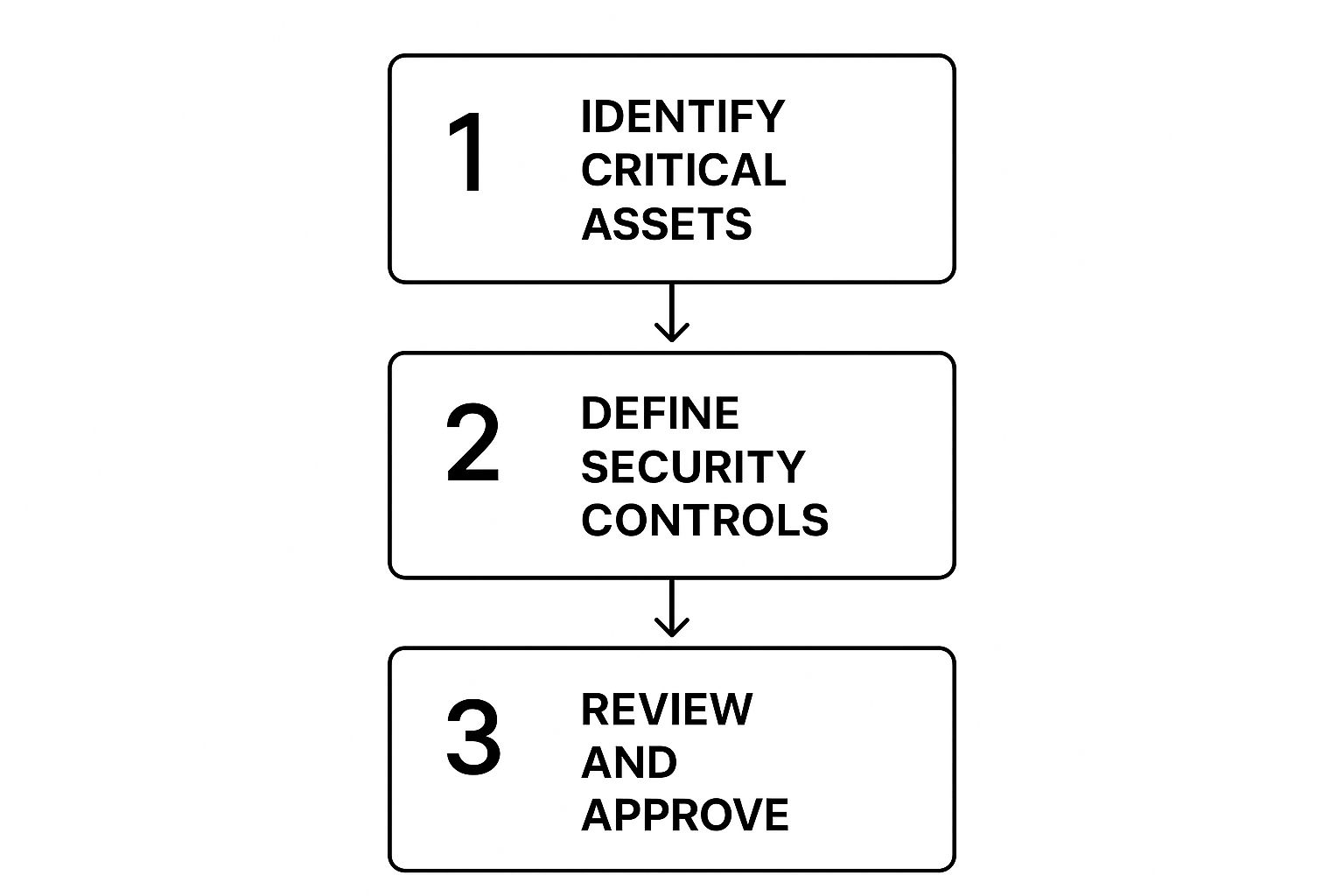
As the visual shows, a solid policy starts with knowing what you need to protect and ends with formal approval—a key step for successful adoption.
Tailoring Your Core Policies
Every section of the template needs your attention, but some areas demand a lot more detail than others. It's smart to focus your initial efforts on the policies that address your biggest and most immediate risks.
For most businesses, these core areas are:
- Acceptable Use Policy (AUP): Don't just say "no personal use." Get specific. Can employees check personal email on a break? What about streaming music on a company device? Can they use a company laptop for an online professional development course? Be explicit to avoid confusion.
- Access Control: A template might vaguely say "limit access to sensitive data." Your job is to define what data is sensitive, which roles need access to it, and the exact process for granting and revoking that access when someone joins, changes roles, or leaves.
- Incident Response: Instead of a generic "report incidents to IT," your policy needs to name the specific person, team, or helpdesk to contact. It should also define what a "reportable incident" even is. Is it a forgotten password? A suspicious email? A lost company phone?
The most effective security policies are those that leave no room for interpretation. Specificity is your best defense against both accidental mistakes and malicious actions. A clear rule is an enforceable rule.
Think about a real-world scenario. A template might have a line prohibiting "unauthorized software." A customized policy for a marketing agency would go further, explicitly listing approved tools like Adobe Creative Cloud and Google Analytics, while forbidding the installation of unvetted browser extensions or free video editors from unknown sources. This clarity helps employees do their jobs securely without constant guesswork.
Reinforcing Your Password Policy
Nowhere is customization more critical than your password policy. Weak or stolen credentials are a factor in a staggering 80% of all security breaches, which immediately makes this section a top priority.
A good IT security policy template will suggest basic complexity, but you need to go further. Your job is to enforce rules that seriously reduce the risk of credential-based attacks. This means mandating multi-factor authentication (MFA) across all critical systems, setting a firm schedule for regular credential reviews, and explicitly banning the reuse of passwords across different services. By transforming chaotic security habits into an organized framework, you can shut down the most common threats tied to weak authentication.
You can dive deeper into these step-by-step guides and find more insights about building effective IT security policies on CyberPilot.io.
To help you get started, use this checklist to guide your customization process. It ensures you don't miss any critical steps and reminds you to consult the right people along the way.
Your Customization Action Plan
| Policy Section | Key Customization Action | Stakeholder to Consult |
|---|---|---|
| Password Policy | Define specific MFA requirements and a password expiration timeline. | IT Department, HR |
| Acceptable Use | List approved and prohibited software, websites, and device uses. | Department Heads, Legal |
| Data Classification | Create categories (e.g., Public, Internal, Confidential) with examples. | Business Unit Owners |
| Remote Access | Specify required VPNs, antivirus software, and home network security. | IT Department, Operations |
| Incident Response | Name the primary contact and outline the first three steps to take. | Executive Leadership, IT |
This targeted approach ensures your policy isn't just comprehensive but also practical and aligned with how your business actually runs. When you invest time in this customization phase, you convert a simple document into a powerful tool for risk management and real operational security.
Navigating the World of Security Compliance

Let's be clear: your IT security policy is more than just an internal rulebook. When regulators or auditors come knocking, it's your single most important piece of evidence. A well-crafted policy is tangible proof of due diligence, showing you have a structured, proactive approach to managing digital risks.
This documentation smooths out the audit process and can dramatically reduce your risk of facing costly non-compliance fines.
When you start with an IT security policy template, it's absolutely critical to view every clause through the lens of your legal and regulatory obligations. I've seen too many businesses just list regulations at the top of the document and call it a day. That's not enough. You need to strategically embed compliance requirements directly into your operational policies, turning dense legal jargon into actionable steps for your team.
From Rules to Reality
A common mistake I see is companies treating compliance as a separate, once-a-year scramble. Your policy should be the very mechanism that translates what regulators demand into your everyday business practices. It needs to address the specific mandates that apply to your industry and how you operate.
Here are a few real-world examples of what this looks like:
- Data Breach Notification: If you handle customer data under rules like GDPR or CCPA, your incident response section can't be vague. It must specify the exact timeline and procedure for notifying affected individuals and authorities.
- Third-Party Risk Management: For frameworks like SOC 2, your policy needs to clearly outline the security requirements you impose on your vendors. It should also detail the review processes you have for any partner who handles your data.
- Data Retention: Your policy should define precisely how long different types of data are kept. This needs to align with legal requirements to avoid the liability of holding onto information longer than necessary.
This integration is key. When an auditor asks how you comply with a specific rule, you should be able to point directly to the relevant, enforced clause in your policy.
Your security policy shouldn't just mention compliance; it should drive it. By embedding regulatory requirements into your core procedures, you build a framework that is compliant by design, not by accident.
This approach transforms your policy from a static document collecting dust on a shelf into a dynamic tool for risk management. For any organization aiming for operational resilience, understanding the key frameworks is non-negotiable. For a deeper look, check out our guide on the cybersecurity compliance essentials for 2025.
The Evolving Regulatory Environment
The world of compliance is anything but static. New regulations pop up all the time, and your policy has to keep pace. For example, 2025 is shaping up to be a major year for IT security policies, especially for organizations with ties to the European Union.
The Digital Operational Resilience Act (DORA), which becomes fully effective on January 17, 2025, will enforce strict new standards on EU financial institutions. This includes mandates for robust ICT risk management and compulsory incident reporting.
At the same time, the EU AI Act is beginning its rollout, placing firm rules on how AI can be used. Any organization operating in or serving EU markets must adapt their policies to manage these new requirements. You can learn more about how businesses are preparing for these global privacy, AI, and data security regulations on BigID.com.
Proving Your Due Diligence
At the end of the day, a meticulously crafted and consistently enforced IT security policy is your best defense. It demonstrates a formal commitment to protecting data and respecting your legal obligations. It shows you’ve identified your risks, established controls to mitigate them, and are actively building a culture of security awareness.
In the event of a security incident, this documentation can be the deciding factor between a manageable situation and a catastrophic one. Regulators are often more lenient with organizations that can prove they had strong security measures in place, even if a breach still occurred. Your policy is that proof.
Turning Your Policy Into Practice: A Smart Implementation Plan
Crafting a solid IT security policy is a huge step, but let's be honest—it's only half the job. A policy that just gathers digital dust on a shared drive won't protect anyone. The real work starts when you turn that document into a living, breathing part of your company culture.
This is about more than just sending a company-wide email and crossing your fingers. A smart implementation is what separates a policy that actually works from one that gets ignored. It's a thoughtful plan to communicate, educate, and get everyone on board, from the newest hire to the C-suite. Done right, it makes security feel like a shared responsibility, not a burden.
Create a Clear Communication Plan
First things first: you need to tell everyone what’s happening and—most importantly—why. People are often resistant to new rules, especially when it changes how they work. A transparent communication plan cuts through that friction by framing the policy as a team effort to protect the company and its people.
Your plan should cover:
- The Big Announcement: How will you officially roll out the policy? Maybe it's an all-hands meeting led by an executive, a detailed email from leadership, or a mix of both.
- The "Why": Explain the business reasons in plain English. Connect the new rules to real-world risks everyone understands, like phishing attacks that could steal their data or compliance rules that protect their jobs.
- What's Changing: Be direct about the biggest changes to people's daily routines. If they need to start using multi-factor authentication or follow new rules for accessing files from home, tell them upfront.
Getting buy-in from the top is non-negotiable. When leaders champion the policy, it sends a clear message that security is a core priority. Their support makes it that much harder for others to brush off the new guidelines.
Make Your Policy Easy to Find and Understand
If your team can't find or understand the policy, they won't follow it. It's that simple. Don't bury the document in a maze of folders. Make it painfully easy to access.
A policy that's hard to find is a policy that doesn't exist. Your goal is to remove every single barrier between your employees and the info they need to stay secure.
Host the full IT security policy template somewhere obvious, like your company intranet's homepage or a dedicated knowledge base. But don’t stop there. Create simplified, one-page cheat sheets for different roles. Your sales team doesn’t need to read the server hardening section, but they absolutely need a quick guide on secure data handling and remote access rules.
For many organizations, getting an expert partner involved is a game-changer. Businesses often find that working with providers of managed IT security services in Monterey ensures their policies are not just well-written but are also effectively implemented and kept up-to-date.
Adopt a "Living Document" Mindset
Your security policy isn't a "set it and forget it" project. It’s a living document that has to evolve with your business and the ever-changing threat landscape. This ongoing process is what we call policy lifecycle management, and it’s a hallmark of a mature security program.
A solid lifecycle approach means having a formal process for keeping the policy relevant. Without one, your once-perfect document will quickly become obsolete, leaving you exposed to risks you never saw coming.
Schedule Regular Policy Reviews
The core of good lifecycle management is committing to regular reviews. Your policy should never be left on a shelf.
Set a realistic schedule for formal check-ins. A full, top-to-bottom review should happen at least annually. But you should also plan for reviews whenever certain events happen:
- After a security incident: A breach or even a close call offers priceless lessons. Bake them into your policy.
- Following big tech changes: Rolling out a new cloud platform, ERP system, or overhauling your network? Time for a policy review.
- When new regulations pop up: Changes in laws like GDPR or CCPA require immediate policy updates to stay compliant.
- After major business shifts: A merger, acquisition, or a sudden pivot to fully remote work demands a fresh look at your security rules.
Treating your IT security policy as a dynamic asset is the final, critical step. This commitment ensures your defenses stay strong, relevant, and ready to protect your business today and tomorrow.
Of course. Here is the rewritten section, crafted to sound completely human-written and natural, following the provided style guide and examples.
Common Questions About IT Security Policies
Even with a great template, you're bound to have questions when you're drafting or updating your IT security policy. That’s perfectly normal. We've pulled together some of the most common questions we hear from businesses to give you clear, straightforward answers.
Think of this as your go-to guide for clearing up any lingering doubts. Getting these details right will help you build a policy that not only works on paper but stands up to real-world challenges.
How Often Should We Review Our Policy?
This is one of the most important questions we get, and the answer isn't as simple as "once a year." Yes, at a bare minimum, you need to block off time for a full, top-to-bottom review of your security policy at least annually. This yearly check-up makes sure your rules haven't become obsolete in the face of new tech and evolving threats.
But a policy shouldn't be a dusty document you only look at once a year. It needs to be a living, breathing guide. Certain events should trigger an immediate review, no matter when your annual check-in is scheduled.
These triggers include:
- A major security incident: If you experience a breach or even a close call, it’s a critical learning moment. Your policy must be updated to reflect what you’ve learned and prevent it from happening again.
- Significant infrastructure changes: Moving to a new cloud provider, overhauling your network, or rolling out a new ERP system? Your policy has to change with your tech stack.
- New regulatory requirements: When new compliance laws like the CCPA or industry-specific rules are passed, you have to adapt quickly to avoid fines and legal trouble.
- A major shift in business operations: Things like a merger, an acquisition, or a sudden move to a fully remote workforce demand an immediate policy update.
Can a Small Business Use a Corporate Template?
You can, but you probably shouldn't—at least not without a heavy dose of editing. Grabbing a comprehensive template built for a massive corporation is a common misstep for small and mid-sized businesses (SMBs). These documents are often bloated with clauses that are completely irrelevant to your operations.
Just think about it. A policy for a Fortune 500 company will almost certainly have sections covering things like:
- A dedicated, 24/7 security operations center (SOC).
- Complex, multi-layered internal audit teams.
- Enterprise-level security tools that cost tens of thousands of dollars a year.
This is all overkill for an SMB. Trying to implement it will only create confusion and waste time. The smarter move is to find a template built specifically for small businesses or be ruthless about stripping a larger one down to its essential parts.
Your goal is to focus on the foundational controls that deliver the most security value for a business your size. Don't get bogged down by policies that don't apply to your reality.
For most SMBs, this means zeroing in on the policies that truly matter: acceptable use, strong password and MFA enforcement, data backup procedures, and a simple, clear incident response plan.
What Is the Most Common Implementation Mistake?
The single biggest mistake we see is a failure to communicate and train the team. It’s a classic scenario: a business spends weeks perfecting a policy, only to upload it to the company intranet with a single "FYI" email. That’s a recipe for failure.
When there's no real rollout plan, the policy is just a theoretical document. Nobody reads it, nobody understands it, and nobody follows it. This creates a false sense of security, which is arguably worse than having no policy at all.
A successful launch isn't just one step; it's a process.
- Get Executive Buy-In: Leadership needs to champion the policy. When employees see the C-suite taking it seriously, they're far more likely to do the same.
- Communicate the "Why": Don't just list the new rules. Explain why they're important. Connect them to real-world benefits, like protecting customer data, preventing downtime, and keeping everyone's personal information safe.
- Provide Role-Specific Training: A one-size-fits-all training session rarely works. The guidance your sales team needs is different from what your accounting department requires. Show each team how the policy impacts their day-to-day work.
- Make It Accessible: The policy needs to be easy to find. Don't bury it five clicks deep in a shared drive. Create simple cheat sheets or FAQs and make sure everyone knows where to look for answers.
When you put as much effort into the rollout as you did into writing the policy, you start building a culture where security becomes everyone's responsibility, not just a problem for the IT department.
Navigating IT security and compliance can be a significant challenge, especially for small and mid-sized businesses. At Adaptive Information Systems, we specialize in turning complex requirements into practical, effective security solutions for businesses in Salinas and the Monterey Bay Area. If you need help creating, implementing, or managing your IT security policies, we're here to provide expert guidance.
Discover how our tailored IT services can protect and grow your business at adaptiveis.net