
Direct Answer: A managed IT partner for a law firm should address security gaps, verify backups actually work, and control who can access privileged client files, not just keep the network running.
Two separate law offices in the Monterey County area recently reached out looking for IT help. One was a Salinas-area firm looking for a new IT management company. The other submitted a contact form twice within two minutes requesting a full security, infrastructure, and backup assessment, listing all three concerns in a single sentence. That level of specificity tells you a lot about what keeps a law firm’s decision-maker up at night.
Law firms in this region sit in a distinct risk category that most generic IT providers don’t fully appreciate. A firm handling agricultural land deals in the Salinas Valley, estate work on the Monterey Peninsula, or financial litigation anywhere in Monterey County is holding exactly the kind of data that makes a small office a worthwhile target for a ransomware attack.
This article covers what law firms should actually expect when they bring in a managed IT partner: what an initial assessment should examine, how attorney-client privilege creates IT access control obligations most IT providers overlook, and what three things tend to be underprepared when a firm never had proactive IT management.
Why Law Firms Face a Different Level of Risk
The 2025 Verizon Data Breach Investigations Report found that legal services firms reported the highest number of ransomware attack complaints among non-critical infrastructure sectors, accounting for 18% of ransomware complaints in that category. The reason is straightforward.
Law firms hold confidential client matter files, financial records, opposing counsel communications, and settlement documents. All of that has leverage value to an attacker well beyond simple file encryption. Paying a ransom becomes a business calculation when the alternative is client data exposure.
A small firm is not too small to be a target. Attackers don’t sort by headcount, they sort by what’s worth holding hostage. And a two-attorney office in Salinas handling agricultural contracts or a family law practice in Monterey can be holding files that a larger organization would spend significant money to recover. For more on this risk pattern, the article Why Small Businesses Are Now Ransomware’s Favorite Target breaks down the shift in attacker behavior that’s made smaller firms a primary focus.

The Attorney-Client Privilege Problem Most IT Providers Miss
Attorney-client privilege isn’t just a legal concept, it creates a practical IT access control requirement that most general-purpose IT providers don’t think about when they onboard a new client.
Every external technician who connects to a law firm’s systems has potential exposure to privileged matter files if their access isn’t scoped carefully. This isn’t a hypothetical. A remote support session that opens a file share to troubleshoot a printer problem can expose client folders that were never meant to be visible outside the firm.
A managed IT partner serving a law firm should address this at onboarding, not after the fact. That means:
- External engineer credentials limited to specific systems, not blanket network access
- Document management permissions that reflect privilege boundaries, so a technician working on accounting software can’t browse active matter files
- A written access log so the firm can produce a record of who accessed what and when, if a client ever asks
This isn’t legal advice, it’s an operational IT consideration. But it’s one that many IT providers serving law firms for the first time haven’t thought through. Asking a prospective IT partner how they handle privileged file access during support sessions is a reasonable and important question.
What a Law Firm IT Assessment Should Actually Cover
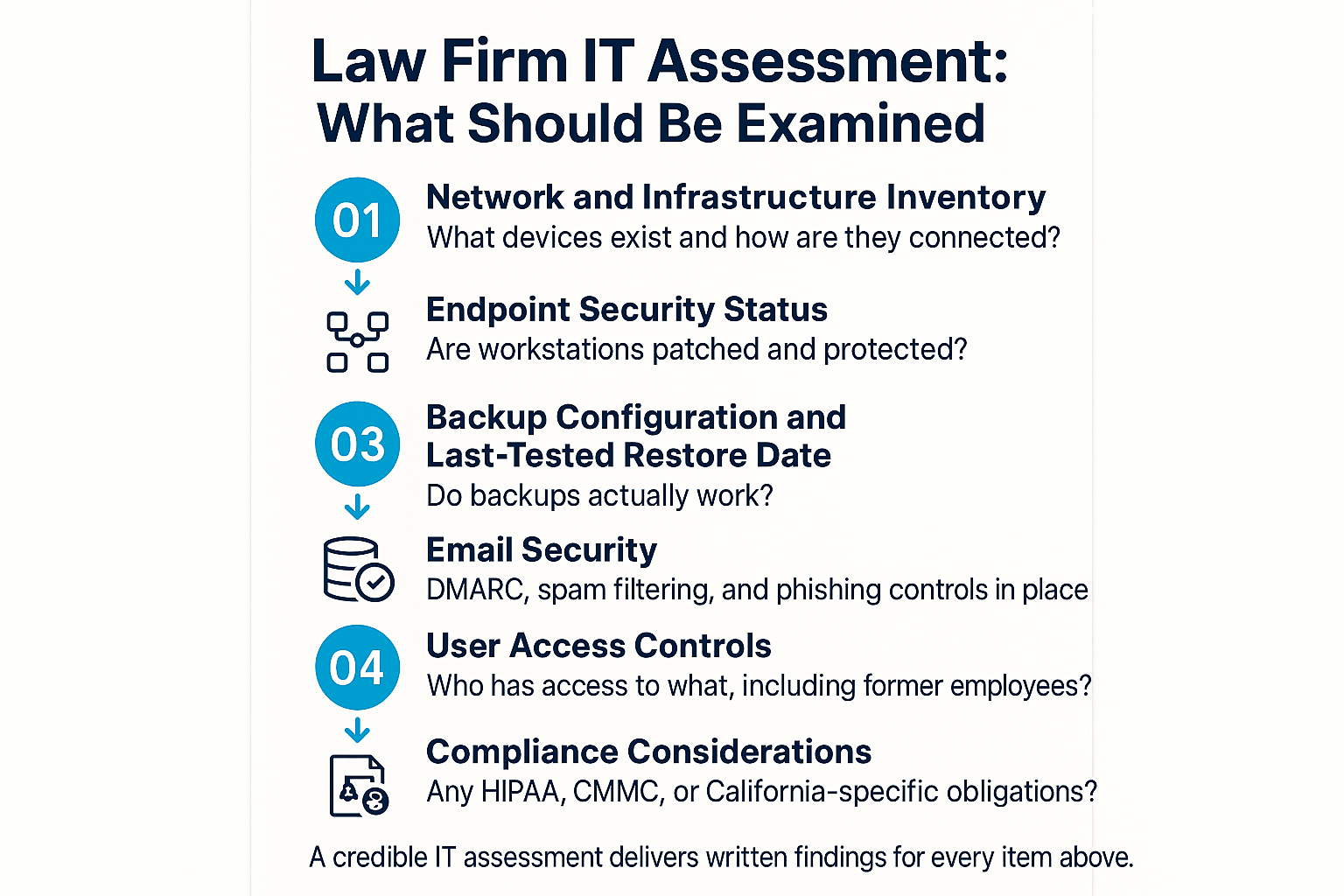
When a managed IT partner conducts an initial assessment of a law firm’s environment, these are the specific areas they should examine and report back on.
Three Things That Are Almost Always Underprepared
When a law firm comes in for an initial IT assessment without a history of proactive IT management, three things tend to need attention more than anything else.
Email security. Attorneys use email constantly, communicate with external parties whose accounts may already be compromised, and frequently click links under time pressure. Email is the primary attack surface, and basic configurations like DMARC records and layered spam filtering are often missing or misconfigured. For a closer look at what email security actually involves, Your Email Filter Is Already Using AI explains how modern filtering tools work and where the gaps still exist.
Backup testing. Backups are almost always set up at some point, but tested almost never. The critical question isn’t whether a backup job is running. It’s whether a restore would actually work. A firm that can’t answer that question with a recent test date doesn’t actually have disaster recovery, they have a backup that may or may not be useful when they need it most. The distinction matters enormously, and Does Your Business Have a Real Data Recovery Plan, or Just Backups? covers that gap in detail.
Access documentation. When a firm brings in an IT partner for the first time, access records are almost universally incomplete. Former employees with active credentials, shared passwords across staff, no record of who can reach which systems, these are common findings. Building a clean access map early is one of the most practical things a managed IT partner can do in the first 30 to 60 days.
What a Law Firm Should Get From an Initial IT Assessment
A credible IT assessment produces written findings, not just a conversation. Here’s what each area of review should deliver.
| Assessment Area | What Gets Examined | What You Should Receive |
|---|---|---|
| Network and Infrastructure | Switches, routers, firewalls, wireless access points, connected devices | Full device inventory with configuration status |
| Endpoint Security | Workstation patch levels, antimalware, encryption status | List of unprotected or out-of-date endpoints |
| Backup and Recovery | Backup configuration, storage location, last tested restore | Last-tested restore date and recovery time estimate |
| Email Security | DMARC, SPF, DKIM records, spam filtering, phishing controls | Configuration report with identified gaps |
| User Access Controls | Active accounts, former employee credentials, permission levels | Access audit with recommendations for removal or restriction |
| Compliance Posture | HIPAA, CMMC, CCPA, California breach notification obligations | Written summary of applicable requirements and current gaps |
What to Look For in a Partner, Not Just a Vendor
A law firm’s relationship with its IT provider is different from most other professional service relationships. Attorneys regularly communicate sensitive information through the same systems an IT provider will be managing. That means trust, accountability, and local availability matter more than price.
A few things worth asking any prospective IT partner:
- Do they have experience supporting other professional services firms with confidential file environments?
- How do they handle access scoping for external technicians during remote support sessions?
- Can they produce a written record of system access on request?
- Are they local enough to respond on-site when remote support isn’t enough?
For smaller Monterey County firms without internal IT staff, the co-managed IT model isn’t always the right fit, but the principle of proactive monitoring and documented accountability applies regardless of firm size. And for firms that want strategic technology planning alongside day-to-day support, understanding what a cybersecurity baseline actually looks like is a good place to start that conversation.
Frequently Asked Questions About IT Services for Law Firms
Does a small law firm really need a managed IT provider, or is break-fix support enough?
Break-fix support means you pay someone to fix problems after they happen. For a law firm, downtime isn’t just an inconvenience, it can affect court deadlines, client communications, and billing. A managed IT provider monitors your systems before problems surface and keeps things running proactively. The cost difference between the two approaches is significant when you account for lost time, not just repair bills.
How does attorney-client privilege affect how an IT provider should access our systems?
Every technician who connects to your network has potential visibility into client files if access isn’t scoped properly. A good IT partner limits external engineer credentials to the specific systems they need for a given task, keeps a log of who accessed what and when, and sets document management permissions that reflect the firm’s privilege boundaries. This should be addressed at onboarding, not after an issue comes up.
What’s the difference between having backups and having disaster recovery?
Backups are copies of your data. Disaster recovery is the tested, documented plan for restoring your operations when something goes wrong. Many firms have backup jobs running but have never done a test restore. If you don’t know your last tested restore date, you don’t actually know whether recovery would work. A backup that’s never been tested is an assumption, not a plan.
Are law firms in Salinas subject to any specific compliance requirements?
California’s data breach notification laws apply to any business holding personal information, and law firms hold a lot of it. Depending on practice area, there may also be HIPAA considerations for healthcare-adjacent matters, or other obligations tied to financial or government clients. California has also expanded its cybersecurity audit requirements in recent years. The article on California’s new cybersecurity rules for Salinas businesses covers the current landscape.
How long does an initial IT assessment take for a small law firm?
For a small firm, a thorough assessment typically takes a few hours of on-site time plus time for the IT provider to document findings and prepare a written report. You should expect to receive written findings covering network inventory, endpoint status, backup configuration, email security, user access controls, and any compliance gaps, not just a verbal summary.
Ready to See Where Your Firm’s IT Actually Stands?
Adaptive Information Systems works with professional services firms across Monterey County, including legal offices that need an IT partner who understands confidential file environments and takes security seriously. If your firm is evaluating IT providers or just wants an honest look at where your systems, backups, and access controls stand, reach out to the team at (831) 644-0300 or visit adaptiveis.net to start the conversation.