
Direct Answer: Small businesses are ransomware’s preferred target because they have valuable data but weaker defenses than large enterprises. Ransomware made up 88% of small business breaches in recent Verizon DBIR data, and the average ransom demand has reached $247,000.
A lot of business owners in the Monterey Bay Area operate under an assumption that sounds reasonable until it isn’t: “We’re too small for anyone to bother with us.” A 15-person accounting firm in Salinas, a produce logistics company in Watsonville, a nonprofit serving Monterey County — none of them feel like attractive targets compared to a Fortune 500 company.
But that assumption is exactly what ransomware attackers are counting on. According to the Verizon Data Breach Investigations Report, ransomware accounted for 88% of small business breaches in recent data — and attacks on SMBs increased 68% in 2025 alone. Attackers aren’t going after small businesses despite their size. They’re going after them because of it.
This article breaks down why that shift happened, how ransomware actually gets into a business like yours, and what cybersecurity solutions for small businesses look like when they’re built to actually prevent an attack rather than react to one.
Why Small Businesses Became the Primary Target
The logic is straightforward. Large enterprises have security teams, enterprise firewalls, and incident response plans that make attacks expensive and difficult. Small businesses have real data, real money, and — in most cases — nobody watching.
Attackers aren’t picking targets based on a target’s size. They’re scanning the internet for known vulnerabilities, exposed login portals, and unpatched software, then hitting whatever responds. A medical billing office in Seaside and a produce distributor in Greenfield both show up in those scans the same way a hospital in San Jose does.
The average ransom demand has reached $247,000 — and that number doesn’t account for what follows. Recovery labor, system downtime, legal notification obligations under California law, and the client trust you lose when word gets out. For a 20-person operation anywhere in Monterey County, a two-week recovery window doesn’t feel like a setback. It can end the business entirely.
One pattern that comes up often among SMBs who’ve been hit: they didn’t know the gap existed. A farming operation during harvest season in the Salinas Valley, or a financial services firm mid-quarter, has zero tolerance for multi-day outages. And most of the vulnerabilities that let attackers in were completely fixable — they just weren’t being monitored. The real cost of waiting until something breaks tends to be far higher than anyone budgets for.
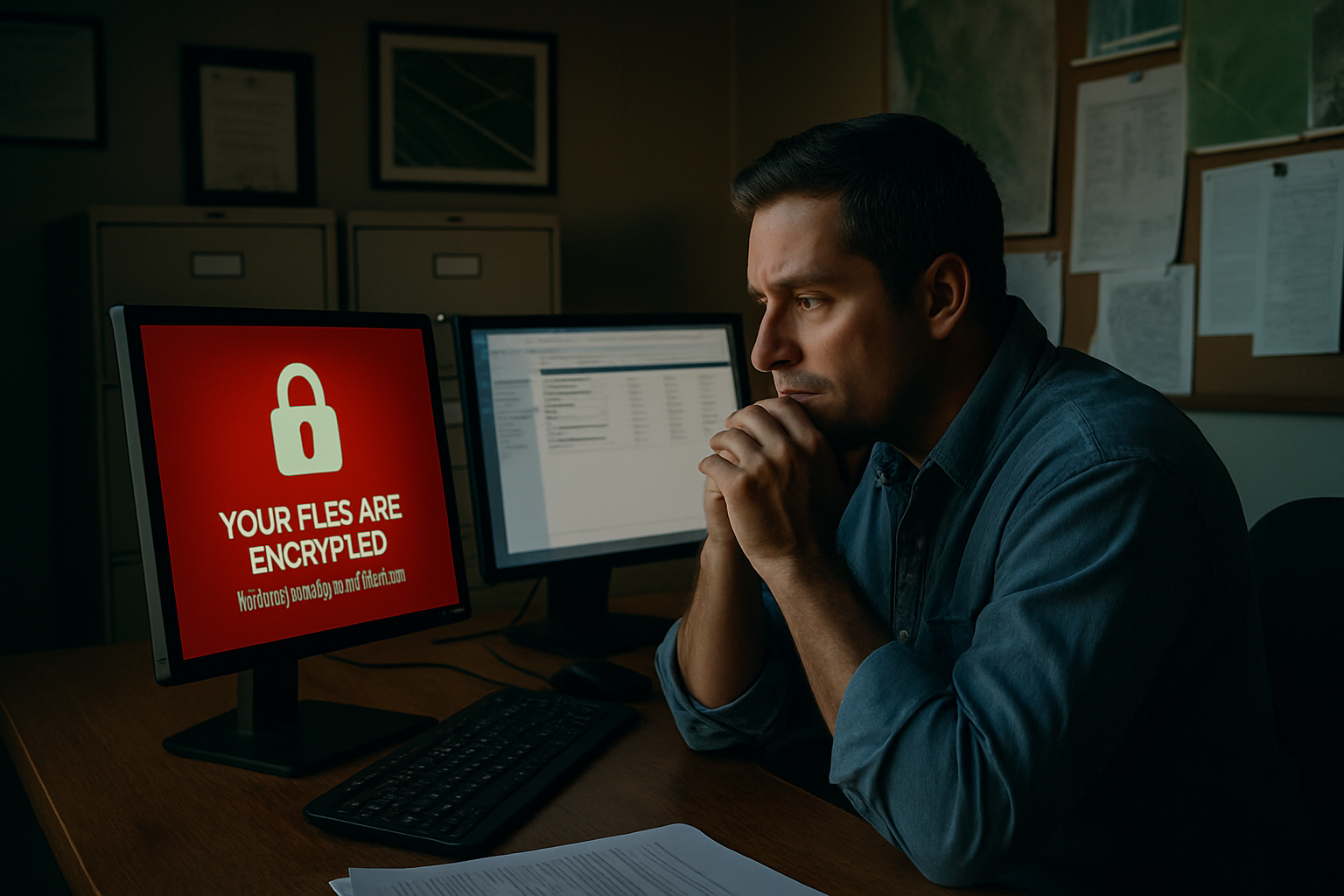
How Ransomware Actually Gets In
Attackers don’t usually break through a sophisticated firewall on the first try. They get in through gaps that should have been closed months ago.
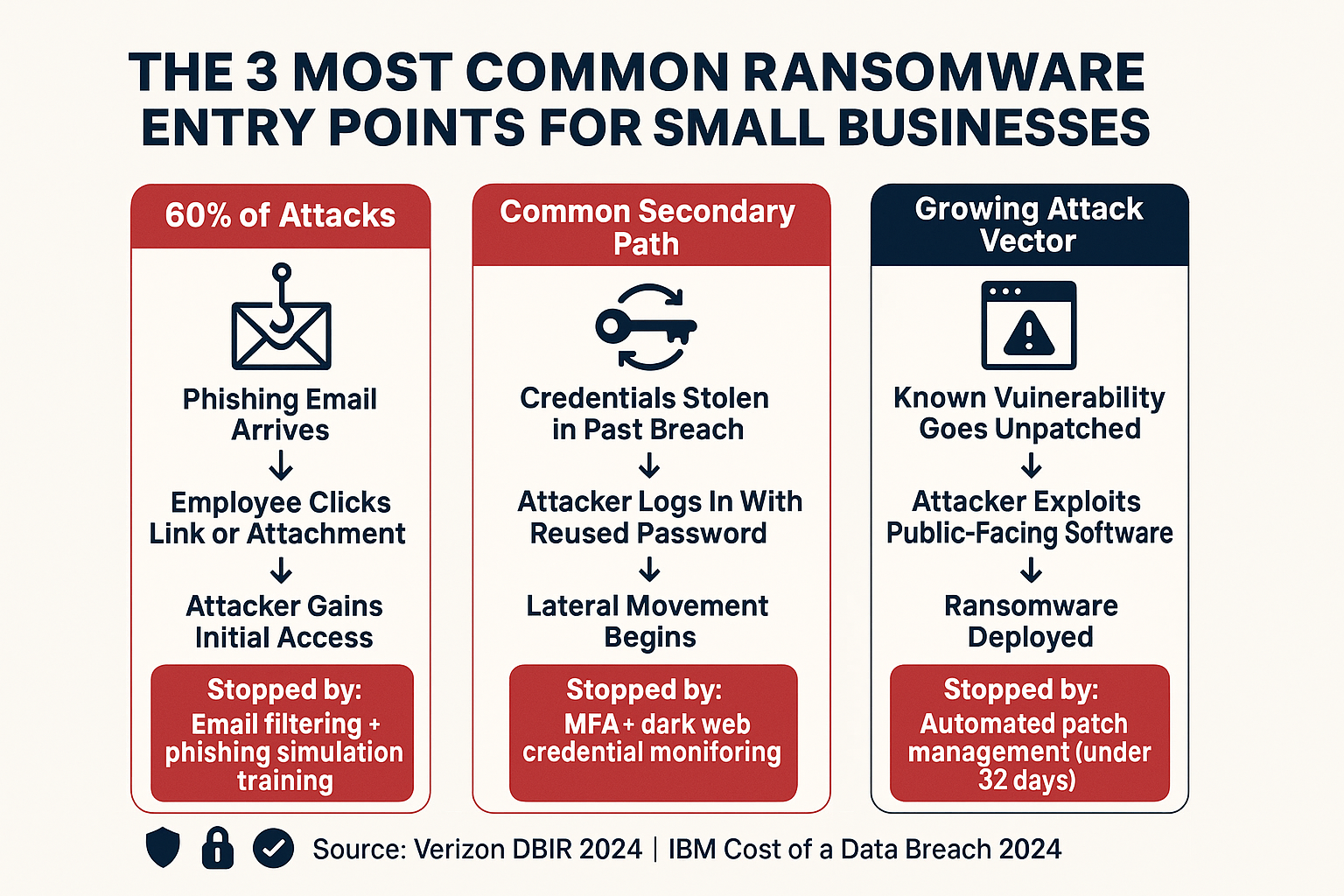
According to recent incident data, phishing emails account for roughly 60% of initial ransomware access. The other leading causes are credential reuse from prior breaches and unpatched internet-facing software — meaning someone used the same password from an old account breach, or a known software vulnerability went unpatched for too long.
Those aren’t exotic attack techniques. They’re the digital equivalent of leaving a back door unlocked.
The most common factors cited by SMBs after a ransomware incident:
- Lack of internal IT expertise — no one in-house to monitor or respond
- Security gaps they didn’t know existed — unpatched systems, misconfigured settings
- No phishing awareness training — employees clicking links they shouldn’t
- Weak or reused passwords — often combined with no multi-factor authentication
Your email is actually one of the most active battlegrounds here. AI-powered email filtering has changed how phishing attempts get caught — but filtering alone isn’t enough if employees don’t know what to do when something gets through.
And California’s breach notification requirements add another layer of urgency. If your systems are compromised and customer data is exposed, the clock starts immediately. California’s 30-day breach notification rule applies whether you have two employees or two hundred.
How Ransomware Reaches a Small Business
This flow shows the three most common paths ransomware takes to reach an SMB — and where each one can be stopped.
Why Backups Alone Won’t Save You Anymore
One of the most dangerous assumptions a small business can make is: “We have backups, so we’re fine.” That was true five years ago. It isn’t true now.
Modern ransomware operators specifically hunt for backup systems before they deploy the encryption payload. If they can delete or encrypt your backups first, you have no recovery path — and suddenly a ransom starts to look like a business continuity decision.
A backup that actually protects you against ransomware needs a few specific characteristics:
- Immutable or offline copies — data that can’t be altered or deleted remotely by an attacker who has compromised your network
- Separate access credentials — backup systems that don’t share login credentials with your production environment
- Tested restoration workflows — not just a scheduled backup job running in the background, but a documented process that’s been verified to actually work under pressure
That last point is where most SMBs fall short. A backup you’ve never restored from is a backup you don’t actually know works. Running a fire drill before the fire is the only way to find out.
For businesses in Monterey County with compliance obligations — healthcare-adjacent organizations, financial services firms, legal offices — the stakes go beyond operational recovery. Unrecoverable data can mean regulatory penalties on top of the ransom itself. Networking and security solutions that incorporate backup integrity monitoring close that gap before it becomes a crisis.
The Practical Security Baseline for SMBs
You don’t need a massive security stack to block the most common ransomware attack paths. These four controls address the overwhelming majority of how ransomware gets into a small business.
| Control | What It Does | What It Prevents |
|---|---|---|
| Phishing-resistant MFA | Requires a second verification factor that can’t be intercepted by SMS interception — such as an authenticator app or hardware key | Credential theft and unauthorized logins from reused or stolen passwords |
| Automated patch management | Closes known software vulnerabilities within 32 days of a patch release — automatically, without waiting for someone to remember | Exploitation of public-facing software with known CVEs |
| Endpoint detection and response (EDR) | Monitors device behavior in real time and flags anomalous activity — like a process attempting to encrypt large numbers of files | Ransomware encryption running before it completes; lateral movement between systems |
| Phishing simulation training | Sends realistic fake phishing emails to employees on a schedule, then trains anyone who clicks — building real awareness, not checkbox compliance | Employee errors that account for the majority of initial ransomware access |
The Financial Reality: This Is a Continuity Decision, Not an IT Line Item
IBM’s 2024 Cost of a Data Breach report puts the global average breach cost at $4.88 million. Most small businesses in Salinas or King City won’t face that exact number — but the proportional damage hits smaller organizations harder because there’s no slack.
A large enterprise absorbs a breach, lawyers up, and keeps operating. A 25-person company running agricultural logistics during the Salinas Valley harvest season cannot absorb five days of downtime, let alone two weeks. The math doesn’t work.
And the costs compound in ways that aren’t obvious at first:
- Ransom payment — averaging $247,000 and rising
- Recovery labor — IT forensics, system rebuilds, data validation
- Legal and notification costs — California’s breach notification requirements create real obligations
- Lost revenue — every day you can’t operate is revenue you can’t recover
- Client trust — harder to quantify, but ask any business owner who’s had to send a breach notification letter to their customers
Cybersecurity at the SMB level isn’t about buying the most expensive tools. It’s about having someone actually watching your systems, patching known vulnerabilities before attackers find them, and having a recovery plan that holds up under adversarial conditions. How businesses catch network problems before employees do covers the monitoring side of that picture in more detail.
Frequently Asked Questions About Ransomware and Small Business Cybersecurity
We only have 10 employees. Are we really a target?
Yes — and your size is part of why. Attackers use automated scanning tools that don’t filter by company size. They’re looking for unpatched software, weak credentials, and no MFA. A 10-person office in Salinas shows up in those scans the same way a large company does, but with far fewer defenses in place.
What does ransomware actually do to a business’s systems?
Ransomware encrypts your files — documents, databases, email archives, everything — and then displays a ransom demand with a deadline. You can’t open anything, your systems won’t function, and if your backups were also compromised, you have no recovery path without paying. Modern attacks often also exfiltrate data before encrypting it, so attackers can threaten to publish sensitive information even if you restore from backup.
What’s the difference between antivirus software and endpoint detection?
Traditional antivirus matches files against a known list of malware signatures. If the attack is new or slightly modified, it can slip through. Endpoint detection and response (EDR) watches behavior — if a process starts encrypting hundreds of files rapidly or trying to communicate with an external server, it flags and blocks that activity even if the specific malware has never been seen before. For ransomware, behavioral detection is far more effective.
My current IT person says we’re fine. How do I know if that’s actually true?
Ask for specifics. Can they show you the last time patches were applied and to which systems? Do you have MFA enabled on email and remote access? When was the last time a backup restoration was actually tested? “We’re fine” without documentation isn’t a security posture — it’s a guess. A third-party security assessment gives you an honest answer.
Does cyber insurance cover ransomware?
Some policies do, but coverage has tightened significantly as ransomware claims have surged. Many insurers now require documented security controls — MFA, patch management, backup testing — as a condition of coverage or to avoid claim denial. Having a policy without those controls in place may not protect you the way you expect. Check your policy terms carefully, and confirm what your insurer actually requires.
Is California law relevant to a small business breach?
Yes. California has some of the strictest breach notification requirements in the country. If your business holds personal information on California residents and that data is exposed, you have 30 days to notify affected individuals under the CPRA. That applies to businesses of any size. Failing to notify on time adds legal exposure on top of the breach itself.
Want to Know Where Your Business Actually Stands?
Adaptive Information Systems works with small and mid-sized businesses across Monterey County — from Salinas and Watsonville to Carmel, Marina, and Hollister — to put the right security controls in place before an incident happens. If you’re not sure whether your current setup would hold up against a ransomware attempt, that’s a reasonable question worth getting answered. Reach out at (831) 644-0300 or visit adaptiveis.net to start the conversation.