
Direct Answer: Co-managed IT pairs your existing internal IT person with an outside team that handles overflow work, after-hours coverage, and skill gaps, so nothing falls through the cracks.
A lot of businesses in Monterey County are running their entire IT operation through one person. That person handles the help desk tickets, manages the network, chases down vendor renewals, patches servers, and somehow also gets pulled into whatever project is happening this month. It works, until it doesn’t.
The problem is not that your IT person is bad at their job. The problem is the job is too big for one person. When that person is sick, on vacation, or dealing with a crisis, everything else sits still. And when a real security incident hits, there is often no depth to fall back on.
Co-managed IT is how a lot of Monterey County businesses are solving this, not by replacing their internal person, but by giving them actual backup. This article explains how the model works, what it is realistically worth, and how to know if it fits your situation.
What Co-Managed IT Actually Means
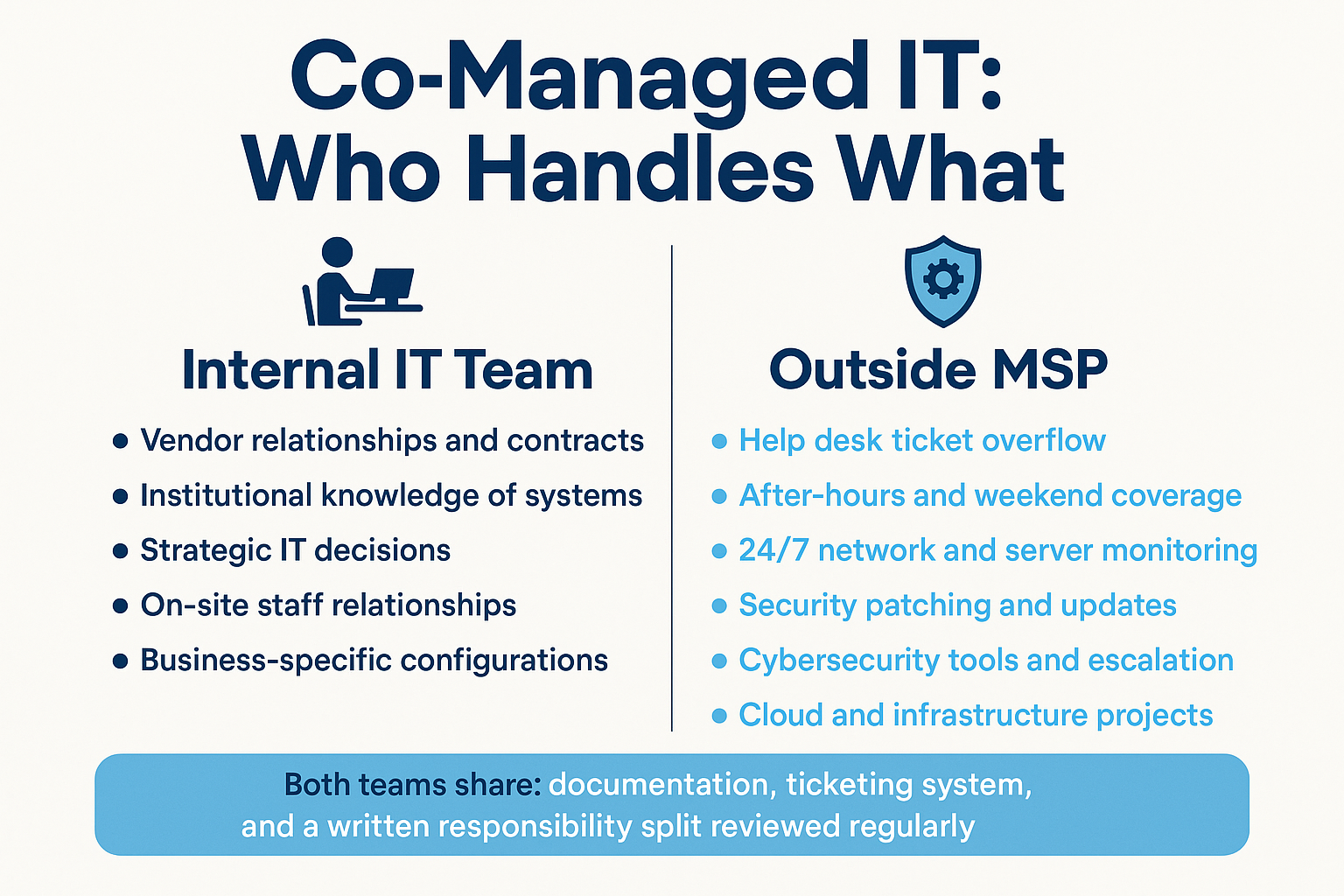
Co-managed IT is a working arrangement where an outside managed IT provider works alongside your existing internal IT staff rather than replacing them. Your internal person stays in place. They keep ownership of vendor relationships, institutional knowledge, and the decisions that require someone who knows your organization.
The outside provider absorbs the parts of the job that create the most pressure:
- High-volume help desk tickets that pile up daily
- After-hours and weekend coverage when your internal person is offline
- Continuous network and server monitoring so problems surface before users notice them
- Security patching and update cycles on a consistent schedule
- Specialized work your internal person was never hired to do, like firewall configuration or cloud migrations
The split of responsibilities is written down from the start. Both sides work from the same documentation and ticketing systems. Nothing is hidden, and your internal team does not lose visibility into what is happening in their own environment.
Many business owners who call about this do not know the term co-managed IT, they just describe a situation that fits it exactly. One agricultural packing operation in the Salinas Valley reached out simply saying they were considering a change to their managed service provider. A nonprofit forecasting expansion into a second and mobile office by year end needed itemized monthly costs with room to scale. Both are describing co-managed situations. The model has a name, but the need is usually described in plain language.
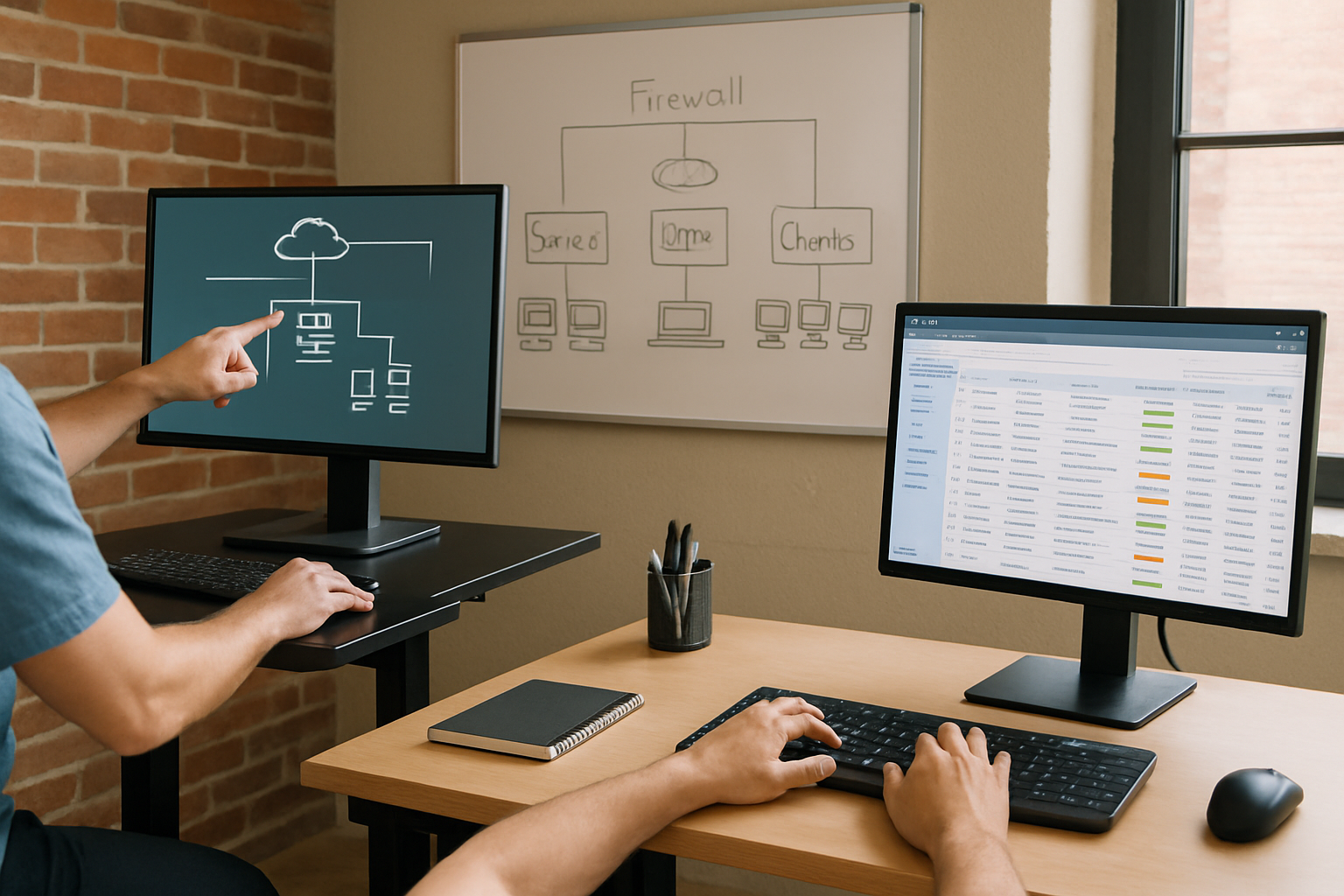
The Practical Trigger: One Person Doing Five Jobs
The situation that leads most businesses to co-managed IT is almost always the same. One internal IT person is handling:
- Daily help desk requests from staff
- Network and server monitoring
- Security patching across all endpoints
- Managing vendor contracts and renewals
- Whatever infrastructure project is currently active
That is not a department. That is one person doing five jobs with no backup.
A school district in the area submitted a request for IT support covering three school sites, 70 staff members, VoIP, infrastructure upgrades, and on-call coverage for network outages. That is a textbook co-managed situation. They likely have some internal capability, someone who knows the systems and the staff, but they need depth and after-hours coverage they cannot staff full-time.
The break-fix vs. managed IT cost comparison is relevant here too. When the internal person is the only coverage, the organization defaults to reactive support by default. Something breaks, they fix it. The proactive work, monitoring, patching, security reviews, gets delayed or skipped entirely because there is no bandwidth.
And that is where real risk accumulates. According to the NIST Cybersecurity Framework, consistent patch management and continuous monitoring are two of the most foundational controls for reducing breach risk. Both are hard to sustain when one person is already at capacity.
How Responsibilities Split in a Co-Managed Arrangement
This breakdown shows what typically stays with the internal IT person versus what moves to the outside provider in a co-managed engagement.
The Control Question Most Business Owners Ask
The most common concern in these conversations is: if we bring in outside help, do we lose control of our IT environment?
In a well-structured co-managed arrangement, the answer is no. The internal team decides what to hand off and what to keep. Both sides work from shared documentation. The scope of the outside provider’s role is written into the agreement and reviewed on a regular schedule as the business changes.
This is different from a fully outsourced model where the MSP owns everything. Co-managed is designed for organizations that have internal capability they want to keep, they just need depth around it.
For organizations navigating California’s expanding data security requirements, that shared documentation also matters for compliance. Knowing exactly who is responsible for what makes audits and incident response significantly cleaner. If you want context on what California now expects from businesses on the security side, California’s cybersecurity audit requirements for 2026 covers the specifics.
The concern about losing control is real, but it almost always reflects a bad experience with a previous provider rather than a structural problem with the model itself. When the scope is written down and both sides review it regularly, the internal team typically feels more in control than before, not less.
Co-Managed IT vs. Fully Managed IT: Key Differences
These two models solve different problems. The right fit depends on whether you already have internal IT capability and how much of it you want to keep.
| Factor | Co-Managed IT | Fully Managed IT |
|---|---|---|
| Internal IT staff | You keep your existing person or team | No in-house IT required |
| Who controls vendor relationships | Internal team retains ownership | MSP manages vendors on your behalf |
| Scope of MSP role | Defined and written, fills specific gaps | MSP handles the full IT function |
| Typical cost relative to user count | Generally lower, internal team absorbs part of the delivery | Higher, MSP covers everything |
| Best fit for | Businesses with internal IT that needs depth and backup | Businesses with no IT staff and want full coverage |
What It Costs and What Drives the Number
Co-managed IT typically costs less than a fully managed engagement for the same user count, because the internal team is handling a portion of the delivery. But the actual cost depends on several factors, and no two arrangements are priced the same.
The main cost drivers are:
- User count, more staff means more endpoints to monitor, more tickets to field, more licenses to manage
- Scope of what moves to the MSP, after-hours coverage, security tooling, and project work each add to the engagement
- Whether security tools are included, endpoint protection, patch management, and monitoring platforms have their own costs that may be bundled or separate
- How much the internal team can absorb, a strong internal person who handles tier-1 support independently costs less to supplement than someone who needs coverage across the board
For a Monterey County business looking at co-managed as an alternative to hiring a second IT employee, the math is usually worth running. A second full-time IT hire in this region carries salary, benefits, and onboarding costs that add up quickly, and you still have two people who can both be unavailable at the same time.
For specific pricing based on your organization’s size and scope, a conversation with a provider who knows your systems is the only reliable starting point. The real cost of waiting until something breaks is worth reading if you are still weighing whether any outside IT support makes financial sense.
Frequently Asked Questions About Co-Managed IT Services
Will the outside provider have access to everything in our environment?
Only what the engagement requires. The scope is written down at the start and defines exactly what systems and access the MSP needs to do their part. Your internal person keeps full visibility and typically retains admin-level access alongside the provider. Nothing is hidden from you in your own environment.
We already have an IT person. Why would we need this?
Because one person cannot cover everything reliably, especially when they are sick, on vacation, or already handling a project. Co-managed IT gives your internal person backup on the workload that tends to pile up: overnight monitoring, security patching, help desk overflow, and specialized work outside their core skill set. It is not a replacement. It is reinforcement.
How do we decide what to hand off and what to keep in-house?
That conversation happens at the start of the engagement. A good provider will map out your current IT workload, identify where the gaps and bottlenecks are, and propose a split based on what makes sense for your team. The split is documented and can be adjusted as your organization changes.
Is co-managed IT a good fit for nonprofits or organizations with limited budgets?
Often yes, because it lets you get specialized coverage, particularly around cybersecurity, without paying for a fully outsourced engagement. Several nonprofits in the Monterey Bay Area have explored this model when they needed to scale to multiple locations without adding a full-time IT hire. The key is being specific about scope so the cost stays predictable.
What happens if our internal IT person leaves?
A well-structured co-managed arrangement includes shared documentation and a ticketing system both sides use. If your internal person leaves, the outside provider already knows your systems, your vendors, and your environment. Transitioning to a fully managed engagement is straightforward because the groundwork is already there. You are not starting from scratch.
Does co-managed IT include cybersecurity coverage?
It depends on the scope you agree to. Many co-managed engagements include endpoint protection, patch management, and network monitoring as part of the baseline. More advanced security work, vulnerability assessments, firewall architecture, compliance alignment, can be added based on your industry and risk profile. For context on what a solid security baseline actually looks like, this breakdown for small businesses is a good reference.
Want to Talk Through What This Looks Like for Your Team?
If your internal IT person is stretched across more than they can realistically cover, or you are weighing whether to hire a second person versus getting outside support, Adaptive Information Systems works with businesses across Monterey County to figure out exactly that. Reach out at (831) 644-0300 or visit adaptiveis.net to start the conversation.