
Think remote work is safe? As a business owner in Salinas, it's a tempting thought. But without a solid security plan, the convenience of working from home can hide serious risks—the kind that could jeopardize everything you've built here in Monterey County.
Your Remote Team Is A Bigger Target Than You Think
Many local business owners ask, “Our remote team uses basic tools—why would anyone target us?” Whether you're running an ag-tech firm in Salinas or a hospitality group in Carmel, this is a dangerous assumption. However, recent data shows that 68% of small businesses struggle with securing remote access, making them prime targets for phishing, ransomware, and data leaks.
What this means is that without structured remote security—like VPNs, MFA, and endpoint monitoring—you’re leaving the digital door wide open. Hackers don’t care about your size; they care about your vulnerabilities.
The Expanding Attack Surface
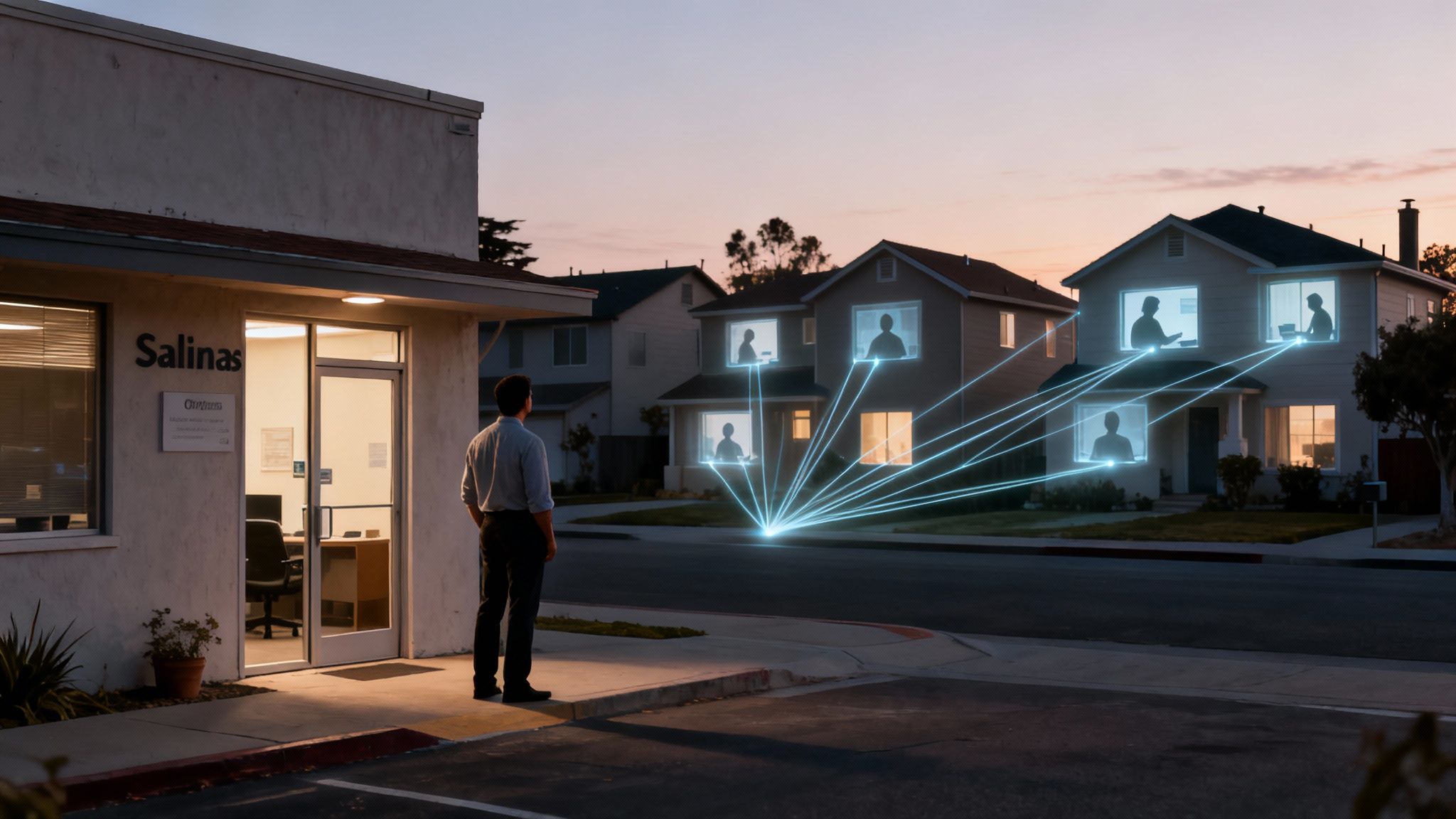
Think of your office as a secure building with one main entrance. When your team works remotely, every employee's home network, personal laptop, and smartphone becomes a separate, unguarded window. This collection of potential entry points is what we call your attack surface.
Each new connection adds another potential weak spot. Without proper oversight, any one of those "windows" can be pried open. That's why managing your attack surface effectively has become so critical.
The Numbers Don't Lie
If you’re still not convinced, the data tells a starkly different story. By 2025, it's estimated that 42% of employees worldwide will work from home at least once a week. This massive shift has created a huge opportunity for cybercriminals.
Consider these stats:
- 76% of cybersecurity professionals believe their organizations are more vulnerable specifically because of remote work.
- A staggering 73% of remote employees admit to using personal devices for work, mixing sensitive company data with unpatched software and weak personal security.
What this means is that without structured remote security—like VPNs, MFA, and endpoint monitoring—you’re leaving the digital door wide open. Hackers don’t care about your size; they care about your vulnerabilities.
This new reality presents a whole new set of challenges. It’s crucial to understand the cyber threats no one warns small businesses about before they hit home.
So, what’s the first step? Secure your hybrid team with managed remote access solutions, employee training, and regular audits. Adaptive’s services include remote device security and 24/7 support for hybrid environments. We deliver enterprise-level IT at an affordable price for local SMBs.
Let’s test your remote setup—ask us about our free risk check for hybrid teams.
When Work Laptops Become Family Computers
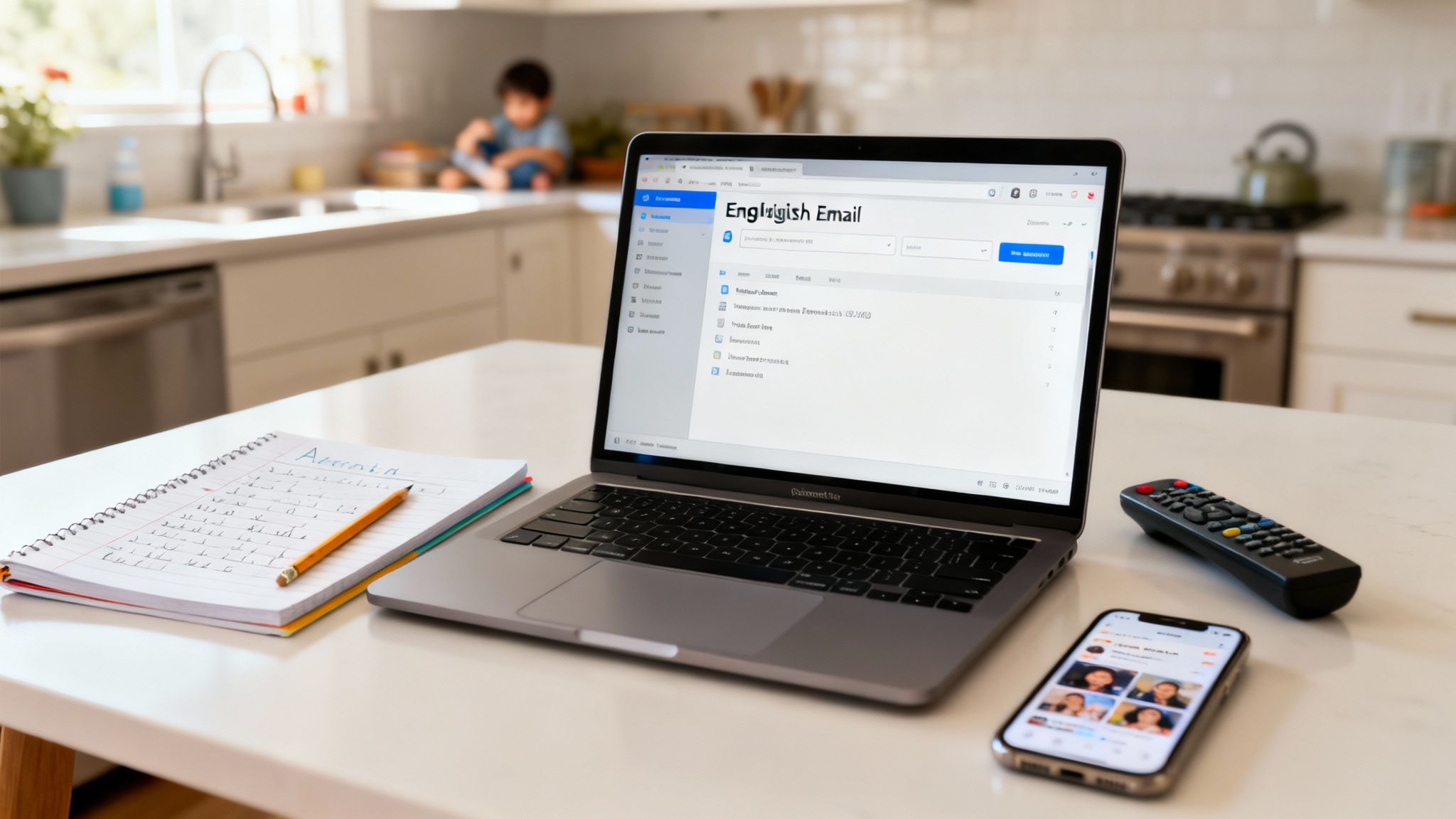
In the office, that company laptop has one job. It sits behind a secure firewall, runs approved software, and stays physically separate from the chaos of home life. But the moment that same laptop crosses the threshold of an employee's home, the lines don't just get blurry—they vanish.
Suddenly, your secure company asset is also the family's go-to device for homework, streaming movies, and online shopping. This isn't just a minor policy breach; it's a gaping security hole. Think of it like letting an employee take the company delivery van home. You trust them, but you have no idea who they're giving a ride to. Malware is the hitchhiker that gets a free ride straight back into your business operations.
The Blurring Line Between Work and Home
Remote work has quietly rewired how employees view company property. For 76% of employees, the shift to home and hybrid models has completely erased the line between their personal and professional lives. Research backs this up, showing that nearly half of office workers now treat their work devices as personal ones.
This casual use is giving IT leaders nightmares. A shocking 85% of them say this exact behavior puts their organizations at a significantly higher risk of a breach. You can read more about these remote work security findings to see just how widespread this problem has become.
What does this actually look like for a business in Seaside or Marina?
- Shared Use: An employee’s teenager uses the company laptop for a school project and clicks a malicious pop-up ad without a second thought.
- Unsecured Software: A team member downloads a "free" browser extension from a sketchy source, unknowingly installing spyware that logs every keystroke.
- Personal Logins: An employee checks their personal social media, exposing the device to the phishing scams that run rampant on those platforms.
Each of these innocent-seeming actions carves a direct path for an attacker to access your company’s financial records, client lists, and sensitive data.
Endpoint Threats Are Closer Than You Think
In the IT world, we call any device like a laptop, tablet, or smartphone an endpoint. It’s the edge of your network, and more often than not, it's the weakest link in your security chain. When these devices are used for personal activities, they're exposed to a far wider range of threats than they would ever encounter in a controlled office environment.
This is exactly why IT departments are seeing massive spikes in browser-based infections and phishing attacks that originate from home use. The abstract idea of an "endpoint threat" becomes painfully real when an employee's Netflix binge accidentally leads to a ransomware attack that cripples your entire network.
Hackers aren’t breaking through your sophisticated firewalls; they're walking in through the front door because an employee unknowingly handed them the key.
This new reality demands a new strategy. Protecting your company is no longer just about securing your office. It's about securing every single device, no matter where it is. That starts with a strong defense, and it’s critical to understand what the best business antivirus software can and cannot do in this new work-from-anywhere world.
The solution is more than a sternly worded email. It requires a real strategy that blends technology, employee training, and continuous monitoring to keep your business safe. After all, if you think remote work is safe, read this and take a hard look at what's really happening on those "work" computers.
How Unsecured Wi-Fi Becomes a Backdoor to Your Business
When your team works from your office in Salinas, you’re in control. You’ve got a business-grade firewall and professionally managed Wi-Fi designed to keep intruders out. But what happens the moment an employee connects to their home network?
That secure perimeter you've built instantly vanishes. Your employee's home Wi-Fi was built for convenience, not for protecting sensitive business data. It becomes an unmonitored backdoor into your company, creating risks you would never allow inside your own four walls.
Many business owners just assume that as long as an employee has an internet connection, everything is fine. This thinking completely overlooks a critical reality. Without proper security, sending a confidential client file over a home network is like mailing sensitive documents in a see-through envelope—anyone with the right tools can peek inside.
The Dangers Lurking on Public and Home Networks
The biggest threat on an unsecured network is a hacker positioning themselves between your employee's device and the websites they visit. This is known as a "man-in-the-middle" (MitM) attack.
Imagine your employee is on a phone call discussing a sensitive deal, but a third party is silently listening in, recording every word. A MitM attack is the digital version of that. A hacker can intercept data, steal login credentials, and even inject malicious code into what looks like a legitimate website. And this isn't just a risk at the local coffee shop; poorly configured home networks are just as vulnerable.
This is a massive problem. Recent data shows that a staggering 68% of small businesses struggle with securing remote access, making them prime targets for phishing, ransomware, and data leaks.
Without a plan, you’re just hoping for the best. For remote work, securing the home network is non-negotiable. You can dive into practical steps for router security and device protection with this guide on how to secure your home network.
Building a Private Tunnel with a VPN
So, how do you protect your data when it has to travel across the public internet? You use a Virtual Private Network (VPN).
Think of a VPN as creating an armored, private tunnel for your data. When an employee connects to the VPN, all of their internet traffic gets encrypted and routed through this secure tunnel. This makes their activity invisible to anyone trying to snoop on the local network. Even if a hacker is lurking on the Wi-Fi, all they can see is scrambled, unreadable data.
For your business, a VPN ensures that an employee working from their home in Pacific Grove has the same level of connection security as someone sitting at a desk in your main office. It standardizes security across your entire team, no matter where they are. You can learn more by reading our guide on how to secure your WiFi network.
Adding an Extra Lock with MFA
A VPN secures the connection, but what about the accounts themselves? That’s where Multi-Factor Authentication (MFA) comes in.
MFA is like needing two different keys to open a door. The password is the first key. The second is something only the legitimate user has, usually a one-time code sent to their smartphone or generated by an app.
What this means is that without structured remote security—like VPNs, MFA, and endpoint monitoring—you’re leaving the digital door wide open. Hackers don’t care about your size; they care about your vulnerabilities.
Even if a cybercriminal manages to steal an employee’s password through a phishing scam, they still can’t log in without that second key. Implementing MFA is one of the single most effective steps you can take to block unauthorized access. It moves you from relying on a single, often weak, password to a layered defense that is exponentially harder to break.
Global Threats Have a Local Address—Right Here in Monterey Bay
It’s easy to watch the news about a massive data breach at some Fortune 500 company and think, "That's a big-city problem." But the truth is, cyber threats don't care about geography. The same attack strategies that cripple huge corporations are being cleverly scaled down and aimed squarely at local businesses, from hospitality services in Pacific Grove to agricultural suppliers in Salinas.
This isn't some distant issue anymore. It’s a very real danger that has been adapted to exploit the unique vulnerabilities of our community's businesses. Today's hackers are using incredibly powerful tools to make their attacks more personal, more effective, and a lot harder to spot.
The Rise of AI-Powered Scams
One of the biggest shifts we're seeing is the use of artificial intelligence to supercharge phishing scams. You used to be able to spot a fake email by its clumsy grammar or generic "Dear Sir/Madam" greeting. AI has completely changed the game.
Now, cybercriminals can create hyper-realistic emails that perfectly mimic the writing style of a CEO, a trusted vendor, or even a long-time client. These AI-powered scams can reference recent projects, use correct internal terminology, and create a sense of urgency that tricks even the most careful employees into clicking a malicious link or wiring funds to a fraudulent account.
Imagine an employee working from their home in Carmel receives an email that looks exactly like it came from you, asking for an urgent payment to a new vendor. The tone is right, the signature is perfect—it’s convincing. This is the new reality of phishing, and it’s hitting businesses hard.
Global Trends Hitting Home
Cybersecurity leaders worldwide are sounding the alarm, connecting the dots between remote work and a major spike in cyber risk. According to the World Economic Forum, 72% of organizations have seen their cyber risk grow, with ransomware remaining a top global concern.
Think about that. Phishing was the entry point for nearly 80% of breaches last year, and many of these campaigns are now powered by generative AI. This makes your remote team prime targets for incredibly realistic fake emails, voice calls, and even deepfake video instructions. You can see the full breakdown in the Global Cybersecurity Outlook 2025 report.
This global surge translates directly into devastating local impact:
- Days or even weeks of downtime for your entire operation.
- Significant lost revenue while you scramble to get back online.
- Leaked customer data, leading to a complete loss of trust and potential legal action.
Hackers don’t care about your size; they care about your vulnerabilities. What they see in many local businesses is an opportunity—less budget for security, less training for employees, and a bigger chance of success.
Why Your Remote Team Is the Entry Point
Your remote team is often the primary target for these sophisticated attacks. When working from home, employees are outside the protective bubble of the office network and far more likely to let their guard down. They’re isolated, busier, and more susceptible to scams that prey on urgency and authority.
A single mistake—one click on an AI-generated phishing email—can bypass all your other defenses and give an attacker a foothold in your network. From there, they can launch a ransomware attack, steal sensitive data, or quietly monitor your communications. That’s why if you think remote work is safe, read this and understand that global threats have a local address.
Securing your business requires a strategy that acknowledges these modern risks. It’s about more than just antivirus software; it’s about creating a secure environment for your hybrid team. Our Cybersecurity services are designed to protect your Monterey Bay business from these exact threats.
Let’s test your remote setup—ask us about our free risk check for hybrid teams.
Your Action Plan For Secure Remote Work
Knowing the risks is one thing; actually doing something about them is what keeps your business safe. If you still think remote work is safe without a solid plan, it’s time to move from just being aware of the dangers to taking concrete action.
Let's walk through the practical, affordable steps you can take right now. This isn't about buying a bunch of complicated, expensive software you don't need. It's about building a solid security foundation that protects everything you’ve worked so hard to build and scales right along with your business. These aren't just 'nice-to-haves'; they are the essentials for any modern company operating in the Monterey Bay area.
Start With a Clear Remote Work Policy
The very first thing you need to do is put a formal Remote Work Policy in place. This document is your rulebook. It sets clear expectations for your team and gets rid of all the dangerous assumptions people make when working from home. It clearly defines how company assets are used, how data must be handled, and what’s expected of every single employee.
At a minimum, your policy should clearly state:
- Device Usage Rules: Specify that company-owned laptops and phones are strictly for business. This stops them from turning into the family computer, loaded up with unsecured games and questionable software.
- Network Security Requirements: Make it mandatory. Employees must use a company-provided VPN to access business resources. You should also require them to use secure, password-protected home Wi-Fi networks—no connecting from the local coffee shop's public network.
- Data Handling Procedures: Outline exactly how sensitive information should be stored, shared, and accessed remotely. This is how you prevent those accidental, and costly, data leaks.
Creating this policy isn't just an HR task; it's a fundamental security control. For a deeper dive, check out our guide on establishing effective remote work best practices.
Implement Essential Security Tools
Next up, you have to equip your team with the right tools. Our whole mission is to provide enterprise-level IT at an affordable price for local SMBs. That means we focus on high-impact solutions that give you the most protection for your investment.
These are the absolute non-negotiables:
- Managed Remote Access (VPN): A Virtual Private Network creates a secure, encrypted "tunnel" for all internet traffic between your employee and your company network. It effectively shields their activity from anyone snooping around on their local Wi-Fi.
- Multi-Factor Authentication (MFA): This adds a critical second layer of security to every login. Even if a hacker steals a password, they can't get in without also having the employee's phone to approve the login request. It's simple, but incredibly effective.
- Endpoint Monitoring: This service keeps a watchful eye on laptops and mobile devices, looking for any signs of malware or unusual activity. It allows threats to be shut down before they have a chance to spread across your network.
These tools don't work in isolation. They create layers of defense that make it significantly harder for an attacker to get through.
Train Your People and Test Your Defenses
Let's be clear: technology alone is never enough. Your employees are your first line of defense, but they need the right training to spot the kinds of sophisticated threats we see today.
Regular security awareness training is crucial. It teaches your team how to recognize clever phishing emails, avoid social engineering traps, and report suspicious activity immediately.
Alongside training, you need to conduct regular security audits. Think of an audit as a routine inspection that proactively searches for vulnerabilities in your remote setup—everything from unpatched software to weak security configurations. It helps you find and fix the holes before a hacker can slip through them.
The threats are real, and they are targeting local businesses. The image below shows how a simple scam can escalate into a full-blown disaster.
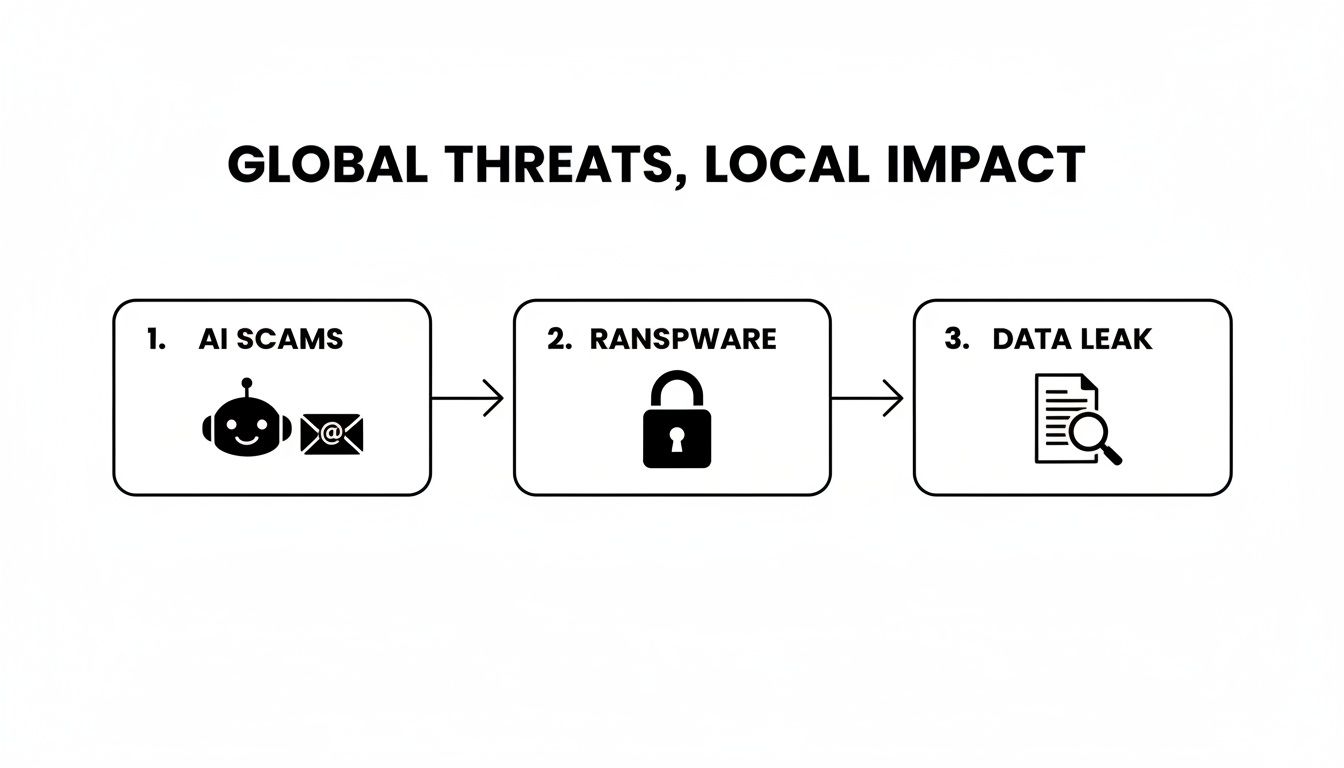
This flow from AI scams to ransomware and data leaks is a perfect illustration of how one small employee mistake can trigger a devastating chain of events for your entire business.
DIY Security vs Managed Remote Security
As a business owner, you have a choice to make. You can try to piece together a solution yourself or partner with a managed services provider like Adaptive. The difference in the outcome—and your stress level—can be huge.
This table breaks down the reality of each approach.
| Security Area | DIY Approach (The Risks) | Adaptive's Managed Approach (The Benefits) |
|---|---|---|
| Tool Implementation | Misconfigurations are incredibly common, leaving security gaps you don't even know exist. You are solely responsible for all updates and patching. | Expert setup ensures every tool works together correctly from day one. We handle all ongoing maintenance, updates, and patching for you. |
| Monitoring & Response | You have to monitor for threats yourself. An attack that happens at 2 a.m. could go unnoticed for hours, causing catastrophic damage by morning. | We provide 24/7 monitoring and immediate response, stopping threats the moment they're detected—day or night, holidays included. |
| Cost & Expertise | The cost of buying software licenses and the immense time spent managing it all adds up quickly. You may also lack the expertise to handle a real incident. | You get access to an entire team of security experts for a predictable, affordable monthly fee. No surprise costs, just reliable protection. |
Trying to manage this on your own is a massive undertaking, and a single mistake can be incredibly costly. Partnering with an expert ensures these critical safeguards are managed correctly, giving you the peace of mind to focus on what you do best: running your business.
How We Protect Your Hybrid Team
Knowing the risks is one thing, but having the right protections in place is what truly keeps your Monterey Bay business running securely. We see the threats your remote and hybrid teams face every day—from company laptops being used for personal browsing on unsecured home Wi-Fi to sophisticated phishing attacks that look frighteningly legitimate.
You shouldn't have to become a cybersecurity expert to defend against all that. That’s our job.
Our whole mission is to bring enterprise-level IT to local businesses at a price that actually makes sense. We don’t just sell services; we solve these real-world problems.
Here’s what that looks like in practice:
-
Remote Device Security: This directly tackles the problem of employees using company gear on personal time. We monitor for malware and make absolutely sure all software is kept up-to-date, closing security holes before they can be exploited.
-
Managed VPN and MFA: We turn your team’s scattered home networks into safe, controlled extensions of your office. By managing secure connections (VPN) and requiring multi-factor authentication (MFA), we ensure only the right people get in.
-
24/7 Support: Threats don't stick to business hours, and neither do we. Our team is always on watch, ready to jump on any issue the moment it appears. It’s about giving you genuine peace of mind.
This proactive approach shifts you from a place of worry to one of control. You can see exactly how we build these layers of defense by exploring our specific hybrid work security solutions. We handle all the technical heavy lifting so you can get back to running your business.
Ready to find out where your vulnerabilities are? Let’s test your remote setup—ask us about our free risk check for hybrid teams.
Got Questions About Remote Work Security? We’ve Got Answers.
Even with a clear picture of the risks, you probably still have some practical questions about what this all means for your day-to-day operations. Here are some straightforward answers to the most common concerns we hear from business owners right here in the Monterey Bay area.
Is a Good Antivirus Program Enough to Protect My Remote Employees?
While a solid antivirus program is a great starting point, it's really just one layer of the security you need today. Think of it as a good lock on your front door. It’s essential, but it won’t stop a determined intruder on its own.
Modern threats like sophisticated phishing attacks, unsecured public Wi-Fi, and sneaky ransomware are specifically designed to slip past basic antivirus software. A complete strategy is the only way to stay safe.
This means adding a few more layers:
- A VPN to create a private, encrypted tunnel for all internet traffic.
- Multi-Factor Authentication (MFA) to secure logins even if a password is stolen.
- Endpoint monitoring to spot unusual activity happening directly on a laptop or phone.
These extra tools are your alarm system, security cameras, and reinforced walls—all working together to provide real protection.
Is My Small Business Really a Target for Cybercriminals?
Yes, absolutely. It’s a common misconception that hackers only go after the big fish. In reality, cybercriminals often see small businesses as easier targets because they assume you have fewer security resources in place.
They use automated tools that are constantly scanning the internet for any vulnerability, regardless of a company's size.
Hackers don’t care if you have 5 employees or 5,000; they care about your vulnerabilities. Your client data, financial information, and access to your network are valuable assets on the black market.
For a small business, an attack can be even more devastating. Without the large-scale resources to absorb the blow, the costs of downtime, lost data, and reputational damage can be crippling.
How Much Does It Cost to Secure a Remote Team?
Here's the honest truth: the cost of proactively securing your remote team is a fraction of the cost of cleaning up after a data breach. A single incident can spiral into crippling downtime, lost revenue, regulatory fines, and a permanent loss of customer trust.
At Adaptive, our entire mission is to provide enterprise-level IT at an affordable price for local SMBs. We don't believe in one-size-fits-all solutions. Instead, we design security plans scaled to your specific needs and budget, ensuring you only pay for the protection you actually need. We believe that if you think remote work is safe, your next step should be getting clarity, not a surprise bill.
Let’s find out where you stand. Ask us about our free risk check for hybrid teams—it’s a no-pressure way to understand your specific vulnerabilities and get a clear picture of the investment needed to truly protect your business.
Get in Touch
Adaptive Information Systems
380 Main St, Salinas CA 93901 | 831-644-0300 | hello@adaptiveis.net