
When we talk about "hybrid work security," we're not talking about a single piece of software you can install and forget. It's a modern framework—a combination of tools, policies, and a shift in mindset—designed to protect your people and your data, no matter where they are. For any business with a distributed workforce, this dynamic, adaptive approach isn't just a good idea; it's essential.
Why Traditional Security Fails in a Hybrid World

The move to hybrid work didn't just bend the old security rules; it completely shattered them. For decades, businesses operated on a "castle-and-moat" security model. Your office was the fortress, a centralized hub where all your critical data and employees were safely tucked inside. A strong firewall acted as the moat, keeping outside threats at bay.
That model worked beautifully when everyone clocked in and out of the same building. But today, it’s dangerously outdated. Your business is no longer a single, self-contained fortress. It’s more like a sprawling city with thousands of open roads leading in and out. Every employee working from home, a coffee shop, or a hotel room creates a new, unmanaged entry point into your network.
The Attack Surface Is Exploding
In security, we talk about the "attack surface"—all the possible points where a cybercriminal could try to get in. With hybrid work, that surface has grown exponentially. Every personal laptop, home Wi-Fi network, and public hotspot is another potential vulnerability.
Traditional security simply wasn't built to defend such a vast and scattered landscape.
The core problem is that the "perimeter" as we knew it no longer exists. Security must now follow the user and the data, providing protection wherever work happens, rather than just guarding the four walls of a physical building.
Trying to patch this new reality with an old-school VPN is like trying to guard an entire city with a single gatekeeper. It’s slow, inefficient, and leaves countless backdoors completely undefended.
The Financial and Operational Stakes
This urgent need for a new approach is reflected in the market. The global remote work security market was valued at an estimated USD 56.15 billion in 2024 and is projected to skyrocket to USD 173.66 billion by 2030. Tellingly, hybrid work security solutions claimed over 56% of that market's revenue share in 2024, proving just how critical they are to keeping businesses running.
Failing to adapt puts businesses at significant risk. The table below outlines some of the most common security gaps that appear when organizations shift to a hybrid model.
Key Security Gaps in the Hybrid Work Model
| Security Challenge | Description of Risk | Impact on Business |
|---|---|---|
| Unsecured Networks | Employees connecting from home or public Wi-Fi lack enterprise-grade security, exposing traffic to eavesdropping and man-in-the-middle attacks. | Data in transit can be intercepted, leading to credential theft and sensitive information leaks. |
| Personal Device Usage | Using personal devices (BYOD) for work introduces unmanaged hardware and software, often lacking proper security updates or antivirus protection. | Malware on a personal device can easily spread to the corporate network, causing widespread infection. |
| Identity & Access | With users everywhere, verifying who is accessing what becomes incredibly complex. Stolen credentials are a primary vector for breaches. | Unauthorized users can gain access to critical systems, leading to major data breaches and compliance failures. |
| Data Leakage | Sensitive data is no longer confined to the office. It's on laptops, in cloud apps, and moving across different networks, making it hard to track and protect. | Loss of intellectual property, customer data, and financial information, resulting in reputational damage and fines. |
Without a modern strategy, you're not just risking a technical hiccup; you're facing serious operational and financial consequences. Adopting a real hybrid work security framework is no longer optional. It's about survival.
This means embracing tools that verify identities, secure endpoints, and protect data on the move. For businesses in our community, understanding how these threats play out locally is also key. You can learn more about managed cybersecurity in Salinas to see how localized expertise can help fortify your defenses.
Understanding Your Biggest Security Threats
To get a real handle on hybrid work security, you first need a clear picture of what you're up against. The threats facing a distributed team are a different breed—often more subtle—than what you’d find in a traditional office. They prey on the human element and exploit the very flexibility that makes hybrid work so attractive in the first place.
Let’s move past the technical jargon and look at the actual vulnerabilities that pop up when your team is scattered. These aren't just hypotheticals; they happen every single day.
Picture an employee putting the finishing touches on a report at a local coffee shop. They hop onto the public Wi-Fi to send over a sensitive file. They have no idea that a cybercriminal on the same network is using simple, off-the-shelf tools to intercept that data. In that one moment, your company's intellectual property is gone—not through a complex, multi-stage hack, but by taking advantage of a completely ordinary situation.
The Dangers Hiding in Plain Sight
This new way of working is filled with potential weak points that criminals are chomping at the bit to exploit. The biggest threats often spring from environments completely outside your control, creating a perfect storm for security incidents.
Three areas of concern really stand out:
- Unsecured Home and Public Networks: Most home Wi-Fi setups simply don't have the enterprise-grade security of an office network. They often use weak passwords, run on outdated firmware, and are shared with countless personal devices, creating an easy backdoor for attackers. Public networks are even worse, essentially a free-for-all for data snooping.
- Sophisticated Phishing Attacks: Cybercriminals have fine-tuned their phishing campaigns to target remote workers specifically. These scams use urgent language about remote access, IT support tickets, or HR policy updates to trick employees into giving up their login credentials. A reported 238% increase in cyberattacks since the pandemic began shows just how aggressively remote staff are being targeted.
- Employee-Owned Devices (BYOD): When staff use personal laptops or phones for work, your sensitive data ends up living next to their personal apps, photos, and browsing history. These devices might be missing critical security software or timely updates, turning them into a massive liability.
These factors combine to create a much larger and more porous attack surface than any business has ever had to manage before.
The core challenge is that security is no longer just a technology problem; it’s a human and environmental one. Each remote workspace is a mini-branch of your office, but without the built-in security guards and fortified walls.
The Hidden Costs of Poor Connectivity
Beyond direct attacks, productivity itself can introduce security risks. It turns out that some of the top challenges for remote workers are unstable connections, slow file transfers, and trouble accessing applications, with over 45% of them feeling this pain.
When legacy security tools like a traditional VPN slow things down even more, frustrated employees start looking for workarounds. This might mean using unauthorized file-sharing apps—creating "shadow IT" that your security team can't see or protect. If you want to dig deeper, you can review the hybrid work trends to understand these connectivity struggles.
This friction between security and getting work done is exactly why modern hybrid work security solutions are so critical. The goal is to lock things down without tying your team’s hands. Understanding these threats—from the coffee shop Wi-Fi to the performance lag of old tech—is the first, most important step in building a defense that actually works for the real world.
Building Your Modern Security Framework
Now that we have a clear picture of the threats, it's time to build your defense. Securing a hybrid workforce isn't about finding a single magic bullet. Instead, it’s about building a modern, multi-layered framework. Think of it like constructing a high-tech facility—you need more than just a strong front door. You need guards, ID badges, surveillance cameras, and secure vaults, all working in concert.
Each piece of this framework is designed to solve a specific problem that comes with having a distributed team. When put together, they create a cohesive strategy that protects your people and your data, no matter where they’re logging in from. Let's break down these core technologies with some practical analogies to see how they really work.
Adopt a Zero Trust Mindset
The absolute foundation of any modern security strategy is Zero Trust. It's time to throw out the old way of thinking, where everyone inside the network was automatically trusted. Zero Trust operates on a simple but powerful mantra: "never trust, always verify."
Imagine a high-security government building. In the past, once you passed the main gate, you might have been able to wander around freely. A Zero Trust approach is like having a strict security guard at every single door inside that building—the server room, the records office, even the breakroom. Before you can get into any new area, you have to show your credentials and prove you have a reason to be there.
That's exactly how Zero Trust Network Access (ZTNA) works for your digital assets. It grants access to applications and data on a strict case-by-case basis, and only after confirming the user's identity, the health of their device, and other contextual clues. This dramatically shrinks a hacker's playground, stopping them from moving through your network even if they manage to breach one small part of it.
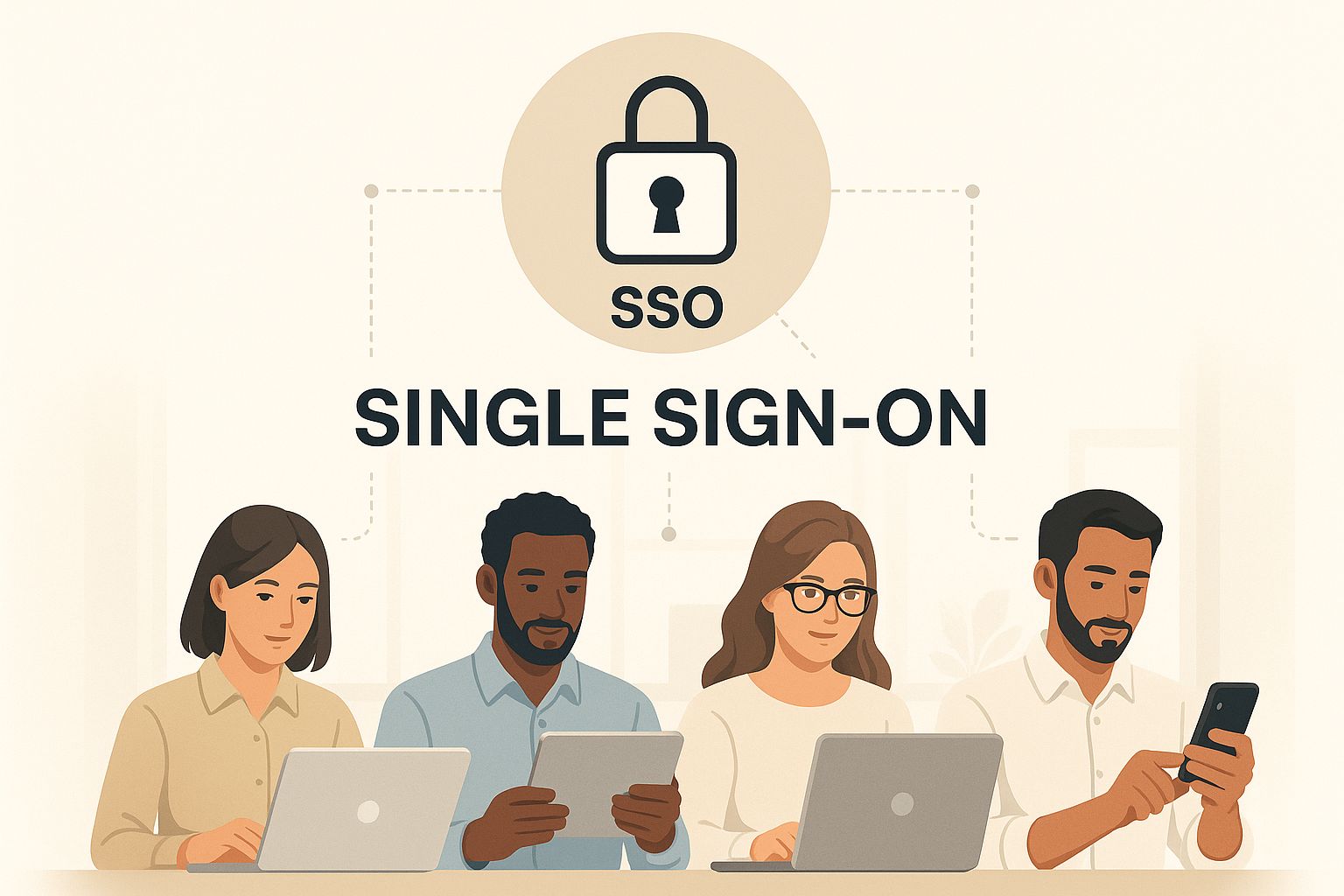
This visual brings the concept to life, showing how a unified security layer verifies access for every employee, whether they're on a laptop, tablet, or phone. The result is a consistent and safe experience for everyone.
Unify Networking and Security with SASE
Building directly on that Zero Trust principle is Secure Access Service Edge (SASE), which you'll hear pronounced "sassy." This isn't a single product but a whole architectural philosophy that bundles networking and security services into one cloud-delivered platform.
Think of SASE as your company's own private, secure highway system in the cloud. Old-school VPNs force all your remote employees onto slow, congested backroads to get back to the main office network. SASE, on the other hand, gives them a direct, high-speed on-ramp to the apps they need, with security checkpoints built right into the highway itself. It’s faster and safer.
SASE combines network capabilities (like SD-WAN) with critical security functions (like ZTNA, firewalls, and web gateways) into a single, cohesive service. This simplifies management and ensures your security policies are applied consistently to all users, regardless of location.
This shift from traditional models to integrated, cloud-native solutions is happening fast. Today, 26.7% of organizations are already using SASE as their main access solution, marking a significant move away from legacy VPNs. This change is all about finding a better way to protect company resources that are now being accessed from countless locations and personal devices. You can review the full report on 2025 hybrid work trends to see the data for yourself.
To truly understand this shift, it helps to see the old and new models side-by-side. Traditional security, like a castle with a moat (the VPN), was great when everyone was inside the walls. But today, with users everywhere, that model breaks down. Modern approaches like SASE and ZTNA build security around the user, not the location.
Comparing Modern vs. Traditional Security Approaches
| Security Model | Traditional Approach (e.g., VPN) | Modern Approach (e.g., SASE/ZTNA) |
|---|---|---|
| Focus | Securing the network perimeter | Securing individual users and devices |
| Trust Model | "Trust but verify"—Implicit trust inside the network | "Never trust, always verify"—Access granted per session |
| Performance | Often slow due to backhauling traffic | Faster, direct access to cloud apps |
| Flexibility | Rigid and difficult to scale for remote work | Highly flexible and scalable for any location |
| Visibility | Limited visibility into user activity | Granular visibility and control over access |
| Management | Complex, with multiple point solutions | Simplified, with unified policies and management |
As the table shows, the modern approach is built from the ground up to handle the realities of a distributed workforce, offering the flexibility and granular control that traditional methods simply can't provide.
The Essential Layers of Protection
While ZTNA and SASE provide the architectural backbone, a few other technologies are crucial for a truly complete framework. These tools work together at different levels to create a strong defense-in-depth strategy.
- Multi-Factor Authentication (MFA): This is one of the most effective and simplest layers you can add. MFA is like needing both a key and a fingerprint to open a lock. It forces users to provide at least two different verification factors to log in, making it incredibly difficult for anyone with stolen credentials to get access.
- Endpoint Detection and Response (EDR): Your employees' laptops and mobile devices—the "endpoints"—are on the front lines of cyber defense. EDR acts like a sophisticated security camera and alarm system installed on each device. It continuously monitors for suspicious activity and can automatically contain threats before they have a chance to spread.
- Cloud Security Posture Management (CSPM): With more and more of your data living in cloud apps like Microsoft 365 or Google Workspace, you need a way to spot misconfigurations. CSPM tools continuously scan your cloud environments for security risks—like accidentally public data storage—and help you fix them before they become a problem.
These components aren't standalone fixes; they are interlocking pieces of a security puzzle. Putting them all together correctly requires real expertise, which is why many businesses turn to specialists for guidance. You can discover more about Salinas cyber security services to see how a managed approach can help you assemble these pieces into a rock-solid defense.
Your Step-by-Step Implementation Plan
Putting a new security framework into action isn't about flipping a switch and hoping for the best. It's a careful process, a bit like building a house. You need a solid blueprint and a phased approach to get it right without knocking down walls or disrupting everyone's work.
This isn't just theory—it’s about turning good ideas into real-world defenses that actually work. The whole journey starts with a simple but crucial step: figuring out what you’re trying to protect and where your biggest weak spots are right now. After all, you can't secure what you can't see.
Phase 1: Assess Your Current Security Posture
Before you can build a stronger defense, you need to map out your existing territory. This first phase is all about discovery and identifying the unique risks that come with your specific hybrid model.
Start with a thorough risk assessment. You'll want to catalog all your critical assets—data, apps, and devices—and then trace how and where your hybrid team accesses them. Get specific by asking some tough questions:
- Where is our most sensitive data, and who can get to it? Pinpoint your "crown jewels," whether it's customer financial records, your secret sauce IP, or employee PII.
- What kinds of devices are connecting to our network? Make a list of everything: company laptops, personal phones used for work (BYOD), and any other endpoints.
- How are people actually connecting? Are they using the company VPN? Or are they just going straight to cloud apps from their home Wi-Fi?
This process will shine a big, bright light on your biggest vulnerabilities. You might find out your sales team is constantly accessing the CRM from their personal phones without any security oversight—a huge risk that needs to be addressed immediately.
A key part of this phase is simply mapping the flow of data. When you understand how information moves between your office servers, cloud apps, and remote devices, you can see the exact pathways that need protection.
Phase 2: Select the Right Tools and Partners
Once you have a clear picture of your weak spots, you can start picking the right tools for the job. Not all hybrid work security solutions are built the same. The best choice really depends on your company's size, industry, budget, and the specific gaps you uncovered in your assessment.
Try to find solutions that play well together and give you a single pane of glass for management. Stitching together a dozen different tools often creates more complexity and security holes than it solves. Instead, look for a cohesive platform, like a SASE framework, that bundles networking and security into one service.
When you're looking at vendors, keep these factors in mind:
- Scalability: Pick a solution that can grow with you. Will it handle more remote staff or a new branch office down the line?
- User Experience: Security that gets in the way is security that gets ignored. The best tools are almost invisible to the user, so productivity doesn't take a nosedive.
- Support and Expertise: You want a partner, not just a product. A great vendor or managed service provider will offer expert advice during setup and ongoing support to help you tackle new threats as they pop up.
Phase 3: Implement in Phases and Train Your Team
Trying to roll everything out at once—a "big bang" approach—is a recipe for chaos and help desk overload. A much smarter way is to implement in phases, starting with a small pilot group. This lets you test the new security controls in a live setting, get feedback, and work out the kinks before going company-wide.
For example, you could roll out Multi-Factor Authentication (MFA) to the IT department first. Once that's running smoothly, move on to the next department, and so on. This gradual approach makes the transition much smoother for everyone involved.
Finally, never forget that technology is only half the puzzle. Your employees are your first and most important line of defense, and getting them on board is absolutely critical. A successful rollout depends on great training and clear communication. Create simple, easy-to-understand security policies that spell out the rules for remote work, like how to handle company data and what devices are okay to use.
Hold regular training sessions that focus on real-world skills, like how to spot a phishing email or why using a secure network matters. When you foster a culture where security is a shared responsibility, you turn every employee from a potential weak link into your greatest security asset.
How to Maintain Long-Term Security and Resilience

Getting your security framework up and running is a major win, but it’s really just the starting line. Effective security isn't a "set it and forget it" project; it's a living, breathing process that demands constant attention. Cybercriminals don’t take days off, and your defenses can't either.
Think of it like tending a garden. You wouldn't just plant the seeds and expect a great harvest. You have to water, pull weeds, and watch for pests every single day. The same goes for cybersecurity. This means proactive monitoring, regular tune-ups, and being ready to act the second something seems off. This ongoing commitment is what separates a decent security plan from a truly resilient one.
Foster a Culture of Constant Vigilance
The best hybrid work security solutions aren't just about software and hardware; they’re built on a culture of shared awareness. It all starts with having eyes on your entire network—from the servers in the office to every remote laptop—so you can spot unusual activity before it snowballs into a crisis.
This vigilance extends to your team, too. A security-savvy employee is one of your most valuable defenses. Running realistic phishing simulations is a fantastic way to keep your team sharp. These controlled tests help people learn to spot suspicious emails in a safe space, turning good security habits into muscle memory.
The goal of ongoing security isn't just to block attacks but to build resilience. This means having the ability to withstand a security event, respond effectively, and recover quickly with minimal disruption to your business operations.
Create a Dynamic Defense Strategy
Your security strategy can't afford to be static. Today's threats will be old news tomorrow, and a rigid defense is a brittle one. To keep your framework effective for the long haul, you need to build a few core habits into your operations.
1. Conduct Regular Security Audits
Set a recurring schedule to perform deep-dive reviews of your entire security posture. These audits are crucial for uncovering new vulnerabilities, ensuring you’re still compliant with industry regulations, and checking that your policies are actually being followed.
2. Master Patch Management
Unpatched software is one of the easiest ways for attackers to get in. You need a rock-solid, streamlined process for rolling out security patches to all devices—whether they're company-owned or BYOD—the moment they’re released. Outdated software is like leaving a door unlocked.
3. Refine Your Incident Response Plan
When something goes wrong, a clear and well-rehearsed plan is your best friend. Make sure your incident response plan is built for a distributed team, clearly spelling out who to call, how to communicate, and the exact steps needed to contain a threat and get systems back online. Practice it with tabletop exercises so everyone knows their role under pressure.
A Checklist for Lasting Security
True security resilience comes from consistent effort. When you turn these actions into routine habits, you build a defensive posture that gets stronger over time.
- Continuous Monitoring: Actively watch your network traffic and endpoint activity for anything out of the ordinary.
- Threat Intelligence: Stay current on new malware, emerging phishing campaigns, and evolving attack techniques.
- Regular Training: Keep your team’s security skills fresh with ongoing education and practical simulations.
- Policy Updates: Review and update your security policies at least annually to address new technologies and risks.
Building and maintaining this kind of security framework is a complex job, especially for small and mid-sized businesses that can't always have a dedicated in-house team. This is where partnering with experts can make all the difference. Exploring options like Monterey managed IT security services can provide the specialized oversight you need to ensure your defenses are always ready for what's next.
Choosing the Right Security Solution for Your Business
With so many security solutions on the market, picking the right one for your hybrid workforce can feel like a shot in the dark. It’s not about finding the tool with the longest feature list or the flashiest marketing. It's about making a strategic choice that protects your business today and supports it as you grow.
Think of it like choosing a security system for a new building. You wouldn’t just grab the first alarm you see off the shelf. You’d walk the property, assess its layout, check the entry points, and consider what you’re protecting inside. In the same way, the right security framework for your business demands a careful evaluation based on your unique operational needs.
Can It Grow With Your Business?
One of the first questions you should ask is: can this solution scale with us? A platform that works great for a team of 20 can easily crumble under the weight of 100 employees or a new branch office. Your security stack should never be the thing holding your business back.
Look for solutions designed for flexibility. A cloud-native platform like SASE, for example, is built to scale on demand. This makes it simple to add new users or expand into new locations without having to rip out and replace a bunch of hardware. Your security needs to match your ambition.
Look Beyond the Sticker Price
No security tool works in a silo. It has to play nice with your existing IT stack—your cloud apps, identity providers, and other critical systems. If a solution requires you to completely overhaul your current setup, it’s going to be disruptive, expensive, and a major headache for your team.
The initial price tag is just one piece of the puzzle. A truly smart decision considers the Total Cost of Ownership (TCO). This includes implementation fees, ongoing maintenance, employee training, and even the productivity lost during the transition.
A solution with a higher upfront cost but seamless integrations and low maintenance might be far more cost-effective in the long run than a cheaper alternative that creates constant problems.
Don't Forget the User Experience
Here's a hard truth: if your security tools frustrate your employees, they will be bypassed. When a new system is clunky, slow, or feels invasive, your team will inevitably find workarounds. This creates the exact "shadow IT" vulnerabilities you were trying to eliminate in the first place.
The best security solutions are almost invisible to the end user. They should deliver powerful protection without adding friction or slowing things down. At the end of the day, a secure workforce is a productive one.
Always Run a Proof of Concept
Before you sign on the dotted line for a long-term contract, always, always run a Proof of Concept (POC). A POC lets you test-drive a solution in your actual environment with a small group of your employees. It's your chance to kick the tires and see if the platform really delivers on its promises.
During a POC, you get clear answers to critical questions:
- Does it actually integrate with our core applications?
- Is it straightforward for our IT team to manage?
- What do our pilot users think? Is it slowing them down?
A successful POC gives you the hard data and confidence you need to make the right call, ensuring you pick a security partner that will truly help your business thrive.
Of course. Here is the rewritten section, crafted to sound like it was written by an experienced human expert, following the specific style and tone of the provided examples.
Your Hybrid Work Security Questions, Answered
As you start piecing together a modern security strategy, it's natural for questions to pop up. Moving from a traditional office setup to a flexible hybrid model is a big shift, and it’s smart to think through the details. We hear a lot of the same questions from businesses making this transition, so let's tackle the most common ones head-on.
Our goal here is to give you clear, practical answers. We want you to feel confident about how each part of the security puzzle—from devices to cloud apps—fits together to create a strong, resilient framework for your team.
Can't We Just Stick With Our Old VPN?
A few years ago, a Virtual Private Network (VPN) was the gold standard for remote access. But for a true hybrid workforce, it’s like trying to fit a square peg in a round hole. Think of a VPN as a single-lane bridge back to your main office—everything and everyone has to squeeze through it. This not only creates frustrating bottlenecks but also works on an "all-or-nothing" access model that just isn't secure enough anymore.
Modern hybrid work security solutions, like SASE and ZTNA, were built for today's distributed world. They create more secure, direct, and faster pathways to the resources your team needs, without funneling all traffic through one central point. It's a much smarter approach for keeping a spread-out team both productive and protected.
How Do We Secure Employee-Owned Devices?
Handling personal devices—often called Bring-Your-Own-Device (BYOD)—is all about finding the right balance between clear rules and smart technology. You absolutely need a formal BYOD policy that spells out what’s allowed, who owns the data, and what security measures are non-negotiable.
Once that's in place, you can layer on the tech to enforce those rules:
- Endpoint Detection and Response (EDR): This acts like a security guard on the device itself, actively watching for threats.
- Mobile Device Management (MDM): This tool lets you enforce critical security settings, like requiring strong passcodes and enabling data encryption.
- Containerization: This is a fantastic solution that creates a secure, separate "work bubble" on a personal phone or laptop, keeping company data completely isolated from personal apps.
When you pair these tools with a Zero Trust mindset, you ensure that even if a personal device gets compromised, your critical business applications and data stay locked down.
What’s the Single Most Important First Step to Take?
If you're looking for the one action that will give you the most security bang for your buck, it's implementing Multi-Factor Authentication (MFA) everywhere you possibly can. Stolen passwords are still the number one way hackers get in, and MFA is an incredibly powerful shield against that threat.
It's a stunning statistic, but Microsoft's own data shows that over 99.9% of compromised user accounts did not have MFA turned on. Just this one simple step is enough to block nearly all automated attacks that rely on guessing or stealing passwords.
MFA delivers a massive security upgrade for a surprisingly small amount of effort. It’s the undisputed foundation of any modern security plan, making it the perfect place to begin your journey.
Ready to build a security framework that protects your business without slowing it down? The team at Adaptive Information Systems specializes in creating enterprise-level security solutions for small and mid-sized businesses in the Monterey Bay Area. Discover how our strategic guidance can secure your hybrid workforce. Visit us at https://adaptiveis.net to learn more.