
For businesses here in Salinas, hybrid work isn’t going away—it's the new standard for how we get things done. But as your team works from home, client sites, or the local coffee shop, the big question remains: is your IT setup still secure enough for 2026? If you’re a local business owner, you know your team is connecting from homes in Monterey, cafes in Carmel, and even on the road. If your security plan hasn't grown beyond your office walls, your data could be at risk.
The New Reality for Monterey County Businesses
Hybrid work has completely changed the game for your business. From agricultural firms managing field operations across the Salinas Valley to hospitality teams coordinating events, the office is no longer a single, secure place.
This flexibility is great for keeping your team productive and happy, but it creates security gaps that many small businesses aren't ready to handle. It's a real problem—a staggering 68% of small businesses say they struggle with secure remote access, usually because they don’t have a dedicated IT person on staff.
To give you a clearer picture of what you need, here's a quick checklist of the core security pillars every modern hybrid workplace should have.
Hybrid Work Security Checklist for Your SMB
Use this quick checklist to see the core security pillars you need for a hybrid workforce. This table gives you a clear roadmap of what this guide covers.
| Security Area | Key Focus for SMBs | Why It Matters in a Hybrid Model |
|---|---|---|
| Risk Assessment | Pinpoint weak spots in your current hybrid setup. | Your risks have moved from the office to every employee's home network and personal device. |
| Network & Endpoint Security | Lock down employee laptops, phones, and home Wi-Fi. | Unsecured devices and networks are the most common entry points for attackers. |
| Identity & Access (IAM) | Use MFA, SSO, and Zero Trust principles. | Stolen passwords are a top threat; IAM ensures only the right people access the right data. |
| Secure Remote Access | Move beyond basic VPNs to modern, secure solutions. | Protects company data as it travels over public and home internet connections. |
| Backup & Disaster Recovery | Ensure all data—on-site and in the cloud—is backed up and recoverable. | Ransomware can strike anywhere. A solid backup is your only guarantee to get back up and running. |
| Compliance | Meet industry rules (like HIPAA or CMMC) in a hybrid environment. | Data protection laws apply no matter where your employees are working from. |
| Staff Training | Teach your team to spot scams and practice good security habits. | A well-trained employee is your best line of defense against cyberattacks. |
| Monitoring & Response | Actively watch for threats and have a plan to respond. | You can't stop every attack, but you can detect it quickly and limit the damage. |
This checklist breaks down the essential parts of a modern, secure IT plan. Let’s dive deeper into why some of these areas are so critical for you.
Your Team Is Your Biggest Asset and Biggest Risk
Your employees are the engine of your business. But in a hybrid model, they also represent your biggest security blind spot. Every connection from an unsecured home Wi-Fi network or personal device opens a new door for cyber threats.
To get a handle on this, you need a solid plan for understanding and mitigating human capital risks. This isn’t just about the technology; it's about how your people use it every single day.
The core challenge for you isn't just buying security software; it's building a security culture that extends from your main office in Salinas to every employee's home office.
Why Generic Advice Fails Local Businesses
You've probably seen those general IT guides that just say "use a VPN" or "turn on MFA." While that's a start, that advice misses the mark for businesses like yours. It’s too simple.
Generic tips don't account for real-world challenges, such as:
- Device Sprawl: How do you secure that mix of company laptops, personal phones, and tablets your team is using?
- Fragmented Networks: What happens when an employee is working across Salinas, Watsonville, or Monterey with spotty internet? Is that connection secure?
- Limited Resources: You need enterprise-level protection without the enterprise-level price tag and complexity.
This isn't a temporary trend. Around 83% of employees now prefer a hybrid model. That tells us you need a permanent, robust security plan. For a closer look at what this means for your team, our guide on remote work best practices offers some practical tips.
This guide will give you a clear, actionable roadmap to make sure your IT is a powerful advantage, not a hidden liability.
Pinpointing Your Real-World Security Gaps
Before you can build a solid defense, you have to know where the cracks are. This isn't about running complex threat models or buying expensive software right away. It's about taking an honest look at your day-to-day operations from a security point of view.
Think about how your business really runs. Do you have a team member in Pacific Grove using their home Wi-Fi to process sensitive client invoices? Is a salesperson in Salinas accessing your customer database from a personal tablet at a coffee shop?
These everyday situations are your real-world security gaps. Most generic advice skips this part, jumping straight to solutions without understanding the unique problems your business faces. We do it differently. We start by mapping out your actual risks so you can put your time and money where it will have the biggest impact.
Start with Your Most Critical Data
First things first: what information is most valuable to your business? Don't overthink it. Just make a quick list of the data that, if lost or stolen, would cause the most damage.
For most businesses, that list includes:
- Customer Information: Names, contact details, purchase histories, and payment info.
- Financial Records: Company bank accounts, payroll data, and confidential financial statements.
- Business Secrets: Business plans, special processes, or things that give you an edge over competitors.
- Employee Data: Social Security numbers, home addresses, and other personal details.
Once you have this list, you can figure out where this data lives and how it moves through your business. This is the foundation of a practical risk assessment.
Mapping the Flow of Information
Now, for each type of critical data you just listed, ask three simple questions:
- Where is it stored? Is it on a server in your office? In a cloud app like Microsoft 365? On employee laptops? Or scattered across all of them?
- Who can access it? Does your entire team have access, or is it locked down to specific people? What’s your process for cutting off access when someone leaves the company?
- How is it accessed? Are people connecting through a secure company network, a VPN, or just their home internet? Are they using company-owned computers or their personal devices?
This simple exercise is incredibly revealing. You might discover your most sensitive financial data is being accessed from a dozen different personal devices with no security controls. Or you could find that a former employee still has an active login to a cloud service you forgot about.
A huge blind spot for many small businesses is ‘shadow IT’—all the unapproved apps and software your team uses to get work done. These tools almost always operate outside of your security controls, creating hidden backdoors into your network.
From Assessment to Actionable Plan
By walking through this process, you’re creating a clear picture of your security. You're no longer guessing where the problems might be; you have a map showing exactly where to focus your efforts. This isn't just an exercise—it's the single most effective way to build an IT setup that’s truly secure for how you work in 2026.
A thorough assessment can feel like a big undertaking, but it doesn't have to be. To help you get started, we've put together a detailed cybersecurity audit checklist that walks you through the key areas to review. It’s a practical tool designed for businesses like yours that need clarity without all the complexity. Pinpointing your gaps is the first and most critical step toward building a defense that actually works for your team.
Securing Devices and Networks Beyond the Office
When your team works from anywhere, your office firewall isn’t your main line of defense anymore. The new border of your business is now every single device and network your employees use to connect to company data. This is where most security breaches happen for hybrid teams, and it's the most critical area to lock down.
Your 'office' has become a collection of home networks in Monterey, coffee shop Wi-Fi in Carmel, and hotel connections during a conference. This section gives you practical steps to secure the two most common points of attack: the devices themselves and the networks they connect from.
This isn't just a theory. Recent research shows that 75% of employees believe their company’s current technology needs significant improvement to properly support hybrid work. What’s more, 72% think companies must invest in new tools specifically to support remote work long-term. Your team feels these gaps, and it’s time to address them head-on. You can discover more about these hybrid work statistics to see just how common these feelings are.
Gaining Control Over Device Sprawl
The first thing to tackle is "device sprawl"—that messy mix of company-owned laptops, personal smartphones, and tablets that now access your business information. Without proper management, each one is a potential backdoor for a cybercriminal.
This is where a Mobile Device Management (MDM) solution becomes essential. Think of MDM as a remote control for all the devices touching your company data. It lets you enforce critical security policies without being intrusive, which is especially important for personal devices.
With a simple MDM setup, you can:
- Enforce Passcodes: Require strong passwords or fingerprint/face locks on every single device.
- Mandate Encryption: Ensure the data on a laptop's hard drive is scrambled and unreadable if it's lost or stolen.
- Separate Work and Personal Data: On personal phones, an MDM can create a secure "container" for work apps and data. This keeps company information separate from personal photos and messages.
- Remotely Wipe Company Data: If an employee leaves or a device is lost, you can instantly delete all company data without touching their personal files.
This approach gives you the security you need while respecting your employees' privacy—a perfect balance for a modern hybrid team.
From Unsecured Home Routers to Secure Connections
Next up, you have to address the networks your team uses. An employee could have the most secure laptop in the world, but if they connect through an unsecured home Wi-Fi network, your data is still at risk. Many home routers are rarely updated and use weak default passwords, making them an easy target for hackers.
Your security is only as strong as its weakest link. In a hybrid model, that weak link is often an employee’s home internet router. You can't control it, but you can control how your data travels over it.
This is why secure remote access is non-negotiable. For years, the standard solution was a Virtual Private Network (VPN). A VPN creates an encrypted tunnel between an employee's device and your company network, making the connection private and secure.
While a VPN is a solid first step, technology has evolved. A modern approach called Zero Trust Network Access (ZTNA) is now the gold standard. Instead of granting broad access to your entire network like a VPN does, ZTNA operates on a "never trust, always verify" principle. It grants access to specific applications one at a time, only after confirming the user's identity and the security of their device. This drastically limits potential damage if a hacker breaks in.
For a deeper dive into home network safety, check out our guide on how to secure your Wi-Fi network.
Choosing between a VPN and ZTNA depends on your specific needs and budget, but the goal is the same: create a secure, encrypted connection for every employee, no matter where they are. This ensures a consistent security standard, whether your team is in the main office in Salinas or working from a satellite location in Marina.
Controlling Who Accesses Your Company Data
In a hybrid office, you can't just glance across the room to see who’s working on sensitive files. This new reality means you have to be absolutely certain of someone's digital identity before letting them in. It’s not just a good idea anymore; it's essential.
This is where a modern Identity and Access Management (IAM) plan comes in. Don't let the jargon intimidate you—it’s simply about making sure the right people can access the right information, at the right time, and nothing more. For any business where "hybrid work isn't going away," this is the foundation of your security.
Going Beyond the Basic MFA Prompt
You’ve probably been told a hundred times to "use Multi-Factor Authentication (MFA)," and that's solid advice. MFA is that extra step—like a code from your phone—that proves you are who you say you are. But just turning on MFA isn't enough these days.
Cybercriminals now use a tactic called MFA fatigue. Here’s how it works: they steal a password, then spam the employee with login approval requests. The hope is that the person gets so annoyed they just tap "Approve" to make it stop. And it works more often than you'd think.
The fix? Set up smarter MFA policies. For example, you can set rules that require a stronger check if a login attempt comes from an unusual location or a new device. This approach makes things harder for attackers, not for your team.
Simplify and Secure with Single Sign-On
While you're tightening security, you also need to make life easier for your team. That’s why Single Sign-On (SSO) is such a game-changer. SSO lets your team log in just once to access all the cloud apps they need, from Microsoft 365 to your CRM.
This delivers two massive wins:
- It boosts productivity. No more fumbling with a dozen different passwords just to get through the morning.
- It strengthens security. With fewer passwords to remember, people are less likely to use weak ones. SSO also gives you one central place to manage access.
Think about this: when an employee leaves, SSO allows you to cut off their access to every single application with one click. This single action immediately closes a huge security hole that many businesses overlook.
The Power of Least Privilege
One of the most effective security principles you can adopt is the Principle of Least Privilege. The concept is simple: give employees access only to the data and systems they absolutely need to do their job—and nothing more.
Your marketing intern doesn't need to see payroll records. Your sales team doesn't need to touch server settings. By strictly limiting who can access what, you shrink your attack surface. If an employee's account gets hacked, the attacker is stuck in a small box, unable to reach your most important data.
Implementing least privilege is a core part of modern security. It’s a key idea behind the Zero Trust model, which you can read more about in our guide on how to implement Zero Trust security.
Finally, managing data access doesn't end when a device is turned off for the last time. When you retire old computers that held sensitive company information, you need to ensure that data is gone for good. Services like secure hard drive shredding physically destroy the drive, guaranteeing your data can never be recovered and closing the final loop in your access control plan.
Building Your Hybrid Work Security Playbook
Having the right tech is a great start, but it's only half the battle. The best security tools in the world can't protect you if your team isn't on the same page. When it comes to real security, your people and your policies are just as important as your firewalls.
This section is all about creating a simple, effective security playbook for your hybrid team. Think of it as building clear rules of the road and empowering your employees to be your strongest defense—not your weakest link.
Updating Your IT Policies for a Hybrid World
Let's be honest: your old IT policy, written when everyone worked under one roof, is out of date. It probably says nothing about the challenges of a team spread across Monterey County, from home offices in Salinas to coffee shops in Carmel. It’s time for a refresh.
A modern hybrid work policy doesn’t need to be a 50-page legal document. It should be a clear, easy-to-understand guide that answers the real-world questions your team will have.
Your updated policy should clearly spell out:
- Acceptable Use of Devices: Can employees use personal laptops for work? If so, what are the security rules? You need to outline what's expected for both company-owned gear and personal devices (BYOD).
- Data Handling Outside the Office: Set firm rules for how to handle sensitive information off-site. For example, make it clear that confidential client files should never be downloaded to a personal computer or stored on an unencrypted USB drive.
- Connecting from Public Wi-Fi: This one is a must. Establish a clear rule that all connections from untrusted networks (like cafes or airports) must go through the company's secure remote access solution.
Creating a policy from scratch can feel daunting. To get a solid head start, you can build on a proven framework and tailor it to your business. We offer a helpful IT security policy template designed specifically for small businesses to get you on the right track.
Secure Onboarding and Offboarding for Remote Staff
How you bring new people into the company—and how you manage their exit—are critical security moments. When your team is remote, you can't just walk over to someone's desk to set up their laptop or collect it on their last day. You need a rock-solid, repeatable process.
For Onboarding:
Your process has to ensure every new hire, whether they're in Pacific Grove or working fully remotely, gets a company-owned device that is pre-configured with all the necessary security software. More importantly, their access should be granted based on the principle of least privilege—they only get the keys to what they absolutely need for their job.
For Offboarding:
This is where things get even more critical. Your offboarding checklist must be followed exactly, every single time. The moment an employee leaves, their access to all company systems—email, cloud apps, servers—must be shut off immediately. You also need a process for securely getting all company-owned equipment back.
A common mistake we see is "access creep," where former employees still have access to company data long after they've left. A tight, checklist-driven offboarding process is your best defense against this huge and avoidable risk.
Turning Your Team into Your Strongest Defense
Finally, and perhaps most importantly, you need to invest in ongoing training. Technology can block a lot of threats, but a well-informed employee can spot the tricky ones that get through. Your team is your human firewall.
Regular, bite-sized training sessions can make a massive difference. Focus on the most common threats they are likely to see:
- Phishing Scams: Teach them how to spot suspicious emails, like those with urgent requests for money or login details. Running occasional, safe phishing simulations is a great way to test their awareness.
- Password Hygiene: Remind them why it's important to use strong, unique passwords for every account. Show them how password managers can make it easy.
- Physical Security: This is a simple one that's often overlooked. Remind employees working in public spaces to be mindful of who might be looking over their shoulder and to never leave their devices unattended.
By combining clear policies with secure processes and ongoing training, you start to build a strong security culture. This playbook ensures everyone on your team understands their role in protecting the business, making your hybrid setup not just flexible, but genuinely secure.
Your Next Steps for a Secure Hybrid Future
We’ve covered a lot of ground, and the big takeaway is this: securing your modern workforce doesn’t have to be complicated or break the bank. A proactive, layered plan is what truly protects your business now that hybrid work is here to stay.
By assessing your risks, locking down every device, and controlling who can access your data, you’re building a strong IT foundation. It’s about feeling empowered, not overwhelmed.
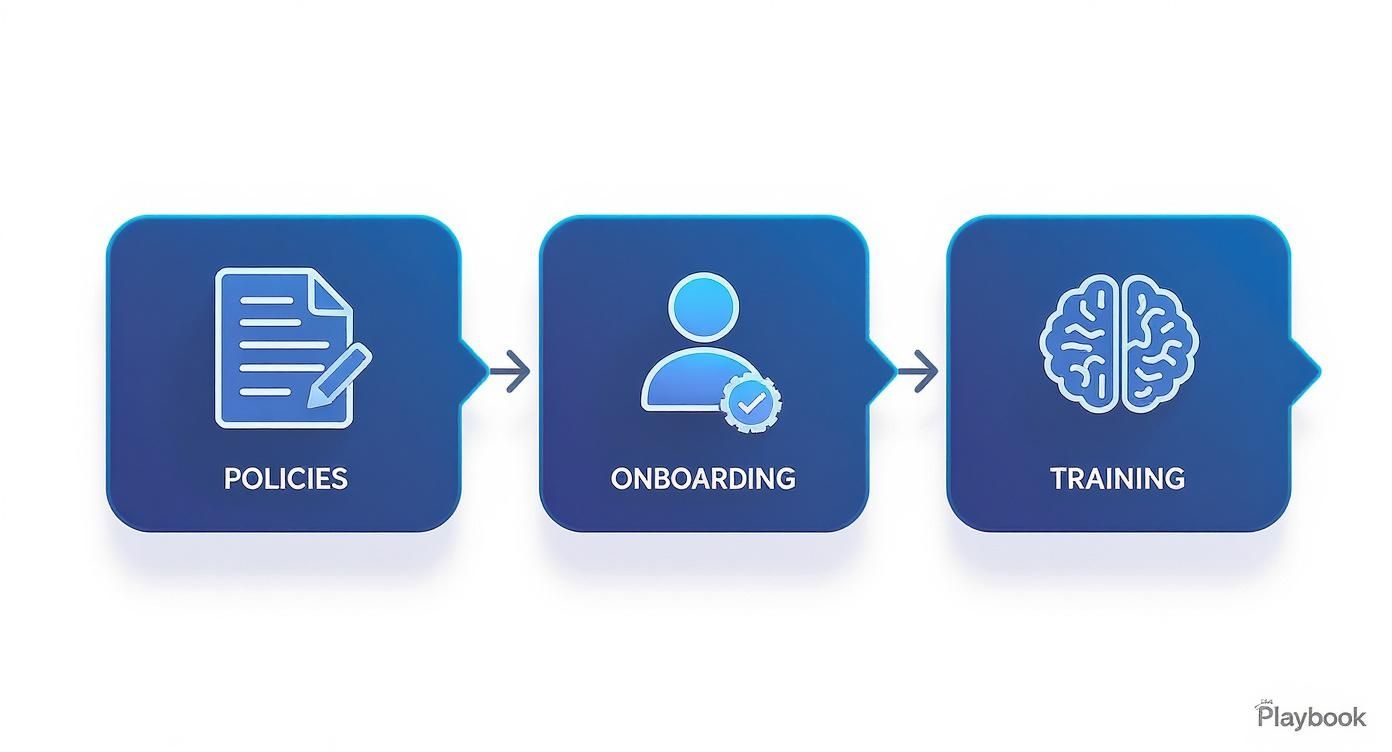
Thinking through your security playbook—clear policies, secure onboarding, and ongoing training—is one of the most powerful steps you can take. This simple flow shows how these pieces work together, turning security from a list of rules into a shared responsibility that everyone on the team understands.
Your IT security isn't just about preventing bad things from happening; it's about enabling your business to operate flexibly and confidently in 2026 and beyond. A smart, affordable plan makes that possible.
If your business operates across home offices, coffee shops, or satellite locations in the Salinas–Monterey corridor, now’s the time to evaluate your IT security. The question we started with was, "Hybrid work isn’t going away—is your IT setup still secure in 2026?" Let's make sure your answer is a confident "yes."
Contact Adaptive Information Systems for a personalized hybrid-readiness assessment—built for how your team works now.
Got Questions About Hybrid Work Security? We've Got Answers.
We talk to local business owners all the time, and we know navigating the tech side of hybrid work can feel overwhelming. Here are some straightforward answers to the questions we hear most often.
"Is Our VPN Enough to Keep Remote Employees Secure?"
It’s a good start, but on its own, it’s not enough anymore. A VPN alone isn't the fortress it used to be.
Think of a traditional VPN as a master key to your entire office network. Once an employee is connected, they often have broad access. If their laptop gets hacked, that master key falls into the wrong hands.
A more modern approach, called Zero Trust, is like having a security guard who checks IDs at every single door inside the building. Access is granted one application at a time, only to verified users on trusted devices. For most small businesses, a practical solution is layering a VPN with strong identity controls and endpoint security—it gives you the best of both worlds without being overly complex.
"My Team Uses Their Personal Phones and Laptops. How Do I Secure That?"
This is the classic Bring Your Own Device (BYOD) dilemma. The best way to handle this is with a Mobile Device Management (MDM) platform.
An MDM tool lets you create a secure, encrypted "container" on an employee's personal device. All your company apps, emails, and files live inside this digital bubble, completely separate from their personal life.
You can then enforce security rules—like requiring a passcode—only on that work container. You protect your business data, and they keep their personal life private. And if that employee leaves? You can remotely wipe just the company container, leaving their personal data untouched.
"We're a Small Business. How Can We Possibly Afford All This?"
This is the number one concern we hear, and it's exactly why businesses like yours partner with a Managed IT provider like us. Our whole model is built on bringing enterprise-level IT to local SMBs at an affordable price.
Instead of you trying to buy and manage a dozen different security tools, we bundle everything into a simple, subscription-based service. You get endpoint protection, secure remote access, data backup, and 24/7 monitoring for one predictable monthly cost.
This gives you access to top-tier technology and a team of experts for a fraction of what it would cost to hire even one in-house IT security person. More importantly, it’s far less expensive than cleaning up after a data breach.
If your team is splitting time between the office and home, getting your IT security ready for 2026 is non-negotiable. Contact Adaptive Information Systems for a no-fluff, personalized hybrid-readiness assessment that fits the way your team actually works.
Adaptive Information Systems
380 Main St, Salinas CA 93901 | 831-644-0300 | hello@adaptiveis.net