
When the holiday markets open in Oldtown Salinas and festive crowds start pouring into Monterey Bay, what’s on your mind? You’re likely thinking about inventory, staffing, and making every customer happy. You're probably not thinking about your Wi-Fi router.
But a slow payment system or a weak Wi-Fi signal can bring your busiest day to a halt. Each winter, events from holiday markets to New Year's celebrations attract a surge of tourists to Salinas and the Monterey Peninsula. This influx puts a strain on local businesses, especially your point-of-sale systems and Wi-Fi networks. For local businesses here, being tech-ready is the secret to turning that holiday visitor surge into a success story.
Why Your Tech Needs a Holiday Season Check-Up

Every winter, from wine festivals to New Year’s celebrations, Salinas and the greater Monterey Bay area come alive. This influx of tourists and shoppers puts a serious strain on local infrastructure—and that includes your business's technology. Your POS systems, Wi-Fi networks, and cybersecurity measures get pushed to their limits.
For retailers, hospitality venues, and service providers, this is more than just a long line. It's a real-world stress test for the tech you rely on to make money. These added stressors can expose IT weaknesses, slow down your network, or disrupt customer service when your reputation and revenue are on the line.
Think of it this way: a credit card terminal that processes a transaction three seconds slower might not seem like much. But multiply that by hundreds of customers on a peak Saturday, and you've created a bottleneck that frustrates customers and costs you sales.
The Real Risks of Being Unprepared
This goes beyond a minor inconvenience. When your tech can't keep up with the holiday rush, you face serious risks:
- Slow or Failed Transactions: An overloaded network can make your payment systems lag or fail completely. The last thing you want is to turn away a paying customer because your gear can't keep up.
- Poor Customer Experience: In an age of instant online reviews, a bad experience sticks. Slow guest Wi-Fi or the inability to take mobile payments can damage your reputation.
- Increased Security Vulnerabilities: More devices on your network—especially from a public Wi-Fi access point—can create openings for cyber threats if your security isn't locked down.
To be ready, you have to get a handle on network capacity planning to make sure your systems can handle the load. The key is to find your system's limits before your customers do. At Adaptive, we help local businesses create simple, affordable plans to make sure technology is an asset, not a liability, during their most profitable time of the year.
Bulletproof Your Sales with a Solid POS System
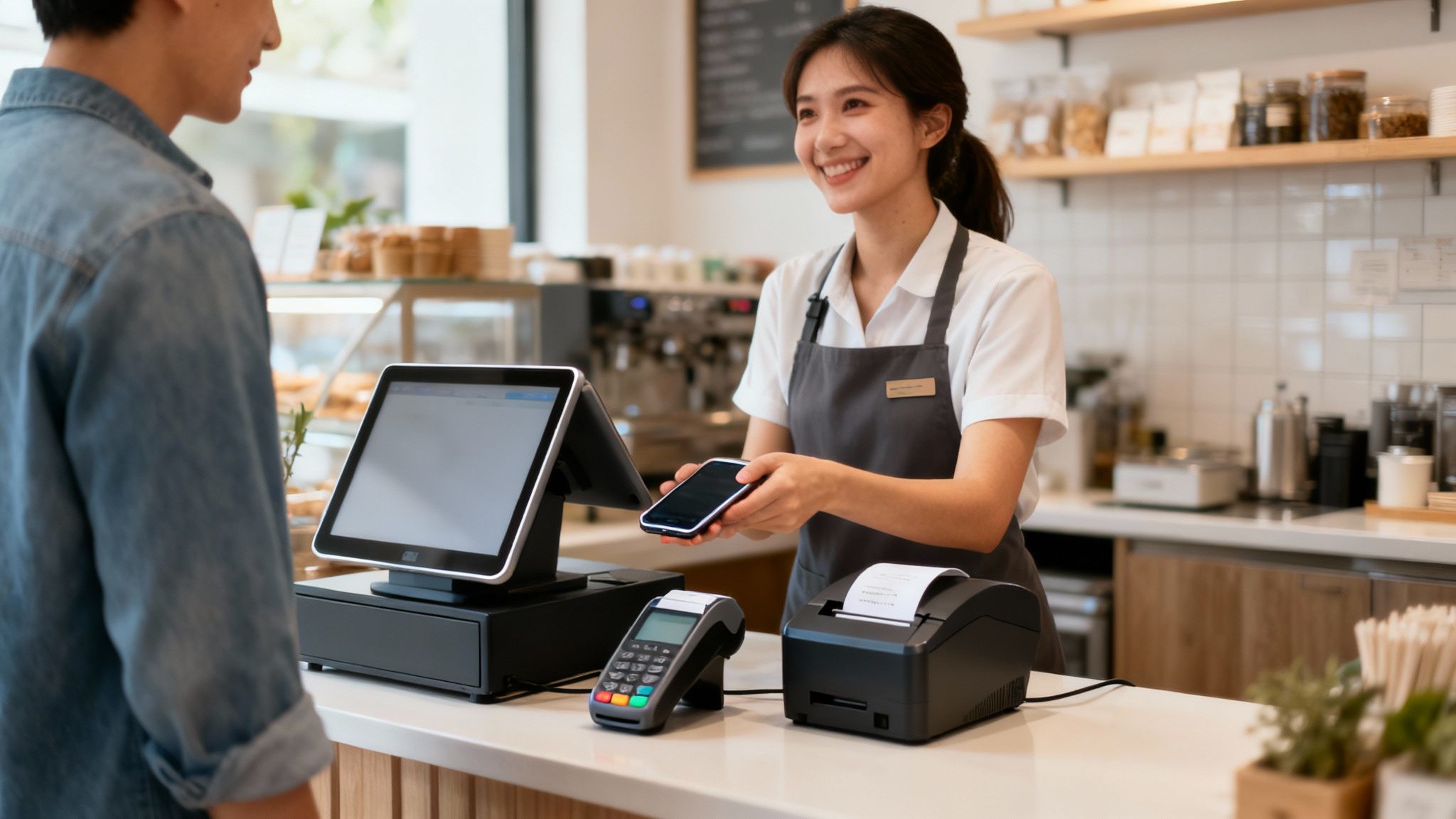
Your Point-of-Sale (POS) system is the heart of your revenue stream during the holidays. When it slows down—even for a few seconds per transaction—sales grind to a halt, lines get longer, and patient customers quickly become frustrated shoppers.
This is especially true when the holiday rush hits Salinas. Retailers, restaurants, and wineries are suddenly managing higher foot traffic and a flood of mobile payments. All that stress can expose hidden IT issues or bog down your network right when your reputation and revenue are on the line. The goal is to prevent a minor tech hiccup from becoming a sales disaster on your busiest weekend.
Harden Your Hardware and Software
First, do a physical check of your equipment. Are all your card readers, terminals, and receipt printers in good working order? A worn-out printer ribbon or a single finicky card swiper can create chaos at a packed checkout counter.
Next, look at your software. Make sure it's updated to the latest version. These updates often contain critical security patches and performance improvements. They also ensure you can smoothly accept modern payment methods like tap-to-pay and mobile wallets (Apple Pay, Google Pay), which tourists now expect.
A simple software update can be the difference between a five-second tap-and-go transaction and a frustrating minute-long manual entry. Over a busy day, that saved time adds up to hundreds of dollars in completed sales and happier customers.
Test and Prepare for the Rush
Don't wait for Black Friday to discover a problem. You need to run a "stress test" on your POS system before the crowds arrive. Before the next festival or holiday rush, test your POS systems, ensure Wi-Fi networks are secure, and back up critical data.
- Transaction Speed: Does it lag when multiple terminals are in use?
- Inventory Syncing: Does your stock update in real-time across every device?
- Payment Methods: Test every type of payment you accept, from chip cards to mobile apps.
To help you get organized, here’s a quick checklist you can use to audit your point-of-sale system's readiness.
Holiday POS Readiness Checklist
| Check Area | Action Item | Why It Matters |
|---|---|---|
| Hardware | Inspect all terminals, card readers, printers, and scanners for wear and tear. | Prevents frustrating equipment failures during peak hours. |
| Software | Confirm all POS software and payment applications are on the latest version. | Ensures you have the latest security patches and performance boosts. |
| Payment Methods | Run test transactions for all accepted payments (chip, tap, mobile, gift cards). | Guarantees you can accept every dollar that comes your way without a hitch. |
| Network | Test transaction speeds during simulated high-traffic periods. | Identifies network bottlenecks before they slow down your checkout lines. |
| Supplies | Stock up on receipt paper, printer ink/ribbons, and cleaning supplies. | Avoids last-minute scrambles for basic supplies when you're swamped. |
| Backup Plan | Have a secondary payment method ready (e.g., mobile reader on a tablet). | Provides a crucial lifeline if your primary system or internet goes down. |
Taking a few minutes to run through these checks can save you hours of headaches.
If testing makes you realize it's time for an upgrade, the ultimate guide to choosing the right POS system is a great resource. And if you need that new system to talk to your other business tools, it helps to understand what system integration means to make a smarter choice.
Secure Your Network and Guest Wi-Fi

Offering free Wi-Fi isn't just a perk anymore; your customers and holiday visitors expect it. But as your shop or cafe fills up, every new phone that connects adds more demand—and risk—to your network.
A sudden flood of guests can turn your reliable Wi-Fi into a frustratingly slow crawl. Worse, it can create openings for security breaches.
Seasonal event calendars show that visitor activity in Monterey County increases in December and January, especially around Oldtown Salinas and coastal venues. For small business owners, this means a higher chance of tech hiccups—from overloaded routers to unsecured guest access. Preparing your IT systems now is key to keeping things running smoothly and maximizing seasonal revenue.
The good news? Locking things down doesn't have to be a massive, expensive project.
Isolate Your Guest Network From Business Operations
If you only do one thing from this list, make it this: create a separate network just for your guests. Your business-critical systems—especially your POS terminals, security cameras, and back-office computers—should never share the same Wi-Fi connection as the public.
Think of it like having two different doors to your business: one for customers and a separate, secure one for staff. A guest network builds a digital wall between the two. This ensures someone browsing social media on your public Wi-Fi has no chance of stumbling into your sensitive business data.
An isolated guest network is a must-have. It means that even with a full house of visitors using your Wi-Fi, your payment processing and private business data stay completely secure and unaffected.
Strengthen Your Signal and Manage Bandwidth
A weak, spotty Wi-Fi signal can be as frustrating as no Wi-Fi at all. Before the holiday rush, walk through your customer area with your phone and look for dead zones where the signal drops. Simple fixes like moving your router or adding a cost-effective Wi-Fi extender can make a world of difference.
You should also look into setting bandwidth limits on your guest network. This is a simple setting in most modern routers that prevents one or two people streaming video from slowing down the connection for everyone else.
Here are a few quick tips to get your Wi-Fi ready:
- Change Default Passwords: The first thing a hacker tries is the default admin password on your router. Change it now.
- Use Strong Encryption: Make sure your guest network is password-protected using modern WPA2 or WPA3 encryption.
- Implement a Guest Portal: A captive portal (the login screen you see at hotels) looks more professional and adds a layer of security.
Taking these steps builds a secure, reliable digital environment for your business and customers. For a deeper dive, our guide on how to properly secure your Wi-Fi network has more best practices. Getting this right is a crucial part of being tech-ready for the Salinas holiday visitor surge.
Create a Simple Backup and Recovery Plan
Imagine this: it's the middle of a packed December weekend, your Salinas shop is buzzing, and your main sales computer crashes. Or worse, your system gets hit with ransomware. This nightmare scenario doesn't have to be a catastrophe.
A simple, solid backup plan is your best defense against that kind of chaos. This isn't about bracing for a natural disaster; it's about having a practical way to bounce back quickly from common tech problems.
The 3-2-1 Rule: Your Safety Net
This is where the 3-2-1 backup rule comes in. It’s a straightforward strategy once used only by large companies, but it's now affordable for any local business. It’s simple and effective.
The concept is easy: keep three copies of your critical data on two different types of media, with one copy kept off-site. This simple framework protects you from almost any type of data loss.
Putting the 3-2-1 Rule into Practice
What does this look like for your business? It’s simpler than you might think.
- Three Copies of Data: This means your original data (like daily sales reports and customer lists) plus two separate backups.
- Two Different Media: Don't save everything to the same type of drive. A great setup is keeping one backup on an external hard drive and another using a cloud backup service.
- One Off-Site Copy: Your cloud backup handles this automatically. Having a copy stored in a different physical location protects your data from local disasters like fire, flood, or theft.
A backup you haven’t tested is just a guess. The most important step is to test your recovery process. You need to know for a fact that you can restore your files quickly and get back to business.
The weeks before the holiday rush are the perfect time to get this sorted out. Make data backup part of your pre-season tune-up. It's a small investment of time that protects your most critical holiday income. A proper backup system is a core part of business continuity. For a deeper look, check out our guide on data backup and disaster recovery solutions.
Your Pre-Holiday Tech Action Plan
Feeling a bit overwhelmed? Let's turn these ideas into a straightforward action plan. This is your final checklist before the holiday season kicks into high gear here in Salinas. A little planning now can save you massive headaches later.
Think of this as a tune-up for your business tech. Getting this done now is the difference between a smooth, profitable December and a season filled with stressful emergencies. Consider scheduling a short IT tune-up or consultation to make sure your tech setup can handle the spike in demand—especially if you’ve added new services, devices, or staff.
Your Final Readiness Checklist
Before the crowds from the holiday markets start lining up, run through these essential checks. This isn’t about a massive overhaul; it's about making sure your existing systems are ready for the surge.
-
Check Your Hardware: Walk around and physically inspect every piece of gear your business leans on. Test your POS terminals, fire up the receipt printers, and run a few transactions on your card readers.
-
Confirm with Your Providers: Make a quick call to your internet service provider and your payment processor. Confirm there’s no planned maintenance during your peak holiday hours.
-
Review Your Staff Access: Did you hire seasonal help? Perfect. Double-check that every new team member has the system permissions they need to do their job—and nothing more. This is a crucial security step.
The best action plan is one you can actually do. Focus on these small, high-impact tasks first. It builds momentum and ensures your foundational tech is stable for the visitor surge.
Solidify Your Data Backup Strategy
We’ve talked about backups, but now is the time to be 100% certain your plan works. A great way to visualize a bulletproof backup strategy is with the 3-2-1 rule.
The timeline below breaks down this simple but powerful concept for data protection.
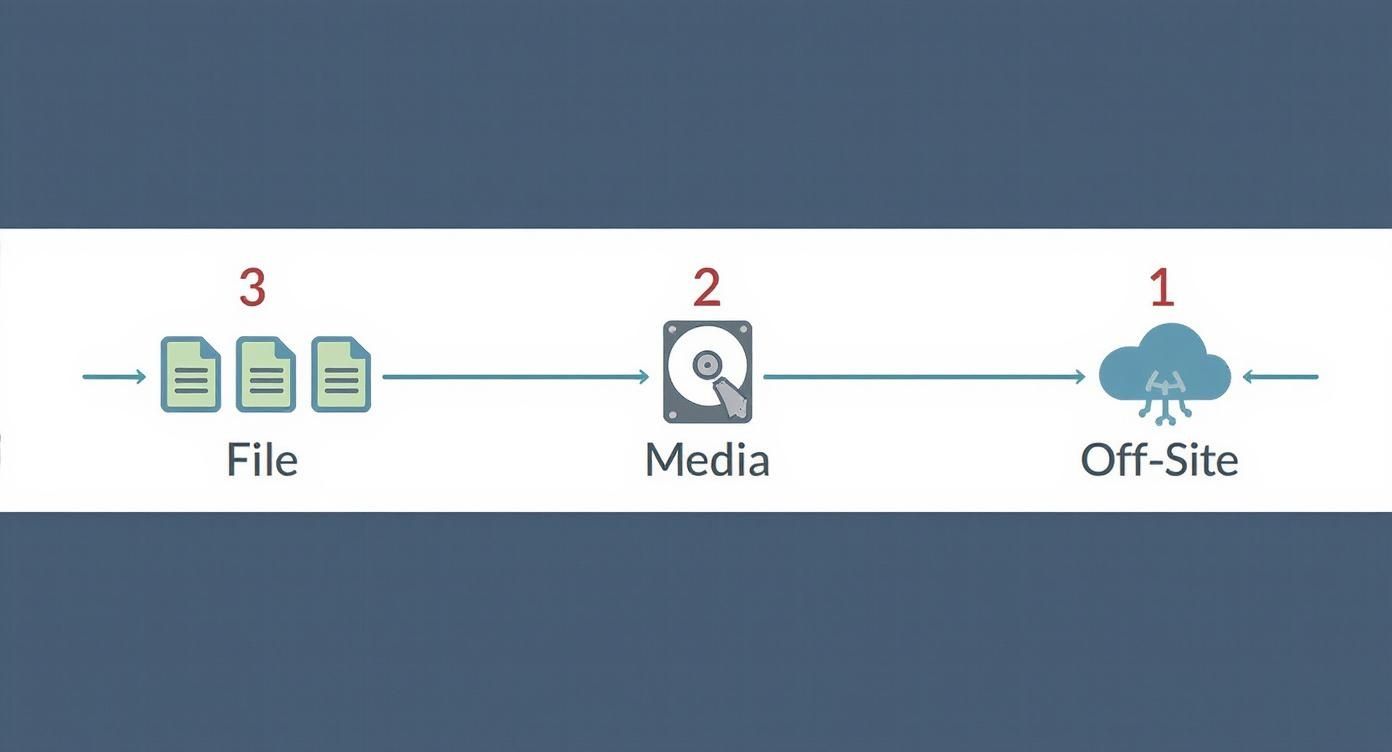
This method ensures you have multiple copies of your critical information stored in different locations and on different media. It's your single best defense against data loss wiping out your profits. For a deeper dive into preparing for any interruption, check out our business continuity plan checklist to make sure all your bases are covered.
Being tech-ready is about having confidence in your systems. Adaptive Information Systems supports local businesses with scalable IT solutions designed for seasonal surges. From strengthening Wi-Fi and securing public networks to optimizing payment systems and providing quick-response support, we help clients prepare for busy event weeks without disruptions. Our local presence also ensures fast on-site service when needed.
Common Questions About Seasonal Tech Readiness
Even with a solid plan, you probably still have a few questions about getting your tech ready for the holiday season in Salinas. Let's clear them up.
How Much Should I Budget for Seasonal IT Prep?
The answer is usually a pleasant surprise: it’s likely less than you think. Getting ready for a seasonal surge isn't about buying a bunch of new equipment. It’s about fine-tuning what you already have.
For most businesses, the cost is small. It might just be a few hours of an IT expert's time to reconfigure your router, stress-test your POS terminals, and double-check your backups.
The real cost comes from not preparing. An hour of downtime on a busy Saturday could easily cost you more in lost sales than your entire year’s IT maintenance budget. Think of it as a small investment to protect your peak season revenue.
Our mission is to provide enterprise-level IT at a price that makes sense for small businesses. Your seasonal prep should be a cost-effective tune-up, not a budget-breaking overhaul. We always focus on maximizing the performance of your current technology first.
When Is the Best Time to Start Preparing?
Simple answer: late October or early November. This gives you plenty of time to run tests, make adjustments, and sort out any surprises without the stress of the holiday rush.
Waiting until December is a gamble. IT support teams and equipment suppliers get busy, and what would have been a simple fix in October can turn into an emergency a week before Christmas. Give yourself at least four to six weeks before your busiest days.
This timeframe lets you:
- Run thorough system tests: You can simulate a rush without impacting actual customers.
- Order supplies: Need a new cable or printer ribbon? It will arrive with time to spare.
- Schedule professional help: You can book an IT consultation without fighting for a last-minute appointment.
Can I Handle This Myself, or Do I Need a Professional?
You can absolutely handle some of the basics on your own. Checking your hardware, updating your software, and calling your internet provider are all great first steps.
But where a professional adds value is experience. An IT expert has seen it all. They can spot subtle issues you might miss—like a misconfigured network setting that will create a bottleneck under a heavy load, or a security weakness in your guest Wi-Fi.
For a business in a high-traffic area like Monterey or Seaside, a quick professional review ensures nothing falls through the cracks. It gives you peace of mind so you can focus on your customers and sales, not your tech. It’s the easiest way to ensure your business is tech-ready for the Salinas holiday visitor surge.
Hosting more customers this holiday season? Let Adaptive Information Systems help you stay ahead of IT challenges so you can focus on delivering great service. Contact us for a local support plan that keeps you connected and secure during the busiest time of the year.
Adaptive Information Systems
380 Main St, Salinas CA 93901 | 831-644-0300 | hello@adaptiveis.net