
As a business owner in Salinas or anywhere in Monterey County, you're juggling a dozen priorities, from managing your team to serving your customers. Whether you're in the hospitality industry in Carmel or supporting the ag-tech boom in the Salinas Valley, it’s easy for something like IT security to feel overwhelming. But what if strengthening your company’s defenses could start with one foundational element? It can. Your password policy is the digital front door to your business, and a weak policy is like leaving that door unlocked with a welcome mat out for cybercriminals.
A strong password is the first line of defense against unauthorized access, data breaches, and financial loss. For a deeper dive into establishing robust credentials for your business, consider exploring this complete guide to password security. This article, however, focuses on the practical, actionable steps you can take right now. We'll break down eight essential password policy best practices and show you how to implement them affordably and effectively. You don't need a massive IT budget to protect your business like a large enterprise; you just need the right strategy. Let's build a more secure future for your company, starting today.
1. Go Beyond Passwords: Make Multi-Factor Authentication (MFA) Your Standard
A strong password policy is foundational, but passwords alone are no longer enough. The single most impactful upgrade you can make to your business’s security posture is making multi-factor authentication (MFA) a mandatory standard. Think of it as requiring a second form of ID before granting access; even if a cybercriminal steals a password, they are stopped cold without the second factor.
This approach moves beyond simple password protection to create a layered defense. For businesses ready to go beyond basic password protection, you can further enhance security with Two-Factor Authentication. This second verification step, often a code from an app, a text message, or a biometric scan like a fingerprint, renders a stolen password useless. For any Monterey-based business handling sensitive client data, from financial records to agricultural supply chain details, MFA is an essential safeguard against unauthorized access.
Why MFA is a Non-Negotiable Best Practice
Implementing MFA is one of the most effective strategies you can use to prevent the vast majority of cyberattacks, including phishing and credential stuffing. It adds a critical barrier that protects your company’s digital assets, client trust, and operational stability. By making it a core component of your security strategy, you demonstrate a commitment to protecting your data at an enterprise level. To explore more foundational security measures, see these cybersecurity solutions for small business.
Pro-Tip: Start your MFA rollout with your most critical applications first, such as email, financial software, and your primary cloud storage. This prioritizes protecting your most valuable assets immediately.
Actionable Implementation Tips
- Choose the Right Method: For team members working in the fields of the Salinas Valley or on-the-go, authenticator apps (like Google Authenticator or Microsoft Authenticator) are more secure than SMS and work without a cell signal.
- Provide Backup Options: Prevent employee lockouts by setting up multiple verification methods, such as a backup email or physical security keys, ensuring productivity is never halted.
- Implement Adaptive MFA: Configure policies that trigger MFA based on risk signals. For example, you can require a second factor only when an employee logs in from an unrecognized network or a different country.
- Educate Your Team: Don’t just enable MFA; explain the "why." A short training session on how it directly protects both company and personal data can dramatically improve adoption and reduce pushback.
2. Implement Strong Password Complexity Requirements
Beyond just having a password, the quality of that password is what stands between your data and a potential breach. Implementing strong password complexity requirements means you're setting clear rules for how passwords are created, making them significantly harder for attackers to guess or crack using automated tools. This is a fundamental layer of any robust password policy best practice.
For a Salinas-based law firm or a Pacific Grove hospitality business, this means moving away from easily guessable passwords like "Summer2024" or "Monterey123." Instead, your policy should enforce a mix of characters, sufficient length, and a prohibition on common words or personal details. These requirements are your first line of defense against brute-force and dictionary attacks that target weak credentials.
Why Password Complexity is a Foundational Best Practice
A simple password can be cracked in seconds, while a complex one can take centuries with current technology. By enforcing complexity, you drastically increase the effort required for a cybercriminal to succeed, often causing them to move on to easier targets. Following guidelines from organizations like NIST ensures your security measures are based on proven, modern standards, protecting client trust and your business’s reputation.
Pro-Tip: Consider promoting passphrases (e.g., "Correct-Horse-Battery-Staple!") over complex, hard-to-remember strings like "J*p1t@r!9#". Passphrases are often longer, more memorable for users, and significantly harder for computers to crack, striking a great balance between security and usability.
Actionable Implementation Tips
- Establish Clear, Enforceable Rules: Your policy should mandate a minimum length (NIST recommends at least 8 characters, but 12+ is better), and a mix of character types including uppercase letters, lowercase letters, numbers, and symbols.
- Use Password Strength Meters: Integrate real-time feedback tools during password creation. A visual meter that changes from red to green helps guide your users toward creating stronger passwords without needing to read complex instructions.
- Block Common and Compromised Passwords: Your system should automatically reject common passwords (like "Password123"), company names, or any passwords found on known data breach lists.
- Provide User-Friendly Guidance: Instead of just listing rules, offer examples of strong passwords and passphrases. A quick guide can help employees in local businesses, from Carmel to Marina, understand how to comply with the policy effectively and reduce your helpdesk calls.
3. Enforce Regular Password Updates with Smart Timing
The days of arbitrary 90-day password expiration policies are over. Modern password policy best practices, championed by NIST and Microsoft, advocate for a smarter, risk-based approach. Instead of forcing disruptive changes on a fixed schedule, this method focuses on requiring password updates only when there is a legitimate security reason, such as a suspected breach or a user accessing a new high-risk system.
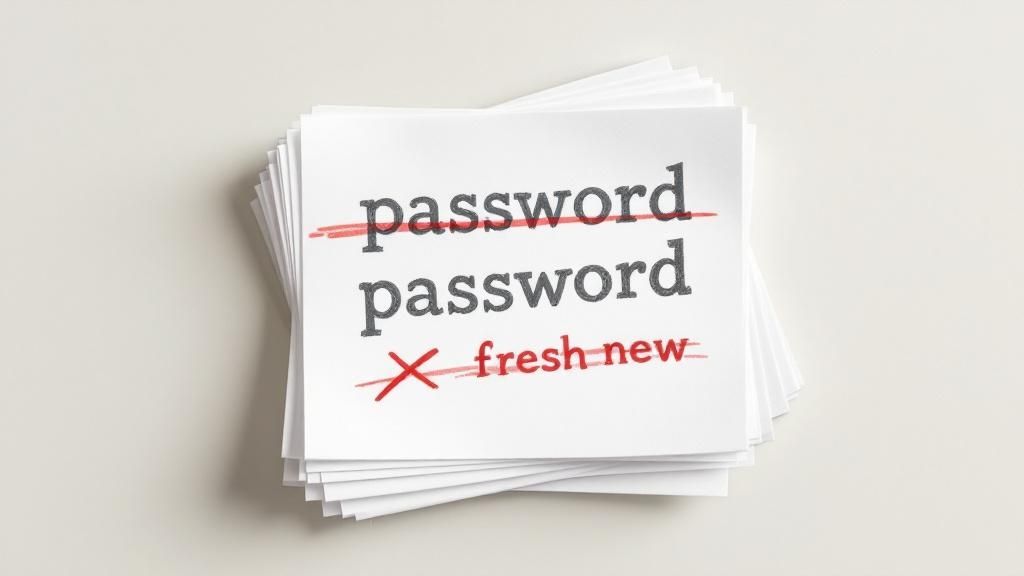
This event-driven strategy improves security by reducing "password fatigue," where employees make small, predictable changes (e.g., "SalinasSummer23!" to "SalinasSummer24!") just to meet a deadline. By combining this with strong passwords and MFA, you create a more secure and user-friendly environment. For any Salinas Valley agricultural business or Monterey financial firm, this shift means less operational friction and stronger protection against actual threats.
Why Smart Timing is a Superior Best Practice
Forced periodic password changes can paradoxically weaken security. A risk-based update policy, however, strengthens it by responding directly to credible threats. This approach aligns your security measures with real-world risks, ensuring that your team's focus remains on maintaining strong, unique passwords for the long term rather than constantly inventing new, often weaker, ones. Integrating this philosophy is a key part of developing a comprehensive security framework, and you can see how it fits into a broader strategy by reviewing this IT security policy template.
Pro-Tip: Instead of a blanket expiration policy, use your Active Directory or identity management system to flag accounts that have shown signs of compromise (e.g., logins from unusual locations) and force a password reset only for those specific users.
Actionable Implementation Tips
- Implement Compromise Detection: Use tools that monitor for credential leaks on the dark web and automatically trigger a password reset if an employee's password appears in a known breach database.
- Communicate the "Why": Clearly explain to your team that the policy is changing to improve security, not relax it. Frame it as moving from a "time-based" to a "threat-based" model.
- Retain Manual Override: Ensure your IT team or provider retains the ability to force an immediate, system-wide password reset in response to a significant security incident.
- Segment by Risk: While you can eliminate mandatory expirations for most users, consider retaining a more frequent cycle (e.g., annual) for highly privileged accounts like system administrators.
4. Prevent Password Reuse and Implement History Tracking
A common, yet dangerous, user habit is recycling old passwords. When forced to change a password, many people simply revert to a previous one or make a minor, predictable tweak. This practice undermines the very purpose of password expirations, as a previously compromised password can easily be reused, re-opening a security vulnerability. This is where implementing a password history policy becomes a critical layer of defense.
By preventing users from reusing their last several passwords, you force the creation of genuinely new and unique credentials. This is a core tenet of modern password policy best practices and is essential for safeguarding your systems. It ensures that even if an old password for a Monterey-based employee is discovered in a data breach, it can’t be used to access your current systems.

Why Password History is a Non-Negotiable Best Practice
Password reuse is a primary vector for account takeover attacks. Cybercriminals maintain vast databases of breached credentials, and they systematically try these old passwords against new targets. A password history policy directly counters this tactic by making those stolen credentials obsolete. For local businesses in Salinas and across Monterey County, this simple rule can be the difference between a minor inconvenience and a major data breach that erodes client trust.
Pro-Tip: Remember that password history should be securely stored. Never keep a plaintext list of old passwords. Instead, ensure your system stores a salted hash of previous passwords to prevent them from being compromised.
Actionable Implementation Tips
- Set an Effective History Length: Configure your systems to remember at least the last 10-24 passwords. Platforms like Windows Active Directory and AWS IAM allow for easy configuration of this rule.
- Combine with Minimum Password Age: To stop users from rapidly cycling through passwords to get back to their favorite one, set a minimum password age (e.g., 1-3 days). This forces them to use the new password for a set period.
- Educate and Empower Users: Explain why you are implementing this policy. Show your team how using a password manager can help them easily generate and store strong, unique passwords for every service, eliminating the need to remember them.
- Audit Your Applications: Check that your key enterprise applications, from financial software to CRM systems, have password history controls enabled. If they don't, prioritize them for replacement or added security layers.
5. Implement Account Lockout and Rate Limiting Policies
A robust password policy must also plan for what happens when someone tries to guess a password. This is where account lockout and rate limiting policies become essential defensive measures. These mechanisms automatically protect your systems against brute-force attacks by temporarily disabling an account or slowing down login attempts after a set number of failures, creating a powerful barrier for attackers.
This proactive defense stops automated scripts from making thousands of login attempts in minutes. For a local financial firm in Carmel managing sensitive client portfolios or a Salinas-based agricultural business protecting supply chain data, implementing these controls is a critical step. They frustrate attackers and significantly reduce the risk of a breach from a guessed password, forming a key part of any modern password policy best practices.
Why Lockouts and Rate Limiting are a Crucial Defense
Without these controls, an attacker has unlimited attempts to guess a user's password. Implementing lockouts and rate limiting effectively shuts down this attack vector. It deters criminals by making the process of guessing passwords impossibly slow and inefficient, thereby safeguarding your business data, protecting client trust, and ensuring operational continuity.
Pro-Tip: Start with a gentle policy (e.g., a 5-minute lockout after 5 failed attempts) and monitor your help desk tickets. If you see no increase in lockout-related requests, you can make the policy stricter over time, such as increasing the lockout duration.
Actionable Implementation Tips
- Implement Progressive Delays: Instead of permanent lockouts, which can disrupt employees, use escalating time delays. For example, a 1-minute lockout after 5 attempts, a 5-minute lockout after the next 5, and a 30-minute lockout after that.
- Provide Clear User Feedback: When an account is locked, the user should see a clear message explaining what happened and how long the lockout will last. Vague "invalid login" messages can cause confusion and frustration.
- Monitor for Attack Patterns: Your IT team should regularly review lockout logs. A sudden spike in lockouts on multiple accounts can be an early indicator of a widespread attack campaign, allowing you to respond quickly.
- Ensure a Fast Unlock Process: Equip your administrative or help desk staff with a secure and efficient process to unlock accounts for legitimate users who have simply forgotten their password. This prevents prolonged downtime for your team.
6. Deploy Password Managers and Single Sign-On (SSO)
Expecting your employees to create and remember dozens of unique, complex passwords is a recipe for security failure. This challenge, known as password fatigue, often leads to weak, reused credentials. Deploying tools like password managers and Single Sign-On (SSO) systems directly solves this problem, improving both security and user experience simultaneously. These technologies empower your team to maintain high security standards without the mental burden.
A password manager generates, stores, and auto-fills exceptionally strong, unique passwords for every application. SSO streamlines access by allowing users to log in once with a single set of credentials to access multiple approved applications. For businesses in Monterey and Salinas, this means employees can securely access everything from CRM software to agricultural logistics platforms with one secure login, drastically reducing the attack surface created by weak or reused passwords.
Why Centralized Access Management is a Game-Changer
Implementing password managers and SSO is a cornerstone of modern password policy best practices. It eliminates the primary cause of password-related breaches: human error. When your employees no longer need to invent or recall passwords, they are far less likely to use insecure shortcuts. This strategic move also provides your IT team with centralized control and visibility over application access, making it easier to enforce policies and respond to security events.
Pro-Tip: Start by integrating your most frequently used and critical business applications into an SSO solution. This will deliver the biggest immediate impact on productivity and security, encouraging faster user adoption across the company.
Actionable Implementation Tips
- Choose Zero-Knowledge Solutions: Prioritize password managers (like Bitwarden or 1Password) that use zero-knowledge architecture. This ensures that even the provider cannot access your stored credentials, adding a critical layer of protection.
- Provide Comprehensive Training: A successful rollout depends on user adoption. Host brief training sessions to demonstrate the benefits of the new tool and guide your team through the setup process, from installation to importing existing passwords.
- Establish Emergency Access: Prevent lockouts from critical accounts by implementing emergency access procedures. Designate trusted administrators who can gain access to an employee's vault in case of an emergency, ensuring business continuity.
- Integrate with Your Security Stack: For businesses managing remote teams from Carmel to the Salinas Valley, integrating these tools is key. Find a partner who can help you understand how these systems enhance your overall strategy for securing a modern, hybrid workforce.
7. Monitor and Audit Password Security Continuously
A strong password policy is a great start, but it's only effective if you consistently enforce and monitor it. This is where continuous auditing comes in. Implementing systems to actively monitor authentication patterns and audit compliance helps you shift from a reactive to a proactive security stance, identifying potential threats before they escalate into costly data breaches.
This approach involves using technology to watch for password-related security issues, such as repeated failed login attempts or access from unusual locations. For a financial services firm in Monterey or an agricultural tech company in Salinas, this means having the ability to spot and stop an attack in real time. It ensures your password policy best practices are not just rules on paper but are actively protecting your digital assets around the clock.
Why Continuous Monitoring is a Critical Best Practice
Without active monitoring, policy violations and emerging threats can go undetected for weeks or even months. Continuous auditing provides the visibility you need to enforce your rules, detect compromised credentials, and prove compliance with regulations like HIPAA or PCI DSS. To maintain strong password security, it's crucial to regularly perform robust IT audits, ideally guided by an audit and compliance checklist for Information Technology (IT).
Pro-Tip: Focus your initial monitoring efforts on accounts with privileged access, such as administrators and executives. These accounts are high-value targets for attackers, and securing them provides the biggest immediate security return.
Actionable Implementation Tips
- Integrate with SIEM Systems: If you use a Security Information and Event Management (SIEM) tool, integrate your authentication logs. This centralizes monitoring and helps correlate password-related events with other security signals.
- Set Up Automated Alerts: Configure automated alerts for high-risk events like multiple failed logins from a single IP, logins from a new geographic location, or attempts to use known-breached passwords.
- Establish Clear Response Procedures: Don't just detect threats; have a plan to address them. Define who is responsible for investigating an alert and the steps they must take, from locking an account to notifying the user.
- Review and Analyze Logs Regularly: Schedule regular reviews of authentication logs to identify subtle patterns that automated alerts might miss. A thorough review is a key part of any effective cybersecurity risk assessment.
8. Educate Users and Provide Security Awareness Training
Even the most advanced security tools are only as strong as the people using them. A critical, yet often overlooked, part of any password policy is comprehensive user education and ongoing security awareness training. This practice transforms your employees from potential security risks into an active line of defense, empowering them to understand threats, adopt secure habits, and recognize their vital role in protecting company data.
This approach goes beyond simply sending out a memo about password rules. It involves a structured program designed to build a security-conscious culture. For a hospitality business on Cannery Row, this means training your staff to spot fake booking inquiries designed to steal credentials. A well-designed training program ensures that your team not only knows the rules but understands the "why" behind them, making them more likely to comply and stay vigilant.
Why User Education is a Foundational Best Practice
A well-informed employee is your best defense against social engineering and phishing attacks, which are the primary vectors for password theft. When your team can spot a suspicious email or understand the risks of password reuse, they proactively prevent breaches before they happen. This builds a human firewall that complements your technical safeguards, creating a more resilient security posture for your entire organization. For a deeper dive into foundational concepts, explore our guide on Cyber Security 101.
Pro-Tip: Frame security training as a benefit that protects employees both at work and at home. Teaching skills like spotting phishing scams and using password managers provides personal value, which significantly boosts engagement and retention.
Actionable Implementation Tips
- Make It Engaging: Ditch the dry presentations. Use interactive elements, real-world examples of local scams, and gamification to keep your team invested. Platforms like KnowBe4 have proven highly effective with this model.
- Use Multiple Formats: Accommodate different learning styles by offering a mix of live workshops, on-demand video modules, and quick-reference guides. This is especially useful for hybrid teams with members across Salinas and beyond.
- Run Phishing Simulations: The most effective way to test and reinforce learning is through practice. Regularly send simulated phishing emails to see who clicks, and provide immediate, gentle correction and further training for those who do.
- Keep Content Current: Cyber threats change constantly. Update your training materials at least annually to reflect the latest attack methods, ensuring your team is prepared for what criminals are doing now, not last year.
Password Policy Best Practices Comparison
| Security Measure | Implementation Complexity 🔄 | Resource Requirements ⚡ | Expected Outcomes 📊 | Ideal Use Cases 💡 | Key Advantages ⭐ |
|---|---|---|---|---|---|
| Use Multi-Factor Authentication (MFA) | Medium to High 🔄 | Medium (infrastructure, devices, support) ⚡ | Strong reduction in unauthorized access; up to 99.9% block rate 📊 | Organizations requiring strong access control | Highly effective against automated attacks; complies with major frameworks ⭐ |
| Strong Password Complexity Requirements | Low to Medium 🔄 | Low to Medium (policy enforcement tools) ⚡ | Increased password strength, resistant to brute force 📊 | Systems without MFA, baseline password policies | Easy to implement; expands password space significantly ⭐ |
| Enforce Regular Password Updates | Low to Medium 🔄 | Low (policy and monitoring tools) ⚡ | Reduced password fatigue, focused on risk-based changes 📊 | Organizations seeking balanced security/usability | Improves compliance and user satisfaction; focuses on real threats ⭐ |
| Prevent Password Reuse & History Tracking | Medium 🔄 | Low to Medium (storage and hashing systems) ⚡ | Prevents password cycling; enhances actual security gain 📊 | Systems enforcing password rotation policies | Avoids reuse of compromised passwords; supports compliance ⭐ |
| Account Lockout & Rate Limiting Policies | Medium 🔄 | Low to Medium (configuration and monitoring) ⚡ | Blocks brute force attempts; early attack detection 📊 | High-risk login systems, banking, enterprise | Effective brute force deterrence; configurable for usability ⭐ |
| Deploy Password Managers & SSO | Medium to High 🔄 | Medium to High (software, training, integration) ⚡ | Unique passwords, reduced reuse, streamlined login 📊 | Organizations with many accounts/users | Simplifies secure password management; boosts productivity ⭐ |
| Monitor & Audit Password Security | High 🔄 | High (technical infrastructure, analysis) ⚡ | Early threat detection; continuous policy improvement 📊 | Large enterprises, compliance-heavy environments | Proactive security monitoring and compliance ⭐ |
| Educate Users & Security Awareness | Low to Medium 🔄 | Medium (training programs, ongoing updates) ⚡ | Increased user security awareness; reduced social engineering 📊 | All organizations aiming to improve security culture | Empowers users; reduces phishing risks ⭐ |
Take the Next Step: Secure Your Business with Expert Guidance
We've covered a comprehensive set of strategies to fortify your organization's defenses, moving from basic password hygiene to a proactive, layered security posture. The journey from simply having passwords to mastering password policy best practices can seem daunting, but it represents one of the most significant and cost-effective security upgrades your business can make. By now, it should be clear that a modern, effective policy is not just a single rule but a dynamic system built on multiple pillars of protection.
Let's distill the core takeaways. True security isn't achieved by focusing on just one area, like password length. Instead, it’s about creating a robust framework where each practice supports the others. Multi-Factor Authentication (MFA) acts as your most powerful shield against stolen credentials. Strong complexity rules and smart password rotation timelines work together to limit the window of opportunity for attackers. Preventing password reuse and deploying tools like password managers and Single Sign-On (SSO) directly address user convenience and security fatigue, turning your employees from a potential vulnerability into an empowered first line of defense.
From Policy to Practice: Your Actionable Roadmap
Implementing these changes is a critical step, but it doesn't happen in a vacuum. The most successful security transformations happen when technology is paired with human understanding. This is why continuous monitoring, regular audits, and comprehensive user education are not optional add-ons; they are essential components of the process. For businesses here in the Monterey Bay area, from Salinas' agricultural leaders to Carmel's hospitality firms, a data breach isn't just a technical problem—it’s a threat to your reputation and your bottom line.
Your immediate next steps should be to:
- Assess Your Current State: Where are your biggest gaps? Are you using MFA? Do you have an active account lockout policy? A clear-eyed audit is your starting point.
- Prioritize Implementation: You don't have to boil the ocean. Start with the highest-impact change, which for most businesses is implementing MFA across all critical systems.
- Engage Your Team: Communicate the "why" behind these changes. Schedule security awareness training and make it an ongoing part of your company culture.
Ultimately, mastering these password policy best practices is about building resilience. It’s about ensuring your business can withstand the ever-present threat of cyberattacks and continue to thrive. You’ve built your business with dedication; now is the time to protect it with the same level of commitment. Taking control of your password security is not just an IT project—it’s a fundamental business decision that safeguards your future.
Ready to transform your security from a source of anxiety into a competitive advantage? At Adaptive Information Systems, we specialize in making enterprise-level IT strategy accessible and affordable for local businesses. Let our experts help you audit, implement, and manage the password policy best practices that will protect your company for years to come.
Adaptive Information Systems
380 Main St, Salinas CA 93901 | 831-644-0300 | hello@adaptiveis.net