
If you run a business anywhere in Monterey County, you know the feeling. One moment, it’s a calm Tuesday in Salinas; the next, the entire peninsula is buzzing. Late summer brings the roar of engines for the Pebble Beach Concours d’Elegance, and before you know it, holiday shoppers are filling the streets. This seasonal flood of tourists and locals is fantastic for your bottom line, but it puts immense pressure on your technology. A slow network, a crashing point-of-sale system, or an overloaded phone line can turn your most profitable weeks into your most frustrating ones.
For small and mid-sized businesses, this isn't just an inconvenience—it's a direct threat to revenue. The sudden spike in customer interactions, online orders, and network traffic catches many operations off guard, leading to avoidable meltdowns during their most profitable months. When you ask from car shows to christmas crowds: is your business tech ready for monterey’s busy months?, you're asking how to protect your profits. This guide provides a checklist to ensure you're prepared to handle the crowds, capitalize on the rush, and make this your best season yet.
1. Cloud-Based Point of Sale (POS) Systems
The days of the clunky, countertop cash register are over. A cloud-based Point of Sale (POS) system is a modern transaction solution that stores your sales and inventory data on remote servers, not on local hardware. This means you can process sales, manage stock levels, and pull real-time reports from any device with an internet connection, turning a tablet or smartphone into a powerful checkout tool.
For your business, this flexibility is a game-changer during high-traffic seasons. Imagine food vendors at Laguna Seca serving thousands of race fans without long lines, or a Carmel Valley winery smoothly processing 300% more transactions during a peak tasting weekend. These scenarios are powered by scalable cloud POS systems that handle sudden surges without requiring you to install new, expensive hardware. This technology is crucial when you’re getting your business tech ready for Monterey's busy months.
How to Implement and Optimize Your Cloud POS
To get the most out of your system before the crowds arrive, you need to prepare:
- Stress-Test Your System: At least one month before Car Week or the holiday rush, simulate your expected peak transaction volume to identify and fix any bottlenecks.
- Plan for Connectivity Issues: Your internet is your lifeline. Have backup mobile hotspots ready to go. Enable your POS system’s offline mode and understand its limits, such as how long it can operate without a connection and when it will sync transactions.
- Empower Your Team: Train all seasonal staff two weeks in advance. Create simple, laminated quick-reference guides for common transactions and troubleshooting steps to place at each checkout station.
The infographic below highlights the core benefits that a modern POS system brings to a dynamic business environment.
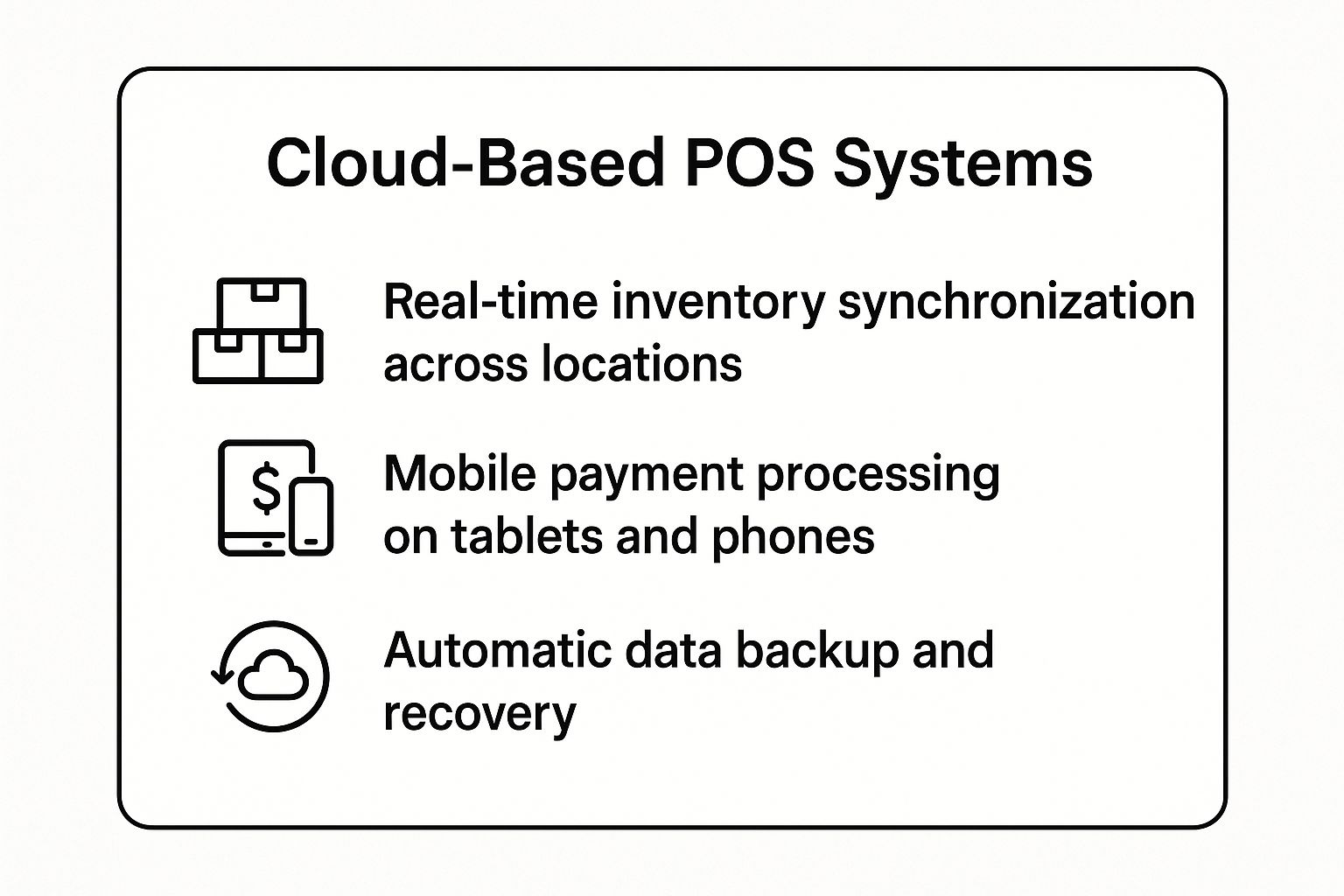
As you can see, these systems offer far more than just payment processing; they unify your entire sales operation, from inventory management to mobile flexibility.
2. Scalable Bandwidth and Internet Infrastructure
A slow or crashed internet connection during a peak sales period is a nightmare. Scalable bandwidth and internet infrastructure are your defense against this, ensuring your network can handle dramatic increases in users, online transactions, and connected devices. This means your network won’t buckle under the pressure of countless POS terminals, customer WiFi requests, online orders, and security systems all running at once.
This strategy involves more than just a fast connection; it's about building a resilient system with backup connections and smart traffic management. Consider a Pacific Grove restaurant needing its reservation system to stay online during the Christmas rush, or a hotel in Monterey upgrading to faster fiber internet to support guest WiFi during Car Week. These upgrades are essential investments to ensure your business tech is ready for Monterey's busy months.
How to Implement and Optimize Your Internet Infrastructure
Proper planning ensures your network is an asset, not a liability, when crowds descend. Use these steps to prepare:
- Audit and Forecast: Six weeks before a major event like the Monterey Jazz Festival, review bandwidth usage data from previous peak periods to forecast your needs accurately. This helps you avoid overspending or under-provisioning.
- Build Redundancy: Your primary internet can fail. Implement a failover solution, such as a secondary internet line or a commercial-grade 4G/5G mobile hotspot, to take over instantly.
- Prioritize Critical Traffic: Use your router's Quality of Service (QoS) settings to prioritize essential operations. This tells your network that payment processing traffic should always get priority over guest WiFi or less critical background tasks.
- Isolate Guest Access: Create a separate, password-protected guest WiFi network. Cap the bandwidth available to this network to ensure public use doesn't slow down your vital business systems.
3. Appointment and Queue Management Systems
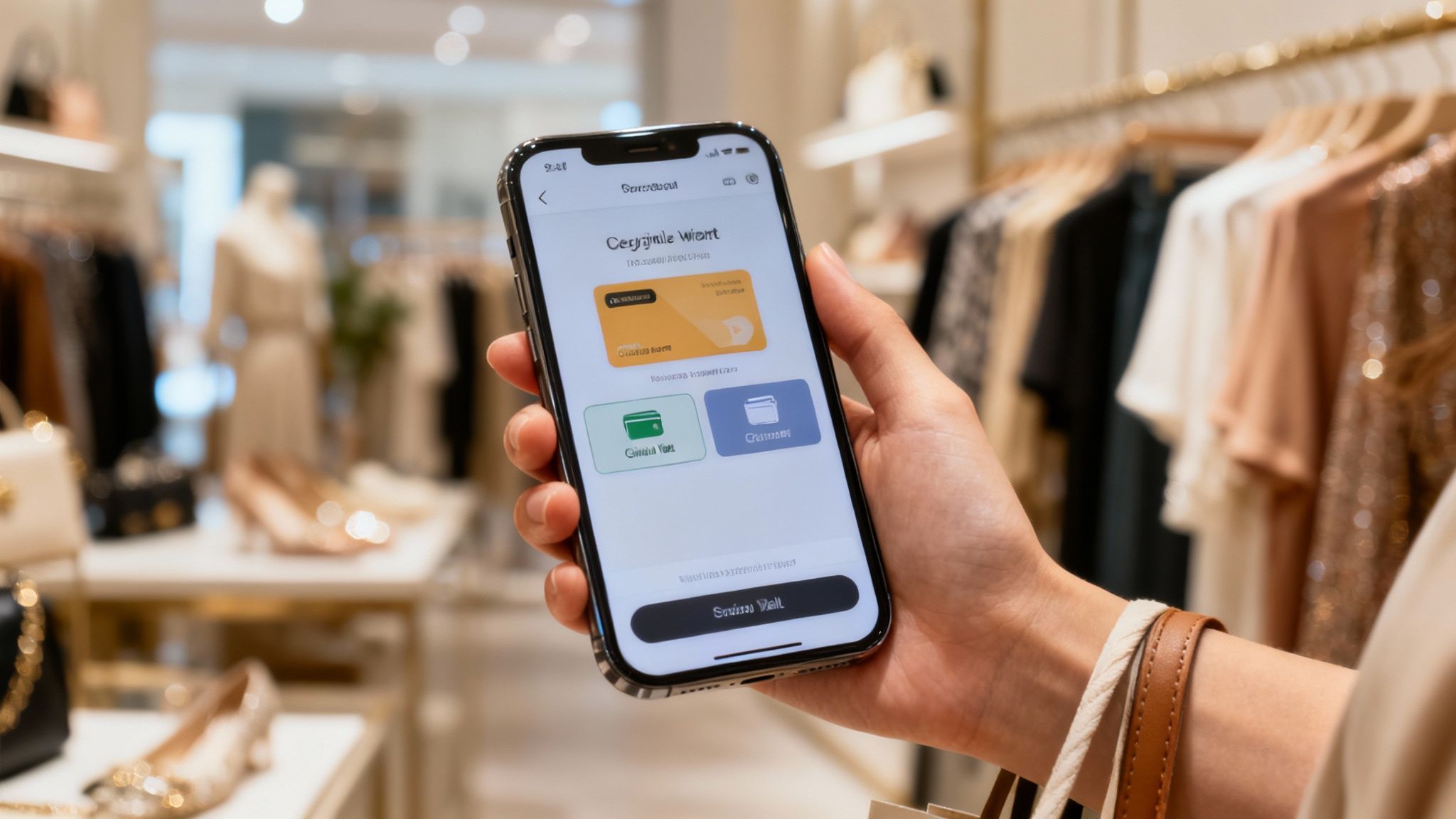
Physical lines are a major bottleneck during peak seasons. A digital appointment and queue management system allows your business to control customer flow, reduce crowding, and improve service by moving the waiting experience online. These platforms let customers make reservations, join a virtual waitlist from their phone, and receive automatic notifications when it's their turn, freeing them from a physical line.
For your business, this technology is essential for managing the influx of visitors during Car Week or the holidays. Imagine a Carmel restaurant using a waitlist app to manage dinner crowds without a congested lobby, or a Monterey auto detailing shop using an online scheduler to handle the flood of appointments for the Pebble Beach Concours d’Elegance. These tools transform a potentially chaotic customer experience into a smooth, organized process, which is a key part of making sure your business tech is ready for Monterey's busy months.
How to Implement and Optimize Your Queue Management System
To effectively manage customer flow before the crowds descend, proactive setup is key:
- Promote Early and Often: Begin promoting your online booking or waitlist system 2-3 weeks before your busy season starts. Use social media, email newsletters, and in-store signs to encourage your customers to use it.
- Set Realistic Service Times: Configure your appointment slots or wait time estimates based on actual service capacity, not ideal scenarios. Under-promise and over-deliver to build customer trust.
- Make it Accessible: Place clear QR codes at your entrance and on your website that link directly to your booking or waitlist page. Train your staff to assist customers who may be unfamiliar with the technology. A little guidance goes a long way.
4. Omnichannel Inventory Management
Gone are the days when your website inventory and in-store stock were managed in separate, disconnected spreadsheets. Omnichannel inventory management integrates real-time stock tracking across all your sales channels—including your physical store, e-commerce site, and mobile app. This creates a single, unified view of your inventory, allowing you to fulfill orders from any location and prevent overselling popular items.
For businesses in the Monterey Bay, this unified approach is essential for navigating the extreme demand swings of event seasons. An art gallery in Carmel, for instance, can sell a piece online to a Car Week visitor before they even arrive, pulling the item from in-store stock without the risk of selling it twice. This system transforms inventory from a simple count into a strategic asset, which is a critical part of making sure your business tech is ready for Monterey's busy months.
How to Implement and Optimize Your Omnichannel System
To create a seamless inventory experience before the crowds arrive, focus on accuracy and planning:
- Establish a Baseline: Before going live, conduct a complete physical inventory count. An accurate starting point is non-negotiable for the system to function correctly.
- Prioritize Integration: Start by integrating the system with your highest-volume sales channels first, like your primary e-commerce platform and in-store POS. This allows you to work out any issues before expanding.
- Prepare Your Team: Train all staff on new procedures for receiving, fulfilling orders, and processing returns within the unified system. Ensure they understand how an online sale impacts their in-store stock availability. Use barcode scanning to minimize human error and speed up processes.
5. Mobile-First Customer Experience
A mobile-first strategy means you prioritize the customer experience on smartphones and tablets. Most visitors and locals use these devices to discover, book, and buy from you. It means your website, ordering systems, and reservation platforms must be flawless on a small screen, as that is often the first and only way a customer will interact with your business.
For your business, this is non-negotiable during peak seasons. Picture a tourist strolling down Cannery Row looking for dinner reservations or a Car Week attendee in Carmel searching for last-minute shopping deals. They are using their phones, and a slow-loading site or a clunky checkout process will send them directly to a competitor. Adopting this approach is essential when you're making sure your business tech is ready for Monterey's busy months.
How to Implement and Optimize Your Mobile Experience
To ensure your mobile presence is an asset, not a liability, before the crowds arrive, focus on these key optimizations:
- Audit and Test Your Mobile Site: At least a month before a major event, use your phone and ask others to test your website's entire customer journey. Check every page, form, and button on different devices (iPhone, Android) and screen sizes to find and fix any frustrating glitches.
- Prioritize Speed and Simplicity: Mobile users expect speed. Ensure your website loads in under three seconds on a cellular network by optimizing images and using large, finger-friendly buttons. Make your phone number and address clickable to enable instant calls and navigation.
- Integrate Mobile Payments and Communication: Enable one-tap payment options like Apple Pay and Google Pay to simplify checkout. Use SMS marketing to send mobile-specific promotions or updates to visitors, and ensure your Google Maps listing has messaging features enabled for quick inquiries.
6. Customer Relationship Management (CRM) and Marketing Automation
The end of a transaction shouldn't be the end of the customer relationship. A Customer Relationship Management (CRM) system combined with marketing automation centralizes customer data and automates personalized communication. It allows you to build lasting relationships with both seasonal tourists and year-round locals long after they've left your store.
For businesses in our area, this technology is vital for turning a one-time visitor into a loyal, repeat customer. An automotive gallery at Car Week can collect enthusiast contacts to send previews of new inventory, while a Carmel boutique can use purchase history to send personalized emails to its Christmas shoppers. These tools capture the momentum from peak seasons and convert it into year-round revenue. To effectively manage these interactions, understanding the fundamentals of CRM is essential. Learn more about Mastering Customer Relationship Management Basics.
How to Implement and Optimize Your CRM
To transform seasonal traffic into a sustainable customer base, prepare your strategy now:
- Create Compelling Opt-Ins: Offer a tangible reason for customers to share their information, like a 10% discount or exclusive access to a new product. Train your staff to actively and correctly capture this information.
- Automate Your Welcome: Set up an automated welcome email series for new contacts. Schedule the first email to go out within 48 hours to reinforce their positive experience while it is still fresh in their minds.
- Segment and Personalize: Group your contacts by the event where you met them (e.g., Car Week vs. Christmas shoppers) for highly targeted messaging. Use purchase history to send relevant recommendations and build automated campaigns to re-engage customers who haven't purchased recently.
7. Cybersecurity and Payment Security Infrastructure
During Monterey’s busiest months, a sudden surge in transactions makes your business a more attractive target for cybercriminals. Robust cybersecurity and payment security infrastructure are no longer optional; they are essential safeguards for your customer data, business information, and operational systems. A single breach during a high-volume period like Car Week can lead to devastating financial loss and damage to your reputation.
This involves more than just antivirus software. For a Carmel restaurant chain, it means implementing point-to-point encryption to protect every card swipe. For Monterey retail stores, it means requiring multi-factor authentication for all POS logins during the tourist rush. These measures are critical when determining if your business tech is ready for Monterey's busy months, ensuring that increased revenue doesn't come with increased risk.
How to Implement and Optimize Your Cybersecurity
Bolstering your defenses before the crowds arrive is crucial. You should focus on these proactive steps:
- Conduct Pre-Season Audits: At least one month before a major event, perform a PCI compliance audit and a general security assessment. Identify and patch vulnerabilities in your network, POS systems, and any internet-connected devices.
- Segment Your Networks: Never run your secure business operations on the same network as your public guest WiFi. Create separate, firewalled networks to prevent a breach on the public side from compromising your payment and operational data.
- Train Your Staff: Schedule mandatory security awareness training for all employees two weeks before the busy season begins. Focus on identifying phishing attempts and proper handling of sensitive customer payment information.
To maintain smooth operations and protect your finances, implementing effective chargeback fraud prevention strategies is paramount.
You can learn more about how comprehensive cybersecurity services for small businesses can protect your operations.
8. Data Analytics and Business Intelligence Systems
Guessing what your customers want is a risky strategy. Business intelligence (BI) and analytics systems take the guesswork out of decision-making by collecting and analyzing data from your operation. These systems transform raw transaction data, customer behavior, and staffing patterns into easy-to-understand reports, providing a clear roadmap for navigating high-demand seasons.
For your business, this means making informed choices that directly impact your bottom line. Imagine a Carmel boutique analyzing last year's holiday sales data to stock more of its bestsellers. Or a Cannery Row retailer discovering that tourists from certain areas prefer specific souvenirs, allowing them to tailor marketing with incredible precision. This is how data-driven insights ensure your business tech is ready for Monterey's busy months.
How to Implement and Optimize Your Data Analytics
To turn raw data into actionable intelligence before the crowds arrive, you should focus on strategic implementation:
- Start Small and Focused: Begin by tracking just a few key metrics, such as peak transaction hours, top-selling items, and customer acquisition cost. Don't try to measure everything at once.
- Establish a Rhythm: Review your analytics weekly during normal periods and shift to daily check-ins during peak seasons like Car Week. This helps you spot trends and react quickly.
- Plan Ahead with Past Data: At least two months before a major event, dive into the previous year's analytics. Identify patterns in sales, staffing needs, and inventory to build a proactive strategy instead of a reactive one.
- Secure Your Insights: Your data is one of your most valuable assets. Ensure your analytics platforms and the data they contain are part of a robust backup strategy. You can explore the principles of data backup and disaster recovery.
Tech Readiness Comparison of 8 Key Business Systems
| Item | Implementation Complexity 🔄 | Resource Requirements ⚡ | Expected Outcomes 📊 | Ideal Use Cases 💡 | Key Advantages ⭐ |
|---|---|---|---|---|---|
| Cloud-Based Point of Sale (POS) Systems | Moderate (1-2 weeks setup & training) | Hardware $0-$1,500; Subscriptions $50-$300/mo | Scalable sales processing, real-time analytics | High-volume sales, multi-location, mobile payments | Scalability, remote access, low maintenance |
| Scalable Bandwidth and Internet Infrastructure | Moderate-High (2-4 weeks install) | $200-$2,000/mo depending on speed & redundancy | Prevents crashes, maintains connectivity | Peak periods with heavy network use | Reliable uptime, failover protection, QoS priority |
| Appointment and Queue Management Systems | Low-Moderate (1-2 weeks setup) | $0-$300/mo depending on features | Reduced crowds, improved customer flow | Reservation-based, high foot traffic | Crowd control, customer convenience, data capture |
| Omnichannel Inventory Management | High (2-6 weeks, complex integration) | $100-$500/mo for SMBs | Unified inventory, prevents overselling | Multi-channel retail, peak demand management | Inventory accuracy, flexible fulfillment options |
| Mobile-First Customer Experience | Moderate to High (2-8 weeks+) | $2,000-$15,000+ for optimization/app dev | Enhanced mobile usability, increased conversions | Mobile-centric customers, seasonal tourists | Frictionless mobile sales, location-based marketing |
| CRM and Marketing Automation | Moderate (2-4 weeks setup) | $0-$1,200/mo depending on contacts & features | Repeat business, personalized marketing | Customer retention, targeted campaigns | Automation, data insight, increased ROI |
| Cybersecurity and Payment Security | Moderate (2-4 weeks + ongoing) | $100-$1,000/mo for security tools | Data protection, compliance, breach prevention | Any business handling payment data during peaks | Trust, liability reduction, continuous protection |
| Data Analytics and Business Intelligence | Low-Moderate (1-2 weeks setup) | $0-$500/mo (basic analytics included in POS) | Data-driven decisions, forecasting, performance tracking | Seasonal optimization, inventory & staffing planning | Actionable insights, performance monitoring |
Your Next Move: Turn Seasonal Stress into Strategic Success
The transition from the roar of engines during Car Week to the cheerful jingle of holiday bells is a defining rhythm for businesses across the Monterey Bay Area. These busy months are a massive opportunity, but only if your technology can keep up with the demand. Being tech-ready isn't about having the latest gadgets; it's about building a resilient, scalable, and secure foundation that supports your team and delights your customers when it matters most.
The crowds will come whether you're ready or not. The difference between a season of record profits and one of chaotic frustration often comes down to the technology supporting your operations. At Adaptive Information Systems, we've seen it firsthand, helping local businesses through the intense demands of Pebble Beach network transitions and holiday retail surges. Our experience shows that a proactive approach is the only way to win.
Key Takeaways for Monterey’s Peak Seasons
Reviewing your tech readiness can feel overwhelming, but focusing on a few core areas can make all the difference. Remember these critical takeaways:
- Customer Experience is King: Your technology directly impacts how customers interact with your brand. A seamless cloud-based POS system, a mobile-friendly website, and efficient queue management are essential tools for capturing sales during high-traffic periods.
- Data Drives Decisions: The insights you gain from a robust CRM and data analytics platform are invaluable. They help you understand customer behavior, personalize marketing, and make informed inventory decisions, turning a busy season into a smart and profitable one.
- Security Cannot Be an Afterthought: Increased transactions and customer data collection create a larger target for cyber threats. Fortifying your payment security and training staff protects your revenue and your reputation.
- Scalability is Your Safety Net: Your internet bandwidth, VoIP system, and inventory management must be able to handle sudden spikes. A system that works perfectly in a slow month can quickly become a bottleneck, leading to lost sales and frustrated customers.
Your Actionable Next Steps
Don't wait for a system failure during your busiest weekend. Take this time to audit your IT setup. A seasonal checkup now can prevent major problems during peak periods. Start by asking these simple questions:
- Is your network scalable and secure?
- Is your VoIP system prepared for increased calls?
- Are your backups current?
- Do employees have the tech tools they need?
Answering these questions honestly will reveal where your vulnerabilities lie. Mastering the answer to "is your business tech ready for Monterey’s busy months?" means shifting from a reactive mindset to a proactive, strategic one. It’s about building a business that doesn't just survive the seasonal rush but thrives in it.
Located in Salinas and serving the Monterey Bay Area, Adaptive Information Systems is here to help you stay prepared before the rush. Schedule a free IT readiness consultation today and ensure your tech doesn’t slow you down when business picks up. The team at Adaptive Information Systems specializes in providing enterprise-level IT solutions that are affordable and tailored for local businesses like yours. Visit Adaptive Information Systems or call us to build a resilient tech foundation for your most important months.
Adaptive Information Systems
380 Main St, Salinas CA 93901 | 831-644-0300 | hello@adaptiveis.net