
Running a business in Carmel, California, means you're focused on what you do best, whether you're serving customers on Ocean Avenue or managing an office in town. You need your technology to help you, not hold you back. But many small and mid-sized businesses in Monterey County fall into common IT traps. These mistakes can lead to big bills, frustrating downtime, and security risks. Your technology should be helping you grow, not causing expensive problems.
This guide is for local business owners in places like Carmel and Salinas who want to make smart tech choices. We'll show you the seven most common and costly IT mistakes we see. More importantly, we'll give you clear advice to help you avoid these costly mistakes with managed IT in Carmel. From picking the right partner to keeping your data safe, you’ll learn how to turn your IT from a headache into a powerful tool for your business. Let's look at the vendor traps that can hurt your budget and how a local, proactive team can stop problems before they start.
1. Choosing Price Over Value and Service Quality
It's tempting to pick a managed IT provider just because they have the lowest price. While watching your budget is smart, treating your IT support like a cheap commodity is a recipe for disaster. This approach often ignores the real value you get from expert advice and fast, reliable service.
This is a big mistake to avoid with managed IT in Carmel, because a low-cost provider often cuts corners on important things. They might use old technology, respond slowly when you have a problem, or lack the skill to protect your business. The money you save at first can disappear quickly when you have to deal with unexpected downtime or a security breach.

The Real-World Cost of "Cheap" IT
We've seen local businesses learn this lesson the hard way. A Carmel-based client of ours used to work with a budget provider to save a little each month. But a major system outage during their busiest season cost them thousands in lost business and emergency repair fees. They told us the "savings" weren't worth the stress and financial hit. At Adaptive, we provide enterprise-level IT at a price that works for local small businesses, so you get value without the risk.
Key Insight: The true cost of an IT provider isn't just their monthly bill. It’s what you pay them plus the cost of any problems they fail to prevent.
A Checklist for Finding True Value
To make a smarter choice, look for value, not just a low price. A quality provider like Adaptive Information Systems offers proactive monitoring and a local response team to prevent issues before they happen.
Here’s a checklist to help you assess if a provider is the right fit:
- Look Beyond the Monthly Fee: Think about the total cost over a few years. What would downtime or a security issue cost you?
- Demand a Clear Service Level Agreement (SLA): Your contract should promise specific response times in writing. Vague promises are a red flag.
- Check Their Experience: A good provider works with major tech companies like Microsoft and has team members with recognized certifications.
- Ask for Local References: Talk to other business owners in Carmel or Monterey. Ask them about their real experiences.
2. Failing to Establish Clear Service Level Agreements (SLAs)
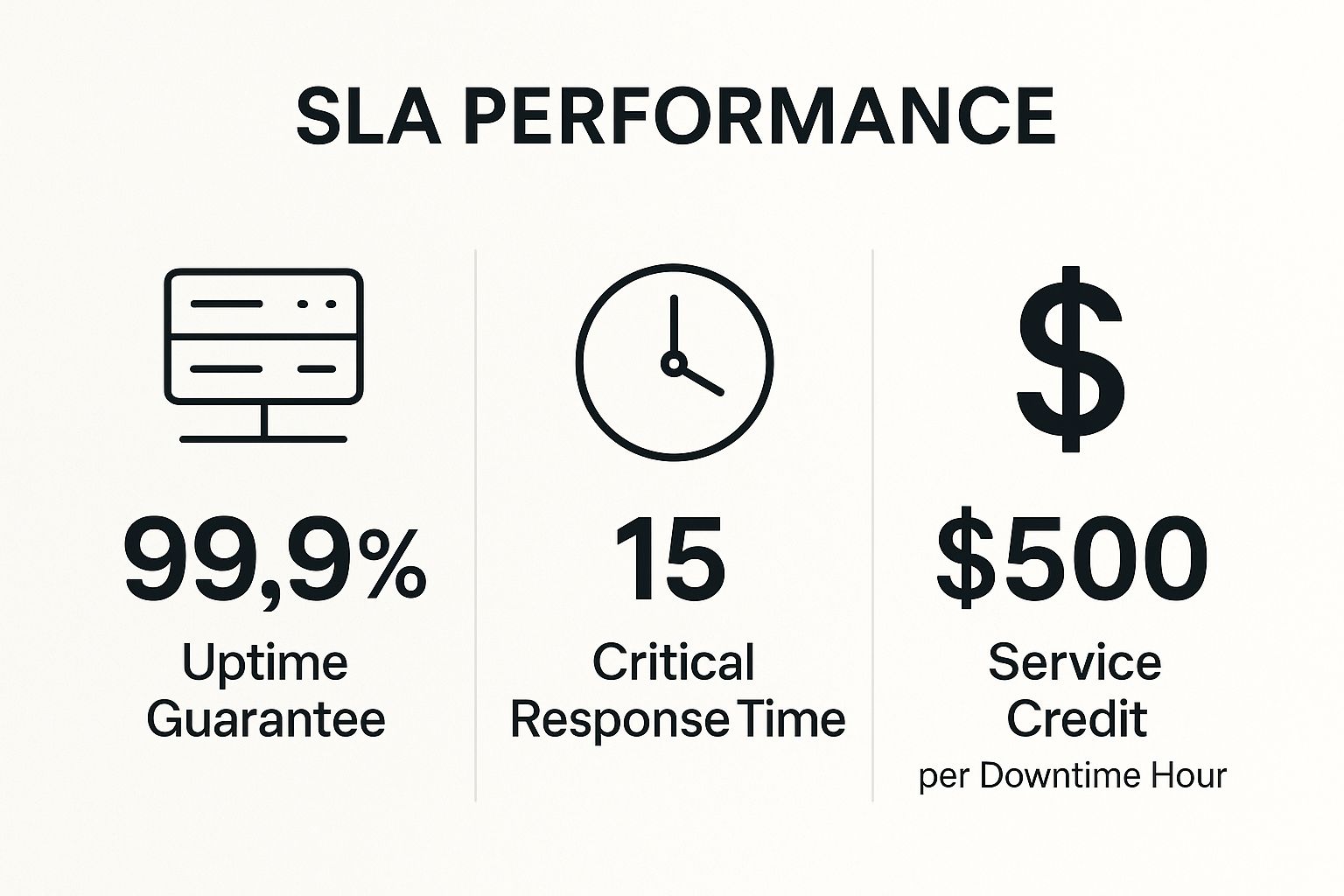
Signing an IT contract without a detailed Service Level Agreement (SLA) is a huge gamble. An SLA is your written guarantee that holds your provider accountable for specific results. Without it, you’re left hoping for good service instead of knowing you’ll get it.
This is one of the most important mistakes to avoid with managed IT in Carmel. An SLA turns vague promises into clear rules. If a critical system fails on a busy Friday, your SLA should say exactly how quickly your provider must respond. This document protects your business from slow service when you need help the most.

The Real-World Cost of Vague Promises
We've seen firsthand how a missing SLA can hurt local businesses. A client in the hospitality industry told us their old provider, who didn't have an SLA, took a whole day to fix their booking system. They lost thousands of dollars in reservations. In contrast, another local business used their SLA to get a critical sales system fixed in under an hour, saving the day's revenue.
Key Insight: An SLA is your business's insurance policy against bad service. It sets clear expectations and defines what you should receive.
A Checklist for a Strong SLA
Before you sign anything, make sure the SLA is solid. A provider like Adaptive Information Systems will work with you to set terms that match your business needs. You can learn more about our Service Level Agreement to see our commitment to clients.
Use this checklist to make sure your SLA is strong:
- Specific Response Times: It should list guaranteed response times for different types of problems (e.g., 30 minutes for a critical issue).
- Uptime Guarantees: For important systems, it should promise they will be online at least 99.9% of the time.
- Support Hours: It should clearly state if you have access to 24/7 emergency support.
- Accountability: It should explain what happens if the provider fails to meet their promises, like offering a service credit.
- Escalation Plan: It should tell you who to contact if an issue isn't being resolved fast enough.
3. Inadequate Cybersecurity and Compliance Measures
Thinking you're too small to be a target for cyberattacks is a dangerous mistake. Hackers are always looking for easy targets, and a business with weak security is a prime one. Partnering with an IT provider who doesn't take security seriously puts your money, your data, and your reputation at risk.
This is a devastating mistake to avoid with managed IT in Carmel, especially for businesses in hospitality or healthcare that handle sensitive customer information. Just reacting to security threats isn't enough anymore. A single data breach can be incredibly expensive and could even force a small business to close.
The Real-World Cost of Inadequate Security
We have seen local businesses pay a steep price for this mistake. Before coming to us, one Carmel client was hit with a ransomware attack that locked up all their files. Their previous IT provider had not set up proper defenses. The cost to recover was huge, both in money and in lost customer trust. The "savings" from their cheap IT provider disappeared in an instant.
Key Insight: Good cybersecurity is not an extra expense—it's a core part of keeping your business running. The cost of preventing an attack is always much lower than the cost of cleaning up after one.
A Checklist for Real Security and Compliance
You need a provider who makes security a top priority. A partner like Adaptive Information Systems builds in 24/7 security monitoring and helps you meet industry rules to keep you safe. Using the right compliance management software solutions can also be a key part of your strategy.
Use this checklist to check a provider’s security services:
- 24/7 Monitoring: Do they watch your systems around the clock for threats?
- Multi-Factor Authentication (MFA): Will they require MFA on all important accounts? This adds a critical layer of security.
- Regular Security Checks: Do they regularly scan your systems for weaknesses?
- Solid Backup Plan: Do they offer automatic, secure backups with a tested recovery plan?
- Industry Knowledge: Do they understand the rules for your industry, like HIPAA for healthcare? Learn more about essential cybersecurity services for small businesses.
4. Neglecting Regular Backups and Disaster Recovery Planning
Assuming your data is being backed up without ever checking is a huge risk. Many business owners think their IT provider is handling it, but they don't ask the right questions. This leaves them open to losing everything from a cyberattack, a hardware failure, or even a simple accident.
This is a terrible mistake to avoid with managed IT in Carmel, because losing your data can be permanent. Statistics show that most small businesses that suffer a major data loss have to close within a year. A good backup and disaster recovery plan is not just an IT task—it's essential for survival.
The Real-World Cost of Data Loss
We’ve seen the nightmare of data loss up close. A local accounting firm had their server crash right in the middle of tax season. Their old provider’s backups had been failing for weeks, and nobody noticed. They lost months of important client work, which damaged their reputation and cost them a fortune. In contrast, one of our clients in Monterey got hit by ransomware but was back up and running in a few hours because we had tested, reliable backups ready to go.
Key Insight: A backup system is worthless until you've tested it. The real value is knowing you can get your business back online quickly after a disaster.
A Checklist for a Strong Recovery Plan
To avoid this business-ending mistake, you need to be proactive. A true IT partner like Adaptive Information Systems will set up a system that keeps your data safe and ready to be restored at a moment's notice.
Use this checklist to make sure you're protected:
- Follow the 3-2-1 Rule: Keep at least 3 copies of your data, on 2 different types of storage, with 1 copy stored safely offsite (like in the cloud).
- Test Your Backups: Insist on written proof that backups are working every day. You should also do a full recovery test at least once a quarter.
- Know Your Recovery Goals: How quickly do you need to be back online after a disaster? How much data can you afford to lose? Your provider should help you answer these questions.
- Check Your SLA: Your agreement should clearly state the provider's backup duties and guaranteed recovery times.
5. Poor Communication and Lack of Strategic IT Planning
Treating your managed IT provider like they’re only there to fix things when they break is a missed opportunity. If you only talk to them when you have a problem, you’re not getting the full value of their expertise. This reactive approach means your technology is always one step behind your business.
This is a big mistake to avoid with managed IT in Carmel, because good technology should support your business goals. Without a strategic plan, you might spend money on tech that doesn't help you grow. You need a partner who understands where your business is headed and can create a technology roadmap to get you there.
The Real-World Cost of a Reactive Relationship
We’ve seen the difference a strategic partner makes. A local client in the agriculture industry worked with us to plan their IT for future growth. When they opened a new facility in Salinas, their technology was ready, saving them tens of thousands in rush-job costs. Another company without a plan spent a lot of money on a new software system, only to find out it didn't work with their other tools because their IT provider was never asked for advice.
Key Insight: A great managed IT partner doesn't just fix problems. They help you create a plan to use technology to reach your business goals, turning IT from a cost into a tool for growth.
A Checklist for a Strategic Partnership
To avoid this mistake, you need to communicate openly with your IT provider. A quality partner like Adaptive Information Systems will schedule regular meetings to make sure your technology is helping your business succeed. This is where our business technology consulting makes a real difference.
Use this checklist to build a true partnership:
- Demand Regular Meetings: You should meet with your provider every few months to review how things are going and plan for the future.
- Share Your Business Goals: Tell your provider about your plans for growth so they can get your technology ready.
- Have a Clear Point of Contact: You should know exactly who to call when you need help or advice. Improving your own team’s communication can also help; check out these actionable internal communication best practices.
- Ask for Proactive Advice: Your provider should be bringing you new ideas to improve things, not just waiting for you to call with a problem.
6. Ignoring Scalability and Future Growth Needs
Choosing IT solutions that only solve today's problems is a recipe for future headaches. As your business grows, your technology needs to grow with it. If it can't keep up, it will slow you down. This often happens when businesses pick the cheapest option without thinking about tomorrow.
This is a common mistake to avoid with managed IT in Carmel, where local businesses can grow quickly. The money you "save" on a system that isn't built for growth will be spent later on expensive upgrades and replacements. Planning for the future helps you stay ahead of the competition.
The Real-World Cost of Inflexible IT
We've seen local companies get trapped by short-term thinking. A Carmel retail business bought a sales system that worked for one store, but it couldn't handle a second location. When they expanded, they had to throw out the old system and start over, wasting their initial investment. On the other hand, another client chose a flexible cloud-based phone system that allowed them to easily add new employees as they grew, with no extra hardware costs.
Key Insight: Planning for growth turns your technology into a powerful asset. Scalability isn't just an expense; it's an investment in your company's future.
A Checklist for a Future-Proof Foundation
To avoid getting stuck, make sure scalability is a key factor in all your tech decisions. A forward-thinking provider like Adaptive Information Systems will help you build an IT system that can grow with your business. It's important to recognize the signs that your IT infrastructure can't support your growth.
Use this checklist to get your IT ready for the future:
- Share Your Vision: Tell your IT provider your business goals for the next 3-5 years.
- Choose Cloud-Based Tools: Cloud services are flexible, easy to access from anywhere, and allow you to pay as you grow.
- Design a Scalable Network: Your network should be built to handle more users and devices without needing a total overhaul.
- Plan for Capacity: Your IT partner should regularly check your systems to make sure you have enough power and storage for what's coming next.
7. Insufficient Onboarding, Documentation, and Knowledge Transfer
Partnering with an IT provider who doesn't keep good records of your systems, passwords, and setups is a hidden danger. When this information isn't written down, your business becomes completely dependent on that one provider. This is called "vendor lock-in," and it can make it almost impossible to switch to a new partner if you're unhappy with the service.
This is a very serious pitfall to avoid with managed IT in Carmel, because it means you lose control over your own technology. The provider holds all the keys, making it very hard and expensive to leave.
The Real-World Cost of "Cheap" IT
We have seen this cause huge problems for local businesses. A hospitality group in Carmel wanted to switch IT providers, but their old firm had no documentation. What should have been a simple switch turned into a months-long project that cost them a fortune to rebuild their network from scratch. In another case, a provider held a company’s passwords hostage during a dispute, forcing them to pay thousands to regain control.
Key Insight: Good documentation isn't just a nice extra—it's a critical part of your IT. It ensures you can keep running, empowers your team, and protects your freedom to choose your partners.
How to Evaluate True Value
To avoid this trap, demand clear and complete documentation from day one. A true partner like Adaptive Information Systems makes documentation a core part of our service. We believe you should own your IT information, not just rent it.
Use this checklist to make sure your provider is transparent:
- Require Documentation in Your SLA: Your contract should state that the provider must create and maintain detailed records of your systems.
- Control Your Passwords: You should own and control all of your administrative passwords in a secure system. Your provider can have access, but you hold the keys.
- Ask for Regular Updates: Ask to see network maps and lists of your equipment every few months to make sure they are up to date.
- Confirm Knowledge Transfer: Your provider should have a clear plan for training your team on the basics of your systems.
7 Critical IT Management Mistakes Comparison
| Item | Implementation Complexity 🔄 | Resource Requirements ⚡ | Expected Outcomes 📊 | Ideal Use Cases 💡 | Key Advantages ⭐ |
|---|---|---|---|---|---|
| Choosing Price Over Value and Service Quality | Low initial complexity 🔄 | Minimal upfront cost, but hidden fees risk | Increased downtime, security risks, higher costs 📊 | Budget-constrained businesses tempted by low prices 💡 | Low upfront cost; attractive pricing ⭐ |
| Failing to Establish Clear Service Level Agreements (SLAs) | Moderate complexity to negotiate 🔄 | Time for agreement drafting and legal review ⚡ | Clear expectations, accountability, reduced disputes 📊 | Businesses needing guaranteed uptime and response times 💡 | Measurable metrics and accountability ⭐ |
| Inadequate Cybersecurity and Compliance Measures | High complexity 🔄 | Significant investment in tools and training ⚡ | Reduced risk of breaches, compliance, protection 📊 | Regulated industries and any business facing cyber threats 💡 | Strong security posture and risk reduction ⭐ |
| Neglecting Regular Backups and Disaster Recovery Planning | Moderate complexity 🔄 | Requires storage, monitoring, testing resources ⚡ | Minimizes data loss and downtime, ensures continuity 📊 | Businesses with critical data and uptime needs 💡 | Data protection and recovery assurance ⭐ |
| Poor Communication and Lack of Strategic IT Planning | Moderate complexity 🔄 | Leadership time commitment and ongoing dialogue ⚡ | Proactive IT alignment with business goals, reduced emergencies 📊 | Growing businesses seeking strategic advantage 💡 | Business-IT alignment and scalability ⭐ |
| Ignoring Scalability and Future Growth Needs | Moderate to high complexity 🔄 | Upfront investment in scalable architecture ⚡ | Supports growth, avoids costly rework, better performance 📊 | Businesses planning expansion or fluctuating demand 💡 | Flexible, growth-ready infrastructure ⭐ |
| Insufficient Onboarding, Documentation, and Knowledge Transfer | Moderate complexity 🔄 | Time and discipline to maintain docs and training ⚡ | Reduced vendor lock-in, faster problem resolution 📊 | Businesses valuing autonomy and continuity 💡 | Maintains institutional knowledge and agility ⭐ |
Turn Your IT into a Strategic Asset with a Proactive Local Partner
Choosing the right IT support doesn't have to be complicated. As you've seen, avoiding a few key mistakes can make all the difference for your business's security and growth. The problems often start with providers who offer a cheap price but deliver poor service, weak security, or no long-term planning.
A great IT partnership is about much more than just fixing computers. It's about clear communication, strategic planning that matches your goals, and building a technology foundation that can grow with you. When you avoid these costly mistakes with managed IT in Carmel, you're not just saving money—you're investing in your business's future. You're turning your technology from a source of problems into a powerful tool that helps you succeed.
Your Path from Reactive to Proactive IT
Take a moment to think about your current IT situation. Ask yourself these questions:
- Value vs. Price: Is your IT support proactive and expert, or are you just paying for a cheap break-fix service?
- Clear Agreements: Do you have a written SLA that guarantees fast response times?
- Security & Compliance: Is your provider actively protecting you from cyber threats?
- Business Continuity: Have your backups been tested recently? Do you have a disaster recovery plan?
- Strategic Vision: Do you meet with your IT partner to plan for the future?
Answering these questions honestly is the first step toward building an IT system that works for you. You don't have to settle for one-size-fits-all solutions. You can have a local partner who understands the unique challenges of doing business in the Monterey Bay area, from Salinas to Pacific Grove.
This proactive approach is how modern IT should work. It's about stopping problems before they start, keeping your data safe, and giving your team the tools they need to do their best work. By making an informed choice, you can ensure your technology helps you grow instead of holding you back.
Ready to partner with a local IT provider who is committed to your success and helps you avoid these costly mistakes with managed IT in Carmel? Contact Adaptive Information Systems today for a no-obligation consultation to see how our proactive, enterprise-level support can protect and grow your business.
Adaptive Information Systems
380 Main St, Salinas CA 93901 | 831-644-0300 | hello@adaptiveis.net