
As a small business owner, you juggle a lot. Cybersecurity services might feel like one more complicated thing on your to-do list. But think of them like a digital alarm system for your office and an insurance policy rolled into one. They protect you from online attacks, which are a constant threat. For local companies here in Salinas and across Monterey County, these services are no longer a luxury—they're essential for survival.
Why Your Salinas Business Is a Prime Target for Hackers
If you own a small business in Monterey County, it’s easy to think you’re flying under the radar. You might assume hackers only chase big corporations with deep pockets. That’s a dangerous mistake. Today, your company's size doesn't matter nearly as much as its weak spots.
The hard truth? Small businesses are often the perfect victim. Cybercriminals see you as an “easy target” because you likely have fewer security defenses. It's like a thief checking for unlocked doors in a neighborhood. They always try the easiest ones first.
The "Too Small to Target" Myth
Whether you're running a farm in the Salinas Valley or a boutique hotel in Carmel, you might think your data isn't valuable. But criminals are after more than just credit card numbers. They want anything they can sell or use.
- Customer Information: Names, emails, and phone numbers are sold online or used for tricky email scams.
- Employee Records: Social Security numbers and payroll data are a goldmine for identity thieves.
- Financial Data: Getting into your business bank accounts or client invoices can lead to immediate theft.
- Operational Control: Hackers can use ransomware to lock you out of your own systems. They then demand a large payment to give you back the tools you need to run your business.
The numbers are scary. Around 43% of all cyberattacks target smaller companies because they’re easier to break into. The damage is huge. An estimated 60% of these small businesses shut down within six months of a major attack. You can read more of these cyber attack statistics on small businesses to see the full picture.
Your Business as a Stepping Stone
Sometimes, your business isn't the final target—it's just a way to get to a bigger prize. Hackers often attack smaller vendors to find a backdoor into the network of a larger, more secure company.
A security breach at your business could cause a chain reaction. It won’t just hurt your reputation; it can damage your relationships with key clients and partners in the Monterey Bay Area. When you protect your business, you're also protecting your entire professional network.
At Adaptive, our mission is to provide enterprise-level IT at an affordable price for local SMBs like yours. Investing in the right cybersecurity services is about more than just technology; it's about protecting the company you’ve worked so hard to build.
Your Cybersecurity Starter Kit: The Essentials
Jumping into cybersecurity can feel overwhelming. The technical terms are confusing, and it's hard to know where to start. But here’s the good news: you don’t need to be a tech expert to understand the basics of protecting your business.
Let’s keep it simple. Think about how you secure your physical shop in Monterey or Salinas. You don’t just lock the front door and hope for the best. You have strong locks, an alarm system, and maybe some cameras. Your digital security is the same. It uses multiple layers to build a strong defense. This section is your starter kit, explaining the must-have services in plain English.
This image shows how these key services work together to guard your computers and network.
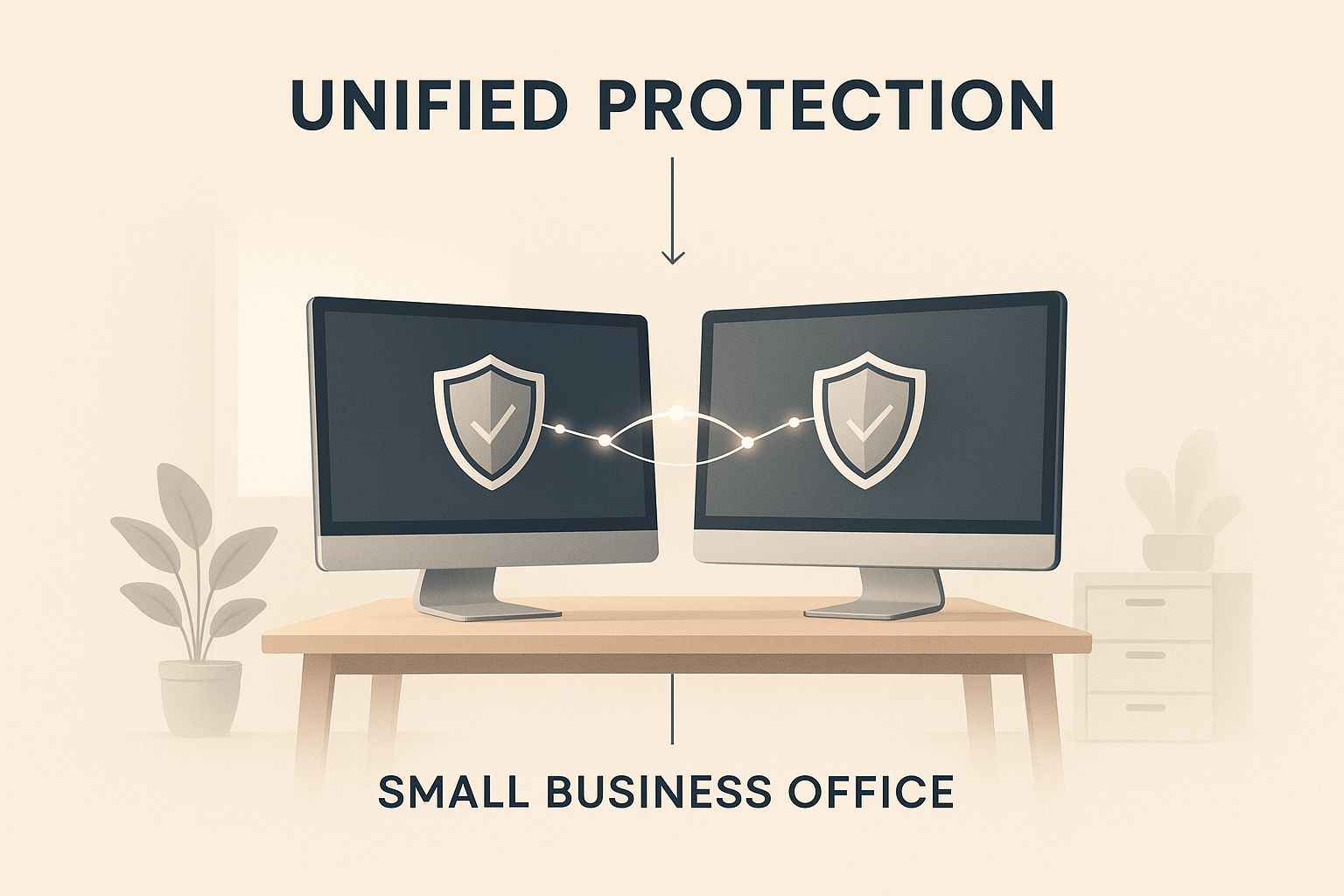
As you can see, real protection isn’t about a single tool. It’s about how multiple defenses connect to keep your business running safely.
Here’s a quick breakdown of the essential services every small business needs.
Essential Cybersecurity Services for Small Businesses
| Service Name | What It Does | Real-World Analogy |
|---|---|---|
| Firewall Management | Acts as a digital gatekeeper, checking all internet traffic and blocking anything suspicious from entering your network. | The bouncer at the front door of your business, checking every ID and only letting the right people inside. |
| Managed Antivirus | Scans for, finds, and removes harmful software like viruses and ransomware from all your company devices. | A 24/7 security patrol that actively looks for trouble and stops threats before they can do any harm. |
| Backup & Disaster Recovery | Regularly copies all your important data to a secure, separate location so you can quickly get it back after a problem. | Your ultimate insurance policy. If a disaster happens, you have a complete backup plan to get back to work right away. |
Each of these services is a key part of your security. Let's look a little closer at what each one does.
The Lock on Your Digital Front Door
Every business with an internet connection needs a firewall. A firewall is the digital gatekeeper for your whole network. It sits between your computers and the internet.
Its only job is to check all the data trying to get in or out. It follows a strict set of rules to block shady traffic and any uninvited guests.
Think of it this way: Your firewall is the bouncer at your club's front door. It checks every ID, turns away anyone who looks suspicious, and makes sure only legitimate traffic gets through.
Without a professionally set-up firewall, your network is like a building with the doors wide open. It’s too easy for criminals to walk in and take your private data.
Your 24/7 Security Patrol
Next up is managed antivirus and malware protection. Just installing antivirus software and forgetting about it doesn’t work anymore. Today's threats change so quickly that you need a solution that is always updated and watched by professionals.
This is your active security patrol. It doesn’t just stop old viruses; it hunts for all kinds of harmful software (malware), including:
- Ransomware: This locks up all your files and demands a big payment to get them back.
- Spyware: This secretly collects information from your computers, like passwords and customer lists.
- Phishing Attacks: Malware often gets in through tricky emails that fool your employees into clicking a bad link.
A managed service means every computer in your business has the latest protection. A team of experts oversees it and can act the moment a threat is found. This proactive approach is a key part of a "Zero Trust" defense, which you can learn more about in our guide on how to implement Zero Trust security.
Your Insurance Policy for a Worst-Case Scenario
Even with the best defenses, things can still go wrong. A fire, flood, or a clever cyberattack could take your systems offline. That’s where Backup and Disaster Recovery (BDR) saves the day.
Think of this service as your safety net. It works in the background, making copies of your important business data and storing them in a separate, secure location.
If your main systems are ever compromised, a BDR plan lets you restore everything quickly. It cuts down on lost time and gets your business back on its feet. For any business—especially in local industries like agriculture or hospitality where every minute counts—a solid BDR plan is a must-have. It's the insurance policy that guarantees you can stay in business, no matter what.
The True Cost of a Cyberattack on Your Business
When you hear "cyberattack," you probably think of a big ransom payment. While that’s a scary part of it, the real cost of an attack goes much deeper. It can disrupt—and even destroy—a small business long after the technical problem is fixed.
Understanding these hidden costs is a game-changer. It helps you see cybersecurity not as an expense, but as a vital investment in your company’s survival. For a local business in the Monterey Bay Area, one security mistake can be a business-ending event.
The Immediate Financial Hit
Let's start with the obvious costs—the ones that drain your bank account right away. These direct expenses can add up fast.
-
Ransom Payments: If ransomware locks your systems, criminals will demand money to release your files. This can easily cost thousands of dollars, with no guarantee they'll even give you your data back.
-
Regulatory Fines: Depending on your industry, a data breach can lead to big fines for not following privacy laws like HIPAA.
-
Legal Fees: You'll likely need a lawyer to help you deal with the fallout, from telling customers what happened to handling potential lawsuits.
These upfront costs are painful. But what comes next is often much worse.
The Hidden Costs That Truly Sting
The impact of cyberattacks on small businesses is huge. In 2020, small businesses worldwide faced over 700,000 cyberattacks, leading to about $2.8 billion in damages.
The data shows that 40% of these businesses lost important data, and 51% of those hit by ransomware paid the criminals. These numbers paint a clear picture of the damage. You can find more details on how small businesses are impacted by cyber threats in recent studies.
But what do those numbers really mean for your business? They turn into long-term problems that are hard to recover from.
The most expensive part of a cyberattack is rarely the ransom. It’s the loss of trust. Once your customers feel their data isn't safe with you, winning them back is an uphill battle.
Think about the chaos. Your systems could be down for days or even weeks. For a hospitality business in Carmel or an agricultural company in Salinas, that downtime means lost bookings, missed shipments, and no money coming in.
At the same time, your reputation—something you've worked years to build in the community—can be destroyed overnight. News of a breach travels fast, and customers will think twice before trusting you again.
Protecting Your Business Beyond the Obvious
This is why being proactive is so important. Just reacting to threats is a losing game. You need to actively look for weak spots before an attacker finds them.
That’s where services like vulnerability scanning come in. Think of it as hiring a security expert to check every digital lock and window on your property. Our guide on vulnerability scanning vs. penetration testing explains how these services find risks you never knew you had.
Ultimately, the true cost of an attack is the potential loss of everything you've worked for. When you compare that risk to the affordable cost of professional cybersecurity services, the choice is clear. Investing in prevention isn't just about protecting data; it's about protecting your future.
Turning Your Team into a Human Firewall
You can buy the best security software in the world, but it only takes one accidental click from an employee to cause a disaster. The best digital locks mean nothing if someone inside opens the door for a criminal. Your employees are both your biggest risk and your greatest strength.
Cybercriminals know this. They often don't try to break through a tough firewall when they can just send a convincing email to someone on your team.
This is where building a human firewall comes in. It’s all about training your team to be your first line of defense.
Why Your People Are Your Best Defense
Security awareness training is more than just a memo telling staff not to click on strange links. It’s about creating a culture of security where everyone feels responsible for protecting the company’s data. This is more important than ever, since so many security problems start with a simple human mistake.
In fact, research shows that a shocking 43% of data breaches in small businesses are caused by insiders—often by accident. This fact alone shows why employee training is so important. You can explore more data on how internal actions impact small business security to get the full picture.
A well-trained team acts like a detection system that no software can match. They learn to spot the small red flags that technology might miss.
Key Pillars of Security Awareness Training
So, what does good training look like? It focuses on real-world skills your team can use every day. As you plan your training, exploring the benefits of eLearning is a great idea, as it’s an easy and consistent way to teach these skills.
Your training program should cover these key areas:
- Phishing and Social Engineering: Teach employees how to spot fake emails, texts, and phone calls. A classic example is an email pretending to be a manager "urgently" asking for a wire transfer.
- Strong Password Practices: It's time to move beyond simple passwords. This means using longer passphrases and, most importantly, turning on Multi-Factor Authentication (MFA) on every account possible.
- Safe Handling of Data: You need clear rules for how to manage and share sensitive information. This applies to a client list for a hotel in Carmel or financial records for a farm in Salinas.
- Physical Security: This includes simple but key habits, like locking computers when stepping away and not leaving private documents out in the open.
Building a human firewall isn't a one-time thing; it's an ongoing process. Regular training keeps security on everyone's mind and helps your team adapt to the new tricks criminals are always creating.
By investing in your people, you create a powerful defense. You give them the confidence and skills to not just avoid threats, but to spot and report them. This is how you secure your business from the inside out.
How to Choose the Right Cybersecurity Partner
Picking a cybersecurity provider for your small business is a big decision. You’re not just buying software; you’re trusting a partner with the health of your entire company.
It’s vital to find a team that acts like a partner, not just a vendor sending you a bill. The right choice will protect your future, while the wrong one can leave you open to attack when you need help the most.
To find that perfect partner, you need to ask the right questions. This isn't just about technology—it's about understanding their approach and their commitment to businesses like yours. You need to find a team that genuinely wants to help you succeed.
Questions to Ask Any Potential Provider
Before you sign any contract, it's time to do an interview. A good provider will welcome these questions and have clear answers. If they get defensive or vague, that’s a big red flag.
Here are the key questions you need to ask:
- Do you have experience with businesses in our industry? The security needs of an agricultural co-op in Salinas are very different from a law firm in Monterey. Look for a partner who understands the challenges and rules that apply to your field.
- What does your onboarding process look like? A professional team will have a clear plan to get your systems protected without disrupting your daily work. They should explain the steps simply and give you a realistic timeline.
- How do you handle emergency support? When a security problem happens, you need help right away, not hours later. Ask about their response times. Do they have local technicians who can be on-site quickly if needed?
- Is your pricing transparent? You should get a clear proposal that explains exactly what you’re paying for. Watch out for hidden fees or confusing packages that hide the true cost.
These questions help you judge their expertise and their customer service, which are just as important as their technical skills.
The Power of a Local Partner
In a world of remote work, there is still huge value in having a local partner who understands your community. A cybersecurity provider based in Monterey County knows the local business scene. They understand the seasonal demands of the hospitality industry in Carmel and the needs of agriculture in the Salinas Valley.
This local knowledge means better, more relevant service. More importantly, it means they are physically close by.
When you're facing a crisis like a server crash or a ransomware attack, the last thing you want is to be stuck on the phone with someone in another time zone. A local partner can provide fast, on-site support when you need it most.
Finding the right partner is about building a long-term relationship based on trust. Before you commit, it's smart to get a clear picture of your current security. A thorough check-up can find hidden weaknesses and help you set priorities. To learn what this involves, you can read more about our cybersecurity assessment services and how they create a roadmap for a safer business.
Ultimately, your goal is to find a team that shares your mission, respects your budget, and has the skills to protect what you've built.
Your Action Plan for a More Secure Business

Understanding the risks is the first step. Now, let’s build your roadmap to a stronger business, starting today. No technical jargon, just clear, simple steps you can take to protect your company, your team, and your customers.
These threats are real, and they hit businesses like yours every day. A global survey in early 2025 found that 46% of small businesses have faced at least one cyberattack. The results aren't pretty—nearly 20% of those businesses had to close for good.
Your First Steps to Better Security
You don't need a huge budget to make a real difference. Start with these basic moves to lower your risk right away.
-
Activate Multi-Factor Authentication (MFA): If you do only one thing, make it this. MFA is like adding a deadbolt to your digital front door. It requires a code from your phone in addition to your password, which stops most automated attacks. Turn it on for email, banking, and any other important app.
-
Do a Quick Risk Assessment: You can't protect what you don't know. Take a moment and list your most important data. Where is it stored? Who can access it? Just identifying your most valuable information is the first step to keeping it safe.
-
Check Your Backup Plan: When was the last time you actually tried to restore a file from your backup? A good backup is your safety net when things go wrong. Our guide on backup and disaster recovery for small businesses can walk you through making sure you’re truly prepared.
A proactive security plan isn’t about eliminating all risk—that's impossible. It's about reducing that risk to a manageable size, so a potential problem becomes a small hiccup, not a disaster.
Of course, to build a truly secure operation, you'll also want to use modern and essential website security best practices.
Start the Conversation Today
You don’t have to figure this all out by yourself. The most important step you can take is to talk with a trusted IT partner who understands the challenges businesses face right here in the Salinas area.
At Adaptive, our mission is simple: bring enterprise-level IT to local businesses at a price that makes sense. We're here to be your guide, offering the expertise you need to handle security with confidence. Because protecting your business is how we help protect our community.
Frequently Asked Cybersecurity Questions
We hear many of the same questions from business owners all over Monterey County. If you're wondering about the cost and real-world impact of cybersecurity, you're not alone. Here are direct, simple answers to the most common concerns.
Is Professional Cybersecurity Really Affordable for a Small Business?
Yes, absolutely. The old idea that top-level security is only for big corporations is outdated. You don't need a huge upfront investment to get protected.
Modern IT services, like the ones we provide here in Salinas, work on a simple subscription model. This gives you a predictable monthly cost that’s easy to budget for. When you weigh that small investment against the massive cost of a data breach, it’s one of the smartest decisions you can make.
What Is the Single Most Important Security Step I Can Take Today?
If you do only one thing after reading this, go turn on Multi-Factor Authentication (MFA) on every important account you have. Start with your business email, then your bank account, then any software with customer data.
MFA is like needing two keys to open a door: your password is the first key, and a temporary code from your phone is the second. This simple step is usually free and can block most hacking attempts. It gives you the biggest security boost for the least amount of effort.
Using MFA across your key applications is the single most effective thing you can do to immediately improve your security. It stops criminals who have stolen your passwords.
You can find more practical ways to secure your company by reading our small business guide to network security.
Will Implementing New Security Services Disrupt My Business?
With an experienced IT partner, any disruption will be very small. A professional provider knows that your business in Pacific Grove or Seaside can’t afford to shut down. Our job is to do the heavy lifting behind the scenes.
A good partner will work with you to create a schedule that fits your needs. Much of the work, like installing software or setting up firewalls, can be done after your normal business hours. The goal is a smooth transition to a much safer environment, without getting in the way of your work.
Adaptive Information Systems
380 Main St, Salinas CA 93901 | 831-644-0300 | hello@adaptiveis.net