
Picture this: a sudden power outage during the Salinas Airshow shuts down your systems. Or worse, a ransomware attack hits your agricultural firm and freezes all your data in the middle of harvest season.
For businesses here in Monterey County, these aren't just what-if scenarios. They are real threats that can bring your entire operation to a stop. This guide will show you why having a solid plan for disaster recovery and backup solutions isn't just a good idea—it's necessary to keep your business running. We're here to give you direct advice, showing you how enterprise-level IT is affordable for local businesses like yours.
Why Your Salinas Business Needs a Recovery Plan
When you hear "disaster," you might think of big events like an earthquake or a fire. While those are possible, the disasters you're most likely to face in Salinas and Carmel are more common and just as damaging.
Everyday threats can stop your business cold. Every minute your systems are down costs you money and hurts your reputation. A good recovery plan is your company's insurance policy against lost time and revenue. It's the playbook you use to get back to business, no matter what happens.
Without a plan, you are gambling with your company's future.
The Real Threats Facing Your Business
For a local business, problems come in all shapes and sizes. Sometimes they're technical issues, and other times they're simple human mistakes. The key is to know that all of them put your data and your ability to operate at risk.
A complete disaster recovery strategy is built to handle this wide range of problems. We’re not just talking about natural disasters, but the common, everyday issues that can be just as bad for your business.
To help you see the risks, here’s a quick look at some of the most common threats that can stop a local business in its tracks.
Common Threats to Your Business Operations
| Threat | Example | Core Solution Component |
|---|---|---|
| Cyberattacks | Ransomware locks your files and demands a large payment. | Cybersecurity & Data Backup |
| Hardware Failure | A key server crashes without warning. | Data Backup & Redundancy |
| Human Error | An employee accidentally deletes an important folder. | Data Backup & Access Controls |
| Software Corruption | A bad update corrupts your entire customer database. | Data Backup & Versioning |
Each of these situations can be a major blow, which is why having multiple layers of defense is so important.
The money lost from these events is huge. A business is targeted by cybercriminals every 11 seconds on average. While the global average cost of a data breach is $4.88 million, that number jumps to an incredible $9.36 million per incident here in the U.S. You can discover more insights about the rising costs of data breaches to see just how vital preparation has become.
Protecting your business isn't just about preventing a disaster. It's about making sure you can recover quickly and fully when one happens. Your plan is what decides if a problem is a small hiccup or something that ends your company.
The good news? Top-level protection isn't just for big corporations anymore. With the right strategy, it's both affordable and easy for local companies to get. This gives you the peace of mind that your business can handle any storm.
Understanding the Difference Between Backups and Disaster Recovery
It's a common mistake, but many business owners think having a data backup is the same as having a disaster recovery plan. They are related, but they do two very different—and equally important—jobs to keep your business running.
If you don't understand the difference, you could be left in a bad spot when a real crisis hits.
Think of it this way: data backups are like having a fireproof safe in your office. Inside that safe, you have perfect copies of your most important documents—financial records, customer lists, project files. If something happens to the originals, you know a secure copy is waiting.
But what if the whole building burns down? That safe is great for saving your documents, but it won’t rebuild your office. That’s where disaster recovery comes in.
Backups Protect Your Files
A backup is simply a copy of your data. Its main job is to protect you from losing data, whether it's from someone accidentally deleting a file or a major server crash.
For a local hospitality business in Monterey, this means your guest reservation database is safe. For a law firm in Pacific Grove, it means all your important client case files are protected from being damaged.
Here’s what backups do for you:
- Prevent Data Loss: If data gets deleted or corrupted, backups let you restore it from an older, safe version.
- Guard Against Human Error: We’ve all seen it happen—an employee accidentally deletes a critical folder. A good backup turns that into a fixable mistake instead of a total disaster.
- Recover from Ransomware: When ransomware locks your files, having a clean backup is often the only way to get back to business without paying the criminals.
Backups are your data’s safety net. They're a key part of your strategy, but they aren't the whole thing.
Disaster Recovery Protects Your Business
Disaster recovery, on the other hand, is the full plan for rebuilding after that fire. It’s the master plan that lists every single step you need to take to get your business operations back online.
It's one thing to have your data back; it's another thing to be able to use it to serve your customers again.
A solid disaster recovery plan answers all the tough questions before they happen:
- If you can't use the office, where will your team work?
- How will you get access to your essential software and apps?
- How do you restore your data onto new systems?
- Who is in charge of making all this happen?
A backup saves your data. A disaster recovery plan saves your business. It’s the difference between having the ingredients for a meal and having the entire recipe, kitchen, and staff ready to cook.
Without a recovery plan, you might have all your data on a hard drive but no way to actually run your business. You can’t take payments, call clients, or manage your products. This is why a complete approach using both disaster recovery and backup solutions is a must. To learn more about how these two parts work together, you can read our guide on backup and disaster recovery strategies for small businesses.
In the end, backups are a tech solution for a data problem. Disaster recovery is a business solution for an operations problem. You need both to make sure your company can survive and grow, no matter what happens.
The Building Blocks of a Modern Recovery Strategy
A strong disaster recovery strategy isn't something you can just buy and plug in. It’s a plan you build from several key parts working together. Understanding these parts is the first step toward creating a system that truly protects your business, whether you're running a busy hotel in Pacific Grove or a law firm in Monterey.

At the center of any recovery plan is how you back up your data. Let’s break down the main types.
Choosing Your Backup Method
Not all backups are the same. The right one for your business depends on how much data you have, how often it changes, and how fast you need to get it back after a problem.
- Full Backups: This is the simplest method. A full backup copies everything—every file and folder—every single time it runs. It's the easiest to restore from, but it also uses the most storage space and takes the longest to finish.
- Incremental Backups: This method is much more efficient. After the first full backup, each new backup only copies what has changed since the last backup. This is fast and uses less storage, but restoring can be tricky since you need the first full backup and every small one after it.
- Differential Backups: This one finds a good middle ground. After the first full backup, each new backup copies all the data that has changed since the last full backup. Restoring is simpler than with incremental backups, but they use more storage over time.
For most small businesses, a mix of these often works best. For example, doing a full backup once a week and smaller backups every day. This gives you a great balance of security and speed. To learn more about designing the right strategy, explore our detailed guide to Salinas backup and disaster recovery solutions.
Defining Your Recovery Goals
Once you have your backup method, the next step is to define what "recovery" really means for your business. This is where two important terms come into play: RTO and RPO. They might sound technical, but the ideas are simple and very important.
Recovery Time Objective (RTO) asks: How fast do you need to be back online?
This is about how much downtime you can handle. If a server goes down, is it okay to be offline for a day? Four hours? Or just a few minutes? Your RTO is the longest time your business can be out of action after a problem.
Recovery Point Objective (RPO) asks: How much recent data can you afford to lose?
This measures how much data loss you can tolerate. If your last backup was at midnight and your system crashes at 10 AM, you've just lost 10 hours of work. Your RPO is the maximum age of the data you need to get back to resume business.
These two goals—RTO and RPO—are the foundation of your entire recovery plan. They decide the technology you need and the money you need to spend to keep your business running.
For example, a busy online store might need an RTO of minutes and an RPO of seconds to avoid losing sales. A local accounting firm, however, might be fine with an RTO of a few hours and an RPO of one hour.
Defining these goals lets us build a plan that gives you top-level results at a price that makes sense for your needs. The global market for these solutions is growing, valued at USD 7.59 billion and expected to hit USD 9.46 billion soon, because of this need for smart, reliable recovery plans. You can read the full research about disaster recovery market growth to see how businesses everywhere are making this a priority.
Comparing On-Premise vs Cloud Recovery Solutions
Okay, so you have the basic building blocks. Now comes the big decision: where will your disaster recovery and backup systems actually be?
For a long time, the only choice was on-premise. This meant you had to buy, store, and manage all your own backup servers in your office. But today, you have a much more flexible and powerful choice: cloud-based recovery.
Understanding the difference is key to making a smart investment that fits your budget and business goals. Think of it like this: you could buy your own fire truck, or you could have the whole city fire department on call 24/7. Both can put out a fire, but they come with very different costs and responsibilities.
The Traditional On-Premise Approach
An on-premise setup puts you in control. You own the hardware, you manage the software, and your data never leaves your building. For some businesses, this level of control can seem like a big benefit.
But that control comes with a lot of responsibility. You are in charge of everything:
- High Upfront Costs: You have to buy the servers, storage, and all the software. That’s a lot of money to spend at once.
- Ongoing Maintenance: Your IT team—or maybe just you—has to handle every update, security patch, and hardware fix. It takes a lot of time and expertise.
- Limited Scalability: What happens when your business grows? You have to buy more hardware. It's a slow and expensive process.
- Physical Risk: Here’s the biggest problem. If a disaster like a fire or flood hits your Salinas office, your on-premise backup system is in just as much danger as everything else.
This old-school method puts all the work of managing complex disaster recovery and backup solutions right on your shoulders.
The Modern Cloud-Based Advantage
Cloud recovery, often called Disaster Recovery as a Service (DRaaS), changes everything. Instead of building your own recovery system, you partner with a provider who manages a secure, off-site data center for you. This approach gives you top-level protection for a simple subscription fee, making it a perfect fit for local businesses.
There’s a reason the DRaaS market is growing so fast. What started as a USD 17.61 billion market is expected to get much bigger, with the U.S. market alone projected to grow from USD 4.62 billion to over USD 50 billion. You can learn more about DRaaS market trends here to see why so many businesses are choosing this option.
This infographic shows the two most important goals in disaster recovery—RTO and RPO—which DRaaS helps you meet.
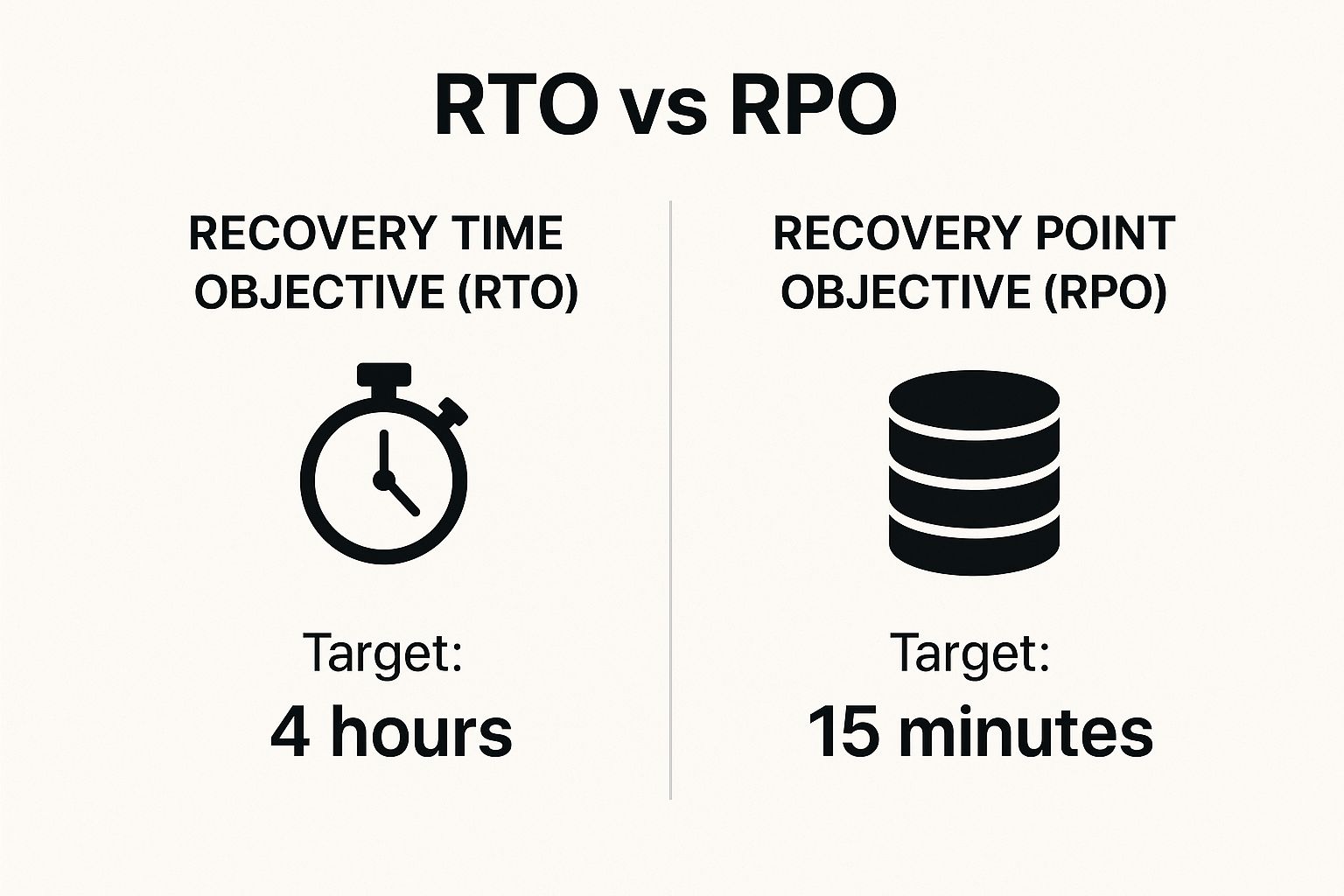
As you can see, a good DRaaS plan is all about hitting your recovery targets to keep downtime and data loss as low as possible.
A cloud-based strategy helps you get back online faster (RTO) and with more recent data (RPO) than you could ever afford with an on-premise setup. If those terms are new to you, our guide explaining "What are RPO and RTO?" is a must-read.
The bottom line? Cloud solutions make top-tier recovery technology affordable for everyone.
On-Premise vs Cloud (DRaaS) Recovery Comparison
To make the choice even clearer, let's compare these two options directly. This table breaks down the key differences that matter most to a small or medium-sized business.
| Feature | On-Premise Solution | Cloud-Based (DRaaS) Solution |
|---|---|---|
| Initial Cost | Very high (hardware, software, space) | Low (subscription-based, no hardware to buy) |
| Maintenance | Your responsibility (IT staff, time, parts) | Managed by the provider |
| Scalability | Hard and expensive (requires new hardware) | Easy and flexible (add or remove space as needed) |
| Recovery Speed | Can be slow, depends on your hardware | Fast, often within minutes |
| Accessibility | Limited to your physical office | Available from anywhere with an internet connection |
| Physical Security | At risk from local disasters (fire, flood, theft) | Highly secure, located in different geographic areas |
As you can see, the DRaaS model takes care of the hard work—the cost, the maintenance, and the risk—so you can focus on what you do best: running your business.
How to Build Your First Disaster Recovery Plan
Making a formal disaster recovery plan can feel like a huge project, but it doesn't have to be. Think of it less like writing a technical manual and more like creating a fire escape plan for your business data. A simple, clear plan you can use right away is much better than a complex one that sits on a shelf.
The goal is to create a straightforward guide your team can actually follow when stress is high and every second counts. Let’s walk through the five core steps to building a plan that works for you.
1. Pinpoint Your Critical Systems and Data
Before you can protect anything, you need to know what's most important. Not all your data and systems are equally valuable. The first step is to sit down and list the essentials—the things that, if they went down, would stop your business completely.
What information do you absolutely need? Maybe it's your customer database, your accounting software, or your project files. What apps do you need to serve customers or take payments? Make a list and rank everything by importance. This simple list is the foundation of your entire recovery strategy.
2. Define Your RTO and RPO Goals
Now that you know what is critical, you need to decide how fast you need it back. We talked about Recovery Time Objective (RTO) and Recovery Point Objective (RPO) earlier, and this is where you turn those ideas into real goals for your business.
Just sit down with your team and answer two simple questions:
- How long can we afford to be down? This is your RTO. Be realistic. Is it four hours? A full business day? The answer decides how powerful your recovery solution needs to be.
- How much recent data can we afford to lose? This is your RPO. Is losing an hour of work a small problem or a major disaster?
Getting these two numbers right is key. It helps you choose the right disaster recovery and backup solutions without paying for a level of protection you don't actually need.
3. Choose a Solution That Fits Your Needs
With your critical systems listed and your recovery goals set, you're ready to find a solution that fits your needs and budget. As we've discussed, modern cloud-based options like Disaster Recovery as a Service (DRaaS) often give local businesses the best mix of cost and powerful protection.
The key is to pick a service that can meet the RTO and RPO you just defined. This is where working with an IT expert really helps. We can help you cut through the confusion and find a top-level solution that fits a small business budget.
4. Create a Clear Communication Chain
Technology is only half the battle. When a real disaster hits, it can be chaotic. People need to know exactly what to do and who is in charge. Your plan must clearly show the emergency communication chain.
A disaster recovery plan is as much about people as it is about technology. A clear communication plan ensures your team can follow the recovery process without confusion, turning a potential crisis into a manageable event.
This part of your plan should answer a few simple questions:
- Who is the main contact person during an emergency?
- How will employees be told if the office is closed or systems are down?
- Who has the power to declare a disaster and start the recovery plan?
5. Test Your Plan Regularly
Finally, a plan you never test is just a piece of paper. You wouldn't install smoke alarms without checking the batteries, right? The same is true here. Regular testing—at least once or twice a year—is the only way to know for sure if your plan actually works.
Testing doesn't have to mean shutting down your whole company. It can be as simple as a "tabletop exercise" where your team just talks through a disaster situation. Or you could try to restore a non-critical system. These practice runs are great for finding weak spots and making sure everyone is ready for a real emergency.
For a deeper look at what a finished plan can look like, you might find our guide on creating a business recovery plan example helpful. You don't have to do this alone; we can help build and test a plan that makes sure your business is fully protected.
Debunking Common Myths About Data Protection
When it comes to disaster recovery and backup solutions, what you don't know can hurt you. A lot of local businesses are running on a few common—and dangerous—assumptions about their data. Believing these myths can leave your company wide open when a disaster you never saw coming finally hits.
Let's clear the air and bust some of the most common myths we hear from business owners. Understanding the reality is the first step toward building a business that can handle a storm.

Myth 1: My Data Is in the Cloud, So It's Automatically Safe
This is one of the most common and risky mistakes. Using cloud services like Microsoft 365 or Google Workspace is great for working together, but it is not a backup plan. These platforms use what's called a shared responsibility model.
In simple terms, they promise to keep their service running. But you are responsible for protecting your own data that you store with them. If an employee accidentally deletes an important folder or a ransomware attack locks your files, getting that data back is your job, not theirs.
Myth 2: We're Too Small to Be a Target for Hackers
Thinking your small business is "too small to matter" to cybercriminals is a gamble you can't afford to take. The truth is, hackers aren't picky. They often use automatic tools that scan the internet for any weak spot, no matter the company's size. Your business isn't a specific target they're after; it's just an opportunity that their tools found.
In fact, smaller businesses are often seen as easier targets because they usually have less security than large corporations. A successful attack on a small business is easy money for a cybercriminal. This is why having strong protection is a must for businesses of any size.
Believing your data is safe just because it's "in the cloud" or because your business is "too small" are two of the costliest mistakes you can make. Real protection requires a plan, not just hoping a disaster won't happen.
Myth 3: Data Backups Are a Complete Recovery Solution
As we've discussed, a backup is just one piece of the puzzle. It's a key piece, but having a copy of your data doesn't mean you can get back to business quickly. Without a full disaster recovery plan, you might have your data back but have no way to actually use it.
Think about it. A simple backup doesn't answer these key questions:
- Where will you restore the data if your office hardware is destroyed?
- How will you rebuild your network and get employees working again?
- Who is in charge of managing the recovery process?
A proper plan covers your entire operation, not just your files. It’s the difference between having a spare tire in your trunk and having a full roadside assistance plan with a tow truck and a mechanic on call. One solves a single problem; the other gets you safely back on the road.
Your Local Partner in Business Continuity
Building a solid disaster recovery plan can feel like a huge task, but it’s one of the smartest investments you can make in your company's future. We’ve walked you through the basics of modern disaster recovery and backup solutions to show you that keeping your business running isn’t just for big corporations—it’s something every local business can achieve.
The whole journey starts with getting the fundamentals right. We’ve explained the key difference between backups (your saved files) and disaster recovery (the full playbook to get your business back online). Understanding that difference is the foundation of a plan that actually works.
Building a Resilient Business
Once you know the basics, it’s time to decide what success looks like for your business. Setting your Recovery Time Objective (RTO) and Recovery Point Objective (RPO) isn't just about using technical terms. It’s about asking the important questions: how much downtime can we really afford, and how much data can we stand to lose? These two goals will guide every other decision you make.
From there, we looked at how powerful modern cloud solutions are. Disaster Recovery as a Service (DRaaS) has been a game-changer, making top-tier protection affordable for everyone. What was once a luxury is now a practical tool for any small or medium-sized business. You no longer need a huge budget or a big IT team to get enterprise-level security.
A strong recovery plan does more than protect your data; it protects your reputation, your revenue, and your future. It's the ultimate confidence that your Salinas business can withstand whatever comes its way and keep serving your customers.
Of course, being truly ready means looking at the bigger picture. A complete plan includes things like having solid supply chain disruption management strategies in place. After all, a product shortage can stop your operations just as fast as a server crash. A full view makes sure every part of your business is ready for anything.
Your Next Step Toward Peace of Mind
Here’s the good news: you don’t have to figure this all out on your own. At Adaptive Information Systems, we specialize in creating custom disaster recovery plans that fit your specific goals and budget. We're not just some far-off provider; we’re your local partner, dedicated to helping businesses right here in Salinas, Monterey, and across the county succeed securely.
The goal is for you to feel confident and ready to take action. For a deeper look at building a strategy just for you, check out our guide on backup and disaster recovery solutions for Salinas businesses. Let us handle the technical details so you can get back to what you do best—running your business with total peace of mind.
Ready to build a plan that keeps your business running, no matter what? Contact Adaptive Information Systems today.
Adaptive Information Systems
380 Main St, Salinas CA 93901 | 831-644-0300 | hello@adaptiveis.net