
For any business owner in Monterey County, unexpected disruptions aren't a question of if, but when. This is exactly why you need to get a handle on two key terms—RPO and RTO. They help you answer a couple of vital questions before a disaster ever strikes your Salinas or Monterey business:
- How much data can you really afford to lose? This is your Recovery Point Objective (RPO).
- How quickly do you absolutely need to be back up and running? This is your Recovery Time Objective (RTO).
Your Quick Guide to RPO and RTO
Think of RPO and RTO as your business's insurance policy against the twin threats of downtime and data loss. These aren't just technical acronyms; they are the core metrics that shape your entire continuity plan. They dictate everything from how often you back up your files to the kind of recovery technology you'll need to invest in.
Without clear objectives, you're essentially flying blind when an outage hits.
Whether you're managing guest reservations at a hotel in Carmel or processing invoices for an agricultural company in the Salinas Valley, these two concepts determine how resilient your business will be. They shift the conversation from a vague "if we go down…" to a confident "when we go down, here's the plan."
This diagram really helps visualize the difference. RPO is all about your tolerance for data loss, while RTO is about your tolerance for downtime.
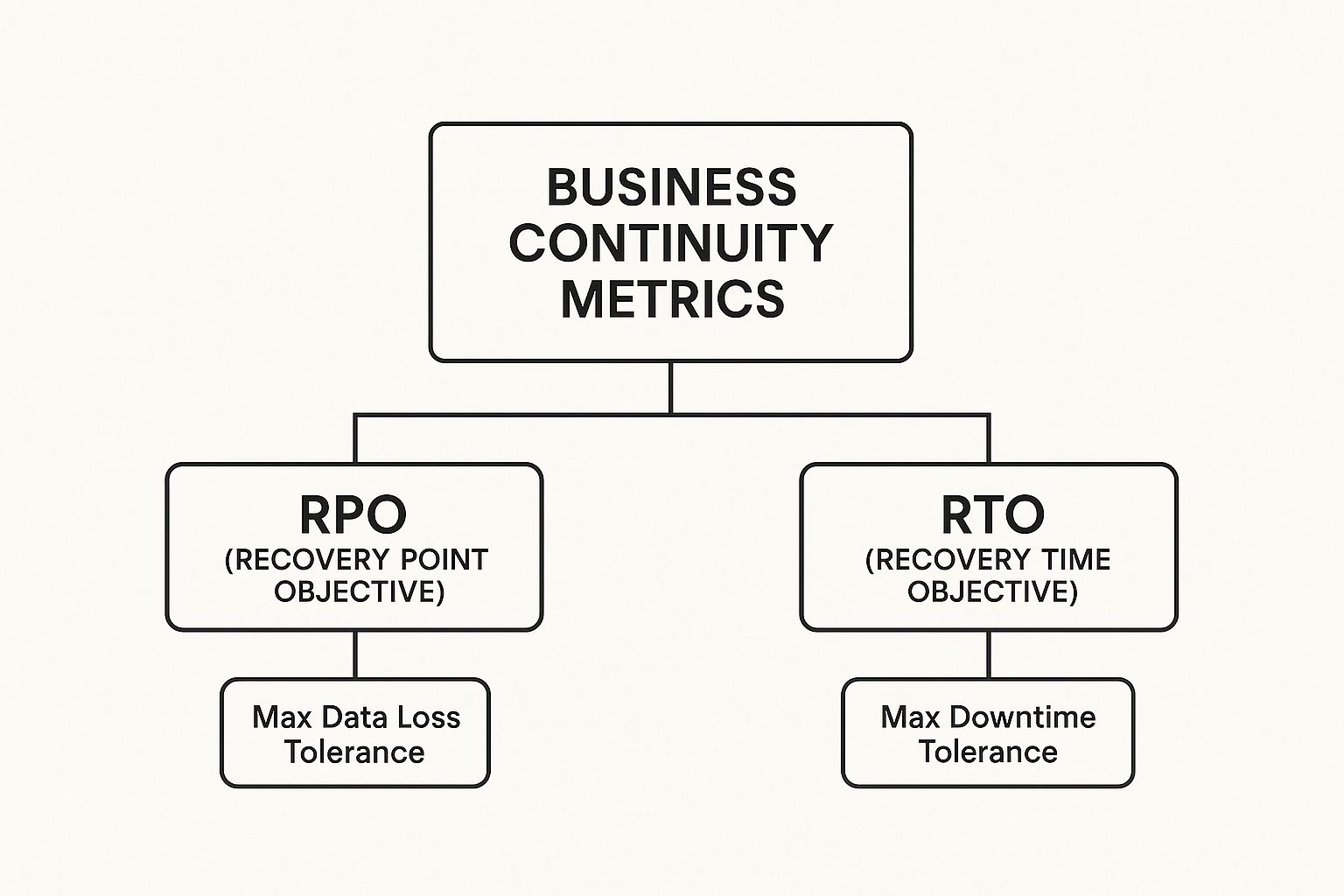
As you can see, each one tackles a distinct but equally important piece of the survival puzzle.
RPO vs RTO at a Glance
To make it even clearer, here’s a quick comparison to help you lock in the core difference between the two.
| Metric | What It Measures | The Core Question | Simple Analogy |
|---|---|---|---|
| RPO | Data Loss | How much work are you okay with re-doing? | Like hitting "Save" on a document. The RPO is how long you're willing to go between saves. |
| RTO | Downtime | How long can your doors stay closed? | Like getting a flat tire. The RTO is how quickly you need the spare on to get back on the road. |
Understanding this table is the first step toward building a truly effective defense against disruptions.
Why These Metrics Matter For You
Getting these definitions right is the foundation of any practical recovery plan. They empower you to make smart, informed decisions about your IT investments, ensuring you get enterprise-level protection at a price that actually makes sense for your small or mid-sized business.
Your RPO and RTO are not just technical terms; they are business decisions that directly impact your operations, reputation, and bottom line. They define the acceptable limits of pain your company can endure.
Here’s what having a firm grasp of your RPO and RTO helps you do:
- Prioritize Critical Systems: You can immediately identify which applications are non-negotiable and need to be restored first (like a point-of-sale system) versus those that can wait a bit (like an internal HR portal).
- Set a Realistic IT Budget: Instead of just guessing, you can align your spending with specific, measurable recovery goals. This is huge. It stops you from overspending on protection you don't need or, even worse, underspending and leaving your business dangerously exposed.
- Choose the Right Technology: Your objectives directly determine the solution. An RPO of 24 hours might just require simple daily backups, but an RPO of 15 minutes demands more advanced, real-time replication technology.
These metrics are the bedrock of a strong recovery strategy. For a much deeper dive into building one from the ground up, check out our complete guide to backup and disaster recovery for small businesses.
Understanding Your Recovery Point Objective (RPO)

Let's start with your Recovery Point Objective, or RPO. This metric is all about one thing: your data. Specifically, it answers the question, "How much data can our business afford to lose without it causing a major problem?"
Think of your RPO as your tolerance for data loss. It’s the maximum acceptable age of your files when you restore them after an unexpected outage.
Imagine your Salinas-based business suffers a server crash. Could you recover if you lost the last five minutes of work? What about five hours? An entire day's worth of transactions? Your honest answer to that question is the heart of your RPO.
This isn’t just a theoretical number; it has very real consequences. For a busy bed-and-breakfast in Pacific Grove, losing a full day of online reservation data would create chaos, leading to double-bookings and angry customers. A logistics company in Marina losing shipping manifests could grind its entire operation to a halt.
Your RPO directly dictates how often you need to back up your data. A shorter, more demanding RPO means backups need to happen more frequently. A longer, more forgiving RPO allows for more time between them.
How RPO Impacts Your Operations
Figuring out your tolerance for data loss is the first step toward a backup strategy that is both practical and affordable. Not all data is created equal, and you don’t need the same extreme level of protection for every file in your company. The key is to match your backup frequency to how critical that data is.
This is where you balance security and cost. For instance, heavily regulated industries like healthcare or finance often have near-zero RPOs, sometimes just a few minutes, because of compliance rules and the critical nature of their records.
On the other hand, an internal company blog might be fine with an RPO of 24 hours. This practical mindset helps you put your resources where they matter most, ensuring vital systems have minimal data loss while keeping costs under control—delivering enterprise-level IT at a price you can afford. You can find a deeper breakdown of these recovery metrics from Veeam to see how this works across different industries.
RPO Examples for Monterey County Businesses
Let's look at how this plays out for different local businesses. Your ideal RPO is tied directly to how fast your most important data changes.
- Low RPO (Minutes): A busy law firm in Monterey handling client billing and case files needs a very low RPO. Losing even an hour of billable time or document edits is a significant setback. This situation calls for near-continuous data protection.
- Medium RPO (Hours): An agricultural supplier in Salinas that processes orders in big batches throughout the day might be perfectly comfortable with an RPO of 2-4 hours. Backups could be scheduled for midday and the end of the business day, minimizing potential loss without the expense of real-time replication.
- High RPO (24 Hours): A small retail shop in Carmel that uses a cloud-based POS for sales might only need to back up its local administrative files once a day. Since all the transaction data is safely stored off-site in the cloud, a daily backup of other office files is more than enough.
Understanding Your Recovery Time Objective (RTO)
Now that we’ve covered data loss (RPO), let's shift gears to downtime. Your Recovery Time Objective (RTO) is all about the clock—it’s the absolute maximum amount of time your business can afford to be offline after a disaster hits.
This isn't just about recovering a few files. It's about getting your entire operation back on its feet. Your RTO answers a simple, but critical, question: “How fast do we need to get our systems, apps, and processes running again before the damage becomes irreversible?”
Think about it in the context of your Monterey County business. How long can the point-of-sale system at your Seaside cafe be down before you have to start turning away frustrated customers? How long can your main business application be offline before your team’s productivity grinds to a halt?
Your RTO is the stopwatch for your recovery. It’s the target you set to get essential functions back online, whether that’s a few minutes for a vital sales platform or a few hours for an internal admin tool.
Defining Your Maximum Downtime
Your RTO is dictated entirely by how badly an outage hurts your operations. This is why a customer-facing e-commerce site for a Carmel artist will have an extremely short RTO—maybe just a few minutes—while an internal HR portal could probably be down for a few hours without causing a full-blown crisis.
Figuring this out helps you build a recovery plan that is both practical and affordable. A very low RTO demands more sophisticated and expensive technology built for near-instant recovery. A more forgiving RTO allows for simpler, more budget-friendly solutions.
This becomes especially clear during incidents like ransomware attacks, which can paralyze a business for days or even weeks if you don't have a clear RTO and the right tech to achieve it. In short, RTO is the maximum acceptable time your systems can be down before serious harm is done.
For most small businesses, a great starting point is aiming to restore critical systems within 15 minutes. Failing to meet a realistic RTO can disrupt services, damage your hard-earned reputation, and hit your revenue hard. You can read more about how RTO guides recovery efforts on Splunk's blog.
RTO Scenarios for Local Industries
Let's bring this home with a few examples from our own community to see how RTOs can differ dramatically:
-
Near-Zero RTO (Seconds to Minutes): A financial services firm in Salinas processing real-time transactions can't afford any downtime. Their most important systems need automatic failover solutions that restore service almost instantly.
-
Low RTO (Under an Hour): Think of an agricultural distributor that relies on its inventory and logistics software to manage daily shipments. An RTO of under one hour is essential to keep the entire supply chain from stopping dead in its tracks.
-
Moderate RTO (Several Hours): A non-profit in Pacific Grove might set an RTO of 4-8 hours for its donor management database. It’s an important tool, but a few hours of downtime during the business day is manageable and won't cause irreparable damage.
How RPO and RTO Work Together

It’s a common mistake to use RPO and RTO interchangeably. While they sound similar, they measure two very different—yet deeply connected—parts of your business’s resilience. Getting them to work in harmony is the secret to an effective and affordable disaster recovery plan.
Let’s put it in simple terms. Imagine you're in the middle of writing a critical proposal for a new client.
- RPO is how often you hit the ‘Save’ button. It sets the absolute last version of the file you can get back if your computer suddenly crashes.
- RTO is how long it takes to reboot your computer and re-open that saved document so you can finally get back to work.
One metric measures potential data loss (how far back in time you have to go), while the other measures operational downtime (how long you’re stuck waiting). They are partners in your continuity strategy, and a mismatch between them can create a dangerous false sense of security.
The Danger of Mismatched Objectives
So, what happens when these two metrics aren't aligned?
Imagine you’ve invested in technology that gives you a fantastic RTO—your core systems can be back online in just 15 minutes. That sounds great, right?
But here’s the catch: your RPO is 24 hours. This means that while your systems are up and running incredibly fast, the data they're using is from yesterday. For any business in Monterey County, from a busy restaurant to a law firm, losing a full day of transactions, client work, or appointments is a complete disaster.
A fast recovery is meaningless if the data you recover is too old to be useful. Your RPO and RTO must be aligned to ensure a successful recovery that actually keeps your business moving forward.
This scenario highlights exactly why you can't just focus on one metric over the other. A great RTO paired with a poor RPO is a recipe for failure. The real goal is to find a smart balance that makes sense for your specific operations.
Achieving a Practical Balance
Balancing these two objectives is where a smart IT strategy truly shines. Your backup frequency (RPO) has to be in sync with your recovery speed requirements (RTO). If you absolutely need to be operational in under an hour, then your backups must be recent enough to make that recovery worthwhile.
Here’s a practical look at how they should align for different types of systems:
- For Critical Systems: Your point-of-sale terminal or primary client database likely needs a very low RPO (minutes) and an equally low RTO (minutes). These have to be recovered quickly with the most current data.
- For Important Systems: An internal accounting system might be able to tolerate a slightly higher RPO (maybe an hour) and RTO (an hour or two).
- For Non-Essential Systems: Something like a marketing archive could have a high RPO (24 hours) and a high RTO (a day or more) without causing major issues.
The first step is understanding how downtime really impacts your bottom line. You can explore the hidden costs of IT downtime to get a clearer picture of why a balanced plan is so crucial.
Setting Realistic RPO and RTO Goals for Your Business
Figuring out your RPO and RTO isn't just another task for your IT department. It's a critical business decision that you, as the owner, should lead. Setting these goals realistically is the secret to building a disaster recovery plan that actually works without costing a fortune.
It all boils down to one simple question: what parts of your business are so critical that you need to protect them at all costs? Answering this starts with a simplified Business Impact Analysis (BIA). Don't worry, it’s not as complex as it sounds. You’re just taking an honest look at your applications and systems and sorting them by how essential they are to your daily operations.
Tiering Your Applications
Imagine your business technology as a pyramid. At the very top are the systems you absolutely cannot function without. At the bottom are the tools that are nice to have but won't sink the ship if they're down for a bit.
Here’s a straightforward way to categorize them:
- Tier 1: Critical – These are your non-negotiables. If they go down, your business grinds to a halt. Think of your customer database, point-of-sale system, or primary accounting software. These demand the fastest RPO and RTO.
- Tier 2: Important – These systems matter for productivity but aren't directly customer-facing. An outage here is a major headache but not a full-blown catastrophe. This might include your internal file server or project management tools.
- Tier 3: Non-Essential – These are systems that can be down for a day or even longer without causing serious operational or financial damage. Your internal marketing blog or long-term archival storage would fit here.
Once you’ve tiered your applications, you can assign appropriate RPO and RTO values to each one. This tiered approach is the key to affordable resilience.
A one-size-fits-all recovery plan is a waste of money. By tiering your systems, you invest your IT budget intelligently, putting the strongest defenses around your most valuable assets.
This kind of strategic thinking is vital. Businesses everywhere set RPO and RTO targets based on their unique operational needs, balancing the cost of protection against the potential losses from downtime. You can find more insights on how global businesses balance these recovery metrics on Hycu.com.
Balancing Cost and Resilience
Trying to get near-zero RPO and RTO for everything is incredibly expensive. For most small and mid-sized businesses like yours, it’s also completely unnecessary. Why pay for instant recovery on a system that can afford to be down for a day? The goal is to match your investment to the impact of an outage.
Your customer database, for example, might truly need an RPO measured in minutes and an RTO of under an hour. But your marketing website? It could probably have an RPO of 24 hours and an RTO of 8 hours without causing any real harm.
This customized strategy ensures you get enterprise-level protection right where it counts, which perfectly aligns with our mission of making robust IT affordable for local businesses.
By defining these tiers, you create a clear roadmap for your IT investments and build a truly resilient operation. For a closer look at the different technologies that make this possible, check out our guide on data backup and recovery for Salinas and Monterey businesses.
Your Partner in Business Continuity

Knowing the difference between RPO and RTO is a great first step, but putting that knowledge into action is what truly safeguards your business. Building a resilient operation doesn’t have to be a complicated or budget-draining process. In fact, a well-defined RPO and RTO strategy is the best insurance you can buy for your company’s future.
As your local IT partner here in Monterey County, we help businesses just like yours navigate these critical decisions. Our specialty is bringing enterprise-level IT strategy to local SMBs at a price that makes sense.
Think of us as your dedicated IT department. We’re here to guide you through everything from the initial Business Impact Analysis to implementing the right technology that fits your unique needs and budget.
Protecting your operations starts with a clear, proactive plan. If you're ready to dive deeper, our guide to Salinas backup and disaster recovery services is a fantastic next step.
Let's work together to build a recovery plan that gives you genuine peace of mind. Don't wait for a disaster to find out where the gaps in your defenses are.
Common Questions About RPO and RTO
Even after breaking down the concepts, many business owners still have specific questions about what RPO and RTO mean for their day-to-day operations. These metrics can feel abstract, but their impact is very real. Here are answers to some of the most common questions we hear from local businesses.
This isn't about memorizing definitions; it's about building a practical plan that keeps your company safe.
Can I Have a Zero RPO and RTO?
Technically, yes. It is possible to get incredibly close to a zero RPO and RTO. This requires advanced, high-availability systems with real-time data replication.
But here’s the reality check: the cost is astronomical. This level of protection is typically reserved for massive institutions like stock exchanges or major banks, where even a single second of downtime or one lost transaction is catastrophic.
For most small and mid-sized businesses, the expense is simply unrealistic. A much smarter goal is to find an affordable, practical balance that fiercely protects your most critical functions without overspending on systems that can handle a bit of a delay.
How Often Should I Review My RPO and RTO?
Your RPO and RTO targets are not "set it and forget it" metrics. Think of them as living documents that need to adapt as your business evolves. You should review them at least once a year or anytime your business undergoes a significant change.
Your recovery objectives must evolve alongside your business. An outdated plan is almost as dangerous as having no plan at all.
This includes events like:
- Adopting new mission-critical software.
- Expanding your team or opening a new location.
- Changes in regulatory compliance that affect data handling.
As your business grows, your dependencies on technology change. Your recovery plan must be updated to reflect that new reality.
Does Cloud Backup Automatically Solve My RPO and RTO Needs?
Not necessarily. While cloud backup is a powerful and essential tool, it’s just one piece of the puzzle. The effectiveness of your cloud solution in meeting your RPO depends entirely on how frequently the backups are scheduled.
Likewise, your RTO depends on how quickly you can actually restore your systems and data from that cloud backup. This requires a complete disaster recovery plan, not just a backup service. For a closer look at how all the pieces fit together, our experts can provide specific insights with our Salinas business IT support services.
Need a Trusted IT Partner in Salinas?
At Adaptive Information Systems, we specialize in helping businesses in Salinas, Monterey, and the surrounding areas build robust, reliable IT infrastructures. Our team provides expert guidance, seamless implementation, and ongoing support to keep you running smoothly.
Let us help you design the right backup and disaster recovery plan for your business.
Adaptive Information Systems
380 Main St, Salinas CA 93901 | 831-644-0300 | hello@adaptiveis.net