
Direct Answer: AI-driven network monitoring establishes behavioral baselines for every device and traffic pattern on your network, then flags deviations automatically — often resolving issues before anyone at your business notices something is wrong.
Most business owners in the Salinas Valley know the sequence by heart: something stops working, someone calls IT, IT investigates, and only then does everyone learn the problem had been quietly developing for hours — sometimes days. A shipping delay. A VoIP line that kept dropping. A server that was running hot since Tuesday morning. By the time anyone called, the damage was already done.
That reactive pattern is exactly what AI-driven network monitoring is built to interrupt. Instead of waiting for a failure event to trigger a support call, modern monitoring tools watch your network continuously, learn what normal looks like, and flag anything that deviates — often before a single employee notices anything is off.
For Monterey Bay businesses, especially during the summer months when the agricultural sector is running at full intensity and office coverage gets thin from vacation schedules, the difference between proactive and reactive IT isn’t a minor operational detail. It’s the difference between a Tuesday afternoon that runs smoothly and one that costs you a production window.
What the System Is Actually Watching
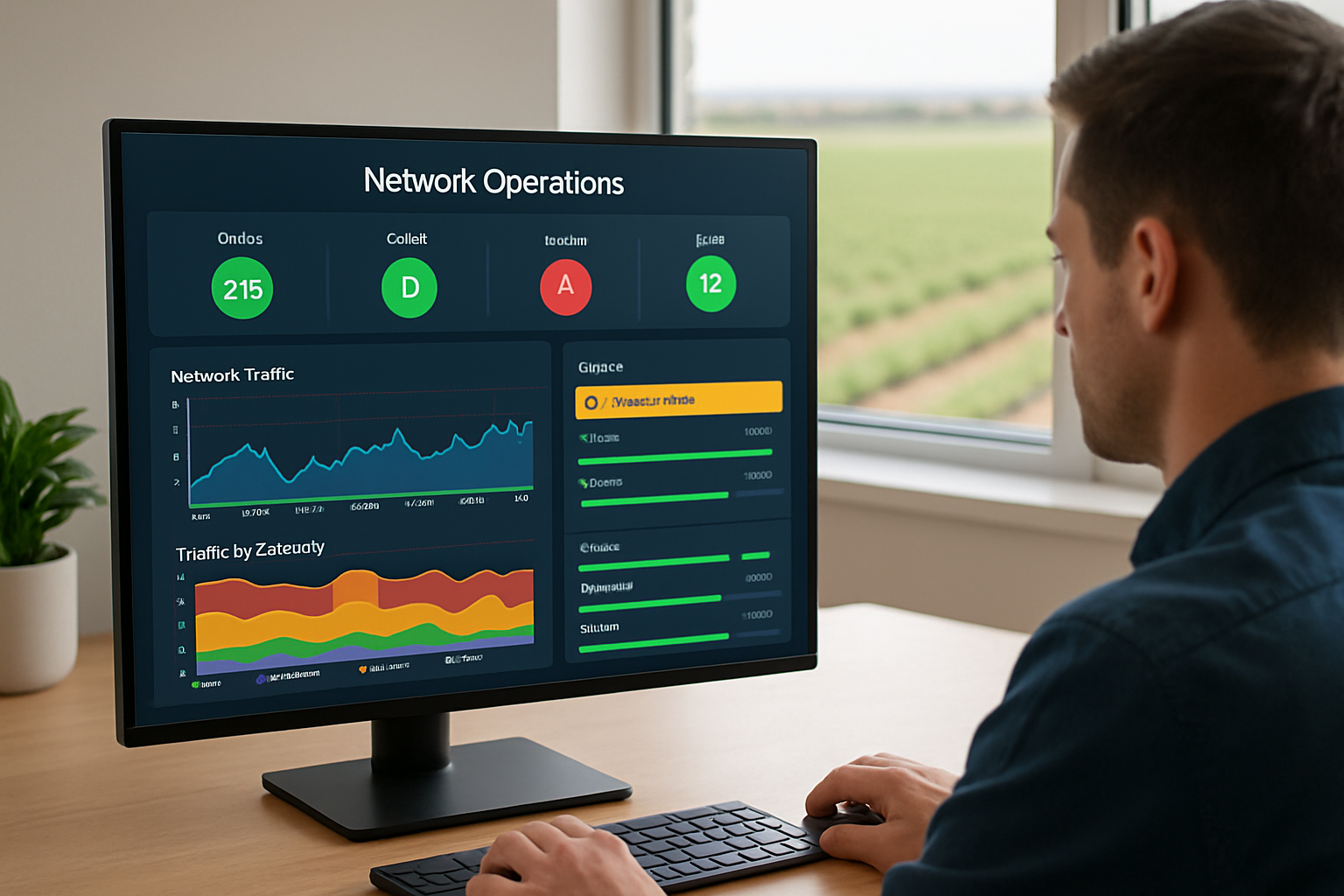
When most business owners hear “network monitoring,” they picture someone checking whether the internet is up. The reality is considerably more specific than that.
Good AI-driven monitoring tracks behavior at a device-by-device and application-by-application level. It builds a baseline for what normal looks like on your specific network — and then watches for anything that falls outside that pattern. The kinds of signals it catches include:
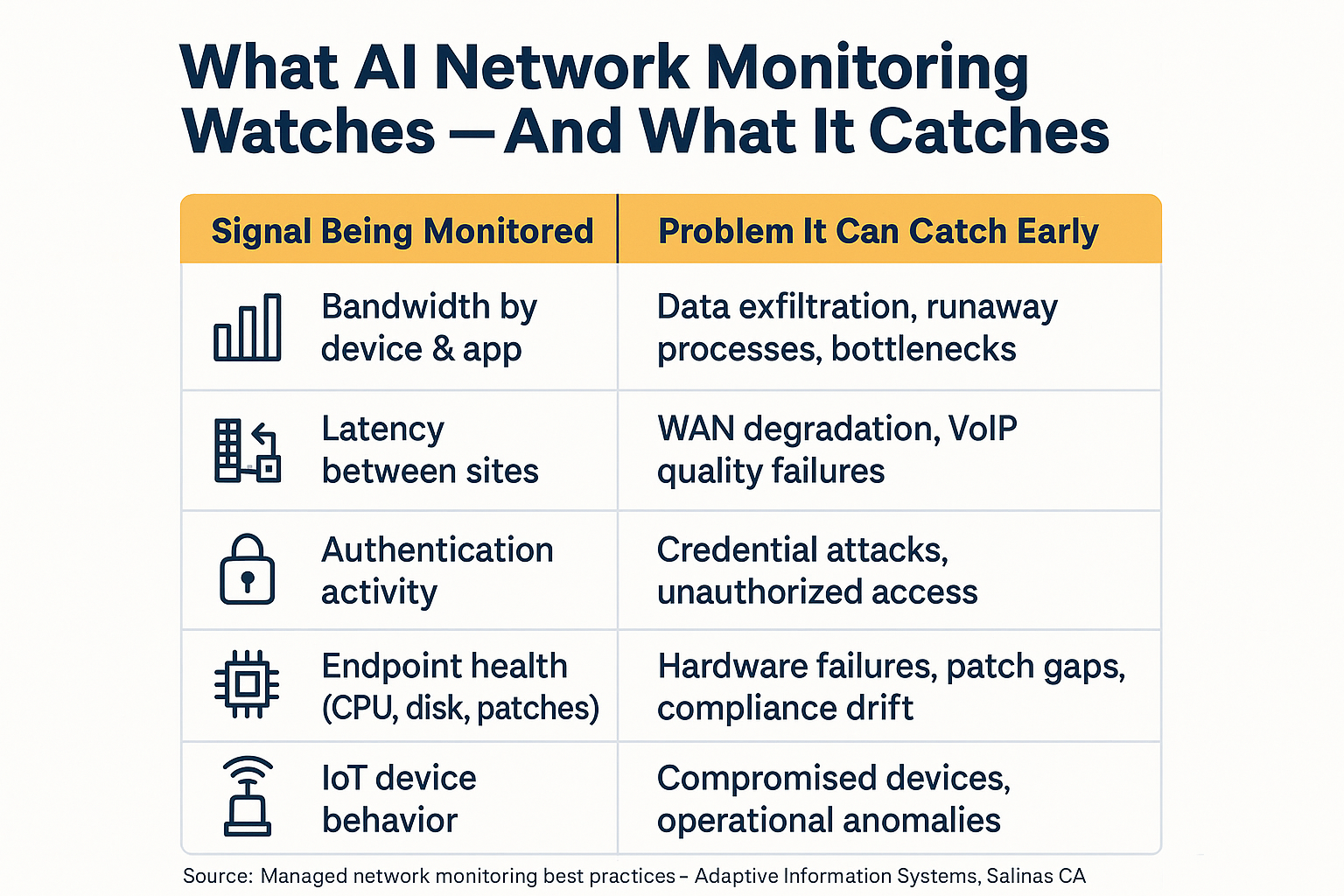
- Bandwidth consumption by device or application — if one workstation suddenly starts pushing unusual volumes of outbound data, that surfaces immediately
- Latency between locations — critical for any business spanning multiple sites, which is a common pattern among agriculture operations, nonprofits, and school districts across Monterey County
- Unexpected authentication attempts — repeated login failures or access requests at odd hours can indicate a credential problem or something more serious
- Endpoint health metrics — CPU load, disk capacity approaching limits, and patch status on every managed device
- IoT device behavior — when a managed device on a packinghouse floor or a hospitality property starts behaving outside its normal pattern, the system flags it
Take a practical example: a VoIP call quality problem that seems like a phone issue often traces back to a degraded WAN link. Monitoring surfaces that signal at the infrastructure level — not after your team has already spent an hour rebooting phones. If you’ve ever wondered why slow internet seems to hit your business harder than expected, this kind of upstream visibility is usually what’s missing.
Why This Is Also a Cybersecurity Tool
Network monitoring is commonly framed as an operations tool — and it is. But the underlying logic that detects a failing hard drive is the same logic that catches early signs of a network intrusion.
Attackers who have already gained initial access to a network don’t immediately trigger alarms. Instead, they move laterally — quietly probing from one system to another, looking for higher-value targets like file servers, financial data, or email accounts. That lateral movement looks different from normal user traffic. When you have a behavioral baseline to compare against, those deviations stand out.
The Verizon 2025 Data Breach Investigations Report noted that vulnerability exploitation reached 20% as an initial access vector, and that patching edge device vulnerabilities took organizations a median of 32 days. That’s a five-week window during which an unpatched device is exposed — and during which monitoring is often the only layer actively catching exploitation attempts in progress.
For Monterey Bay businesses operating under California’s data breach notification requirements, that detection window isn’t just an IT concern. California’s breach notification law puts real obligations on businesses once a breach is discovered, and the clock starts sooner than most people expect. Catching intrusion activity early — before data is actually exfiltrated — is what keeps a security incident from becoming a compliance event.
For a deeper look at why smaller organizations have become preferred targets, this breakdown of ransomware risk for small businesses covers the threat landscape in plain terms.
What AI Network Monitoring Watches vs. What It Catches
This infographic breaks down the specific monitoring signals that AI-driven tools track and the real-world problems each one is designed to surface before they become outages.
What Your ISP and Firewall Vendor Are Not Doing
This is one of the most common misconceptions we hear from business owners evaluating their current IT setup — and it’s worth being direct about.
Your ISP monitors their own infrastructure up to your connection point. If their equipment goes down, they know it. If the problem is anything inside your building or between your internal systems, they have no visibility and no obligation to alert you.
Your firewall logs traffic. That’s valuable, but logging and monitoring are not the same thing. A firewall generates records of what passed through it — it does not proactively analyze behavioral patterns, correlate anomalies across endpoints, or send alerts when something starts trending the wrong direction. Most firewall vendors don’t provide the behavioral analysis layer that managed network monitoring includes.
The honest question for any business owner to ask is: do I have real visibility, or do I have the appearance of it? If the answer to “how would you know if something was going wrong right now” is “someone would call us” — that’s a reactive posture, not a monitoring posture. Understanding what a genuinely healthy network looks like is a good starting point for that honest assessment.
Proactive Monitoring vs. Reactive IT Support: A Side-by-Side
The difference between proactive network monitoring and traditional break-fix support comes down to when problems get caught and who bears the cost of that timing.
| Factor | Reactive Break-Fix | AI-Driven Proactive Monitoring |
|---|---|---|
| How problems are discovered | Employee notices something is wrong | Automated alert before impact is felt |
| Response timeline | After disruption has already started | During or before the failure event |
| Who initiates the support call | Business owner or staff | IT team, often without a call needed |
| Multi-site visibility | Limited to reported symptoms | Continuous across all locations and devices |
| Cybersecurity benefit | Minimal — logs reviewed after the fact | Behavioral anomalies flagged in near real time |
| Seasonal coverage gaps | Exposure during vacations and off-hours | Coverage runs continuously, no gaps |
Summer Coverage Gaps and Why They Matter in the Salinas Valley
Summer is when the gap between proactive and reactive IT feels the most real for Monterey Bay businesses.
Staggered vacations mean fewer people watching things day to day. For the agricultural sector, the window from spring planting through fall harvest is operationally intense — a network outage during a key production or shipping window at a Salinas produce distributor isn’t just inconvenient, it’s genuinely costly. When your office manager is traveling and your network decides to have a problem on a Tuesday afternoon, the question isn’t whether someone will eventually notice. The question is how much ground you lose before they do.
AI-driven monitoring doesn’t take summer off. It watches the same signals on a Saturday in August that it watches on a Monday in January — and the alerts go to your IT team, not to whoever happens to be in the office that day.
This is also why the monitoring-to-resolution workflow matters as much as the monitoring itself. When a managed IT partner is running the system, an alert doesn’t just generate a ticket — it generates a response. Karen McKenzie of Teresa Bennett School captured this outcome as well as anyone: “Quite often a technology problem is addressed and corrected before we are aware there is an outage.” That’s not a marketing claim. That’s what the workflow looks like when it’s working correctly.
For organizations with lean IT resources — which describes most businesses in the 10-to-100-employee range across Monterey County — understanding when IT needs additional support is a related question worth thinking through alongside monitoring.
Frequently Asked Questions About AI Network Monitoring
Is this the same thing as what my IT person already does when they check in periodically?
Periodic check-ins are manual and retrospective — someone looks at logs or runs a scan and reports on what they find. AI-driven monitoring is continuous and behavioral. It watches every device in real time, builds a picture of what normal looks like, and flags deviations the moment they occur. A periodic check-in on Monday morning won’t catch something that started Thursday afternoon.
Does this only work for large networks? We’re a small office with maybe 15 people.
Smaller networks actually benefit a lot from this kind of monitoring because there’s usually no dedicated IT staff watching things. A 15-person office in Salinas has the same exposure to hardware failures, ransomware, and WAN degradation as a larger organization — just fewer people to catch problems when they emerge. The monitoring system doesn’t scale by headcount; it scales by the number of devices and sites being watched.
How does the system know what ‘normal’ looks like on my specific network?
Modern monitoring tools establish baselines by observing traffic and device behavior over time — typically the first few weeks after deployment. They learn your specific patterns: when your busiest traffic windows are, which applications consume the most bandwidth, what your authentication traffic looks like on a normal workday. Deviations from those learned patterns are what trigger alerts, which is why this approach generates far fewer false positives than simple threshold-based alerting.
What happens when the system catches something? Does someone call us?
In a managed monitoring setup, alerts go to the IT team managing your network — not to you. Depending on the severity, the response ranges from automated remediation (a device gets restarted, a patch gets pushed) to a technician investigating and resolving before the issue affects users. You typically hear about it after the fact, which is the point. The goal is fewer calls to you, not more.
Can this kind of monitoring help with IoT devices we have on the floor or in the field?
Yes, and this is increasingly important for agriculture operations and hospitality properties in the Monterey Bay region. Managed IoT monitoring applies the same behavioral baseline approach to connected devices — sensors, cameras, environmental controls, networked equipment. When a device starts behaving outside its normal pattern, it surfaces as an alert. This matters both operationally and from a security standpoint, since IoT devices are frequently targeted as entry points into a broader network. A closer look at unmanaged IoT risks covers the specific vulnerabilities in more detail.
Want to Know What’s Actually Happening on Your Network Right Now?
Adaptive Information Systems works with small and mid-sized businesses across Monterey County — from produce distributors in the Salinas Valley to hospitality operations on the Peninsula — to put proactive network monitoring in place before the next problem develops undetected. If you’re not sure whether you have real visibility or just the appearance of it, that’s a good question to start with. Reach us at (831) 644-0300 or visit adaptiveis.net to start a conversation.