
Direct Answer: Your network is healthy when you’re catching problems before employees report them — not after. That requires monitoring the right metrics, not just knowing devices are turned on.
Picture a Monday morning at a Salinas office. File access feels sluggish. A VoIP call drops mid-sentence. Someone submits a help desk ticket around 10am, and by the time anyone investigates, the root cause turns out to be a misconfigured switch or an overloaded WAN link that had been degrading quietly for days. Nobody knew because nobody was watching.
That reactive loop — complaint, investigation, fix, repeat — is how most small and mid-sized businesses in the Monterey Bay Area operate. And it’s expensive, even when it doesn’t feel like a crisis. The real cost of waiting until something breaks adds up faster than most business owners expect.
This article explains what network performance monitoring actually means, which metrics tell you the most, and how to know whether your current monitoring setup is genuinely working — or just giving you the illusion of coverage.
The Difference Between ‘Up’ and ‘Healthy’
There are two distinct things businesses often confuse when they talk about network monitoring. The first is availability monitoring — watching whether devices are on or off. A server is up. A switch is responding. The internet connection is alive. This is the baseline, and most IT setups have at least some version of it.
The second is performance monitoring — measuring how well the network is actually working, not just whether it’s technically online. And that second category is where the real problems hide.
A circuit can be fully operational and still be delivering unacceptably high latency. A QoS policy can be misconfigured so that your VoIP traffic gets deprioritized behind routine file sync tasks. A single workstation running a backup job at 9am can quietly consume 80% of your available bandwidth while everyone else wonders why everything feels slow. None of these show up as outages. But they absolutely show up as complaints.
For businesses running cloud-hosted applications — which describes the majority of SMBs in Salinas and across Monterey County today — the distinction matters even more. When your applications live in Azure, Microsoft 365, or a hosted VoIP platform, the performance of your network connection is the performance of your business tools. Slow internet has real business consequences that go well beyond minor inconvenience.
The Four Metrics That Actually Tell You Something
Network performance monitoring tools track a lot of data points, but four metrics do most of the heavy lifting for a typical SMB. Understanding what each one means — in plain terms — helps you ask better questions of whoever manages your IT.
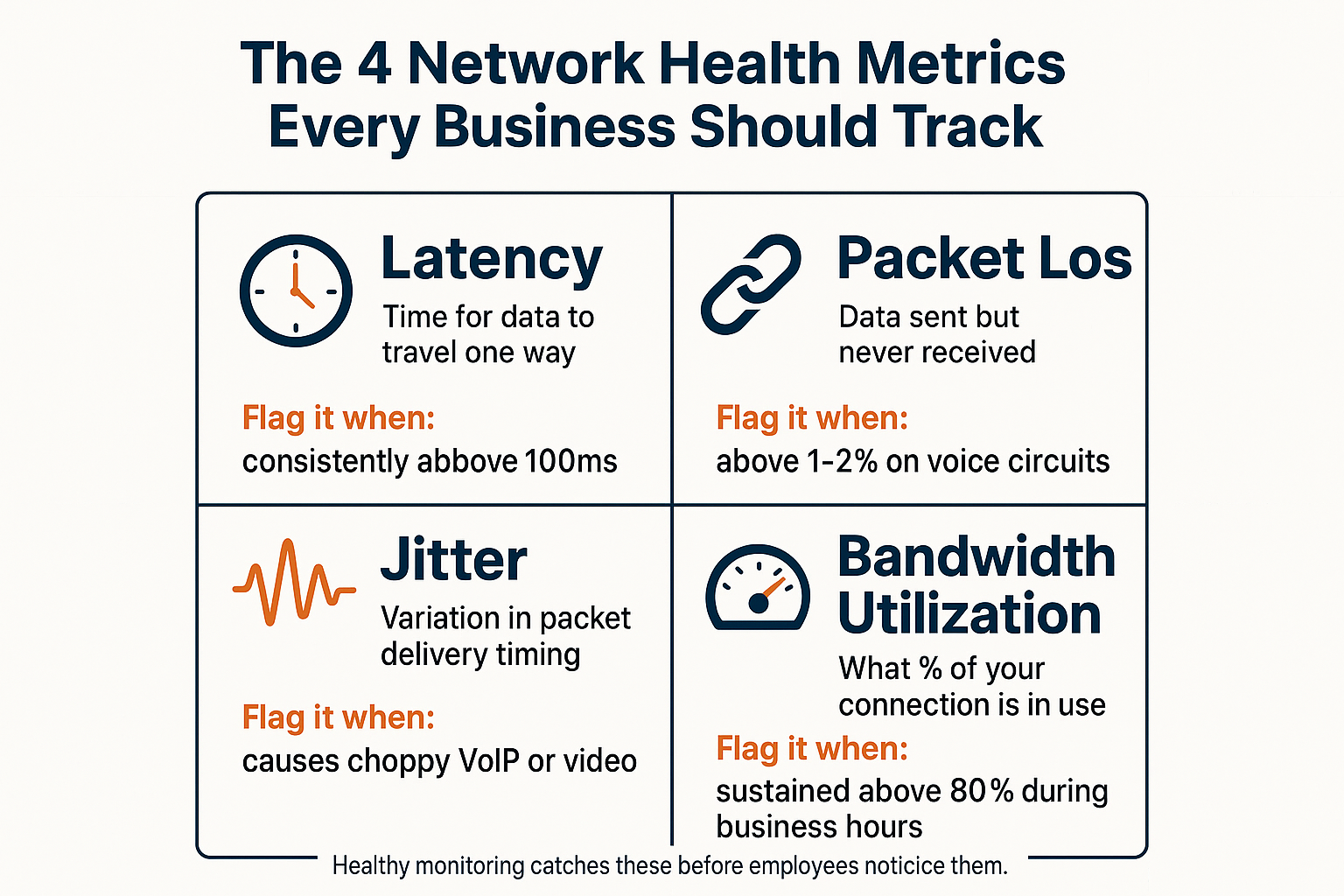
Latency is how long it takes a packet of data to travel from one point to another. High latency makes cloud apps feel sluggish and VoIP calls feel like there’s a delay. For most business networks, latency to a cloud service should be well under 100 milliseconds. When it starts climbing above that consistently, something is wrong.
Packet loss is data that leaves your network but never arrives. Even 1-2% packet loss can cause noticeable problems with voice and video calls, and repeated packet loss often points to a failing cable, a bad port on a switch, or congestion on a WAN link.
Jitter is variation in how evenly packets arrive. A call where the audio cuts in and out, or where one person sounds like they’re underwater, is almost always a jitter problem. VoIP is especially sensitive to it because voice data needs to arrive in a steady, consistent stream.
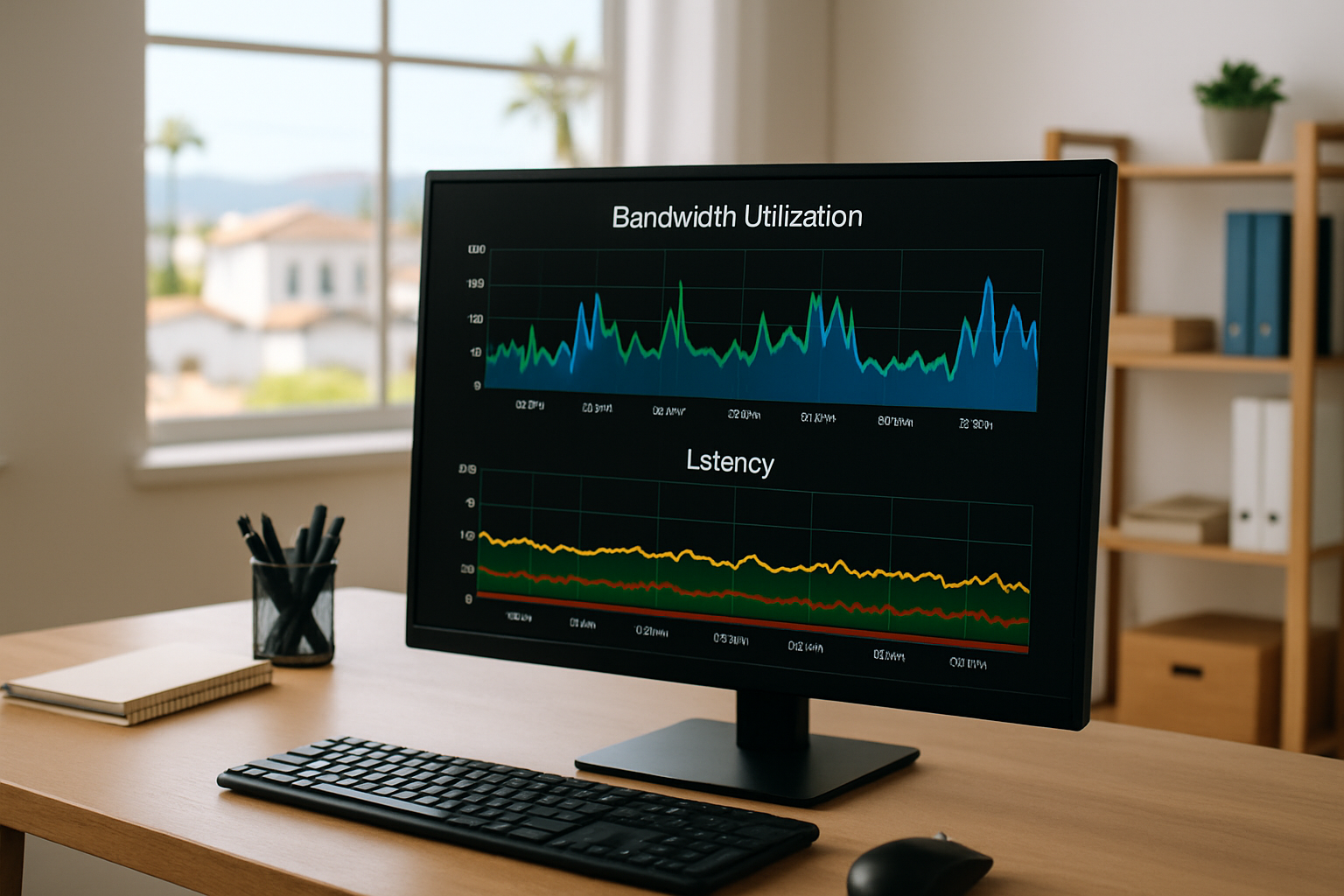
Bandwidth utilization tells you what percentage of your internet pipe is in use — and, importantly, what’s using it. A 100 Mbps connection that’s running at 95% capacity during business hours isn’t a healthy network; it’s a network waiting to fail. Monitoring tools that track utilization by device and application can tell you exactly what’s consuming capacity, which is often a surprise.
These four metrics together give you a clear picture of what’s actually happening on your network — not just whether the lights are on.
The Four Network Health Metrics Every SMB Should Track
This infographic breaks down the four core performance metrics and what each one means in practical terms for a business network.
Why Summer Is the Right Time to Run a Network Baseline
For Central Coast businesses, summer isn’t just busy season — it’s also when most planned infrastructure changes happen. Wi-Fi upgrades, new cabling, equipment replacements, and network expansions tend to get scheduled between May and September when teams have more bandwidth (figuratively speaking) to manage the disruption.
But here’s the problem: most businesses assume that if a project was completed, it worked. Running a network performance baseline before and after a change is how you actually confirm that assumption. Without a before snapshot, you have no way to know whether that new access point improved wireless throughput or introduced a new interference problem.
This is especially relevant for agricultural operations in the Salinas Valley. Seasonal staffing spikes can push device counts up dramatically — more laptops, more tablets, more phones connecting to a network that was sized for a smaller crew. That surge in devices changes your bandwidth utilization picture entirely, and without monitoring in place, the first sign of a problem is usually employees calling IT to complain.
A managed IT provider doing this work correctly will:
- Run a performance snapshot before any infrastructure change is made
- Document baseline latency, packet loss, jitter, and utilization numbers
- Run the same measurements after the change and compare them directly
- Flag any regressions and address them before the project is signed off
That process turns an infrastructure project from a guess into a confirmed improvement.
Availability Monitoring vs. Performance Monitoring: What Each One Catches
These two approaches are often bundled together under ‘network monitoring’ — but they catch very different problems. Here’s how they compare in practical terms.
| Problem Type | Caught by Availability Monitoring? | Caught by Performance Monitoring? |
|---|---|---|
| Server or device is completely offline | Yes | Yes |
| Internet connection is down | Yes | Yes |
| High latency on a circuit | No | Yes |
| Packet loss causing dropped VoIP calls | No | Yes |
| Single device consuming most of available bandwidth | No | Yes |
| Misconfigured QoS policy affecting voice traffic | No | Yes |
| Wi-Fi degradation after a new AP installation | No | Yes |
| Bandwidth spike during seasonal staff onboarding | No | Yes |
The Gap Between Having Monitoring and Understanding It
A lot of small businesses have some form of monitoring in place — a dashboard their IT vendor set up that sends alerts when something crosses a threshold. But there’s a wide gap between having monitoring and actually benefiting from it.
Raw SNMP alerts sent to a dashboard nobody reads aren’t protecting your business. Monitoring only works when someone is interpreting the data, making decisions based on it, and fixing problems before users notice them. That translation layer — from technical alert to plain-English action — is where most SMBs lose the benefit.
The best question you can ask your IT provider right now is this: “When was the last time a network problem was caught and fixed before an employee noticed it?” If they can’t give you a specific example, your monitoring is probably reactive in practice, even if it’s technically proactive on paper.
One review from a longtime client described it this way: “Quite often a technology problem is addressed and corrected before we are aware there is an outage.” That’s what real performance monitoring looks like in practice — not a faster response to complaints, but no complaint at all.
For a deeper look at how businesses structure this kind of proactive approach, how businesses catch network problems before employees do covers the operational side in more detail. And if your team is already stretched handling day-to-day issues, the stretch problem many IT teams face is worth reading before evaluating whether your current setup can actually support this level of monitoring.
Frequently Asked Questions About Network Performance Monitoring
Do we need special tools to monitor network performance, or is this built into our existing equipment?
Most business-grade networking equipment — routers, managed switches, wireless access points — can report performance data, but that data doesn’t interpret itself. Dedicated network performance monitoring tools (like PRTG, SolarWinds, or similar platforms) collect, aggregate, and visualize that data in ways that make it actionable. Whether your current equipment supports the metrics you need depends on what you have installed and how it’s configured. A quick audit from an IT provider can tell you what you’re already capturing and what gaps exist.
How often should we be checking network performance data?
Monitoring should be continuous and automated — not something someone manually reviews on a schedule. Alerts should fire when thresholds are crossed, and those alerts should go to someone who can act on them. Weekly manual reviews can supplement automated monitoring but shouldn’t replace it.
Our internet feels slow sometimes but not always. Is that a network problem or an ISP problem?
It could be either — and performance monitoring is how you tell the difference. If latency and packet loss spikes happen consistently at the same times of day, it often points to bandwidth saturation on your internal network (or your ISP’s shared circuit). If the degradation is random and external-facing, the problem is more likely upstream with your provider. Having timestamped performance data gives you something concrete to bring to your ISP rather than just describing a feeling.
We just upgraded our Wi-Fi. How do we know if it actually helped?
Run a baseline performance measurement before and after the upgrade using the same test conditions — same locations, same device types, same time of day. Compare throughput, latency, and signal strength numbers directly. If you didn’t capture a before snapshot, you’re comparing your current experience to a memory, which isn’t reliable. Going forward, schedule periodic wireless surveys, especially after any change to your physical environment.
Is network performance monitoring something a small business with 10-15 employees actually needs?
If your employees use cloud applications, VoIP, or video conferencing — and nearly every business in Monterey County does at this point — then yes, it matters. Smaller networks aren’t immune to performance problems; they’re often more vulnerable because there’s less redundancy built in. A single misconfigured device or a bandwidth-hungry application can affect the whole office when you have a smaller pipe to start with.
Want to Know What Your Network Is Actually Doing?
Adaptive Information Systems works with small and mid-sized businesses across Monterey County — from Salinas to Carmel to Watsonville — to set up network performance monitoring that actually gets used, not just installed. If you’re not sure whether your current setup is catching problems before your employees are, that’s a worthwhile conversation to have. Reach out at (831) 644-0300 or visit adaptiveis.net to start a conversation about what proactive network management looks like for your organization.