
If you run a business in Monterey or Salinas, you know our region has its own set of challenges. From wildfire risks and coastal storm power outages to cyberattacks targeting our vital agriculture and hospitality industries, your business data is more at risk than you might think. Losing client records, financial data, or operational plans isn't just a hassle—it can shut you down for good. That’s why having a solid plan for data backup and recovery in Monterey is a must.
For over 20 years, Adaptive Information Systems has helped local businesses in places like Carmel and Pacific Grove protect their most important asset: their data. We're your neighbors, and our mission is to deliver enterprise-level IT at an affordable price for local SMBs. This guide shares our proven strategies, broken down into simple, actionable tips. To truly secure your data, you first need strong cyber security risk management strategies to stop threats before they cause damage. These expert tips will help you build a resilient plan so you can handle any disruption with confidence. Let's get started.
1. Implement Time Machine with External Drive Encryption
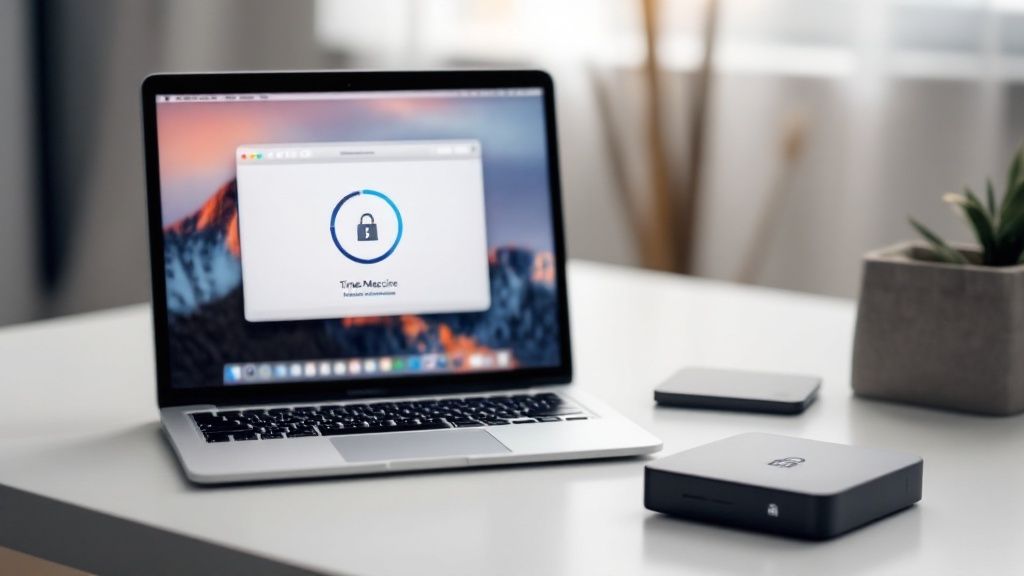
Your first line of defense is built right into your Mac. Using Time Machine with an encrypted external drive is a simple, automated way to create secure local backups. This is an affordable starting point for any Monterey business, mixing Apple’s reliable software with crucial hardware security.
This approach makes your local backups smarter. It ensures that even if someone steals a backup drive from your office or you lose it, your sensitive business data stays completely locked down. It also lets you recover quickly from common issues like accidentally deleting a file, which is a huge plus during regional power outages when you might not have internet.
Why This Is a Foundational Step
This local, encrypted backup is a core part of a layered security plan. It’s your quick-restore option that gets you back in business after minor problems. For many Monterey Bay businesses, this is the most important and easiest tip to implement for securing data backup and recovery in Monterey.
For example, a law firm in Carmel can keep client files confidential on-site. This method also helps businesses like healthcare practices in Salinas maintain HIPAA compliance by storing local data securely.
Actionable Implementation Steps
To set this up right, follow these key steps:
- Choose the Right Drive: Pick an external drive with at least two to three times the storage space of your Mac’s internal drive. This gives you room for a long history of backups.
- Enable Full-Disk Encryption First: Before connecting the drive, make sure FileVault is turned on on your Mac. This encrypts your main data, and Time Machine will carry that protection over.
- Encrypt the Backup Drive: When you first connect your external drive and choose it for Time Machine, you’ll see a box to "Encrypt Backups." Always check this box and create a strong, unique password.
- Test Your Recovery Process: Don't wait for a disaster. Once a month, try restoring a few files. This confirms your backups are working correctly.
- Implement Drive Rotation: For extra safety, use two separate encrypted drives. Keep one connected for daily backups and store the other securely off-site, swapping them weekly. This protects you if a fire or theft takes out both your computer and your main backup.
2. Deploy Hybrid Cloud Backup with iCloud+ and Third-Party Services
A local backup is essential, but putting all your eggs in one basket is a risk you can't afford. A hybrid cloud backup strategy adds a vital off-site layer, combining Apple's easy-to-use iCloud+ with powerful third-party cloud services like AWS or Google Cloud. This protects your data from local disasters common to our area, like wildfires, floods, or major coastal disruptions that could damage your office in Monterey.
This approach means that even if your entire physical office is gone, your data is safe and recoverable from another location. It spreads out your risk by not relying on a single cloud company, which is a key principle of enterprise-grade security. For businesses with remote teams, this strategy also supports secure data protection across multiple locations, a must-have for modern hybrid work security solutions.

Why This Is a Foundational Step
A hybrid model is the best way to prepare for a disaster. It gives you the speed of local restores and the security of off-site cloud storage. This is one of the most important expert tips to secure data backup and recovery in Monterey because it directly addresses regional threats that can destroy physical hardware.
For example, a tech startup in Seaside can use iCloud+ for employee files and AWS for critical company data, keeping everyone productive and the business running. This is an enterprise-grade solution that we make affordable for local SMBs.
Actionable Implementation Steps
To build an effective hybrid cloud backup system, follow these professional tips:
- Diversify Your Providers: Use iCloud+ for user files and photos. Then, pick a separate, business-focused provider like Backblaze B2 or Amazon S3 for your main company data.
- Automate the Process: Use software to automatically send your local backups to your chosen cloud service. This "set it and forget it" approach ensures backups are always happening.
- Use Separate Encryption Keys: Never reuse passwords. Encrypt your backups before they leave your Mac using a strong, unique key for each cloud service. This keeps your data safe even if one provider has a security issue.
- Monitor Costs and Schedules: Cloud storage can have data transfer fees. Schedule large backups for overnight hours and keep an eye on your usage to avoid surprise bills.
- Document and Test Recovery: Write down clear, step-by-step instructions for restoring data from each cloud provider. Regularly test the process to make sure it works before you actually need it.
3. Configure APFS Snapshots for Instant Recovery Points
Beyond traditional backups, your Mac has a built-in, super-fast recovery tool called APFS snapshots. This technology captures the exact state of your system at a specific moment, creating an instant recovery point without using a lot of storage space.
Think of it as a "save point" for your entire system. If a bad software update causes problems or a key file gets corrupted, you can instantly go back to the moment before the issue happened. For a busy marketing agency in Seaside or a software developer in Monterey, this means avoiding hours of downtime. It’s a quick fix for everyday software-related problems.
Why This Is a Foundational Step
APFS snapshots are your best defense against data corruption, malware, and bad software updates. While a full backup like Time Machine is for a total hardware failure, snapshots are for quick, precise recoveries from common digital mishaps. This feature is one of the most overlooked expert tips to secure data backup and recovery in Monterey, yet it can be the fastest way to get you back to work.
For instance, a graphic designer in Salinas can create a snapshot before installing new software, ensuring they can undo it if the new tools cause problems. This instant rollback feature is a key part of any modern, layered data protection plan. To see how this fits into a bigger strategy, learn more about our data backup and disaster recovery plans.
Actionable Implementation Steps
To start using this powerful feature, follow these steps:
- Create Manual Snapshots: Before a big system change like an OS update, open the Terminal app and use the command
tmutil localsnapshot. This creates an instant, manual "save point." - Leverage Time Machine Integration: Time Machine automatically creates local APFS snapshots on your computer about once an hour if there's space. This gives you a safety net even when your external drive isn’t plugged in.
- Browse and Restore: To recover, you can start your Mac in Recovery Mode and use Disk Utility to restore your system from a snapshot.
- Monitor Snapshot Storage: Keep an eye on how much space snapshots are using. They are deleted automatically over time, but it’s good to be aware.
- Combine for Comprehensive Protection: Use snapshots for quick, short-term recovery and continue using encrypted Time Machine backups for long-term protection against hardware failure or major disasters.
4. Establish Network-Attached Storage (NAS) with RAID Configuration
For businesses that want to centralize their data protection, a Network-Attached Storage (NAS) device is a great upgrade. A NAS is a dedicated file server on your local network that provides a secure, central spot for all company data and backups. When you set it up with RAID (Redundant Array of Independent Disks), it protects you from individual hard drive failures, so your data stays safe even when hardware breaks.
This approach turns your backup strategy from a bunch of separate drives into one organized, automated system. It lets multiple computers back up to one place, makes file sharing easier, and is a scalable, enterprise-grade solution that protects against common data loss while making your team more efficient.

Why This Is a Foundational Step
A NAS with RAID is a big step toward building a tough data system. It moves your business beyond basic backups to a system that actively protects against hardware failure—a common cause of data loss. This setup is one of the most effective expert tips to secure data backup and recovery in Monterey because it offers automated protection that’s always on.
For example, a photography studio in Monterey can use a NAS to protect huge client photo archives from a single drive crash. This provides the strong foundation needed for a complete small business network setup.
Actionable Implementation Steps
To set up a NAS device for maximum protection, follow these essential steps:
- Select the Right Hardware: Choose a NAS with enough memory for smooth performance and use business-grade hard drives designed for 24/7 use.
- Configure RAID Appropriately: For most small businesses, RAID 1 (which mirrors your data on two drives) or RAID 5 (which spreads data across multiple drives for redundancy) offers a great balance of safety and performance.
- Connect to a UPS: Protect your NAS from data corruption caused by sudden power outages—a common issue in the Monterey Bay area—by plugging it into an Uninterruptible Power Supply (UPS).
- Enable Security Features: Always turn on encrypted backups on the NAS and set up secure remote access (like a VPN) instead of opening it up directly to the internet.
- Schedule Regular Health Checks: Use the built-in tools to schedule regular health checks and monitor your drives to catch and replace failing ones before they cause a problem.
5. Implement Zero-Knowledge Encrypted Cloud Backups
While local backups are great for fast recovery, a secure off-site copy is crucial for true disaster preparedness. Using a cloud backup service with zero-knowledge encryption ensures your data stays completely private, even in the cloud. This means your data is encrypted on your device before it’s uploaded, and only you have the key to unlock it.
This strategy gives you the convenience of the cloud without giving up control over your privacy. The service provider can't access, decrypt, or read your files for any reason. This is the highest level of security for your off-site data, protecting it from hackers and from the provider itself. It's a critical part of a modern, secure data recovery plan in Monterey.
Why This Is a Foundational Step
Zero-knowledge backups give you off-site storage with total confidentiality. It protects you from local disasters like the fires that can affect the Monterey Peninsula or regional power outages. This method ensures that even if your entire office is compromised, a secure and private copy of your data is safely stored elsewhere and accessible only by you.
For example, a healthcare provider in Salinas can ensure HIPAA-compliant patient data storage in the cloud, and a financial advisor in Carmel can secure confidential client information with the highest level of privacy. This is one of the most vital expert tips to secure data backup and recovery in Monterey for any business handling sensitive information.
Actionable Implementation Steps
To use this advanced cloud security method correctly, follow these key steps:
- Select a Reputable Provider: Choose a service known for its zero-knowledge security, such as SpiderOak or Tresorit.
- Create a Strong, Unique Encryption Password: This password is your private key. If you lose it, your data is gone forever. It should not be a password you use anywhere else.
- Store Your Key Securely: Save your encryption password in a secure password manager. Also, keep a physical copy in a safe, offline location like a safe deposit box.
- Document the Recovery Process: Write down a clear guide on how to restore data from your cloud backup. Keep this guide with your offline password copy.
- Test Restores Regularly: Don't just assume the backup works. Periodically test restoring a few files to make sure the system is working correctly and you know how to use it.
6. Deploy Automated Offsite Backup Rotation Strategy
Local backups are essential, but a real disaster recovery plan means getting a copy of your data off-site. A systematic rotation of backup drives to a secure, separate location ensures your business can survive a major event like a fire, flood, or theft that hits your entire office. This follows the 3-2-1 backup rule: 3 copies of your data, on 2 different types of media, with 1 copy off-site.
This strategy is about being ready for the worst-case scenario. If your office in Seaside is unreachable due to a wildfire or a major power failure, your off-site backup is your lifeline. It physically and geographically separates your critical information from local disasters, ensuring your business can continue when your main location is out of commission.
Why This Is a Foundational Step
An off-site backup turns your data protection into a true disaster recovery plan. For businesses in the Monterey Bay area, this isn't just a good idea; it's a critical safety measure. It is one of the most important expert tips to secure data backup and recovery in Monterey, moving beyond basic protection to ensure your business can survive.
For example, a medical practice in Monterey can store encrypted backup drives in a bank safety deposit box to maintain HIPAA compliance. An accounting firm in Salinas could rotate backup drives to a trusted partner's office, creating a simple but effective off-site solution.
Actionable Implementation Steps
To implement a strong off-site rotation strategy, follow these steps:
- Establish a Clear Schedule: Set a consistent rotation schedule—daily, weekly, or monthly—based on how often your critical data changes.
- Use Secure Transport: Always transport backup drives in fireproof and waterproof cases to protect them along the way.
- Maintain Detailed Logs: Keep a careful log of when each backup was made, when it was moved off-site, and where it is stored. This is vital for finding it quickly in an emergency.
- Test Off-site Restores: At least once a quarter, bring an off-site backup back and try to restore a few files. This confirms the drive is still good and the data is usable. You can find more details in our guide to backup solutions for small businesses.
- Create Mutual Agreements: Consider partnering with another local business to store each other's off-site backups. This can be a cheap and secure way to keep backups in a separate location.
7. Establish Continuous Data Protection (CDP) with Real-Time Monitoring
For businesses where even a few minutes of data loss is too much, Continuous Data Protection (CDP) offers the highest level of security. Unlike traditional backups that run on a schedule, CDP systems capture every single change to your data as it happens. This creates a live, up-to-the-second copy of your files, effectively eliminating any data loss between backups. This is an enterprise-grade solution that we make accessible for SMBs.
This method gives you the ability to restore data to any specific point in time. Imagine being able to "rewind" your system to the exact moment before a ransomware attack locked your files. For businesses in Monterey that handle a lot of transactions or real-time information, CDP is a game-changer that offers true, nonstop data protection.
This infographic shows the simple but powerful process behind Continuous Data Protection.
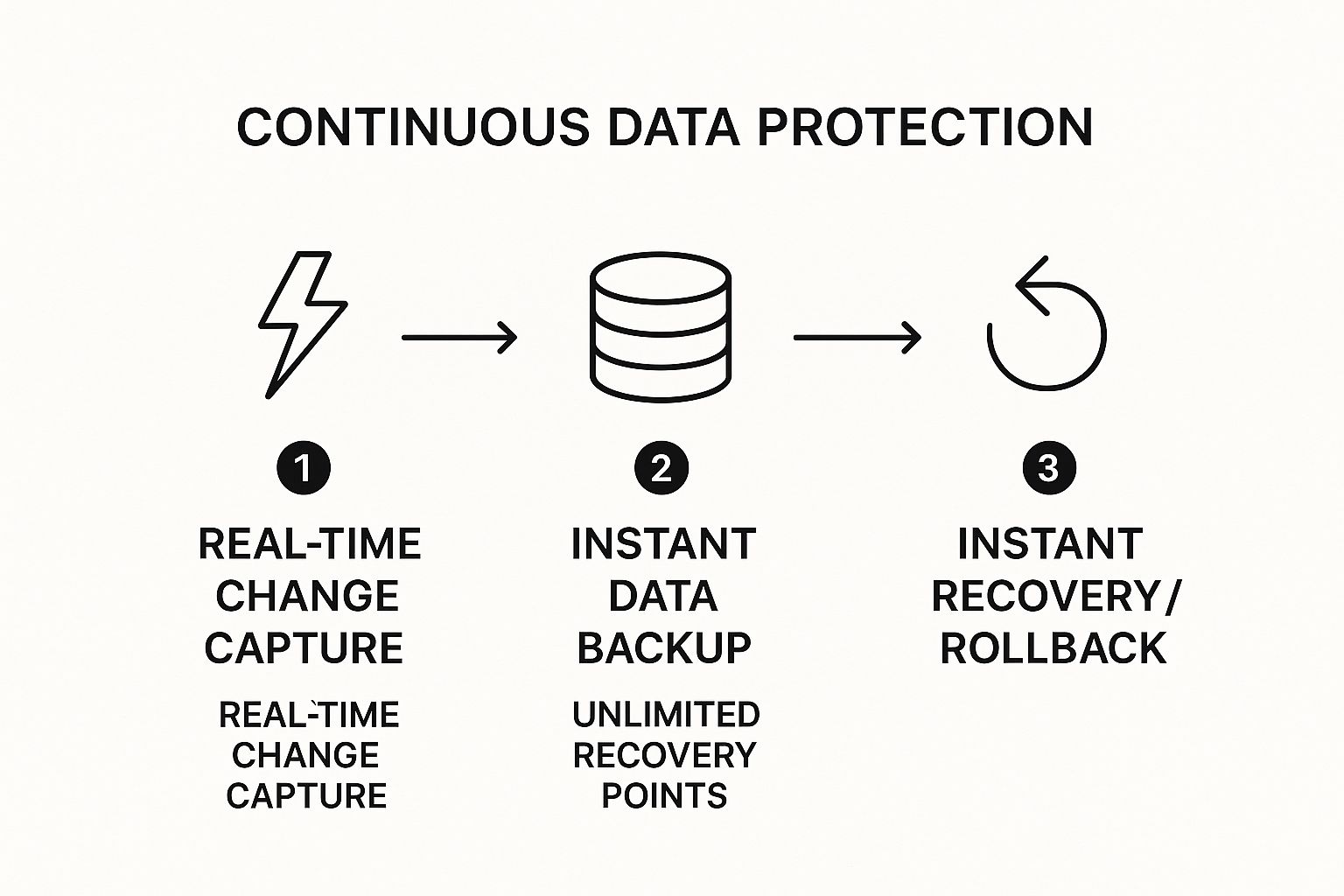
The ability to instantly capture changes and recover to any point in time is what makes this the best strategy for businesses that can't afford downtime.
Why This Is an Advanced Step
CDP is the top choice for organizations that can’t afford any data loss. It provides the ultimate safety net against fast-moving threats like cyberattacks or critical user errors. This is one of the most advanced expert tips to secure data backup and recovery in Monterey, and it’s especially important for certain local industries.
For instance, a busy accounting firm in Salinas can use CDP to protect financial records during tax season, ensuring no transaction is ever lost. This method is key to building a powerful disaster recovery plan.
Actionable Implementation Steps
To set up a CDP solution effectively, focus on these key actions:
- Select the Right Tool: Partner with an IT provider like us to choose a CDP solution that fits your specific needs and budget.
- Use SSDs for Caching: To avoid slowing down your live systems, use high-speed Solid-State Drives (SSDs) for the CDP cache where changes are first recorded.
- Configure Smart Exclusions: To save storage space, set up the system to ignore temporary files and other non-essential data.
- Set Up Automated Alerts: Turn on real-time monitoring and alerts for any backup failures or storage warnings to ensure the system is always working.
- Implement Tiered Storage: Work with your IT expert to create a tiered storage plan, moving older recovery points to cheaper storage to manage long-term costs.
7-Point Data Backup & Recovery Strategies Comparison
| Backup Method | Implementation Complexity 🔄 | Resource Requirements ⚡ | Expected Outcomes 📊 | Ideal Use Cases 💡 | Key Advantages ⭐ |
|---|---|---|---|---|---|
| Implement Time Machine with External Drive Encryption | Low to Medium 🔄 | External encrypted drive, macOS Monterey ⚡ | Secure local backups, fast recovery 📊 | Local backups for confidentiality-sensitive fields | Native integration, encryption, automatic |
| Deploy Hybrid Cloud Backup with iCloud+ and Third-Party Services | High 🔄 | Multiple cloud accounts, internet bandwidth ⚡ | Geographic redundancy, scalable storage 📊 | Organizations needing multi-location and high availability | Multi-provider redundancy, global access |
| Configure APFS Snapshots for Instant Recovery Points | Low 🔄 | APFS formatted drives, macOS Monterey ⚡ | Instant recovery points, minimal storage 📊 | Developers & sysadmins pre-update system snapshots | Fast snapshots, built-in macOS support |
| Establish Network-Attached Storage (NAS) with RAID Configuration | Medium to High 🔄 | NAS device, RAID-configured drives ⚡ | Centralized redundant backups 📊 | Small businesses & professionals with multiple devices | Hardware redundancy, scalability, remote access |
| Implement Zero-Knowledge Encrypted Cloud Backups | Medium to High 🔄 | Cloud service with zero-knowledge encryption ⚡ | Maximum privacy, encrypted offsite backups 📊 | Privacy-sensitive users, compliance-required environments | Strong privacy, end-to-end encryption |
| Deploy Automated Offsite Backup Rotation Strategy | Medium 🔄 | Multiple backup media, offsite locations ⚡ | Disaster-resistant backups 📊 | Businesses needing offsite redundancy and compliance | Geographic separation, long-term preservation |
| Establish Continuous Data Protection (CDP) with Real-Time Monitoring | High 🔄 | High-performance hardware, SSD, 8GB+ RAM ⚡ | Zero data loss, instant rollback 📊 | Enterprises requiring real-time, granular data recovery | Real-time capture, unlimited recovery points |
Your Partner in Data Resilience: Take the Next Step with Adaptive
Figuring out data protection can feel like a lot, but you don’t have to do it alone. We’ve covered a range of expert tips to secure data backup and recovery in Monterey, each designed to make your business stronger. From simple encrypted Time Machine backups to the powerful, real-time protection of CDP, these strategies are affordable and can grow with you.
Here's the main takeaway: planning ahead is your best defense. Waiting for a ransomware attack, a hardware failure, or one of our region's power outages isn't a business strategy. By layering these solutions, you create a defense that is strong and reliable. Combining a local NAS for quick restores with an encrypted off-site cloud backup for disaster recovery means you’re ready for anything.
Key Takeaways for Your Monterey Business
- Layer Your Defenses: Don't just rely on one backup method. A hybrid approach, like combining local snapshots with a zero-knowledge cloud service, gives you complete protection against different types of data loss.
- Automation is Your Ally: Manual backups are easy to forget. Automating your backups and using real-time monitoring takes the guesswork out of it and ensures your data is always protected.
- Encryption is Non-Negotiable: Whether your data is on an external drive in your Pacific Grove office or in the cloud, it must be encrypted. This is your best defense if a device is lost or stolen.
Ultimately, protecting your data is about more than just saving files—it’s about protecting your company’s future. It keeps your business running, protects your reputation, and gives you the peace of mind to focus on growth. The most important step is the one you take right now. Start by looking at your current strategy and find one or two areas where you can improve today.
Building a truly resilient data plan is a critical investment. For over 20 years, Adaptive Information Systems has been the trusted IT partner for local businesses, from the agricultural fields of Salinas to the hospitality sector in Carmel. We specialize in creating custom, flexible disaster recovery plans that restore your systems quickly without straining your budget. Let’s build a strategy that protects your hard work and helps you succeed.
Ready to turn your data protection from a worry into a strength? Contact the local experts at Adaptive Information Systems for a no-obligation consultation and see how affordable and effective a custom backup and recovery plan can be.
Adaptive Information Systems
380 Main St, Salinas CA 93901 | 831-644-0300 | hello@adaptiveis.net