
Imagine a critical server failure during the height of the Salinas Valley agriculture season or a ransomware attack shutting down your hospitality business over a busy Monterey Car Week. The cost isn't just financial; it's your reputation. For local SMBs like yours, a data disaster can be an existential threat, but it doesn't have to be. Having a robust data recovery plan is the most critical investment you can make in your business's future.
This guide isn't a theoretical exercise; it's a practical breakdown of real-world strategies we've implemented for businesses across Monterey County. We will walk you through six distinct data recovery plan example frameworks, analyzing what makes them effective and how you can adapt them for your own operations. You'll see how different approaches, from the classic 3-2-1 backup strategy to advanced cloud-based solutions, can safeguard your operations.
We will analyze the strengths, weaknesses, and ideal use cases for each example, providing actionable takeaways you can implement immediately. Think of this as your enterprise-level IT playbook, made affordable and accessible for you. By the end, you'll have a clear roadmap for building a plan that protects your specific business needs, whether you're in agriculture, finance, or any industry in between.
1. 3-2-1 Backup Strategy
The 3-2-1 backup strategy is a foundational concept in data protection and a highly effective data recovery plan example for businesses of any size. It's a simple, logical rule that significantly boosts your resilience against data loss. We recommend this method as a starting point because it provides a clear, redundant framework to safeguard your critical information.
The strategy is straightforward: maintain at least three total copies of your data, store these copies on two different types of media, and keep one copy in an offsite location. This multi-layered approach ensures that a single point of failure—whether a hard drive crash, a software bug, or a physical disaster like a fire in your Salinas office—won't wipe out your entire data set.
How the 3-2-1 Strategy Works in Practice
Let's break down how you can implement this. A photography studio in Monterey, for instance, might keep its primary RAW files (Copy 1) on a local workstation. The second copy (Copy 2) could be on a different media type, like a Network Attached Storage (NAS) device in the office. The crucial third copy (Copy 3) would be stored offsite, perhaps using a cloud backup service.
Strategic Insight: The strength of the 3-2-1 rule is its diversification. By using different media (workstation drive vs. NAS) and different locations (office vs. cloud), you mitigate a wide range of risks simultaneously.
This visual provides a quick reference for the core components of the 3-2-1 strategy.
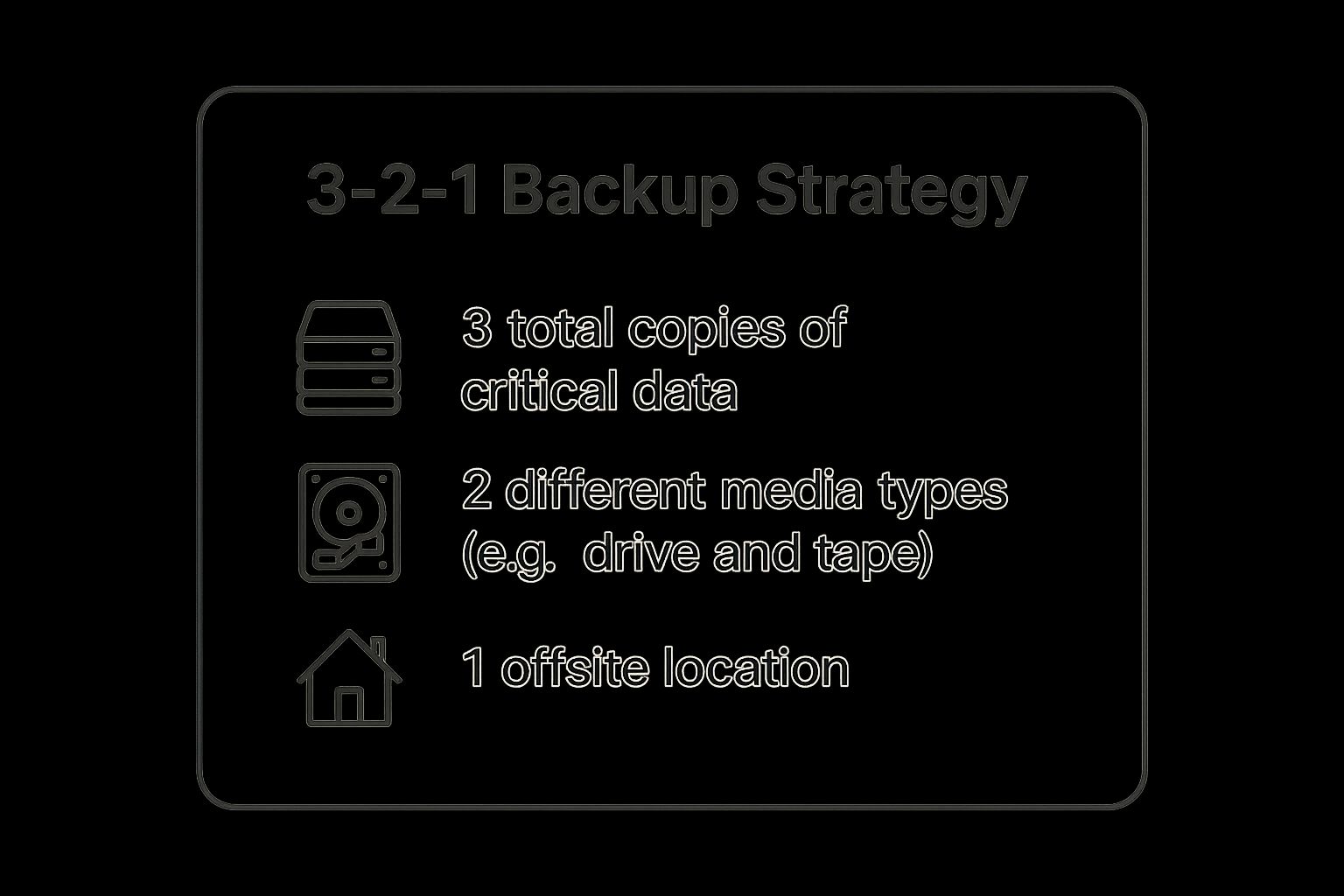
As the infographic highlights, the combination of multiple copies, varied media, and an offsite location creates a robust safety net for your data.
Actionable Takeaways for Your Business
Implementing a 3-2-1 strategy is a tangible step toward securing your business operations. It’s a core component of the data backup and recovery services we provide for Salinas and Monterey businesses.
Here are some key actions to take:
- Automate Everything: Use software to automate your backup schedule. Manual backups are often forgotten, leaving you with coverage gaps.
- Test Your Restores: A backup is useless if it can't be restored. Regularly test your ability to recover files from each of your backup copies.
- Document Your Plan: Keep clear documentation of where your backups are stored, what software is used, and who has access credentials. This is vital for a quick recovery during a stressful event.
- Monitor for Failures: Set up alerts to notify you immediately if a scheduled backup fails. This allows you to address the issue before a data loss incident occurs.
2. Hot Site Disaster Recovery Plan
For organizations where even minutes of downtime can mean catastrophic losses, a hot site is the ultimate data recovery plan example. This approach involves maintaining a fully operational, duplicate IT environment that mirrors your primary production site in real-time. Unlike other recovery options, a hot site is always on, with hardware, software, and data constantly synchronized, allowing for an almost instantaneous switch-over, or failover, when a disaster strikes your main facility.
This strategy is the gold standard for business continuity, providing the lowest possible Recovery Time Objective (RTO). It's the go-to solution for industries like financial services, major e-commerce platforms, and healthcare systems, where uninterrupted access to your data and applications is non-negotiable. For a financial firm in Carmel, for instance, a hot site ensures that critical trading systems remain online, protecting client assets and maintaining market confidence even if the primary data center goes offline.

How a Hot Site Works in Practice
Implementing a hot site means you have a secondary location ready to take over all operations immediately. Consider a large agricultural distributor in Salinas that relies on real-time inventory and logistics software. Their primary servers (Site A) are continuously replicating data to an identical set of servers at a geographically separate hot site (Site B). If a major power grid failure or earthquake disables Site A, network traffic is automatically rerouted to Site B, and your business proceeds with virtually zero interruption.
Strategic Insight: The core value of a hot site is its readiness. By eliminating the need to set up equipment or restore data from backups after a disaster, it drastically minimizes downtime and revenue loss, making it a critical investment for your mission-critical operations.
As illustrated, the failover from the primary site to the hot site is designed to be seamless, ensuring continuous service availability. This level of preparedness is essential for maintaining your operational resilience and customer trust.
Actionable Takeaways for Your Business
While a full-scale hot site is a significant investment, we can help adapt the principles. Modern cloud services like Microsoft Azure Site Recovery bring this level of protection within reach for more businesses, aligning with our mission of providing enterprise-level IT at an affordable price. Understanding these concepts is crucial for building a robust backup and disaster recovery plan for your business.
Here are some key actions to take:
- Define Your RTO/RPO: Clearly determine your Recovery Time Objective (how quickly you need to be back online) and Recovery Point Objective (how much data loss you can tolerate). This will clarify if a hot site is necessary for you.
- Conduct Regular Failover Drills: You should regularly test the failover process to ensure the hot site works as expected. These tests uncover configuration issues and provide valuable training for your team.
- Maintain Detailed Documentation: Keep meticulous, up-to-date documentation for all recovery procedures, network configurations, and staff responsibilities.
- Ensure Continuous Synchronization: Use reliable replication technology and constantly monitor the data link between your primary and hot sites to prevent data gaps.
3. Cold Site Recovery Plan
A cold site recovery plan is a strategic and cost-effective data recovery plan example for organizations that can tolerate a longer recovery time objective (RTO). It represents a balance between preparedness and budget, providing a foundational safety net without the high cost of a fully operational duplicate site. For many local SMBs, this approach is a viable and affordable option.
The concept is straightforward: you secure a basic facility with essentials like power, cooling, and network connectivity, but it remains empty. No servers, no computers, no current data. Following a disaster that renders your primary Salinas office unusable, your team travels to this cold site, ships in pre-determined hardware, installs the necessary systems, and restores business data from your offsite backups.
How a Cold Site Recovery Plan Works in Practice
Let’s consider an educational institution in Monterey County. If its main administrative building suffers a catastrophic failure, it can activate its cold site plan. The plan would include pre-negotiated contracts with hardware vendors to deliver servers and workstations to the designated cold site. Your IT team would then set up the network, install operating systems, and restore critical student and financial records from your cloud or tape backups.
Strategic Insight: The primary advantage of a cold site is its low cost. You are paying for the empty space and basic utilities, not for expensive, idle hardware. This makes it an accessible disaster recovery option for organizations with less critical RTOs.
This approach trades a faster recovery time for significant cost savings, making it a calculated business decision that we can help you evaluate.
Actionable Takeaways for Your Business
A cold site requires meticulous planning to be effective; without it, you're just renting an empty room. This strategy is an element we can help build into a comprehensive disaster recovery solution for local businesses.
Here are some key actions to take:
- Maintain Detailed Documentation: Keep updated and accessible lists of all required hardware, software licenses, network configurations, and vendor contact information. This documentation is your roadmap during a recovery event.
- Solidify Vendor Relationships: Establish clear service-level agreements (SLAs) with hardware vendors for emergency equipment procurement and delivery. You don't want to be finding a supplier during a disaster.
- Conduct Regular Drills: Periodically, your team should practice the setup procedure. These dry runs identify gaps in your plan, from missing cables to outdated documentation, before a real crisis hits.
- Test Your Backup Media: Your ability to restore data is paramount. Regularly test your backups to ensure they are viable and that the restoration process works as expected at the cold site.
4. Cloud-Based Recovery Plan
A cloud-based recovery plan leverages powerful cloud infrastructure to back up, protect, and restore your critical business systems. This modern approach is an incredibly effective data recovery plan example, offering scalability and flexibility that traditional methods often lack. Instead of maintaining a costly physical backup site, your data and applications are replicated to secure cloud platforms like Amazon Web Services (AWS) or Microsoft Azure.
This strategy allows you to recover from a disaster by "failing over" to your cloud environment, ensuring operations can continue even if your primary location, like an office in Seaside, is completely offline. The global accessibility and pay-as-you-go model make enterprise-level recovery accessible to businesses of all sizes, from agricultural firms in the Salinas Valley to hospitality groups in Monterey.
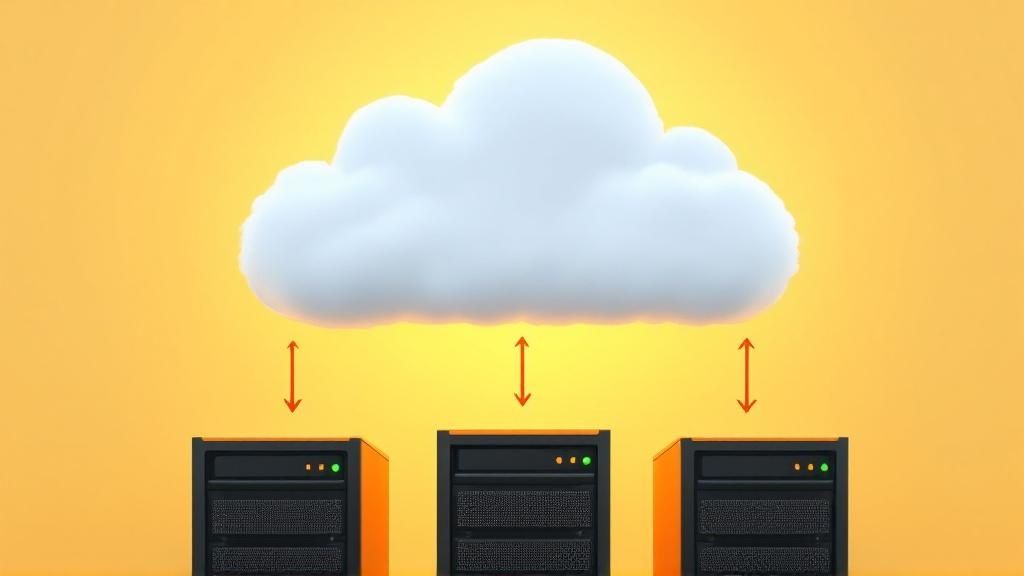
As shown above, the cloud acts as a standby data center, ready to take over operations at a moment's notice, minimizing your downtime and data loss.
How a Cloud-Based Plan Works in Practice
Let’s consider a local financial services firm. Their primary servers and applications run on-premise. Using cloud recovery services, they continuously replicate server images and data to a secure, isolated environment in Microsoft Azure. If a power outage or hardware failure takes down their local servers, you can quickly activate the virtual servers in Azure and have your team connect to the cloud environment to resume work in minutes, not days.
Strategic Insight: The key advantage of a cloud recovery plan is its speed and reduced capital expenditure. You avoid the massive cost of building and maintaining a duplicate physical infrastructure, instead paying a predictable operational fee for a far more resilient solution.
This approach transforms disaster recovery from a major capital project into a manageable operational service we can help you implement.
Actionable Takeaways for Your Business
Implementing a cloud recovery plan is a strategic move to future-proof your business continuity. For many SMBs, this is a core part of a successful IT roadmap. You can learn more by exploring this guide to cloud migration for small businesses.
Here are key actions to get you started:
- Choose the Right Provider: Select a cloud provider (e.g., AWS, Azure) with strong Service Level Agreements (SLAs), robust security, and the compliance certifications your industry requires.
- Plan Your Network: Ensure you have sufficient internet bandwidth to handle both the ongoing data replication and a full-scale recovery event. A slow connection can bottleneck your entire plan.
- Test, Test, Test: Regularly conduct recovery drills in your cloud environment. This confirms your plan works as expected and trains your team on the failover procedures.
- Optimize Your Costs: Use cloud cost management tools and storage tiering to keep expenses in check. Archive older, less critical data to cheaper storage to optimize your monthly bill.
5. Continuous Data Protection (CDP) Plan
Continuous Data Protection (CDP) represents a highly advanced approach to data security and is a powerful data recovery plan example for organizations where even minimal data loss is unacceptable. Unlike traditional backups that run on a schedule, CDP captures every single change made to your data in real time. This creates a continuous stream of backup versions, allowing you to restore to any specific point in time—right down to the second.
This method effectively eliminates the "backup window" and minimizes your Recovery Point Objective (RPO) to near zero. For businesses with high transaction volumes or critical databases, like a financial services firm in Carmel managing client portfolios, CDP provides the most granular level of protection possible. This technology ensures that in the event of a data corruption or system failure, your data loss is measured in seconds, not hours or days.
How a CDP Plan Works in Practice
Let’s explore how CDP functions for a critical system you might have. A healthcare provider in the Salinas Valley protecting electronic patient records cannot afford data gaps. With CDP, every update, entry, or modification to a patient's file is instantly replicated from the primary system to a secondary storage location. If a database becomes corrupted at 2:15:30 PM, your IT team can restore the system to its exact state at 2:15:29 PM, preventing any loss of critical patient information.
Strategic Insight: The primary advantage of CDP is its precision. It transforms disaster recovery from a blunt instrument (restoring the last nightly backup) into a surgical tool, allowing you to rewind your data to the moment just before a problem occurred.
This fine-grained control is what makes CDP essential for your mission-critical applications where data integrity and availability are paramount.
Actionable Takeaways for Your Business
While powerful, implementing a CDP plan requires careful consideration of resources and system priorities. It's a key element within the advanced data backup strategies available to Monterey Bay businesses that we help design.
Here are some key actions to take:
- Identify Critical Systems: CDP is resource-intensive. Apply it strategically to your most vital applications, such as transactional databases or core operational servers, rather than a blanket deployment.
- Monitor Storage Consumption: Because CDP captures every change, it can consume significant storage space. Implement data lifecycle policies to manage retention and archive older recovery points.
- Test Point-in-Time Recovery: Regularly conduct drills to restore systems to specific, random points in time. This validates that the technology is working as expected and ensures your team is proficient.
- Balance Cost and Coverage: Evaluate the cost of implementing and maintaining a CDP solution against the business impact of data loss for specific applications. Focus your investment where the ROI is highest.
6. Database-Specific Recovery Plan
While general backup strategies cover files and folders, your most critical business data often resides within complex databases. A database-specific recovery plan is an essential strategy tailored to protect and restore these systems using their own native features. This advanced data recovery plan example moves beyond simple file copies to ensure data consistency, integrity, and minimal downtime for your crucial applications.
Databases like Microsoft SQL Server or PostgreSQL are not single, static files; they are dynamic systems with constant transactions. A database-specific plan leverages tools like transaction logs, replication, and point-in-time recovery to protect this structured data. For a financial services firm in Salinas, this means not just restoring data, but restoring it to a precise, transactionally consistent state, preventing corruption and financial errors.
How a Database-Specific Plan Works in Practice
Let's look at a practical application for your business. An agricultural company using a custom inventory management system built on MySQL needs to ensure its data is always available during the busy harvest season. Instead of just backing up the data files nightly, you implement MySQL Group Replication. This creates a distributed, fault-tolerant cluster where if one database server fails, another instantly takes over with no data loss or interruption to your operations in the field or warehouse.
Strategic Insight: The power of a database-specific plan is its granular control. It allows you to recover to a specific point in time, such as right before a malicious transaction occurred, which is impossible with standard file-level backups.
This approach acknowledges that for your databases, the state of the data is as important as the data itself, protecting the intricate relationships between tables and records.
Actionable Takeaways for Your Business
Implementing a robust database recovery strategy is critical for any business that relies on applications for its core operations. These plans are central to preventing the kinds of disasters that can cripple a company, a topic we explore further in our lessons from major data recovery disasters.
Here are key actions to build your database-specific plan:
- Understand Recovery Models: Know the difference between Full, Bulk-Logged, and Simple recovery models in SQL Server, as each has different implications for log management and point-in-time restores.
- Manage Transaction Logs: Don't let your transaction logs grow unchecked. Implement a schedule for backing up and truncating logs to prevent disk space issues and ensure you have the files needed for a granular restore.
- Test Database Restores: Regularly practice restoring your database to a separate, non-production server. You must verify data consistency and check for any integrity issues after the restore is complete.
- Consider High Availability: For your mission-critical databases, explore high-availability options like clustering or Always On Availability Groups to minimize downtime from hours to mere seconds.
6 Data Recovery Plans Comparison
| Strategy/Plan | Implementation Complexity 🔄 | Resource Requirements ⚡ | Expected Outcomes 📊 | Ideal Use Cases 💡 | Key Advantages ⭐ |
|---|---|---|---|---|---|
| 3-2-1 Backup Strategy | Low to moderate; straightforward setup | Moderate; multiple storage media & offsite needed | Reliable data protection with redundancy | Organizations needing cost-effective, standard backup | High data protection, simple, flexible, cost-effective |
| Hot Site Disaster Recovery | High; requires duplicate infrastructure | Very high; duplicate hardware, ongoing monitoring | Near-zero downtime with instant failover | Enterprises needing continuous availability & minimal downtime | Immediate failover, real-time sync, business continuity |
| Cold Site Recovery Plan | Moderate; facility ready but no active hardware | Low ongoing; costs for space & vendor agreements | Longer recovery times; requires setup post-disaster | Organizations with longer RTOs & budget constraints | Low cost, flexible setup, shared facilities |
| Cloud-Based Recovery Plan | Moderate; depends on cloud integration | Variable; pay-as-you-go, no physical infra | Scalable, flexible recovery with global accessibility | Businesses favoring cloud agility and scalability | Lower upfront cost, rapid scalability, automation |
| Continuous Data Protection | High; complex real-time capture & management | High; storage & infrastructure for real-time data | Minimal data loss, point-in-time recovery | Critical systems requiring near-zero data loss | Granular recovery, automated, minimal data loss |
| Database-Specific Recovery | High; needs specialized DB expertise | Moderate to high; DB tools and licenses | Optimized DB recovery, data consistency | Organizations with critical database systems | DB-optimized recovery, consistency, granular restore |
Build Your Custom Recovery Plan with a Local Partner
We’ve explored a range of powerful data recovery plan examples, from the foundational 3-2-1 backup strategy to the near-instantaneous protection of Continuous Data Protection (CDP). We analyzed hot and cold sites, delved into the flexibility of cloud-based solutions, and highlighted the specific needs of database-driven applications. The central lesson is clear: a one-size-fits-all template doesn't exist. True business resilience comes from a customized, hybrid approach.
Your goal is not to simply pick one plan from this list. Instead, the real strategy lies in weaving elements from several examples into a cohesive, tiered plan that reflects your unique operational realities. A hospitality business in Monterey might prioritize a hot site for its reservation system while using a more cost-effective cloud backup for administrative files. Meanwhile, an agricultural tech company in Salinas might find a CDP plan essential for its real-time sensor data but rely on a simple cold site for historical records.
Key Takeaways for Building Your Plan
The most effective data recovery plan is one that is documented, tested, and understood by your entire team. As you move from theory to implementation, keep these core principles at the forefront:
- Prioritize and Tier Your Data: Not all data is created equal. Use a Business Impact Analysis (BIA) to identify your most critical systems and data. This allows you to apply more robust (and often more expensive) recovery solutions where they matter most, saving costs on less critical assets.
- Don't Forget the "People" Component: A plan is useless if no one knows how to execute it. Your documentation must clearly define roles and responsibilities. Who declares a disaster? Who contacts the vendors? Who communicates with employees and clients? Regular drills and training are non-negotiable.
- Test, Refine, Repeat: Your business is not static, and neither is your IT environment. A data recovery plan example is only a starting point. You must schedule regular tests, from simple file restores to full-scale simulations, to uncover weaknesses. Use these findings to continuously refine and update your plan.
Mastering these concepts is more than an IT exercise; it's a fundamental business strategy. A well-crafted data recovery plan protects your revenue, preserves your reputation, and ensures you can continue serving your clients even when the unexpected happens. It transforms a potential catastrophe into a manageable inconvenience. For businesses here in the Monterey Bay area, from Pacific Grove to Seaside, that resilience is what separates thriving companies from those that falter. Your data is the lifeblood of your business; protecting it is the ultimate investment in your future.
Don't leave your business's future to chance. The experts at Adaptive Information Systems specialize in creating custom data recovery plans that provide enterprise-level security at a price that works for local Monterey Bay businesses. Visit Adaptive Information Systems or call us to see how we can build a resilient and affordable plan for you.
Adaptive Information Systems
380 Main St, Salinas CA 93901 | 831-644-0300 | hello@adaptiveis.net