
Welcome, business owner. If you've ever felt that sinking feeling, worrying your network might fail during a packed dinner service at your Carmel restaurant or right in the middle of a major transaction at your Salinas retail store, you've come to the right place. For any local business in Monterey County, a reliable network isn't just a convenience; it's the lifeline to your customers.
Network monitoring is the continuous, proactive process of overseeing your computer network for any signs of trouble. It's about spotting everything from sluggish performance and failing hardware to emerging security threats. This isn't some IT luxury reserved for big corporations; it's an essential, affordable service that keeps your business running smoothly.
Your Business's Digital Watchtower

Think of network monitoring as a 24/7 digital watchtower for your entire business. Just as a guard on duty scans the horizon for any hint of trouble, our monitoring system constantly scans your digital infrastructure. It keeps a vigilant eye on every single component that keeps you connected and operational—from the internet connection coming into your building all the way to the point-of-sale terminals your customers use every day.
For your business in Seaside or Marina, this means having an expert team that spots problems before they can disrupt your work. The goal is to fundamentally shift you away from the old, reactive "break-fix" model, where you only call for help after something has already broken. Instead, you move to a proactive approach where issues are prevented entirely. This is the core of our mission: delivering enterprise-level IT at a price that makes sense for local SMBs like yours.
What Does Monitoring Actually Look For?
So, what is a monitoring system specifically tracking? It’s not just a simple "up" or "down" check on your internet connection. A truly robust monitoring service dives much, much deeper to ensure every piece of your system is healthy, efficient, and secure.
Here’s a quick look at what we're constantly evaluating for you:
- Device Health: We check the live status of your most critical hardware, including routers, switches, and servers. Is a key device overheating? Is a hard drive showing early signs of failure? We'll get an alert and know about it ahead of time.
- Performance Metrics: We measure your network’s speed, bandwidth usage, and latency (the dreaded lag). If customer transactions start slowing down or file transfers begin to crawl, we can quickly pinpoint the bottleneck for you.
- Security Events: We actively scan for any unusual activity, unauthorized access attempts, and the subtle signs of malware. Proactive monitoring is a crucial layer of a strong defense, a topic we cover in more detail in our guide to network security monitoring.
By continuously collecting and analyzing this data, we build a clear picture of what "normal" looks like for your specific business. When any metric deviates from that established baseline, our system instantly flags it. This allows us to investigate and resolve the issue—often before you or your team even notice a thing. This approach is all about protecting your most critical asset: your connection to your customers and the world.
How Proactive Network Monitoring Actually Works

So, how does proactive network monitoring actually keep your business running without a hitch? Let's pull back the curtain for you. It's not about waiting for something to break; it's a constant cycle of data collection, analysis, and response that serves as your business's first line of defense against downtime.
Think of your network as the irrigation system for a Salinas Valley farm. You have the main pump (your internet connection), the complex web of pipes (cables and Wi-Fi), and the sprinklers at the end of the line (your computers, printers, and POS devices). Our proactive monitoring is like installing smart sensors at every single junction, pump, and sprinkler head.
This approach ensures every piece of your digital infrastructure is healthy and performing exactly as it should. We break this methodical process down into three key stages.
Stage 1: Data Collection
First, we gather the right information. We use specialized, lightweight software agents—think of them as those smart sensors—installed on every critical device in your network. These agents constantly collect performance data in the background without ever slowing you down.
This isn't just about checking one or two things. It's a comprehensive look at your network's health at any given moment.
We collect key metrics for you like:
- Bandwidth Usage: How much data is flowing through your network? Is it consistent with your normal day-to-day operations?
- Device Health: Is the CPU on your main server running too hot? Is a workstation's hard drive showing early signs of failure?
- Latency and Packet Loss: How fast is data moving between devices? Are tiny bits of information getting lost along the way, causing frustrating slowdowns for your team?
Stage 2: Anomaly Detection
Next, all this raw data streams to a central platform for real-time analysis. The magic here is establishing a performance baseline—a detailed profile of what "normal" looks like for your specific business. After all, the network needs for a hospitality business during Monterey Car Week are very different from a quiet Tuesday morning in an accounting office.
Our system learns your unique operational rhythms. When it detects a deviation from this established baseline—like a sudden traffic spike from an unknown source or a POS terminal that starts lagging—it instantly flags it as an anomaly. This is how we turn raw data into actionable intelligence for you.
Stage 3: Alerting and Resolution
Once an anomaly is flagged, our system generates an instant, detailed alert that goes directly to our team of technicians. This isn't a vague "something's wrong" message; it provides the specific data needed to start diagnosing the root cause immediately.
This final step is what makes the service truly proactive. We often get an alert, pinpoint the problem, and resolve it completely behind the scenes. For you, this means a potential crisis—like a server about to fail or a brewing security threat—is handled before you or your staff even realize there was a problem.
What Are The Core Components of a Modern Monitoring System?
An effective network monitoring service isn't just one tool; it's a complete system with several key pillars working together. Think of it like a full diagnostic checkup for your car—you wouldn't just check the tires and ignore the engine. To get the full picture of your network's health, you need to look at its hardware, performance, and security all at once.
Understanding these individual parts helps you see why a managed service from a trusted IT partner offers so much more protection and value than basic, off-the-shelf software. It’s all about creating a complete, 360-degree view of your digital operations.
This infographic breaks down the main benefits you get when all these components work in harmony.
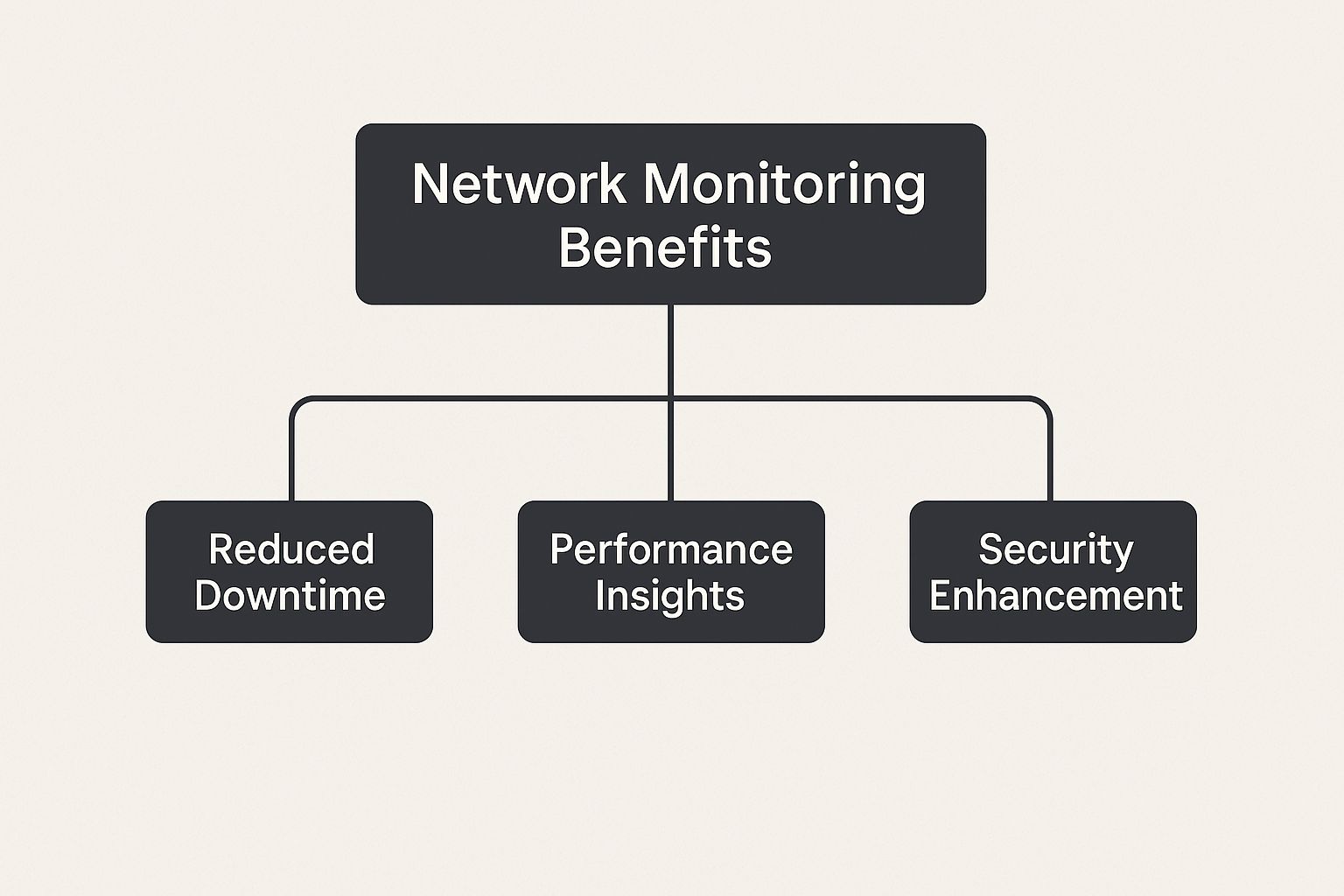
As you can see, these pillars directly support your core business goals by slashing downtime, boosting performance, and tightening up your security.
To give you a clearer picture, let's break down the essential elements that a comprehensive monitoring service should include and what they actually do for your business.
Key Components of Network Monitoring
| Component | What It Does for You | Why It Matters for Your SMB |
|---|---|---|
| Device Health Monitoring | Keeps a constant watch on the physical health of your hardware like servers, routers, and switches. | It catches failing parts before they cause a complete outage, preventing costly downtime and disruption for you. |
| Performance Monitoring | Measures network speed, latency (lag), and overall uptime to ensure everything runs smoothly. | Guarantees you fast, reliable access to your apps and data, keeping your team productive and your customers happy. |
| Security Monitoring | Actively scans your network traffic for suspicious activity, unauthorized access attempts, and other cyber threats. | Acts as your digital watchdog, protecting your sensitive business and customer data from breaches and attacks. |
Each of these components plays a critical role. When they're combined, you get a powerful, proactive system that keeps your business running securely and efficiently. Let's dig a little deeper into each one.
Device Health Monitoring
At the most basic level, we track the physical health of your most important hardware. Your business relies on routers, switches, firewalls, and servers to function. If one of them goes down, your entire operation can grind to a halt.
Device health monitoring acts as your digital early-warning system. It’s constantly on the lookout for the subtle signs of trouble, such as:
- A server in your back office that’s starting to overheat.
- A hard drive showing early read/write errors, signaling it's about to fail.
- A firewall that’s struggling to keep up with incoming traffic.
By catching these things early, we can step in to schedule maintenance or replace a failing part before it causes a surprise outage that costs you time and money.
Performance and Security Monitoring
Beyond just the hardware, we also monitor how your network actually performs and how secure it is from threats.
Performance monitoring is all about measuring speed, latency (the technical term for lag), and uptime to make sure your day-to-day operations run like a well-oiled machine. For businesses here in the Monterey Bay, from hospitality to education, that means fast credit card processing, reliable access to cloud applications, and a smooth digital experience for both your employees and your customers.
Security monitoring, which is arguably the most critical piece, actively watches for unauthorized access, malware, and other cyber threats. It analyzes traffic patterns for anything that looks suspicious, ensuring your business and customer data stay locked down and protected. To see what this looks like in practice, you can explore our detailed guide to the specific network performance monitoring tools we trust.
The Tangible Business Benefits of Network Monitoring

So, beyond the technical jargon, what does network monitoring actually do for your business? For your company here in Seaside or Pacific Grove, the answer comes down to real-world results that directly impact your bottom line. It’s not just about keeping the lights on—it’s about protecting your revenue, boosting your productivity, and securing your future.
The most immediate payoff for you is enhanced reliability and drastically reduced downtime. Every minute your network is offline is a minute you can't process payments, serve customers, or access crucial files. Proactive monitoring catches problems early, keeping these costly disruptions to a minimum and ensuring your business stays stable and your customer trust stays high.
This shift to proactive management is why the network monitoring market is booming. Valued at roughly $2.5 billion in 2025, it's projected to grow significantly as more businesses realize it's no longer optional. This growth is fueled by today's complex IT environments, from cloud services to the constant need for robust security, making monitoring a vital service for companies of all sizes. You can explore more research on this market trend to see how it’s shaping IT strategies.
Faster Problem Resolution and Tighter Security
When something does go wrong, speed is everything. With a great monitoring system in place, our technicians get instant, detailed alerts that let us pinpoint the root cause remotely. This means we often diagnose and fix issues in minutes, without you having to pay for a time-consuming on-site visit.
Think about the difference: Instead of you calling us in a panic because your system is down, we’re calling you to say, "We detected a potential issue and have already resolved it." That's the power of proactive service.
On top of that, constant monitoring is your first and best line of defense against cyber threats. It functions like a digital alarm system, spotting suspicious activity before it can escalate into a full-blown data breach. For any local business that handles customer information, this isn't just a nice-to-have; it's an absolute necessity for you.
Long-Term Cost Savings and Predictable Budgeting
Finally, one of the biggest wins for you is moving away from unpredictable, emergency IT spending. Sudden equipment failures and emergency repairs can easily cripple an SMB's budget, but proactive monitoring helps prevent these major crises from ever happening.
By identifying and fixing small issues before they become catastrophic failures, you can:
- Extend the lifespan of your existing hardware, getting more value out of your investments.
- Avoid expensive rush charges for emergency repairs and replacement parts.
- Prevent productivity losses that stack up when your team can't work due to an outage.
This whole approach is how we deliver on our promise of providing enterprise-level IT at a price that makes sense for local businesses like yours. It transforms your technology from a source of potential financial headaches into a stable, predictable, and powerful asset for your company.
Choosing the Right IT Partner in the Monterey Bay Area
Picking a partner to manage your network isn't just about finding someone who knows tech. It’s about finding a team that gets your business and understands the local landscape here in the Monterey Bay Area. Let's be honest, not all IT providers are created equal.
You need a partner who recognizes the unique pressures of our local industries—whether it’s the non-stop pace of hospitality in Monterey or the technology-fueled agricultural work happening in Salinas. A generic, one-size-fits-all approach just doesn't cut it for you.
Your IT partner should feel like an extension of your own team, a strategic asset invested in your growth—not some faceless help desk on the other side of the country. This means finding a team that values clear communication and builds solutions that fit your mission and your budget.
Key Questions to Ask a Potential IT Provider
Before you sign on the dotted line, you have to ask the right questions. The answers you get will tell you everything you need to know about their skills, their transparency, and how much they actually care about helping businesses like yours succeed.
Here’s a practical checklist to get the conversation started:
- What is your average response time for critical alerts? You need a team that jumps into action to prevent downtime, not one that lets a critical alert sit in a queue for hours.
- Can you describe the monitoring tools you use? A true professional can easily explain their tech stack and how their tools offer far deeper insights than the basic, off-the-shelf software anyone can buy.
- Do you have experience with businesses in our industry? Whether you’re running a boutique in Carmel or a non-profit in Seaside, a partner with relevant experience already understands your operational flow and the specific challenges you face.
- What does your pricing structure look like? Don't settle for vague answers. Insist on clear, predictable pricing without hidden fees. Your IT budget should be a stable, known expense, not a source of monthly surprises.
Finding the right fit is about more than just technical chops. It's a mix of skill, a real local presence, and a genuine commitment to helping you reach your business goals. A local provider also brings the huge advantage of being able to show up on-site when a remote fix just won't cut it.
Ultimately, you’re searching for a partner, not just another vendor. For a deeper dive into what to look for, our guide on selecting the best IT service providers can give you the knowledge you need to make a confident choice and find a team that will truly help your business thrive.
Common Questions About Network Monitoring
As a business owner, you need clear, direct answers before making any investment in your technology. We’ve heard the same practical questions from many local businesses, so we’ve put together straightforward answers to help you understand what network monitoring really means for your company.
How Much Does Network Monitoring Cost a Small Business?
This is often the first question we get, and the honest answer is: it depends on your specific needs. The cost is scaled to fit the size and complexity of your network—from a small cafe in Monterey to a larger agricultural operation in Salinas.
We design our services to be affordable and predictable. Think of it not as a huge capital expense, but as a small, fixed monthly operational cost. This modest investment is meant to prevent the massive, unexpected repair bills that come from surprise equipment failures or a major security breach, delivering on our mission of "enterprise-level IT at an affordable price."
Will Monitoring Slow Down My Internet Connection?
This is a very common myth, but the answer is a firm no. Modern monitoring tools are incredibly lightweight and built to run silently in the background. They use such a tiny amount of your network's resources that you and your team will never even notice they’re there.
In fact, the exact opposite is true. Our main goal is to improve your network's speed and reliability. By finding and fixing the hidden issues that are already causing slowdowns, we actually make your connection faster and more dependable for everyone.
The real drag on your network isn't the monitoring tool; it's the unresolved bottlenecks, failing hardware, and security gaps that the tool is designed to find and fix.
Can't I Just Use Free Tools to Do This Myself?
While free tools are out there, they simply don't hold a candle to a professional, managed service. Free software typically has very limited features, comes with zero expert support, and forces you to do all the heavy lifting of checking logs and figuring out what the data means.
A managed service, on the other hand, provides 24/7 expert oversight from a dedicated team. It includes proactive security responses to neutralize threats before they can do damage and a much more complete feature set. For a deeper look at what proactive protection involves, check out our small business guide to network security. This comprehensive approach gives you true peace of mind, knowing your network is always in good hands.
We're Your Local IT Partner
From proactive network monitoring to comprehensive IT support in Salinas, we're committed to being the local, reliable partner you can always count on. Think of us as your dedicated tech team, right here in the community.
Adaptive Information Systems
380 Main St, Salinas CA 93901 | 831-644-0300 | hello@adaptiveis.net