
At its core, Network Security Monitoring (NSM) is the practice of keeping a constant, watchful eye on your company's network. It's about looking for suspicious activities, unauthorized access, or anything else that smells like trouble. Think of it as a 24/7 digital watchdog for your most critical business assets, helping you spot problems before they turn into full-blown disasters.
Why Network Security Monitoring Is Your Digital Watchdog
For a small or mid-sized business, not having a clear view of your network is like leaving your front door wide open overnight. You’re essentially inviting trouble in. Network security monitoring isn’t some expensive luxury for massive corporations; it's a fundamental part of staying in business. Without it, you’re flying blind against a storm of automated and targeted attacks that happen every single day.
This constant vigilance is what separates a minor hiccup from a major data breach that could shut you down for good. The goal is simple: shift from reacting to a mess to proactively spotting and stopping threats before they can do any real damage.
From Vulnerability to Resilience
Every business, no matter its size, has valuable data. We’re talking customer lists, financial records, and private company information. Just one security breach can cause a ripple effect of damage that goes far beyond the initial financial hit.
Just think about the potential fallout:
- Reputational Harm: Once customer trust is gone, it's incredibly hard to win back. A public breach can stain your brand's reputation for years.
- Financial Penalties: If you handle sensitive data, falling out of compliance with regulations like HIPAA or PCI DSS can lead to massive fines.
- Operational Downtime: Every hour your systems are down is an hour of lost revenue, productivity, and customer goodwill.
Network security monitoring is your early warning system. It gives you the context to understand not just that something is wrong, but what it is, where it’s happening, and—most importantly—how to fix it.
To drive this home, let's look at the foundational goals of any solid NSM strategy. These principles are what transform monitoring from a simple tech task into a powerful business shield.
Core Principles of Network Security Monitoring
| Principle | Objective and Business Impact |
|---|---|
| Visibility | To see all activity across the network. Without visibility, you can't detect threats, making you vulnerable to unseen attacks that compromise data and operations. |
| Detection | To identify suspicious patterns and known threats in real-time. This allows for rapid response, minimizing the potential damage from a breach. |
| Response | To provide the necessary data to contain and neutralize a threat quickly. This reduces downtime, limits financial loss, and protects your reputation. |
| Verification | To confirm that security policies are working as intended. This ensures compliance with industry regulations and prevents misconfigurations from becoming security holes. |
Ultimately, these principles work together to build a resilient and secure environment, giving you the confidence to focus on growing your business.
More Than Just a Security Tool
Good network security monitoring does more than just stop bad guys; it’s also a source of incredible business insight. By watching your network traffic, you can uncover operational inefficiencies, misconfigured devices, and unauthorized software that might be slowing everything down. Once you understand what "normal" looks like, you can fine-tune your network for smoother, more reliable performance.
This isn't just a niche concern—it's a global priority. The network security market is expected to hit nearly US$27.98 billion by 2025, a clear sign that businesses everywhere are waking up to the need to protect their digital assets.
For businesses just getting started on this journey, it’s vital to nail the fundamentals. Our small business guide to network security is a great place to begin building a solid defensive posture. At the end of the day, NSM delivers the peace of mind that comes from knowing your digital front door is always locked and guarded.
The Building Blocks of a Modern NSM Strategy
To build an effective network security monitoring strategy, you can't just rely on a single tool. It’s more like assembling a specialized security detail for your digital office. Each member of the team has a distinct role, and when they work together, they create a layered defense that's far stronger than any one solution could ever be on its own.
Let’s pull back the curtain on the core components and cut through the jargon to see how each piece contributes to your overall safety. These are the foundational tools that turn a flood of abstract data into real, actionable security intelligence.
The Motion Detectors: Intrusion Detection Systems
First on the scene are Intrusion Detection Systems (IDS). Think of these as the high-tech motion detectors and digital tripwires you’d install around your office perimeter and down every hallway. An IDS constantly scans all the traffic flowing through your network, looking for tell-tale patterns of malicious activity—what the pros call "signatures."
When it spots something suspicious, like a known malware signature or a strange port scan, it immediately sounds the alarm. Its job isn't to stop the threat itself but to give your security team that critical first warning that something’s wrong. That early heads-up is absolutely vital for a fast response.
The Central Command Hub: SIEM
With alarms potentially blaring from dozens of different systems, you need one central place to make sense of it all. This is where a Security Information and Event Management (SIEM) system steps in. A SIEM acts as the central command hub for your entire security operation.
It pulls in all the alert data and log files from your other tools—your IDS, firewalls, servers, and computers—and puts them on a single, unified dashboard. By correlating events from all these different sources, a SIEM can connect the dots and spot larger attack campaigns that might otherwise fly under the radar.
Instead of having your team sift through thousands of individual alerts, a SIEM filters out the noise. It gives them a clear, prioritized view of genuine threats so they can focus on what actually matters.
This consolidation is essential for handling the sheer volume of security data that modern networks generate. It transforms an overwhelming flood of information into a manageable stream of credible security incidents.
The Official Record Keeper: Log Management
While a SIEM is fantastic for real-time analysis, you also need a way to look back and investigate what happened in the past. This is the job of log management. Think of your log management system as the meticulous, detail-obsessed record-keeper for your entire network. It collects, stores, and indexes every single log file generated by your IT infrastructure.
These logs are the digital equivalent of an official transcript, recording every action that takes place. After a security incident, these records become priceless for forensic analysis. They let your team rewind the tape and see exactly what happened, step-by-step.
This detailed history is critical for:
- Incident Investigation: Tracing an attacker's path through your network to understand the full scope of a breach.
- Compliance Audits: Proving you're following regulations like HIPAA or PCI DSS by providing a complete audit trail.
- Root Cause Analysis: Pinpointing the underlying vulnerability that was exploited so you can prevent similar attacks from happening again.
The Security Camera Footage: Packet Capture
Finally, when you need the most granular level of detail possible, you turn to full packet capture (PCAP). If log management is the written record of events, then PCAP is the high-definition security camera footage of your network traffic. It captures and stores a copy of every single data packet that travels across your network.
When an investigation requires an undeniable source of truth, analysts use PCAP data. It allows them to reconstruct entire digital conversations, examine the exact contents of malicious files, and see precisely what data was stolen. It can be resource-intensive, but having this level of detail is invaluable for investigating the most sophisticated and critical security events.
Together, these building blocks form a cohesive and robust network security monitoring framework, giving you both the real-time alerts and the deep investigative power needed to protect a modern business.
From Alert to Action: The NSM Workflow
Having the right security tools is like having a well-stocked toolbox. But their real power is only unlocked when you follow a clear, repeatable process. This is the network security monitoring (NSM) workflow—a playbook that turns raw data into decisive action. It’s the sequence your digital first responders follow every time an alarm sounds, ensuring threats are handled methodically and effectively.
Let's make this tangible. Imagine an employee’s laptop, connected to your company network, unknowingly tries to visit a website known for distributing malware. That single event kicks off a structured, four-stage workflow designed to protect your business from the potential fallout.
The infographic below shows what a security analyst sees during this process, with dashboards lighting up with critical information.
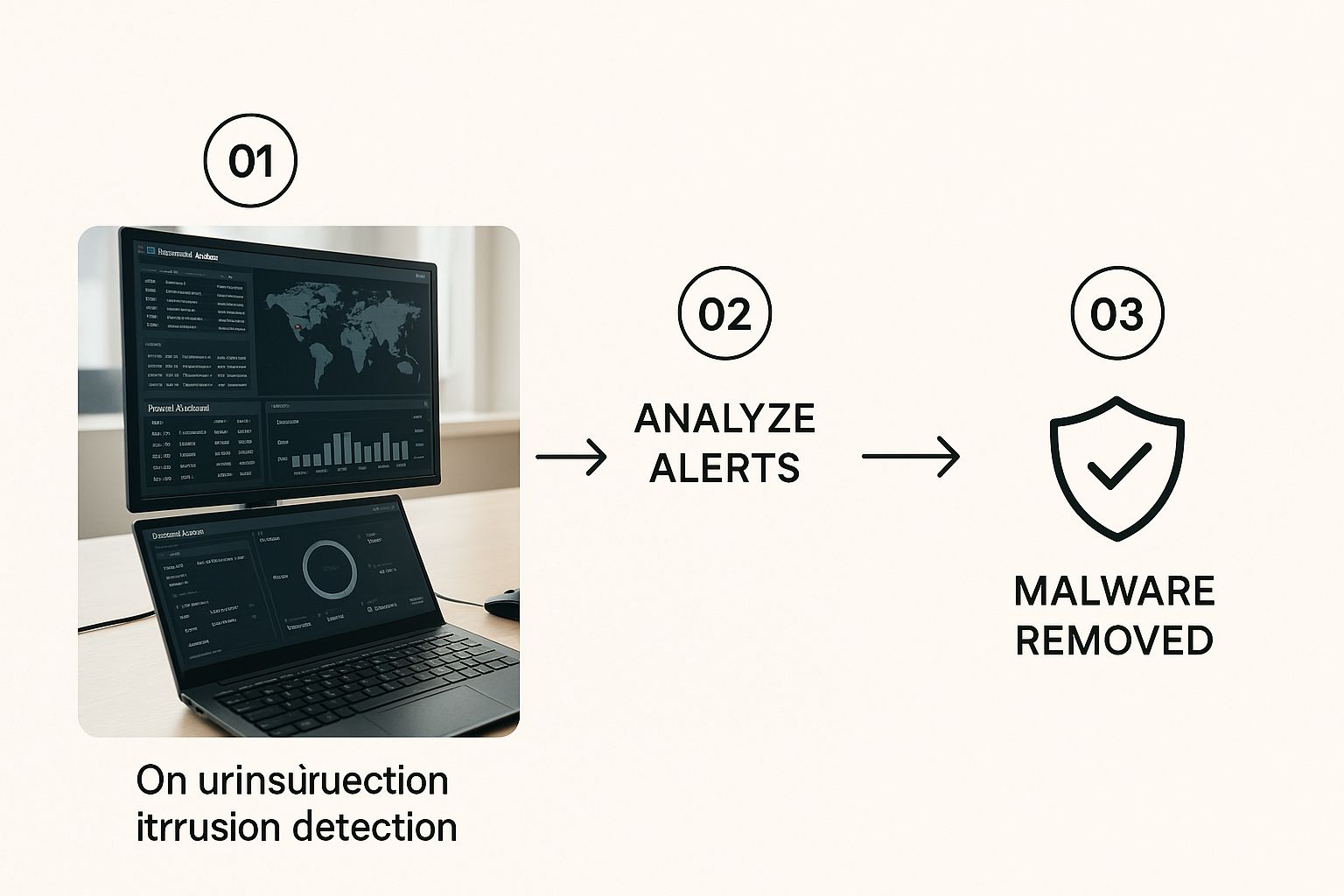 cybersecurity analyst’s workstation with intrusion detection software and firewall dashboards on screens.”>
This gives you a sense of how data flows from collection all the way to response, giving analysts a central command center to make faster, better-informed decisions.
Stage 1: Collection – The Digital Dragnet
The entire process kicks off with Collection. At this stage, your security systems cast a wide digital net across your entire network to gather as much information as possible. This isn't just a quick scan; it's a comprehensive data-gathering operation.
This data flows in from multiple sources, including:
- Firewall logs showing what connections are allowed or blocked.
- Intrusion Detection System (IDS) alerts flagging suspicious patterns.
- Server and endpoint logs that detail user activities and system events.
- Full packet capture (PCAP) data, which records the raw network traffic itself.
This first step is all about visibility. You simply can't protect what you can't see, making this the non-negotiable foundation of the entire process.
Stage 2: Detection – Finding the Needle in the Haystack
With all this data collected, the Detection stage begins. Now, your automated security tools get to work. Think of them as highly trained bloodhounds, sniffing through mountains of information to find any sign of trouble. This is where systems like your SIEM and IDS compare network activity against known threat signatures and established behavioral baselines.
In our scenario, the IDS would flag the outgoing connection to the malicious website. It recognizes the destination as a known-bad domain from its threat intelligence feeds and instantly generates an alert. This is the moment a potential threat is officially spotted.
The Goal of Detection: The real objective here isn't just to generate alerts, but to generate high-fidelity alerts. This means cutting down on the false positives so your human analysts can focus their energy on real, credible threats instead of chasing ghosts.
Stage 3: Analysis – The Human Element
An alert on its own is just noise. The Analysis stage is where a human expert steps in to provide context and figure out if the threat is real. This is arguably the most critical part of the workflow, separating genuine incidents from harmless blips on the radar.
An analyst will dig into the alert from the Detection stage. They’ll start asking questions:
- Is this a true positive, or just a false alarm?
- Which user and device are involved?
- Did any sensitive data actually leave our network?
- Is this a one-off event, or is it part of a bigger, coordinated attack?
By cross-referencing logs and packet data, the analyst confirms the employee's laptop did, in fact, try to connect to a malicious site. This verification turns a simple automated alert into a confirmed security incident, clearing the way for action.
Stage 4: Response – Neutralizing the Threat
Finally, with a confirmed threat on our hands, the workflow moves to Response. This is where your team takes decisive, immediate action to contain the threat and prevent any damage. Following a pre-defined incident response plan, the team executes specific, practiced steps to shut the problem down.
For our compromised laptop, the response might look something like this:
- Immediately isolate the device from the network to stop any malware from spreading.
- Block the malicious website at the firewall level for all company users.
- Run a full malware scan on the affected laptop to clean it.
- Notify the employee and provide a quick reminder on security awareness.
This coordinated response ensures the threat is handled swiftly and completely. Not only does it protect your business right now, but it also helps strengthen your defenses for the future. You can learn more about how we implement these critical security measures by exploring our network security services in Monterey.
Implementing NSM Without the Overwhelm
So, you understand the what and why of network security monitoring. But moving from theory to practice can feel like staring up at a mountain, especially when you’re running a growing business.
The secret? Don’t try to climb it all at once. A smart implementation is a phased, strategic approach that builds security momentum without grinding your operations to a halt. It all starts with one simple question: what does a normal day on your network look like?
You can't spot a stranger in a crowd if you don't recognize your own team. The first and most critical step is to establish a baseline of your network’s typical behavior. This means taking the time to observe and document the everyday flow of data—which apps are constantly in use, what servers talk to each other, and how much traffic you see during business hours versus overnight. This baseline is your picture of "normal," and anything that deviates from it will stick out like a sore thumb.
Start with Your Most Valuable Assets
Trying to lock down every single device on your network from day one is a recipe for frustration. It's not practical, and frankly, it's not necessary. A much smarter strategy is to start small by focusing on what truly matters.
Begin by identifying your crown jewel assets—the servers, databases, or systems that are absolutely vital to keeping your business running. Is it your customer database? Your financial server? The application your team lives in all day?
Protecting these high-value targets first gives you the biggest security bang for your buck. This focused approach lets you dial in your monitoring processes on a manageable scale before you expand your coverage outward. It’s a practical way to manage your resources while dramatically lowering your risk right from the start.
Create a Formal Incident Response Plan
Detecting a threat is only half the battle. If an alarm goes off and nobody knows what to do, that moment of detection can quickly dissolve into chaos, leading to slow responses and much bigger problems. An Incident Response (IR) Plan is your team's playbook for handling a security event.
A documented plan transforms panic into procedure. It ensures that everyone knows their role, what steps to take, and who to contact, turning a high-stress situation into a structured, efficient process.
Your IR plan doesn’t need to be a hundred-page novel. Start with the essentials and make sure everyone on your team knows where to find it.
A solid IR plan should include these four things:
- Defined Roles and Responsibilities: Who’s in charge? Spell out who handles communication, who performs the technical containment, and who makes the final decisions during a crisis.
- Step-by-Step Procedures: Outline the immediate actions. This could be as simple as isolating an infected laptop from the network or blocking a malicious IP address at the firewall.
- Communication Protocols: Detail how and when you’ll notify internal stakeholders, leadership, and—if it comes to it—your customers or other external parties.
- Contact Lists: Keep an up-to-date list of key people, both inside your company and external partners like your IT service provider.
Test Your Defenses and Train Your People
A security plan gathering dust in a folder is worthless. You have to test your defenses regularly to make sure they actually work. This can be as simple as running controlled "tabletop exercises" where your team walks through a hypothetical security incident, following the IR plan step-by-step. These drills are invaluable for finding the gaps in your plan before a real attacker does.
Just as important is training your team. A staggering 95% of cybersecurity breaches are caused by human error. Your employees are your first line of defense, and empowering them with knowledge is one of the most effective security investments you can make.
This training should be ongoing and cover the basics, like:
- How to spot phishing emails and suspicious links.
- The importance of strong, unique passwords and using multi-factor authentication.
- Why they need to report strange activity immediately, no matter how small it seems.
By combining a solid baseline, a focused asset protection strategy, a clear response plan, and continuous testing and training, you can implement effective network security monitoring without the overwhelm. It’s how you build a strong, layered defense that grows right alongside your business.
When to Partner with a Security Expert
Let’s be honest. Very few small or mid-sized businesses have a dedicated team of cybersecurity experts watching the monitors around the clock. The reality for most is that IT and security duties fall on a small team—or even a single person—who is already juggling a dozen other critical tasks.
While your in-house efforts are important, effective network security monitoring is a full-time job. It demands constant vigilance and a highly specialized skill set that’s often just out of reach. This is precisely where a strategic partnership can be a game-changer.
Bringing on a Managed Security Service Provider (MSSP) isn’t just about outsourcing a task; it's about forming an alliance to protect your company's future. It’s a way to get enterprise-grade technology and a deep bench of security pros for a fraction of what it would cost to build that team yourself.
Closing the Critical Skills Gap
The cybersecurity world is facing a massive talent shortage. This makes finding, hiring, and keeping qualified security analysts incredibly difficult and expensive for SMBs. An MSSP closes this gap instantly.
You get immediate access to a team whose entire job is to stay ahead of new threats, manage complex security tools, and respond to incidents 24/7. This frees up your internal people. Instead of chasing down alerts and patching systems, they can focus on what they do best: driving your core business, supporting employees, and working on projects that actually generate revenue.
Partnering with an MSSP isn’t admitting defeat—it's making a smart business decision. You're bringing in specialized reinforcements to guard your most critical assets so your team can focus on growth and innovation.
Ultimately, this move provides priceless peace of mind. Knowing a dedicated team of experts is watching over your network lets you operate with confidence, secure that your digital front door is locked and guarded by seasoned professionals.
Accessing Enterprise-Grade Technology and Intelligence
Top-tier network security monitoring tools are powerful, but they're also complex and carry a hefty price tag. An MSSP has already made the huge investment in this technology, from sophisticated SIEM platforms to advanced threat intelligence feeds.
By partnering with them, you get the benefit of this powerful arsenal without the prohibitive upfront cost or the ongoing expense of maintenance and licenses. This is a huge leg up for SMBs. It effectively levels the playing field, giving you the same caliber of protection that was once only available to massive corporations.
- Cost Efficiency: You can skip the huge capital expense of security software and hardware. An MSSP offers a predictable, operational expense model.
- Advanced Tools: You get to use a suite of best-in-class security tools that are constantly updated and managed by people who live and breathe this stuff.
- Threat Intelligence: Your defenses are fueled by up-to-the-minute intelligence on global threats, fed directly into the systems protecting your network.
This economic reality is a major reason the security market is growing so fast. The U.S. network security market was valued at USD 5.3 billion in 2024 and is projected to nearly double to USD 11.6 billion by 2033. This growth is driven by the sheer frequency and cleverness of modern cyberattacks. You can check out the full analysis of the U.S. network security market projections on imarcgroup.com.
A Strategic Alliance for Your Future
At the end of the day, the decision to partner with a security expert is about future-proofing your business. As your company grows, so does your attack surface. An MSSP provides a security solution that can scale right alongside you, adapting to new challenges and making sure your defenses stay strong.
For businesses in our area, understanding the local threat landscape is crucial, a topic we dive into in our guide to Monterey cybersecurity. This kind of partnership delivers more than just technology; it gives you a strategic security roadmap, helping you navigate compliance, risk, and the constantly shifting world of cyber threats.
Answering Your Top NSM Questions
Even after you get a handle on what network security monitoring is and why it's so important, a few practical questions always pop up. As a business owner, you need straight answers to make smart decisions about protecting your company.
Let's tackle the most common questions we hear from businesses just like yours. Our goal is to clear up any confusion and give you the confidence to take the next step.
How Is NSM Different from Antivirus Software?
This is a big one, and the difference is crucial. Think of your company's security like protecting your home.
Your antivirus software is like the lock on your front door. It’s built to stop known threats—like a common burglar—from getting onto a single computer. It’s an absolute must-have, but it only does one specific job.
Network security monitoring, on the other hand, is the complete security system for your entire property. It's the motion detectors in the yard, the cameras on the walls, and the central alarm that alerts you to any suspicious activity, anywhere.
NSM isn’t just looking at one device; it watches the conversations and data flowing between all your devices. It’s designed to spot sneaky behaviors that antivirus software would completely miss, such as:
- A printer on your network suddenly trying to access your accounting server.
- An employee's laptop quietly sending small, encrypted bits of data to an unknown server overseas.
- Unusual scanning from within your network, which could mean an attacker is already inside and mapping out their next move.
Antivirus protects individual devices from known dangers. Network security monitoring protects your entire business by analyzing how everything communicates. They aren't an either/or choice; they are essential layers in a strong security plan.
Will Continuous Monitoring Slow Down Our Network?
It’s a totally fair question. The idea of constantly "watching" every piece of data sounds like it could create a massive traffic jam on your digital highway.
Fortunately, modern network security monitoring tools are designed to be incredibly efficient. They stay out of your way.
Most monitoring is done passively. Instead of sitting in the middle of the road checking every car (which would definitely cause slowdowns), the monitoring tools sit off to the side. They analyze a copy of the traffic, not the live flow itself.
Think of a traffic engineer studying a video feed of an intersection instead of standing in the middle of it with a clipboard. They get all the information they need to spot problems without ever slowing down a single car. That's exactly how most NSM tools work. The performance impact is so tiny, it's usually immeasurable. Your team and customers will never notice a thing.
What Is a Realistic Budget for NSM?
Here's the good news: the cost of network security monitoring has become much more affordable for small and mid-sized businesses, especially when you weigh it against the devastating cost of a data breach. There’s no single price tag, as the budget depends on a few key things:
- Your Network's Size and Complexity: How many computers, servers, and users do you need to cover?
- The Service Level You Need: Do you just need basic monitoring and alerts, or a fully managed 24/7 service that includes responding to incidents?
- In-House vs. Partner: Trying to build an in-house security team is extremely expensive when you add up salaries, training, and technology. Partnering with a Managed Security Service Provider (MSSP) is almost always the more cost-effective route.
For most SMBs, working with an MSSP like Adaptive is the most realistic path. You get access to world-class tools and expertise for a predictable monthly fee. This approach turns a massive, unpredictable capital expense into a simple, manageable operational one.
How Quickly Can We Implement an NSM Solution?
Getting started with network security monitoring is much faster than most people think, particularly when you have an experienced partner guiding the way. A typical rollout follows a clear, phased approach that focuses on reducing your biggest risks first.
Here’s what a general timeline looks like:
- Discovery and Planning (1-2 weeks): We start by getting to know your network, identifying your most critical assets (your "crown jewels"), and setting clear monitoring goals.
- Deployment and Configuration (1-2 weeks): Next, your partner deploys the necessary sensors and configures the system to start collecting data. This is where we begin to build a picture of what "normal" activity looks like on your network.
- Tuning and Optimization (Ongoing): In the first few weeks, the system is fine-tuned to your specific environment to cut down on false alarms and make the alerts more meaningful.
From start to finish, you can have a powerful and effective network security monitoring system up and running within a month. The entire process is designed to be smooth and non-disruptive, so you can gain crucial security insights without interrupting your day-to-day business.
Ready to stop guessing and start protecting? The team at Adaptive Information Systems specializes in delivering enterprise-level security solutions that fit the needs and budgets of small and mid-sized businesses. Let us show you how affordable and effective true network security can be. Get in touch with us today at https://adaptiveis.net to secure your business's future.