
Have you ever wondered how to organize computer files for your business? The answer is simpler than you think. You need a good folder setup, a clear way to name your files, and a little bit of upkeep. This isn't just about being neat. It's about creating a system that stops digital messes before they start, making it easy to find any file you need, right when you need it. For businesses here in Salinas, this simple change can save you a surprising amount of time and money.
Why Digital Organization Is Crucial for Your Salinas Business
When you're running a business in Salinas, every minute counts. How much time do you and your team lose each week just looking for an invoice, a client proposal, or an important report? This digital disorganization is more than just a small bother—it's a direct hit to your profits.
The Hidden Costs of Digital Clutter
A messy digital workspace is a major problem for local businesses, whether you're in the agriculture industry or running a hospitality service in Monterey. It’s a quiet issue that eats away at your efficiency every single day.
Think about this: studies show that workers can spend about 30% of their day just searching for documents. That’s a huge amount of lost time, and it all comes from messy folders and not having a good way to find things. This slows down productivity for the whole company.
The problem gets worse when people work from home. Without a central, logical system, everyone saves files wherever it’s easiest for them. This creates nightmares with different file versions and leaves important data scattered all over the place.
Reclaiming Your Lost Time and Productivity
The good news? It’s easier than you think to get that time back. You don’t need complex or expensive software to get organized. To end the digital chaos and stop wasting time, you just need to use effective strategies for organizing digital files that your whole team can follow.
This guide gives you a simple, step-by-step way to organize your files. You can get big-company efficiency without the big-company price tag. We'll show you the exact steps to create a system that finally works for you, not against you.
Building Your Digital Filing Cabinet
Before you get organized, you need a plan. Think of it like setting up a real filing cabinet. You wouldn’t just throw papers into random drawers. You’d get folders, label the drawers, and create a system. Your digital world needs the same care to keep it from becoming a chaotic mess.
This structure is the foundation for everything else. When you have a logical folder system, anyone on your team can find what they need, whether they’re in the office in Marina or working from home. It’s a simple change that builds consistency and saves time every single day.
Start With High-Level Categories
First, think about the main parts of your business. These will become your main folders. Don't make it too complicated. You're looking for broad, simple categories that everything else can fit into.
For most businesses around Monterey County, it looks something like this:
- Clients: A home for everything related to each client you work with.
- Finance: The place for all money-related files—invoices, receipts, tax documents, and payroll.
- Marketing: This is where your brand files, social media posts, and campaign materials will live.
- Admin/Operations: Think of this as the internal hub for HR files, company policies, and procedures.
- Projects: Perfect for internal work or one-off projects that don’t fit under a specific client.
Organizing this way—from broad to specific—is much better than sorting by date or employee name. It groups information by its purpose, which is how our brains naturally look for things.
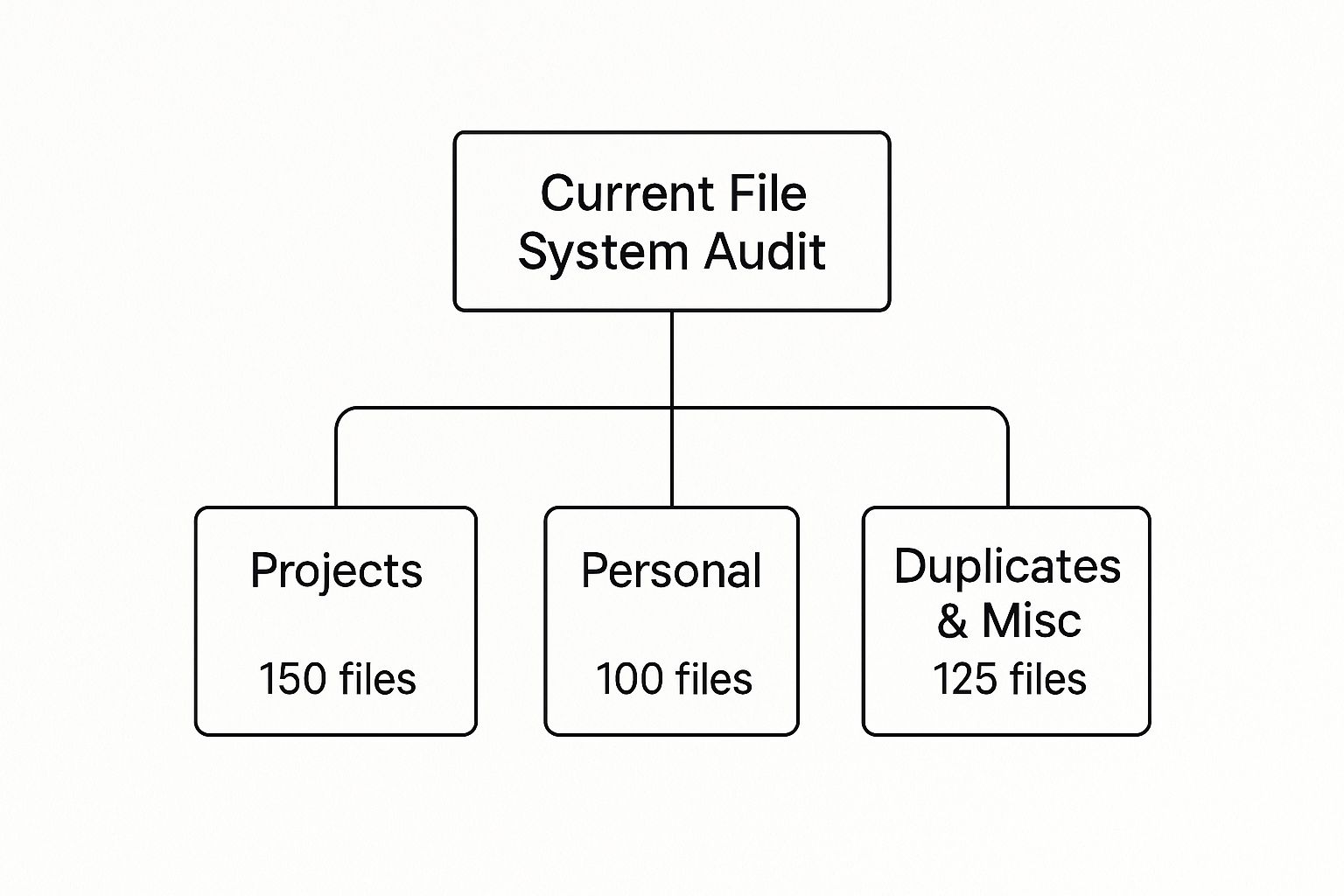
A quick look at your current files will probably show you how scattered things are. It’s common to find hundreds of documents in the wrong project folders, buried in personal folders, or just sitting in a messy pile of duplicates.
Tailor the Structure to Your Industry
Once you have your main categories, you can create subfolders that make sense for your business. This is where you can customize things for your industry. A system that works for a law firm in Monterey won't be right for an agricultural supplier in Salinas.
Let’s look at a couple of local examples:
- A hospitality business in Carmel might set up its
Clientsfolder by event name, then create subfolders forContracts,Vendor Invoices, andGuest Communications. - An agricultural company in Salinas could organize a
Projectsfolder byCrop Cycles, then break it down intoSeed Orders,Compliance Docs, andDistribution Logs.
A clear folder structure is the key to digital organization. To help you start, here's a template you can use for almost any local business.
Sample Folder Structure for a Local Business
| Top-Level Folder | Example Subfolders (Level 2) | Example Subfolders (Level 3) |
|---|---|---|
| 01_Clients | Client A | Invoices, Proposals, Reports |
| Client B | Contracts, Notes, Media | |
| 02_Finance | 2024 | Invoices, Expenses, Payroll |
| 2023 | Tax Docs, Receipts, Budgets | |
| 03_Marketing | Social Media | Graphics, Content Calendar |
| Brand Assets | Logos, Fonts, Style Guide | |
| 04_Admin | HR | Onboarding, Policies, Forms |
| Legal | Contracts, NDAs, Insurance |
This kind of logical setup makes finding files easy for everyone on the team. The goal is to make the path so clear that a new employee could find a specific file in under a minute without asking for help.
This is the true test of a well-organized system. If a newcomer can navigate it easily, you've done it right.
For businesses that handle lots of client data or need secure remote access, putting this structure on a cloud platform is the next step. If you're ready to make that move, you can learn more about who provides cloud services in Salinas and see how they can support your new, organized system. It's the best way to make sure your files are backed up, secure, and available from anywhere.
Creating File Names That Make Sense
Once you’ve built your digital filing cabinet with a logical folder structure, the next step is just as important: naming the files themselves. A great folder system can fall apart quickly if file names are messy and inconsistent.
We’ve all seen it—and probably created a few ourselves. Files named Final_Report_v2_final_final.docx. It’s confusing, impossible to search for, and a huge drag on your team's time.
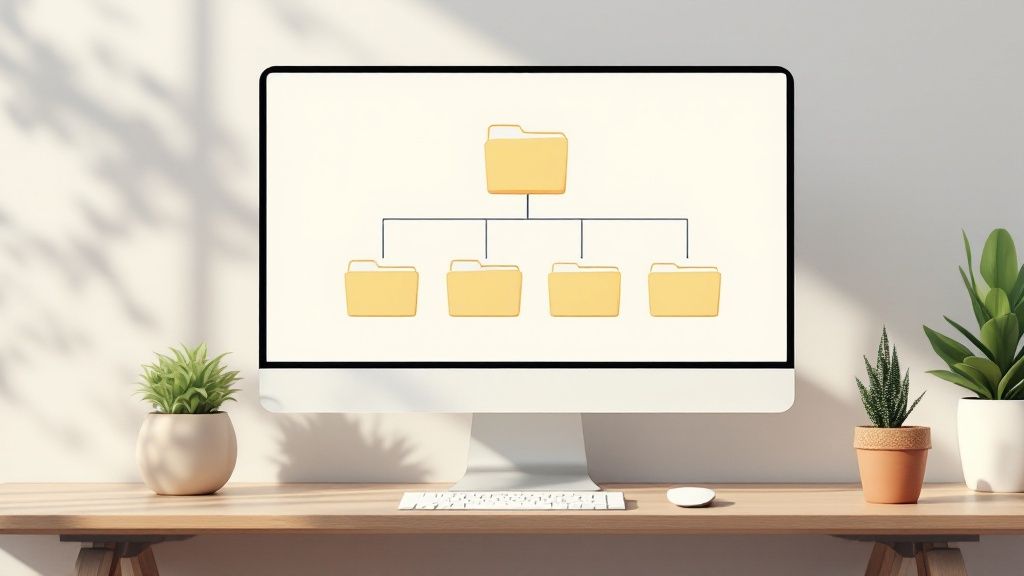
This is where a simple, standard naming system comes in. Think of it as a set of rules that everyone on your team agrees to follow. The goal is to make every file easy to identify and sort without even opening it.
The Anatomy of a Perfect File Name
A good file name should be predictable. Just by looking at it, you should know when it was created, what it’s about, what type of document it is, and its version. A powerful and easy-to-remember formula you can use is:
YYYY-MM-DD_ProjectName_DocumentType_Version
This format is a game-changer. Starting with the date in YYYY-MM-DD format is the most important part. Why? Because it lets your computer automatically sort files in order by date. This one simple trick makes finding the most recent version of a document effortless.
Let's look at this in action with a few examples for businesses here on the Monterey Peninsula:
- Hospitality: A proposal for a new client in Pacific Grove could be named
2024-07-15_PGHotel_Proposal_v1.docx. - Internal Finance: A quarterly financial report might be
2024-Q3_Financials_BalanceSheet_Final.xlsx. - Agriculture: A compliance report for a Salinas farm could look like
2024-05-20_SalinasFarm_ComplianceReport_v2.pdf.
By using a clear naming system, you turn a chaotic list of files into an organized, searchable database. This is a key part of effective IT asset management—every digital file should be easy to track, identify, and manage. You can learn more in our detailed guide on IT asset management best practices.
Naming Convention Best Practices
To make your system really work, here are a few extra rules to follow. These small details help prevent common file-saving errors and work better across different computer systems.
- Use Hyphens or Underscores: Spaces in file names can sometimes cause problems with certain programs. It's best to avoid them and use hyphens (
-) or underscores (_) to separate words instead. - Be Consistent with Abbreviations: Decide on standard short names for your company (e.g.,
Propfor Proposal,Invfor Invoice) and make sure everyone uses them. This keeps file names from getting too long and prevents confusion. - Avoid Special Characters: Characters like
&,*,%,#,/, and\can cause errors or stop files from saving correctly. Keep your file names clean with just letters, numbers, hyphens, and underscores.
Choosing the Right Tools for File Management
A great folder structure is your plan, but the right technology is what brings it to life. Getting your files organized is one thing; keeping them that way requires the right tools to simplify access and protect your data. For any business in Monterey County, this choice makes a big difference in your daily work.
The first big decision is whether to store your files on your own computers or in the cloud. There's a place for both, and the best fit depends on how your team works.
Local vs. Cloud Storage
Local storage usually means a shared network drive or a server in a closet. The big advantage here is speed. Because the data is in your office, access is very fast, and you have complete control. It can be a solid and affordable way to start.
But modern business needs to be flexible. This is where cloud-based tools like Google Drive, Dropbox, or Microsoft 365 are a huge help. They let your team access files from anywhere, which is essential for remote employees or teams in the field—like an ag-tech crew needing to look up documents from a farm in Salinas. Cloud tools are also built for teamwork, allowing multiple people to work on the same document at the same time.
A huge benefit of the cloud that people often forget is the built-in backup and security. Instead of worrying about a server crashing in your office, your data is kept safe in secure data centers. This fits perfectly with our mission to provide top-tier IT solutions at a price that makes sense for local businesses.
On top of that, setting up a good backup system is much easier with the cloud. To understand how this protects your most valuable information, check out our guide on the basics of cloud backup for small business.
The Power of a Document Management System
When you're ready to get serious about organization, a Document Management System (DMS) is the next step. A DMS is more than just a place to store files; it's a smart system designed to handle your documents from start to finish. Think of it as a super-powered filing cabinet with its own librarian.
A DMS has powerful features that standard cloud storage can't match:
- Automated Indexing: The system can read your documents and tag them automatically, making everything easy to search for.
- Version Control: It keeps a detailed history of every change made to a file. This is great for making sure everyone is working from the latest version and avoiding costly mistakes.
- Enhanced Security: You get full control over who can see, edit, or delete files—which is crucial when you're dealing with sensitive client or financial data.
Businesses are quickly moving to these systems. The global market for document management systems was valued at around $9.35 billion in 2024 and is expected to grow to over $55.61 billion by 2037. This huge growth, as seen in recent document management trends, tells you one thing: businesses are tired of file chaos and are investing in real solutions.
Keeping Your New System Clean and Tidy
You’ve worked hard to organize your computer files, creating a logical structure and a smart naming system. But the real challenge isn’t just getting organized—it’s staying organized.
Without a plan for upkeep, even the best systems can slowly become messy again.

This is where you build habits that make your new system last. Think of it like keeping a garden clean; a little regular work now prevents a big mess later. The goal is to make tidiness a natural part of your team's daily work.
Institute the "File It Now" Principle
The biggest enemy of a clean digital space is the desktop. We've all done it. It’s easy to save a new download or a quick draft there, telling yourself you’ll file it properly "later." This one habit is how clutter starts to take over your system.
To fight this, you need to use the "File It Now" principle. It's simple: encourage your team to save every new document in its correct, final spot right from the start. It only takes a few extra seconds, but it makes a huge difference over time.
This proactive approach is more important than ever. Around 69% of employees now use file-sharing services, and nearly 85% of businesses prefer sharing documents as PDFs. With so many files being created and shared, filing them right away is the only way to stay organized.
Schedule Regular Digital Clean-Ups
Just like you schedule inventory checks or financial reviews, you need to set aside time for digital clean-up. Putting a "digital clean-up day" on the calendar every few months works wonders.
Here’s what that could look like:
- Quarterly Project Archiving: At the end of each quarter, have team leaders review their completed projects. All related files should be moved from the active
Projectsfolder to anArchivefolder. - Deleting Redundant Files: Use this time to get rid of drafts, duplicates, and old versions that are no longer needed. This frees up space and makes searching for current files much faster.
Regular maintenance is the key to preventing a digital mess. An organized system that isn't maintained will eventually become just as cluttered as the one you started with. This small, consistent effort protects your hard work.
Archiving isn't just about cleaning up; it's a key part of managing your data. For a deeper look, check out our guide on the best practices for business data archiving and backup.
Create a Simple One-Page Guide
To keep everyone on the same page, create a simple, one-page guide that explains your company’s filing rules. This isn't a long, boring manual—it’s a quick-reference sheet.
Make sure to include key details like:
- A simple picture of your folder structure
- The official file naming formula (e.g.,
YYYY-MM-DD_ProjectName_DocumentType_v01) - A few examples for common types of documents
- A quick reminder of the "File It Now" principle
This guide is a great tool for new employees and a helpful reminder for your current team. By making the rules clear and easy to find, you help everyone keep the system clean and efficient for years to come.
Your Partner in Digital Organization
Getting your computer files in order is a huge step toward running a more efficient business. It's not just about cleaning up; it's about building a foundation that works for you.
When you create a logical folder structure and stick to a consistent naming system, you turn your digital workspace from a daily headache into a real asset. The whole point is to build a system that saves you and your team time, letting everyone find what they need, when they need it. This simple change gets rid of the hidden costs that come with disorganization.
The real win here is the time you get back and the stress you eliminate. It lets you focus on what really matters—running your business, not hunting for files.
If you know this is what you need but aren't sure how to start, we're here to help. At Adaptive Information Systems, we specialize in bringing big-company IT solutions to businesses right here in Monterey County, but without the big-company price tag.
Let us help you take back control of your digital world.
Adaptive Information Systems
380 Main St, Salinas CA 93901 | 831-644-0300 | hello@adaptiveis.net