
For any business in Salinas or across Monterey County, the winter rainy season is a lot more than just a change in the weather—it's a real threat to your daily operations. Winter in the Salinas and Monterey Bay region often brings heavy rains, localized flooding, and occasional power outages. These seasonal disruptions can severely impact your business—especially if you rely on cloud access, local servers, or point-of-sale systems.
An unprepared network is a serious liability when a storm hits. But with a practical game plan, you can make sure a winter storm is a minor inconvenience instead of a full-blown business disaster.
Why Winter Storms Threaten Your Monterey County Business IT
When you see those dark clouds rolling in, it signals more than just a downpour. It marks the start of a high-risk season for local businesses. The combination of our region's poor drainage infrastructure and increased storm activity can lead to unexpected downtime if your technology isn’t prepared.
These disruptions can hit hard, especially if you rely on cloud software, on-site servers, or POS systems to make it through the day.
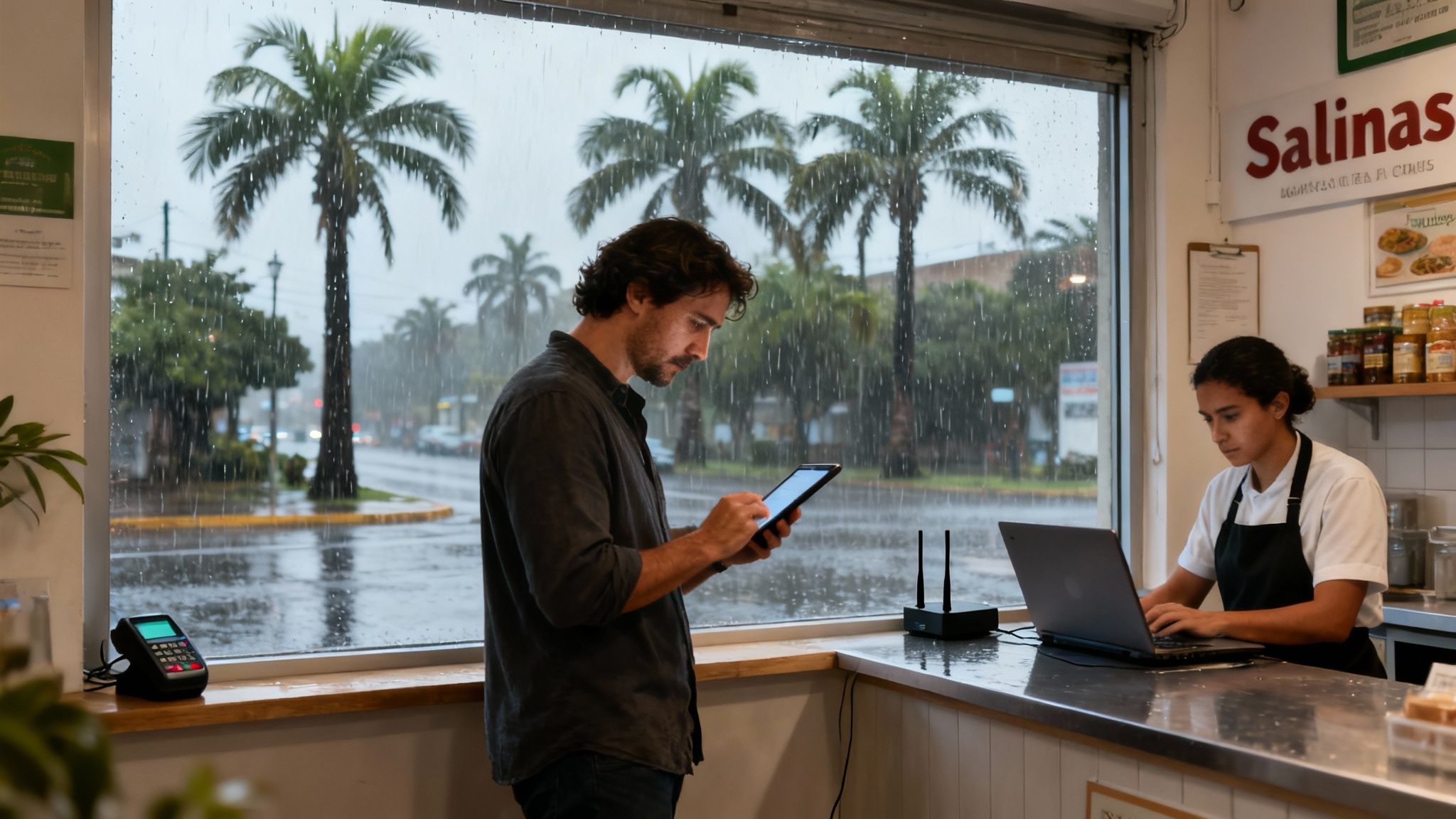
This isn't just a small hiccup. For a hospitality business in Carmel or an agricultural office in the Salinas Valley, downtime means lost revenue and broken trust with your clients. Storm-related disruptions have increased in recent years, and with climate forecasts predicting a wetter-than-average season, IT resilience is more important than ever.
The Real Cost of Unplanned Downtime
I've seen it firsthand: many local businesses do not have surge protection, backup internet, or off-site backups in place. This creates massive vulnerabilities.
When a winter storm causes a power surge, it can fry expensive equipment like servers, computers, and networking gear in a split second. An internet outage can grind your entire operation to a halt, cutting off communication with customers and blocking access to the cloud applications you need to run your business.
For a small business with limited IT staff, recovery can be slow and expensive—costing valuable hours of productivity or client communication. This seasonal risk is entirely different from the challenges of tourist season, which we cover in our guide on getting your business tech ready for Monterey's busy months.
The most expensive IT problem is the one you didn't prepare for. A single power surge can wipe out hardware that costs thousands to replace, while a day of network downtime can cost even more in lost sales and productivity.
Building a Weather-Ready IT Foundation
Being proactive is the only way to build real resilience. It all starts with a clear look at the specific risks your business faces. With many buildings in older parts of town lacking proper drainage or backup power systems, preparing your IT is critical.
Adaptive Information Systems offers weather-ready IT support to address this local issue. As a trusted local provider, we understand the specific seasonal risks facing Monterey Bay businesses. We focus on affordable, common-sense solutions that keep you up and running when the weather doesn’t cooperate:
- Automatic Data Backups to ensure your critical information is safe, secure, and easily recoverable.
- Surge Protection Setup to shield your valuable hardware from damaging electrical spikes.
- Business Continuity Planning to create a simple, clear roadmap for how to operate during a disruption.
- Proactive Network Monitoring to spot and fix issues before they can cause downtime.
If you're concerned about how winter storms might impact your business IT systems, now is the time to act. Reach out to Adaptive Information Systems for a local, tailored risk assessment. We’ll help you weather the season without sacrificing uptime or peace of mind.
Protecting Your Hardware from Power Surges and Floods
Your business runs on physical hardware—servers, computers, routers, and point-of-sale systems. When a winter storm hits Salinas, this equipment is on the front line, vulnerable to the two most common threats of the rainy season: power surges and water damage.
Protecting these assets isn't about expensive overhauls. It's about smart, affordable insurance against the most common storm-related hardware failures.
The first line of defense is knowing the right tools for the job. Many business owners assume a standard power strip offers real protection, but it’s simply not built to handle the kind of electrical spike a storm can unleash. A sudden surge can instantly fry the sensitive components inside your most critical devices, leading to costly replacements and crippling downtime.

This is why a true Uninterruptible Power Supply (UPS) is a must-have for any serious business. Think of a UPS as a smart battery backup for your most important technology.
Beyond the Basic Power Strip
A UPS does two critical jobs that a simple surge protector can't touch. First, it cleans up incoming power, smoothing out minor fluctuations that wear down your hardware over time. More importantly, when the power cuts out completely, the UPS battery instantly takes over, giving you a precious window of time.
This window is everything. It allows your servers and key computers to shut down gracefully instead of crashing abruptly. This prevents the data corruption that so often happens during a sudden outage. For a small business, this one device can be the difference between a minor reboot and a major data recovery crisis.
Preventing a Costly Flood of Problems
Power surges are only half the battle. Many local businesses, especially those in older buildings in Pacific Grove and Monterey, are at risk for water damage from roof leaks, poor drainage, or localized flooding. When it comes to your IT equipment, even a tiny amount of water can be catastrophic.
The good news is that prevention is straightforward and doesn't have to be expensive. The goal is to create a safer physical space for your technology.
- Elevate Your Equipment: Never place servers, computers, or networking gear directly on the floor. Use server racks, sturdy shelves, or even simple, stable platforms to lift them at least a few inches. This one step can save your hardware from a creeping puddle.
- Manage Your Cables: Loose cables snaking across the floor can act like wicks, drawing water straight to your devices. Use cable management ties and channels to keep your wiring organized and off the ground.
- Ensure Proper Airflow: Good ventilation not only stops your equipment from overheating but also helps dissipate any moisture that might build up in a server closet during a humid storm.
I can't tell you how many local businesses we've seen operating without proper surge protection or physical safeguards. When a winter storm finally hits, a power surge or a minor leak causes irreversible hardware damage and data loss. The recovery is slow, expensive, and costs valuable hours of productivity.
Smart Asset Management is Your Best Defense
Protecting your hardware is a key piece of a larger strategy. Knowing exactly what equipment you have, where it is, and its replacement value is fundamental to good planning.
Creating an inventory helps you prioritize which devices need the most robust protection, like putting a dedicated UPS on your main server. By taking these practical steps, you're actively lowering your risk and making sure your winter IT readiness for local businesses is on solid ground.
You can find more details on tracking and managing your technology in our guide to IT asset management best practices. It all comes down to controlling what you can before the storm arrives.
Keeping Your Business Online When the Internet Goes Down
What happens when your primary internet connection gives out during a winter storm? For most businesses in Salinas, it means everything grinds to a halt. Customer payments stop processing, cloud files become inaccessible, and your VoIP phone system goes dead silent. Relying on a single internet provider is one of the biggest risks you can take during the rainy season.
When the internet goes down, you’re not just offline; you’re effectively out of business until it’s restored. The good news is that building a backup plan isn't about expensive, enterprise-level technology anymore. Smart, affordable network redundancy options can keep you connected, turning a potential crisis into a minor hiccup for your team and customers.

The Power of Automatic Failover
The most effective and straightforward solution for most small businesses is a cellular (4G/5G) failover system. The technology is simple but incredibly powerful: a device constantly monitors your main internet line. The moment it detects an outage, it automatically and seamlessly switches your entire network over to a reliable cellular connection.
Your employees and customers won't even notice the switch. Your credit card terminals will keep processing transactions, your team will stay connected to their cloud apps, and your phones will keep ringing. When your main internet service comes back online, the system automatically switches back. It’s a true set-it-and-forget-it solution that provides incredible peace of mind.
Finding the Right Fit for Your Monterey County Business
Of course, not every business needs the same level of protection. The right failover solution really depends on your specific operations and how heavily you lean on a constant internet connection.
- Retail and Hospitality: For a boutique in Carmel or a cafe in Pacific Grove, the primary concern is almost always the point-of-sale (POS) system. A basic cellular failover can ensure you never have to turn away a customer just because your card reader is down.
- Professional Services: An accounting firm or law office in Monterey relies on constant access to cloud-based documents, client portals, and email. A more robust failover solution is needed here to support the data demands of your entire team without a frustrating drop in productivity.
- Agriculture and Industrial: For an agricultural office in the Salinas Valley managing logistics or an industrial business in Marina running cloud-based machinery software, uptime is absolutely mission-critical. A solution with higher bandwidth and reliability is essential to prevent costly operational delays.
An internet outage doesn't just stop sales; it stops momentum. The few hundred dollars you invest in a failover system can save you thousands in lost revenue and recovery time from a single storm-related outage.
This kind of proactive planning is a core piece of a strong operational strategy. We explore this further in our overview of business continuity solutions that keep local companies resilient. It’s all about identifying your critical functions and protecting them before a storm hits.
Integrating Connectivity with Power Redundancy
Here’s the catch: your backup internet is useless if you don't have power. A cellular failover system, your router, and your modem all need electricity to run. This is exactly why network redundancy has to be paired with the Uninterruptible Power Supply (UPS) we talked about earlier.
Your UPS ensures these critical devices stay online during a power flicker or a short outage, giving your backup internet the juice it needs to take over. For truly comprehensive protection against winter disruptions, evaluating your power options is crucial. This guide provides great insight into choosing between battery backup vs. generator solutions for storm preparedness to keep your operation running, no matter what.
By combining these two layers of protection—power and connectivity—you create a genuinely resilient network. This is the foundation of a solid plan to ensure the rainy season doesn't disrupt your network or your bottom line.
Building a Data Backup Plan That Actually Works
Just having a data backup is a great start, but it’s only half the story. The real question is: can you actually restore your critical business information when a disaster hits? This is the step where too many businesses fall short, turning a recoverable problem into a full-blown catastrophe.
Picture this: a winter storm rolls through Salinas, and a power surge fries your main server. You might feel a moment of relief, thinking, "It's fine, we have backups." But when you go to restore the data, you find out the backup file is corrupted or, worse, weeks out of date. Suddenly, your client records, financials, and project files are gone. It’s a nightmare scenario, but it’s one you can completely avoid with a structured plan.
The 3-2-1 Rule: A Modern Blueprint for Data Safety
To build a backup strategy you can count on, we lean on a simple but incredibly powerful industry standard: the 3-2-1 rule. It isn't a product you buy, but a strategy—and it’s the bedrock of any serious data protection plan.
Here’s the breakdown:
- Three Copies of Your Data: This means the original data on your primary device, plus at least two other copies.
- Two Different Media Types: Don't put all your eggs in one basket. For example, you could keep one copy on a local network-attached storage (NAS) device and another in the cloud.
- One Copy Off-Site: This is the golden rule for surviving a local disaster. If your Monterey office floods or there's a fire, that local backup won't do you any good. An off-site copy, usually in a secure cloud environment, ensures your data is safe no matter what happens to your building.
This might sound complicated, but for a modern business, automated cloud backup services make it surprisingly easy to implement. These systems work quietly in the background, shielding your critical files from local threats like equipment failure, water damage, or even theft.
Stop Hoping and Start Testing
A backup plan you’ve never tested is just a theory. You need to shift from hoping your data is safe to knowing it is. Regular testing is the only way to confirm your backups are working and that you can restore them quickly when it really counts.
A backup that hasn't been tested is not a real backup. It's just a wish. The last time you want to discover a problem with your recovery process is during an actual emergency.
You don't need some complex, time-consuming testing schedule. Start with a simple quarterly check. Pick a few random, non-critical files and try restoring them from your backup. Can you find them? Can you open them? Are they the most recent versions? This simple drill builds confidence and helps you spot issues long before they become critical problems.
To see how this fits into a bigger picture, you can check out our detailed guide on data backup and disaster recovery.
At Adaptive Information Systems, we bake these principles right into our weather-ready IT support. Our services include setting up automatic data backups that follow the 3-2-1 rule, helping you map out a full business continuity plan, and proactively monitoring your systems to make sure it all just works. As a local provider, we know the specific risks facing businesses in the Monterey Bay area and can tailor your protection to keep you running, no matter what the storms bring. This turns a potential disaster into what it ought to be: a manageable recovery process.
A Storm-Day Plan for Your Team
When winter storms make the roads around Salinas unsafe, your business shouldn’t have to grind to a halt. The ability for your team to work effectively from home becomes your single greatest asset, but it has to be done right—productively and securely. Just sending folks home with their laptops isn't a strategy; it's a gamble.
Every time an employee connects to your business network from their home Wi-Fi, it can create a potential doorway for threats if you haven't locked it down. This is where a Virtual Private Network (VPN) is absolutely essential. Think of it as a private, armored tunnel that connects your employee’s computer directly to your company network, no matter where they are.
This encrypted tunnel shields all your sensitive business data from anyone snooping on an unsecured home or public network. It guarantees that accessing company files, client information, or internal software is just as secure as if your team were sitting right in your Monterey office.
Accessing Tools from Anywhere
A secure connection is step one, but your team also needs seamless access to their everyday tools. This is where cloud-based platforms really shine. Services like Microsoft 365 or Google Workspace are the key, giving your employees their email, documents, spreadsheets, and collaboration software on any device that has an internet connection.
This setup means productivity is no longer tied to a specific desk or computer. A team member can start a report at the office, keep working on it from home during a storm, and even make final edits on a tablet if they need to—all without missing a beat or creating a mess of duplicate files.
The goal is to make the switch from the office to a home workspace feel completely invisible. Your storm-day plan should make an employee’s physical location irrelevant to their ability to get the job done securely.
Creating a Clear Storm-Day Policy
Great tech is only half the battle. To prevent confusion and lost momentum when bad weather hits, you need a clear, simple remote work policy designed specifically for storm days. And everyone needs to know the plan before the first heavy rain starts falling.
Your policy just needs to answer a few basic questions:
- Who makes the call? Designate a specific person or role (like an office manager) to decide when the remote work plan is officially activated.
- How will everyone be notified? Set up a primary communication channel—like a group text, a dedicated Slack channel, or an all-team email—to get the word out quickly.
- What are the expectations? Briefly outline what’s expected for working hours, communication, and general availability so everyone is on the same page.
Having a simple, documented plan removes all the guesswork and ensures a smooth, organized transition when you need it most. Now is the time to develop an IT continuity plan for storm season. This means ensuring you have an uninterruptible power supply (UPS), safe cloud access, and emergency contact protocols with your IT provider.
For a deeper dive into creating a truly robust work-from-home environment, you can explore our detailed guide on remote work best practices.
Your Actionable Winter IT Readiness Plan
Alright, let's turn all this advice into a straightforward plan you can actually use to get your business ready right now. Waiting until the first major storm hits Marina is a recipe for serious stress and lost revenue. Think of this as a practical tool for busy owners across the Monterey Bay area, breaking down the essential tasks into clear, manageable phases.
We've seen storm-related disruptions increase in recent years, especially in the Salinas Valley and our coastal towns. Local agencies issued multiple flood advisories last winter, and with many older buildings lacking proper drainage or backup power, IT resilience is no longer optional. Tackling a few key items now will make all the difference.
Before the First Storm Hits
This is your window to get ahead of the game. These steps are all about preventing problems before they start, ensuring your systems are ready for whatever the season throws at them.
- Test Your UPS Batteries: This is a simple one. Plug a non-critical device, like a lamp, into your Uninterruptible Power Supply and then unplug the UPS from the wall. If that lamp doesn't stay lit for at least a few minutes, it's time for a new battery.
- Confirm Off-Site Backups: Don't just assume your backups are working. Log into your cloud backup service and check that the most recent sync was successful. Better yet, perform a quick test restore of a single, non-essential file to prove the system is doing its job.
- Secure Physical Hardware: Take a quick look around. Are any of your critical pieces of equipment—servers, computers, or routers—sitting directly on the floor? Elevate everything at least a few inches to protect against minor flooding from a leaky roof or door seal.
Getting your team set up for secure remote work with a VPN, cloud access, and clear policies is also a critical piece of this for business continuity.
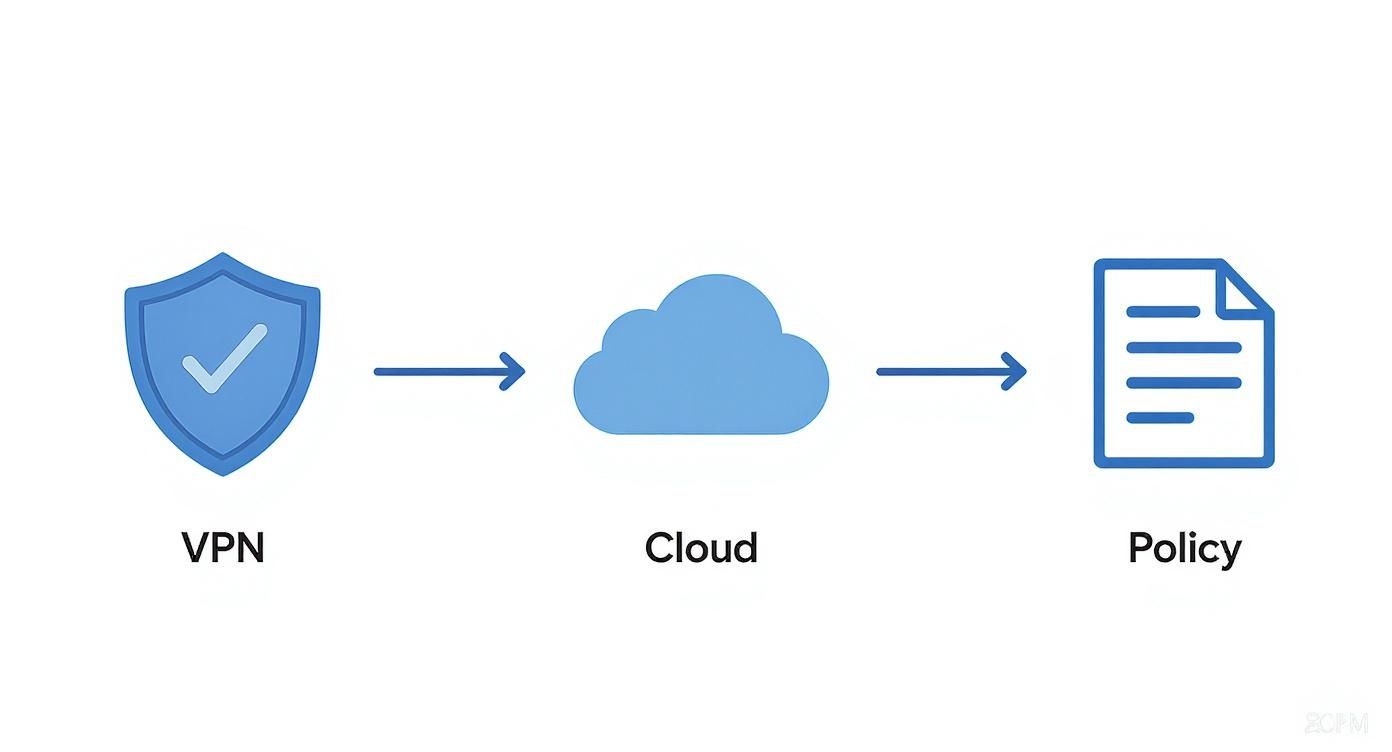
This workflow ensures your team can keep things moving from anywhere, keeping your data safe even when they have to work from home.
During a Power or Internet Outage
When a disruption hits, having a clear protocol is what separates a minor hiccup from a full-blown panic. It keeps your team focused and productive.
The middle of a power outage is the worst time to figure out who is supposed to do what. A simple, documented plan empowers your team to act decisively and minimize downtime.
- Communicate with Your Team: Use that pre-determined emergency channel (like a group text) to notify employees of the outage and give the green light for the remote work plan.
- Unplug Non-Essential Electronics: To protect against a damaging power surge when the electricity kicks back on, go around and unplug devices not connected to a UPS, like printers and desktop monitors.
- Monitor Official Channels: Keep an eye on updates from your utility provider and local authorities. They'll give you the best estimate for when services will be restored.
After the Storm Passes
Once the storm is over and the lights are back on, a few final checks will ensure you’re back to normal operations smoothly and safely.
- Verify System Integrity: Once you have stable power and internet, check that your key systems are all back online and working as expected. This includes your servers, POS terminals, and network equipment.
- Check for Physical Damage: Do a quick walkthrough of your office. Pay close attention to any signs of leaks or water damage near your IT equipment, even if it looks minor.
To truly safeguard your network for the long haul, it’s worth developing a robust strategy. A guide on comprehensive disaster recovery planning can help you build a plan that covers any eventuality. If you feel overwhelmed, don't hesitate to reach out. We're here to help you build a resilient IT plan that lets you focus on your business, not the weather.
Got Questions About Winter IT Preparedness?
We hear a lot of the same questions from local business owners when the storm season starts rolling in around Monterey Bay. Most of the concerns boil down to cost, time, and whether these preparations actually work. Let's tackle those head-on.
How Much Does This Really Cost?
It’s far more affordable than you might think—and it's definitely cheaper than cleaning up after a disaster. For a lot of Salinas businesses, the first steps are pretty small. A few hundred dollars gets you a quality Uninterruptible Power Supply (UPS) for your main server and the front desk computer, which is a fantastic start.
A cellular internet failover service might add a modest monthly fee, but think about what a single afternoon of downtime costs you in lost sales and productivity. That small fee can easily save you thousands. At Adaptive, we focus on a practical, phased approach. You don't have to boil the ocean. We zero in on the biggest risks first to give you the most protection for your budget.
Can We Really Prepare for a Storm That Hasn't Happened Yet?
Absolutely. You don't need a crystal ball to know what the biggest threats are in our area: power outages and downed internet lines. A good winter IT plan isn't about predicting a specific storm; it's about building resilience against these common disruptions.
You don’t need to predict the future to prepare for it. A solid plan built on proven tools like automated backups, power protection, and internet redundancy makes your business ready for almost any common storm-related scenario.
Simple, proactive steps are the foundation of a strong defense. We're talking about things like testing your data backups (to make sure they actually work) and confirming your team can securely work from home if the roads are a mess. Taking care of these basics now is what turns a potential crisis into just another rainy day.
If you're concerned about how the next big storm could impact your business, give us a call. We can provide a straightforward risk assessment tailored to your specific setup, helping you weather the season without losing uptime or sleep.
Adaptive Information Systems
380 Main St, Salinas CA 93901 | 831-644-0300 | hello@adaptiveis.net