
Direct Answer: Build your 2027 IT budget in three buckets: recurring monthly costs, scheduled dated work like server replacements, and an unscheduled reserve. Then add a contingency percentage to hardware, since prices moved all year.
Most Monterey County organizations start firming up next year’s numbers in October and November. And every year, the same conversation happens in a back office somewhere in Salinas or Monterey: nobody can say whether what they spend on technology is normal.
The invoices are never the same twice. There is no line item anyone trusts. What business owners and office administrators keep asking for is one predictable number they can defend when the board or the owner asks about it.
This year has an extra wrinkle. Hardware got more expensive through 2026, and that changes how you should build the hardware line. Here is how to put together a 2027 IT budget you can actually stand behind, without needing to be technical.
Why 2027 budget planning feels tighter around Monterey Bay
Local context matters here more than national averages. Monterey County agriculture produced roughly $4.82 billion in gross value in 2025, down about 3 percent from the prior year’s record.
The Agricultural Commissioner pointed to shifting tariff policy raising the cost of imported equipment and fertilizer, along with a sharp drop in export volume. When the county’s dominant industry compresses, the pressure spreads outward.
Growers, cooler operations, and packing sheds tighten. So do the accounting firms, law offices, insurance agencies, and nonprofits that serve them. On the Peninsula, hospitality and tourism budgets move with a different rhythm but land in the same place: fewer dollars available for anything that is not obviously necessary.
That is why cost honesty beats a capability list this year. A proposal full of features nobody asked for does not help an office manager who needs to explain a number in a meeting.
What helps is knowing three things:
- What you are already committed to paying every month
- What dated work is coming whether you like it or not
- How much room you left for the thing that breaks unannounced
What actually happened to hardware prices in 2026
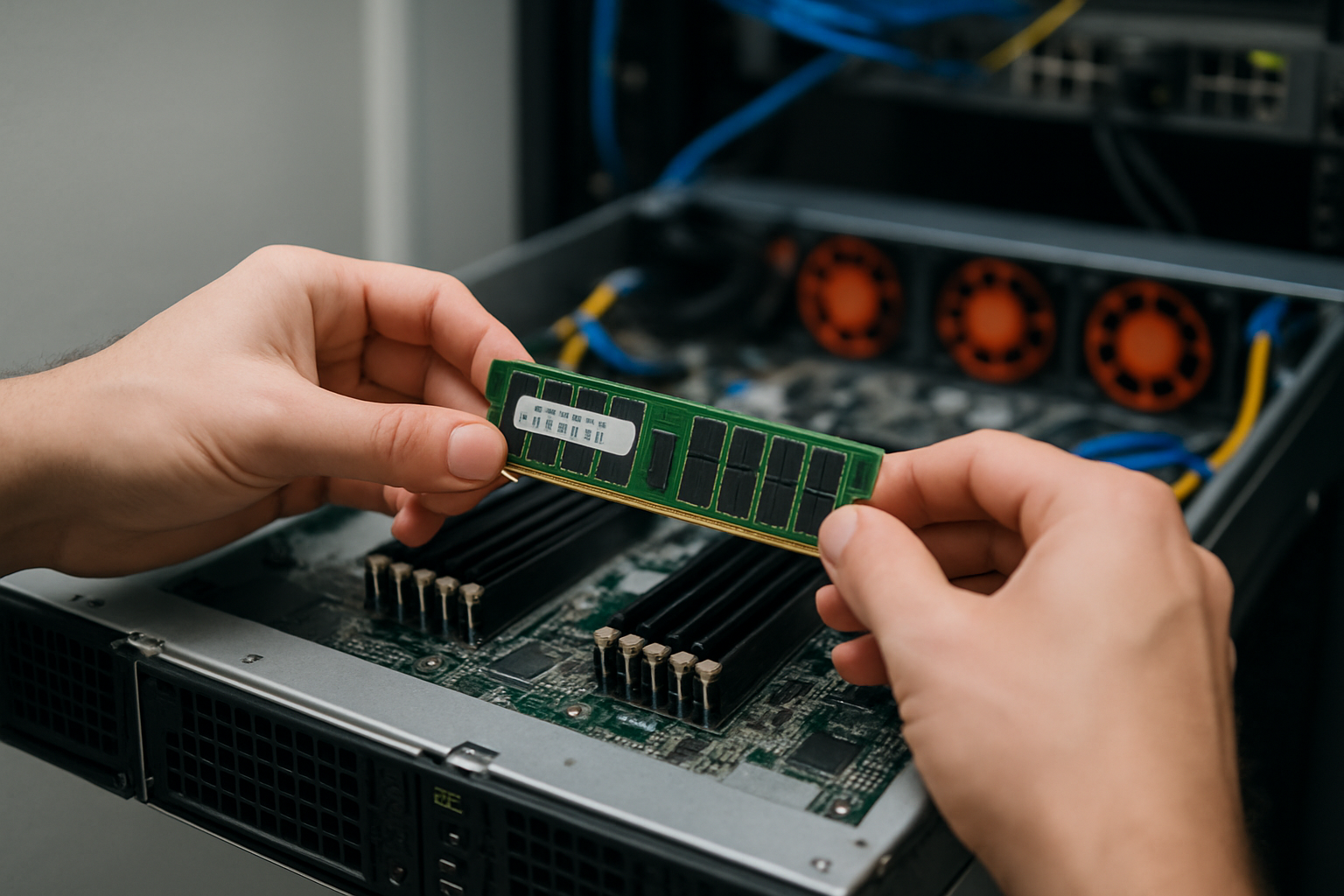
Through 2026, demand from AI data centers pulled DRAM and NAND memory supply away from ordinary business gear. Laptops, workstations, servers, switches, and firewalls all compete for the same memory chips as the big builds do, and the big builds won.
Industry market trackers reported contract memory prices rising in double digits quarter over quarter, with one quarter’s jump reported near 90 percent. Major manufacturers raised list prices in the range of roughly 10 to 20 percent during spring 2026 and warned of further increases on memory-heavy configurations.
Executives at one large PC maker said memory now makes up around a third of a laptop’s build cost, compared with a historical 15 to 18 percent. That is why a laptop that seemed fine last year quotes higher now even though nothing about the model changed.
Two practical notes for anyone writing a budget:
- Use your own vendor quotes, not published averages. Configuration, memory, storage, and warranty term swing the number more than the brand does.
- Quote validity windows have gotten shorter. A price from last month may not hold by the time a purchase order clears, and lead times on servers have stretched.
So treat any hardware figure you carry into a 2027 budget as an estimate with an expiration date, not a fixed line.
Three moves that keep the hardware line realistic
None of this calls for panic. It calls for sequencing.
1. Inventory every machine by age and warranty status before you write a number. Sort replacements into waves instead of one big refresh. Supply analysts expect tight memory conditions to persist into 2027, so spreading purchases across quarters gives you chances to buy into a softer window instead of betting everything on one order date.
2. Build a contingency percentage into the hardware line, not a single fixed figure. Present it as a range with a stated assumption, like “eight machines at current quoted pricing, plus a cushion for price movement.” A range you can explain survives scrutiny better than a precise number that turns out wrong in March.
3. Do not buy underpowered machines to protect a price. This is the most expensive mistake available right now. An 8 GB laptop bought to hit a budget target becomes a productivity complaint within about two years, and you end up buying the same seat twice inside one budget cycle.
The cheapest hardware decision is usually the one that lasts the full expected life. Spending a little more on memory today is often less than spending the whole amount again in 2028.
The three buckets every IT budget needs
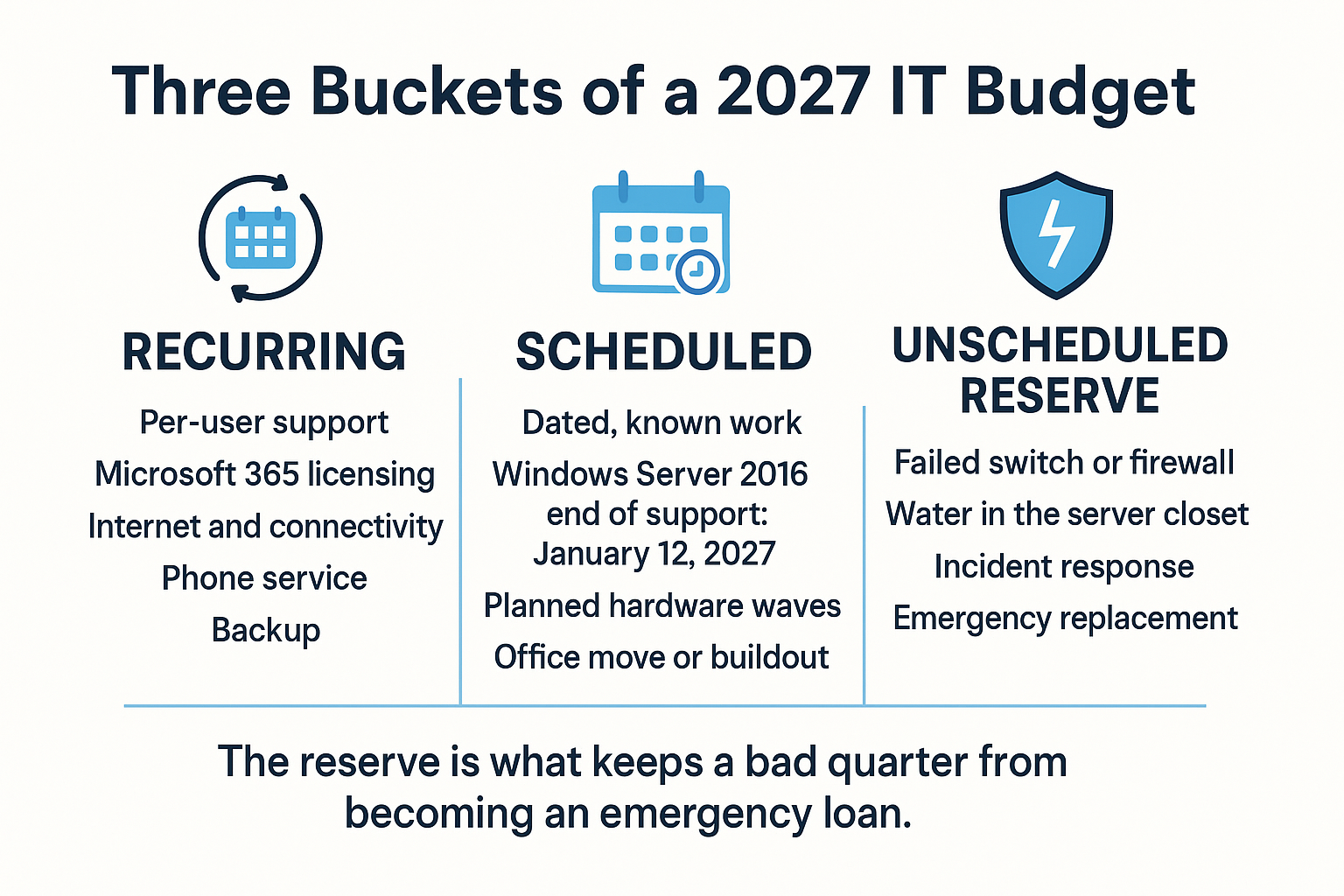
Most budgets we see have the first bucket and skip the other two. Here is the structure that holds up.
How to structure the budget itself
Nobody explains this part to a first-time buyer, so here it is plainly.
Recurring is everything that hits every month. Per-user support, Microsoft 365 and other licensing, internet and connectivity, phone service, and backup. This is the bucket that should feel boring and predictable, and it is the one that fixed monthly pricing exists to solve.
Scheduled is dated work you already know about. The clearest example inside this window is Windows Server 2016 leaving extended support on January 12, 2027. Microsoft publishes its dates openly on the Windows Server lifecycle page, and that single date turns a server replacement from optional into calendared for anyone still running it.
If that is you, read our breakdown of how much runway is left on Windows Server 2016 before you pick a quarter for it.
Unscheduled reserve is the bucket most budgets skip entirely. A failed switch, a flooded closet after a winter storm, a smoke event that takes out power to a Salinas Valley office, or an incident that requires response hours.
You are not predicting the specific event. You are reserving the capacity to absorb one without going back to the owner mid-year asking for money that was never discussed.
Where common line items belong
A quick reference for sorting your own list. The third column is what to ask your provider about when the number looks off.
| Line item | Bucket | What drives the number |
|---|---|---|
| Per-user IT support | Recurring | Headcount, number of servers, after-hours coverage |
| Microsoft 365 licensing | Recurring | Plan tier and user count, not company size |
| Backup and recovery | Recurring | Data volume, retention length, recovery speed needed |
| Internet and phone service | Recurring | Bandwidth, number of sites, extension count |
| Workstation replacements | Scheduled | Machine age, warranty status, memory configuration |
| Server replacement or migration | Scheduled | End-of-support dates, application compatibility |
| Firewall or switch refresh | Scheduled | Device age, license renewal date, port count |
| Failed hardware, water damage, incident response | Unscheduled reserve | Percentage of total IT spend set aside, not a guessed event |
Ways to move a hardware purchase off the capital line
There are real options here, and each one has a tradeoff worth saying out loud.
- Extend warranties on healthy equipment. Cheap and fast, but it does not fix a machine that is already slow.
- Add memory or storage to machines that need only one upgrade. Often the best dollar-for-dollar move, though memory pricing is exactly what went up this year.
- Buy a year early while a quote still holds. Locks a price, but spends 2026 money on 2027 equipment and starts the warranty clock sooner.
- Shift some workloads to hosted infrastructure. Trades a capital purchase for a monthly cost, which changes how the expense appears on your books.
That last one deserves its own analysis rather than a bullet point. We already walked through the five-year cost comparison between a cloud server and a server closet for a Monterey Bay office, so start there if that decision is live for you.
For budget season, the question is not which architecture wins. It is which bucket the number lands in and when it hits.
An undocumented environment is an unbudgetable one
Budget planning almost never starts with a spreadsheet. It starts when something breaks or a person leaves.
A small hospitality property in the region contacted us after the technician who managed their wireless network passed away. Staff were left holding a login for the system and no idea what to do with it. Nobody could say how many access points existed, how old they were, or when they would need replacing.
Separately, a regional tourism organization started comparing IT providers for a simpler reason: nobody internally could explain what they were getting for what they paid.
Both situations share the same root problem. You cannot budget for equipment you have not counted, and you cannot evaluate a cost you cannot itemize.
So the first budgeting document is a written asset inventory, not the spreadsheet. At minimum, capture:
- Every workstation, server, switch, firewall, and access point
- Purchase date, warranty end date, and current memory and storage
- Who administers each system and where credentials live
- Renewal dates for licensing, internet, and phone contracts
If that list does not exist anywhere, our post on what happens when the person holding the logins is gone covers how to rebuild it. And if you are not sure what shape your equipment is actually in, how to know if your business network is healthy is a reasonable place to start before you price anything.
Frequently Asked Questions About 2027 IT Budget Planning
What percentage of revenue should a small business spend on IT?
Published benchmarks vary widely by industry, and honestly they are not very useful for a 25-person law office or a packing shed. A better approach is building from your own line items: recurring costs you already pay, scheduled work with known dates, and a reserve. Then compare that total to revenue and decide if it feels defensible.
Should we wait for hardware prices to come down before replacing machines?
Supply analysts expect tight memory conditions to continue into 2027, so waiting is a bet, not a plan. If a machine is out of warranty and slowing people down, waiting usually costs more in lost hours than the price difference. If a machine is healthy and under warranty, waiting is reasonable.
Why is our IT invoice different every month?
That is the signature of break-fix or hourly billing. You pay for whatever went wrong, which means your worst months cost the most. Fixed monthly managed IT pricing exists specifically to turn that into one predictable line item, though the right structure depends on headcount, number of servers, and how much after-hours coverage you need.
How big should the unscheduled reserve be?
There is no universal figure, and anyone who gives you one without seeing your equipment is guessing. Size it against what a realistic worst case looks like for your setup: the cost of replacing your most critical single point of failure, plus response time. An organization with one aging server and no redundancy needs a bigger reserve than one already running hosted infrastructure.
We are a nonprofit. Does any of this change?
The structure is the same, but the timing pressure is different since grant cycles rarely match calendar budgets. Nonprofits in Monterey County often qualify for discounted Microsoft 365 licensing, which can meaningfully reduce the recurring bucket. Ask your provider to check eligibility before you finalize numbers.
Building next year’s numbers?
What clients tell us they value most is options that respect a real budget instead of the biggest possible proposal. As one review put it: “Responses to problems are immediate and the technicians persist until they find an effective solution providing options to fit our financial resources.” Budget forecasting and technology roadmapping are part of the Virtual Technology Officer work our team does for organizations across Monterey County, CA. If you want a second set of eyes on your 2027 numbers, we are at (831) 644-0300 or adaptiveis.net.