
Direct Answer: Break-fix IT feels cheaper until a single bad week proves otherwise. Managed IT trades unpredictable emergency costs for a flat monthly fee that covers monitoring, patching, and prevention.
A lot of small business owners in Monterey County describe the same experience: they go years without a major IT problem, figure the break-fix approach is working fine, and then one Monday morning their team can’t get into QuickBooks, their phone system is down, or they’re staring at a ransomware screen. The bill that follows is rarely just the repair labor.
The comparison between break-fix IT and managed IT comes up constantly for businesses in the Salinas Valley and across the Monterey Peninsula, especially as operations get more dependent on cloud software, remote access, and connected devices. The question isn’t really which model costs more per month. The real question is which one costs more per year, once everything is counted.
This article walks through what break-fix actually costs in practice, what managed IT includes that most people don’t account for, and the contract questions worth asking before you commit to either.
What Break-Fix IT Actually Costs a 15-Person Office Over 12 Months
On paper, break-fix sounds reasonable. You pay nothing when things work. You call someone when they don’t. For a very small office with simple, stable infrastructure, that can hold together for a while.
But walk through a realistic year for a 15-person office in Salinas or Monterey, and the numbers shift quickly. Emergency IT labor in this region typically runs somewhere in the range of $150 to $250 per hour, based on general market rates for on-site commercial support in Monterey County. That’s the starting point, not the full cost.
Here’s a realistic 12-month scenario for a 15-person operation:
- Month 2: Server patch falls behind, performance degrades. Two-hour on-site visit to diagnose and resolve: $300-$500
- Month 5: Workstation infected with malware. Cleanup plus lost employee time across 3 people for half a day: $400-$700 in labor plus productivity loss
- Month 8: Network switch fails during peak season. Emergency dispatch, hardware replacement, and configuration time: $600-$1,200
- Month 11: Ransomware incident triggered by an unpatched vulnerability. Recovery attempt, potential data loss, and downtime across the full team for 1-2 days: $3,000-$10,000+ depending on severity
Add those up and you’re looking at somewhere between $4,300 and $12,400 in a single year, and that’s a conservative scenario with no hardware failures on servers or major infrastructure. It also doesn’t account for the 15 people sitting idle while a technician works, which is often the largest cost of all.
As one reviewer from a Monterey County business put it: “time is money, we get results fast, if not immediately every single time.” That speed matters most when you’re paying for every hour of downtime whether you realize it or not. You can read more about the real cost of waiting until something breaks to call IT for a deeper breakdown of how downtime costs stack up.
The Patch Problem: Why Break-Fix Environments Get Hit Harder
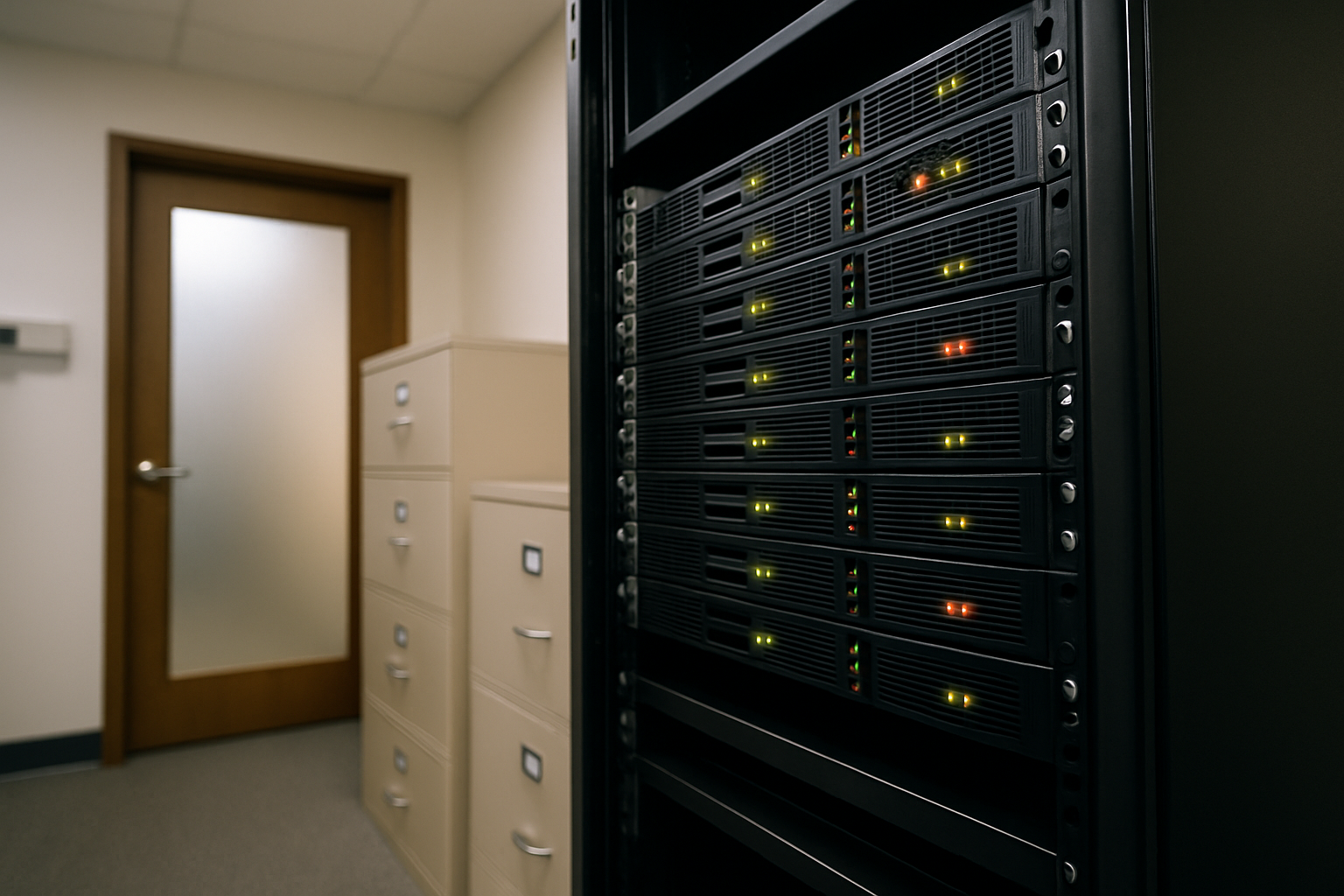
One of the quietest risks in a break-fix environment is patch management, or the lack of it. When nobody is actively monitoring your systems, patches get skipped, delayed, or applied inconsistently.
The Verizon 2025 Data Breach Investigations Report found that vulnerability exploitation reached 20% as an initial access vector, with a median patch lag of 32 days between patch release and application. Most of those exploited vulnerabilities had patches available. The exposure window wasn’t a zero-day mystery, it was a scheduling problem.
For businesses in the Salinas Valley, this matters more than most people realize. Agriculture operations, logistics companies, and professional services firms in the region increasingly run on cloud-connected software, VoIP systems, and shared file environments. Any unpatched endpoint in that setup is a potential entry point.
A managed IT relationship closes that gap. Patches are applied on a defined schedule, and the provider is monitoring for new critical vulnerabilities rather than waiting for a call. That single discipline alone eliminates a significant share of the incidents that would otherwise generate an emergency break-fix call. For context on how proactive monitoring works in practice, AI-driven network monitoring catches problems before you notice covers the mechanics in detail.
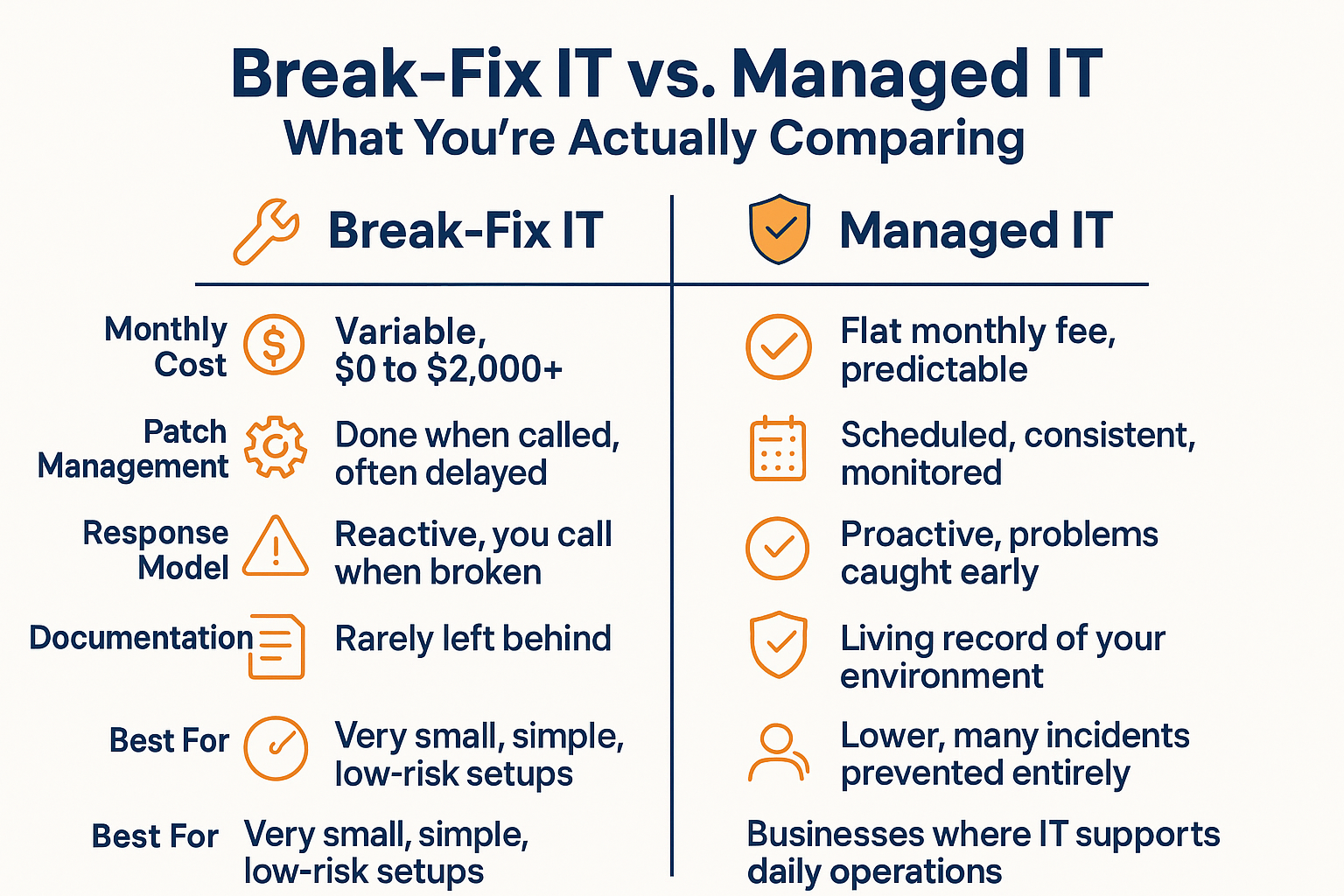
Break-Fix vs. Managed IT: Side-by-Side
The comparison below shows how the two models differ across the factors that matter most to a small business owner evaluating IT support options.
The Documentation Problem Nobody Talks About
One of the least visible costs of break-fix IT builds up slowly over years. When a technician comes in to fix a problem, they fix it and leave. There’s no record of what was wrong, what was changed, what was configured, or why.
Over time, this creates a network where nobody fully understands how it’s built. Every future problem takes longer to diagnose because the person working on it is starting from scratch. And when staff changes, a vendor relationship ends, or something fails in an unusual way, that missing context is expensive to reconstruct.
IT practitioners who work in SMB environments consistently flag documentation as a chronic weak point. Even when businesses switch to managed services, the gap left by years of undocumented break-fix work is often one of the first things a new provider has to address.
A well-run managed IT relationship produces a living record of your environment, network diagrams, hardware inventory, software licenses, configuration notes, and change logs. That documentation has real value when something breaks, when you’re adding new employees, or when you’re planning a technology upgrade. For businesses thinking through their network’s foundation, setting up a small business network that won’t fight you later walks through what a well-documented infrastructure actually looks like.
Realistic 12-Month Cost Comparison: 15-Person Office
The figures below reflect general market context for Monterey County, CA and are illustrative estimates, not guaranteed costs. Actual pricing varies by provider, scope, and incident severity.
| Scenario | Break-Fix (estimated) | Managed IT (estimated) |
|---|---|---|
| Monthly baseline cost | $0 | $1,500 – $3,000/month (varies by scope) |
| Emergency labor, 2-3 incidents/year | $900 – $2,400 | Included in most agreements |
| Ransomware or major breach event | $3,000 – $10,000+ | Largely prevented by patch management and monitoring |
| Downtime cost (employee productivity loss) | Variable, often the largest cost | Reduced significantly by proactive response |
| Year-end documentation / network knowledge | Minimal to none | Maintained as part of the service |
| Total estimated 12-month range | $4,300 – $12,400+ (incident-driven) | $18,000 – $36,000 (flat, predictable) |
What to Ask Before Signing a Managed IT Contract
Managed IT pricing is predictable by design, but unclear scope boundaries are one of the most common frustrations businesses run into after signing. Knowing the right questions upfront makes the comparison fair and protects you from surprise invoices.
Before committing to any managed services agreement, get clear answers on these specifics:
- What is included in the monthly fee? Endpoint monitoring, help desk calls, patch management, and antivirus are typically included, but confirm it explicitly.
- What triggers a separate bill? After-hours emergency dispatch, new user onboarding, hardware procurement time, and project work outside day-to-day support often fall outside the base agreement.
- What is the committed first-response time, and does it apply to all ticket types? Some providers define response time only for critical issues. Ask what happens when a priority-two ticket sits for three hours during business hours.
- How is hardware handled? Some MSPs mark up hardware procurement; others bill at cost. Know which model you’re in.
- What happens when the contract ends? You should own your documentation, your licenses, and your configurations. Confirm that in writing.
For businesses that already have some internal IT capacity and are thinking about a hybrid approach, when does it make sense to keep some IT in-house covers that middle-ground decision in detail.
The reframe worth making here: instead of asking “how much does managed IT cost per month,” ask “how much does one unplanned outage cost us per hour” and compare those numbers. A 10-person accounting firm in Monterey that can’t access client files on April 14th, or a 40-person agriculture operation in the Salinas Valley that loses email during a purchasing window, isn’t dealing with an IT inconvenience. Those are business disruptions with real dollar values attached.
Frequently Asked Questions About Break-Fix vs. Managed IT
Is break-fix IT ever the right choice?
For a solo operator or a two-person office with very simple, low-stakes technology, break-fix can be fine. But once you have multiple employees relying on shared systems, cloud software, or compliance requirements, the unpredictability of break-fix becomes a real business risk. Most businesses in Monterey County that have outgrown that stage find the cost comparison shifts clearly in favor of managed IT once they count downtime honestly.
How do I know if a managed IT provider is actually proactive or just claims to be?
Ask for specifics. How often are patches applied? What monitoring tools are on your endpoints and network? What is their process when an alert triggers at 2am? A provider that can’t answer those questions in concrete terms is probably reactive with a nicer-sounding name. Also ask to see a sample of the documentation and reporting they produce for existing clients.
What does managed IT pricing actually look like for a small business?
Pricing varies based on the number of users, devices, and services included. General market context in the Monterey County, CA area suggests per-user monthly fees can range considerably depending on scope. A small office wanting basic monitoring and help desk will pay differently than a 50-person firm needing cybersecurity tools, backup management, and compliance support. The right approach is to get an itemized proposal based on your actual environment, not a flat per-user number without a defined scope.
Does managed IT cover cybersecurity, or is that a separate cost?
It depends on the agreement. Some managed IT contracts include core security tools like endpoint protection, patch management, and email filtering. Others treat advanced cybersecurity as an add-on. Given California’s data breach notification requirements and the increasing frequency of attacks on small businesses in every industry, it’s worth asking specifically what security layers are included and which require additional investment. California’s new cybersecurity rules carry real consequences for businesses that aren’t prepared.
What happens to our data and documentation if we switch managed IT providers?
This is a question worth asking before you sign, not after. You should own your network documentation, your software licenses, and your configurations regardless of which provider manages them. Confirm that in writing. One of the advantages of a well-run managed IT relationship is that this documentation exists and is current, which makes any future transition far less painful than inheriting an undocumented break-fix environment.
Ready to See What Proactive IT Support Would Cost Your Business?
Adaptive Information Systems works with small and mid-sized businesses throughout Monterey County, from Salinas and the Salinas Valley to Monterey, Seaside, Watsonville, and beyond. If you’re trying to get a clear picture of what managed IT would actually include and cost for your specific operation, reach out at (831) 644-0300 or visit adaptiveis.net to start the conversation.