
Direct Answer: A solid small business network requires proper segmentation, business-grade hardware, well-placed wireless access points, and complete documentation — built intentionally from the start, not pieced together over time.
Most small business networks in the Monterey Bay Area weren’t designed — they grew. A consumer router from a big-box store, a few switches added when headcount grew, Wi-Fi that barely reaches the back office. It works until it doesn’t, and when it breaks, nobody can tell you why.
The businesses that end up with the worst network problems aren’t the ones that suffered some catastrophic failure. They’re the ones that made small, unintentional decisions at setup and never revisited them. A 10-person office in Salinas and a 40-person operation in Watsonville can both end up with the same fragile foundation if nobody built it with a plan.
This guide focuses on the three things that actually determine whether your business network holds up over time: segmentation, hardware selection, and documentation. Getting those right at the start saves real money — and real headaches — down the road.
Why Segmentation Is the Foundation of a Functional Business Network
Segmentation means keeping different types of network traffic logically separated so that a problem in one area doesn’t cascade into everything else. It’s the single most important design principle in a small business network — and the one most often skipped.
Here’s what an unsegmented network looks like in practice: your guest Wi-Fi, your internal file servers, your VoIP phones, and your point-of-sale system are all on the same network. If a guest’s device gets infected with malware, it has a direct path to your accounting data. If someone runs a large file download, your phone calls start dropping. These aren’t edge cases — they’re predictable consequences of not separating traffic at setup.
Proper segmentation uses VLANs (virtual local area networks) to create isolated lanes of traffic. A well-segmented small office network typically separates:
- Internal workstations and servers — your core business systems
- Guest Wi-Fi — visitors and personal devices, completely walled off from internal resources
- VoIP phones — voice traffic on its own VLAN with QoS (Quality of Service) policies that prioritize call packets so audio doesn’t degrade during heavy data transfers
- Point-of-sale or payment systems — isolated from general employee devices, which also supports PCI compliance requirements
None of this requires enterprise-scale equipment. But it does require someone who knows how to configure it intentionally. A misconfigured VLAN is worse than no VLAN — it creates a false sense of separation. For more on what a healthy network actually looks like from the inside, how to actually know if your business network is healthy is worth reading before any setup conversation.
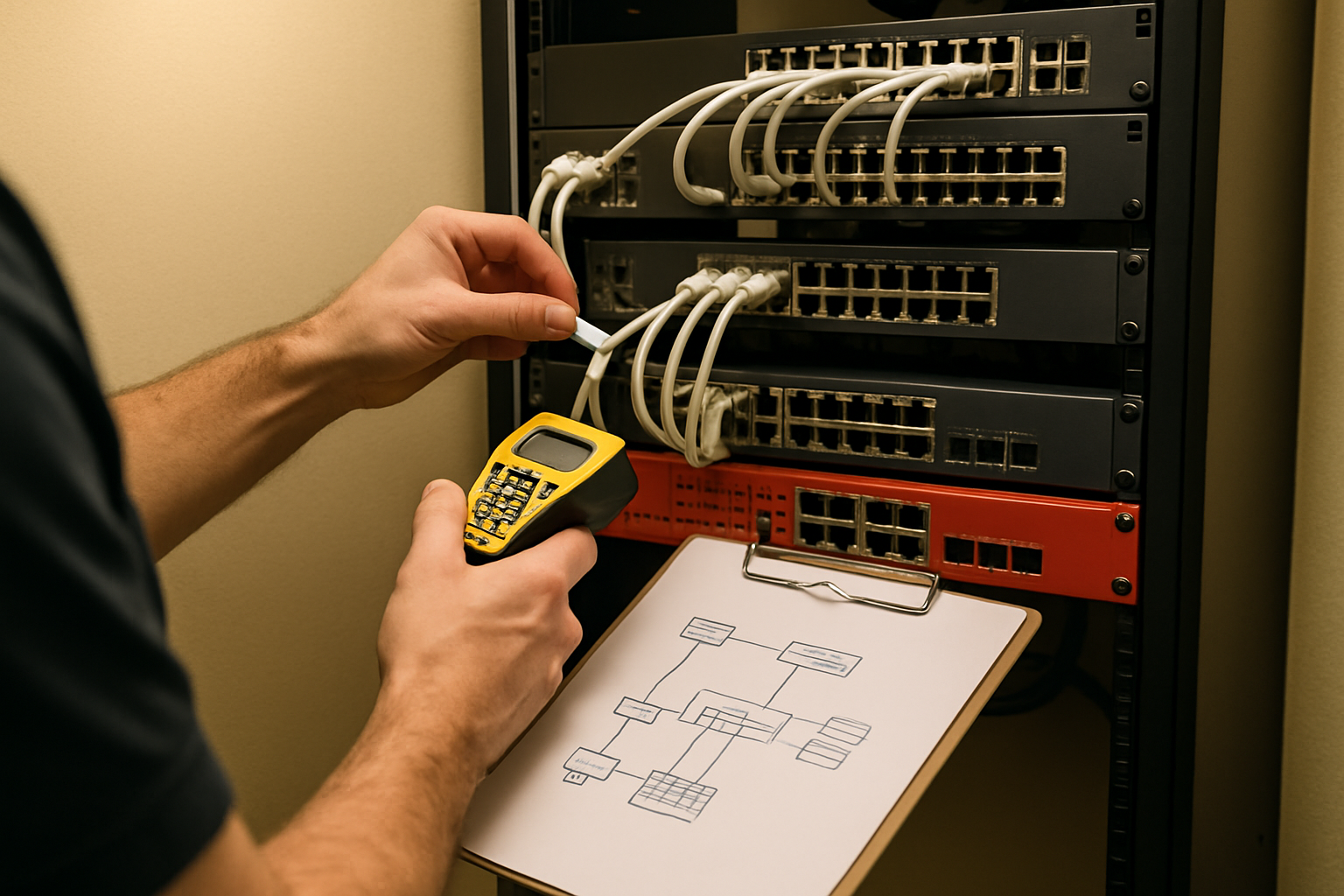
Hardware: Where the Wrong Choice Costs You Every Day
A $50 consumer router and a $300 business-class router look nearly identical in a product photo. They are not the same device under load.
Consumer routers are built for one household and maybe a dozen devices. A small business office of 20 to 50 employees running cloud applications, video calls, and file syncing simultaneously will push a consumer unit past its limits quickly — and the degradation is subtle at first. Calls get choppy. File uploads slow down. Nobody can point to a single failure, but productivity erodes steadily.
For a business network that handles real workloads, three hardware components are non-negotiable:
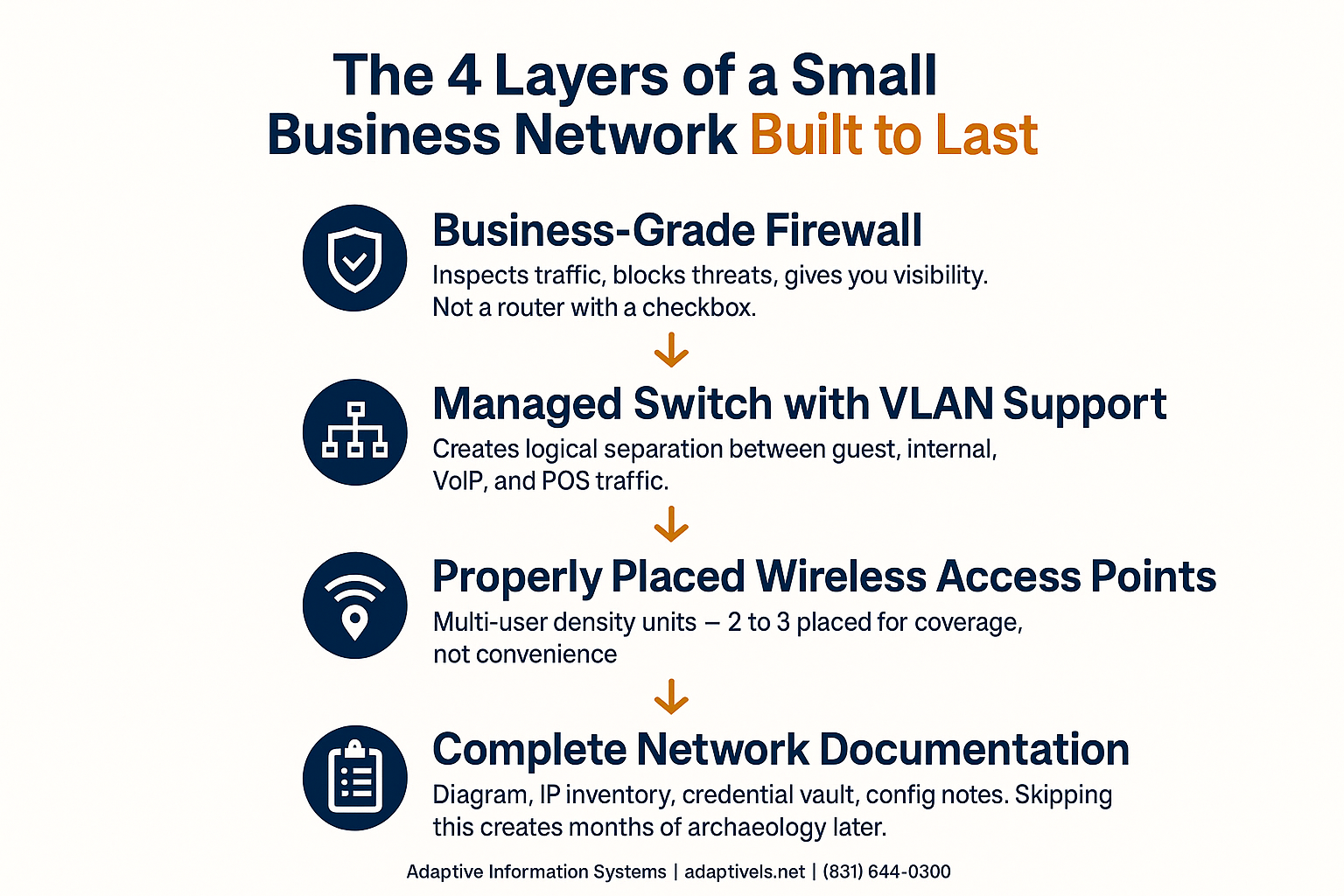
- A business-grade firewall — not a router with a firewall checkbox, but a dedicated appliance that inspects traffic, blocks threats, and gives you visibility into what’s moving across your network. Brands like Fortinet, Meraki, and Sophos are common in this space, but the right choice depends on your size and compliance needs.
- A managed switch with VLAN support — this is what actually makes segmentation possible. Unmanaged switches can’t enforce VLAN policies. If the switch isn’t managed, the segmentation plan is theoretical.
- Business-class wireless access points designed for multi-user density — not a single access point hidden in a utility closet, but purpose-built units that handle dozens of simultaneous connections without degrading.
The NIST Small Business Cybersecurity Corner recommends that SMBs treat network infrastructure as a security control, not just a connectivity tool — which means the hardware decisions are security decisions too.
Budget for business-grade equipment varies considerably depending on office size, vendor, and whether you’re buying new or refurbished. For a 20- to 50-person office, equipment costs alone can range from a few thousand dollars on the low end to significantly more for a larger footprint with full redundancy. The ongoing cost of reactive fixes to an underbuilt network almost always exceeds the upfront investment in doing it right. The real cost of waiting until something breaks to call IT walks through how that math tends to play out.
The Four Layers of a Small Business Network Built to Last
This infographic outlines the four core components every intentional small business network needs — and what goes wrong when each one is skipped.
Wireless Coverage in Central Coast Commercial Spaces Is Almost Always Underengineered
A single access point placed in a server closet is not a Wi-Fi design. It’s a guess — and in most commercial spaces on the Central Coast, it’s a bad one.
Older commercial buildings in Salinas and along the Monterey Peninsula frequently have thick adobe or concrete construction. These materials attenuate wireless signals significantly more than modern drywall. A single access point that would cover a 2,000-square-foot modern office might struggle to reach half that area through a 1960s-era Salinas building with concrete block walls.
Proper wireless planning accounts for:
- Wall material and building construction — adobe, concrete, and even older plaster walls absorb signal differently than wood-frame construction
- Device density per square foot — a busy reception area or open workspace with 20 devices in close proximity behaves very differently than a private office
- Interference from neighboring networks — in denser commercial districts in Monterey or downtown Salinas, channel overlap from adjacent businesses is a real performance factor
- Roaming behavior — employees who move through a space need access points that hand off connections smoothly, which requires proper controller configuration, not just multiple units plugged in
Two or three properly placed, properly configured access points will outperform a single enterprise unit dropped in the wrong location. The placement matters more than the hardware tier.
For businesses with remote workers or multiple locations, wireless coverage is only part of the picture — networking and security solutions for Monterey Bay SMBs covers how the broader architecture connects.
Consumer vs. Business-Grade Network Components: Key Differences
This table summarizes the practical differences between consumer-grade and business-grade networking equipment — the gaps that matter most in a real office environment.
| Component | Consumer Grade | Business Grade |
|---|---|---|
| Router / Firewall | Basic NAT, no traffic inspection, limited concurrent connections | Dedicated firewall appliance, deep packet inspection, threat filtering, full logging |
| Switch | Unmanaged — all traffic on one flat network | Managed — VLAN-capable, supports QoS policies, remote administration |
| Wireless Access Points | Single unit designed for home density, no controller | Multi-user density, controller-based management, proper roaming support |
| Credential Management | Default admin passwords, rarely changed | Unique admin credentials stored in a secure vault, documented |
| Support / Warranty | Consumer support line, best-effort | Business support agreements, advance hardware replacement available |
Documentation: The Thing Every Business Skips and Later Regrets
When we work inside networks that were set up years ago without documentation, the pattern is always the same: nobody knows the admin passwords, nobody knows what IP addresses were assigned to which devices, and the only person who understood the original setup hasn’t worked there in two years.
One hospitality client in the Monterey area came to us after their IT technician passed away unexpectedly — they had login credentials for their wireless system but no idea how it was configured or why. That’s not a rare situation. It’s a foreseeable risk that good documentation prevents.
A complete network setup should produce at minimum:
- A physical and logical network diagram — what devices exist, how they connect, and which VLANs carry which traffic
- A device inventory with IP assignments and MAC addresses for every networked device
- Admin credentials stored in a secure password vault — not written on a sticky note, not in a shared Google Doc with no access controls
- Notes on every non-standard configuration decision and why it was made
This documentation is the difference between a smooth vendor transition and a months-long archaeology project. It also matters for security audits, insurance claims, and compliance reviews — especially relevant for businesses subject to California’s data breach notification requirements. If you haven’t looked at what those obligations mean for your organization, California’s new breach clock and the 30-day rule is a useful primer.
Proactive network monitoring extends the value of good documentation by giving you ongoing visibility into what’s happening across the infrastructure you’ve built. How AI-driven network monitoring catches problems before you notice explains how that works in practice.
Frequently Asked Questions About Small Business Network Setup
How much does it cost to set up a proper business network in Monterey County?
Costs vary depending on office size, number of users, hardware vendors, and whether you’re starting from scratch or upgrading an existing setup. For a 20- to 50-person office, equipment alone can run anywhere from a few thousand dollars to considerably more for a full deployment with redundancy and managed wireless. Labor, configuration, and ongoing management add to that. The more useful comparison isn’t what a proper setup costs — it’s what an underbuilt one costs over time in downtime, reactive fixes, and security incidents. Contact Adaptive Information Systems directly for a scoped estimate based on your specific environment.
Do I really need VLANs if my office is small?
Yes — arguably more so, because small offices are less likely to have other security controls in place. If your guest Wi-Fi and your internal accounting system are on the same flat network, a compromised guest device has a direct path to your business data. VLANs are not just an enterprise tool; they’re a basic design practice for any business network that handles sensitive information.
Can I just buy a consumer router from Costco and call it a day?
For a home network, probably fine. For a business running cloud applications, VoIP phones, and 15 or more simultaneous users, a consumer router will hit its limits quickly. The degradation is subtle — slow file uploads, choppy calls, intermittent connection drops — and it tends to get blamed on the internet provider before anyone looks at the router. Business-grade hardware handles concurrent connections, routing complexity, and sustained throughput in ways consumer units simply don’t.
How many wireless access points does my office actually need?
It depends on your building’s construction, square footage, and how many devices need to connect at once. In a modern open-plan office, one access point might cover 1,500 to 2,500 square feet. In an older Salinas commercial building with concrete or adobe walls, that coverage area shrinks considerably. A proper wireless survey — even an informal one — should account for wall materials, device density, and roaming behavior. Two or three well-placed units almost always outperform one expensive unit in the wrong location.
What happens if we set up the network ourselves without professional help?
Some businesses do it successfully, especially at very small scale. The risk isn’t always immediate failure — it’s the slow accumulation of small problems: a flat network with no segmentation, access points that never got properly configured, admin credentials no one can find when something goes wrong. The mistakes that cause the most pain show up months or years later, when a vendor changes, an employee leaves, or a security audit reveals the gaps.
Should network documentation be stored digitally or on paper?
Digital, in a secure and access-controlled password vault — not in a shared spreadsheet, not in email, and definitely not on a sticky note on the server. Physical backup copies have their place in a disaster recovery scenario, but the primary documentation should live somewhere that authorized people can access remotely and that logs who accessed what. Your network diagram and credential vault are sensitive assets and should be treated that way.
Ready to Build a Network That Doesn’t Need Constant Rescue?
If your current setup was pieced together over time and you’re not entirely sure what’s on it, what’s separating your guest traffic from your internal systems, or where your admin credentials even are — that’s worth a conversation. Adaptive Information Systems works with small and mid-sized businesses across Salinas, Monterey, Watsonville, and the broader Monterey County area to design and document networks that hold up under real business conditions. Call (831) 644-0300 or visit adaptiveis.net to start the discussion.