
For any business in Monterey County, your data is your most valuable asset. Whether it's patient records, customer lists for your hospitality business, or harvest data for your farm, losing it can be a disaster. Think of data backup and recovery services as the best insurance policy for your business. These services make sure you can get back on your feet fast after a server crash, cyberattack, or any other data disaster.
Why Your Salinas Business Needs a Data Safety Net
Imagine your main server crashes right before a big project deadline. Or worse, a ransomware attack locks up all your financial records. The stress is huge, and the lost sales are real. For a local business in Salinas, this isn't just an IT problem—it's a threat to your survival.
This guide will give you a simple plan to keep that nightmare from happening to you.

We'll walk you through why data backup and recovery is one of the smartest investments you can make. It's not an extra expense—it's a key part of keeping your business running smoothly.
Why You Can't Afford to Skip Data Protection
In today's world, data problems can come from anywhere. Each one can stop your business in its tracks. To see what’s at stake, look at real-world events like the devastating NotPetya cyberattack. It showed just how quickly a business can be knocked out.
A good protection plan prepares you for common threats like:
- Hardware Failure: Servers and hard drives don't last forever. They can fail without warning.
- Human Error: We all make mistakes. Accidentally deleting an important file is more common than you might think.
- Cyberattacks: Ransomware can lock up your files, holding your business hostage.
- Natural Disasters: Fires, floods, or earthquakes can destroy your computers and all the data stored on them.
Without a recovery plan, any of these events could shut you down for good.
A Smart Plan for Local Businesses
For many small and mid-sized businesses, the idea of "enterprise-level IT" feels out of reach. It sounds expensive and complicated. Our mission is to show you that great data protection is both affordable and easy to manage.
A smart data backup and recovery plan is no longer a luxury. It’s a basic need for any business that wants to be secure and confident.
This guide has practical advice made for businesses in Salinas, Monterey, Carmel, and our local communities. We'll explain things in simple terms. You’ll learn how to protect your company's future without spending a fortune.
You don't need a huge IT team to be safe. You just need the right plan and a partner you can trust.
What Are Data Backup and Recovery?
To protect your business, you need to understand the two main parts of a data safety plan. Let's break them down. They are the foundation for getting your business back up and running after a problem.
Data backup is like making a secure copy of your most important business files. It's like having a spare key to your office. This copy is your safety net. It holds everything from customer info and financial reports to project files.
But having a spare key is only half the solution. Data recovery is the plan for using that key to get back to work. A backup without a recovery plan is like having a spare key but not knowing where you put it.
One is pretty much useless without the other. Together, data backup and recovery services create a full safety net that lets you bounce back from anything.
How They Work Together
Let’s make this real. Imagine your Carmel art gallery's main computer crashes. It takes your entire customer list with it. The backup is the saved copy of that list. The recovery is the set of steps we take to quickly put that saved copy onto a new computer. This gets you back to selling art with very little downtime.
Or, think of a logistics company in Marina that has a server fail. The backup holds all the shipping schedules. The recovery is the quick process of restoring that data so trucks can keep moving. In both cases, the backup gives you the data, and the recovery plan gives you the steps to use it.
Setting Your Recovery Goals
A key part of any good recovery plan is setting clear goals. In the IT world, we use two terms that every business owner should know. Understanding them helps you pick the right level of protection.
-
Recovery Point Objective (RPO): This decides how much data you can afford to lose, measured in time. If your RPO is one hour, you need your data backed up at least every hour. For a busy online store, this is a must. For an office that updates files less often, a daily backup (24-hour RPO) might be fine.
-
Recovery Time Objective (RTO): This decides how quickly you need to be back in business after a disaster. An RTO of one hour means your systems must be working again within 60 minutes. This goal directly affects how much money you might lose from being down.
Choosing the right RPO and RTO is a business decision, not just a tech one. It's about balancing cost and risk. A very low RTO and RPO costs more, but it gives you the best protection. Looking at different data backup strategies for Monterey Bay businesses can help you find the right fit for your company.
The Real Cost of Doing Nothing
It's easy to get lost in tech terms like RTO and RPO. But let's talk about what really matters: what happens when you lose your data. For you, the business owner, this isn't a small IT issue—it's a direct hit to your bank account.
Ignoring data protection is like leaving your shop's front door wide open overnight and just hoping for the best. What you might not realize is that the cost of a data breach is more than just buying a new server. The hidden costs add up fast. They can turn a small problem into a big financial mess.

The Hidden Costs of Downtime
When your systems go down, everything stops. The financial pain isn't just from being closed; it's a chain of expenses that can hurt a small business.
Let’s look at the real costs you face during a data disaster:
- Lost Sales: This is the first thing you'll feel. Every minute your systems are down is a minute you can't take orders, help customers, or make money. For a hotel in Monterey, that means no online bookings. For a Salinas ag-tech company, it could stop work in the fields.
- Wasted Employee Time: Your team can't work if they can't access their tools. You're still paying them, but they're stuck. That wasted time costs you money.
- Damaged Customer Trust: Your reputation is priceless. When you lose customer data or can't provide services, you break the trust you worked so hard to build. Customers will go to your competitors, and it's tough to win them back.
Protecting your reputation is just as important as protecting your files. A single data loss event can erase years of good customer relationships.
Ransomware: A Modern Threat
Today's cyber threats are different. Hackers aren't just causing trouble; they're running a business. Ransomware attacks target companies that don't have good, tested backups.
Criminals know that if they lock up your data and you can't restore it, you're more likely to pay them. They are counting on you being unprepared. This turns a tech problem into a hostage situation with your entire business on the line.
Having a solid backup gives you all the power. When you can restore your own data, the attacker has nothing on you. Instead of paying a huge ransom, you can focus on getting back to work. This is why good data backup and recovery services are the best defense against digital crime. You can see what a strong response looks like in our guide on creating a business recovery plan example.
An Investment in Your Future
Putting money into data protection isn't just another cost; it's a way to build a stronger business. It's a growing priority for companies everywhere. The global market for data backup and recovery recently hit about $14.95 billion and is expected to grow to over $16.66 billion. This shows how seriously businesses are taking this. You can find more info about the growing data protection market on ResearchAndMarkets.com.
For any Salinas business, from a law office in Oldtown to a farm off Highway 101, this investment helps you handle the unexpected. It’s about more than technology; it’s about making sure your business can survive and serve our community for years to come.
On-Premise vs. Cloud Backup: What's Right for You?
When you choose data backup and recovery services for your business, you have two main options. The first is the traditional, hands-on method called on-premise backup. The other is the modern, flexible option: cloud backup.
Each has its own pros and cons. The best choice for you depends on your business needs, your budget, and how much control you want.
Let's look at these two options.
The On-Premise Method: Full Control
Think of an on-premise solution like having a heavy-duty safe in your office. You buy the equipment—servers or external drives—and it stays in your building. You have total physical control over your data.
This can be very fast for restoring data because it's all right there. You aren't slowed down by internet speeds when you need a file back.
But this control comes with a lot of responsibility. You have to pay for all the equipment upfront. You also have to handle the maintenance, updates, and security yourself. And here’s the biggest problem: if a disaster like a fire hits your office, your backups are in danger too.
The Cloud Backup Method: Flexibility and Security
Cloud backup, also called Backup as a Service (BaaS), is a totally different approach. Instead of buying your own safe, you rent space in a high-security vault from a special provider. You pay a set monthly fee, and they handle everything for you.
Your data is encrypted and sent securely over the internet to their data centers. These centers are usually in different locations, which adds another layer of protection.
This model is easy to scale. As your business grows, you can get more storage with a simple click—no new hardware needed. It also offers much better disaster recovery, since your data is safe miles away from any local problem. This is why it has become the top choice for modern businesses.
Backup as a Service offers a great mix of low cost, flexibility, and off-site protection. It makes top-level data security affordable for local businesses that need to focus on their customers.
The growth in this area has been huge. The BaaS market is currently worth around $4.80 billion and is expected to shoot up to $33.56 billion. This is because businesses are moving online and need stronger data protection. You can read the full research on the growth of cloud backup solutions on Infrascale.com.
This image helps you see what a professional backup solution tries to achieve. It balances how often you back up with how fast you can recover.
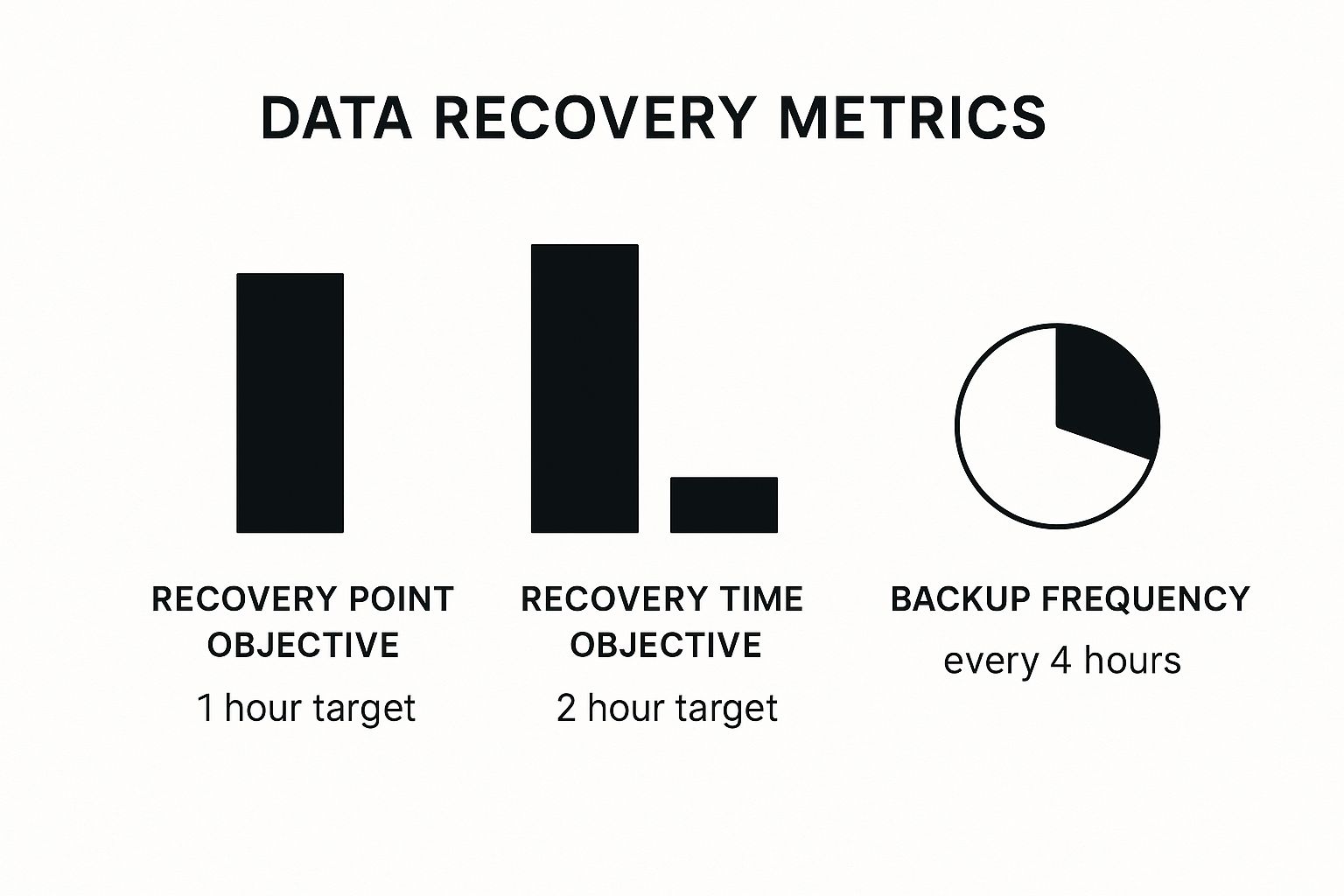
As you can see, a good strategy reduces both data loss and downtime. It finds the perfect balance between backup frequency and recovery speed.
Making the Right Choice for Your Business
So, which one is right for you? There's no single "right" answer for everyone. But a side-by-side comparison can make the decision much easier.
Comparing On-Premise vs. Cloud Backup Solutions
This table breaks down the key differences to help you weigh your options.
| Feature | On-Premise Backup | Cloud Backup (BaaS) |
|---|---|---|
| Initial Cost | High (you buy all the hardware) | Low (no hardware to purchase) |
| Ongoing Costs | Maintenance, power, software licenses | Predictable monthly subscription fee |
| Scalability | Limited (requires buying new hardware) | Highly scalable (adjust storage as needed) |
| Recovery Speed | Potentially very fast for local files | Depends on internet speed, but great for major disasters |
| Management | You are responsible for everything | Managed entirely by your IT partner |
| Disaster Protection | Vulnerable to local events (fire, flood) | Excellent (data is stored safely off-site) |
For many small and mid-sized businesses, the best solution is a mix of both. A hybrid approach often gives you the best of both worlds. It combines the speed of a local backup for quick file restores with the strong security of an off-site cloud backup for total disaster recovery.
This two-part strategy ensures you're protected from everything from an accidentally deleted file to a major disaster.
How to Choose the Right IT Partner in Monterey County
Picking the right IT partner is just as important as picking the right backup solution. This is the team you'll be trusting with your most valuable asset—your data.
For businesses here in Salinas, Monterey, and across the county, finding a partner who understands our area is a big plus. They get the challenges our local agriculture and hospitality industries face.
When you look for a provider for data backup and recovery services, you're not just buying a product. You're starting a relationship. To make sure you find the right fit, you need to ask good questions. Think of it like hiring a key employee, because that’s what your IT partner will be.

Key Questions to Ask Any Provider
Don't be afraid to ask for details. A good provider will be happy to answer your questions clearly. If they get defensive or can’t give you straight answers, that's a red flag.
Here are the most important questions to ask:
- How often do you test the backups? A backup that hasn't been tested is just a hope, not a plan. Your partner should do regular tests to make sure your data can actually be restored.
- What is your guaranteed recovery time? This goes back to your RTO (Recovery Time Objective). Ask for a specific time in their service agreement that shows how quickly they promise to get you back online.
- What does your support look like in an emergency? When a disaster happens, you need to know who to call and how fast they'll help. Will you talk to a real person right away, or get stuck in a long support line?
- Can you provide references from local businesses? The best proof of a provider's work is their history with other companies like yours here in Monterey County.
The Value of a Local Partner
Working with a local team has real benefits that a big, national company can't offer. A partner based right here in Salinas can respond faster if you need hands-on help with your equipment.
More importantly, a local provider cares about our community's success. Your success is their success. They understand the local economy and want to help their neighbors do well. When you're looking at your options, be sure to review a potential partner's data services offerings to make sure they match your business goals.
Why Your Choice Matters More Than Ever
Making the right choice is key, especially as businesses rely more on digital tools. Studies show that North America is a leader in data protection for a reason. About 55% of ransomware attacks in our area are fixed because of good backups.
And with 80% of companies now using cloud backups, having an expert partner is a must. You can learn more about these backup statistics and trends to see the full picture.
Choosing an IT partner isn't just about technical skills. It's about finding a team that is accountable, honest, and truly wants to protect your business.
This decision directly affects your ability to recover from a crisis. To help you prepare, we’ve put together a guide on creating strong backup and disaster recovery solutions that keep your business running.
Taking the time to check your options will be worth it. You'll have the peace of mind that comes from knowing your business is in safe hands.
Your Local Partner for Data Protection
We've covered a lot, from the basics of backup and recovery to the real costs of losing your data. The most important takeaway is this: protecting your business is not a complex luxury. It’s a necessary, affordable, and manageable plan for any business in Monterey County.
You now know how to look at different solutions and what questions to ask a potential IT partner. But the most important point is that you don't have to figure this out alone. You don't need to become a tech expert just to keep your business safe.
Big-Company IT With a Local Touch
Our mission at Adaptive is simple: we offer enterprise-level IT services at a price that makes sense for local small and mid-sized businesses. We believe a farming operation in Salinas deserves the same great data protection as a big tech company. It's about leveling the playing field.
As your local partner, we bring a personal touch to data backup and recovery services. We’re not a huge national company; we’re your neighbors. We understand the unique challenges our local agriculture, hospitality, and professional service industries face because we're part of this community, too.
Thinking about your next steps is key to securing your business's future. Data protection is not a one-time task; it’s an ongoing commitment to being prepared.
Taking the Next Step
Getting started is easier than you might think. It begins with a simple chat about your business—what data is most important, how much downtime you can handle, and what your budget is. From there, we build a practical plan that fits your needs.
We're here to be your guide, offering clear advice without the confusing tech talk. Our goal is to give you peace of mind so you can focus on what you do best: running your business. To see how we help companies right here in our area, check out our guide on Salinas backup disaster recovery services.
Ready to have that conversation?
Adaptive Information Systems
380 Main St, Salinas CA 93901 | 831-644-0300 | hello@adaptiveis.net
Frequently Asked Questions About Data Backup Services
Even with a clear plan, you might still have some questions about how data backup and recovery services work. Getting simple answers can help you feel more confident about protecting your business.
Here are a few of the most common questions we hear from business owners here in Monterey County.
How Often Should My Business Back Up Its Data?
How often you back up depends on how much your data changes. For most companies, a daily backup is a great standard. This is usually enough for businesses where info is updated regularly but not every single minute.
But for businesses that handle many transactions, like a medical office in Monterey or a busy online store, the risk is higher. They might need backups to run several times a day to reduce the chance of data loss.
The key question to ask yourself is: "How much data can we afford to lose?" Your backup schedule should be based on your answer.
Is Cloud Backup Secure For Sensitive Information?
Yes, absolutely. It’s a common worry, but modern cloud backup services are built to be extremely secure. Good providers use advanced encryption to protect your data. This means your information is scrambled and unreadable while it travels over the internet and while it's stored on their servers.
Think of it this way: keeping your data in your office is like hiding cash under your mattress. It’s close by, but it’s also at risk from fire, floods, or theft. Using a professional cloud backup service is like putting that cash in a high-security bank vault. It's often much safer than what most small businesses could build on their own.
Good cloud backup isn't just convenient—it's a major security upgrade. It moves your most important asset to a safe place, protecting it with military-grade encryption.
How Long Does It Take To Recover After A Disaster?
This is the big question, and the answer comes down to two key goals: your Recovery Time Objective (RTO) and your Recovery Point Objective (RPO).
- RTO is your deadline: How fast do you need to be back online before it really hurts your business?
- RPO is your limit: How much data, measured in time, can you afford to lose?
A good IT partner doesn't just give you a vague answer. They sit down with you to set real RTO and RPO goals that make sense for your business.
Whether your target is a few hours or just a few minutes, the right plan is built to meet those goals. Our team specializes in creating these custom backup & disaster recovery solutions that give you a clear path back to business as usual. This planning turns a potential disaster into a problem you can manage.
Ready to build a data protection plan that gives you complete peace of mind? The team at Adaptive Information Systems is here to help. Contact us today for a straightforward conversation about securing your business's future. Learn more at adaptiveis.net.
Adaptive Information Systems
380 Main St, Salinas CA 93901 | 831-644-0300 | hello@adaptiveis.net