
Yes, you absolutely can get outside IT help without replacing your team. For many businesses in Salinas and across Monterey County, the smartest approach is a partnership that gives your current staff better tools, deeper expertise, and a much-needed safety net. This model is designed to support and strengthen your team—not replace them.
Why You're Asking This Question
If you’re a business owner in Monterey, Salinas, or Carmel, asking "can I get outside IT help without replacing my team?" comes from a smart place. It shows you value your IT staff but also see the huge pressure they’re under. It’s a fear many small and mid-sized businesses have: “What if my IT guy misses something critical?” You’re not looking to fire your internal IT—you just want backup you can count on.
The common misstep is thinking it’s an “all or nothing” deal. Some business owners believe hiring an IT provider means replacing their in-house staff. Others rely solely on one overstretched IT person to manage everything: hardware, software, updates, backups, security—and expect nothing to fall through the cracks.
This is a massive gamble. Data shows that one-third of SMBs have no one watching security alerts a third of the time, especially after hours. On top of that, an overwhelming 96% of in-house IT pros report burnout or difficulty managing security alone. No one person can do it all, especially when downtime or threats can hit at any time.
This isn’t just a national trend; it's a local reality. Whether you're in agriculture in Salinas or hospitality in Carmel, a single point of failure in your IT can bring your entire operation to a grinding halt.
So, what's the solution? It’s not about choosing between your team and an outside provider. The real answer is collaboration.
The Modern IT Partnership: Co-Managed IT
The old "all-or-nothing" approach to IT support is outdated. Today, a co-managed IT model is designed to support and strengthen your existing team—not replace them. Think of it like IT collaboration, not outsourcing.
Here’s how it works:
- Your internal team handles daily operations. They continue to manage day-to-day tickets and user-facing support—the things they know best.
- Your MSP monitors for security alerts, patches, and performance issues. An external partner, your Managed Service Provider (MSP), watches your network around the clock for threats and updates that might otherwise be missed.
- Both sides stay aligned. You stay in control through regular reporting and shared tools, ensuring everyone is on the same page.
Think of it as adding a team of specialists to your staff without the cost of hiring a dozen new employees. This collaborative approach ensures nothing falls through the cracks, giving you enterprise-level IT at an affordable price that makes sense for local SMBs.
Your Questions Answered: The Co-Managed IT Solution
See how the modern, collaborative co-managed model directly addresses your concerns compared to the traditional 'all-or-nothing' approach.
| Your Concern | The Old Way (All-or-Nothing) | The Co-Managed Way (Partnership) |
|---|---|---|
| "I'll lose my trusted internal staff." | An outside firm takes over completely, making your team redundant. | Your team is augmented, not replaced. They gain new tools and support. |
| "An external provider won't understand our business." | A new provider starts from scratch, leading to a long and painful learning curve. | Your team’s internal knowledge is combined with the provider's broad expertise. |
| "We'll lose control over our IT strategy." | You hand over all decision-making to a third party. | You and your team remain in control, leveraging the partner for execution and advice. |
| "What happens after 5 PM or on weekends?" | Your internal team is on-call 24/7, leading to inevitable burnout and gaps in coverage. | The external partner provides 24/7 monitoring, giving your team their nights and weekends back. |
| "We can't afford enterprise-level security tools." | You're stuck with whatever you can afford, which often isn't enough. | You get access to the partner's entire enterprise-grade security stack at a fraction of the cost. |
This partnership model is a game-changer, turning IT from a source of stress into a strategic advantage. For a deeper dive, you might find our guide on the benefits of managed IT support helpful.
Adaptive Information Systems
380 Main St, Salinas CA 93901 | 831-644-0300 | hello@adaptiveis.net
The Hidden Risks of a Single IT Expert
Relying on one person to manage your entire tech infrastructure might seem lean and efficient, but it's one of the biggest gambles a business can take. Your "IT guy" could be a true rockstar—dedicated, brilliant, and always there to help. But at the end of the day, even the best expert is still just one person.
This single point of failure creates serious vulnerabilities that many business owners don’t see until it’s too late. The most immediate risk is burnout. When one person is responsible for everything from fixing a printer jam to fighting off a ransomware attack, the pressure is relentless. This isn't just a personnel issue; it’s a direct threat to your company's security.
Burnout leads to mistakes. When your sole IT expert is stretched thin, critical security patches get missed, backups aren't verified, and unusual network activity goes unnoticed. It’s not a matter of if something will slip through the cracks, but when.
Beyond burnout, no single person can be an expert in everything. The world of technology is incredibly specialized. The IT pro who is a genius at network management might not have deep expertise in cloud security or regulatory compliance. Expecting one person to master it all is like asking your family doctor to perform open-heart surgery.
The After-Hours Gap
The biggest risk, hands down, is the after-hours coverage gap. Cyber threats don’t clock out at 5:00 PM. In fact, many attackers strike during nights, weekends, and holidays precisely because they know defenses are at their weakest. If your only line of defense is one person who needs to sleep, take vacations, or might get sick, your business is left dangerously exposed.
Think about these real-world scenarios we see all the time:
- A Carmel hospitality group faces a booking system crash on a holiday weekend. Their IT manager is on a camping trip with no cell service, and every minute of downtime means lost revenue and angry online reviews.
- A Salinas agriculture firm needs urgent support for new field technology during harvest season. Their overstretched tech is busy putting out another fire, delaying critical operations when time is literally money.
These aren't just hypotheticals; they are the painful, real-world consequences of relying on a single point of failure. You might also be surprised by the financial side of this model. We break down how a full-time IT staff could be costing you more than you realize in another one of our articles.
Giving your team backup isn't a luxury—it’s a core business strategy. It ensures that when a crisis hits, you have a team ready to respond, not just one person’s voicemail. This is exactly why getting outside IT help without replacing your team is so crucial for smart, sustainable growth.
How Co-Managed IT Strengthens Your Team
One of the biggest myths about bringing in outside IT help is that it’s an all-or-nothing decision. A lot of business owners think they have to choose between their trusted in-house team and a new, external provider. This fear often stops them from getting the support they desperately need.
But the best solution isn’t about replacement; it’s about collaboration.
This partnership model is called co-managed IT, and it’s designed to strengthen your existing team, not make them obsolete. It’s the direct answer to the question, "Can I get outside IT help without replacing my team?" The result is a powerful hybrid approach where your internal staff are empowered, and your business gets the robust protection it deserves.
A Partnership Built on Clear Roles
In a co-managed model, you get the best of both worlds. Your internal IT team remains the face of your company’s technology. They are the ones on the ground who understand your people, your processes, and your daily operational quirks better than anyone.
Their focus stays on high-visibility, immediate tasks:
- Daily User Support: They handle on-site troubleshooting, new employee setups, and day-to-day help desk requests that keep everyone productive.
- Business-Specific Applications: They manage the unique software and custom tools that your company relies on.
- Strategic Projects: Freed from constantly putting out fires, they can finally focus on projects that move your business forward.
Meanwhile, your co-managed partner works behind the scenes, providing the heavy lifting and specialized support that’s nearly impossible for a small team to manage alone.
Think of it like a specialist supporting your general practitioner. Your internal team is the trusted doctor who knows you best, while your co-managed partner is the expert they call in for complex, round-the-clock care to ensure nothing is missed.
Gaining a Second Set of Eyes
Your co-managed IT provider acts as a genuine force multiplier for your team. They bring enterprise-grade tools and a deep bench of expertise to the table, handling the critical functions that keep you safe and operational.
This typically includes things like:
- 24/7 Security Monitoring: A dedicated security operations center watches for threats around the clock, protecting your network long after your team has gone home.
- Proactive Maintenance: They manage the relentless cycle of critical system patching, server updates, and network performance tuning to prevent problems before they start.
- Expert Escalation: When your team runs into a complex issue they can't solve, they have a direct line to a team of specialists for backup.
This approach is quickly becoming the standard for smart businesses that want to blend internal knowledge with external muscle. In fact, one Deloitte report found that 76% of executives now partner with external providers for key IT functions, with over 85% stating that this approach meets or exceeds their expectations.
When you're considering a partner, it helps to understand the different kinds of specialized support out there. For instance, exploring a guide to professional MSSP security services can show you exactly how an external team becomes a vital part of your cybersecurity defense.
With clear reporting and shared tools, your team stays in the loop and in control—but with far less burnout and risk. For a closer look at how this model works in practice, you can check out our guide on co-managed IT services.
Putting a Co-Managed Partnership Into Action
Making the move to a co-managed IT model is a practical, powerful step toward shoring up your business without sidelining the people who know it best. The process starts with honesty and clarity. You need a clear playbook that defines roles, sets expectations, and makes sure both your internal team and your new partner are perfectly aligned from day one.
It all begins with a frank assessment of your current IT landscape. Where are the real pain points? Maybe your single IT pro is a wizard with hardware but gets swamped by cybersecurity alerts. Or perhaps your team is great with daily support but doesn’t have the deep expertise to manage a complex cloud infrastructure. Pinpointing these gaps is the only way to find a partner who fills your exact needs.
This isn’t just a trend; it's a strategic shift. Today, 54% of companies bring in outside IT help to address skills gaps and keep costs in check. In fact, 76% of executives now report using a hybrid model—keeping an average of 24.1% of IT in-house for strategy while partnering externally for the heavy lifting. It's the perfect balance of internal knowledge and external muscle.
Defining Roles and Responsibilities
Once you know what you need help with, the next step is to draw clear lines about who does what. A successful partnership hinges on eliminating guesswork. Your internal team should keep owning the areas where their institutional knowledge is most valuable.
This simple breakdown shows how your internal team and an external partner like Adaptive IS can work together to cover all your bases.
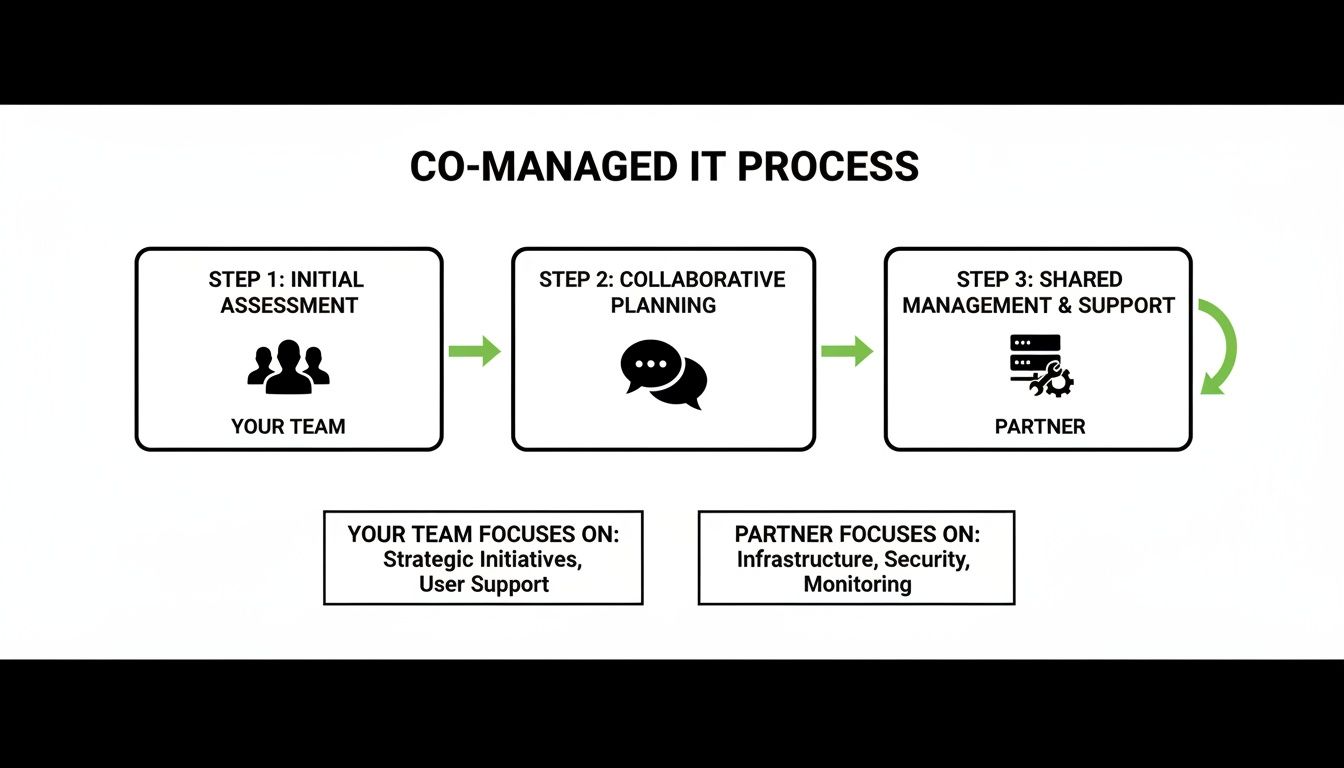
As you can see, the idea is to let your team handle the immediate, user-facing tasks while your partner manages the complex, behind-the-scenes infrastructure and security that never sleeps.
Here's how that usually breaks down:
Common responsibilities for your internal team:
- On-site User Support: Handling day-to-day help desk requests and in-person troubleshooting.
- New Employee Onboarding: Setting up workstations, accounts, and access for new hires.
- Business Application Management: Supporting the line-of-business software your company relies on daily.
Meanwhile, your co-managed partner takes on the specialized, 24/7 tasks:
- Cybersecurity Monitoring: Keeping a constant watch for threats, around the clock.
- Server and Network Management: Performing critical patches, updates, and maintenance.
- Backup and Disaster Recovery: Making sure your data is safe and recoverable, no matter what.
Finding the Right Local Partner
For businesses here in Monterey County, finding a partner who gets our unique challenges is non-negotiable. An IT provider familiar with the specific needs of our local agriculture, hospitality, or education sectors can provide far more relevant support than a distant, generic call center ever could.
The same principles of clear communication and well-defined scopes that apply to managing external technical relationships in other areas, like the key considerations for outsourcing software development projects, are directly relevant here.
A great local partner doesn’t just bring technical skills; they bring context. They understand the seasonal demands of a Salinas farm or the 24/7 uptime requirements of a Carmel hotel. This local expertise is invaluable.
Finally, a clear Service Level Agreement (SLA) cements the partnership, putting response times and performance metrics down in black and white. When you combine that with a smooth onboarding process and regular check-ins, you build a relationship based on trust and shared goals. For more on this, check out our guide to IT help desk best practices. This collaborative approach ensures your technology not only works but actively drives your business forward.
How We Become Your Team's Second Set of Eyes
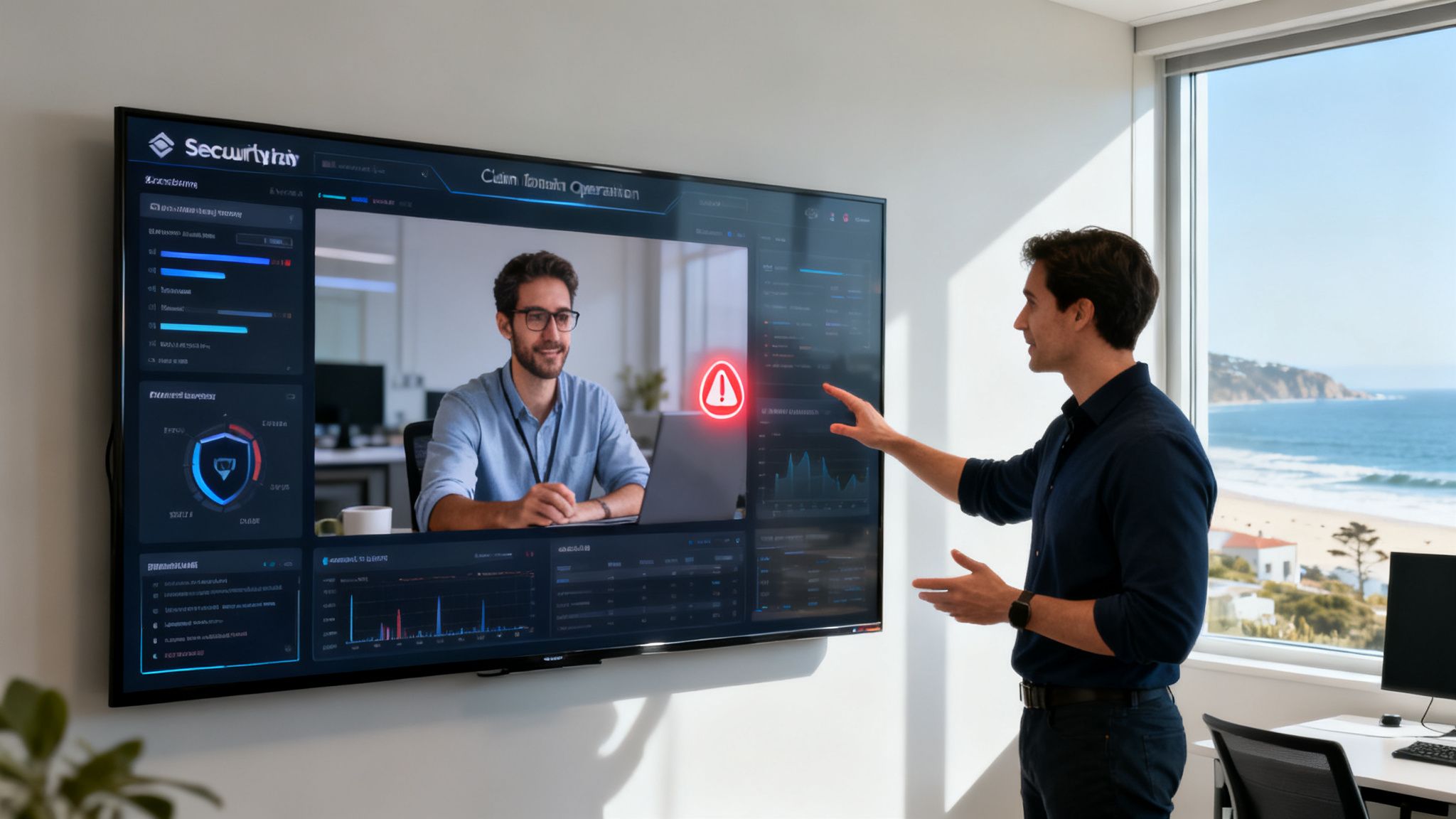
Adaptive IS is known for being the “second set of eyes” SMBs can trust. For businesses across Salinas, Monterey, and Pacific Grove, we act as that trusted partner—your team's dedicated support system. Our co-managed IT services offer 24/7 monitoring, ticket escalation, cybersecurity coverage, and infrastructure support—while still letting your in-house team stay in control of their domain.
Our entire model is built to empower your in-house staff, not overshadow them. We handle the complex tasks that keep your business secure, freeing your people to focus on strategic work that drives growth.
24/7 Security Operations
Your business doesn’t clock out at 5 PM, and neither do cyber threats. Our 24/7 Security Operations Center (SOC) is the core of our promise to you. Our systems constantly monitor your network for suspicious activity and potential intrusions that your team simply can't catch during a busy workday.
This isn’t about replacing your team’s efforts; it’s about giving them a force multiplier. While they’re solving a user's problem or planning a project, we’re watching for the silent threats that could grind your operations to a halt.
We detect the issues they can't see, so they can focus on the business they know best. It’s a proactive partnership that prevents problems from ever reaching your desk.
This hybrid model lets your core staff focus on daily operations while we tackle the heavy lifting. It’s an approach gaining serious traction—a Deloitte survey found a whopping 77% of companies now outsource key IT infrastructure and cybersecurity services without ditching their internal teams. You can find more insights on how businesses are blending internal and external IT expertise on tawzef.com.
Expert Escalation and Proactive Maintenance
What happens when your IT expert hits a wall on a tough problem? In a traditional setup, that’s a roadblock. With our co-managed model, it’s just another step in the process. We provide an expert escalation path, giving your team a direct line to senior engineers who can solve complex server, network, or cloud issues quickly.
Our partnership is also built on prevention. Proactive maintenance is central to our strategy, and we lean on powerful infrastructure monitoring tools to keep systems running smoothly.
This includes things like:
- System Patching: We manage the critical security patches for servers and network devices, closing vulnerabilities before they can be exploited.
- Performance Tuning: We monitor for bottlenecks and optimize your systems, making sure they run at peak efficiency.
- Backup Verification: We don’t just run backups; we regularly test them to ensure your data is safe and recoverable when you actually need it.
By handling these essential but time-consuming tasks, we let your team stay in control of their domain while giving them the backing of an entire enterprise-level IT department. It's the smartest way to get the help you need without replacing the team you trust.
Common Questions About Co-Managed IT in Monterey Bay
Even when you see the value in a co-managed IT partnership, it’s natural to have practical questions. That’s a good sign—it means you’re seriously thinking through what’s best for your business and your people.
Here in the Monterey Bay, we hear the same questions from business owners just like you. Let’s get you some clear, straightforward answers.
How Do We Decide Who Handles What?
This is the most important part of getting the partnership right, and it’s a fully collaborative process. There’s no cookie-cutter answer, so we sit down with you and your IT staff to build out a clear "responsibility matrix."
It’s all about playing to our respective strengths. Typically, the division of labor looks like this:
- Your In-House Team Handles: Day-to-day user support, new employee onboarding, on-site hardware issues, and managing your core business software. They’re the face of IT for your company—the people your employees know and trust.
- Adaptive IS Handles: 24/7 cybersecurity monitoring, server patching, network infrastructure management, and critical backup verification. We take on the specialized, round-the-clock tasks that often lead to burnout for a small internal team.
This simple exercise ensures everyone knows exactly who owns what. No confusion, no finger-pointing, and nothing falls through the cracks.
Will My IT Staff Feel Threatened?
This is a completely valid concern, and we tackle it head-on from day one. Our entire approach is to position our services as a powerful resource for your team, not as their replacement. The goal is to make their jobs easier, less stressful, and far more impactful.
We do that by augmenting their skills with enterprise-grade tools they wouldn't normally have access to. We handle the tedious after-hours work that pulls them away from their families. And we give them a deep bench of experts to call on when they’re stuck on a tricky problem.
Honestly? Most IT professionals welcome the support. It frees them up to stop constantly putting out fires and start focusing on the strategic projects that actually help your business grow.
The question, "Can I get outside IT help without replacing my team?" is really about empowerment. A co-managed partnership gives your people the backup they need to succeed, boosting both their morale and their effectiveness.
What Does the Onboarding Process Look Like?
We’ve fine-tuned our process to be as smooth and non-disruptive as possible. It all starts with a deep dive into your current environment. We need to understand your systems, your workflows, and, most importantly, your biggest pain points.
From there, we work side-by-side with your internal team to install our monitoring tools and establish clear communication channels. We provide full training on how to use our shared ticketing systems and escalation procedures. Our entire objective is to become a fully integrated, supportive partner within just a few weeks.
Is This Affordable for a Salinas-Area Business?
Absolutely. In fact, providing enterprise-level IT at an affordable price for local SMBs is the whole point of our model. When you stack up the predictable monthly cost of a co-managed plan against the potential financial bomb of a single data breach or a day of downtime, the value becomes crystal clear.
More importantly, our model gives you access to an entire team of specialists—in cybersecurity, networking, and cloud services—for a fee that's often less than the salary of hiring just one more senior-level technician. It’s all about making top-tier protection and support accessible to the businesses right here in our community.
If you’re a business in Salinas or the Monterey Bay Area with a small IT team—or even just one overwhelmed tech—Adaptive Information Systems can help. Learn more about our co-managed IT services and find out why more local companies are choosing partnership over burnout.
Adaptive Information Systems
380 Main St, Salinas CA 93901 | 831-644-0300 | hello@adaptiveis.net