
Direct Answer: Businesses catch network problems before employees notice them by using continuous monitoring tools that track network performance, device health, and traffic patterns in real time — flagging issues automatically before they cause visible disruptions.
By the time an employee walks over to say “the internet is being weird,” the problem has usually been building for hours. A switch running hot, a circuit near capacity, a firewall rule behaving unexpectedly — these things don’t announce themselves. They just quietly degrade performance until someone gets frustrated enough to say something.
For businesses in Salinas, Monterey, and across the Salinas Valley, that gap between when a problem starts and when someone reports it is where most downtime actually happens. An agricultural operation running payroll through a cloud system, a law office in Carmel processing title documents, a medical-adjacent clinic in Seaside — none of them can afford to find out about a network failure through a complaint ticket.
This article explains how proactive network monitoring works, what it actually watches, and how businesses here on the Central Coast are using it to stop problems before they ever reach the help desk.
What Proactive Network Monitoring Actually Watches
Most business owners picture IT monitoring as someone watching a screen waiting for a red light. The reality is more automated — and more useful — than that.
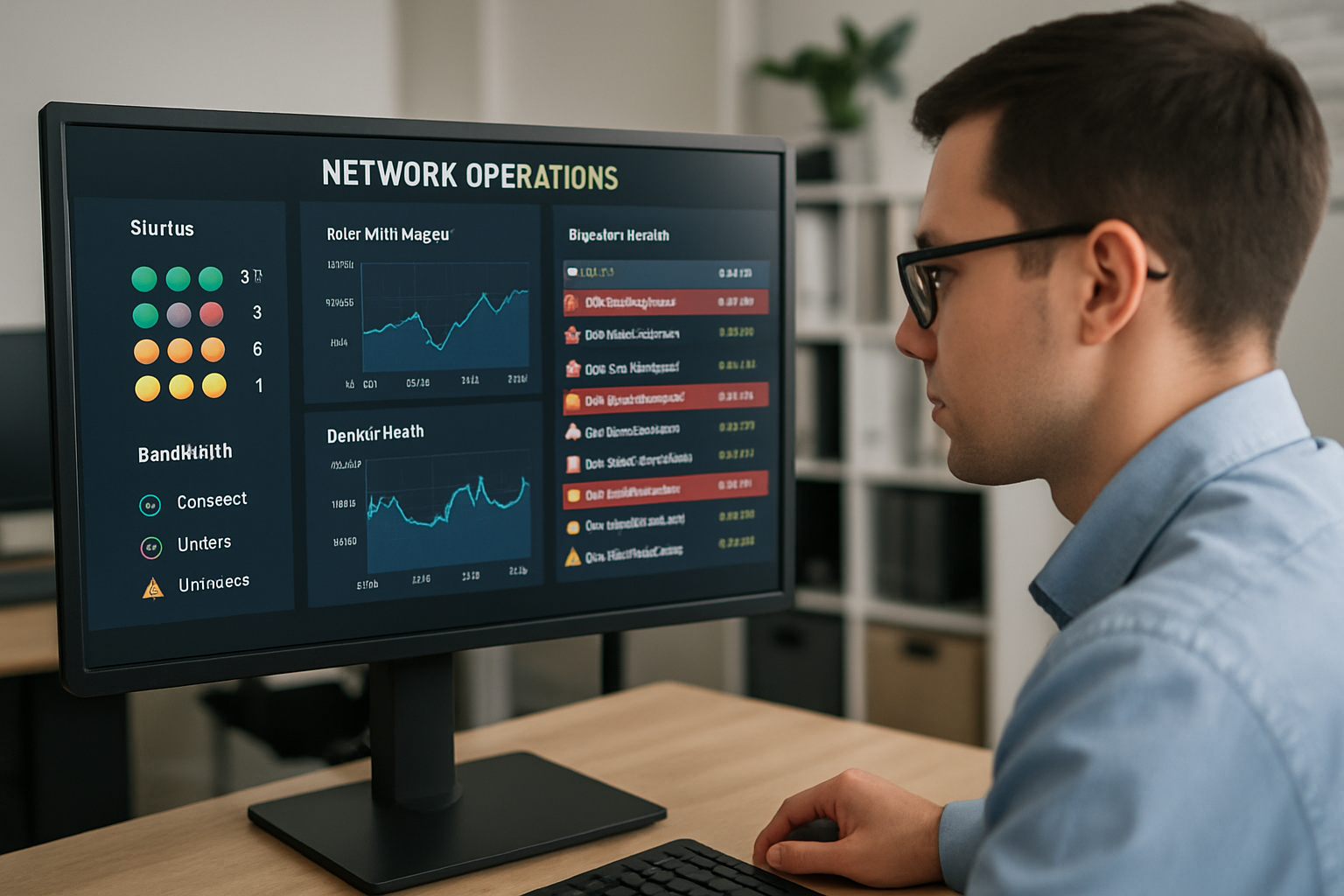
Modern monitoring tools run continuously in the background, collecting data from every device on your network and comparing it against known baselines. When something drifts outside normal parameters, the system generates an alert. No one has to be watching. The system watches for you.
The things a well-configured monitoring setup tracks include:
- Bandwidth utilization — how much of your internet capacity is being used, and by which devices or applications
- Device CPU and memory load — routers, switches, and servers running at consistently high load are often the first sign of a problem
- Packet loss and latency — small amounts are normal; sustained spikes indicate something wrong between your network and the outside world
- Interface errors — physical port issues, bad cables, or failing network cards often show up as error counts long before a connection drops
- Service availability — monitoring whether your VoIP system, line-of-business applications, or cloud services are reachable from your network
- Unauthorized devices — anything connecting to your network that wasn’t there before
A business running networking and security solutions that include this kind of continuous telemetry can often resolve issues within minutes of detection — before a single employee picks up the phone to complain.
For context: most reactive IT support models respond after the ticket comes in, which means the problem has already cost you productivity. Monitoring flips that timeline.
The Difference Between Monitoring and Just Having an IT Guy
A lot of small businesses in Monterey County operate with some version of “we have a guy who handles IT.” That person might be an internal employee who also does other things, or a break-fix vendor who shows up when called. Either way, the network is only being checked when someone asks.
That model works fine — right up until it doesn’t. When a critical router starts dropping packets at 2 a.m. on a Tuesday before your busiest day of the week, “call the guy” doesn’t catch it until Wednesday morning.
Proactive monitoring is different because it’s always on. It doesn’t need someone to notice a problem and report it. The infrastructure reports on itself.
This matters more than most business owners realize. According to Veeam’s 2024 Data Protection Trends Report, 76% of organizations experienced at least one unexpected outage in the prior 12 months, and recovery time — even for minor incidents — averaged several hours. For a Salinas ag-tech company running time-sensitive operations, or a Watsonville hospitality group managing reservations and point-of-sale systems, even two hours of downtime can cost thousands of dollars in lost productivity and revenue.
If you’re wondering whether your current IT setup is actually ahead of problems or just reacting to them, the real cost of waiting until something breaks is worth reading. The numbers are usually worse than people expect.
The businesses that have gotten ahead of this have made one operational shift: they stopped treating the network as something to check on and started treating it as something that should always be reporting its own health.
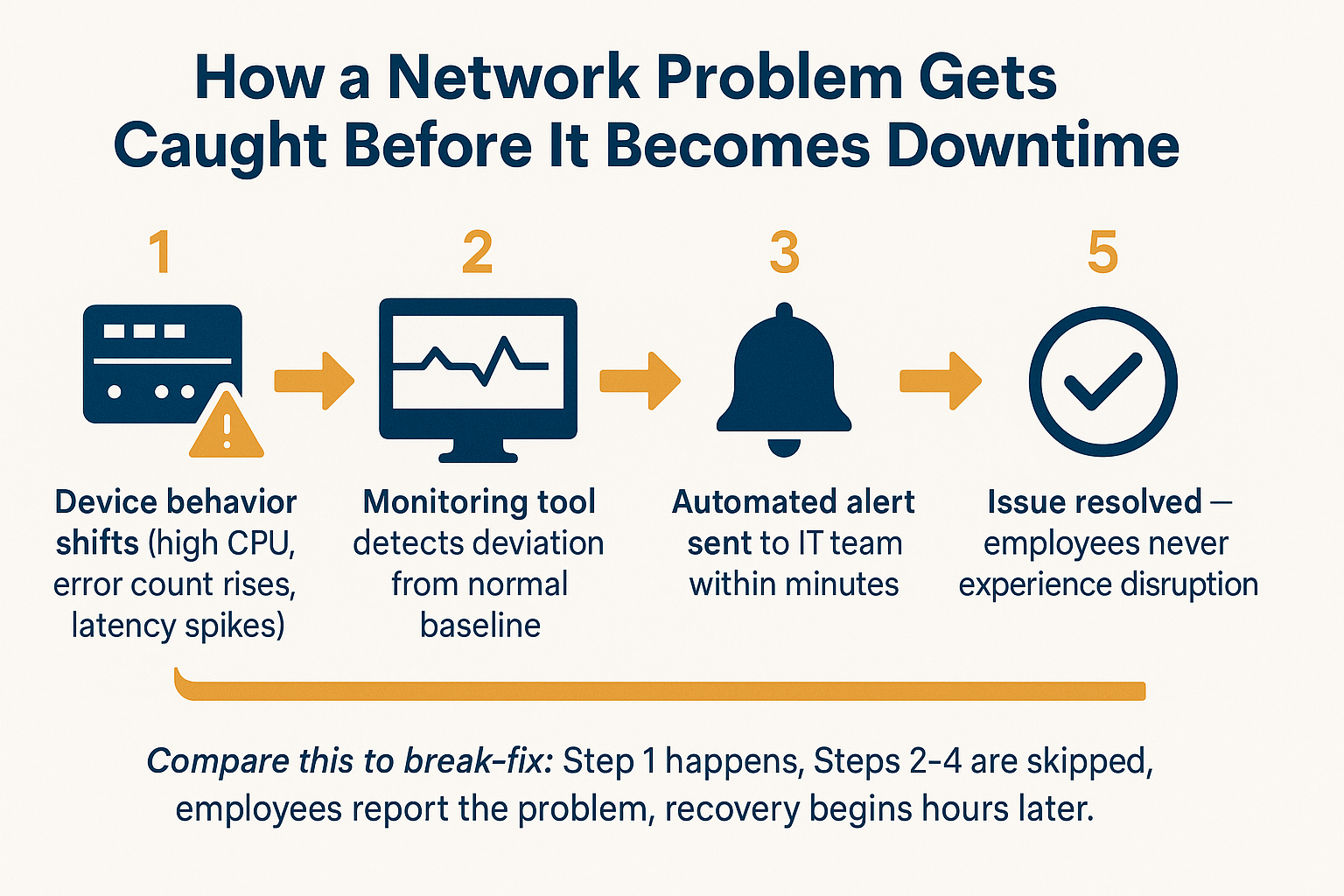
How a Network Problem Gets Caught Before It Becomes Downtime
This flow shows the five stages of proactive network monitoring — from the moment an issue begins to the point where it’s resolved without the business owner ever knowing there was a problem.
What Happens When Monitoring Isn’t in Place
Without continuous monitoring, the network becomes a black box. You know things are working when nobody complains. You find out they’re not working when someone does.
The pattern plays out the same way across industries. A law firm in Monterey notices its document management software is running slowly — but it’s been running slowly for three days and nobody flagged it until the slowdown became a full stop. A nonprofit in Marina loses access to its cloud-hosted files midmorning and spends two hours troubleshooting before calling for help.
In both cases, the problem started hours or days earlier. Monitoring would have caught the early indicators.
Common early warning signs that monitoring tools catch — and humans typically miss:
- A managed switch showing interface errors above 0.5% — often indicates a bad cable or failing port before full failure
- Memory utilization above 85% sustained on a firewall — a sign the device is near capacity and may start dropping connections
- VoIP call quality scores (MOS scores) dropping below 3.5 — audible only as minor distortion, but a clear sign of network congestion
- A device that hasn’t checked in for more than 15 minutes during business hours — could be powered down, could be a sign of something worse
For businesses that also have IoT devices on their network — building sensors, security cameras, smart HVAC equipment — unmonitored devices are a particularly common entry point for both performance issues and security incidents. In a region like the Salinas Valley where modern ag operations may run dozens of connected sensors across a facility, that exposure adds up fast.
Slow network performance is often the first symptom that gets noticed, but by that point the underlying problem has usually been present for a while.
Reactive IT vs. Proactive Monitoring: What Changes
This comparison shows how the same network event plays out differently depending on whether monitoring is in place.
| Scenario | Reactive (No Monitoring) | Proactive (With Monitoring) |
|---|---|---|
| Firewall approaching capacity | Unknown until connections drop | Alert triggered at 80% threshold — addressed before failure |
| Bad network cable on a key switch | Discovered after the port fails completely | Interface error count flagged within hours of onset |
| VoIP quality degrading | Employees report choppy calls — 1-2 days in | MOS score drop detected same day, root cause identified |
| Unauthorized device on network | May never be discovered | New device flagged immediately on connection |
| ISP circuit degrading | Noticed during peak traffic — full disruption | Latency/packet loss spike caught off-hours, ISP notified proactively |
| Server disk nearing full capacity | Application crashes when disk fills | Alert at 85% capacity — space freed or expanded before impact |
What This Looks Like for a Business Without an IT Department
Most small businesses in Monterey County aren’t running a dedicated IT team. They’re running an accounting firm in Pacific Grove, a produce distributor in Salinas, or a dental practice in King City — and IT is handled by whoever is most comfortable with computers, or a vendor who comes in when something breaks.
For those businesses, proactive monitoring is the closest thing to having a network engineer on staff without the $85,000–$110,000 annual salary that comes with it.
Under a managed IT arrangement that includes monitoring, a third-party team watches the business’s network around the clock. Alerts route to them, not to the business owner. When something comes up at 11 p.m. on a Friday — a failing drive in a server, a firewall rule that’s blocking legitimate traffic — it gets addressed before Monday morning.
For business owners who’ve had the experience of showing up to work and finding out something broke over the weekend, that shift is significant. And for small businesses without an in-house IT team, this is increasingly how the technology gets managed — not by hiring someone, but by partnering with a team that already has the tools and processes built out.
The key question to ask any IT partner: what exactly does your monitoring cover, and what triggers an alert? A good answer is specific. If the answer is vague, the monitoring is probably vague too.
Frequently Asked Questions About Catching Network Problems Early
How long does it take for monitoring tools to detect a network problem?
Most modern monitoring platforms check device status and performance metrics every 60 to 300 seconds. So a failing device or a sudden performance drop typically triggers an alert within 1 to 5 minutes of onset. Compare that to the hours it usually takes for an employee to notice, report, and escalate a problem — and the difference in response time is significant.
Does monitoring slow down my network or affect performance?
No. The data collection process uses a very small amount of bandwidth — typically well under 1% of available capacity on a business network. You won’t notice it.
What’s the difference between network monitoring and antivirus software?
Antivirus software watches for malicious files and code on individual devices. Network monitoring watches the behavior and health of your entire network infrastructure — switches, routers, firewalls, servers, and the connections between them. They do different jobs, and a well-managed IT environment includes both.
Can monitoring tools catch cybersecurity threats, or just performance issues?
Both. Performance monitoring catches things like high CPU, latency spikes, and bandwidth overages. But many monitoring platforms also flag anomalous traffic patterns — unusual volumes of outbound data, connections to suspicious IP addresses, or devices communicating in unexpected ways. That kind of behavioral detection is a meaningful layer of security, especially for businesses that may not have a full security stack in place. For a deeper look at what a real security posture includes, 6 signs your IT partner is actually protecting your business covers the basics clearly.
What if we already have an IT person on staff — do we still need monitoring tools?
Yes, and your internal IT person would probably agree. No one can watch a network manually 24 hours a day. Monitoring tools give your in-house IT staff the visibility and alerting they need to work efficiently — instead of finding out about problems from frustrated employees. If your internal team is already stretched, this article on co-managed IT explains how outside support can fill the gaps without replacing anyone.
How much does proactive network monitoring cost for a small business?
Pricing varies depending on the number of devices being monitored and what’s included in the service. For a small business in Salinas or Monterey with 15 to 50 devices, expect monitoring as part of a managed IT package to range from roughly $1,000 to $3,500 per month depending on scope. Standalone monitoring-only arrangements exist but are less common — most businesses find the value comes from pairing monitoring with someone who can actually act on the alerts.
Want to Know What’s Happening on Your Network Right Now?
Most businesses in Monterey County don’t have a clear answer to that question — and that’s where problems start. Adaptive Information Systems works with small and mid-sized businesses across the Salinas Valley, Monterey Peninsula, and surrounding communities to put real monitoring in place so network issues get caught and handled before they turn into downtime. If you’d like to talk through what visibility looks like for your specific setup, reach out at (831) 644-0300 or visit adaptiveis.net.