

If there's one critical shift in data protection every small business must know, it's this: backup is no longer enough. In today's high-risk world, just having a copy of your data won't save you from an attack. You need a tested, rapid recovery strategy to survive. And for business owners here in Salinas and across the Monterey Bay Area, this is a change you can't afford to ignore.
The Dangerous New Reality for Monterey County Businesses
The old way of thinking about data protection—relying on an external hard drive in a drawer or a basic cloud sync service—is dangerously outdated. That old backup method is like putting a simple padlock on a door that every thief already knows how to pick.
This isn't a problem for big corporations in some faraway city; it's a crisis hitting businesses right here. Shocking new data shows that 47% of small businesses were hit by ransomware last year. Even worse, 75% say they couldn’t keep operating after a major attack. This is no longer a future threat—it's an active crisis for small businesses in our community.

From Saving Files to Business Survival
Here's the crucial shift: data protection has moved from just saving files to a complete survival strategy for your entire business. Attackers are actively targeting our local industries like agriculture, hospitality, and education because they know these businesses are the lifeblood of our community but often have weaker digital defenses.
When an attack hits, it’s not just about losing data. It means you’re facing:
- Operational Paralysis: Your entire business can grind to a halt for days or even weeks.
- Reputational Damage: How do you explain to clients that their information is gone or that you can’t provide the services they paid for?
- Financial Ruin: The combined costs of downtime, recovery efforts, and lost business can be crippling.
This new reality means your data protection plan must account for a total business outage, not just a lost file. The goal isn't just to have a backup; it's to get your business back online fast enough to prevent major damage.
To really grasp the shift in data protection every small business must know, you have to consider every angle. That includes the hidden liability of old equipment and the need for the secure destruction of data for your business.
Understanding how these threats have evolved is the first step. Our team has detailed what most best-practices blogs still get wrong about modern cyber threats. Recognizing this shift is key to securing your company’s future.
Why Your Current Backup Plan Might Fail
You’ve done the responsible thing. You have a backup system, whether it’s an external hard drive or a cloud service like Dropbox or Google Drive. That sense of security is understandable, but it’s often a false one.
The very convenience that makes these tools popular is also what makes them vulnerable to modern cyberattacks. Small businesses, especially in sectors like our local ag and education fields, are more vulnerable than ever. Many believe they’re protected by cloud storage or outdated external drives. But when ransomware hits, those “solutions” often fail, leading to irreversible data loss and weeks of downtime.
The Cloud Sync Trap
Cloud syncing services are great for sharing files. You save a file on your computer, and it instantly appears on your phone. The problem is that this sync works both ways—immediately.
When ransomware strikes, it locks your files. Your cloud service sees these locked files as "updated" versions and helpfully syncs them everywhere, overwriting your clean copies. Within minutes, your entire cloud backup can become useless.
Ransomware treats your file-syncing service like its own delivery system. What you see as a backup, an attacker sees as a tool to spread the damage faster.
The Connected Drive Dilemma
What about that external hard drive plugged into your server? If that drive is connected to your system during an attack, it’s one of the first things ransomware will lock up.
Think of it this way: leaving your backup drive connected is like leaving the key to your safe right next to the safe itself. A hacker who gets into your system can also access everything connected to it, including that drive.
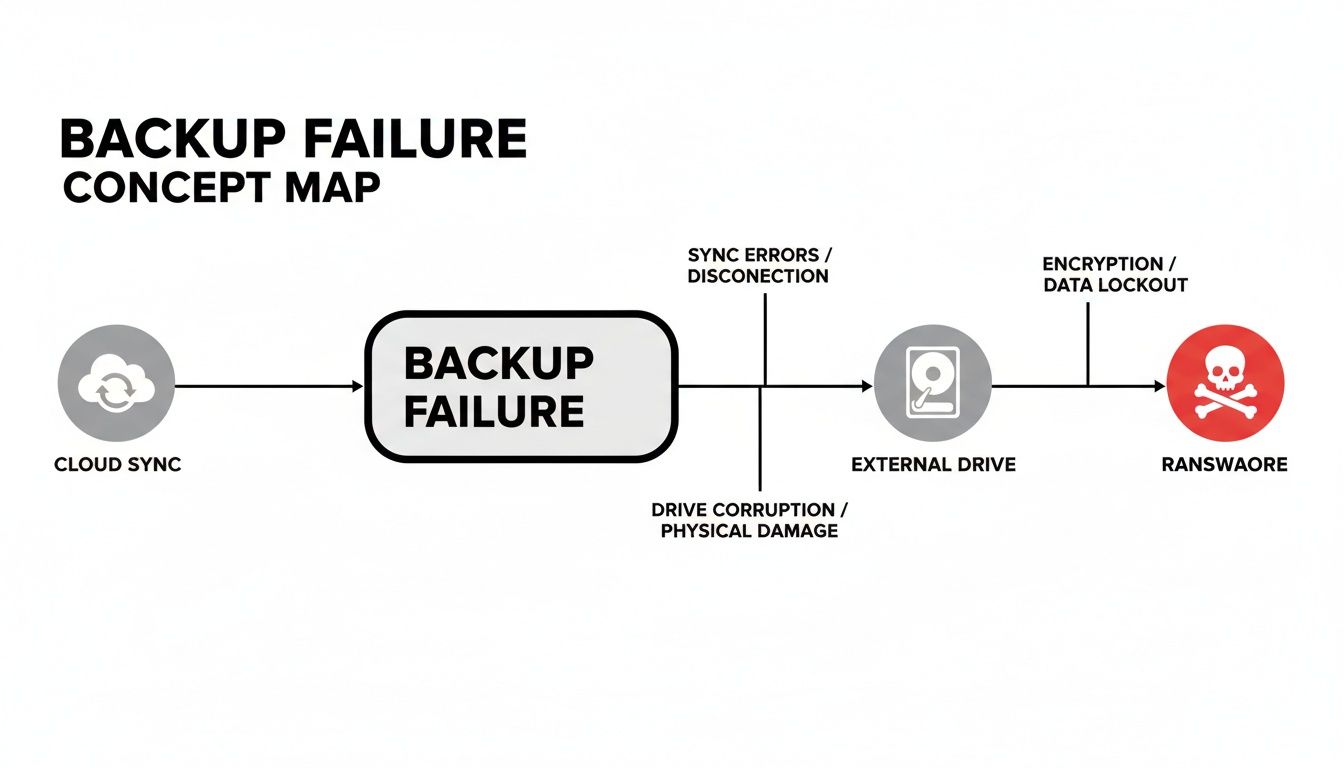
The Real-World Impact of Backup Failure
This isn’t just a tech problem; it’s a business-ending event waiting to happen. The consequences of a failed backup go far beyond lost data:
- Extended Downtime: Without a working backup, you face days or weeks of rebuilding your systems from scratch, all while your business is offline.
- Irreversible Data Loss: Customer records, financial histories, project files—some data, once gone, can never be brought back.
- Loss of Customer Trust: Explaining to customers that you lost their information or can't fulfill their orders can permanently damage your reputation.
- Crippling Financial Costs: The cost isn't just a potential ransom. It's the lost revenue for every hour you’re not open, plus the cost of emergency IT support.
Your backup plan is only as good as its ability to be restored after a disaster. Learn more about whether your backup solutions are ready for a real disaster in our guide. The shift in data protection every small business must know is that a simple file copy is no longer a plan; it's a liability.
The Gap: Why a "Backup" Isn't a "Recovery Plan"
Many business owners believe that setting up a cloud sync or plugging in an external drive means they’ve checked the "data protection" box. Problem solved, right?
Not quite. There's a huge difference between having a backup and having a recovery strategy you can count on when things go wrong. Most contractors and SMBs still treat backup as a checkbox, not a strategy. They lack tested recovery plans, secure offsite storage, and other key protections. By the time they realize it, the damage is done—lost clients, reputational harm, or even business closure.
Think of it like this: a fire extinguisher is your backup. But a practiced fire escape plan that everyone knows is your recovery strategy. One is a tool; the other is a plan that saves you.
What a "Checkbox" Backup Really Means
A simple backup process seems fine, but it's usually full of holes that hackers know how to exploit. Here are the common blind spots:
- No Regular Testing: The backup might run every night, but have you ever tried to restore a file from it? Without testing, you have no proof the data is usable.
- No Offsite Copies: Keeping your only backup in the same office as your server protects you from a deleted file, but not from a fire, flood, or theft.
- Vulnerable to Attack: A backup that is always connected to your network can be locked by ransomware right along with your main files, making it worthless.
- Slow Recovery Times: Even if the backup works, how long would it take to restore everything? Basic methods can take days, and that downtime costs real money.
You can learn more in our guide to backup and disaster recovery. The gap between a simple backup and a real recovery plan is where businesses get into trouble.
Shifting From Backup to a Recovery Strategy
A true recovery strategy goes beyond just making copies. It’s a complete plan designed to keep your business running. It’s the shift in data protection every small business must know to stay afloat. It involves multiple layers of protection and planning for the worst-case scenario.
A backup is a noun—it's a thing you have. A recovery plan is a verb—it's a process you follow to get back on your feet quickly.
Let's compare the two approaches. A basic backup is a passive task, while a managed recovery strategy from Adaptive Information Systems is an active service focused on readiness and speed.
Backup Checkbox vs. Recovery Strategy
This table breaks down the key differences.
| Feature | Basic Backup (External Drive/Cloud Sync) | Managed Recovery Strategy (Adaptive IS) |
|---|---|---|
| Recovery Testing | Rarely or never tested. You just hope it works. | Tested regularly to prove data is restorable and to time the process. |
| Security | Often connected to the network, making it vulnerable to ransomware. | Uses secure, offsite, and "immutable" (unchangeable) copies. |
| Speed | Can take days to restore an entire system, leading to long downtime. | Designed for rapid restoration to get you running again in hours. |
| Monitoring | Runs automatically, but errors can go unnoticed for weeks. | Actively monitored 24/7 by professionals to ensure it works. |
| Expertise | You have to manage, troubleshoot, and perform the recovery yourself. | Managed by IT experts who handle the entire process for you. |
Looking at this, it’s clear why so many businesses fail to recover after an attack. They had a backup, but they never built a true recovery strategy.
The Solution: A Ransomware-Resistant Business
Knowing the risks is one thing, but building a real defense is what keeps your business safe. This means creating layers of protection that make your company resilient. Modern data protection isn't about hoping you don't get hit; it's about knowing you can get back on your feet quickly when you do.
This is the core of the shift in data protection every small business must know. It’s about moving from a passive position to one of active control. The best part? Adaptive Information Systems offers managed backup and disaster recovery tailored for local SMBs, putting enterprise-level protection within your reach.
The Power of Immutable Backups
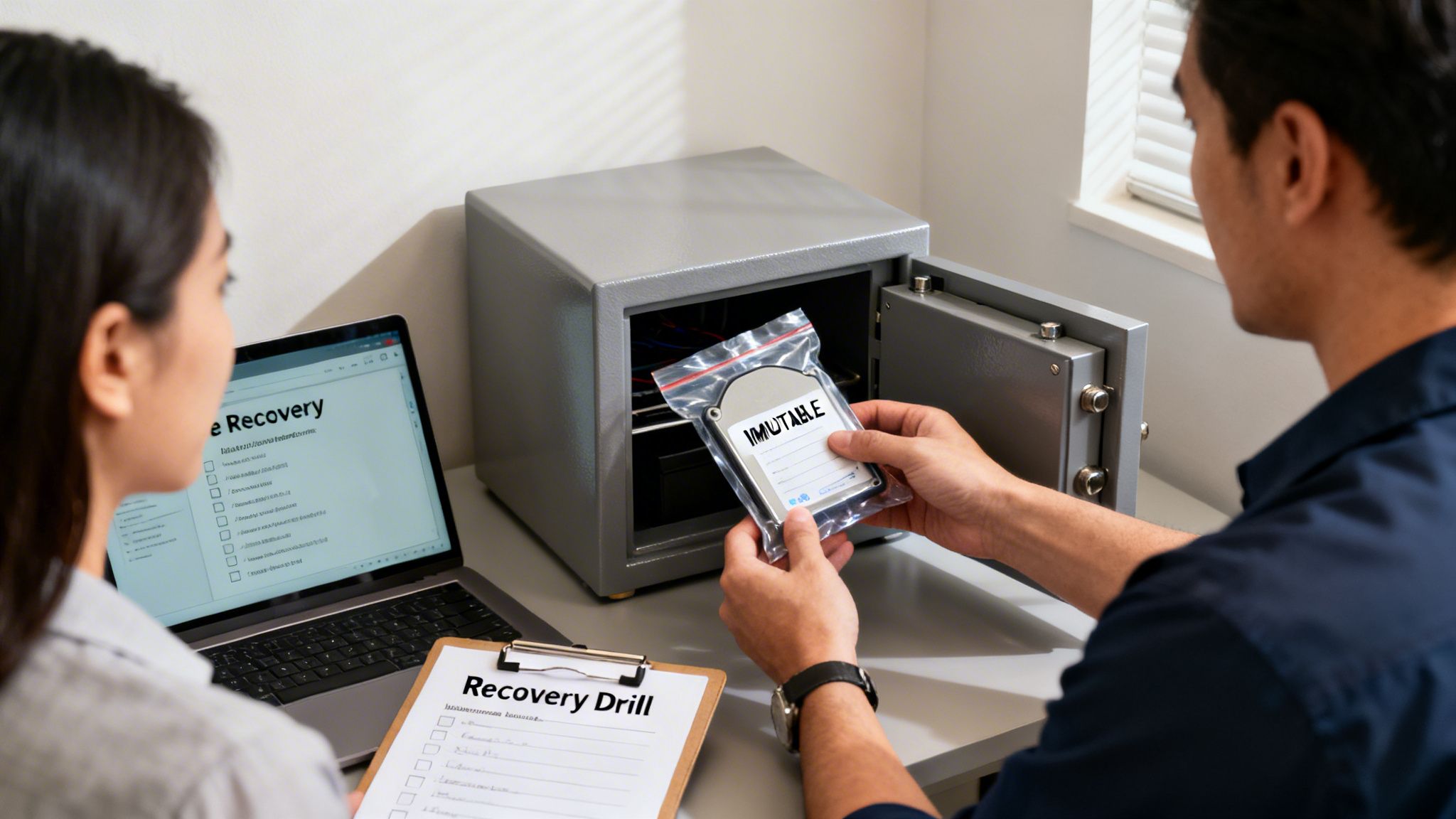
One of the most powerful tools in a modern recovery plan is the immutable backup. Think of it like writing your data in permanent ink. Once a backup is marked as "immutable," it cannot be changed, encrypted, or deleted—not even by an attacker with full access.
This is a game-changer against ransomware. Hackers know their main weapon is locking up your live files and your backups. Immutable backups take that weapon away.
Your backup is no longer a target; it's a locked vault. An attacker can hit your live systems, but they can't erase your guaranteed path to recovery.
For solid protection, businesses should use immutable backup solutions for ransomware defense as a key part of their strategy. It’s a simple concept with a huge impact.
Practice Makes Perfect with Recovery Drills
Having an unbreakable backup is critical, but you also need to know you can restore from it quickly. This is where recovery drills come in. It’s a fire drill for your data.
During a recovery drill, your IT provider, like Adaptive IS, runs through a fake disaster, practicing the entire restoration process. This test answers crucial questions:
- How long does it really take to restore our critical systems?
- Are there any unexpected technical problems?
- Does our team know what to do during a crisis?
Running these drills regularly turns a chaotic panic into a calm, practiced procedure. You find and fix problems before a real crisis hits. Our systems are actively monitored, tested, and built for fast restoration—including ransomware-resistant features like immutable backups and recovery drills. For a deeper look, check out our guide on how to prevent ransomware attacks.
The Benefit: Turning Days of Downtime into Hours of Recovery
Let's get down to the real benefit of a modern data protection strategy: your ability to keep the doors open, no matter what.
Imagine a ransomware attack hits your business. Your files are locked, customers are calling, and your operation grinds to a halt. This is where your path splits into two very different realities.

The Tale of Two Businesses
Consider two businesses in downtown Monterey. Both are hit by the same cyberattack.
Business A: The Basic Backup Plan
This business used an external drive and a cloud sync service. The attack caused chaos. They discovered the ransomware had locked their backups, too. They lost days—and thousands of dollars—trying to fix things, all while losing customer trust.
Business B: The Managed Recovery Plan
This business had a modern recovery strategy with Adaptive IS. They made one call, and a tested plan snapped into action. Because they had secure, unchangeable backups and a practiced recovery process, they were back online in just a few hours. The disruption was minimal, and customer trust remained strong.
This is the real-world impact of understanding the shift in data protection every small business must know. It's a direct investment in your bottom line.
The Real Return on Your Investment
A proper recovery strategy is one of the smartest investments you can make. It protects your revenue by cutting costly downtime. It also protects your reputation by showing clients you are a reliable organization.
The ultimate benefit is confidence. With a managed recovery plan, clients gain peace of mind that even in a worst-case scenario, their operations can resume within hours—not days. That stability protects revenue, reputation, and customer trust in a high-risk climate.
You can focus on running your business, knowing you are prepared for whatever comes. You no longer have to worry about the "what ifs" because you have a solid, tested answer.
Take a look at our guide to see how your business can benefit from modern backup and disaster recovery solutions. This shift in mindset is the key to thriving.
Your Simple Backup Health Check
It's time for an honest look at your business backups. If you're running a business in Salinas, Monterey, or anywhere in our area, it’s easy to assume your backups are working. But the real question is: can you actually get your business back online with them?
These questions will help you spot the hidden risks in your current setup.
Questions Every Business Owner Should Ask
Answer these honestly to see how ready you are.
When was your last successful test restore? Not just a checkmark saying the backup ran. When did you last pull actual files back from a backup to prove it works? If you can't remember, you're flying blind.
How long would a full recovery actually take? Do you know if it would take two hours or two weeks to get your critical systems running again? Every hour of downtime costs you money.
Are your backups protected from ransomware? If a hacker gets into your network, can they also lock or delete your backup files? A connected backup is a sitting duck.
Do you have secure copies of your data offsite? A backup stored in the same building won't save you from a fire, flood, or theft.
Answering these questions often reveals a gap between having a backup and having a true recovery plan. This gap is exactly what the shift in data protection every small business must know is all about.
If you’re in Salinas or the Monterey Bay Area and haven’t tested your backup recovery process in the past 6 months, it’s time. Adaptive IS can help you assess the risks—and fix the gaps—before it’s too late.
Knowing where you're vulnerable is the first step. For more advice, check out our expert tips to secure data backup and recovery in Monterey. Answering these questions gives you the power to act now.
Got Questions About Modern Data Protection? We've Got Answers.
We talk to business owners across Monterey County every day, and we hear the same concerns. You're trying to make sense of a new, high-risk world. Here are straightforward answers to the questions we get asked the most.
"My business is small. Are we really a target for hackers?"
Yes, absolutely. Thinking that hackers only go after big companies is a dangerous myth. Cybercriminals love targeting small businesses for one reason: they often have weaker security, making for an easy payday. They're looking for the path of least resistance. It’s no longer a question of "if" your business will be targeted, but "when."
"Isn't my cloud provider, like Microsoft 365, already backing up my data?"
Not in the way you think. Cloud services like Microsoft 365 and Google Workspace use a shared responsibility model. They promise to keep their platform running. But protecting your data on that platform? That’s your job. If an employee deletes a folder or ransomware locks your files, it's your problem to solve, not theirs. They protect their cloud; you have to protect what you put in it.
"If we need to recover, how much downtime are we talking about?"
This is where the difference between a backup and a recovery strategy becomes clear. With just an external hard drive, you could be looking at days—or even weeks—of downtime. With a professionally managed disaster recovery plan, the goal is to get your business running again in a matter of hours, not days.
A modern recovery plan is measured in hours of restoration, not days of chaos. This rapid response is what protects your revenue, reputation, and customer trust.
"Is a managed recovery service too expensive for a small business?"
It’s far less expensive than the alternative. A single day of downtime can cost a small business thousands of dollars in lost revenue, not to mention the long-term damage to your reputation. Today's recovery services are built to give local Salinas businesses enterprise-level protection at an affordable price. Think of it as an insurance policy for your entire operation.
If you’re ready to move from uncertainty to confidence, we can help. Learn more about our managed backup and disaster recovery services.
Adaptive Information Systems
380 Main St, Salinas CA 93901 | 831-644-0300 | hello@adaptiveis.net