
Think of patch management as the regular tune-up for your company’s technology. It's the simple process of finding and applying updates—called "patches"—to all the software and systems you use every day. For a business here in Salinas, doing this consistently is one of the smartest ways to fix security holes, improve performance, and keep your entire digital operation running smoothly and safely.
Your Guide to Patch Management in Monterey County
We’ve all done it. A software update notification pops up on the screen, and your first instinct is to click "remind me later." As a busy business owner in Monterey County, these prompts feel like just another interruption in an already packed day.
But let's look at it a different way.
Imagine your business software is like one of your delivery trucks. The manufacturer suddenly finds a weak lock on the cargo door that thieves could easily break. They immediately send a notice to fix it, free of charge, before anyone can steal your goods. A software patch is the exact same thing—it's a critical fix sent by the developer to repair a new flaw before a cybercriminal can use it to break into your systems.
What Is a "Patch" Exactly?
A patch is a small piece of code that software developers release to fix problems in their programs. These updates are essential for modern businesses and usually handle one of three key things:
- Security Holes: This is the most important one. Cybercriminals are always looking for these weak spots to sneak into your network, steal sensitive data, or launch an attack that shuts you down.
- Software Bugs: Patches fix glitches that cause programs to crash, freeze, or run slowly. This means your team can work more efficiently without annoying interruptions.
- New Features: Sometimes, a patch isn't about fixing something broken. It might add new tools or improve existing ones, giving you more value from the software you already own.
Ignoring these updates is like leaving the front door of your business wide open overnight. For local industries like agriculture and hospitality that depend on technology for everything from inventory to bookings, a single unpatched device can cause huge problems and cost you real money.
A solid patch management plan isn’t just an IT chore; it's a core business strategy. You are proactively defending your company, your customer data, and the reputation you've worked so hard to build.
From Simple Updates to a Full Strategy
So, what’s the difference between you clicking "update" once in a while and having a real "patch management" strategy? It’s all about creating a consistent, reliable process.
Updating one computer is easy enough. But making sure every single device in your company—from the front-desk PCs in Monterey to the servers in a Salinas warehouse—is patched correctly and on time requires a structured plan.
This is where a formal process becomes so important. A true patch management strategy means you know all the hardware and software you have, you test patches before rolling them out, and you apply them in a controlled way that you can track. Getting this right is a basic part of modern IT. For a closer look at how smart technology decisions protect your bottom line, our guide on business technology consulting offers some great insights.
Ultimately, a well-managed IT environment gives you the peace of mind to stop worrying about digital threats and focus on what you do best: running your business.
Why Patching Is a Business Strategy, Not an IT Chore
We’ve all been there. That "update available" notification pops up right when you’re in the middle of something important. It feels like another distraction, forcing you to restart at the worst possible time.
But seeing software updates as just an IT chore is a dangerously outdated way of thinking. For your business here in Monterey County—whether you're a hotel in Carmel or a farm in Salinas—patch management is a critical business strategy. It's not just a technical task.
Putting off a patch is like knowing there's a faulty lock on your storeroom but deciding to call the locksmith next week. Every day you wait, you're inviting trouble. Unpatched software is the digital version of that unlocked door, giving cybercriminals an open invitation into your network.
Imagine an attack hits your logistics software right in the middle of harvest season. Or think about a data breach at your hotel during the peak of tourist season, like during Car Week. These aren't wild ideas; they're the direct result of ignoring small software fixes that could have prevented a disaster.
The Real-World Impact of Ignoring Updates
It's easy to dismiss the threat until it hits you. A single unpatched weak spot in a common program like Microsoft Office or Adobe Reader can be all an attacker needs to get in. The consequences go far beyond a slow computer—they can hurt the heart of your business.
This isn't just a "what if" problem. In 2021 alone, there were approximately 1,862 data breach incidents reported in the United States, a jump of 15.1% from the year before. This shows just how vulnerable unpatched systems really are. You can explore more patch management market trends and statistics on Market Data Forecast to see the full picture for yourself.
When you connect patching directly to your business goals, its value becomes clear. It’s about protecting your ability to operate, keeping your client data safe, and holding on to the trust you've worked so hard to build in the community.
Patch management is how you shift your cybersecurity from panicked reaction to confident control. You're building a digital fortress, one brick—or one patch—at a time.
This smart approach protects your business in several key ways, showing the clear line between proactive IT care and real business benefits. Understanding this is the first step toward building a stronger, more secure company.
From Vulnerability to Viability
A consistent patch management strategy turns a major weakness into a competitive advantage. While your competitors might be scrambling to recover after a security breach, your business stays secure and fully operational. A huge part of this is just knowing what's on your network and its current status. Our guide on the essentials of infrastructure monitoring explains how knowing what you have is the foundation of good security.
To put it simply, let's look at a side-by-side comparison. The table below shows the stark difference between neglecting updates and using a proactive patching strategy.
The Risks of Unpatched Software vs The Benefits of Patching
| Area of Impact | Risk of No Patching | Benefit of Patch Management |
|---|---|---|
| Data Security | High risk of data breaches, theft of customer information, and loss of company secrets. | Greatly strengthens your defenses by closing known security holes before they can be used against you. |
| Business Operations | Unexpected downtime from crashes or cyberattacks that stop your team from working. | Improves software stability and performance, leading to fewer interruptions and a smoother workflow. |
| Reputation & Trust | A security incident can destroy customer trust and badly damage your brand's reputation. | Shows you are committed to security, which makes clients feel safer doing business with you. |
| Financial Health | Potential for huge costs from fines, legal fees, and lost sales during downtime. | Prevents expensive security incidents and protects your bottom line, turning IT into a profit-protector. |
The takeaway is clear. Patching isn't about dealing with an annoying pop-up. It's about securing your revenue, protecting your customers, and making sure your business—whether in Monterey or Seaside—can continue to grow without interruption. It’s one of the most effective and affordable ways to bring enterprise-level security to your local business.
The Core Steps of a Successful Patch Management Process
Now that you know why patching is so important, let’s talk about how to do it right. A good patch management process isn’t a mad dash every time a new update appears. It's a structured, repeatable cycle designed to keep your business in Seaside or Pacific Grove secure without causing you headaches.
Think of it like a professional chef adding a new dish to the menu. They don’t just throw ingredients in a pan and hope it works. They follow a precise method—sourcing, testing, and perfecting—before it ever reaches a customer. Your IT security deserves that same level of care.
This organized approach turns a potentially messy task into a controlled and highly effective security measure.
Step 1: Discover and Inventory Your Assets
You can't protect what you don't know you have. It’s that simple. The very first step is to create a complete list of every device, operating system, and piece of software connected to your network. This is your company's digital blueprint.
This list should include everything from servers and employee laptops to point-of-sale systems and special software for your industry. For many businesses, this step is a real eye-opener. You might uncover old software or unauthorized devices that create hidden security risks.
A complete inventory is the foundation of your entire patch management process. Without it, you’re trying to secure a building while blindfolded, with no idea where all the doors and windows are.
Once you have this full picture, you can accurately track which systems need which patches. No device gets left behind.
Step 2: Prioritize and Test Patches
Not all patches are created equal. A critical update fixing a major security flaw in your main server is much more important than a minor update adding a new font to a word processor. The next step is to sort patches based on how serious the risk is.
This means organizing updates by severity:
- Critical: These fix major security holes and need to be applied right away, usually within 24-72 hours.
- Important: These fix significant but less urgent security or stability issues. You can schedule them within a few weeks.
- Recommended: These are typically small fixes or feature updates that you can roll into a regular monthly maintenance routine.
But before you roll out any patch to the whole company, you have to test it. The last thing you want is a security update that accidentally breaks your accounting software. Patches should first be applied to a small, controlled group of test computers. This lets you find any problems in a safe environment, preventing a major disruption to your business.
Step 3: Deploy and Verify the Updates
Once a patch passes testing, it’s time to roll it out. You should schedule this deployment for a time that causes the least disruption—often overnight or during the weekend. For most local businesses, this thoughtful scheduling is what makes security feel easy and seamless.
This visualization shows the simple flow from finding a threat to getting the fix deployed.
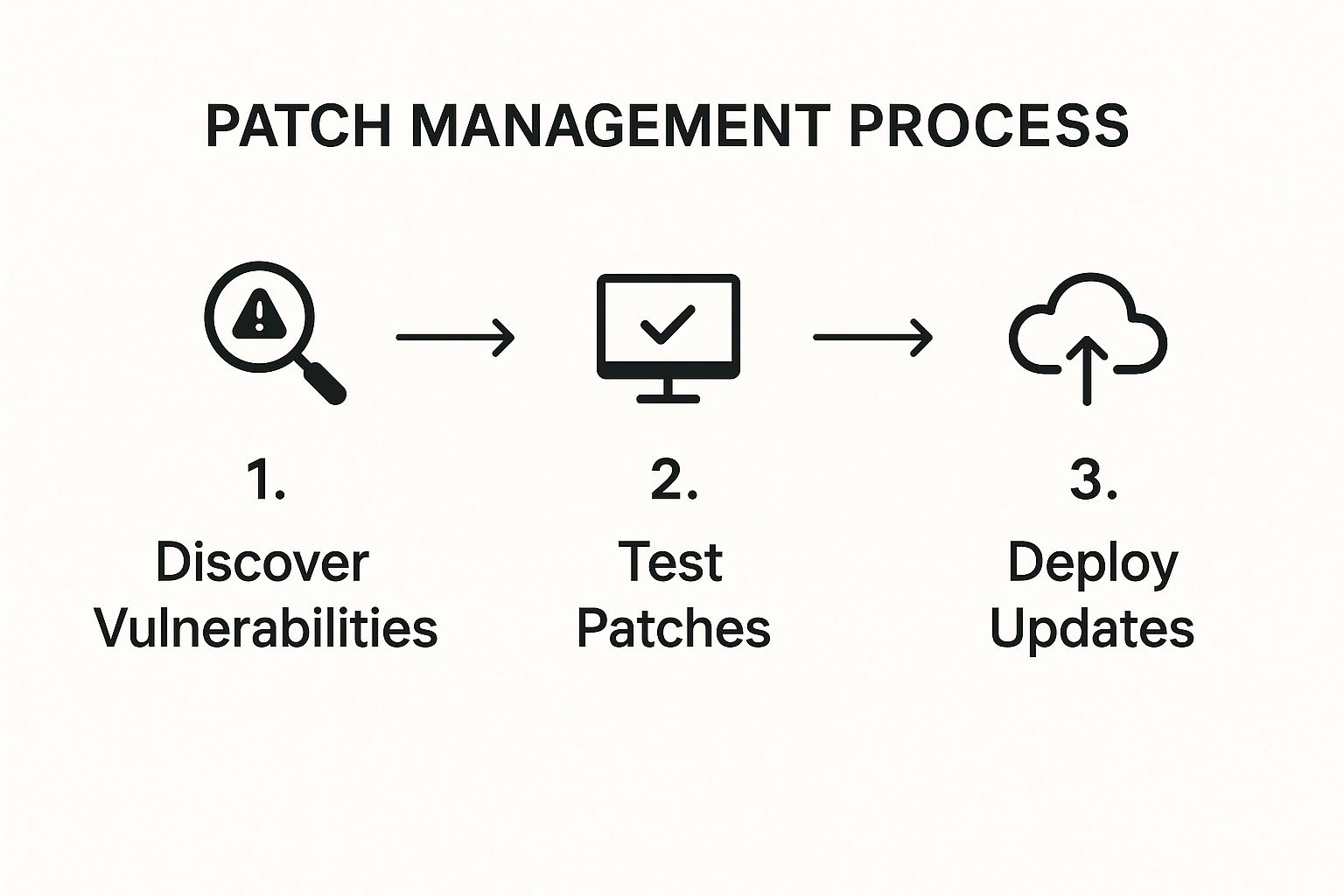
As the diagram shows, a good process isn't just one action but a logical flow of discovery, testing, and deployment.
But the job isn't over yet. The final, most important step is verification. You need to confirm that the update was installed successfully on every single device and that everything is running as it should. This step closes the loop and gives you reports that prove your systems are secure and up-to-date.
Managing this entire cycle takes time and expertise. That's why many business owners choose to partner with a provider. You can learn more about how this works in our overview of managed IT services. This approach takes the burden off your shoulders, so you get a professional, structured process without having to do it all yourself.
Using Automation for Smarter Patch Management
Let's be realistic—if you're a busy business owner, manually tracking, testing, and applying every single software update sounds like a nightmare. It’s a full-time job on its own, and the process is wide open to human error. A forgotten laptop or a missed update can leave your business dangerously exposed.
This is where automation becomes your best friend in cybersecurity.
Automated patch management is a game-changer for businesses across Monterey County. Instead of you or your team chasing down updates, a smart system works around the clock to do the heavy lifting for you. It’s the difference between you walking around to check every lock on every door each night versus having a security system that locks everything automatically and alerts you to any problems.
How Automation Transforms Your Security
An automated system does more than just click "update." It intelligently manages the entire patching process with precision, making sure your security is both consistent and doesn't interrupt your workday.
Here’s a look at how it works:
- Continuous Scanning: The system is always on, constantly scanning your devices for new security holes and available patches, 24/7.
- Intelligent Prioritization: It automatically sorts patches by how critical they are, flagging the most important ones so you know they’re being handled first.
- Scheduled Deployment: Updates are rolled out during off-hours, like overnight or on weekends. This means your team in Marina can arrive in the morning ready to work, with no interruptions.
- Automated Verification: The system confirms that every patch was installed correctly and gives you clear reports for your own peace of mind.
This methodical, automated process closes security gaps almost as soon as they’re discovered, giving cybercriminals far less time to attack.
Enterprise-Level Efficiency at an SMB Price
The need for this kind of efficiency is growing fast. As technology gets more complex, manual patching just can't keep up. The patch management market was valued at around USD 877.2 million in 2024 and is expected to nearly double to about USD 1.98 billion by 2033—a huge jump driven by the demand for automated solutions. You can read more about the growing patch management market on Data Insights Market to see why this is becoming standard practice.
This is where automation perfectly aligns with our mission at Adaptive: bringing enterprise-level IT to local businesses at a price that makes sense. By automating your patch management, you eliminate hours of manual work, prevent costly mistakes, and avoid the devastating financial hit from a security breach.
Automation turns patch management from a time-consuming chore into a proactive, "set-it-and-forget-it" security strategy. It’s the smartest way to protect your business without draining your resources.
By applying broader SaaS automation principles, you can greatly improve the efficiency of your entire patch management workflow. This lets you focus on running your business, confident that your digital defenses are always up to date.
The Key Benefits of an Automated Approach
Switching from a manual process to an automated one gives you immediate and powerful benefits that protect your business and your reputation. It’s one of the best security upgrades you can make.
An automated system gives you:
- Speed and Efficiency: Critical security patches get installed in hours, not weeks, which dramatically reduces your risk.
- Reduced Human Error: Automation removes the risk of someone forgetting an update or applying a patch incorrectly.
- Improved Productivity: By scheduling updates outside of business hours, you ensure your team’s workflow is never disrupted by unexpected restarts.
- Comprehensive Reporting: You get clear, consistent reports showing that all your systems are secure and compliant—which is vital for many industries.
For any business in Monterey County, automation is the key to achieving strong, reliable, and affordable security. It lets you protect your operations with the same powerful tools used by large corporations, so you can compete safely and confidently.
Overcoming Common Patch Management Hurdles

Putting a patch management plan into action sounds great, but we know the reality can be a different story. Even with the best intentions, businesses in Salinas and Carmel run into roadblocks that make consistent patching feel like an uphill battle.
The good news? These challenges are very common, and every single one has a practical solution. By knowing what to expect, you can build a smarter process that actually works for your business. Let’s walk through the most frequent issues we see and how you can get ahead of them.
Challenge 1: The Fear of Downtime
One of the biggest reasons you might put off updates is the fear that a patch will break something important. What if an update crashes your accounting software right in the middle of a payroll run? It’s a valid concern—a bad update can absolutely stop your operations.
The solution isn't to skip patching. It's to use a phased rollout with proper testing. Instead of pushing an update to every computer at once, you first apply it to a small test group. This lets you spot and fix any problems in a controlled environment before it ever affects your wider team.
Challenge 2: The Time and Resource Drain
Let's be honest—you and your team are already busy. Finding the time to research, test, schedule, and check every single patch is a huge drain on resources that you should be using to grow your business. For many small and mid-sized companies, this "lack of time" is the single biggest roadblock.
This is where automation and partnership come into play.
An automated patch management system handles the entire process for you, from scanning for new threats to applying updates during off-hours. It’s the most effective way to get your time back and make sure nothing gets missed.
Partnering with an IT provider makes this even simpler. With expert help, you get a fully managed system without having to become a patching expert yourself. This strategy is central to how we deliver Salinas next-gen managed IT services, taking the operational burden off your shoulders so you can focus on your business.
Challenge 3: Managing Remote and Hybrid Workforces
The shift to remote work has definitely made patch management more complex. When your employees are working from different places—some in the office in Monterey, others from home—how do you make sure all their devices stay updated and secure? It’s a lot harder to manage machines that aren't plugged into your office network.
The answer is modern, cloud-based management tools. These solutions allow you to:
- Monitor all devices, no matter where they are.
- Send out patches over the internet, so remote employees get critical updates just as quickly as your in-office staff.
- Enforce security rules to make sure every device connecting to your network is safe.
This approach gives you complete visibility and control, closing the security gaps that a scattered workforce can create.
Challenge 4: Dealing with Legacy Systems
What about that old, essential piece of software that runs on an outdated system? Many businesses rely on older systems that are no longer supported by the developer, which means they don't get security patches anymore. These systems are a huge security risk, but replacing them isn't always easy.
While the best long-term solution is to move to a modern system, you can take immediate steps to reduce the risk. This involves isolating the old system from the rest of your network. By putting it on its own separate network with a strict firewall, you can limit its exposure to threats and prevent a problem from spreading to other parts of your business.
How an IT Partner Simplifies Your Security
You're an expert in your field. Whether you’re managing a hotel in Monterey or overseeing a farm in the Salinas Valley, your focus should be on running your business—not becoming a part-time cybersecurity specialist. This is where partnering with a managed IT services provider transforms your security from a burden into something that just works in the background.
An expert IT partner takes the entire weight of patch management off your shoulders. We put a strong, automated plan in place that works 24/7 to keep you secure, freeing you and your team to focus on what you do best. You never have to worry about finding, testing, or deploying updates—it all just happens, without you lifting a finger.
Focus on Your Business, Not Your IT
Our job is to handle the technical details so you can hit your goals with confidence. Solid patch management is a core part of strong data security practices, and it’s an area where a professional partner brings critical expertise. This approach gives your business several key advantages.
- Proactive Security: We don’t wait for problems. Our systems are always looking for threats and applying fixes before they can be used against you.
- Cost Efficiency: We bring you enterprise-level tools and expertise for a predictable, affordable monthly cost. This helps prevent the massive financial hit of a data breach.
- Peace of Mind: Knowing a dedicated team is managing your cybersecurity lets you sleep better at night and focus on your customers during the day.
By outsourcing your patch management, you’re not just buying a service. You’re investing in your business's future and gaining a strategic partner dedicated to your success.
Your Local Monterey County Partner
At Adaptive, our local-first approach means we understand the unique challenges and opportunities for businesses right here in Monterey County. We know the demands of the agriculture, hospitality, and education sectors because we’re part of this community, too.
As your local Salinas cybersecurity firm, our mission is to deliver security solutions that are both powerful and practical for you. We handle the complexities of patch management so you can concentrate on serving your customers and growing your business, secure in the knowledge that your technology is protected by local experts who have your back.
Frequently Asked Questions About Patch Management
Even with a good grasp of patch management, you probably still have a few questions. That's totally normal. Here are some straightforward answers to the most common ones we hear from local business owners just like you.
How Often Should We Apply Patches?
There's no single magic number here—it all depends on how serious the threat is.
Critical security patches, the kind that fix major holes in your main systems, need to be applied immediately. We're talking within 24 to 72 hours. Think of these as digital emergencies that just can't wait.
For less urgent updates, a regular monthly schedule can work just fine. The real key is having a system that sorts patches by risk level and sets a clear timeline for each type.
An automated system, like the one an IT partner like Adaptive manages, takes this entire sorting process off your plate. This means you’re always protected from the biggest threats without the constant guesswork.
Can a Software Patch Break Our Other Programs?
Yes, it can. This is a very real risk and a big reason why some businesses put off updates. A new patch can sometimes clash with your other software, leading to weird glitches or even system crashes. The last thing you want is a security fix that knocks out your point-of-sale software.
This is exactly why a professional patch management process always includes a testing phase. Before a patch goes out to your entire company, it’s first installed on a small group of test computers. This critical step lets us find and fix any problems in a safe environment, making sure the update won't disrupt your daily operations when it's rolled out to everyone else.
Is Patch Management the Same as Antivirus Software?
Nope, they're two different but equally important layers of your cybersecurity defense. It helps to think of it like securing your physical business here in Monterey County.
- Antivirus Software: This is your alarm system. It's built to detect and stop intruders who are trying to break in right now.
- Patch Management: This is like making sure all your windows and doors are locked and that the frames are solid. It proactively closes the known weak spots—the "unlocked windows"—that attackers are always looking for.
You'd never rely on just an alarm while leaving the back door wide open, and the same thinking applies to your digital security. A truly strong defense requires both proactive patching and reactive antivirus protection working together. Without both, you're leaving a pretty big gap for trouble to walk right through.
Ready to take the guesswork out of your cybersecurity and get back to focusing on what matters most? Adaptive Information Systems provides enterprise-level IT and patch management services to keep your business safe and running smoothly. Learn more about our managed IT services.
Adaptive Information Systems
380 Main St, Salinas CA 93901 | 831-644-0300 | hello@adaptiveis.net