
That spinning wheel during a customer transaction at your Carmel retail store or a lagging video call with a key client isn't just an annoyance—it's a direct threat to your bottom line. For any business in Monterey, a slow or unreliable network can bring everything to a halt.
Effective network performance monitoring in Monterey is your early warning system. It helps you stop fixing problems after they happen and start preventing them in the first place. This keeps your business running smoothly, ensuring your technology helps you succeed instead of holding you back.
Why Your Monterey Business Needs a Healthy Network
Many businesses in Monterey County accept slow network performance as a normal part of the day. You might blame a bad connection or an old computer, but the real issue is often hidden in your network setup.
Think of your network as the digital foundation of your entire company. If that foundation has cracks, everything you build on top of it—from sales to customer service—becomes unstable.
Slowdowns and outages directly impact your team's ability to work and your ability to serve customers. For a local restaurant, this could mean a point-of-sale system failing during the lunch rush. For an agricultural firm in Salinas, it could stop important data from syncing between the field and the office. These aren't just small frustrations; they cost you real time and money.
By proactively monitoring your network's health, you can catch problems before they disrupt your business. The result? A productive team and happy customers.
What is network performance monitoring?
At its core, network performance monitoring (NPM) is the ongoing process of tracking and analyzing your network to keep it fast, reliable, and secure. It’s like having a dedicated technician watching over your systems 24/7, using special tools to get constant feedback on your network's health. It's how we provide enterprise-level IT support at a price that makes sense for local small and mid-sized businesses.
How does network monitoring work?
It all starts by collecting data from the key devices that make up your network—your routers, switches, firewalls, and servers. This gives you a clear, real-time picture of what’s happening behind the scenes.
These tools measure key things like bandwidth usage (how much data is flowing) and latency (how fast that data travels). This allows your IT support to spot trouble long before it causes a major failure.
How to monitor network performance?
The first step is to figure out what "normal" looks like for your network. This is called a baseline. Once we establish that baseline, monitoring tools can automatically flag any unusual activity or performance drops.
This lets your IT team instantly find the source of a slowdown—whether it’s a faulty cable, a maxed-out internet connection, or something else—and fix it right away. This proactive approach is the secret to a dependable network that supports your business goals.
Adaptive Information Systems
380 Main St, Salinas CA 93901 | 831-644-0300 | hello@adaptiveis.net
What Is Network Performance Monitoring

Think of your business network as Highway 1, the critical artery connecting businesses from Pacific Grove to Monterey. Now, imagine having a dedicated, 24/7 traffic control center watching over that highway just for your business. That's Network Performance Monitoring (NPM) in a nutshell.
NPM isn’t just about cleaning up major accidents after they’ve happened. It’s about actively watching the flow of traffic, spotting poor road conditions, and predicting slowdowns long before they bring your team and customers to a grinding halt.
How Network Monitoring Works
On a technical level, NPM tools are your digital eyes and ears, constantly gathering data on the health, speed, and availability of your network.
Picture them as inspectors checking every single part of your highway system. These tools track a few key measurements to give you a clear, real-time picture of what’s happening. The most important ones are:
- Bandwidth: This is the total capacity of your highway. Monitoring bandwidth makes sure you have enough lanes to handle all your daily business traffic without creating jams.
- Latency: Think of this as the travel time for your data. High latency means your digital traffic is getting stuck somewhere, which causes frustrating delays for your team.
- Uptime: This is simply your road's availability. NPM’s goal is to keep the highway open for business at all times, preventing costly closures.
By keeping a close watch on these core elements, you can stop guessing about network issues and start making smart, data-driven decisions that make your business more efficient.
How to Monitor Network Performance
The process begins when special software is set up to communicate with your key network hardware—your routers, switches, and servers. This software collects performance data and sends it to a central dashboard. This gives you one clear, simple view of your entire network’s health.
For a deeper look at the basics, check out our guide on what network monitoring involves.
This kind of proactive insight is no longer a luxury; it’s essential as business technology gets more complex. In fact, the global market for NPM tools is expected to hit $3.2 billion by 2028, a surge driven by the growing need to manage today’s IT environments.
Ultimately, this insight ensures your team and customers get what they need: a fast, dependable connection every single time.
How Does Network Monitoring Work?

Let's pull back the curtain on how network monitoring works, without getting too technical. Think of it like a doctor performing a routine check-up on your business’s central nervous system. This proactive approach is a game-changer for any business in Monterey County, from the bustling hospitality spots in Carmel to the agricultural powerhouses in Salinas.
Just like a doctor uses a stethoscope to listen to a heartbeat, we use special software “probes” to gather the vital signs from your critical network devices. We're talking about your routers, switches, servers, and firewalls—the equipment that keeps your business connected.
All this information flows into a central dashboard, which acts like a patient’s medical chart. It gives you and your IT team a complete, easy-to-read overview of your network's health in one place. This makes network performance monitoring in Monterey straightforward and incredibly effective.
What Kind of Data Are We Talking About?
So, what information are we actually collecting? The goal is to gather specific, measurable data points that tell the story of your network’s health. It’s not just about seeing if a device is "on" or "off"; it's about understanding how well it's doing its job.
This isn't about collecting data just for the sake of it. The information we gather directly affects your team's day-to-day experience and productivity. We keep a close eye on a few key measurements that tell us everything we need to know.
Key Network Metrics We Monitor
Here’s a quick breakdown of your network's vital signs and what they mean for your business. Think of this as the report you get back from the doctor—clear, simple, and focused on what matters most.
| Metric Monitored | What It Means for Your Business |
|---|---|
| Bandwidth (Traffic) | We measure how much data is flowing through your network. High usage can show which apps are hogging resources and causing slowdowns for everyone else. |
| Latency (Response Time) | This is the time it takes for data to travel from one point to another. High latency is what your team experiences as "lag" when using apps or the internet. |
| Error Rates | Devices log errors like dropped data packets. A spike in errors is a clear warning sign of a failing cable, a bad connection, or faulty equipment. |
| Device Load (CPU/RAM) | We monitor how hard your key devices are working. A server or router that's always maxed out is a bottleneck waiting to cause a major slowdown. |
This data-driven approach means we can quickly find and fix problems, often before your team even notices something is wrong.
Turning Raw Data Into Real Solutions
Collecting data is only the first step. The real value comes when we turn that raw information into action.
Our monitoring system starts by establishing a “baseline”—a clear picture of what your network’s normal, healthy performance looks like. From there, it continuously compares the live data against this baseline.
When a measurement suddenly changes—maybe latency spikes or an error rate starts climbing—the system automatically sends an alert. This allows us to jump in and find the root cause immediately, whether it's a faulty switch or an overloaded server, and fix it before it stops your business.
The Real-World Benefits for Monterey County Businesses

Understanding the technical side of network monitoring is one thing. But seeing how it directly helps your bottom line? That’s where its true value becomes clear. For businesses across Monterey County, effective network monitoring isn't just an IT upgrade—it's a powerful tool for smoother operations, happier customers, and a real competitive edge.
Imagine you run a popular hotel in Monterey. Your guests expect flawless Wi-Fi for everything from streaming movies to joining video calls. At the same time, your front desk depends on a constantly connected booking system. Proactive monitoring makes sure both systems run without a hitch, preventing the kind of glitches that lead to bad reviews.
Or maybe you manage an agricultural company in the Salinas Valley. Your team relies on real-time data from sensors in the field to make quick decisions about irrigation and harvesting. A network slowdown could mean delayed data and costly mistakes. With the right monitoring, you can guarantee that connection stays fast and reliable when it matters most.
Prevent the High Cost of Downtime
Network downtime isn't just an inconvenience; it's expensive. Every minute your systems are offline, you're losing potential sales and grinding employee productivity to a halt. Just think of a point-of-sale system failing during the lunch rush at a Carmel cafe or a client portal crashing at a local accounting firm during tax season.
Network performance monitoring acts as your early warning system. By catching potential issues like failing hardware or strange traffic spikes, we can step in and fix them before they cause a full-blown outage. This proactive approach saves you from major financial losses and protects your reputation.
Boost Your Team’s Productivity
Nothing kills employee morale faster than a slow, lagging network. When your team is constantly waiting for files to load or applications to respond, it creates a drag on their entire workflow. These small delays add up to hours of lost productivity every week.
By ensuring your network runs at its best, you empower your employees to work without frustrating interruptions. That means faster access to cloud apps, smoother collaboration on projects, and less time spent troubleshooting IT issues.
Enhance Your Cybersecurity Posture
Your network is your first line of defense against cyber threats. Unusual activity, like a sudden flood of data being sent to an unknown server, can be one of the earliest signs of a malware infection or a security breach.
Good network performance monitoring helps you spot these oddities instantly. While it’s no substitute for a dedicated security solution, it provides another critical layer of visibility. When you know what normal network behavior looks like, you can more easily identify suspicious activity that could signal a threat. This is a key part of any complete cybersecurity assessment.
The demand for this kind of oversight is growing fast. The global Network Performance Monitoring market is expected to hit nearly $2.971 billion by 2025 as more businesses realize the need for proactive visibility. This isn't just for large corporations anymore; it's an affordable and essential tool for local SMBs. You can read more about the trends driving NPM adoption and see why it's becoming a business standard.
How To Monitor Your Network Performance Effectively
Now that you know the what and why, let’s talk about the how. The good news is you don’t need to be a network engineer to get a handle on this. With a simple framework, you can have an informed conversation about what your business needs, whether you're running a single shop in Seaside or a multi-location operation across the county.
Effective network performance monitoring isn't about just reacting to problems. It’s about being deliberate. This proactive approach saves you headaches and, more importantly, prevents the kind of costly downtime that frustrates your customers and your team.
The whole process boils down to a few key steps. It starts with figuring out what’s most important to your business and ends with having a smart plan ready for when things go wrong.
Identify Your Critical Systems
First things first, ask yourself a simple question: What systems absolutely have to be online for us to do business?
For a hospitality company in Pacific Grove, that’s almost certainly the booking system and the guest Wi-Fi. If you're a financial firm, it's the client data server and your communication tools. Make a list of these essential assets. These are your top priorities for monitoring.
Establish a Performance Baseline
Next, you need to define what a "normal" day looks like for your network. This is your performance baseline, and it's your most important reference point. We use monitoring tools to measure key metrics—like speed and traffic volume—over a typical business week to establish this benchmark.
Without a baseline, you're just guessing what's good or bad. With it, we can instantly spot when performance dips or spikes unexpectedly. This often signals a problem long before it causes a major disruption.
This simple graphic breaks down the core metrics we watch to gauge your network's health.
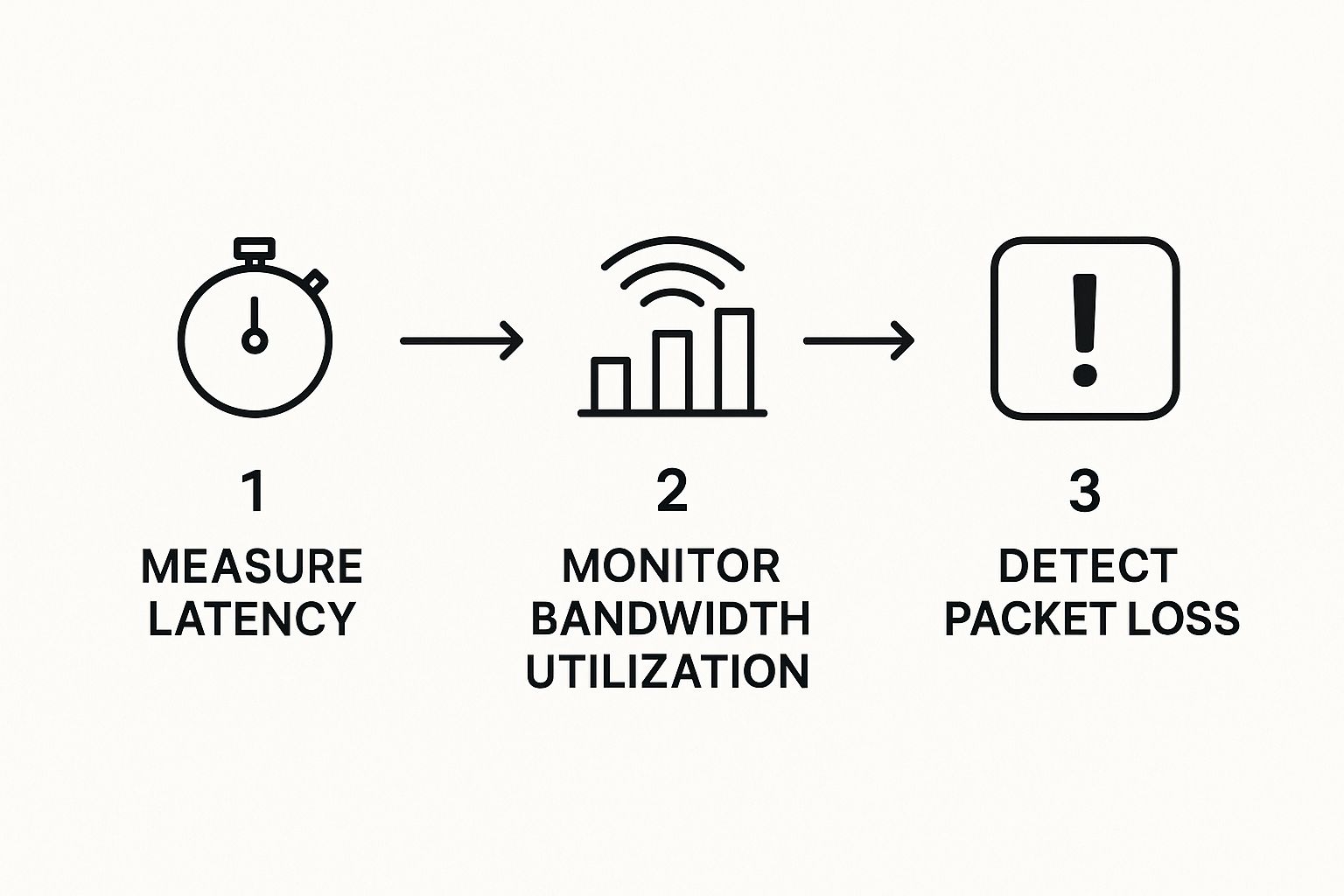
By tracking these three vitals—speed, capacity, and reliability—we get a clear and immediate picture of your network's condition at any given moment.
Select The Right Monitoring Approach
Now, you have a choice to make. Do you handle monitoring in-house or partner with a specialist? A DIY approach can work for simpler networks, but it's a real commitment. It requires dedicated staff time, the right tools, and the expertise to understand the data.
A key part of this is knowing how to measure metrics properly. For a deep dive, this guide on how to test network latency accurately is a great resource.
The alternative is to partner with a provider of managed IT services in Salinas. This approach offloads the entire responsibility to a team of experts. It gives you access to enterprise-level tools and expertise for a predictable monthly cost, which is a core part of how we support local businesses.
DIY vs Managed Network Monitoring
Deciding on the right approach? This table breaks down the key differences between handling monitoring yourself and partnering with an expert like us.
| Aspect | DIY Approach | Managed Service |
|---|---|---|
| Initial Cost | High (tools, software, training) | Low (included in monthly fee) |
| Expertise | Requires in-house IT staff with special skills | Access to a team of certified network experts |
| Time Investment | Significant time spent on setup, monitoring, and alerts | Minimal time required from your team |
| Tools & Tech | Limited to purchased or open-source software | Access to enterprise-grade, advanced monitoring platforms |
| Response Time | Dependent on your team's availability and workload | 24/7 monitoring and immediate, expert response |
Ultimately, choosing a managed service lets you focus on your business, confident that your network's health is being professionally managed around the clock.
Create a Smart Alerting Strategy
Finally, you absolutely need a plan for when something goes wrong. A smart alerting strategy ensures the right person is notified the moment a critical system shows signs of trouble.
This plan should clearly define who gets the alert, how they get it (email, text, or call), and what the next steps are if the issue isn't fixed quickly. This simple step turns a potential crisis into a manageable task.
Partnering With a Local Expert for Total Network Health
You shouldn't have to become a network engineer just to get the benefits of professional monitoring. Trying to juggle the constant alerts, updates, and technical details of your network's health is a full-time job—one that pulls you away from running your business.
This is where partnering with a local expert makes all the difference.
As a Salinas-based IT partner, we understand the unique challenges businesses face across Monterey County. Our goal is simple: bring enterprise-level IT peace of mind to local SMBs, from the agricultural fields in the valley to the busy storefronts in Monterey, at a price that fits your budget.
Your Local Monterey County IT Partner
Choosing a local team for network performance monitoring in Monterey means you get more than just a helpdesk ticket number. You get a team that’s genuinely invested in your success. We’re not some faceless national provider; we're right here, ready to provide hands-on support and build a real relationship you can trust.
We handle the technical complexities so you can focus on your business goals. Think of us as your in-house IT department, dedicated to making sure your network is a reliable asset, not a constant headache.
This proactive management is also a critical piece of a strong cybersecurity plan. A well-monitored network is a much more secure one, and our team builds these practices into everything we do. For more on this, check out our small business guide to network security.
Ready for a Simpler Approach?
Tired of worrying about network slowdowns and ready to focus on growth? Getting expert IT support doesn't have to be complicated. Let's start a simple conversation about what your business needs and how our managed services can help you get there.
You won't get any complex jargon or a high-pressure sales pitch from us. Just clear, practical advice tailored for your Monterey Bay business.
Adaptive Information Systems
380 Main St, Salinas CA 93901 | 831-644-0300 | hello@adaptiveis.net
Frequently Asked Questions
You've got questions about network performance monitoring, and we have straightforward answers. Here are some of the most common things business owners in Monterey County ask us.
What Is Network Performance Monitoring?
Think of it as a 24/7 health checkup for your business's digital backbone. Network performance monitoring is the process of continuously tracking key metrics like speed, traffic, and uptime on your network. It helps spot issues before they can slow down your team or impact your customers.
How Does Network Monitoring Work?
It uses special software to collect data from your critical hardware—like routers, switches, and servers. This information is sent to a central dashboard, giving you a clear, real-time picture of your network’s health. If a problem arises, the system sends an alert so it can be fixed immediately.
The goal is to move from reacting to problems to preventing them. Instead of waiting for something to fail, you're constantly working to keep things running smoothly.
How to Monitor Network Performance?
Effective monitoring starts with understanding what "normal" looks like for your network. Once a baseline is set, the system watches for any changes. A sudden spike in traffic or a drop in speed, for example, would trigger an investigation right away.
This proactive approach not only keeps your main systems online but also protects the critical business data that flows through them. For more on protecting your digital assets, explore our guide to data backup and recovery for small businesses.
Ultimately, professional network performance monitoring in Monterey means you can focus on your business, confident that your technology foundation is stable, secure, and ready to support your growth.
Ready to ensure your network is a reliable asset? Contact Adaptive Information Systems today for a straightforward conversation about your IT needs. Learn more at adaptiveis.net.
Adaptive Information Systems
380 Main St, Salinas CA 93901 | 831-644-0300 | hello@adaptiveis.net