
Let's start by clearing up one of the most common points of confusion in data management: archiving and backup are not the same thing. It's a classic mix-up, but understanding the difference is crucial.
Think of it this way: a backup is like a first-aid kit for your data. It’s there for immediate recovery after an accident, a hardware failure, or worse, a ransomware attack. An archive, on the other hand, is like a secure, off-site library for your company’s historical records—documents you have to keep for legal, compliance, or business intelligence reasons.
The Two Pillars of Modern Data Protection
A rock-solid data protection plan needs both archiving and backup. They serve entirely different yet complementary purposes. Getting this distinction right is the first step toward building a truly resilient business that can bounce back from any data-related hiccup. One is for keeping the lights on day-to-day (operational continuity), while the other is for long-term record-keeping (retention and compliance).
The demand for these solutions is skyrocketing. The global data backup and recovery market was valued at around USD 13.57 billion in 2023 and is projected to hit USD 25.23 billion by 2028. This incredible growth shows just how seriously businesses are taking comprehensive data protection. You can explore the latest backup statistics to see how fast the industry is moving.
Core Functions At a Glance
So, how do you decide which one to use? It all comes down to your primary goal.
The main job of a backup is to create a duplicate of your active data. This copy can be used to quickly restore systems after a disruption, like a server crash or a cyberattack. Its entire purpose is recovery.
In contrast, the core function of an archive is to move inactive data out of your live production environment and into secure, long-term storage. This is data you no longer need for daily operations but must preserve for legal, regulatory, or historical reasons. Its main purpose is retention.
This infographic does a great job of simplifying the relationship between backups, archives, and getting your data back when you need it.
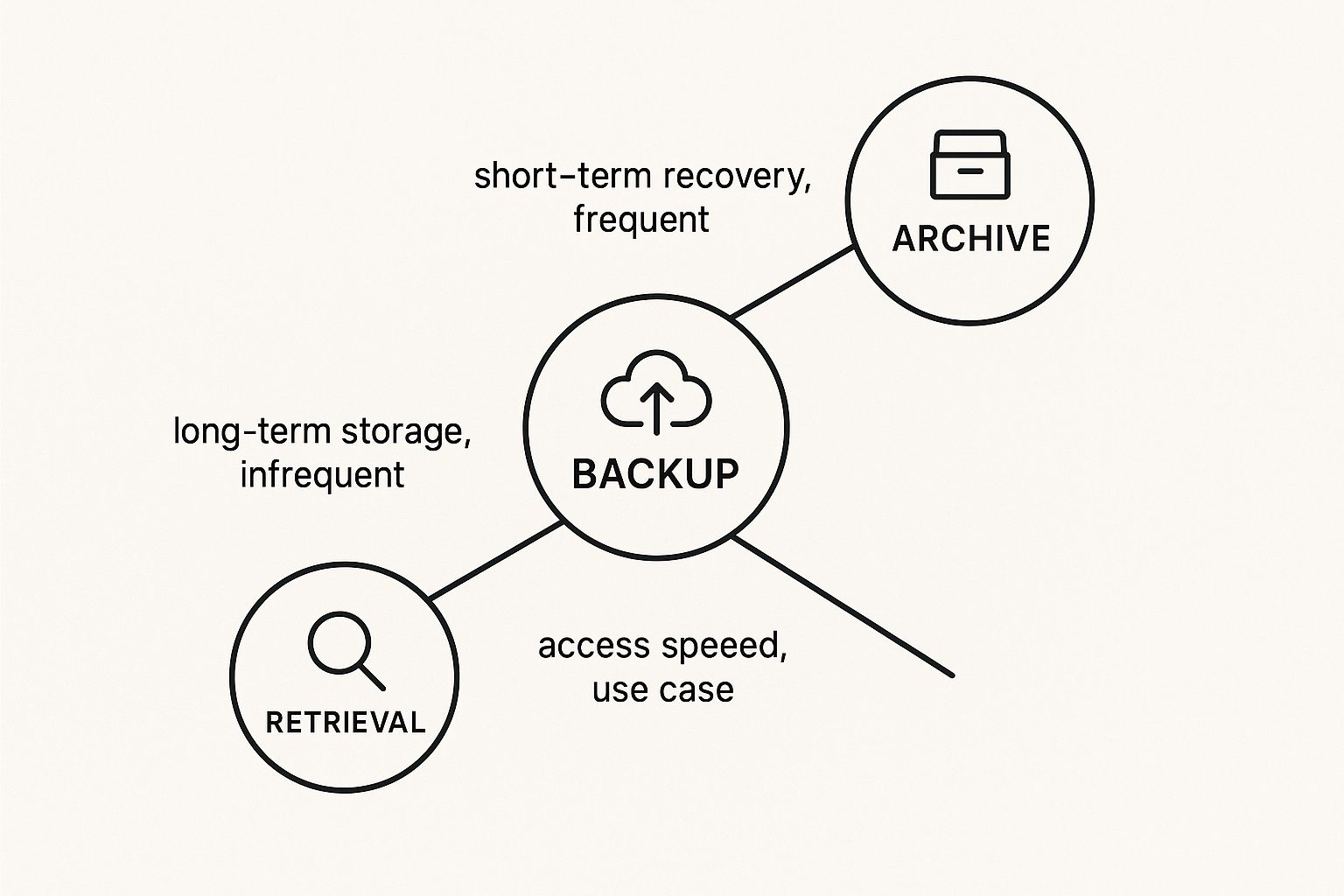
As you can see, backups are built for frequent use and quick, short-term recovery. Archives are designed for infrequent access and long-term storage, which naturally means retrieval can be a bit slower.
Quick Comparison Backup vs Archive
To break it down even further, here’s a table that summarizes the key differences between these two essential strategies. It’s a handy reference for seeing exactly where each one fits.
| Attribute | Backup (For Recovery) | Archive (For Retention) |
|---|---|---|
| Primary Goal | Disaster recovery and business continuity | Long-term data preservation and compliance |
| Data Type | Active, frequently changing data and systems | Inactive, static data no longer in daily use |
| Frequency | Frequent (daily, hourly) | Infrequent (as data becomes inactive) |
| Retrieval Speed | Fast, to minimize downtime | Slower, as immediate access is not critical |
| Storage | Fast, high-performance media | Cost-effective, high-capacity media |
Ultimately, a smart data strategy doesn't choose one over the other—it uses both. Backups protect your current operations, while archives safeguard your corporate history and ensure you meet your legal obligations.
Backup as Your Business Continuity Lifeline
While archiving is your business's long-term library, think of backup as your active insurance policy. It's the lifeline that keeps you afloat when a crisis hits.
Picture this: a critical server crashes during your busiest season. A key project file gets corrupted hours before a client deadline. Or worse, a ransomware attack locks down your entire network. These aren't just hypotheticals; they are real-world scenarios where a solid backup strategy proves its worth tenfold.
At its core, a backup is your data’s emergency restore point. It’s not just about having a copy—it's about having a recent, usable copy that lets you rewind the clock to a moment right before disaster struck. The goal is simple but powerful: get your operations back up and running as fast as possible, minimizing downtime and protecting your bottom line.
But how effective that "rewind" is depends entirely on the type of backup you use. There’s no one-size-fits-all solution here. The right choice hinges on your specific needs for data protection and how quickly you need to recover.
Understanding Backup Types
To build a practical backup plan, you first need to get familiar with the three core methods. Each one strikes a different balance between storage space, backup speed, and how complex it is to restore your data.
- Full Backup: This is the most straightforward approach. It creates a complete copy of all your selected data. While it’s simple and makes restoration a breeze—everything you need is in one neat package—it eats up the most storage and takes the longest to complete.
- Incremental Backup: After an initial full backup, an incremental backup only copies the data that has changed since the last backup was performed. This method is lightning-fast and sips storage space. The trade-off? Restoring data can get complicated, as you need the last full backup plus every single incremental backup performed since then, all in the correct order.
- Differential Backup: This method also starts with a full backup. From there, it copies all the data that has changed since the last full backup. It uses more storage than an incremental backup but makes restoration much faster and simpler, as you only need two files: the original full backup and the latest differential one.
Choosing between these is a strategic decision. A smart approach many businesses take is performing a full backup weekly (say, every Sunday) and running differential backups daily. This gives you a strong, reliable balance of security and efficiency.
Defining Your Recovery Goals
How fast do you need to be back online after a disaster? An hour? A day? The answer to that question defines your Recovery Time Objective (RTO). Your RTO is the maximum acceptable amount of time your business can be down before it starts causing serious damage to your operations and reputation.
An RTO isn't just a technical metric; it's a core business continuity calculation. For an e-commerce site, an hour of downtime could mean thousands in lost sales. For another business, a full day might be acceptable.
Similarly, you have to define your Recovery Point Objective (RPO). This determines how much data you can afford to lose, measured in time. An RPO of one hour means you need backups running at least every 60 minutes, ensuring you’d never lose more than an hour's worth of work.
For businesses here in Salinas and Monterey, building a plan that fits our local business environment is critical. You can explore a detailed guide on data backup and recovery for Salinas-Monterey businesses to see how local companies are crafting resilient strategies.
By defining your RTO and RPO, you transform backup from a simple IT task into a fundamental pillar of your business continuity plan, making sure you’re ready for whatever disruption comes your way.
Archiving as Your Long-Term Corporate Memory

While backups are the first-aid kit for your data, archiving serves a completely different, more strategic purpose. Think of an archive as your business's official, long-term memory. It’s not built for day-to-day bumps and bruises; it’s designed to preserve critical information you no longer need every day but must hold onto for legal, compliance, or future business intelligence.
The process is simple in concept: you systematically move inactive data off your expensive, high-speed primary storage and onto a more affordable, secure, long-term platform. The goal here isn't a quick restore—it's intelligent retention and future accessibility.
By separating this static, historical data from your active systems, you instantly create a cleaner, faster, and more efficient operational environment. This simple distinction is the secret to unlocking major benefits in cost, performance, and compliance.
Why Archiving Is a Strategic Imperative
A smart archiving and backup strategy does more than just save data; it brings order to your information's entire lifecycle. Archiving declutters your live production environment, and that has some powerful ripple effects across your entire business.
Imagine a creative agency that archives all of its completed project files—raw footage, design assets, and client emails. It accomplishes two things at once. First, it frees up terabytes of space on its pricey, high-performance servers. Second, it creates an indexed, searchable library of past work that can be pulled up for future projects or client questions in a snap.
An archive transforms old data from a storage burden into a searchable asset. Its purpose is to ensure that specific, original files can be found and verified years or even decades later, fully intact and unchanged.
This kind of strategic preservation is about more than just convenience. Many industries face strict data retention rules that can span several years. Failing to produce a specific record during an audit or legal proceeding can lead to serious penalties.
Real-World Applications of Data Archiving
The need for a solid archiving plan touches almost every industry out there. The specific reasons might differ, but the core principle is always the same: keep important data safe and accessible for future use.
Here are just a few scenarios where archiving isn't just a good idea, but an absolute necessity:
- Financial Services: A brokerage firm is mandated by FINRA to keep all business-related electronic communications for years. By archiving every single email, transaction record, and client message, the firm can respond instantly to eDiscovery requests during a regulatory audit.
- Healthcare: Under HIPAA, patient medical records must be kept for many years, even long after a patient has moved on. Archiving these records securely and away from the main network protects patient privacy while fulfilling long-term legal duties.
- Construction and Engineering: A firm archives all blueprints, project plans, and safety reports for every building it completes. If a structural problem pops up a decade later, they can immediately retrieve the original, untouched documents to figure out what happened.
In every case, the archive acts as a verifiable, single source of truth for historical information.
Because this data is moved out of the daily backup cycle, it also dramatically speeds up your backups and shrinks the storage space needed for them. To get a better handle on how all these pieces fit together, many businesses find a detailed plan invaluable. If you're looking for guidance, consider exploring Salinas backup and disaster recovery services to build a strategy that covers both your immediate and long-term needs.
This thoughtful separation of active and inactive data is the hallmark of a mature data protection strategy. It ensures your business is not just resilient today but also fully prepared for the legal and analytical demands of tomorrow.
Alright, let's transform this section. I'll rewrite it to feel like it's coming from an experienced IT strategist who's seen it all and knows how to explain complex ideas in a straightforward, human way.
Here is the rewritten section:
Building a Unified Data Protection Strategy That Actually Works
So, you understand the difference between a backup and an archive. That’s the first, most crucial step. But knowing is one thing; doing is another. The real magic happens when you build a cohesive plan that brings both of these critical functions together. A unified data protection strategy isn't something that just falls into place—it's carefully designed to balance your daily operational needs with your long-term data preservation duties.
Smart businesses don’t just wing it. They use established frameworks to move from simply having backups and archives to actively managing the entire data lifecycle. This proactive approach ensures every piece of information is protected exactly as it should be, from the moment it’s created to the day it’s securely deleted.
The trick is making this plan effective without creating a monster that’s too complex to manage. A lot of companies get stuck here, with a huge gap between their data protection goals and what they can realistically pull off.
And if you’re struggling with this, you’re not alone. A 2025 industry report paints a pretty stark picture: 51% of organizations spend over ten hours a week just wrestling with their backup processes. Despite all that time and effort, only 35% feel confident they could recover from a major outage within hours. This screams for a smarter, more unified approach. You can dig into the specifics by checking out the complete state of backup and recovery report.
Start with the 3-2-1 Rule
The absolute cornerstone of any modern data protection strategy is the famous 3-2-1 Rule. It’s a simple concept, but it's incredibly powerful and provides a clear blueprint for resilience. The rule is easy to remember:
- Keep three copies of your data.
- Store them on two different types of media.
- Make sure one copy is stored off-site.
Let’s quickly unpack that. Having three copies (your live file plus two backups) drastically cuts the risk of losing everything at once. Storing them on two different media types—say, an on-site server and a cloud service—protects you if one storage technology fails.
And that last part, keeping one copy off-site, is your ultimate insurance policy. If your office faces a fire, flood, or even theft, that remote copy ensures your business lives to see another day.
Weaving Archiving into the Framework
The classic 3-2-1 Rule is fantastic for backup and recovery. But a truly unified strategy takes it a step further by integrating archiving right into the mix. Think of it as the 3-2-1-Archive Rule. While your backups are busy protecting your active, day-to-day data, your archive is managing the historical information that you have to keep but don't need to touch.
A unified strategy applies 3-2-1 principles to your active data while a structured archiving process handles your inactive data. This keeps your backups lean and mean, and ensures your long-term records are stored securely and affordably.
This integrated approach forces you to make clear decisions about what data goes where. It all begins with a little sorting and labeling.
How to Classify Your Data
Let’s be honest: not all data is created equal. To figure out what gets backed up versus what gets archived, you first need to classify your information based on its value and how often you need it.
1. Active Data (Your Backup Target):
This is the lifeblood of your business—the stuff you use every single day. We’re talking current project files, your active customer database, this quarter's financial records, and your operating systems. This data changes constantly and needs to be recovered fast, making it the perfect candidate for your daily 3-2-1 backup schedule.
2. Inactive Data (Your Archive Target):
This pile includes finished project files, old financial records, data on former employees, and emails you have to keep for legal reasons. This information is static—it's not changing, and you rarely look at it, but you can’t delete it. Shifting it to a secure, low-cost archive frees up valuable space on your primary systems and makes your backups faster and more efficient.
Defining Practical Retention Policies
Once your data is sorted, you need to decide how long to keep everything. A retention policy is simply a formal rule that sets an expiration date for different types of data. These rules aren't arbitrary; they’re usually dictated by industry regulations, legal counsel, or internal governance.
For instance:
- A financial firm might have to keep trade records for seven years to satisfy SEC rules.
- A healthcare provider is bound by HIPAA to retain patient records for many years.
- A construction company might archive project blueprints indefinitely to protect against future liability claims.
These policies will directly shape your next decision: what you store your data on.
Choosing the Right Storage for the Job
The final piece of the puzzle is picking the right tool—or storage media—for each task. Your choice should line up perfectly with your data classification and retention policies, creating the right balance of speed, cost, and durability.
| Data Type | Primary Goal | Recommended Media | Key Characteristics |
|---|---|---|---|
| Active Data | Fast Recovery (Backup) | Local SSDs, NAS Devices, Performance Cloud Tiers | High speed, high availability, higher cost. |
| Inactive Data | Long-Term Retention (Archive) | LTO Tapes, Cloud Archive Storage (e.g., AWS Glacier) | High capacity, low cost, slower retrieval, high durability. |
By pulling all this together—the 3-2-1 Rule, smart data classification, clear retention policies, and the right media choices—you build a data protection system that's both resilient and efficient. This plan ensures your business is shielded from immediate disaster while also responsibly managing its long-term corporate memory.
Choosing the Right Tools for the Job
Once you’ve hammered out a solid strategy for archiving and backup, the next step is picking the right tools to make it happen. It's easy to get lost in a sea of brand names, but that's a common misstep. The smarter way to go about it is to first get a handle on the different types of solutions available and then see which one truly fits your business.
Your decision will really come down to a few key things: your budget, how tight your security needs to be, your plans for growth, and how much hands-on work your team can realistically manage. There’s no single “best” tool out there—only the one that’s the best fit for your reality.
The first big choice you'll make is where your data is going to live. Will you keep it all in-house, hand it off to a specialized provider, or maybe build a system that does a little of both? Each path comes with its own set of pros and cons.
On-Premises Hardware Solutions
Keeping your data protection tools on-site means you have total physical control. For most small and mid-sized businesses, the go-to on-prem solution is a Network Attached Storage (NAS) device. Just think of a NAS as your own private mini-server, built specifically for secure file storage and backups that everyone on your network can access.
This setup is perfect for businesses that need lightning-fast local access to big files or have to follow strict rules about keeping data within their own four walls. You buy the hardware once and have direct control over your security.
But with great control comes great responsibility. You’re on the hook for all the maintenance, hardware upgrades, and making sure the physical device is secure. And if a disaster like a fire or flood hits your office, your on-site backup could be wiped out right along with your primary data. That’s why having an off-site copy is still critical.
Cloud-Based Services
Cloud solutions, often called Backup-as-a-Service (BaaS) or Archiving-as-a-Service (AaaS), let you offload the heavy lifting to a third-party provider. Instead of buying hardware, you pay a subscription fee for a service that takes care of everything behind the scenes. This model is incredibly popular because it’s simple and grows with you.
Cloud services really shine in a few areas:
- Automatic Off-Site Protection: Your data is stored somewhere else by default, which instantly checks off a key part of the 3-2-1 rule.
- Scalability: Need more storage? Just upgrade your plan. No need to go out and buy new equipment.
- Reduced Management: The provider handles the infrastructure, security patches, and maintenance, freeing up your team to focus on other things.
The real magic of the cloud is its "pay-as-you-go" model and built-in disaster recovery. It turns a big upfront cost into a predictable monthly expense, which is a huge win for growing businesses.
The main things to weigh with cloud services are the long-term subscription costs, how fast you can transfer data (both for backing up and, more importantly, for restoring), and getting comfortable with a third party holding your sensitive information. This is exactly why you have to do your homework and vet a provider’s security credentials.
Hybrid Models The Best of Both Worlds
Why not get the best of both? A hybrid approach combines on-premises hardware for quick local backups with cloud services for off-site disaster recovery and long-term archiving. This model often gives you the most resilient and flexible setup.
For example, you could use a local NAS for daily backups, which means you can get a file or an entire system back online in minutes. At the same time, that NAS can be set to automatically copy its data to the cloud, giving you that bulletproof off-site version in case your office has a really bad day. Many SMBs find this balanced approach works well, and you can explore more about these data backup strategies for Monterey Bay businesses to see how they’re put into practice locally.
Comparing Data Protection Solutions
Choosing the right data protection solution depends on your specific needs for cost, security, and scalability. This table breaks down the primary options to help you see which approach might be the best fit for your business.
| Solution Type | Best For | Pros | Cons |
|---|---|---|---|
| On-Premises | Businesses needing fast local access and full data control. | One-time hardware cost, direct control over security, fast local restores. | You're responsible for all maintenance, upgrades, and physical security. Vulnerable to local disasters. |
| Cloud-Based | Businesses wanting simplicity, scalability, and built-in disaster recovery. | Pay-as-you-go pricing, automatic off-site storage, minimal management. | Can have higher long-term costs, restore speeds depend on internet, requires trust in a third party. |
| Hybrid | Businesses seeking a balance of speed, control, and off-site security. | Fast local restores plus secure off-site copies. Highly resilient and flexible. | Can be more complex to set up and manage, involves costs for both hardware and a cloud subscription. |
Ultimately, each model offers a different balance of trade-offs. A hybrid model is often seen as the gold standard for resilience, but the simplicity of a pure cloud solution or the control of an on-premise one might be exactly what your business needs right now.
Your Essential Feature Checklist
No matter which model you lean toward, any modern data protection tool you consider should have a few non-negotiable features. As you weigh your options, make sure they deliver on these points:
- Strong Encryption: Your data needs to be locked down tight, both when it's traveling over the internet (in-transit) and when it's sitting on a server (at-rest).
- Automated Scheduling: The ability to "set it and forget it" is a must. Your backups and archives should run on a reliable, automated schedule without you having to think about it.
- Version Control: You should be able to restore older versions of a file, not just the most recent one. This is a lifesaver when you accidentally save over something important.
- Clear Reporting: You need a simple dashboard that gives you a clear thumbs-up or thumbs-down on whether your jobs completed successfully. No guessing games.
By focusing on these core functions and understanding the fundamental differences between solution types, you can cut through the noise and confidently choose the right tools to build a truly resilient data protection plan.
Common Data Protection Mistakes to Avoid

Even with a perfectly designed data protection strategy, things can go wrong. It's a tough lesson many businesses learn the hard way. A plan can look brilliant on paper but completely fall apart during a real crisis, usually because of a few common, yet critical, mistakes.
Knowing what these pitfalls are is the first step toward building a data framework that's genuinely resilient. Let's walk through them.
The "Set It and Forget It" Mindset
This is probably the most frequent mistake we see. A business gets diligent, sets up an automated backup schedule, and breathes a sigh of relief, assuming their data is safe forever. Months, or sometimes even years, go by without anyone ever trying to restore a single file.
Then, disaster strikes. When they finally try to recover their data, they’re hit with a gut-wrenching discovery: the backups have been failing silently for ages, or the data is corrupted and totally unusable.
An untested backup isn't a backup; it's a gamble. The only way to be certain your data is recoverable is to perform regular, successful test restores. Think of it as a fire drill for your data—you have to practice before a real emergency hits.
This oversight leaves businesses completely exposed right when they thought they were protected. The fix is simple but absolutely vital: schedule and carry out quarterly or semi-annual test restores of critical files and systems. No excuses.
Neglecting Your Disaster Recovery Plan
Here’s another big one: having a great backup system but no clear Disaster Recovery (DR) plan. A backup gets your data back, but a DR plan is the playbook your team follows to get the business back on its feet.
It answers the tough questions you don't want to be figuring out in the middle of a crisis: Who’s in charge? In what order do we restore systems? How do we communicate with our employees and customers?
Without a documented and practiced plan, chaos is guaranteed. Teams scramble, essential steps get missed, and downtime stretches on, costing the business a fortune in lost revenue and customer trust. A DR plan sitting in a binder is useless—it needs to be tested through drills and tabletop exercises.
Confusing Backup with Archiving
Finally, a fundamental error that sabotages both data protection and system performance is using the wrong tool for the job. Businesses constantly make the mistake of using their backup systems for long-term archiving and backup needs.
This creates a whole host of problems:
- Bloated Backups: Your daily backup jobs become painfully slow and massive because they’re full of years of static, historical data that doesn’t change.
- Skyrocketing Costs: You end up storing huge volumes of archived data on expensive, high-performance backup media instead of far cheaper archival storage.
- Serious Compliance Risks: Backup systems are not built for eDiscovery. Trying to find a specific file from seven years ago during an audit or legal request is a nightmare when it's buried in a mountain of daily backups.
Avoiding these common but damaging mistakes means treating data protection as an active, ongoing process. You have to regularly test your backups, formalize and drill your disaster recovery plan, and use dedicated archiving solutions for your long-term data. This proactive approach is what turns a fragile plan into a truly reliable safety net.
Got Questions About Archiving and Backup? We’ve Got Answers.
Even with a solid plan in place, it's natural to have a few nagging questions when you start putting your archiving and backup strategy into practice. Let's clear up some of the most common points of confusion so you can move forward with total confidence.
Can I Just Use My Backup Software for Archiving?
You technically can, but you absolutely shouldn't. It's like using a race car to haul furniture—it might get the job done in a pinch, but it’s the wrong tool and you'll run into serious problems. Backup systems are built for one thing: fast recovery. They aren't designed for cost-effective, long-term storage or easy searching.
Trying to make backup software pull double duty creates a mess:
- Massive Backup Files: Your backups get bloated with old, static files, which can slow your recovery times to a crawl when you actually need them.
- Sky-High Costs: You’re paying to store rarely-accessed archive data on expensive, high-performance backup media. It's a huge waste of money.
- Compliance Nightmares: Ever tried to find one specific email from seven years ago for an audit (eDiscovery) inside a backup file? It's a painful, inefficient, and sometimes impossible task.
Dedicated archiving solutions, on the other hand, are built specifically to index everything for quick and easy searching and to store that data on cheaper, long-term media. It's the right tool for the right job.
How Often Should I Actually Test My Backups?
Here’s a hard truth: an untested backup is nothing more than a hopeful wish. You need to be testing your restores far more often than you probably think. A great rule of thumb is to perform full quarterly test restores for your most critical systems and do quick spot-checks on random files every single month.
Regular testing is the only way to know for sure that your data is not only being copied correctly but is also 100% recoverable. A successful test doesn't just check the file; it validates your entire recovery process from start to finish.
The good news is that these tests don't have to bring your business to a halt. You can easily restore files to a separate, isolated test server or folder to confirm they’re intact without ever touching your live production data.
What’s the Real Difference Between Cloud Backup and Cloud Storage?
This one trips a lot of people up, but the distinction is critical. Think of cloud storage services like Dropbox or Google Drive as a digital filing cabinet. They’re fantastic for syncing and sharing active files you and your team are working on right now.
Cloud backup is a completely different beast. It's a specialized service designed to automatically copy and secure your data specifically for the purpose of disaster recovery.
Cloud backup services come packed with essential features that simple file-syncing apps just don't have, like versioning (letting you restore older versions of a file), automated scheduling, and powerful encryption built for data protection. Relying on basic cloud storage for your business backup is like leaving the front door unlocked—you’re exposed and missing a true recovery plan.
Ready to build a resilient data protection strategy that covers both immediate recovery needs and long-term compliance goals? The team at Adaptive Information Systems provides expert, hands-on guidance on archiving and backup solutions designed specifically for businesses in the Monterey Bay Area. Protect your business today with Adaptive Information Systems.