
If you're a business owner in Salinas or anywhere in Monterey County, you might believe your company is too small to be a target for cyber threats. That’s a dangerous assumption that puts everything you've built at risk. The simple truth is that cybercriminals don't care about your company's size—they care about your data, your money, and your connections. And according to a recent Q4 2025 report, a shocking 26% of small businesses still think they are too small to get hacked.
The Dangerous Myth Costing Local Businesses Thousands
As a local business owner in Monterey County, you're focused on serving your customers, managing your team, and growing your bottom line. Cybersecurity can easily feel like a distant problem, something for large corporations in big cities to worry about.
Unfortunately, this belief is the single biggest vulnerability for many small and mid-sized businesses.
Hackers aren't necessarily hand-picking your Pacific Grove shop or Carmel restaurant. Instead, they often use automated tools that scan the internet for any weakness, like an unlocked digital door. Your business is just as likely to be scanned as a Fortune 500 company. Once they find a way in, the damage can be devastating.
Perception Vs Reality
There's a huge disconnect between what many business owners believe and what's really happening. Too many fall for the myth that they're too small to be a target. However, as this Cyber Security Insurance For Small Business: Complete Guide explains, that kind of thinking is exactly what leaves the door open for an attack.
This gap in understanding leaves you completely unprepared for a threat that is statistically likely to happen. The difference between perception and reality is stark, as this infographic shows.
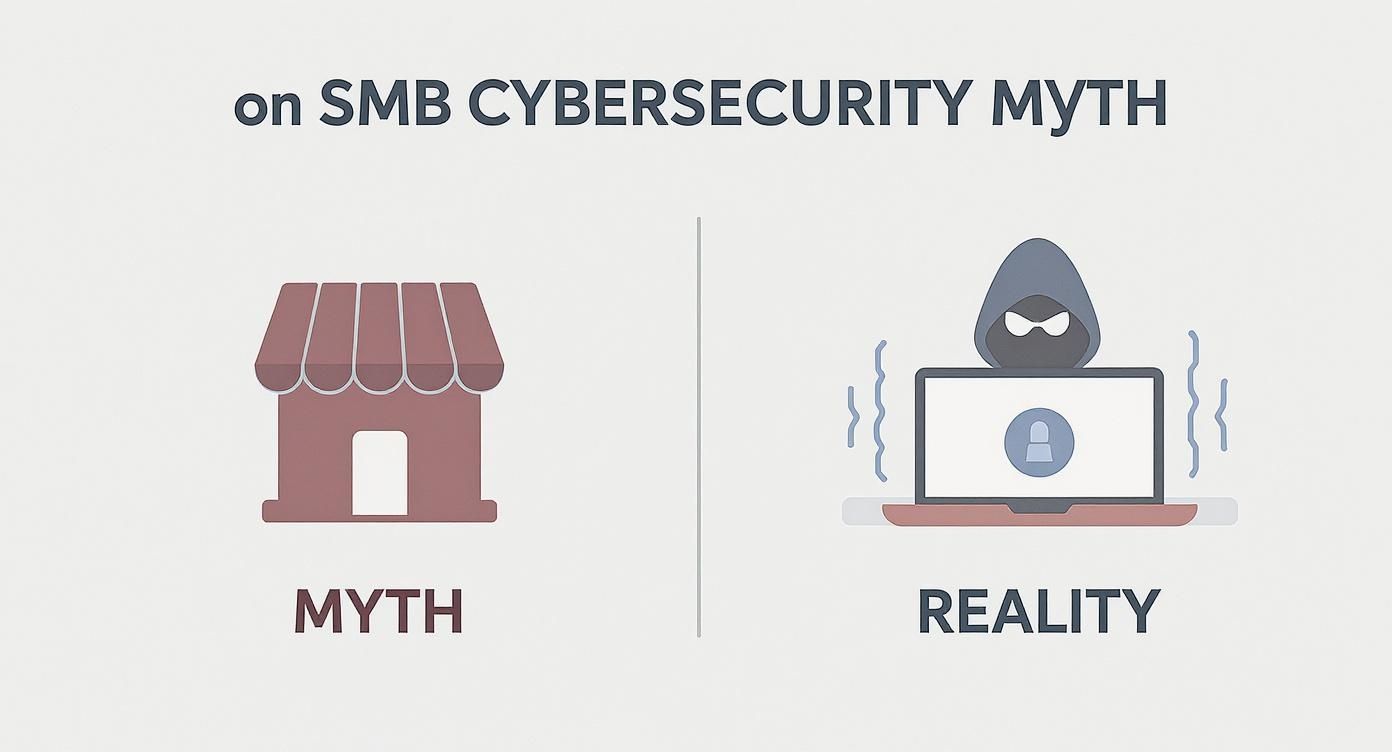
The data clearly shows that while business owners may feel safe, hackers see them as prime targets. Let's look at why that is.
You Are a Target, Period.
This isn't just a global trend; it's a local reality. Global studies reveal that even though 60% of SMBs acknowledge they're vulnerable, an astonishing 64% still don't see themselves as attractive targets. That flawed perception leads to dangerously weak security.
This disconnect is one of many tech myths that can cost your business dearly. For a deeper dive, check out our guide on busting the biggest tech myths in small business.
The hard numbers don't lie.
According to a recent report, 79% of SMBs have experienced a cyberattack in the past five years. This highlights a clear disconnect between perception and reality—one that leaves local businesses like yours exposed.
It’s time to move past the myth. Your business, no matter its size, is on the radar. Understanding the real risks is the first step toward building a strong, affordable defense that protects your future.
Why Hackers Love Small Monterey County Businesses

It’s a fair question: why would a cybercriminal, maybe halfway around the world, care about your business here in Monterey County? The answer is simple, and it has nothing to do with you personally. It’s all about opportunity.
Hackers are running a business, and just like any business, they’re looking for the easiest path to a payday. To them, your small business isn't small—it’s an easy-to-reach asset. You're not just a target; you're often the perfect target.
There are three big reasons your business looks so appealing. Once you understand their motives, you can start building a smarter defense.
You Have Exactly What They Want: Data
You might not think your data is as valuable as a giant corporation's, but for a cybercriminal, it's a goldmine. Every local business, from a Salinas agricultural supplier to a hotel in Seaside, holds sensitive information that can be turned into cash, fast.
So, what are they actually after?
- Customer Information: Lists of names, emails, and phone numbers are products they can sell on the dark web.
- Payment Details: Even if you use a third-party payment processor, criminals can find ways to intercept credit card numbers and other financial records.
- Employee Records: Your team's Social Security numbers, home addresses, and payroll information are incredibly valuable for identity theft.
- Business Credentials: Gaining access to your vendor accounts or banking portals can be used for immediate financial gain.
Think about it this way: your client list is a product they can sell. Your financial records are a blueprint for fraud. All of this information is the raw material for their criminal business, and you're sitting on a stockpile of it.
You Are Seen as an Easier Target
Large corporations pour millions into cybersecurity. They have security teams working around the clock and layers of defense. A small business, on the other hand, usually has limited resources and a team wearing multiple hats.
Cybercriminals know this. They see small businesses as “soft targets” because they’re less likely to have strong security measures in place. It’s the digital version of a thief picking a house with an unlocked door over a bank vault.
The statistics confirm this. Nearly half of all cyber breaches impact small businesses with fewer than 1,000 employees. This shatters the myth that being small offers any real protection.
In fact, employees at small businesses face 350% more social engineering attacks than their peers at larger companies. Criminals know your team is often the weakest link, and they use that to their advantage.
You Are a Gateway to Bigger Prizes
Sometimes, the hacker isn't actually after your business at all. Instead, they see you as a stepping stone to a much larger target: your clients and partners. This is known as a supply chain attack.
By breaking into your network, a hacker can hijack the trust you’ve worked so hard to build. Imagine a hacker sending a fake invoice to one of your biggest clients, but it comes directly from your legitimate email address. That client is far more likely to pay it without a second thought.
This tactic is particularly common in industries with connected supply chains, like our local agriculture and hospitality sectors. A breach at a small farm's IT system could be used to attack a large food distributor. A hacked booking system at a local inn could be used to phish thousands of tourists who trust your brand.
By getting inside your system, they inherit the reputation you've built. This makes you an incredibly valuable pawn in their larger schemes. To learn more about these indirect threats, you can explore our article on the cyber threats no one warns small businesses about.
The Anatomy of a Small Business Cyber Attack
Cyberattacks aren't the high-tech heists you see in spy movies. They’re everyday events that hit businesses just like yours, often in surprisingly simple ways. Understanding how these attacks actually work is the first real step toward defending against them.
Most of the time, these attacks have less to do with force and more to do with trickery. Criminals are experts at using human trust and busy schedules, knowing that a single distracted click is all it takes to open the door.
Let's break down the most common threats you’re likely to face. We'll skip the dense technical jargon and focus on what these attacks look like so you and your team know what to watch out for.
Phishing: The Deceptive Email
Phishing is the most common attack method for one simple reason: it works. This is when a criminal sends an email that looks legitimate but is designed to trick someone into giving up sensitive information, like a password or credit card number.
Imagine an employee at your front desk gets an email that appears to be from a well-known supplier. The email screams "URGENT" with an "overdue invoice" and a link to view it. Your employee, trying to be helpful, clicks the link without a second thought.
That one click can lead to a fake login page that steals their password or, even worse, downloads malicious software onto your network. The criminals are banking on that brief moment of panic to bypass your defenses.
Ransomware: Your Business Held Hostage
This is the one that keeps business owners up at night. Ransomware is nasty software that locks up your files—documents, spreadsheets, customer data—making them completely unusable.
Once everything is locked down, the attacker demands a ransom, usually in cryptocurrency, in exchange for the key to get your data back. They are literally holding your business hostage until you pay.
The fallout from a ransomware attack can be devastating. Many small businesses find themselves completely unable to operate, and the staggering cost of recovery forces a significant number to shut down for good.
For a local business, this could mean losing access to your point-of-sale system on a busy weekend, or a farm losing all its planting schedules. The disruption is immediate and crippling. To get ahead of this threat, it's critical to understand how to prevent ransomware attacks with proactive strategies.
Malware: The Silent Thief
Not all attacks are as loud as ransomware. Malware, short for malicious software, is a broad category of software designed to cause damage or gain access to a computer system. This includes viruses, spyware, and Trojans.
This type of attack is often silent. A piece of malware could sit on your network for weeks or even months, quietly collecting information without you ever knowing it's there.
So what could it be doing?
- Spyware: This software can record keystrokes to steal passwords, log your web browsing, or even take screenshots of sensitive financial information.
- Trojans: Disguised as legitimate software, Trojans create a "backdoor" into your system, giving hackers ongoing access to steal data or control your computers.
- Viruses: These can corrupt your files, slow down your systems, and spread to other computers on your network, causing widespread disruption.
A simple example might be downloading a free software tool that secretly contains malware. While you use the tool for its intended purpose, the malware works in the background, stealing your customer list. You might not notice a thing until your data appears for sale online.
Each of these attack types uses a different weakness, but they all rely on the same outdated belief: that small businesses aren't prepared. By recognizing these common tactics, you take away the criminals' biggest advantage and protect everything you've worked so hard to build.
Understanding the True Cost of an Attack
When you think about a cyberattack, you might picture a technical glitch—a frustrating but fixable IT problem. The reality, though, is much harsher. A successful attack isn't just a headache; it's a potential business-ending event that hits your finances, your reputation, and your future.
The true cost goes far beyond the initial ransom demand. The fallout is often a slow burn, full of hidden expenses and long-term damage that can cripple your ability to operate. Once you grasp these consequences, you start to see cybersecurity not as an expense, but as a critical investment in your company’s survival.
If you still think you're too small for cyber threats, think again about what’s actually on the line.
The Obvious and Immediate Financial Hits
The most visible costs are the ones that show up on your bank statement right away. These are the direct, out-of-pocket expenses you have to pay just to stop the bleeding and start the long road to recovery.
These direct costs often include:
- Ransom Payments: If ransomware locks your files, you face the terrible choice of paying a criminal with no guarantee you’ll ever see your data again.
- Recovery and Remediation: You'll need expert help to clean your systems, restore data from backups (if they work), and plug the security holes that let the attackers in. This is complex, specialized work. In fact, you might want to explore why hiring full-time IT staff might not be the most cost-effective solution for this kind of crisis.
- Regulatory Fines: If customer data was stolen, you could face significant fines for failing to comply with data protection laws.
These initial bills are just the tip of the iceberg. The financial damage often runs much deeper.
The Hidden Costs That Do the Most Damage
While the direct costs are painful, it’s the indirect, hidden costs that usually cause the most lasting harm. These consequences don't appear on an invoice, but they can slowly erode your business from the inside out.
Let’s imagine a real-world scenario. A boutique hotel here in Monterey gets hit with ransomware one week before a major event like the Pebble Beach Concours d'Elegance. Their entire reservation system is frozen. They can't check guests in, process payments, or even see who is supposed to arrive.
The fallout is catastrophic and layered:
- Downtime and Lost Revenue: Every hour the system is down, the hotel is bleeding money. They can't take new bookings, and panicked guests are canceling.
- Damaged Reputation: Word spreads like wildfire. Negative reviews pop up online, and the hotel's reputation for being reliable is shattered. That kind of damage can take years to repair.
- Loss of Customer Trust: Will those guests ever book a room there again? Probably not. They now worry their personal data was exposed.
- Strained Business Relationships: The attack doesn't just hurt the hotel. It impacts partners, like event planners and travel agencies, who relied on that booking system.
The statistics on this paint a grim picture. Approximately 60% of small businesses that suffer a significant cyber breach shut down within six months. This isn't just bad luck; it's because the total financial impact becomes too much to overcome.
The average cost of an attack on a small business is a staggering $254,445, with ransomware making up over half of that bill. You can learn more about the real-world financial threats to small businesses to see the full scope of the risk. When you add up all the costs, it becomes painfully clear that an attack can easily become a threat to your business's survival.
Your Proactive Cybersecurity Checklist
Feeling overwhelmed by all the potential threats? You don't have to be. Getting your business protected isn't about becoming a cybersecurity expert overnight. It's about taking practical, affordable steps that build a solid defense.
Think of it like locking your doors and windows at night. These basic actions won't stop a team of professional thieves, but they will absolutely stop the crook looking for an easy score. This checklist covers the basics—the core protections every modern business needs.
These aren't complicated, expensive solutions. They are accessible, high-impact strategies you can start putting into action today to seriously lower your risk.
Start With Strong Access Controls
The easiest way for a hacker to get into your systems is to walk right through the front door using stolen or weak login details. So, your first line of defense is making sure those digital doors are locked up tight. This starts by creating clear, simple rules for how you and your employees get into your company's digital world.
It's a straightforward concept, but it's incredibly powerful. By managing who can access what, you shrink the number of potential entry points an attacker can use.
Here’s where you start:
- Create a Strong Password Policy: Don't just hope for the best. Require every single employee to use long, complex passwords—think at least 12 characters with a mix of letters, numbers, and symbols. Most importantly, make it a rule that passwords cannot be reused across different services.
- Enable Multi-Factor Authentication (MFA): This is one of the most effective security moves you can make. MFA demands a second form of verification, like a code sent to a phone, in addition to a password. This means even if a criminal steals a password, they still can't get in.
Think of MFA as a deadbolt on your digital door. A password is just the key, which can be copied or stolen. MFA is that extra physical lock that stops an intruder cold, even if they have the key.
Build a Human Firewall Through Training
Your technology can be locked down perfectly, but it only takes one person clicking one bad link to bring the whole thing crashing down. Your team is your greatest asset, but without the right training, they can also be your biggest weakness. This is why ongoing education is essential.
Consistent training turns your staff from potential targets into a proactive line of defense—a "human firewall" that can spot and report threats before they do any damage.
Your training should cover these key topics:
- Spotting Phishing Emails: Teach your team to recognize the classic signs of a scam: urgent language, suspicious links, and generic greetings.
- Secure Internet Habits: Cover the basics, like the dangers of using public Wi-Fi for work and downloading unauthorized software.
- Reporting Procedures: Create a simple, blame-free process for employees to report anything that looks suspicious. A quick report can be the difference between a close call and a disaster.
Establish a Reliable Backup System
No matter how strong your defenses are, you have to be ready for the worst-case scenario. What happens if ransomware locks up all of your files? What if a server fails and wipes out your data? Without a reliable backup, you could lose everything in an instant.
A solid backup and disaster recovery plan is your ultimate safety net. It’s what ensures that even if a catastrophe hits, you can restore your business quickly and keep the financial damage to a minimum. This plan must include regular, automated backups of all critical data, and those backups need to be stored in a separate, secure location.
Finally, as part of your proactive strategy, don't forget the importance of proper electronics recycling for data breach prevention when getting rid of old hardware. Old computers can still hold sensitive data if they aren't wiped clean the right way.
Why a Local IT Partner Is Your Best Defense
You wouldn't try to be your own accountant during tax season or represent yourself in a legal dispute. You hire professionals because they have specialized skills. Handling your company’s IT and cybersecurity should be no different, especially when you think you’re too small for cyber threats.
This is where having a local partner makes all the difference. When you work with an IT provider that understands the unique challenges of doing business here in Monterey County, you gain a powerful ally. We know the landscape, from the agricultural demands in Salinas to the hospitality needs in Carmel. This relationship shifts your IT strategy from reactive to proactive, focusing on preventing problems before they can ever disrupt your business.
Moving Beyond the Break-Fix Model
For years, the standard approach to IT for many small businesses was the "break-fix" model. You’d simply wait for something to go wrong—a server crashes, an email stops working—and then you’d frantically call for help. This is like only going to a doctor when you're already very sick. It’s always expensive, stressful, and leads to painful downtime.
A managed IT partnership completely flips that script. Instead of waiting for a disaster, we work continuously behind the scenes to keep your systems secure, updated, and running smoothly.
A proactive IT partner is your dedicated technology department. We provide constant monitoring and maintenance, stopping threats before they start and flagging small issues before they become business-crippling emergencies.
This model isn't just more effective; it’s far more affordable in the long run. By preventing major problems, you avoid the high costs of emergency repairs and the lost revenue that comes with unexpected downtime. It’s about making a consistent, predictable investment in your company's stability and growth.
Enterprise-Level Security for Main Street Budgets
A lot of business owners still believe that top-tier cybersecurity is a luxury reserved for massive corporations. That’s an outdated and dangerous assumption. Our entire mission is built on making "enterprise-level IT at an affordable price for local SMBs" right here in the Monterey Bay Area.
We deliver the same level of strong security that protects large companies, but we scale it to fit your specific needs and your budget. This includes:
- 24/7 Monitoring: We watch over your network around the clock, ready to detect and stop threats the moment they appear.
- Strategic Guidance: We help you plan your technology investments wisely, making sure you get the best return and stay ahead of threats.
- Local Support: When you need help, you’re not calling a faceless corporation. You’re calling a local team right here in Salinas that already understands your business.
Partnering with a local managed IT provider means you're no longer alone in this fight. You have a dedicated team of experts in your corner, focused on turning your technology into a competitive advantage, not a liability.
Answering Your Top Questions
We talk to business owners across Monterey County every day, and we tend to hear the same questions. You're not alone in trying to figure this all out. Here are some straightforward answers to the things we get asked most.
Is My Business Really a Target?
Yes, without a doubt. It’s a common misconception that hackers only go after the big fish. The reality is that most cybercriminals use automated software that scans the internet for any vulnerability, regardless of company size.
To them, you're not too small—you're an easy opportunity. Your data is a product they can sell, and your network is a potential launchpad to attack your larger clients or partners.
Where’s the Best Place to Start Improving Security?
If you do only one thing today, enable multi-factor authentication (MFA) on every important account you have—email, banking, cloud software, everything.
MFA adds a simple second step to logging in, like a code sent to your phone. It’s cheap (often free) and is the single most effective way to block criminals, even if they’ve already managed to steal one of your passwords.
Isn't Professional Cybersecurity Too Expensive for My Business?
That’s one of the most persistent—and dangerous—myths out there. The cost of cleaning up after just one successful cyberattack is almost always catastrophic for a small business. Think about the costs of downtime, data recovery services, regulatory fines, and the permanent loss of customer trust.
At Adaptive, we’ve built our entire model around making enterprise-level security accessible and affordable for small businesses. We see it as a smart, predictable investment in your company's survival, not a crippling expense.
How Often Should We Be Backing Up Our Data?
Your backups should be happening automatically, at least once a day. For critical data, continuous backup is even better.
But here’s the part most people miss: a backup is useless if it doesn’t work. Your backups absolutely must be tested on a regular basis to make sure you can actually restore your files quickly when you need them most. A reliable, tested backup is your ultimate safety net against ransomware and hardware failure.
Adaptive Information Systems
380 Main St, Salinas CA 93901 | 831-644-0300 | hello@adaptiveis.net