
Think of a disaster recovery plan as your pre-built playbook. It’s a document that gives you the exact steps to get your business back up and running after a crisis. For any small business in Salinas, this plan is your lifeline, covering everything from data backup and team communication to identifying your most critical systems. It's how you recover quickly and minimize financial losses.
Why Your Local Business Needs a Recovery Plan
If you’re a business owner in Salinas or anywhere in Monterey County, you're a vital part of our local economy. You understand the unique challenges and rewards of operating here—from the seasonal demands of our world-class agriculture industry to the steady stream of hospitality that defines places like Carmel and Monterey.
But have you really thought about what happens if the unexpected strikes?
We aren’t just talking about the major catastrophes you see on the news. For your business, a "disaster" is anything that brings operations to a grinding halt. It could be a wildfire causing widespread power outages, a critical server failure at your office, or a targeted ransomware attack that locks up every bit of your customer and financial data.
The Stakes Are Higher Than You Think
Here's the hard truth: without a plan, the odds are stacked against you. The Small Business Administration (SBA) has a statistic that should get every owner’s attention: about 90 percent of small businesses never reopen after being struck by a disaster. You can explore more about this finding and its impact on small business recovery directly.
That number is sobering, but it’s precisely why proactive planning isn't optional. This isn't about being pessimistic; it's about being a realist and protecting the business you’ve poured your life into. A disaster recovery plan is your script for survival.
A disaster recovery plan isn't an IT luxury for big corporations. It's a fundamental business tool that ensures you can keep serving customers, paying employees, and generating revenue when things go sideways.
The Core Components of Your Disaster Recovery Plan
A well-structured plan is more than a single document; it's a collection of strategies designed to build resilience. While every business is different, a solid plan always addresses a few core areas.
Here's a quick look at the essential elements every small business disaster recovery plan must include.
| Plan Component | Why It's Critical for Your Business |
|---|---|
| Risk Assessment | Identifies specific threats to your business, from local risks like earthquakes to digital threats like cyberattacks. |
| Business Impact Analysis | Pinpoints which of your business functions are most critical and determines how long you can afford for them to be down. |
| Data Backup & Recovery Strategy | Defines exactly how you protect your most valuable asset—your data—and outlines the step-by-step process to restore it. |
| Team Roles & Communication | Designates who does what during a crisis to eliminate confusion and ensure a coordinated, effective response. |
A plan with these components gives you control in an otherwise uncontrollable situation. It’s your commitment to your employees, your customers, and your community that you’re built to last. A key part of this is ensuring your network is secure from the start, which you can learn more about in our small business guide to network security.
Building Your Foundational Recovery Strategy
Alright, let's get down to brass tacks. A disaster recovery plan on paper is useless if it isn't practical. This is where you roll up your sleeves and build the real core of your strategy—the part that directly tackles your business’s unique vulnerabilities and non-negotiables.
I like to think of it like building a house here on the Central Coast. You wouldn't use a generic blueprint meant for Florida; you’d build to withstand our specific conditions, like seismic activity. Your recovery plan demands that same kind of tailored, real-world thinking.
Identify Your Critical Business Functions
First things first: you have to pinpoint your mission-critical operations. What absolutely, positively has to stay online for your business to survive, even for a single day?
For a hospitality business in Marina, that’s probably your reservation system and guest communication tools. If you’re running a farm down in the Salinas Valley, it’s almost certainly your irrigation controls and logistics software.
Take a few minutes and list these out. This isn't about noting every single task your team performs. It's about identifying the core processes that keep the lights on, generate revenue, and serve your customers. Without that clarity, you'll be flying blind when a crisis hits, and you won't know what to prioritize.
This simple visual breaks down how to turn those potential risks into a concrete action plan.
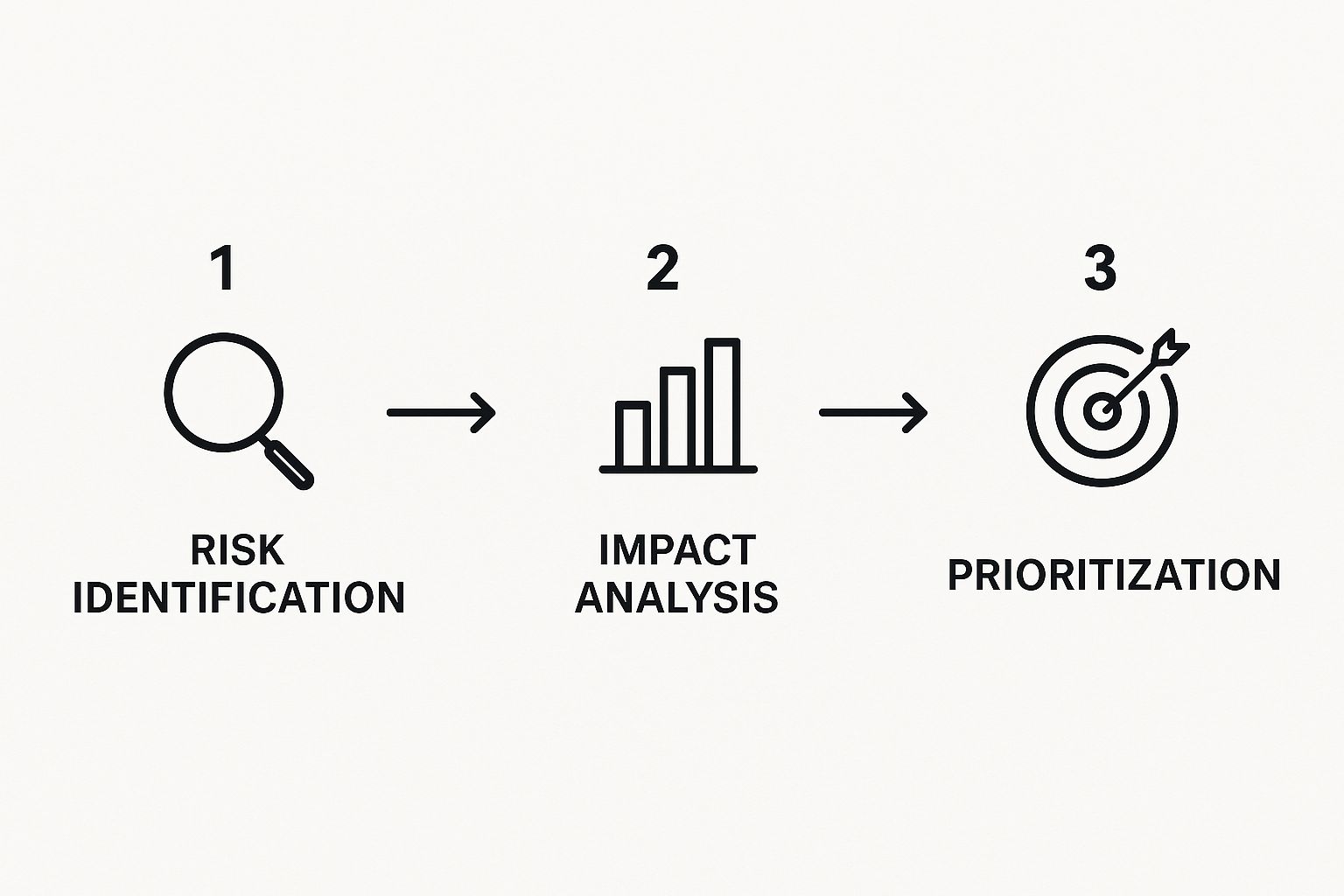
Following this workflow means you’re not just guessing. You're making smart, informed decisions about where to put your time and money for the best possible protection.
Conduct a Realistic Risk Assessment
With your critical functions defined, it's time for a reality check on the specific threats your business faces. It's easy to jump to big disasters like earthquakes or fires, but don't forget the more common, everyday disruptions that can bring a small business to its knees.
Think about these very real possibilities:
- Localized Power Outages: What’s the plan for a multi-day PG&E shutdown? How will you operate?
- Cyber Threats: Ransomware attacks specifically targeting local businesses are a growing problem. Do you have a plan to respond?
- Supply Chain Disruptions: What happens if a key supplier for your shop in Pacific Grove can't deliver for a week or more?
- Hardware Failure: It happens. What's the protocol when your main point-of-sale server suddenly gives up the ghost?
Your goal isn't to plan for every conceivable disaster. It's to prepare for the most likely ones that would have the biggest impact on your specific business.
Create Your Asset Inventory
Finally, you need a complete and current inventory of all the technology that keeps those critical functions running. You can't protect what you don't know you have. It sounds obvious, but you’d be surprised how often this step is overlooked.
Your inventory should include everything:
- Hardware: All your servers, computers, printers, networking gear (routers, switches), and point-of-sale systems.
- Software: Your accounting software, CRM, any industry-specific applications, and their operating systems.
- Data: Where do your customer files, financial records, and employee information actually live? Is it on a server in the back office, in the cloud, or a mix of both?
This inventory becomes the essential checklist for your recovery efforts. For a deeper look at how this inventory fits into a broader, more robust strategy, you might find our guide on backup and disaster recovery for small businesses helpful.
Putting in the work to build this foundational strategy is easily the most important part of creating a disaster recovery plan that will actually work when you need it most.
Protecting Your Data: The Heart of Your Business
Let's be blunt: your business data is your most valuable asset. It’s not just a collection of files. It’s your client lists, financial history, and operational details—everything that makes your business tick. For any company in Salinas, Monterey, or anywhere on the Central Coast, a major data loss isn't just an inconvenience; it can be an extinction-level event.

This is precisely why your data backup and recovery strategy can't be an afterthought. It has to be a cornerstone of your small business disaster recovery plan template. The good news? Crafting a resilient data protection plan is more affordable and achievable than you might think. Our mission is to bring enterprise-level IT to local SMBs at a price that works, and this is where it all starts.
Defining Your Recovery Objectives
Before you even think about backup technology, you need to answer two critical questions. These aren't just technical jargon; they are fundamental business decisions that will guide your entire recovery plan.
- Recovery Point Objective (RPO): Think of this as the maximum amount of data you can stand to lose, measured in time. If you can only afford to lose one hour's worth of work, your RPO is one hour, and your backups need to run at least that frequently.
- Recovery Time Objective (RTO): This is all about downtime. It’s the maximum amount of time your business can be non-operational after a disaster strikes. An RTO of 30 minutes means you need to be back up and running within that half-hour window.
To put it in perspective, a busy Salinas accounting firm during tax season probably has an RPO and RTO that are close to zero. They simply can't afford to lose recent transactions or be down for more than a few minutes. On the other hand, a local retail shop in Carmel might be able to tolerate an RPO of a few hours and an RTO of half a day without it being catastrophic. Nailing these down is the first real step toward a practical data recovery strategy.
Your RPO and RTO are the guardrails for your disaster recovery plan. They dictate the technology you need and the investment required to keep your business running.
Choosing Your Backup Method
Once your objectives are clear, you can start looking at the right backup methods. In our experience, most modern, effective strategies use a mix of approaches to get the best balance of cost, speed, and security. We almost always recommend a hybrid model to give our clients the best of all worlds without breaking the bank.
Here’s a quick rundown of the common options:
| Backup Method | Pros | Cons |
|---|---|---|
| Local Backup | Extremely fast recovery, easy access to files | Vulnerable to on-site disasters like fire, flood, or theft |
| Cloud Backup | Your data is safe in an off-site location, accessible from anywhere | Recovery speed is limited by your internet connection |
| Hybrid Backup | Combines the raw speed of local with the off-site security of the cloud | Can be slightly more complex to set up initially |
Despite how critical this is, it's an area where many small businesses fall behind. Many studies have shown that SMBs chronically underinvest in business continuity, with a shocking number spending less than $10,000 a year—or nothing at all. To learn more about this, we have an article that covers key lessons in data backup and disaster recovery.
Assembling Your Disaster Recovery Team

A perfectly crafted small business disaster recovery plan template is a fantastic start, but it's only half the story. While technology and documented procedures are crucial, it’s people who ultimately execute the plan. When a crisis hits, there's absolutely no room for confusion or hesitation.
This is where the human side of your plan becomes your single greatest asset.
You need a team with crystal-clear roles, where everyone knows their job long before an emergency call ever needs to be made. Imagine your point-of-sale system crashing during the peak of Monterey Car Week. Who has the authority to call your payment processor? Who tells your staff how to switch to manual sales slips?
That’s the kind of clarity a designated team provides. It turns what could be a chaotic, panicked reaction into a coordinated and confident response.
Defining Key Roles And Responsibilities
Assigning roles isn't about building a complicated corporate flowchart. It's about making practical assignments based on who is best suited for each critical task. For most small businesses, your team just needs clear leaders for a few core functions.
- Overall Command: This is your big-picture leader, likely you or a senior manager. They have the final say, officially activate the plan, and coordinate the entire response.
- Operations Lead: This person is laser-focused on one thing: getting the business running again. They work to restore critical functions, whether that means getting your primary software back online or finding a temporary workspace.
- Communications Lead: This individual owns all messaging, both internal and external. They're responsible for keeping employees in the loop, updating customers, and speaking with key partners or vendors.
- Technical Lead: This is your IT point person. They are responsible for executing the technical data recovery steps, assessing hardware damage, and working directly with your IT provider (like us at Adaptive).
Having these roles defined ahead of time solves the "too many cooks in the kitchen" problem that plagues so many businesses in a crisis. It ensures decisive action when every second counts, turning potential panic into focused problem-solving.
Building Your Emergency Communication Tree
So, how do you reach your team when your main communication channels—like your office phones or email server—are completely down?
This is where a simple but powerful communication tree comes in. It’s a cascading system designed to get critical information out to everyone, fast.
The process is straightforward:
- The Command Lead contacts their direct reports (the other leads).
- Each Lead then contacts their specific team members.
- This chain reaction continues until every single person is accounted for and informed.
Your plan absolutely must include multiple contact methods for every employee, like personal cell numbers and alternate email addresses, all stored securely somewhere you can access them off-site. The goal is to guarantee you have a reliable way to connect, no matter what systems have failed.
Testing and Maintaining Your Recovery Plan
You’ve done the heavy lifting—you’ve built your disaster recovery plan, pinpointed your critical business functions, and assigned your recovery team. But let's be honest, how do you really know it will work when things go sideways?
A plan that just collects dust on a shelf (or in a forgotten folder) is worse than no plan at all. It gives you a false sense of security. The only way to trust your plan is to treat it like a living, breathing part of your business. It needs to be tested, tweaked, and updated, just like any other vital operational process.
Think of it as a fire drill for your technology. Practice is what turns a good theory into a reliable, real-world response.
How to Test Your Plan Without Disrupting Your Business
The good news is that testing doesn't have to mean shutting down your entire operation for a day. For most small businesses, practical and non-disruptive tests are actually far more valuable. They're perfect for spotting gaps in your plan without costing you a precious day of revenue.
Here are a couple of smart ways you can test your plan:
- Tabletop Exercises: This is the best place to start. Get your recovery team in a room and give them a realistic scenario. For example: "A construction crew just severed our main fiber line, and the provider says it'll be down for at least 24 hours. Go." Then, you walk through the plan together. Does everyone know who to call first? Are the communication channels clear and functional? This simple exercise quickly reveals procedural holes.
- Partial Failover Tests: For a more hands-on check, you can test one specific piece of your recovery strategy. A great example is restoring a small set of non-essential files from your backup. You get to see exactly how long it takes and, more importantly, if the restored data is actually usable. It's a low-risk way to validate that your backup system is doing its job correctly.
Keeping Your Plan Current and Effective
Your business isn't static, so why would your recovery plan be? A plan written even two years ago could be dangerously out of date today.
We strongly recommend a full review at least once a year. You should also trigger an immediate update whenever your business goes through a major change.
Key moments that call for a plan review include:
- Adding new, critical software or cloud services
- Changing key personnel on your recovery team
- Moving to a new office or opening another location
- Switching to a new primary vendor or supplier
This isn't just an administrative task; it's a high-return investment in your company's future. In fact, for every dollar spent on preparedness, businesses can expect to see $13 in savings after a disaster. You can read more about the economic benefits of disaster readiness.
An untested plan is just a theory. A tested plan is a reliable business tool that gives you true confidence to face unexpected disruptions.
Consistent testing and updates are the foundation of a resilient business. To learn more about building this kind of operational strength, check out our insights on Salinas backup and disaster recovery services. Ultimately, this proactive approach is what separates the businesses that survive a disaster from those that don't.
We're Your Partner In Building a Resilient Business

If this guide has shown you anything, I hope it’s that a solid disaster recovery plan isn't just for massive corporations. It’s a practical, achievable, and absolutely essential tool for every small business in our community, from Salinas to Monterey. Being ready for a disruption isn't just good practice; it's how you protect everything you've worked for.
But you don’t have to figure this all out on your own. We're here to provide the kind of dedicated, expert support that was once completely out of reach for small businesses. Our whole mission is to bring enterprise-level IT services down to a price that actually makes sense for your bottom line.
Think of us as your local IT department. We can help you take that template and truly customize it, turning it from a document into a living, reliable strategy you can count on when it matters most.
I encourage you to use this guide and its concepts to start your plan, then give us a call. Our team can provide the hands-on help you need, making sure your technology aligns perfectly with your business goals. If you want to see more about how we work with local companies, check out our guide on IT support for small businesses in Monterey.
Let's talk. We can help you build a smarter, more resilient business.
Adaptive Information Systems
380 Main St, Salinas CA 93901 | 831-644-0300 | hello@adaptiveis.net
Your Disaster Recovery Plan Questions Answered
Even with a solid plan in your hands, you’re going to run into questions while building out your company’s disaster recovery strategy. It’s only natural. We hear the same handful of concerns from business owners right here in Monterey County, so let's tackle them head-on.
How Often Should I Test My Disaster Recovery Plan?
You absolutely need to run a full review and a tabletop exercise with your team at least once a year. Think of this as your annual IT fire drill.
But for your most essential systems, like data backups, we strongly recommend testing the recovery process quarterly. These are quick health checks that confirm your biggest safety net is actually working when you need it most.
Beyond that, you have to update your plan immediately after any significant business change. This isn't optional. That means getting it out and revising it when you adopt new software, switch to a new key vendor, move your office, or when key people on your response team change roles.
My Business Is Very Small. Do I Really Need a Formal Plan?
Yes, without a doubt. From what we've seen over the years, it's the smaller businesses that are often more vulnerable. You just don't have the deep cash reserves of a big corporation to absorb the financial hit of a prolonged shutdown.
A simple, one-page plan that outlines your backup process, key contacts, and how you'll communicate in an emergency is infinitely better than having no plan at all. The goal here isn’t complexity; it’s clarity and readiness before a crisis hits.
What Is the Biggest Mistake Businesses Make with Disaster Recovery?
The single biggest mistake we see, time and time again, is the "set it and forget it" mindset. A business owner puts in the hard work to create a great plan, files it away in a drawer or a digital folder, and never looks at it again.
This creates a false sense of security that’s just as dangerous as having no plan in the first place.
Your technology, staff, operations, and even the risks you face are constantly in motion. An outdated plan can send your team down the wrong path and waste precious time during an actual emergency. For any small business disaster recovery plan template to work, regular testing and maintenance are non-negotiable.
Turning this advice into a reliable, real-world strategy is what we do best. Adaptive Information Systems provides the hands-on IT partnership local businesses need to build a truly resilient operation. Let us help you customize and implement a plan you can trust.
Get started by contacting us for a no-obligation consultation.
Adaptive Information Systems
380 Main St, Salinas CA 93901 | 831-644-0300 | hello@adaptiveis.net