
Direct Answer: Microsoft keeps its service running, but it does not keep a restorable copy of your data. Deleted or encrypted files often vanish after a short retention window unless you add independent backup.
A manager at a Monterey County office calls in a panic. Someone deleted a shared folder three weeks ago and nobody noticed until a client asked for a file. The assumption is always the same: it lives in Microsoft’s cloud, so Microsoft must have a copy.
That is not how the service works. Microsoft keeps the platform running. You are responsible for your own data inside it. That gap is one of the most common blind spots we see in small business IT across the Salinas Valley and the Monterey Peninsula.
This article walks through what is actually at risk, why ransomware makes it urgent, and how to test your own setup in about five minutes.
What Microsoft Actually Promises, and What It Does Not
Microsoft’s job is uptime and infrastructure. Their data centers are redundant, well guarded, and far more reliable than a server humming in a back office off Main Street.
But uptime is not the same as recovery. If your own staff deletes something, or an attacker with valid credentials wipes a SharePoint library, Microsoft’s infrastructure did exactly what it was supposed to do. The data is still gone.
Here is where people get confused:
- Retention policies are built for compliance and legal e-discovery, not for restoring your operations on a Tuesday morning
- Version history tracks changes to individual files, one at a time, and is not designed for a bulk rollback
- The recycle bin holds deleted items for a limited window, commonly 14 days by default in a standard setup
- A short retention window cannot be extended after the fact. Once the clock runs out, there is no button to press
Microsoft documents this distinction in their own service terms. Almost nobody reads it, which is fair. It is buried in language written for lawyers, not for the person running a 40 person ag operation in Gonzales or a nonprofit in Seaside.
The practical takeaway is simple. Microsoft protects the platform. Protecting the contents is on you.

Your Microsoft 365 Data Is Bigger Than You Think
When most owners hear Microsoft 365, they think email. Email is the smallest part of the problem.
A typical tenant for a 25 person business in Monterey County holds:
- Exchange mailboxes, including sent items, calendars, and contacts
- SharePoint libraries, which is where most shared company files actually live
- OneDrive folders for every single user, often holding work nobody else has a copy of
- Teams chat history, including files shared inside conversations
- Planner tasks and Teams channel structure
Teams is the one that surprises people. Internal conversations that used to happen over email now happen in chat, and those threads carry real operational and legal weight.
For a law office in Monterey, a financial services firm in Carmel, or a healthcare-adjacent organization anywhere in the county, a Teams thread can be a business record. Losing it is not just annoying. It can create a compliance problem under California’s breach notification and recordkeeping expectations.
We see the same pattern in schools and districts too. A departing teacher’s OneDrive gets cleaned out during offboarding, and six months later somebody needs a curriculum file that no longer exists anywhere.
Ransomware Is the Reason This Moves From Nice to Have to Necessary
Accidental deletion is the everyday version of this problem. Ransomware is the version that closes businesses.
Here is how it plays out. An attacker gets into a user account through a phished password. Because OneDrive and SharePoint sync automatically, encrypted files sync straight up into your tenant. Your “cloud copy” is now encrypted too.
Version history sounds like the answer, and for one or two files it can be. Rolling back thousands of files across dozens of libraries to a clean point in time is a different job entirely, and it is not what the tool was built for.
An independent, point-in-time backup stored outside your Microsoft tenant is the only dependable recovery path in that scenario. If the backup lives inside the same environment the attacker controls, it is not really a backup.
The downtime math is brutal. Industry reporting has put average ransomware downtime for a small business somewhere in the range of three to four weeks. Organizations with a tested, separate backup consistently come back faster because they are restoring instead of negotiating. The federal Stop Ransomware guidance from CISA says the same thing: offline or otherwise isolated backups are the foundation of recovery.
This is also why we talk about why small businesses are now ransomware’s favorite target. Attackers are not skipping Salinas because it is not San Jose.
Native Microsoft Tools vs. Independent Backup
Here is how the two compare across the situations that actually come up in a small business.
| Situation | Native Microsoft 365 Tools | Independent Backup |
|---|---|---|
| Employee deletes a file yesterday | Usually recoverable from recycle bin | Recoverable |
| Employee deleted a folder 60 days ago | Typically gone past the retention window | Recoverable from a dated restore point |
| Departed employee’s OneDrive purged after offboarding | Gone once the account is removed | Retained per your backup policy |
| Ransomware encrypts synced SharePoint files | Version rollback is slow and unreliable at scale | Clean point-in-time restore of the full library |
| Teams chat history needed for a legal request | Depends heavily on retention configuration | Captured in scheduled backups |
| Storage location | Inside the Microsoft tenant | Separate storage outside the tenant |
Where the Gaps Show Up
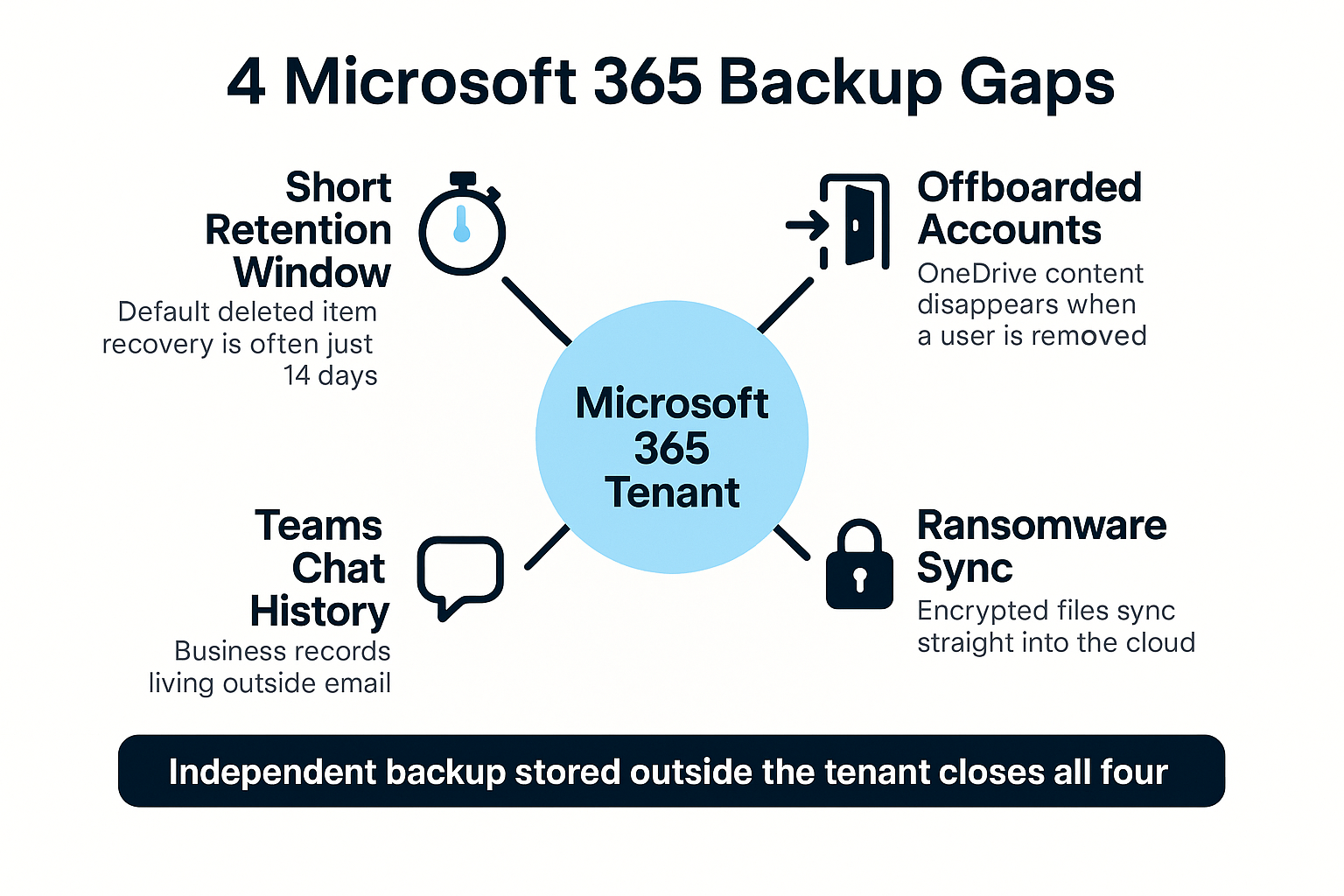
This breakdown shows the four coverage gaps we run into most often when reviewing a small business Microsoft 365 setup.
What to Look For in Microsoft 365 Backup for a Small Business
The fix is not complicated. It is a separate backup layer that sits outside your Microsoft environment and runs on its own schedule.
When you evaluate options, three things matter more than anything else:
- Storage outside the Microsoft tenant. If a compromised admin account can reach the backup, it is not a real safety net
- Automated daily backups covering Exchange, SharePoint, OneDrive, and Teams, not just mail
- Granular item-level restore. You want to pull back one folder or one mailbox without rebuilding everything around it
Also ask how far back the restore points go and how long a restore actually takes. A backup nobody has tested is a guess, and we have written before about the difference between having backups and having a real recovery plan.
On cost, this is one of the more affordable protections a business can add. General market pricing for Microsoft 365 backup tends to land in the range of a few dollars per user per month, though it moves with the vendor, the retention period, and whether Teams and Planner are included. For a 30 person office in Watsonville or Hollister, that is real money but it is not a capital project. Pricing varies enough that it is worth getting a quote against your actual user count.
If you are already reviewing your subscription because Copilot is showing up with your Microsoft 365 renewal, that renewal conversation is a natural time to sort out backup at the same time.
The Five Minute Self-Test
Here is the question to put in front of whoever handles your technology.
If an employee deleted your most important shared folder this morning, how would you get it back, and how far back could you go?
A solid answer sounds like this: “We restore it from our backup, and we have daily restore points going back a year.” A shaky answer sounds like: “It should be in the recycle bin,” or “Microsoft probably has it.”
If the answer is unclear, that is your signal to review the setup. It is not an emergency, but it should not sit on the list for another year either.
Summer is a good window for this work in our region. Ag operations are heads-down through harvest and Peninsula hospitality is in peak season, so scheduling a quiet review before the fall compliance and budget cycle tends to go smoother. Wildfire season is also a fair reminder that regional disruption is not hypothetical here, and a backup that only exists in one place is a thin plan.
Frequently Asked Questions About Microsoft 365 Backup
Doesn’t my Microsoft 365 subscription already include backup?
No. Your subscription includes platform reliability, retention settings, and recycle bin recovery within a limited window. None of those are the same as a restorable backup copy stored somewhere else. Microsoft’s own service terms draw this line clearly.
How long do I actually have to recover a deleted file?
In a standard setup, the default deleted item window is commonly 14 days, and some configurations allow a longer period. The important part is that you cannot extend it retroactively. Once it lapses, the file is gone.
We only have 8 people. Is this overkill?
Small offices are often the ones with the most concentrated risk, because one person’s OneDrive may hold files nobody else has. We get inquiries from three-person nonprofits and small law offices in Monterey County asking exactly this. At a few dollars per user per month, the math usually works out in favor of coverage.
Does backup help with California compliance requirements?
It supports it. California’s breach notification rules and industry obligations in healthcare and financial services expect you to protect and account for records. Being able to produce a Teams thread or an email chain from 18 months ago is part of that. It is one piece of a broader security baseline, not the whole thing.
What is the difference between retention policies and backup?
Retention policies hold data so it can be searched for legal or compliance purposes. Backup exists so you can restore data and keep working. They serve different goals, and having one does not give you the other.
Want a Straight Answer on Your Microsoft 365 Backup Coverage?
If you run a business anywhere from Salinas to Carmel and you are not sure what would happen after a bad Monday, a review of your current setup is a reasonable place to start. Our team works with organizations across Monterey County on backup, disaster recovery, and Microsoft 365 management, and we are happy to walk through what you have today. Reach us at (831) 644-0300 or at adaptiveis.net when the timing works for you.