
Direct Answer: Over five years, both options often land close on total cost. The real difference is shape: an on-premise server front-loads a big purchase, while a hosted server spreads spend into a predictable monthly bill.
Most Monterey County businesses start firming up next year’s numbers in October. That is usually when someone asks the question we hear every fall: do we replace the server in the closet, or move it to the cloud and stop buying hardware?
The honest answer is not about which technology is better. It is about which option gives you a predictable line item and which one hands you a surprise capital request in year four.
This article follows the money across a full five-year ownership cycle. We will cover what actually shows up on the bill for both paths, including the costs that rarely make it onto a first quote.
Private Cloud vs On Premise in Monterey: Two Cost Shapes, One Budget
A business owner in the region recently wrote to us looking to move off an external network and into the cloud, hoping to get “many more features under one umbrella.” That is the pattern we see. People are not shopping for a server. They are shopping for fewer moving parts and one bill.
Here is the difference in plain terms.
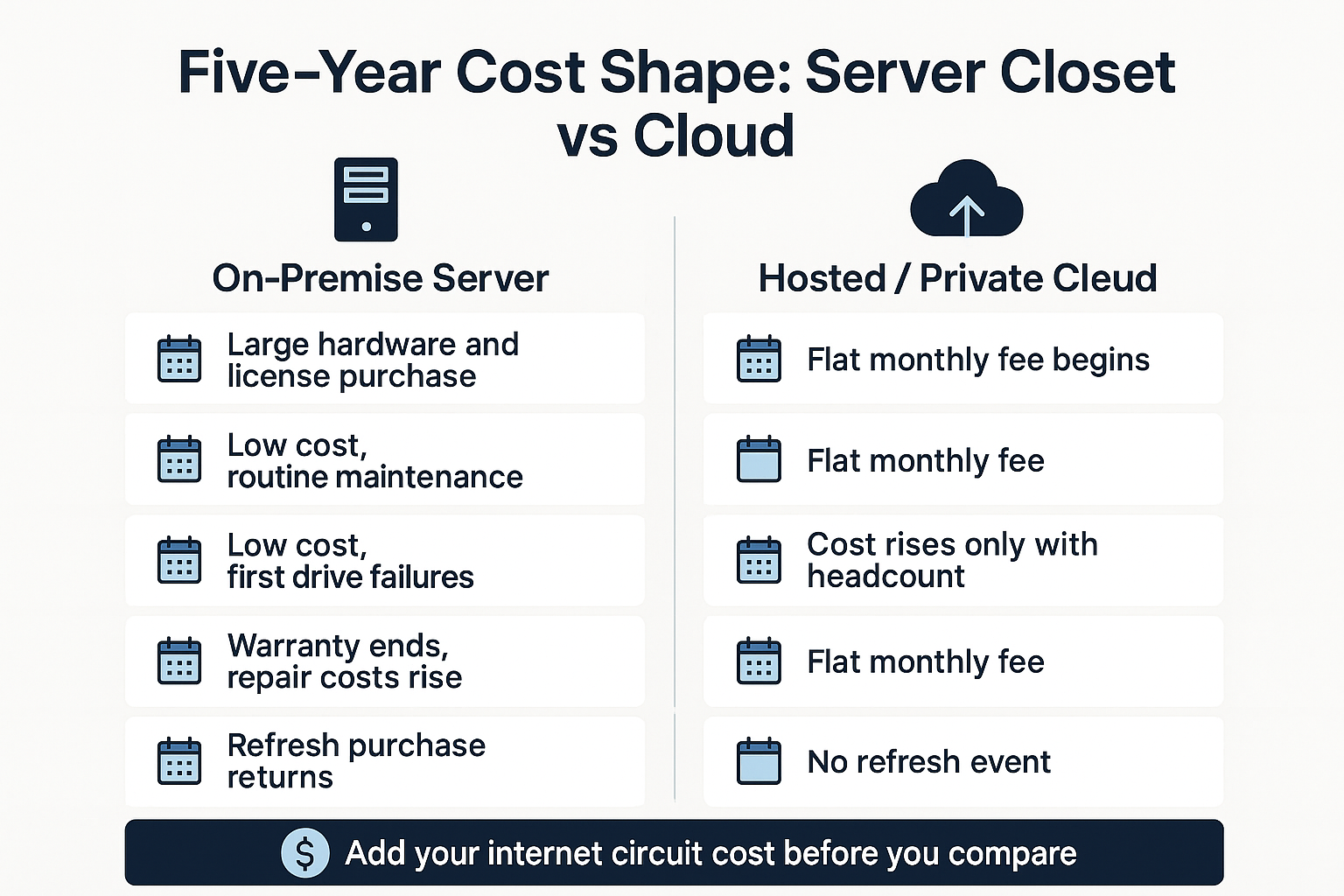
- On-premise front-loads a large purchase. You buy hardware and licenses once, then run cheap for a few years, until the box gets old and the spending comes back all at once.
- Hosted or private cloud spreads that same spend into a monthly figure that scales with users and workloads. No single large check, but the check never stops.
- Capital vs operating expense matters more than most people expect. A capital purchase hits one budget year hard. A monthly fee sits quietly in operations and grows only when you add staff.
Neither shape is automatically cheaper across five years. We have priced both for offices in Salinas and on the Peninsula and watched the totals land within striking distance of each other more often than not.
What changes is who absorbs the risk of an unplanned failure, and whether your finance team can forecast the number twelve months out. If you want the broader technology comparison first, our post on private cloud or on-premise servers covers that side.
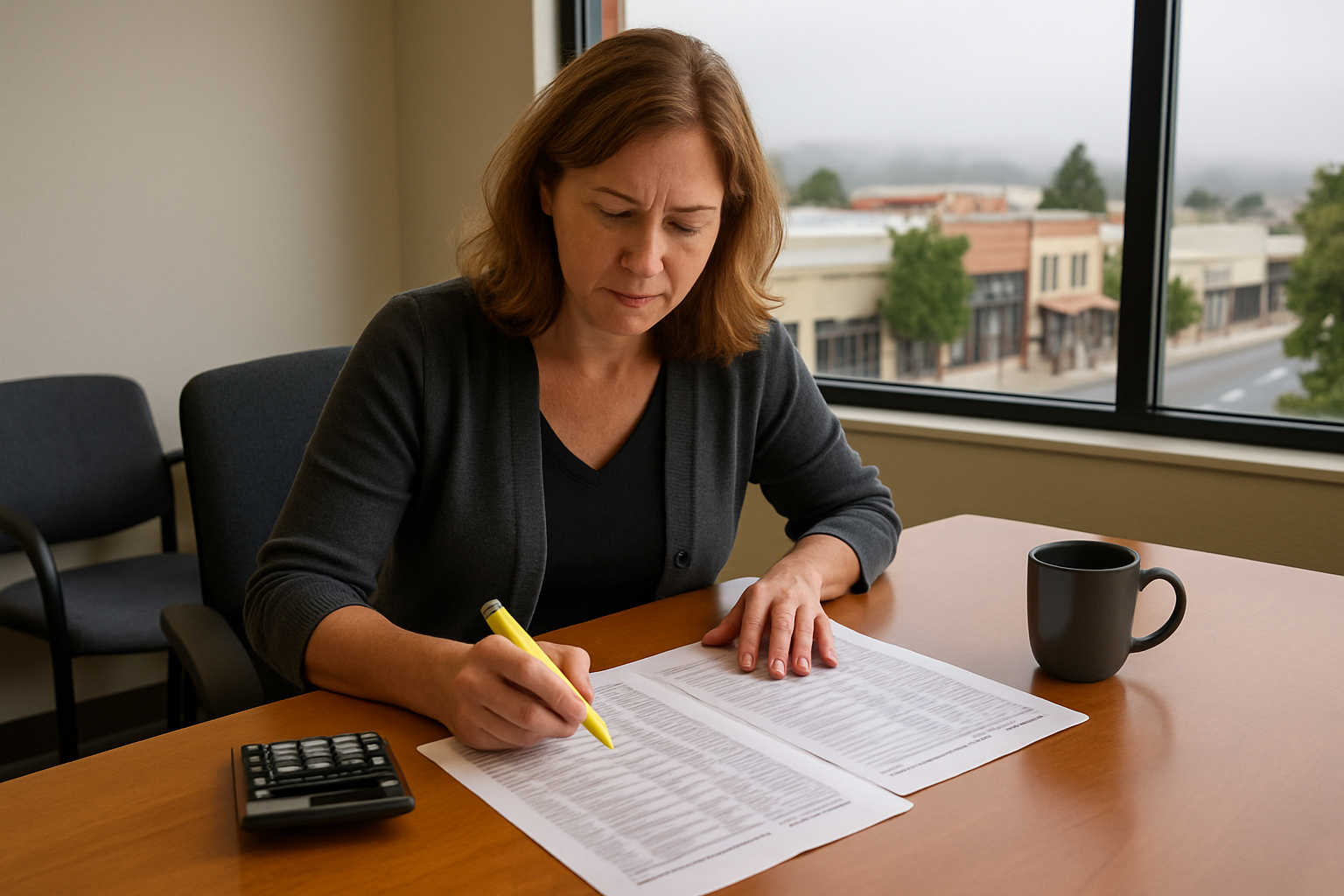
The On-Premise Line Items That Rarely Make the First Quote
When a business gets a quote for a new server, the quote usually covers the server. The five-year cost covers a lot more than that.
Here is what belongs in the comparison for a 10 to 200 person office:
- The server itself. Cost swings widely based on processor count, memory, and storage. More users and more databases push it up fast.
- Windows Server licensing and client access licenses. You license the server, then license every user or device that touches it. A growing headcount grows this number.
- The backup target. A server without a tested backup is not a plan. Budget for local storage plus an off-site copy.
- A working UPS. Battery backup units wear out. Replacement batteries are a recurring cost, not a one-time one.
- The switch and firewall it depends on. These have their own refresh cycles and their own support renewals.
- The hardware refresh. Most business servers land in a year four to six replacement window, which means the cycle restarts right around the time everyone forgot about it.
Then come the items almost nobody budgets. After-hours labor when it fails on a Friday night. Drive replacements. And the simple fact that a box sitting in a closet with no dedicated cooling ages faster than the same box in a proper environment.
We are not going to quote you dollar figures here, because they move constantly with hardware supply and licensing changes. Get written numbers for every category above before you compare anything. A quote that only covers the server is not a five-year cost.
The Cloud Cost Nobody Puts on the Quote: Your Internet Circuit
This is the honest warning on the cloud side. Once the server leaves the building, every single user depends on the connection.
We see this play out locally. One Monterey warehouse reported ongoing connectivity trouble while their carrier kept insisting the line tested clean. Another local office had to bring in business-class service before their conference room was usable at all.
A serious cloud comparison includes the cost of the circuit that makes it work:
- A business-class connection with a service level commitment, not a consumer plan that happens to be in the building.
- A second connection or cellular failover so one carrier problem does not stop the whole office.
- A firewall and switch capable of handling the traffic, since cloud workloads push more through the edge than a local server does.
Leaving those out is the most common way a cloud quote looks artificially cheap. If the circuit fails, the hosted server is still running perfectly and your staff still cannot work.
Parts of the Salinas Valley and the inland stretches of Monterey County have fewer carrier options than downtown Monterey does, so the circuit conversation is genuinely local. Our overview of networking and security solutions for Monterey Bay SMBs goes deeper on what a business-grade edge actually needs.
Five-Year Cost Categories Side by Side
This table compares where the money goes rather than how much. Use it as a checklist when you collect written quotes.
| Cost Category | On-Premise Server | Hosted / Private Cloud |
|---|---|---|
| Upfront hardware | Large capital purchase in year one | None, folded into monthly fee |
| Operating system and user licensing | Purchased upfront, repurchased at refresh | Included or billed per user monthly |
| Backup and off-site copy | Separate hardware plus storage cost | Usually bundled, confirm retention terms |
| Power, cooling, and UPS batteries | Ongoing, plus battery replacement | Provider absorbs it |
| Internet circuit | Standard business connection is often enough | Higher bandwidth, often plus failover |
| Year four to six refresh | Full repeat of the capital purchase | No refresh event |
| After-hours failure labor | Unpredictable, hits when it hits | Covered under monitoring and support terms |
| Budget shape | Spikes in year one and again at refresh | Flat monthly, scales with headcount |
How the Spending Actually Falls Across Five Years
The totals may land close. The timing does not, and timing is what breaks a budget.
Power Shutoffs Make Continuity a Cost Line, Not a Side Topic
Fall is when Central Coast businesses feel this one. PG&E has run Public Safety Power Shutoffs across California every fire season since 2019, and Monterey County events have affected the southern end of the county and parts of Carmel Valley, with planned outages that can stretch past a full day.
The City of Monterey’s power outage guidance makes the point clearly: local businesses can be affected even when they are nowhere near a fire.
Here is the practical math. A server in your office closet is offline the second the building goes dark. A UPS buys you minutes, not days.
A hosted server keeps running through the outage, but it only helps the staff who can get online somewhere else. If your team cannot work from home or from another site, you are still down.
So ask two questions before you compare quotes:
- How many hours of downtime can this business absorb before it costs real revenue or a compliance problem?
- What would each option cost to cover that gap, whether that means a generator, remote access for staff, or both?
For a pack house in the Salinas Valley during harvest, a day offline is a different number than it is for a professional office in Pacific Grove in February. Price the gap, not the theory.
What Usually Forces the Timing
Most businesses do not choose this project. Something chooses it for them.
Windows Server 2016 leaves extended support on January 12, 2027. That date pushes a lot of Central Coast businesses into a hardware and licensing conversation whether they planned one or not.
Older database and line-of-business software riding on those same servers frequently has to move at the same time, which turns one project into two.
The cheapest version of this project is the one planned a year out. The expensive version is the one that starts at 6 a.m. on a Monday when the box will not boot. We wrote about that gap in the real cost of waiting until something breaks.
Stop Asking Per Company. Start Asking Per Workload.
The all-or-nothing framing is what trips up most buyers. Very few offices in Salinas, Monterey, or Watsonville end up fully one way or the other.
What we see far more often is a split:
- Email, files, and collaboration hosted. These move well and rarely justify local hardware anymore. Our post on why small businesses switch to cloud email covers the reasoning.
- One stubborn line-of-business application stays local, because the vendor requires it, or because a pack house, clinic, or school site needs it to keep working when the internet does not.
- Backups run in both directions, with a fast local copy and an off-site copy for recovery after a real disaster.
That split is not a compromise. It is usually the correct answer, and it changes the cost comparison because you are pricing workloads instead of a whole company.
One more local factor. With Monterey County agriculture value down about 3 percent in 2025 to roughly $4.82 billion, plenty of buyers here now prefer a predictable monthly operating expense over a large capital purchase, even when the five-year totals land close. Cash flow is a legitimate reason to choose a cost shape, and finance teams should say so out loud.
Frequently Asked Questions About Server Costs in Monterey County
Is the cloud actually cheaper than buying a server?
Across five years, often not by much. The monthly fee usually catches up to the capital purchase somewhere in the middle of the cycle. What you are really buying is predictability and no refresh event, plus someone else handling the hardware failures.
How long should a business server last before we replace it?
Plan for a four to six year window. Servers in a proper cooled environment reach the far end of that. A server in an unventilated closet, which is most small offices, tends to hit the near end.
What internet speed do we need if we move our server to the cloud?
It depends on the workload more than the headcount. File-heavy work and hosted desktops need far more upstream bandwidth than email does. The bigger issue is reliability, so we usually recommend pricing a business-class circuit plus a failover connection before you sign anything cloud related.
What happens to our data during a Public Safety Power Shutoff?
A hosted server keeps running in the data center. An on-premise server shuts down when the building loses power, and an abrupt shutdown is one of the more common causes of drive failure. Either way, staff need a way to get online from somewhere with power.
Can we move some things to the cloud and keep the rest in-house?
Yes, and most local offices end up exactly there. Email and files go hosted, while one application stays local because a vendor requires it or because a site needs it to keep working during an internet outage.
Working Through Your Own Five-Year Numbers?
What local clients tell us they value most is steady monitoring and a plan sized to the business instead of the biggest option on the shelf. One longtime client, Karen M., put it this way: “Quite often a technology problem is addressed and corrected before we are aware there is an outage.” Our team at Adaptive Information Systems is based on Main Street in Salinas, and we are happy to walk a Monterey County business through its own cost categories, workload by workload. Reach us at (831) 644-0300 or adaptiveis.net whenever the timing makes sense for your budget cycle.