
As a business owner in Monterey County, you juggle a dozen priorities every day, from keeping customers happy to managing your bottom line. We get it. Adding "small business network security" to that list might feel overwhelming—like a complex problem meant for big corporations with entire IT departments. In Salinas and beyond, we hear this all the time.
But at its core, network security is really about one simple thing: protecting the livelihood you've worked so hard to build. Think of it as the digital version of locking up your storefront at night. It’s an essential, non-negotiable step to keep everything you’ve built safe.
Why Your Local Business Needs Network Security
If you think your business is too small to be a target, you’re not alone. It’s a common—and dangerous—assumption. Many local business owners across Monterey County, whether they're in hospitality in Carmel or agriculture in Salinas, believe their size keeps them safely under the radar.
Unfortunately, cybercriminals see it very differently. They often view small businesses as the perfect targets of opportunity, precisely because they expect you to have fewer defenses in place. The tough reality is that a single cyber incident can cause devastating financial and reputational damage that many small companies simply never recover from.
Being proactive about your defense isn't an extra expense; it's the most affordable strategy you can adopt.
The Myth of Being "Too Small to Hack"
Cybercriminals aren’t meticulously picking their targets one by one. More often than not, they use automated tools that constantly scan the internet for any weakness, anywhere. They don't care if your business is on Main Street in Salinas or on Wall Street—they’re just looking for an easy way in.
This is exactly why a staggering number of attacks are aimed at companies just like yours.
Nearly half of all cyberattacks target small businesses, with 46% of all cyber breaches impacting organizations with fewer than 1,000 employees. In fact, in 2021, 61% of small and medium-sized businesses (SMBs) were the targets of cyberattacks, underscoring just how critical robust security has become.
These numbers aren't meant to scare you. They're meant to empower you with the facts. Knowing the real risks is the absolute first step toward building an effective defense.
The Real-World Impact on Local Businesses
The consequences of a security breach go far beyond a simple technical headache. For a local business, the fallout can be severe and hit you from multiple angles.
Before we dive deeper, let’s look at the most common threats facing local businesses today. Think of this table as your "know your enemy" guide—understanding what you're up against makes it much easier to defend your turf.
Top Cyber Threats Facing Local Businesses
| Threat Type | What It Does | Business Impact |
|---|---|---|
| Phishing | Uses deceptive emails or messages to trick employees into revealing sensitive information like passwords or credit card numbers. | Criminals can gain access to your accounts, steal money, and compromise customer data. |
| Ransomware | Encrypts your business files, making them inaccessible until you pay a ransom to the attackers. | Your entire operation can grind to a halt. Even if you pay, there's no guarantee you'll get your data back. |
| Malware/Viruses | Malicious software that can steal data, disrupt operations, or give attackers control over your systems. | Can lead to data theft, system crashes, and long-term reputational damage if customer info is stolen. |
| Denial-of-Service (DoS) | Overwhelms your website or network with traffic, making it crash and become unavailable to legitimate customers. | Your online presence disappears, leading to lost sales and customer frustration. |
Each of these threats can have a cascading effect on your business, moving from a technical problem to a full-blown crisis in a matter of hours.
Here’s what that looks like in practical terms:
- Financial Loss: This isn't just about the money stolen. It also includes the high cost of cleaning up the mess, potential regulatory fines, and lost revenue from the time your business is down.
- Reputation Damage: Trust is the bedrock of any local business. A breach that exposes your customers' personal data can shatter the relationship you've spent years building with your community.
- Operational Disruption: Just imagine not being able to access your customer records, process payments, or even email your suppliers. A successful attack can paralyze your business for days, if not weeks.
Protecting your network is really about protecting your ability to do business, period. Our small business guide to network security is a great place to build more of this foundational knowledge.
At Adaptive Information Systems, our entire mission is to deliver enterprise-level IT protection at a price that works for our local SMBs. We want you to be able to focus on growing your business, not recovering from a disaster.
The Building Blocks of a Secure Business Network
Securing your business network might feel like a huge technical challenge, but it's much easier to grasp when you think about it like securing your physical storefront. You wouldn't leave the front door unlocked, give every employee the master key, or let strangers wander through your stockroom, right? Building a secure network uses the same layered logic—it’s about putting the right locks on the right digital doors.
A strong network security strategy isn't about finding one magical tool that does it all. It’s about combining several core components that work together to create a formidable defense. This approach ensures that even if one layer is bypassed, others are ready to stop a threat in its tracks. Let's break down these essential building blocks.
The infographic below shows how cyber threats often target small businesses, reinforcing why a multi-layered defense is so critical.
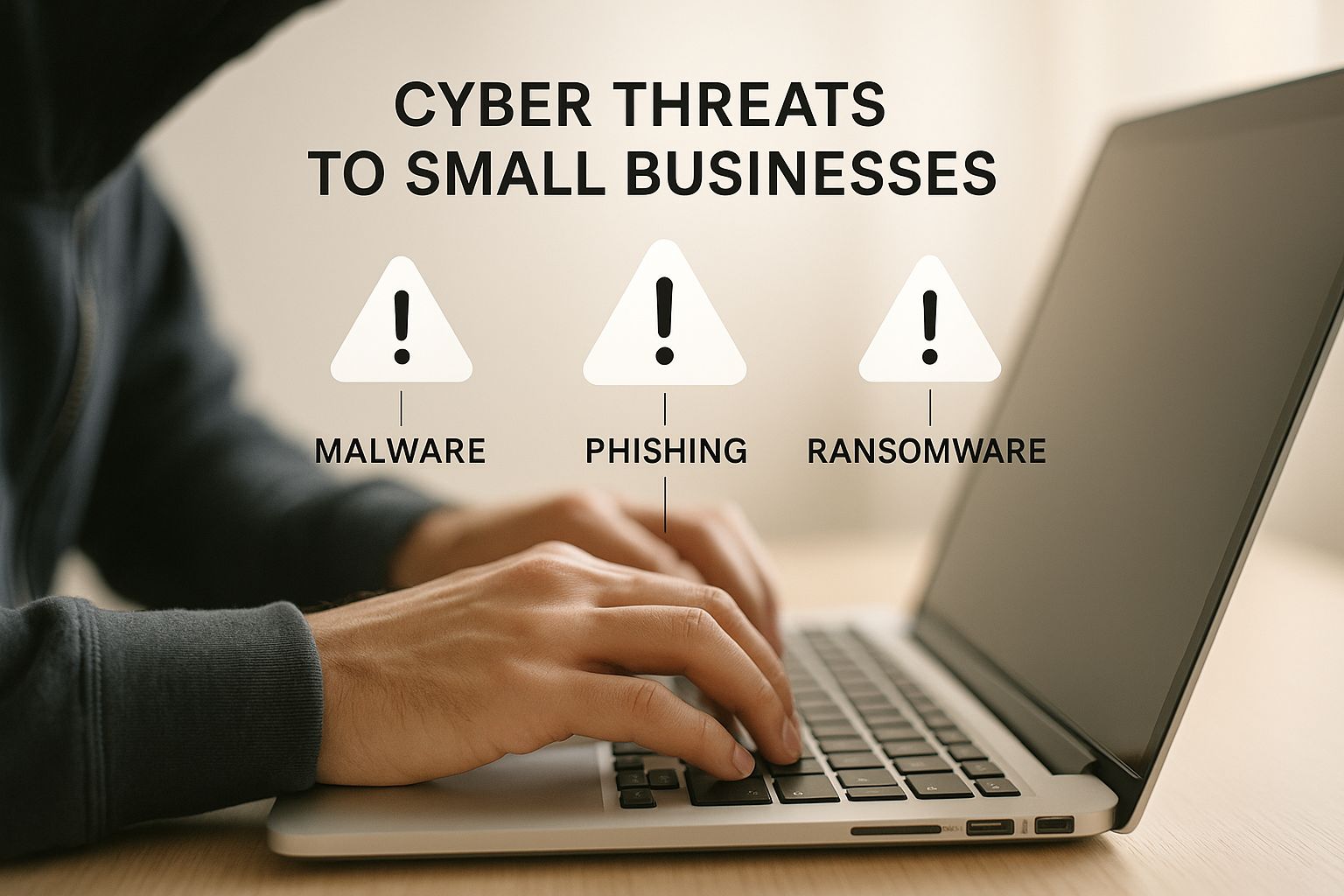
As you can see, attackers have numerous ways to get in, which means your security needs to be just as versatile.
The Firewall: Your Digital Bouncer
Think of a firewall as the digital bouncer standing at the entrance of your network. Its one and only job is to inspect all incoming and outgoing traffic, deciding what’s allowed in and what gets turned away. It operates based on a set of security rules you define, acting as your first and most critical line of defense against unwanted and malicious connections from the internet.
Without a firewall, your business network is basically a wide-open door, inviting automated bots and attackers to poke around for weaknesses. A properly configured firewall is an absolute non-negotiable for any business and a foundational piece of your security puzzle.
Secure Wi-Fi: Connecting with Confidence
Your business Wi-Fi is another major entry point that needs your careful attention. An unsecured or poorly set up wireless network is like leaving a side window wide open for anyone to climb through. It’s not just about providing internet access; it’s about controlling who uses it and how.
To lock down your wireless network, you should take a few key steps:
- Create a Separate Guest Network: Never let customers or visitors connect to the same Wi-Fi network that runs your business operations. A separate, isolated guest network protects your point-of-sale systems, servers, and private files from being accessed by anyone on the public network.
- Use Strong Encryption: Always use WPA3 (or at least WPA2) encryption for your Wi-Fi. This scrambles the data transmitted over the air, making it unreadable to anyone trying to eavesdrop.
- Change Default Credentials: The factory-set usernames and passwords on routers are publicly known. Change them immediately to something unique and strong.
VPN: The Armored Car for Your Data
A Virtual Private Network (VPN) creates a secure, encrypted tunnel for your data to travel through, especially when you or your team are working outside the office. Think of it as an armored car for your information. When an employee connects to public Wi-Fi at a café in Monterey or an airport, a VPN ensures that no one else on that network can intercept and read the company data they are accessing.
For businesses with remote or hybrid teams, a VPN is absolutely essential. It extends your secure network perimeter to wherever your employees are, ensuring that sensitive information stays confidential, whether it’s being accessed from a home office or a client's site.
Digital Access Controls: Your Keycard System
Not every employee needs access to every file and system in your business. Just as you wouldn’t give your front desk staff the keys to the accounting office, you need to apply the same logic digitally. This is where access control comes in.
It’s the practice of making sure users can only get to the specific information and systems they absolutely need for their jobs. This concept is often called the "Principle of Least Privilege."
Implementing access controls is a crucial step in minimizing your internal risk. This often ties into creating clear guidelines for your team. You can find excellent advice on formalizing these rules by reading our guide to IT security policy templates. Strong access controls mean that even if an employee’s account is compromised, the potential damage is limited to only what that specific user could access.
Putting Your Network Security Plan Into Action

Knowing the "why" and "what" of network security is a great start, but it's the "how" that truly protects your business. Now it's time to roll up your sleeves and move from concepts to concrete actions. This isn't about becoming a tech wizard overnight; it's about taking practical, manageable steps to build up your defenses.
Think of it like setting up a new point-of-sale system or organizing your inventory for the first time. You start with a clear plan and tackle it one piece at a time. The goal is to make solid security accessible and affordable, giving you a checklist you can start on today without a massive budget.
Start With a Simple Risk Assessment
Before you build a fortress, you need to know what you’re protecting and where the weak spots are. A risk assessment sounds intimidating, but at its core, it’s just about asking a few straightforward questions about your business.
You don’t need a complicated audit to begin. Just start by identifying your most critical digital assets.
- What data is most important? Is it your customer lists, payment information, proprietary formulas, or employee records?
- Where does this data live? Is it on a local server in your office, in a cloud application, or on employee laptops?
- Who needs access to it? Which team members need this information to do their jobs?
Answering these questions gives you a map of your digital world. It helps you focus your time and money on protecting what matters most. For a more structured approach, you can find helpful guidance in our cybersecurity risk assessment template designed for business owners like you.
By taking stock of your digital valuables and potential weak points first, you make sure every dollar and hour you invest in security is spent where it will have the biggest impact. It’s all about working smarter, not just harder.
Once you know your key risk areas, you can start putting foundational security controls in place that give you the best bang for your buck.
Implement Core Security Controls
With your priorities straight, you can get to the hands-on work of locking down your network. These next steps are some of the most effective things you can do to dramatically improve your security. Best of all, they're practical and achievable for any small business.
1. Enforce a Strong Password Policy
Stolen or weak passwords are one of the most common ways thieves get in the door. A staggering 80% of all hacking incidents involve compromised credentials. A strong password policy is a simple, yet incredibly powerful, defense.
Your policy should require your team to create passwords that are:
- Long: At least 12-14 characters.
- Complex: A mix of uppercase and lowercase letters, numbers, and symbols.
- Unique: Never reused across different services or websites.
Even better, encourage the use of password managers. These tools create and store ridiculously strong, unique passwords for every site, so your team only has to remember one master password.
2. Activate Multi-Factor Authentication (MFA)
Multi-Factor Authentication is your single best defense against password theft. It’s that simple. MFA requires a second form of verification—like a code sent to a phone—on top of a password. So even if a criminal steals a password, they can't get in without that second key.
Despite how effective it is, only about one-third of small businesses have implemented MFA. Turning it on for your critical accounts like email, banking, and cloud services is one of the fastest and cheapest ways to boost your security.
3. Keep All Software Updated
Think of software updates like routine oil changes for your car. You wouldn't skip them, right? You shouldn't skip software patches, either. These updates often contain critical security fixes for vulnerabilities that hackers are actively trying to exploit.
Set all your operating systems, web browsers, and business apps to update automatically. This simple "set it and forget it" habit closes many of the doors cybercriminals love to use, ensuring you're always protected from the latest known threats without you having to think about it.
Your Team Is Your Greatest Security Asset
You can have the best security technology in the world, but it can all be undone by one simple mistake. While firewalls and VPNs are absolutely critical, they only address half of the equation. The other half is the people who use your network every single day—your employees.
It's a hard truth, but your team can either be your strongest line of defense or, completely unintentionally, your biggest security risk.
This isn’t about pointing fingers; it’s about acknowledging how cybersecurity works in the real world. Human error is a factor in the overwhelming majority of breaches, not because people are careless, but because cybercriminals have become absolute masters of manipulation. They target people, not just machines.
For small businesses, the stakes are incredibly high. The financial and operational fallout from an attack can be devastating, a burden few are prepared to carry. Human error is a primary driver of these breaches, accounting for a stunning 95% of all cybersecurity failures. With the average incident costing SMBs around $25,000, it's crystal clear why turning your team into a security-aware workforce is so vital. You can discover more small business cyber attack insights to see the full scope of the problem.
Turning Your Team into a Human Firewall
Building a security-conscious culture doesn't need to be a huge, expensive undertaking. It starts with teaching your team what to look for and making them feel comfortable speaking up when something seems off. The goal is to transform every employee from a potential target into an active defender of your business.
Creating a security-first culture is one of the most cost-effective investments you can make. It’s not about buying more software; it’s about fostering vigilance, awareness, and a shared sense of responsibility for protecting the business you all help build.
This isn't a one-and-done lecture. By making security a regular part of the conversation at your company, you build a powerful "human firewall" that's always on the lookout.
Essential Security Training Topics
Your training needs to be practical and focused on the real-world threats your team is most likely to run into. Forget the abstract jargon. Here are the most critical topics to cover.
1. How to Spot Phishing Emails
Phishing is still one of the most common and damaging attacks out there, especially for businesses in our local hospitality and professional services sectors. Attackers send emails that look legitimate, trying to trick someone into clicking a bad link or giving up their password.
Train your staff to spot these red flags:
- Urgent or Threatening Language: Emails that try to create panic, using phrases like "Immediate Action Required" or "Your Account Will Be Suspended," are a classic phishing tactic.
- Suspicious Sender Addresses: Teach them to double-check the sender's email address to see if it really matches the company it claims to be from. A tiny misspelling or a weird domain is a dead giveaway.
- Generic Greetings: Phishing emails often use vague greetings like "Dear Valued Customer" instead of a person's name.
- Unexpected Attachments or Links: This is a big one. Instruct your team to never open attachments or click on links they weren’t expecting, even if the email appears to be from someone they know.
2. The Dangers of Password Sharing
It might seem harmless to share a password with a colleague to quickly access a system, but this habit creates a massive security hole. As soon as a password is shared, you lose all accountability. If a breach happens, it’s impossible to trace who was responsible.
Emphasize this simple rule: every employee must have their own unique login for every system they use. It’s a straightforward practice that contains the damage if one person's account is ever compromised and dramatically strengthens your overall small business network security.
Advanced Security for Compliance and Growth
Once you have a solid security foundation in place, you can start looking ahead. Your focus can shift from building the initial walls to creating a more sophisticated, active defense system—one that not only protects your business but also helps it grow by meeting important industry standards. This is where advanced security and compliance come into play.
For many businesses, these aren't optional extras; they're essential requirements for operating legally and competitively. Whether you're a local clinic in Monterey handling patient health information (HIPAA) or a retail shop in Carmel processing credit cards (PCI DSS), these regulations are there to protect consumers, and strong small business network security is at the heart of meeting them.
The consequences of non-compliance can be severe, including hefty fines and legal trouble that could easily cripple a small business. But navigating these rules doesn't have to be overwhelming.
Understanding Compliance Requirements
Think of compliance standards like a building code for your data. They provide a clear blueprint for how to handle sensitive information securely. While the technical details vary, they all share a common goal: ensuring you have the right processes and security controls in place to protect customer data.
Here are the two most common compliance frameworks for SMBs:
- HIPAA (Health Insurance Portability and Accountability Act): If your business deals with any kind of protected health information (PHI), you fall under HIPAA. This applies not just to doctors and dentists but also to their business associates, like an IT provider or billing company.
- PCI DSS (Payment Card Industry Data Security Standard): If you accept, process, store, or transmit credit card information, you must comply with PCI DSS. This standard is designed to reduce credit card fraud and applies to businesses of all sizes, from a small online store to a large restaurant.
Meeting these standards shows your customers and partners that you take their privacy and security seriously. It’s a powerful way to build trust and can even become a competitive advantage, opening doors to new opportunities and larger contracts.
Advanced Tools for Deeper Protection
As your business grows, so does your attack surface. Advanced security tools provide deeper visibility into your network, helping you spot threats that might slip past basic defenses. One key technology here is an Intrusion Detection System (IDS).
An IDS is like a high-tech security camera system for your network. It constantly monitors network traffic for suspicious activity or known threat patterns. If it spots something that looks like an attempted break-in or a policy violation, it immediately sends an alert so you can take action.
The stark reality is that cyberattacks are not a distant threat; they are a clear and present danger. A global survey found that 46% of small and medium-sized business owners had experienced a cyberattack. For those affected, the repercussions were often dire, with nearly one in five subsequently filing for bankruptcy or shutting down completely. You can read more about the study's findings on small business resilience.
The Value of a Professional Security Audit
The best way to know where you truly stand is to have an expert take a look. A professional security audit is a comprehensive evaluation of your entire security posture, from your firewall configuration to your employee security awareness. It's like getting a full diagnostic check-up for your business's digital health.
An audit will:
- Identify hidden vulnerabilities in your network, software, and policies.
- Assess your current level of compliance with regulations like HIPAA or PCI DSS.
- Provide a prioritized, actionable roadmap for improving your security.
This process removes the guesswork and gives you a clear path forward. For a deeper dive into local threat vectors, check out our guide on Salinas business cybersecurity. Partnering with an expert can help you navigate these complex requirements, protecting you from fines and helping you focus on growth.
Your Partner in Monterey County Business Security
Securing your business network isn't a one-and-done task you can just check off a list. It’s an ongoing commitment. But here's the good news: you don’t have to go it alone. Throughout this guide, we’ve walked through the real-world threats facing businesses right here in our community, the essential components of a strong network, and the critical role your team plays in keeping your data safe.
The path to solid small business network security can feel overwhelming, but it’s a journey you shouldn't have to navigate by yourself. At Adaptive Information Systems, we have one clear mission: to bring enterprise-level IT services to the local businesses that form the backbone of Monterey County, all at a price that makes sense. We believe every business, from a startup in Marina to an established firm in Pacific Grove, deserves top-tier protection.
Managing cybersecurity is a full-time job. Partnering with a dedicated expert lets you offload the technical heavy lifting and constant vigilance, freeing you up to do what you do best—run and grow your business.
Let us handle the intricate work of keeping you secure. We can build a defense that’s not only effective but also affordable, turning your security from a source of stress into a genuine business asset. To see how a local partner can make a real difference, check out our insights on Monterey business IT support.
Our goal is simple: to give you the peace of mind to focus on your customers, your team, and your future.
Your Network Security Questions
We've put together this quick-reference table to tackle the questions that come up time and time again when we're helping businesses in Salinas, Monterey, and beyond.
| Question | Answer |
|---|---|
| "Do I really need network security? I'm too small to be a target." | This is easily the biggest myth we have to bust. Cybercriminals don't care about your company's size; they use automated bots to hunt for any weakness they can find. Small businesses are often seen as easier targets because they're less likely to have strong defenses in place. It's not about being a big, attractive target—it's about being an easy one. |
| "Isn't my internet provider's router enough protection?" | Think of your ISP's router as a basic lock on your front door. It's better than nothing, but it's not built for business-grade threats. It's missing the advanced features, detailed security logs, and fine-tuned controls you absolutely need to protect your financial data, customer lists, and critical operations from a determined attacker. |
| "What's the single most important security step I can take?" | Turn on Multi-Factor Authentication (MFA) for every important account you have—email, banking, cloud apps, everything. It’s the digital equivalent of adding a heavy-duty deadbolt to your door. Even if a thief steals your password (your key), they still can't get in. MFA is proven to block the vast majority of attempts to take over an account. |
| "How much should I budget for cybersecurity?" | There isn't a one-size-fits-all number, since the right budget depends on your specific industry and risks. But here's a startling fact: 47% of businesses with fewer than 50 employees have no cybersecurity budget at all. That's like driving without insurance. The best approach is to see security as a core investment in keeping your business running, not just another cost. A small, proactive investment is always, always cheaper than cleaning up after a major breach. |
Hopefully, those answers help clear things up. It's all about shifting your mindset from "if" an attack will happen to "when."
How Do I Know if I’ve Been Hacked?
This is a question every business owner should be asking. Sometimes a hack is impossible to miss, like a ransomware message locking up your files. But often, the initial signs are much quieter and easy to overlook if you don't know what to watch for.
Pay close attention to these red flags:
- Unusual Account Activity: Are you seeing logins from strange places or at 3 AM on your main accounts? That’s a huge warning sign.
- Slow Network Performance: If your whole network or all your computers suddenly grind to a halt for no apparent reason, malware could be hogging resources in the background.
- Customer Complaints: When customers tell you they're getting spam emails from your address or seeing bizarre posts on your company's social media, you need to investigate right away.
- Disabled Security Software: One of the first things attackers do is try to shut down your antivirus or firewall. If you find your security tools are suddenly off and you weren't the one who did it, assume the worst.
Protecting your business is our number one priority. Adaptive Information Systems provides robust, affordable security solutions that give you the peace of mind to focus on what you do best. Schedule a consultation with our security experts today.
Adaptive Information Systems
380 Main St, Salinas CA 93901 | 831-644-0300 | hello@adaptiveis.net