
A solid business continuity plan template is more than just a document—it's your playbook for making sure your company can weather any storm. Think of it as a structured framework that helps you pinpoint your most critical functions, map out recovery steps, and keep the lights on, no matter what comes your way. As your local IT partner in Salinas, we want to give you direct, actionable advice to help your business thrive.
Why Your Salinas Business Needs a Real Plan

For any business here in Salinas or anywhere in Monterey County, simply "hoping for the best" is a gamble you can't afford to take. A major disruption can strike without warning, and for the small and mid-sized businesses that are the heart of our local economy, the fallout can be devastating.
And we're not just talking about massive disasters like earthquakes or wildfires. Think about the very real, everyday events that could shut you down tomorrow. A nasty ransomware attack could lock you out of all your client data. A sudden breakdown in the supply chain could cripple your ability to serve customers—a huge concern for our vital agriculture and hospitality sectors. Even something as simple as a prolonged power outage can grind business to a halt.
Moving From Hope to Action
This is where a documented business continuity plan (BCP) changes the game. It’s what moves you from a position of hoping nothing goes wrong to a position of strength and preparedness. It’s the difference between panicking when disaster strikes and executing a clear, pre-approved strategy.
A formal plan, especially one built from a practical template, gives you the kind of resilience that big corporations rely on. At Adaptive, our mission is to make that enterprise-level IT affordable for local SMBs like yours.
The scary reality? Many businesses are operating without this crucial safety net. Globally, a staggering 51% of companies admit to not having a formal business continuity plan. This vulnerability was thrown into sharp relief during the pandemic, which forced an estimated 100,000 U.S. small businesses to close their doors for good.
A business continuity plan isn't an expense; it's an investment in your company's future. It’s the playbook that ensures your team knows exactly what to do when things go wrong, protecting your revenue, reputation, and livelihood.
What a Plan Truly Delivers
A BCP is far more than just a binder on a shelf; it's a genuine competitive advantage. It builds confidence with your employees, your partners, and most importantly, your customers. It sends a clear message: you're a serious, reliable organization that's ready for anything.
The core benefits are immediate and incredibly practical:
- Minimized Downtime: Get your essential operations back online faster, slashing financial losses.
- Protected Reputation: Keep customer trust intact by continuing to deliver service during a crisis.
- Clear Guidance: Eliminate the chaos and confusion, enabling your team to take decisive action when every second counts.
- Operational Resilience: Ensure your critical data is safe and accessible no matter what. A huge piece of this is a solid backup strategy, which you can read all about in our guide to data backup and recovery for Salinas businesses.
Ultimately, a business continuity plan template provides the foundation to build a strategy that protects everything you’ve worked so hard to create. It empowers you to face the future with a clear, actionable roadmap for survival and growth right here on the Central Coast.
Breaking Down the BCP Template Components
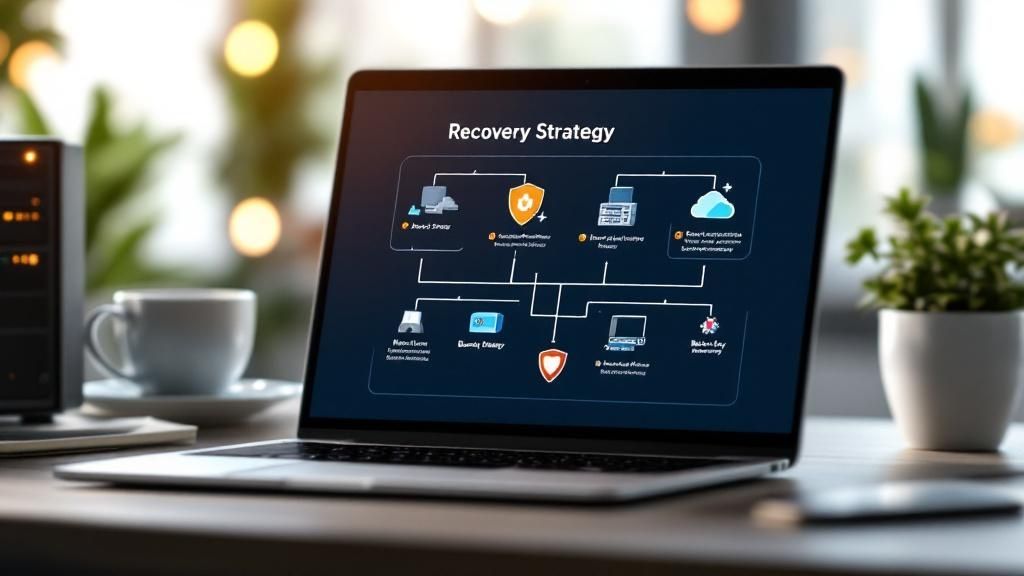
Before you can build a solid plan, you have to know what goes into it. A great business continuity plan template is more than just a fill-in-the-blank document; it’s a structured guide that forces you to think critically about every single part of your business. It's designed to ask the tough questions now so you have the answers ready before a crisis hits.
Think of it like the blueprint for a house. You wouldn't just start hammering nails without knowing where the walls, plumbing, and electrical systems are supposed to go. This template provides that same foundational structure for your business's survival.
Let's walk through the key sections in a good template. I'll skip the corporate jargon and focus on what each part actually means for your Monterey County business.
The Heart of Your Plan: The Business Impact Analysis
The single most critical part of any BCP is the Business Impact Analysis (BIA). This is where you get brutally honest about which parts of your business are absolutely essential. It’s the process of figuring out what will hurt the most if it suddenly stops working.
For a local farm, that might be the irrigation control system. For a popular restaurant in Carmel, it's the point-of-sale (POS) system that processes every order and payment. If you run a small law firm, it's non-negotiable access to client files and case management software.
The BIA forces you to prioritize. This ensures you’re not wasting time on low-priority tasks when your most vital operations are on the line.
Defining Your Recovery Timelines
Once you know what’s critical, the next question is how fast you need it back. This brings us to two crucial metrics:
- Recovery Time Objective (RTO): This is the absolute maximum amount of time a business function can be down before the damage becomes unacceptable. Your goal is always to restore that function within your RTO.
- Recovery Point Objective (RPO): This measures how much data you can stomach losing. An RPO of one hour means you need backups running at least every 60 minutes. Anything less frequent, and you risk losing more data than you’re prepared to.
These aren't just abstract terms; they are practical, hard targets. An RTO for a hotel's booking system might be four hours, while its RPO might be just 15 minutes to avoid losing new reservations. Defining these helps you select the right backup and recovery tools that fit both your operational needs and your budget.
A business continuity plan without a clear BIA and defined recovery objectives is like a ship without a rudder. It might stay afloat for a while, but it has no direction when a storm hits. This analysis gives you the direction needed to navigate any crisis effectively.
A Quick Guide to Template Sections
To get you started on the right foot, I've created a quick-reference table breaking down the essential sections of the business continuity plan template. Think of it as a checklist, outlining what each component is for and the core question it helps you answer. Thinking through these points now will make filling out the actual template much faster and more effective.
Core Components of Your Business Continuity Plan Template
| Template Section | What It Is | Key Question It Answers for You |
|---|---|---|
| Business Impact Analysis | A process to identify critical business functions and the impact of their disruption. | What are the most vital parts of my business that I must protect first? |
| Recovery Strategies | The specific procedures for restoring operations, including technology and personnel. | What are the exact steps we will take to get back up and running? |
| Crisis Management Team | A list of key personnel with defined roles and responsibilities during a crisis. | Who is in charge of what when a disruption occurs? |
| Emergency Contacts List | A comprehensive directory of employees, vendors, suppliers, and emergency services. | Who do we need to contact immediately, and how do we reach them? |
| Communication Plan | Pre-drafted messages and protocols for communicating with staff, clients, and the public. | How will we keep everyone informed and manage our reputation? |
| Testing & Maintenance | A schedule and process for regularly reviewing, testing, and updating the plan. | How will we ensure this plan actually works and stays relevant over time? |
Having this framework in mind makes the entire process feel less daunting. You’re not just writing a document; you're building a real-world playbook for resilience.
Making The Template Your Own: A Practical Guide
A business continuity plan template is a fantastic starting point. It gives you a solid framework, but its real power comes alive when you customize it to fit your specific business. Think of it as a blueprint for a house—it shows you where the walls and doors go, but you're the one who chooses the paint, furniture, and all the details that make it a home.
This isn't just about filling in blanks on a form. It's a strategic exercise. You'll be forced to look at your business through a different lens, making sure you're truly prepared for the kinds of disruptions that can impact anyone here in Monterey County.
Start With a Business Impact Analysis (BIA)
The first and most critical step is to conduct a Business Impact Analysis (BIA). Don't let the technical-sounding name intimidate you. It’s simply a way to identify your most essential business functions and figure out how quickly a disruption would start causing real damage.
Let's say you run a popular retail shop in Carmel. Your point-of-sale (POS) system is almost certainly a high-priority function. If it crashes, you can't take payments, your inventory gets out of whack, and customer service grinds to a halt. The impact is immediate and severe.
On the other hand, your internal marketing newsletter is nice to have, but delaying it by a day won't likely lead to lost revenue or a PR crisis. The BIA helps you draw these lines in the sand so you can focus your recovery efforts where they matter most.
Get your key team members together and walk through these questions for each part of your business:
- What exactly is this function? (e.g., "Processing customer orders," "Running payroll," "Updating the website.")
- What tools, tech, and people does it rely on? (e.g., QuickBooks, our office manager, the main server.)
- What’s the fallout if this function stops? (e.g., Lost sales, unhappy customers, legal penalties.)
- How long can we realistically last without it? (A couple of hours? A day? A week?)
This analysis is the bedrock of your entire plan. It ensures you’re protecting the things that actually keep the lights on.
The image below gives you a great visual for mapping out your business functions against their impact level, which is a core part of the BIA process.
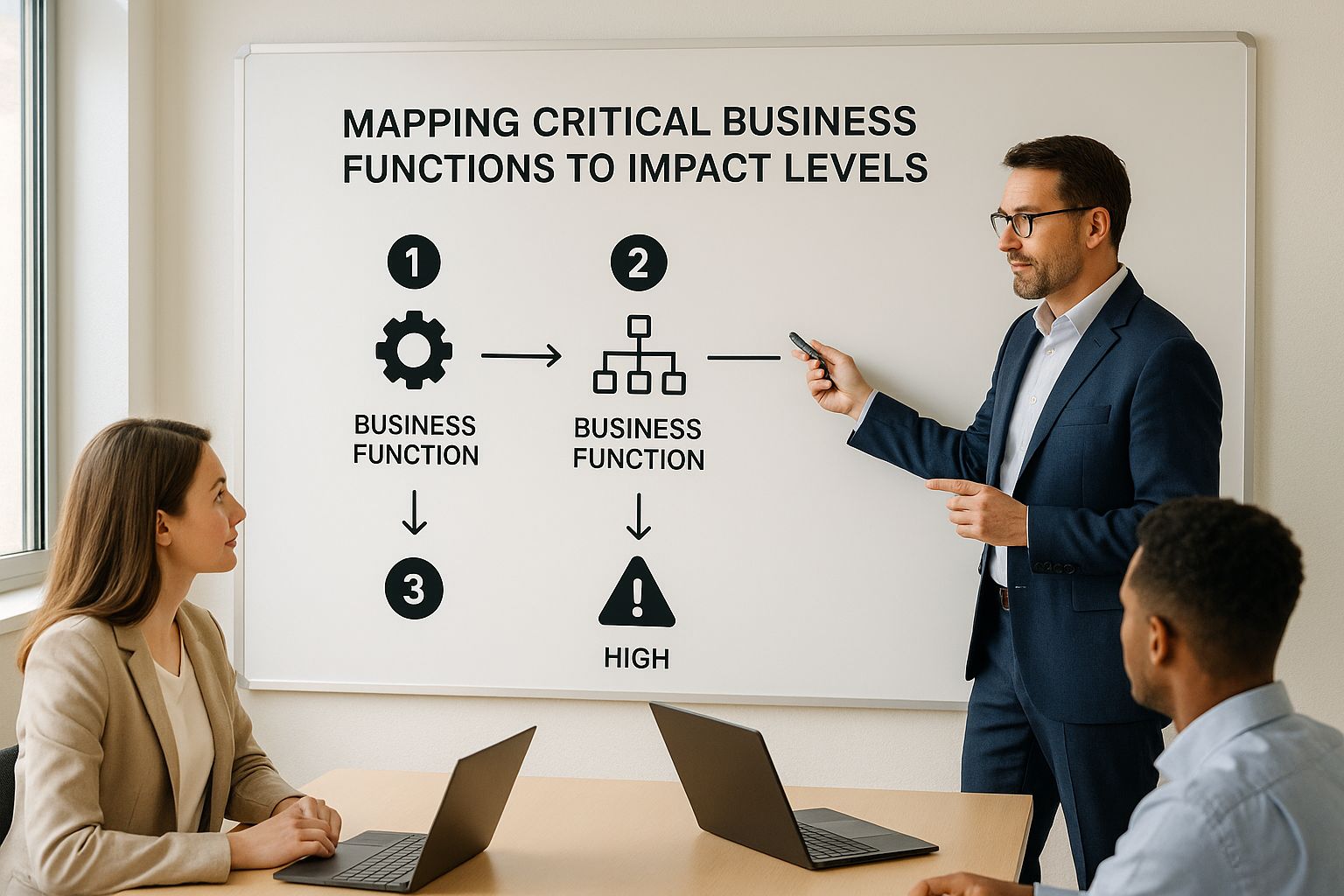
This kind of visual map makes it crystal clear which operations need the most attention and the strongest recovery strategies in your plan.
Define Realistic Recovery Steps
Once the BIA has pinpointed your critical functions, it's time to document practical, step-by-step recovery procedures. This is where you shift from "what's important" to "how we're going to fix it." Vague statements like "get the server back online" are useless in a crisis. You need clear, actionable instructions that anyone can follow.
For a Salinas-based ag-tech company that depends on specialized irrigation software, the recovery steps might look something like this:
- Immediate Action: The IT lead attempts a system reboot from the main console.
- Escalation: If the reboot fails after 15 minutes, they contact Adaptive Information Systems for emergency support.
- Workaround: The field manager immediately switches to manual irrigation schedules using the printed emergency charts stored in the main office.
- Data Recovery: As soon as the system is back, the IT lead restores any lost scheduling data from the latest cloud backup.
See the difference? These steps are specific, they assign responsibility, and they even include a temporary workaround. That's the level of detail your plan needs to be truly effective when stress is high.
Assign Clear Roles And Responsibilities
A plan is just a piece of paper if nobody knows who’s supposed to do what. In a crisis, ambiguity leads to chaos. Your customized BCP must clearly define who is on your crisis management team and what their exact responsibilities are.
This goes way beyond just naming a "leader." You need to assign specific duties.
| Role | Primary Responsibility | Example Task |
|---|---|---|
| Crisis Manager | Overall coordination and final decision-making. | Activates the BCP and declares an official disruption. |
| IT Recovery Lead | Restores all critical tech systems and data. | Works with vendors like Adaptive to get servers and networks back. |
| Operations Lead | Manages workarounds to keep business moving. | Implements manual processes for a Pacific Grove hotel's booking system. |
| Communications Lead | Handles all internal and external messaging. | Updates employees via text and posts notices on social media. |
It’s also crucial to name at least one backup for every role. What if your main IT person is unreachable? Documenting who’s next in line prevents a single point of failure in your response.
Don't ever assume people will just know what to do. The stress of a real disaster causes confusion and hesitation. A well-documented plan with crystal-clear roles empowers your team to act decisively and with confidence.
Set Up Your Communication Protocols
How you communicate during and after a crisis can make or break your business's reputation. Your plan needs a detailed communications protocol that covers everyone: employees, customers, suppliers, and even the media.
Start by pre-drafting message templates. Having these ready to go saves precious time and helps you control the narrative from the very beginning. Your plan should include things like:
- An initial internal alert for all employees.
- A brief, factual statement for your website and social media channels.
- A more detailed update for your most important customers or clients.
- A ready-to-go contact list for all critical vendors and suppliers.
Taking business continuity seriously is a global trend. The U.S. market was valued at around $2.8 billion in 2020, and it's not just a domestic concern. China's market, for example, is projected to hit $4 billion by 2027. This shows how seriously businesses all over the world are taking preparedness. This global focus really highlights why it's so important for local Monterey businesses to invest in solid planning. You can dig deeper into these trends in this business continuity market analysis from Enterprise Storage Forum.
By personalizing your business continuity plan template with a thorough BIA, detailed recovery steps, clear roles, and rock-solid communication protocols, you create a living document. It's a tool that gives your business the resilience it needs to not just survive, but thrive, no matter what comes your way.
How to Test and Maintain Your BCP
You’ve put in the hard work. You’ve analyzed your business, defined your recovery steps, and customized your business continuity plan. So, what’s next? A plan that just sits on a shelf collecting dust is worse than useless—it gives you a false sense of security. Its real value only comes out when you test it regularly and maintain it diligently.
Think of it like the fire drills we all did in school. The point wasn't just to practice walking outside. It was to build muscle memory so that if a real alarm went off, everyone knew exactly what to do without a second thought. Testing your BCP does the same thing. It helps you find the gaps, fix the weaknesses, and build your team's confidence before a real crisis hits.
Simple Ways to Validate Your Plan
Testing doesn’t have to be some massive, disruptive event that shuts down your whole operation. In fact, for most small and mid-sized businesses, the best way to start is with simple, low-impact methods. The goal is to make testing a routine part of your operations, not a dreaded annual chore.
Here are a few practical methods we always recommend to our clients:
- Plan Walkthrough: This is the easiest test of all. Just get your crisis management team in a room for an hour and literally walk through the plan, section by section. Read the procedures out loud and have each person confirm they understand their role and can access the resources listed. It's surprisingly effective.
- Tabletop Exercise: This is a step up from a walkthrough. You present a specific disaster scenario—like, “A ransomware attack just encrypted our main server,” or “A construction crew severed the fiber optic line to our building.” The team then has to talk through their response step-by-step, using the BCP as their guide. This is where you really uncover logical flaws or outdated information.
- Component Test: Instead of testing the entire plan at once, you test one specific piece of it. Can your team actually access your cloud-based accounting software from home? Does the backup generator for your critical equipment actually start? This targeted approach is less disruptive but still gives you solid, valuable proof that things work.
A huge part of these tests often comes down to your IT recovery procedures. Many businesses discover that what’s written down doesn’t quite match their actual technology. This is where a solid IT strategy is non-negotiable. You can learn more about how to build one by reading our guide on backup and disaster recovery strategies for small businesses.
The Importance of a Maintenance Schedule
Your business isn't static. People change roles, you bring in new technology, and your suppliers evolve. Your BCP has to be a living document that keeps up with these changes. A plan that's even six months out of date can completely fail you when you need it most.
A business continuity plan is never truly "finished." It's a continuous cycle of planning, testing, and refining. Committing to this cycle is what builds genuine organizational resilience.
We always advise our clients to set up a clear and practical maintenance schedule. This simple step prevents the plan from becoming an afterthought.
A Practical BCP Maintenance Cadence
| Frequency | Task | Why It Matters |
|---|---|---|
| Quarterly | Review Contact Lists: Check all phone numbers and emails for employees, key vendors, and emergency services. | In a crisis, you can't afford to waste a single minute hunting for a correct phone number. Outdated contact info is a common—and easily avoidable—point of failure. |
| Semi-Annually | Conduct a Tabletop Exercise: Run a scenario-based test with your crisis management team. | This keeps the plan fresh in everyone’s mind and helps you spot issues caused by recent operational or personnel changes. |
| Annually | Full BCP Review & Update: Take a fresh look at your Business Impact Analysis (BIA) and update your recovery strategies. | This ensures the plan stays aligned with your current business priorities, technology, and overall risk environment. |
This schedule turns maintenance from a massive, overwhelming project into a series of small, manageable tasks. It weaves continuity planning into the normal rhythm of your business, which is exactly where it belongs. By committing to this cycle of testing and updating your business continuity plan template, you ensure it remains a powerful, effective tool ready to protect your business, your employees, and your customers—no matter what comes your way.
Integrating Technology for a Stronger Recovery
A rock-solid business continuity plan is more than just a document—it's a set of actions. In today's world, those actions are almost always powered by technology. Think of it this way: your plan is the blueprint, but technology is the set of power tools that actually builds your recovery.
A great plan requires the right tech. I’ve seen it time and again—even the most detailed procedures can fall flat during a real crisis if the tools aren't there to back them up. The key is to make smart, strategic IT investments that directly support your recovery goals without breaking the bank. That’s a core part of our mission: delivering enterprise-level IT at an affordable price for local SMBs.
Core Technologies for Business Resilience
Let’s get into the essential tech that forms the backbone of any modern continuity effort. These aren't just for huge corporations; they are accessible and absolutely vital for any Monterey County business aiming to stay resilient. We'll focus on the three pillars that deliver the biggest impact.
These technologies work together to create a powerful safety net, making sure you can protect your assets, keep your team working, and get back to business much faster.
- Reliable Data Backup and Recovery: This is your ultimate safety net. It’s not a matter of if you'll need it, but when. Modern systems go way beyond simple file backups. They create complete images of your servers that can be restored in minutes, not days.
- Cloud Services and Remote Access: The cloud gives you incredible operational flexibility. It allows your critical applications and data to live outside the four walls of your office, making them accessible from anywhere. This is a game-changer for enabling remote work when your primary location is out of commission.
- Proactive Cybersecurity Measures: A disruption isn't always a flood or a fire; often, it's a cyberattack. Strong security isn't just a defensive move. It’s a core continuity tool that prevents the kind of crisis that would force you to use your BCP in the first place.
This reliance on technology for preparedness isn't just a local trend. The worldwide market for business continuity solutions is projected to hit US$720.5 million in 2024 and is expected to soar to US$3.31 billion by 2034. This explosive growth sends a clear message: businesses everywhere recognize that technology and resilience are two sides of the same coin. You can dive deeper into these market trends by reviewing the full business continuity planning solution analysis.
Connecting Your Plan to the Right Tools
The real magic happens when you see how these technologies directly support the goals you’ve already defined in your business continuity plan template. It’s a direct line from planning to execution.
For instance, your plan might state that your sales team must be operational within two hours of a disruption. How do you make that happen? A remote access solution. This tool lets them securely connect to your systems from home, turning a potential day of lost sales into a minor hiccup. Your team stays productive, and your customers are taken care of.
Technology is the engine that drives your recovery. A remote access tool isn't just software; it's the fulfillment of your BCP's promise to keep your team working from anywhere.
Here's another real-world example. Let's say your Business Impact Analysis identified your accounting data as a critical asset with a Recovery Point Objective (RPO) of one hour. That single data point tells you exactly what kind of backup solution you need. It has to be a system capable of taking snapshots at least every 60 minutes, ensuring you never lose more than an hour of vital financial data.
This is how a strategic IT investment becomes a core part of your resilience. It's not about buying tech for its own sake. It’s about choosing the right tools that align with your specific recovery objectives, tailored for an SMB budget. Properly integrating these systems requires careful planning, which is why having a trusted partner makes all the difference. Our approach to providing expert IT services in Salinas is built on understanding your business goals first, then matching them with the right technology.
Your Top Business Continuity Questions Answered
We get it. Building a business continuity plan template from scratch can feel like a massive project, and it's totally normal to have questions pop up along the way. Over the years, we’ve heard many of the same ones from business owners all over Monterey County.
Let's cut through the confusion with some clear, direct answers to get your plan off the ground.
How Much Downtime Is Too Much?
This is the million-dollar question, isn't it? The truth is, there's no magic number. The "right" answer is whatever is tolerable for your specific business.
The key is to stop thinking about downtime as one big event. Instead, you need to break it down function by function.
A small hotel in Pacific Grove, for example, might decide its online booking system can only be down for 30 minutes before they start hemorrhaging customers. But that same hotel could probably handle its internal HR portal being offline for a full 24 hours without much real damage. Your Business Impact Analysis (BIA) is where you'll define these specific timeframes, which are officially known as Recovery Time Objectives (RTOs).
Is a BCP the Same as a Disaster Recovery Plan?
This is probably the most common point of confusion we see, but the difference is critical.
Think of it this way:
- A Business Continuity Plan (BCP) is your high-level strategy for keeping the entire business afloat during a crisis. It covers your people, your processes, and your technology—everything needed to maintain core operations.
- A Disaster Recovery (DR) Plan is a much more technical, focused piece of your BCP. It's the step-by-step playbook for getting your IT systems and data back online after an outage.
Your BCP answers, “How do we keep the business running?” Your DR plan answers, “How do we get our servers and software back?” For total business resilience, you absolutely need both.
How Often Should I Update My Plan?
A BCP is a living document, not a "set it and forget it" file that collects dust on a server. Your business changes constantly—people come and go, you bring in new software, and your operational priorities shift. An outdated plan can be just as dangerous as having no plan at all.
We always recommend a simple, repeatable maintenance schedule:
- Quarterly: Give all your contact lists a quick review and update. When every second counts, you don't want a wrong phone number derailing your entire response.
- Annually: This is when you do a full-blown review of the BIA and run a tabletop exercise with your crisis team. It’s the best way to make sure the plan still reflects your business's current reality.
Do I Really Need This If I’m a Small Business?
Yes, 100%. In fact, small businesses are often the most vulnerable. While a big corporation might have the cash reserves to absorb the hit from a major disruption, a few days of downtime can be an extinction-level event for many SMBs.
It's a sobering statistic, but FEMA research shows that a shocking 43% of small businesses never reopen after a major disaster. A BCP isn't just paperwork; it’s a lifeline that gives you the structure and direction to navigate a crisis when the stakes are highest.
For a closer look at how we help local companies build this kind of resilience, check out our guide on Salinas business IT support. It's all about making enterprise-level preparedness affordable and practical for everyone.
We’re Your Local IT Partner
Let our team of experts be your trusted Salinas business technology partner. We're right here in the community, ready to help you build a resilient and future-ready business.
Adaptive Information Systems
380 Main St, Salinas CA 93901 | 831-644-0300 | hello@adaptiveis.net