
Understanding Remote IT Support Services
<img src="https://cdn.outrank.so/2cc13dec-bac6-4c8a-8b1c-c3d8875ce757/9b9c9c22-7a5d-4dc1-b1aa-70f8aee1853f.jpg" alt="A person remotely assisting another with IT issues on a laptop, symbolizing remote IT support services”>
Picture this: your star employee is about to close a huge deal, but their computer freezes. In a traditional setup, you'd have to wait for an IT technician to travel to your office, losing valuable time and money. Now, imagine that same problem is fixed within minutes by an expert who securely connects to the computer from miles away. That’s the power of remote IT support services—delivering immediate, professional tech help without a physical visit.
This isn't just about simple screen sharing. Think of it as having a full-fledged IT department on call, ready with advanced tools to manage your entire technology system from a distance. This approach is quickly becoming the go-to for small and mid-sized businesses, a trend proven by market growth. The global market for these services was valued at USD 1.93 billion in 2023 and is expected to climb to USD 5.08 billion by 2032. You can find more details about this growth in the full report from Zion Market Research.
The Shift from On-Site to On-Demand
Comparing traditional IT support to remote support is like comparing a scheduled doctor's visit to a 24/7 virtual clinic. On-site support is reactive, limited by travel time and technician availability. Problems often sit in a queue, leading to long periods of frustrating downtime.
Remote IT support, however, is built for speed and proactive care. Technicians can diagnose issues, install updates, manage security, and solve user problems in real time. This immediacy changes IT support from a business roadblock into a smooth part of your daily workflow. For a growing company, this means your technology is an asset, not a liability.
What Remote Support Actually Involves
Good remote IT support does more than just fix what's broken; it offers complete technology management through a secure, virtual connection to keep your business running without a hitch.
Core functions typically include:
- Real-Time Problem Solving: Instantly fixing software glitches, application errors, and access issues to keep work moving.
- Proactive System Maintenance: Scheduling and running background updates, security patches, and system checks during off-hours to prevent problems from ever happening.
- Cybersecurity Management: Actively watching networks for threats, managing firewalls, and keeping antivirus software up-to-date to guard your company’s data.
- User Support and Onboarding: Helping employees set up new software, guiding them through new tools, and managing user accounts and access levels.
The Technology Stack That Makes Remote Support Actually Work
Behind every successful remote IT fix is a set of technologies working together. Think of it like a high-tech toolkit for a mechanic, letting them diagnose, repair, and tune up a car's engine without ever leaving their garage. Effective remote IT support services rely on a similar suite of tools to troubleshoot your systems as if a technician were sitting right there with you.
This infographic shows how core technologies, like secure remote desktop software, create a direct and protected path for technicians to resolve issues.
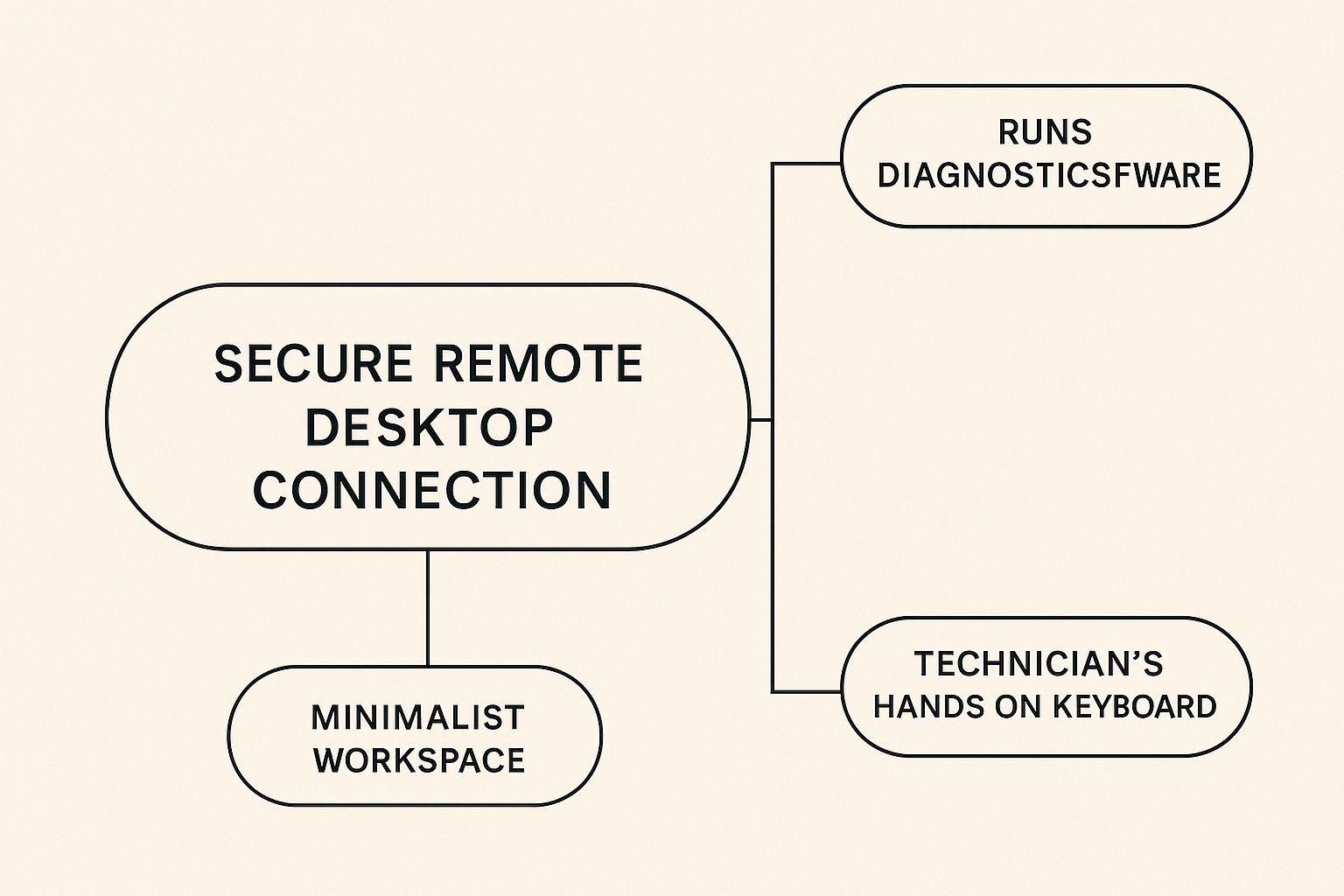
The image highlights that modern support is a blend of secure access, powerful diagnostic tools, and human expertise, all converging on a single screen to deliver swift solutions.
Core Components of a Remote Support Toolkit
A reliable remote support setup is built on several key pillars. Each one has a specific job, and they combine to create a smooth and secure experience for your business.
- Remote Desktop Software: This is the foundation. It creates a secure, encrypted tunnel that allows a technician to view and control a user's computer. It's the digital version of looking over someone's shoulder, enabling direct interaction with the device to install software, change settings, or remove threats.
- Remote Monitoring and Management (RMM) Platforms: If remote desktop software is the hands-on tool, RMM is the command center. This platform gives support providers a complete overview of your entire IT environment—from servers to individual workstations. It automates routine tasks like installing security patches, monitors system health for early warning signs, and generates performance reports.
- Cloud-Based Ticketing and Communication Systems: These systems are the communication hub. When an employee has a problem, they submit a "ticket" through a portal. This ensures every request is tracked, prioritized, and assigned to the right person. Built-in chat and video call functions allow for clear, immediate communication to resolve issues faster.
To help you understand how these technologies fit together, we've put together a comparison table. It breaks down what each tool does, its benefits, and how complex it is to set up.
| Technology Type | Primary Function | Business Benefits | Implementation Complexity |
|---|---|---|---|
| Remote Desktop Software | Allows technicians to securely view and control a user's computer from a distance. | Faster problem resolution, direct hands-on support, reduced need for on-site visits. | Low to Medium |
| RMM Platforms | Provides a centralized dashboard to monitor system health, automate maintenance tasks, and manage all devices. | Proactive issue detection, improved system uptime, increased efficiency through automation. | Medium to High |
| Ticketing & Communication | Organizes, tracks, and manages all support requests while enabling clear dialogue between users and technicians. | Better organization of support requests, improved communication, ensures no issue is overlooked. | Low to Medium |
This table shows that while remote desktop software is essential for direct intervention, RMM platforms offer the proactive management that prevents many problems from happening in the first place.
The Role of Cloud Services and Data Protection
Beyond the immediate tools, cloud infrastructure plays a vital part. Many remote IT support services use cloud platforms to host their RMM and ticketing systems, offering greater scalability and access. Strong data protection is woven into this entire stack. If you're curious about this, our deep dive into Salinas backup and disaster recovery solutions explains how this protection works.
The growth of this ecosystem is clear. The remote support tool market alone was valued at USD 1.5 billion in 2023 and is projected to hit USD 5.7 billion by 2032. You can read more about this expanding market on dataintelo.com.
Real Business Benefits That Go Beyond Cost Savings
While the initial draw of remote IT support services is often the potential for lower expenses, the true value is found in the operational gains that strengthen your business from the ground up. Viewing it purely as a cost-cutting measure is like buying a high-end camera just to take blurry photos—you’d be missing the entire point. Businesses that adopt remote support often find it improves their growth, efficiency, and overall stability.
Drastically Reduced Downtime
One of the most powerful advantages is a sharp drop in downtime. With traditional on-site support, there's always a built-in delay. An issue arises, you submit a ticket, and then you wait for a technician to travel to your office. Remote support virtually erases that waiting period. A skilled technician can securely access your system and start fixing the problem in minutes, not hours.
For your sales team, this means a CRM glitch is fixed before an important client call, not after. For your finance department, it means payroll processing continues without interruption. This speed turns IT from a potential roadblock into a source of business continuity. Problems that once derailed an entire afternoon can now be handled in the time it takes to grab a coffee, keeping your team on task and productive.
Access to Specialized Expertise
For most small and mid-sized businesses, hiring full-time experts for every piece of technology—from cybersecurity to cloud infrastructure—is simply not financially practical. This is where remote IT support services deliver a significant competitive advantage. You gain access to an entire team of specialists for less than the cost of hiring a single senior IT employee.
Imagine this:
- Cybersecurity: Instead of a generalist who occasionally reads up on security, you have a security operations expert actively monitoring your network.
- Cloud Management: You get a certified cloud engineer to fine-tune your systems, ensuring you're not wasting money on unused resources.
- Network Architecture: You can bring in a network specialist to untangle complex connectivity issues that would stump a general help desk technician.
This access to on-demand, high-level expertise allows your business to pursue bigger goals and resolve issues more effectively, all without the six-figure salaries required to build a comparable in-house team. It provides the technical backbone needed to scale with confidence, knowing you have the right experts ready to help when you need them.
Security That Actually Protects Your Business
When you think about giving someone remote access to your business systems, it's normal to feel a bit uneasy about security. But here’s something that might surprise you: modern remote IT support services, when set up correctly, can offer a more secure environment than traditional on-site support. Imagine it like having a team of digital security guards who are always on duty. They check IDs, watch over every action, and make sure all data travels through secret, encrypted tunnels.
This layered security approach builds a digital fortress around your important information, turning remote access into a highly controlled and tracked activity. This level of protection is a big reason why the global market for secure remote access solutions is growing so fast. The market was valued at USD 28.24 billion in 2025 and is expected to hit USD 67.27 billion by 2032. You can learn more about the growth of remote access solutions on coherentmarketinsights.com.
The Building Blocks of Secure Remote Support
To construct this digital fortress, professional remote IT providers use a mix of technologies and proven practices. These components work in concert to create a secure bubble around every support session, keeping your data safe.
The key security protocols include:
- Multi-Factor Authentication (MFA): This is your first and most important line of defense. Before a technician can get into your system, they have to prove who they are with more than just a password. This usually means entering a code sent to their phone or using a fingerprint scan, which makes it incredibly difficult for an unauthorized person to gain access.
- Secure VPN Tunnels: All the chatter between the technician's computer and your network goes through a Virtual Private Network (VPN). Think of it as a private, armored car for your data. A VPN creates an encrypted tunnel over the public internet, scrambling the information so it’s completely unreadable to anyone who might try to peek.
- Real-Time Monitoring and Logging: Every single action a technician takes during a remote session is recorded and monitored in real time. This creates a detailed log, much like a security camera recording, which ensures total accountability and helps security teams spot any strange activity right away.
- Principle of Least Privilege: Technicians are given access only to the specific parts of your system they need to fix the problem at hand—and nothing more. This practice, known as the principle of least privilege, is a core concept in strong cybersecurity because it drastically limits your company's exposure if something goes wrong.
How Remote Support Boosts Your Overall Security
Beyond just making the connection safe, remote IT support services can actively strengthen your company’s entire security setup. With round-the-clock monitoring, your provider can spot and react to threats much faster than a typical in-house team ever could.
This constant watchfulness means potential issues are often stopped in their tracks before they can cause real damage. It provides a level of protection that many small and medium-sized businesses would find difficult to achieve on their own.
Choosing Your Remote IT Support Partner Wisely
Picking a partner for your remote IT support services is one of the most important technology decisions your business will make. The right provider acts as an extension of your team, a strategic partner that supports growth and stability. The wrong one can lead to constant technical problems, security vulnerabilities, and friction in your daily operations. To make the right choice, you need to look beyond flashy marketing and use a structured process that focuses on what really matters: capability, alignment, and reliability.
Think of it like hiring a key employee. You wouldn't bring on a new Chief Financial Officer just because their resume looks good. You would check their experience, call references, and make sure they are a good fit for your company culture. In the same way, you need to look past a provider's sales pitch and get to the core of their service offerings.
Key Evaluation Criteria
A top-tier remote IT support partner stands out in several key areas. As you compare potential providers, focus on these critical elements to find the best match for your business.
- Technical Proficiency and Certifications: Do their technicians hold current, relevant certifications? You should ask about their experience with the specific software, hardware, and cloud platforms your business uses every day.
- Industry-Specific Experience: A provider that already works with businesses in your industry understands its unique challenges and compliance needs. A firm with a background in financial services, for instance, will be familiar with the necessary security protocols from day one.
- Scalability and Flexibility: Your business is going to grow, and your IT support needs will evolve. Does the provider offer different service plans? How easily can they scale support up or down as your team gets bigger or your requirements change?
- Proactive vs. Reactive Support: The best providers don't just fix problems—they prevent them from happening in the first place. Ask about their remote monitoring and management (RMM) practices. A proactive approach that includes regular system maintenance and security updates is a clear sign of a quality service.
To help organize your evaluation, you can use a scoring matrix. This tool allows you to compare providers side-by-side using a consistent set of criteria that are weighted based on what's most important to your business.
| Evaluation Criteria | Weight (1-5) | Provider A Score (1-10) | Provider B Score (1-10) | Notes |
|---|---|---|---|---|
| Technical Proficiency | 5 | 8 | 9 | Provider B has more certifications for our specific software. |
| Industry Experience | 4 | 9 | 7 | Provider A has 3 other clients in our industry. |
| Scalability | 4 | 7 | 8 | Provider B offers more flexible month-to-month plan changes. |
| Proactive Monitoring | 5 | 9 | 8 | Both use strong RMM tools, but A's reporting is clearer. |
| Response Time (SLA) | 5 | 8 | 8 | Both guarantee under 15-minute response for critical issues. |
| Customer Reviews | 3 | 9 | 7 | Provider A has excellent, detailed reviews from long-term clients. |
| Cost | 3 | 7 | 9 | Provider B is slightly more affordable on a per-user basis. |
This evaluation framework makes it easier to move past initial impressions and make a data-driven decision. By assigning scores, you can objectively see which provider better aligns with your priorities.
Structuring for Success with Service Level Agreements
After you've narrowed down your choices, the Service Level Agreement (SLA) is the most critical document to review. This is a legally binding contract that lays out the exact terms of the partnership. It’s where verbal promises become written guarantees.
A solid SLA should clearly define:
- Guaranteed Response Times: How quickly will they acknowledge a new support ticket?
- Resolution Times: What is the target timeframe for fixing problems based on their severity level?
- System Uptime Guarantees: The best providers will commit to a specific uptime percentage for critical systems, such as 99.9% availability.
- Reporting and Transparency: The agreement should detail how and when you'll get reports on system health, support activity, and security status.
Choosing the right partner is about more than comparing prices; it's about finding a true ally who understands your business goals. For companies looking for this kind of strategic guidance, learning about the role of an IT consultant in Salinas can provide valuable perspective on building a strong technology foundation. A thorough evaluation ensures your chosen provider will be a dependable partner, helping your business succeed for years to come.
Implementation That Actually Works
Bringing new remote IT support services into your business is a bit like moving your office to a brand-new building. You can have the perfect floor plan, but the move itself can create chaos if it isn't handled with care. A great implementation isn’t just about flipping a switch; it's a careful process of getting your team ready, creating new routines, and setting clear expectations from day one. The aim is to make the change feel like a planned upgrade, not a disorganized scramble.
When done right, you’ll immediately see the benefits you were promised—like faster help and stronger security. This builds confidence and gets everyone on board across your organization.
Preparing Your Team for the Change
The biggest obstacle in any technology shift isn't the software itself; it's the people. Resistance from employees usually stems from a fear of the unknown or the frustration of learning a different way of doing things. The solution is open and early communication.
Think about it like introducing a new member to your team. You wouldn’t just have them appear at their desk one morning without any notice. Instead, you'd let everyone know they are coming and what their role is.
- Announce the Change Early: Give your team plenty of notice about the switch to remote support. Explain why it’s happening, focusing on how it will help them, such as getting faster assistance and experiencing less downtime.
- Introduce the New Process: Clearly show them how to ask for help. Will they use a new online portal, send an email, or make a phone call? Create a simple, one-page guide they can keep handy.
- Set Realistic Expectations: Let your team know what the experience will be like. For example, explain that a technician will connect to their computer remotely to fix issues. This transparency makes the process less mysterious and reduces anxiety.
Establishing Clear Workflows and Protocols
With your team ready, the next move is to build workflows that prevent confusion and make your new remote IT support services as effective as possible. This is where you formalize the "new way of doing things." A common mistake is to assume everyone will just figure it out. Instead, you need to establish clear rules.
For instance, define what counts as a "critical" issue versus a "standard" one. This allows the remote support team to prioritize requests correctly. You could create a simple chart to guide everyone:
| Issue Severity | Definition | Expected Response Time |
|---|---|---|
| Critical | System-wide outage, server down, affects multiple users | Under 15 minutes |
| High | Single user unable to work, critical software not functioning | Under 1 hour |
| Standard | Minor software glitch, password reset, general inquiry | Within 4 business hours |
This structured method gets rid of guesswork and makes sure the most pressing problems receive immediate attention, proving the value of your new support system. A successful implementation relies on this kind of clarity, turning a potentially difficult transition into a smooth and productive one that sets you up for long-term success.
Building Your Future-Ready IT Strategy
Smart businesses understand that remote IT support services are much more than a simple help desk. Instead of just reacting to problems, top-performing companies see their IT partnership as a key driver for future growth and a real competitive advantage. This means shifting from reactive problem-solving to proactively preparing for what's next.
Think about technologies like AI-powered diagnostics that can spot issues before they affect your team, or predictive maintenance that stops downtime from ever happening. A forward-looking IT strategy helps you get ready for these shifts before they become standard practice.
Adapting to Technological Shifts
The goal is to create an agile IT foundation that can bend without breaking. Instead of getting stuck with a rigid, outdated system, you should partner with a provider who helps you assess and adopt new tools as they become useful for your business.
A strategic partner can advise you on when it’s the right time to implement advanced cybersecurity defenses or how to prepare your infrastructure for future AI tools. This proactive approach ensures your technology grows alongside your business, so you never get left behind.
This approach involves:
- Continuous Evaluation: Regularly looking at new technologies to see how they could benefit your business.
- Strategic Roadmapping: Working with your IT provider to create a plan for future upgrades and changes.
- Focus on Business Outcomes: Making sure every technology decision helps you achieve your long-term growth objectives.
When you treat remote IT support services as a strategic pillar, your IT department transforms from a cost center into an engine for growth and resilience.
Ready to build an IT strategy that prepares your business for tomorrow? Adaptive Information Systems provides the expert guidance and proactive support to keep you ahead of the curve. Discover our managed IT services today and secure your future.