
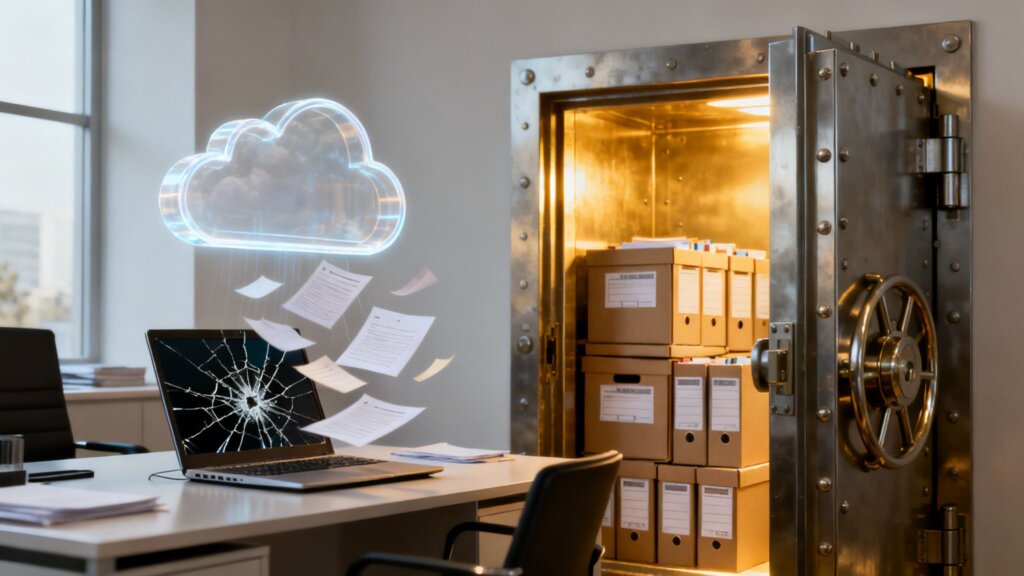
You're a busy business owner. You use Google Drive every day to store and share files. It feels safe, like your data is backed up. But is it? Many small business owners in Monterey County believe that using cloud services like Google Drive means their files are safely backed up. That’s not always the case—especially in the event of ransomware or accidental deletion.
Here's the simple truth: Google Drive is a file synchronization service, not a true backup solution. This means if your live files get deleted, corrupted, or encrypted by ransomware, those dangerous changes are simply mirrored to your cloud storage. Your good copies can be wiped out in an instant.
Why Your Monterey Business Needs More Than Google Drive
As a business owner in Monterey County, you juggle a dozen tasks every day. It’s easy to assume that by saving your company’s critical files to Google Drive, you’ve checked "data backup" off your list. Plenty of local businesses, from agriculture operations in Salinas to hospitality providers in Carmel, rely on it for daily work. And while Google Drive is a fantastic tool for collaboration and file sharing, trusting it as your only backup is a dangerous gamble.
The heart of the problem lies in a common, and costly, misunderstanding between file syncing and true backing up.
What this actually means for you is: if a staff member deletes a file, or malware encrypts your system, your cloud account will likely sync that change across every connected device—locking you out of your own data.
Recent insights show a startling 74% of ransomware victims had their data encrypted, and most had no effective backup to recover it. Syncing services don't preserve past versions or offer isolated storage—they mirror the damage. We've explored this critical distinction before, and understanding why syncing files doesn't mean your data is safe is the first step toward real protection.
For local industries where data is the lifeblood of your operation—think client lists, financial records, or irreplaceable crop data—this is a risk you simply can’t afford. If your business depends on cloud storage, you must pair it with a true backup solution. Look for:
- Offsite copies that can’t be overwritten by a local disaster.
- Daily or hourly backup frequency to ensure you lose as little data as possible.
- Backup testing and version control to let you restore files from before disaster struck.
- Recovery support from a provider to get you back on your feet quickly.
Your data is your business's most valuable asset. Treating Google Drive like a safety net is like heading out into Monterey Bay without a life raft. It works just fine until the moment it doesn't—and by then, it’s already too late.
Understanding the Difference: Why Syncing Isn't Backing Up
Let's cut right to the core of a massive, and costly, misunderstanding I see all the time. Many business owners believe that using a service like Google Drive means their data is backed up. It's a dangerous assumption.
The single most important concept to grasp is this: file syncing is not file backup. They sound similar, but they do very different things, especially when a crisis hits. Getting this right is key to understanding why relying on Google Drive as your only safety net is a huge gamble.
Think of a sync service like Google Drive as a perfect mirror. It shows the exact state of your files across all connected devices in real-time. Create a new proposal on your laptop, and it instantly appears on your phone. It’s brilliant for collaboration and access.
But that mirror has a dark side. If you accidentally delete a critical file, or if ransomware encrypts your entire project folder, the mirror reflects that disaster instantly. The file is now deleted or encrypted everywhere.
A true backup, on the other hand, is a time machine. It takes complete, separate snapshots of your data at specific times—every hour or every day—and stores them in a secure location. This creates a library of safe, historical versions of your data, completely separate from your live files.
This flowchart breaks down what Google Drive is actually designed to do.

As you can see, its strengths are collaboration and access. True, point-in-time backup isn't part of its core mission.
Syncing Mirrors Problems, Backups Solve Them
The difference becomes painfully clear during an emergency. Imagine an employee accidentally deletes a folder containing months of client work. A sync service will do its job and erase the folder from the cloud and from every computer synced to that account.
Sure, you might have a short 30-day window to get it out of Google’s trash can, but what if you don't notice the deletion for 31 days? It's gone. Permanently.
With a true backup, a simple deletion is just an inconvenience, not a catastrophe. It doesn’t matter if your "live" files are deleted, corrupted by a software bug, or held for ransom. You can simply use your "time machine" to go back to a clean, safe version from yesterday, last week, or even an hour ago.
This quick comparison table makes the distinction crystal clear.
Sync Service vs. True Backup at a Glance
| Feature | Google Drive (Sync Service) | True Backup Solution |
|---|---|---|
| Primary Goal | Real-time file access & collaboration | Point-in-time data recovery |
| Data Versioning | Limited; reflects current state only | Multiple historical versions (snapshots) |
| Deletion Protection | Deletes file everywhere; limited Trash | Files are retained based on policy |
| Ransomware Impact | Encrypted files sync to all devices | Can restore clean data from before the attack |
| Data Location | Same location as live files (mirrored) | Isolated, secure, often off-site location |
| Recovery Point | The moment the file was last changed | Specific, scheduled points in time |
The bottom line is that sync services are designed for productivity, not protection. They’re great at what they do, but they can't save you when things go wrong.
To fully understand the landscape, it helps to compare the best cloud storage for small business options, which focus on access, against dedicated backup services, which focus on recovery. For a deeper dive, our guide on the roles of archiving and backup explores these concepts further. Without a proper backup solution, your business is operating without a safety net—and it’s a long way down.
How Ransomware Turns Your Cloud Sync Against You
Ransomware is one of the most destructive digital threats facing any business today. Relying only on a tool like Google Drive can turn a bad situation into a total disaster. Let’s walk through a scenario. An employee at your Pacific Grove office accidentally clicks a bad link in an email. In the background, ransomware starts working, silently encrypting every file on their computer. Your priceless business data turns into scrambled, unusable junk.
Here’s the gut-punch: because Google Drive is a synchronization tool, it just sees these file changes as regular edits. It does its job, uploading the newly encrypted files to the cloud. In doing so, it overwrites your last good copies. Your "cloud backup" becomes an accomplice in its own destruction.

This isn’t just a theory. A scary 74% of ransomware victims report having their data encrypted, and most had no effective backup to get it back. This is where the true difference becomes clear: Google Drive isn't a backup; it's a mirror. And right now, it’s just reflecting a disaster.
The Real-Time Disaster of Sync
With a sync service, the damage from a ransomware attack spreads like wildfire. The bad encryption on one person's laptop is almost instantly mirrored to your main cloud account. From there, it’s pushed down to every other computer and device connected to that account. In a matter of minutes, your entire organization can be locked out of its own data.
The financial fallout is staggering. It's worth understanding in detail why popular cloud services fall short when faced with this kind of threat.
What this actually means for you is: if malware encrypts your system, your Google Drive account will sync that change across every connected device—locking you out of your own data and leaving you with a terrible choice: pay the ransom or lose everything.
A true backup solution is fundamentally different. It's separate from your live network. It creates secure, point-in-time snapshots of your data that ransomware can’t reach. If you get hit, you simply restore your files from a clean version taken before the attack ever happened.
Building a Stronger Defense
To really protect your business from this kind of modern threat, you need a strong strategy that includes things like immutable backup solutions. An immutable backup is one that cannot be changed or deleted, even by someone with administrator access. This provides a powerful, unchangeable line of defense against bad encryption.
Secure backups play a critical role in your overall cybersecurity strategy. A secure, isolated backup is just one critical layer in your defense. You can learn more about how to build a multi-layered defense in our guide on Network Security Services. Without that offsite, untouchable copy of your data, your business remains dangerously exposed. What should be a manageable problem can turn into a company-ending event.
The Everyday Disasters Syncing Fails to Solve
While major cyberattacks grab the headlines, the reality for most businesses is that data loss doesn't come from a dramatic hack. It comes from small, common, everyday mistakes.
These are the slip-ups that a sync service like Google Drive is not built to handle. Think about it: what happens when a well-meaning employee at your Marina office accidentally deletes a critical shared folder?
With Google Drive, that folder gets sent to the Trash. From that moment, a clock starts ticking. You have a brief 30-day window to notice it’s gone and pull it out. If nobody catches the mistake within that month, it's permanently deleted. Gone for good.
Human Error and Malicious Intent
Now, what about a disgruntled employee who decides to purge client files on their way out the door? Because Google Drive’s main job is to sync changes everywhere, it quickly and completely carries out their destructive act across every single device connected to your account.
These scenarios show a fundamental truth about why Google Drive is not a business backup.
Google Drive is built for collaboration and immediate access, not for long-term preservation and recovery. Its core function is to mirror the current state of your files, whether that state is good, bad, or catastrophic.
A true backup strategy must protect you from your own team's mistakes just as much as it defends against outside cybercriminals. This is a common and devastating blind spot. In fact, research shows that about 1 in 2 companies has lost data in cloud apps like Google Workspace due to simple human error, malicious insiders, or sync transfer problems. You can discover more insights about these common risks on speedster-it.com.
The Problem with Versioning and Conflicts
Another frequent headache is versioning conflicts. Imagine two team members working on the same proposal. One is offline on a flight, making edits, while the other is back in your Salinas office doing the same. When the person on the plane reconnects, Google Drive tries its best to merge the two different versions.
This often leads to overwritten work, confusing duplicate files with names like "Proposal (1)," or lost data. It's a messy, unreliable process.
A real backup doesn't have this problem. It takes point-in-time snapshots, so you can always roll back to a clean, specific version of a file from yesterday, last week, or last month—before the conflict ever happened. It provides a historical record, not just a messy reflection of the present. Our complete guide to Salinas backup and disaster recovery services explains how this "time machine" capability is a cornerstone of genuine data protection.
These everyday disasters are precisely why your business needs a solution built for resilience, not just convenience.
What Happens When the Cloud Itself Fails
It’s easy to look at a tech giant like Google and assume it’s perfect. We trust these massive platforms to just work. But putting all your business’s data into one basket—even a Google-sized one—is a far bigger risk than most owners realize.
You have to ask the hard question: what happens if the cloud platform itself is the point of failure?
This isn't just a "what if" exercise. Imagine waking up one morning to find that six months' worth of your company’s critical files have simply vanished from Google Drive. For the businesses who experienced this exact glitch, it wasn't a minor problem; it was a potential catastrophe that screams why Google Drive is not a real backup.
A Single Point of Failure
This nightmare scenario repeated on an even larger scale when Google accidentally wiped out an entire Australian pension fund's account, deleting massive amounts of data in one catastrophic mistake. You can learn more about the risks of cloud provider failures on crashplan.com.
These incidents send a clear and urgent message to every business owner. Relying on the same provider for both your live data and your "backup" creates a dangerous single point of failure.
It's like locking the only key to your house inside the house itself. If you get locked out, you have absolutely no way back in. When Google has a problem, and all your data is with Google, you have a problem with no outside solution.
A basic rule of true data protection is platform separation. If your Salinas-based business runs on Google Workspace for daily operations, your backup solution must exist in a completely separate and independent system. This is not optional.
This separation ensures that an issue with your main platform—whether it's an internal glitch, a widespread outage, or even an account-level disaster—doesn't also take out your recovery plan. True business resilience doesn't come from trusting a single brand, no matter how big. It comes from having an independent, dedicated backup that stands apart, ready to restore your operations no matter what happens.
Anything less is just a gamble.
The Four Pillars of a Real Business Backup Strategy
Now that we've shown why Google Drive isn't the safety net you think it is, let's talk about what a real one looks like. A true business backup—the kind that lets you sleep at night knowing you're protected from ransomware, accidental deletion, or a cloud service outage—is built on four pillars.
Getting these right is the difference between hoping your data is safe and knowing it is. We believe every local business, from hospitality providers in Carmel to farms in Salinas, deserves this level of assurance. This is enterprise-level IT at an affordable price, brought down to earth for small business owners like you.

Building Your Data Fortress
Think of these four pillars as the solid foundation of your data’s fortress. If one is weak, the entire structure is at risk.
Offsite and Isolated Copies: Your backups must live in a separate digital and physical location from your day-to-day data. This is what ensures a local disaster—a fire, a stolen server, or a ransomware attack—can’t also take out your escape plan.
High-Frequency Backups: How much work can you afford to lose and redo from scratch? A real backup isn't a manual task you run once a week. It’s an automated process that happens daily or even hourly. This closes the gap between your last safe copy and a potential disaster, minimizing data loss.
Testing, Versioning, and Control: A backup you haven't tested is just a prayer. A real solution involves regular tests to prove your data can actually be restored. It also gives you version control, which is like a time machine for your files. This lets you rewind and restore data from a specific point in time—right before a file was corrupted or a folder was deleted.
Expert Recovery Support: When disaster strikes, the last thing you need is a confusing manual and a support chatbot. A proper backup service includes access to experts who can guide you through recovery. Their job is to get your business back online correctly, smoothly, and as fast as possible.
These four pillars are essential to any good cybersecurity plan. Having a solid, tested backup strategy is your ultimate defense and a key part of our Network Security Services. Secure backups are your best weapon against threats like ransomware.
Not sure if your current setup is actually protecting you? Let’s take a look. Schedule a free Backup Health Check with Adaptive IS—no jargon, no pressure, just answers.
Take Your First Step Toward Real Data Protection
Let’s be direct: Google Drive is a great productivity tool, but it is not a data protection tool. For any Monterey County business, relying on it as your main backup is a gamble you just can't afford. You've worked far too hard to risk losing everything to a single accidental deletion or a ransomware attack.
The good news is that properly securing your business doesn’t have to be complicated or expensive. The first step is simply getting clear—understanding where your real risks are and what a strong backup strategy looks like for you. Of course, having a plan is only half the battle; testing it is just as critical. You can learn more about how to verify if your business is truly covered when disaster strikes.
Get Your Free Backup Health Check
Not sure if your current setup is actually protecting you? Let’s take a look. Schedule a free Backup Health Check with Adaptive IS—no jargon, no pressure, just answers.
There’s no confusing tech talk and no sales pressure—just straight answers about your data's safety from a local IT partner who cares about your success. We'll help you see where you might be vulnerable and outline practical, actionable steps to build a fortress around your critical information.
Take the first step toward genuine peace of mind today. You’ve built a great business; let’s make sure it’s protected.
Adaptive Information Systems
380 Main St, Salinas CA 93901 | 831-644-0300 | hello@adaptiveis.net