
Your business data is one of your most critical assets. Period. Whether you're managing guest reservations in a Carmel hotel, handling sensitive agricultural records in the Salinas Valley, or protecting client files in Monterey, losing that information simply isn't an option. Think of me as your local IT consultant, here to help you navigate the world of backup solutions for small business in a clear, straightforward way. I'll cut through the tech jargon so you can confidently choose a plan that protects your hard work.
This is your first step toward getting enterprise-level security, but tailored for the needs and budget of a local Monterey County business just like yours.
Why a Backup Plan Is Non-Negotiable
You’ve poured everything into building your business, but have you taken the single most important step to protect it? A sudden hardware failure, a crippling ransomware attack, or even an accidental "delete" could wipe out years of critical work in an instant. We’re talking your client lists, financial records, and operational data—gone.
It’s a risk that's just not worth taking, especially when modern solutions make robust protection both simple and affordable.
Think of a data backup strategy as the digital equivalent of business insurance. It’s a small, ongoing investment that delivers immense peace of mind and ensures you can get back on your feet quickly after the unexpected happens. Without it, you’re essentially gambling with your company’s future every single day.

The Smart Shift to Secure, Modern Backups
For years, local businesses understandably relied on what was available—external hard drives or maybe a single server in the back office. While certainly better than nothing, these methods are vulnerable to the very disasters they’re meant to protect you from, like a fire, flood, or theft.
This is exactly why the industry has seen a massive shift toward a smarter approach.
Cloud backup solutions have quickly become the go-to choice for small and mid-sized businesses. In fact, research shows that a staggering 84-93% of SMBs have now adopted cloud backups to safeguard their data. This move isn't a trend; it's a strategic decision driven by the flexibility, scalability, and superior security that cloud solutions offer over old-school methods.
Beyond just safeguarding your files, protecting your business also means understanding its financial health. As you shore up your operations, you might find a tool to help with your business valuation useful in assessing your company's true worth.
A robust data backup isn’t just an IT function; it's a core business continuity strategy. It’s what allows your business in Salinas or Seaside to get back on its feet in hours, not weeks, after a major disruption.
Putting a solid backup plan in place is one of the most impactful decisions you can make for your company. It protects your revenue, your reputation, and the invaluable trust you’ve worked so hard to build with your customers.
Understanding Your Three Core Backup Options
When you're looking at backup solutions for your small business, it can feel like you’re trying to learn a new language. But really, it all boils down to three core approaches. To make it simple, let’s think about them like this: keeping your money in a home safe, a bank vault, or a combination of both.
Each strategy has a distinct role, and understanding the basics is the first step toward building a data protection plan that truly works for you.

On-Premises Backup: The Office Safe
First up is on-premises backup. This is a lot like having a heavy-duty, fireproof safe right in your office. You’re storing copies of your data on physical hardware that you own and manage, such as an external hard drive or a dedicated server right there on site.
The biggest advantage here is speed. When you need to recover a file, it's right there, giving you nearly instant access without having to depend on an internet connection. You have complete, direct control over your data. However, just like a safe in your building, it's vulnerable to localized disasters. A fire, flood, or even theft could wipe out both your original data and your backup in one catastrophic event.
Cloud Backup: The Bank Vault
Next, we have cloud backup, which is like storing your most valuable assets in a high-security bank vault miles away. Instead of saving data to a device in your office, your files are encrypted and sent over the internet to be stored on ultra-secure servers managed by a specialized provider.
This method gives you excellent protection against local disasters. If your office in Seaside or Marina were to face a fire or flood, your data would remain untouched and secure in its remote location. The primary benefits are superior security and the ability to access your files from anywhere you have an internet connection. The main trade-off is that recovery speed is tied directly to your internet bandwidth.
Hybrid Backup: The Best of Both Worlds
Finally, there’s hybrid backup. As its name suggests, this approach combines the best features of both on-premises and cloud solutions. Think of it as keeping some cash in your office safe for immediate needs while storing the bulk of your wealth in that secure, off-site bank vault.
With a hybrid strategy, you maintain one local backup for fast, on-site recovery and a second, off-site copy in the cloud for disaster-proof protection.
This model offers the ultimate balance of speed, convenience, and security. You get the rapid access of local storage plus the robust safety net of the cloud. For many businesses in Monterey County, a hybrid approach provides the most resilient and well-rounded defense. For a deeper look, check out our complete guide to data backup and recovery for Salinas and Monterey businesses.
On-Premises, Cloud, and Hybrid Compared
Alright, you've got the basics down on what each backup model is. Now for the important part: figuring out why one might be a better fit for you than the others. Making the right call means lining up each option against the things that truly matter to you as a small business owner—cost, security, accessibility, and room to grow.
This is where the rubber meets the road. You need to align your backup strategy with your budget, your industry's rules, and how your team works every single day. Each model comes with its own set of trade-offs. On-premises gives you lightning-fast restore speeds, while the cloud offers unbeatable protection from disasters. The sweet spot is finding the balance that helps you sleep at night.
Weighing Your Options on Cost and Control
The price tag on backup solutions can vary quite a bit, depending on how much data you have, how often you back it up, and whether you need extras like encryption.
With cloud backup, you're usually looking at a subscription model. Most services charge somewhere between $0.01 and $0.05 per gigabyte per month, so your bill grows as your data does. For a small business with 1 terabyte of data, that could mean a monthly cost of $10 to $50 for storage alone. You can get a better sense of how these costs break down by exploring different backup pricing structures on Pulseway.com.
On-premises backup, on the other hand, is a different financial ballgame. It demands a big upfront investment in hardware—think servers or a Network Attached Storage (NAS) device. On top of that, you have ongoing costs for electricity, maintenance, and eventually, replacement. While it's tempting to think "no subscription, no monthly fee," you're on the hook for every single part of its upkeep. This gives you total control, but also total responsibility.
Security and Accessibility
When we talk about security, things get a little more interesting. On-premises backups give you physical control; your data is literally in your office, on your hardware. But that also makes it a sitting duck for local threats like fire, flood, or even theft. And let's be honest, unless you're an IT pro, managing all the security protocols to keep it safe can be a full-time job in itself.
Cloud providers have a massive advantage here. They pour millions into building highly secure, redundant data centers with enterprise-grade security—the kind most small businesses could only dream of affording.
Key Insight: Your data is encrypted before it even leaves your office and stays encrypted while stored in the cloud. This double layer of protection is incredibly effective against prying eyes and essentially outsources the headache of physical security to the experts.
This infographic breaks down the core differences in cost, recovery speed, and scalability between on-premises and cloud solutions.
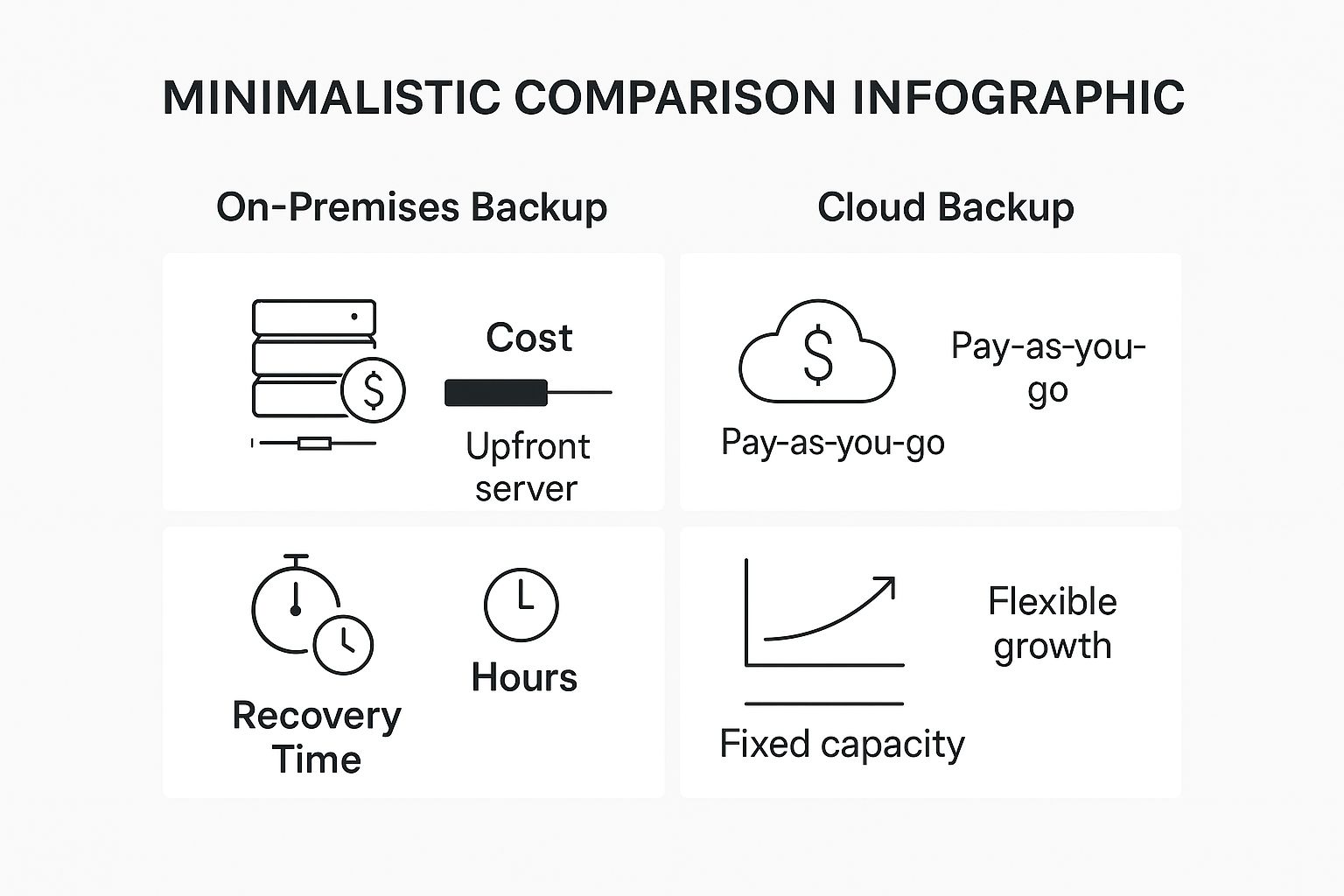
As you can see, there's a clear trade-off. On-site backups let you recover files faster but are harder to scale. The cloud gives you endless room to grow but restoring large amounts of data can be slower since it depends on your internet connection.
This is where a hybrid approach really shines. It perfectly bridges the gap, giving you the best of both worlds: the zippy restores of an on-site backup combined with the bomb-proof security of the cloud. This makes it an incredibly powerful choice for businesses that can't afford any downtime.
This approach is a cornerstone of a complete data protection plan. To see how it all fits together, check out our guide on the crucial differences between backup and disaster recovery for your small business. It will help you build a strategy that prepares you for anything, from a simple accident to a full-blown catastrophe.
Feature-by-Feature Backup Solution Showdown
To make this even clearer, let's put these three solutions head-to-head. This table breaks down how each one stacks up across the factors that matter most to your business.
| Feature | On-Premises Backup | Cloud Backup | Hybrid Backup |
|---|---|---|---|
| Initial Cost | High (hardware purchase) | Low (subscription-based) | High (requires both on-prem hardware and cloud subscription) |
| Ongoing Costs | Moderate (power, maintenance, IT staff) | Predictable (scales with data usage) | High (combines on-prem and cloud costs) |
| Recovery Speed | Fastest (local network access) | Slower (dependent on internet bandwidth) | Fastest for recent files; slower for older, cloud-only data |
| Scalability | Limited (requires new hardware purchases) | Virtually Unlimited (easily add more storage) | Virtually Unlimited (cloud component offers flexibility) |
| Security | You are fully responsible for physical and digital security. | High (managed by provider with enterprise-grade security) | Best of both: physical control plus offsite, encrypted copies. |
| Accessibility | Limited to the physical location of the hardware. | Accessible from anywhere with an internet connection. | Best of both: fast local access and remote cloud access. |
| Disaster Recovery | Vulnerable to local disasters (fire, flood, theft). | Excellent (data is stored offsite in secure data centers). | Excellent (local copy for speed, cloud copy for disaster). |
| Best For | Businesses needing fast recovery for large files and have IT staff. | Businesses needing scalability, remote access, and strong DR. | Businesses that cannot afford downtime and need both speed and security. |
Looking at the comparison, it’s clear there's no single "best" solution—only the best solution for you. A hybrid model often emerges as the top contender for businesses that need rock-solid reliability, but your specific needs for speed, budget, and security will ultimately guide your decision.
Critical Factors for Choosing Your Backup Solution
Choosing the right backup solution for your small business isn't a one-size-fits-all deal. The best choice comes down to your unique operations, your budget, and how much risk you're willing to accept. To find the perfect fit, you have to answer a few key questions first.
Think of it like picking a delivery vehicle for your business. A restaurant in Pacific Grove needs a fast, nimble scooter for local food deliveries. A farm in the Salinas Valley needs a heavy-duty truck to haul produce. Both move goods, but their purpose and capabilities are worlds apart.
Your backup plan works the same way—it all hinges on your specific data and how you use it. Let's walk through the factors that will guide you to a smart, cost-effective decision that not only protects you today but also supports your growth tomorrow.
Define Your Recovery Objectives
Before you even glance at a backup solution, you need to define what "recovery" actually means for your business. This boils down to two simple but incredibly powerful concepts:
- Recovery Time Objective (RTO): How fast do you absolutely need to be back online after a disaster? This is your maximum acceptable downtime. Can your business handle being offline for a day, a few hours, or only a few minutes?
- Recovery Point Objective (RPO): How much recent data can you afford to lose forever? This dictates how often you need to run backups. If your RPO is one hour, you need backups running at least every 60 minutes so you never lose more than an hour of work.
Answering these two questions is the single most important step you'll take. A hospitality business in Carmel taking online reservations 24/7 will have an RTO and RPO near zero. On the other hand, an office that only processes payroll weekly might have a lot more flexibility.
Your RTO and RPO are your North Star. They dictate the type of system you need, from simple file backups to a more robust plan. We dive deeper into building these strategies in our guide to Salinas backup and disaster recovery services.
Consider Compliance and Scalability
Beyond recovery speed, you have to think about your industry's specific rules and your company's future.
For local industries like healthcare or financial services, compliance is non-negotiable. Regulations like HIPAA dictate exactly how patient or client data must be stored, encrypted, and protected. Your backup solution absolutely must meet these strict standards, or you could face serious fines and legal trouble.
Next, think about scalability. Your business is growing, and your data is growing right along with it. A good backup solution should grow with you without demanding a huge new investment every time you need more space. This is where cloud and hybrid models really shine, letting you expand your storage on demand. A plan that feels right today should still serve you well in three to five years.
Putting Your Backup and Recovery Plan into Action
You’ve done the hard work of analyzing the options and picking a backup solution for your small business. So, what’s next? Now comes the part where we turn that decision into a reliable, working process. This is about more than just installing some software; it’s about building a dependable system that genuinely lets you sleep at night.
The initial setup and configuration are where the magic happens. This is the stage where you—or your IT partner—define exactly what data gets backed up, how often, and where it’s all stored. Getting this right from day one ensures every critical file, from client records to financial data, is protected without bogging down your storage with junk you don't need.
The Most Important Step: Testing Your Recovery Plan
Let's be blunt: a backup is completely useless if you can't actually restore your data from it. It sounds obvious, but you'd be shocked how many businesses have this massive blind spot. You absolutely cannot just set it and forget it, assuming everything is working because the software dashboard says "Complete."
The only way to be 100% certain is through regular, scheduled testing. This means doing more than just restoring a single file. It’s about simulating a real-world data loss scenario to see how your plan holds up under pressure.
A successful test proves two critical things: first, that your backed-up data is complete and uncorrupted, and second, that your team knows the exact steps to get your business back online. It transforms a theoretical safety net into a proven, practical tool for recovery.
Building a Bulletproof Process
A backup strategy shouldn't just exist on a checklist; it needs to be woven into the fabric of your operations. To make your business truly resilient, it's essential to integrate your backup strategy with comprehensive Business Continuity Planning. This ensures that if disaster strikes, everyone knows their role, and you can recover with minimal disruption.
Here’s a simple, effective framework for a testing schedule:
- Weekly File-Level Restore: Pick a random, non-critical file and restore it from your latest backup. This is a quick check to verify the basics are working.
- Quarterly Full-System Restore: Perform a more thorough test. This could involve restoring an entire folder or even an application to a separate test environment.
- Annual Disaster Simulation: Run a full drill with your team. Walk through the entire recovery process, from declaring a "disaster" to accessing the restored data and getting back to work.
This structured approach is a core part of how we support our clients. Proactive testing is what separates a vulnerable business from a resilient one. To see how these principles apply directly to local businesses, check out our guide on how to protect your business data with backup and recovery in Salinas.
Frequently Asked Questions About Data Backups
Even after breaking down the different types of backups, you probably still have some questions floating around. That’s completely normal. Choosing the right backup solution is a major decision for any small business, and we hear the same concerns from owners all over Monterey County.
Let's get right to it. Here are some straightforward answers to the questions we get asked the most, focusing on the practical side of things like cost, security, and getting started. Our goal is to give you the confidence to build a plan that truly protects what you’ve built.
How Much Should a Small Business Budget for Backups?
This is always the first question, and the honest answer is: it depends, but it's almost always more affordable than you think. There's no one-size-fits-all price tag. The cost really comes down to two things: how much data you have and how fast you need to get it back after a disaster (your RTO/RPO).
For a small office, a simple cloud backup service might run you anywhere from $10 to $50 per month, and it scales up as your data grows. On-premise setups have a bigger upfront cost for the hardware, but you won't have those recurring monthly fees. The key is to stop thinking of it as an expense and start seeing it as a core business investment, just like you would with insurance.
Is Cloud Backup Really Secure?
Yes, when it's set up correctly, it’s incredibly secure. In fact, it’s often far more secure than what most small businesses could manage on their own. Reputable cloud providers deploy enterprise-grade security measures that are simply out of reach for the average SMB.
Think of it this way: your data gets encrypted before it even leaves your network. It then travels through an encrypted tunnel and is stored in an encrypted state at a highly secure data center. This multi-layered approach makes it extremely difficult for anyone unauthorized to get their hands on your information.
How Often Should We Back Up Our Data?
This brings us back to your Recovery Point Objective (RPO)—in simple terms, how much data could you stand to lose without it causing a major problem? For most businesses, daily backups are the absolute minimum. We have clients in finance and hospitality who can't afford to lose even an hour's worth of transactions, so they back up critical data every hour, or sometimes even more frequently.
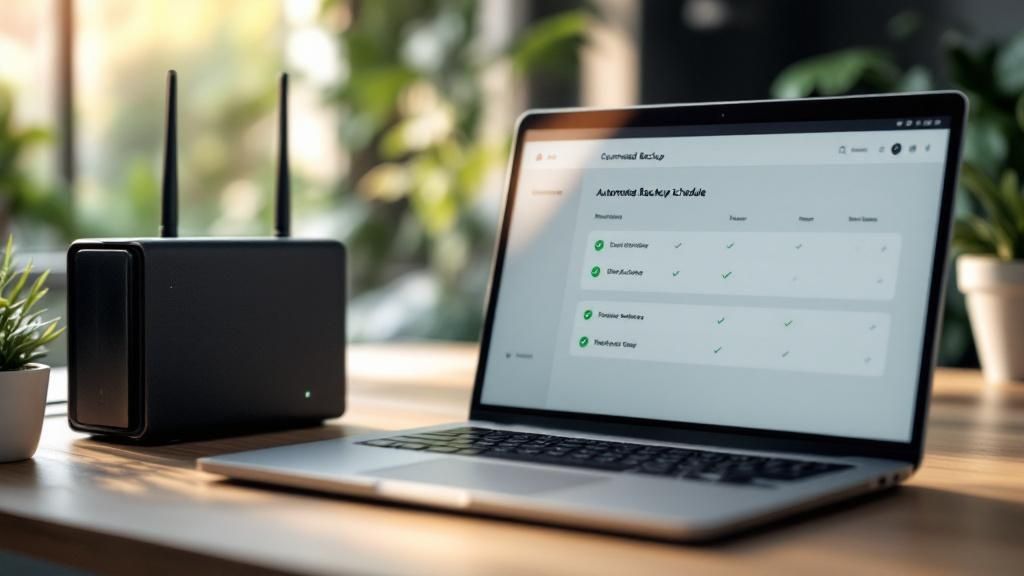
The best practice here is automation. Setting up an automated schedule means your data is protected consistently without anyone having to remember to click a button. It completely removes human error from the equation. We often explore this in-depth when discussing the differences between simple backups and a full strategy. To learn more, you can read our guide on backup and disaster recovery for businesses.
Your Local Partner for Affordable IT Protection
Choosing the right backup solution isn't just another item on your to-do list—it's one of the most important decisions you'll make for the health and future of your business. This is about more than just technology; it's about building resilience, ensuring you can keep the lights on no matter what, and gaining the peace of mind that comes from knowing you're truly protected. That’s the core of our mission here at Adaptive Information Systems.
We bring the kind of robust, enterprise-level IT strategies once reserved for big corporations to local businesses from Pacific Grove to Salinas, all at a price that actually makes sense for your bottom line. We live and work here, so we get the unique challenges and opportunities you face, whether you’re in agriculture, hospitality, or professional services.
Our commitment is to be your dedicated IT partner, not just another vendor. We specialize in translating complex tech into practical, powerful protection that fits your specific needs and budget.
A complete approach to IT protection also means modernizing how your business operates. For instance, exploring ways of optimizing IT support with AI can make your business even stronger and more efficient. Let us help you put a solid backup and disaster recovery plan in place—one that protects the legacy you've built and secures your future.
Ready to build a reliable backup plan with a trusted local partner who gets it? Contact Adaptive Information Systems today for a no-obligation chat.
Adaptive Information Systems
380 Main St, Salinas CA 93901 | 831-644-0300 | hello@adaptiveis.net